As data in organizations becomes increasingly complex and fragmented, connecting and synchronizing information from many different sources is a big challenge. Data integration tools were born as a timely solution, helping businesses consolidate data, creating a single and reliable source of information. In this article, DIGI-TEXX helps you explore an overview of data integration tools, their main functions, and the popular solutions that many businesses trust today.
>>> See more:
- Best Offshore Data Annotation Service Providers in 2026
- Best Insurance Claims Processing Outsourcing BPO in the US 2026
- The 15 Best Invoice Processing Software Solutions In 2026
What Are Data Integration Tools?
Data integration tools are software applications that automate and manage the process of combining data from multiple sources (such as databases, cloud services, APIs, and file systems) into a single destination system. The goal of applying these tools in data integrations is to create a unified, consistent, and reliable view of data to support analysis and make appropriate business decisions.
As you can see, this process is not simply copying data, but also includes steps such as: cleaning, transforming, and normalizing data, with the ultimate goal of ensuring accuracy and consistency. The tools will act as a bridge, helping companies break down data silos, where information is isolated in separate systems, thereby creating a more seamless and efficient flow of information across the organization.
A practical example of this would be: a retail company has customer data stored in a CRM system, sales data on an e-commerce platform, and inventory data in another ERP system. Data integration tools automate the collection of data from all three systems and then combine them into a single data warehouse. Therefore, marketing teams can analyze customer shopping behavior based on aggregated data, instead of having to access each system to aggregate and process it.

>>> See more:
- Invoice Processing Outsourcing Services For US Businesses
- An Overview of Document Processing Company: What You Need to Know
- Top 10 Data Entry Outsourcing Companies to Hire in 2026
20 Data Integration Tools For Modern Businesses
The data integration tools market is very diverse, from open-source solutions to enterprise-specific platforms. Below are 20 prominent tools trusted by businesses, classified based on their own features and advantages.
1. Fivetran
Fivetran specializes in automated ETL with good cloud support. Fivetran’s main features automatically synchronize data and migrate schemas, helping businesses save time and human resources for management.
Key Features:
- 300+ fully managed, pre-built data connectors
- Automatic schema migration and pipeline maintenance
- Support for incremental data syncing to minimize data loads
- Native integrations with major cloud warehouses (Snowflake, BigQuery, Redshift, Databricks)
- Data transformation via dbt integration
- SOC 2 Type II, GDPR, and HIPAA compliance
- Real-time and scheduled sync options
Best for: Small and medium-sized businesses, or data analytics teams that want to quickly integrate popular data sources without having to maintain complex ETL structures.
2. Domo
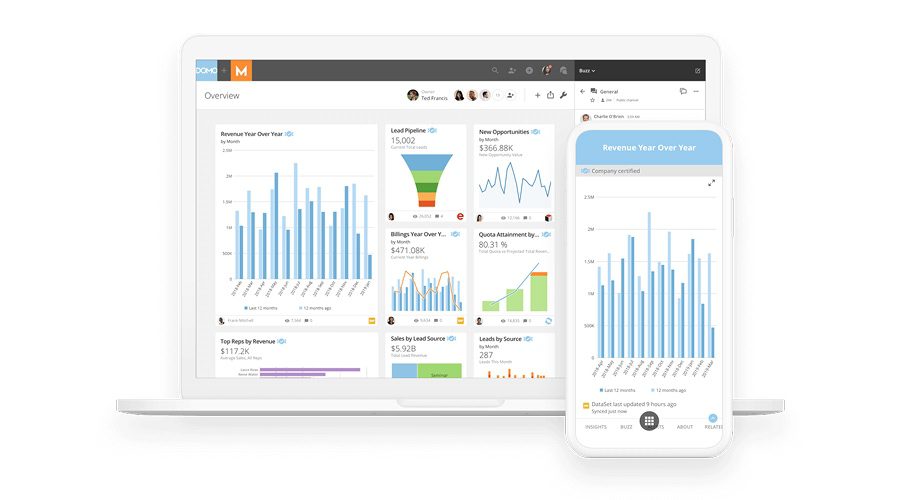
Domo stands out for its intuitive data representation as well as supporting a comprehensive integration platform. Domo stands out for its ability to combine integration, visualization and data management features on the same system. This platform helps users not only integrate data but also easily analyze and visualize information to make business decisions easier when the data is visualized.
Key Features:
- 1,000+ pre-built data connectors, including SaaS apps, databases, and files
- Drag-and-drop data transformation with Magic ETL
- Built-in BI dashboards and data storytelling features
- Real-time data updates and alerts
- AI-powered insights and anomaly detection
- Role-based access controls and data governance
- Mobile-first design for on-the-go data access
Best for: Businesses that need an all-in-one solution, from data collection to creating easy-to-follow reports and dashboards for senior leaders.
Pricing: Estimated costs start from around $300/month for small teams, scaling up based on user count and data volume.
>>> See more:
- Top 10 Best big data processing tool for Business 2026
- Best Data Cleansing Outsourcing Companies for 2026
- What are the 6 steps of the data analysis process?
3. Informatica IDMC
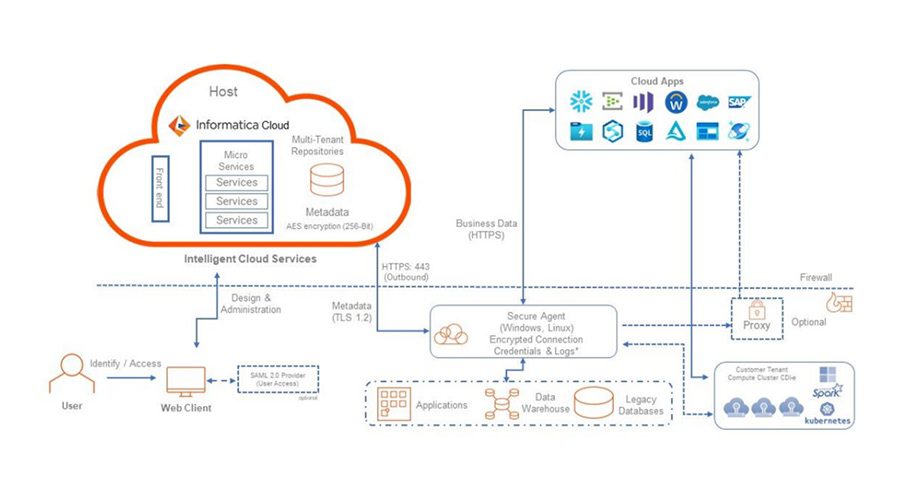
As one of the leading tools in the market, Informatica IDMC provides an AI-powered data catalog and good data governance capabilities, capable of handling large volumes of data at the same time.
Key Features:
- AI-powered data integration with CLAIRE AI for intelligent automation
- Comprehensive ETL, ELT, and real-time streaming pipelines
- Built-in data quality, profiling, and cleansing capabilities
- Master data management (MDM) and data governance
- 600+ pre-built connectors across cloud and on-premises systems
- Data catalog and lineage tracking for full visibility
- Support for multi-cloud and hybrid environments
Best for: Large enterprises, financial institutions or governments, where there are huge volumes of data and high security requirements as well as the need to comply with strict data regulations.
Pricing: Pricing is usage-based and available upon request. Informatica offers a free trial for its cloud services. Enterprise contracts are typically custom-negotiated.
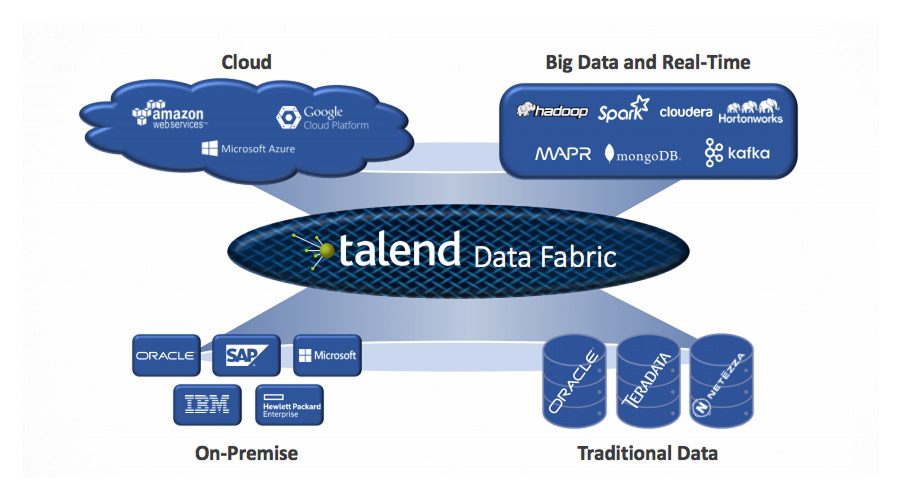
4. Talend Data Fabric
Talend has provided both open source and enterprise solutions. So their tool – Talend Data Fabric also combines ETL, data quality and data governance features in a single platform. This combination helps organizations to comprehensively manage the data lifecycle.
Key Features:
- Key Features:
- Visual drag-and-drop interface for building data pipelines
- 1,000+ built-in connectors for databases, cloud apps, and big data platforms
- Native data quality management and profiling tools
- Support for real-time streaming and batch integration
- Open-source Talend Open Studio for free community use
- CI/CD pipeline support for DevOps teams
- Built-in data governance and lineage tracking
Best for: Medium and large enterprises, especially those that need flexibility in data scale, as this is a highly customizable tool.
Pricing: Talend Open Studio is free. Talend Cloud plans start from approximately $1,170/month for the Data Integration tier. Enterprise pricing is custom.
5. Google Cloud Data Fusion
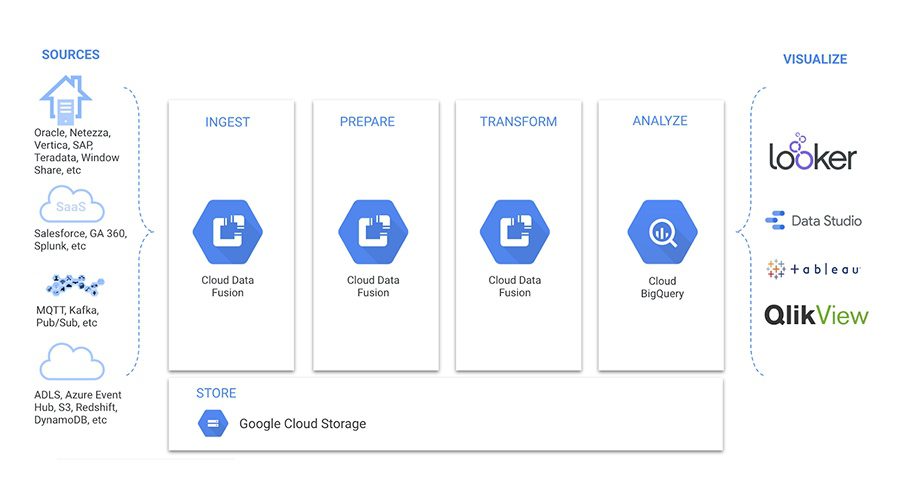
Google Cloud Data Fusion is a fully managed data integration service that runs on the Google Cloud Platform. As a native Google solution, this tool provides an intuitive interface, deep integration with GCP services, and uses Apache Beam for large-scale data processing. These capabilities make it highly effective for building scalable data pipelines and managing complex data workflows across the Google Cloud ecosystem.
Key Features:
- Visual, no-code pipeline builder for data integration
- 150+ pre-built connectors including Google Cloud services, databases, and SaaS tools
- Fully managed infrastructure — no server provisioning required
- Support for batch and real-time data processing
- Native integration with Google BigQuery, Cloud Storage, and Dataproc
- Data lineage and metadata management
- Scalable to handle petabyte-scale data workloads
Best for: Businesses that are using the Google Cloud ecosystem and need a tool that integrates seamlessly with existing services.
Pricing: Developer edition: free (limited). Basic edition starts at $0.35/hour. Enterprise edition starts at $2.65/hour. Costs vary based on usage and region.
6. Airbyte
Airbyte is a highly regarded open-source data integration tool, especially with the ability to easily build custom connectors. With these features, developers have more flexibility in connecting unique data sources that other tools may not support.
Key Features:
- 550+ pre-built and community connectors
- Open-source core with a transparent connector development framework
- Support for both self-hosted (Airbyte OSS) and cloud-managed (Airbyte Cloud) options
- Native ELT approach — loads raw data and transforms in the warehouse
- Custom connector builder for proprietary data sources
- Built-in normalization and dbt integration for transformations
- Monitoring and alerting for pipeline health
Best for: Developers and businesses with high customization needs who want complete control over their data streams.
Pricing: Airbyte Open Source is free. Airbyte Cloud pricing starts at $10/month per connector with a free tier available (credit-based). Airbyte Enterprise pricing is custom.
7. Apache NiFi
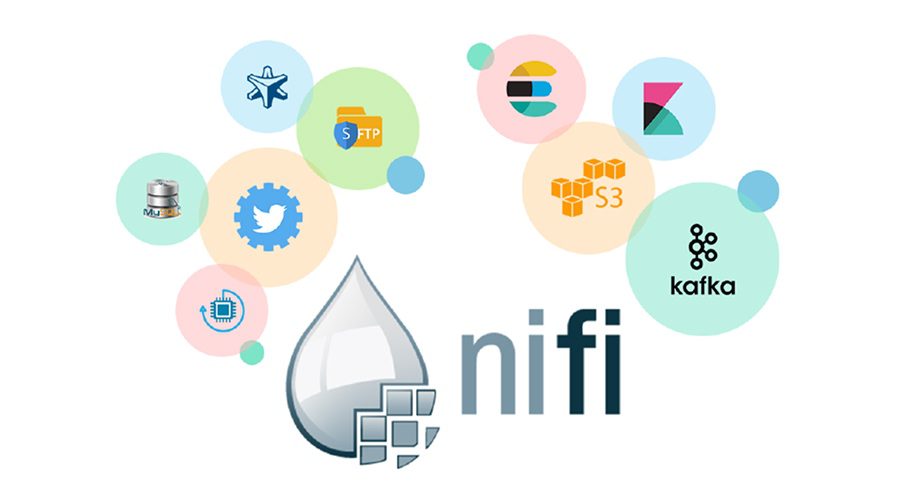
Apache NiFi stands out with its real-time data flow processing capabilities and an intuitive user interface. This tool helps users easily design, route, and monitor complex data flows through a graphical interface.
Key Features:
- Drag-and-drop visual interface for building data flows
- 300+ built-in processors for data routing and transformation
- Real-time data streaming and processing capabilities
- Highly configurable with fine-grained data provenance tracking
- Support for secure data transfer (TLS, SSL, and encryption)
- Scalable to cluster deployments for high-throughput workloads
- Extensive REST API for programmatic control
Best for: Businesses that need to process data from IoT, logs, or other specialized streaming sources, where real-time, continuous data processing is required.
Pricing: Free and open source (Apache License 2.0). Commercial support is available through vendors such as Cloudera.
8. Scriptella
This is a lightweight, script-based tool that is suitable for small-scale data integration systems. Scriptella helps users write simple scripts to move data between databases and other sources.
Key Features:
- Simple XML-based script format for defining ETL workflows
- Supports JDBC, JNDI, and a variety of database drivers
- Scripting support in JavaScript, Velocity, Janino, and more
- Lightweight footprint with no complex installation required
- Integration with Apache Ant and Maven build tools
- Cross-database data migration and transformation support
- Open-source with active community maintenance
Best for: Developers and simple integration projects that need to process transient, short-term data.
Pricing: Free and open source (Apache License 2.0). No commercial licensing required.
>>> See more:
- CRM Data Cleaning Solutions: How to Cleanse Your Data Fast
- Secure Data Annotation Services: Top Companies & How to Choose
- Healthcare Back-Office Support Services For Efficient Operations
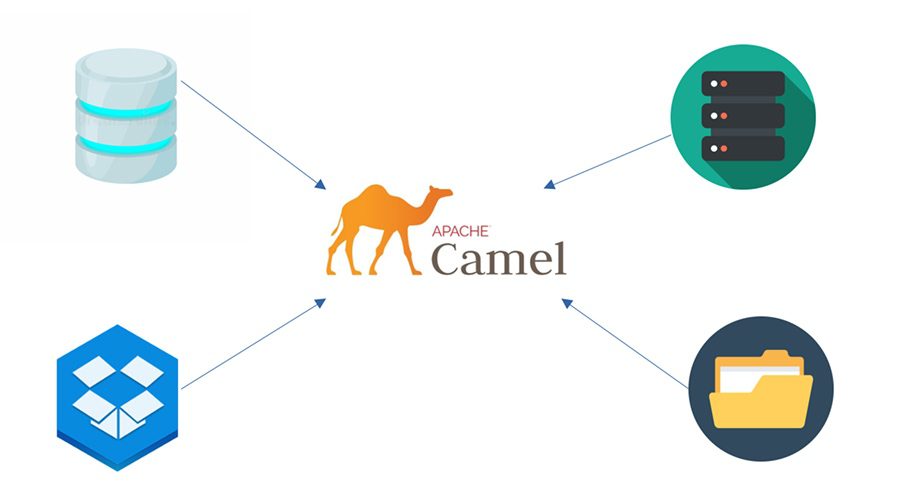
9. Apache Camel
Apache Camel is an open-source integration framework for developers. It supports many different domain specification languages (DSLs), making integration between applications more flexible.
Key Features:
- 300+ built-in components for connecting to APIs, databases, messaging systems, and cloud services
- Implementation of enterprise integration patterns (EIPs) out of the box
- Supports multiple DSLs: Java, XML (Spring), Kotlin, YAML
- Lightweight and embeddable within Spring Boot and Quarkus
- Built-in support for error handling, retry policies, and dead-letter queues
- Real-time and batch data processing
- Extensive testing support with Camel Test framework
Best for: Developers and complex software projects where integration of multiple systems is required when the data of the analyzed object is fragmented.
Pricing: Free and open source (Apache License 2.0). Red Hat provides commercial support via Red Hat Fuse / Camel extensions for Quarkus.
10. dbt (Data Build Tool)
dbt is an open-source, SQL-based data integration tool that specializes in transforming data in a data warehouse. The highlight of dbt is that it helps data engineers build powerful data models using only SQL, instead of having to use complex programming languages.
Key Features:
- SQL-based transformations with Jinja templating for reusable logic
- Version control integration via Git for collaborative workflows
- Built-in testing framework for data quality checks
- Auto-generated data documentation and lineage graphs
- Modular, reusable model architecture
- Native integration with Snowflake, BigQuery, Redshift, Databricks, and more
- dbt Cloud offers a managed IDE, scheduling, and CI/CD pipelines
Best for: Data engineers and data analytics teams who want to focus on data modeling rather than building traditional ETL structures.
Pricing: dbt Core is free and open source. dbt Cloud pricing starts at $50/month for the Teams plan (per developer seat). Enterprise pricing is custom.
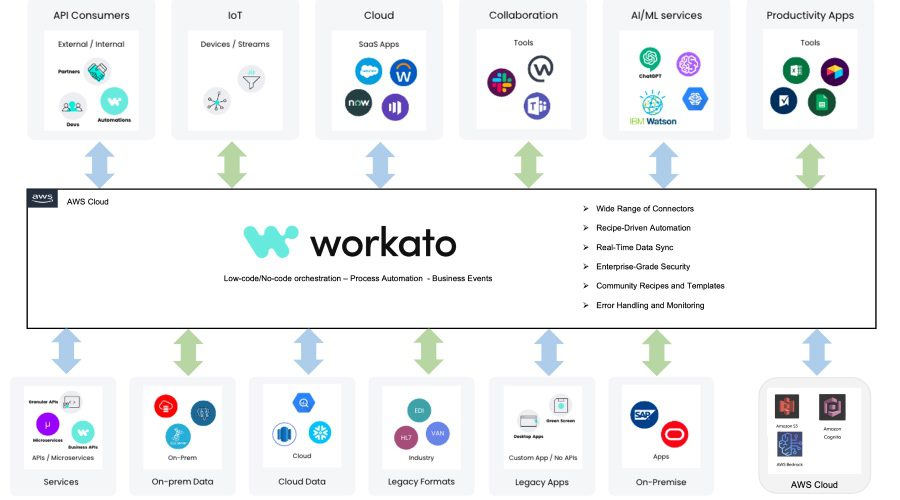
11. Workato
Workato is an enterprise automation and integration platform (iPaaS) that enables business and IT teams to automate workflows and integrate applications without extensive coding. It uses a recipe-based approach to integration, making it accessible to both technical developers and business analysts.
Key Features:
- 1,000+ pre-built connectors and recipe templates
- Low-code/no-code recipe builder for rapid integration development
- Real-time event-based triggering for instant data sync
- AI-powered automation recommendations (Workato Copilot)
- Built-in data transformation and mapping tools
- Enterprise-grade security with SOC 2, ISO 27001, and HIPAA compliance
- Supports both business process automation and IT integrations
Best for: Business and IT teams that want to quickly integrate SaaS applications and automate repetitive tasks without the intervention of data engineers.
Pricing: Pricing is custom and quote-based. Workato offers workspace-based plans typically starting from around $10,000/year for smaller deployments. A free trial is available.
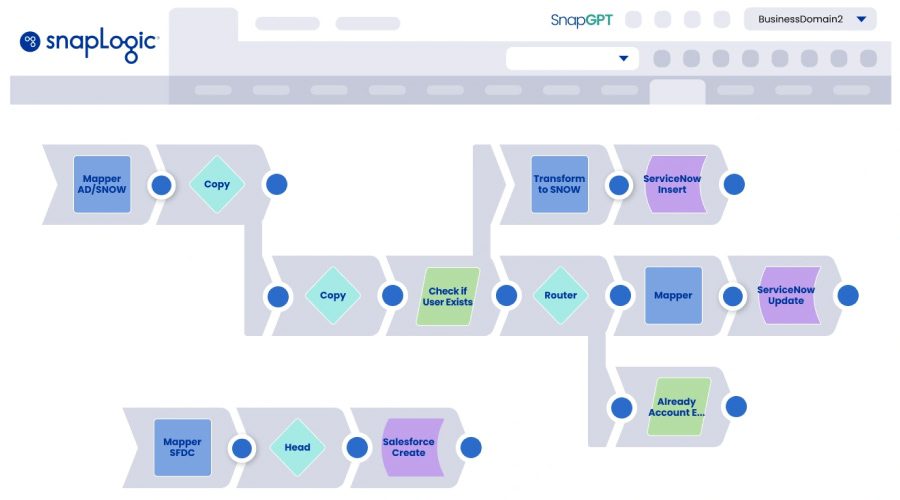
12. SnapLogic
SnapLogic is an Integration Platform as a Service (iPaaS) that provides a visual, AI-assisted interface for designing and managing data integration and application integration workflows. Its ‘Snap’ component library enables users to connect cloud apps, databases, and on-premises systems without extensive coding.
Key Features:
- 700+ pre-built ‘Snaps’ (connectors) for cloud and on-premises systems
- AI-powered pipeline suggestions via SnapGPT
- Visual drag-and-drop pipeline designer
- Support for batch, real-time, and event-driven integration
- Self-service data integration for business users
- Elastic processing engine for high-throughput workloads
- Enterprise-grade security and governance features
Best for: Businesses looking to integrate cloud and on-premises applications quickly and easily.
Pricing: Pricing is custom and quote-based. SnapLogic offers a 30-day free trial. Enterprise contracts are typically annual subscription-based.
13. Tray.io
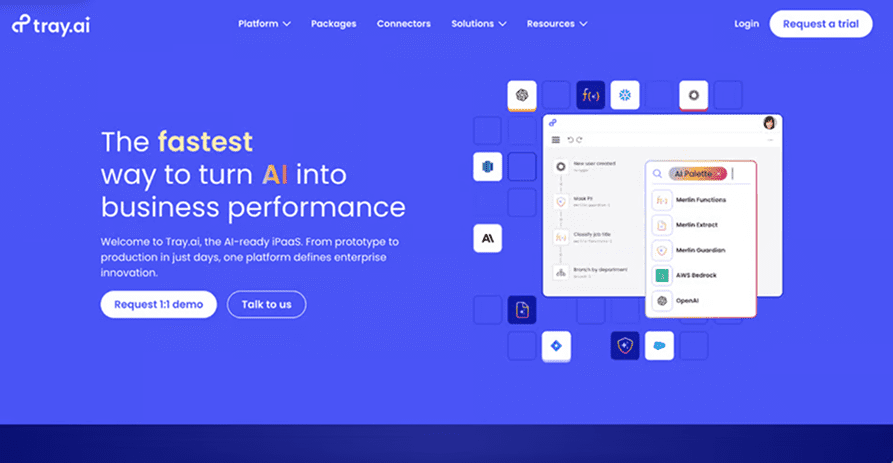
Tray.io is a powerful low-code integration tool that is especially effective for automating SaaS applications. Tray.op helps businesses connect cloud applications and automate business processes without writing much code. Suitable for beginners to connect & clean data.
Key Features:
- 600+ pre-built connectors for SaaS tools and APIs
- Visual low-code workflow builder with branching logic
- Support for complex, multi-step automation sequences
- Real-time webhooks and scheduled triggers
- Built-in data transformation and conditional logic
- Enterprise governance with SSO, audit logs, and role-based access
- API integration and custom connector creation
Best for: Startups and marketing teams looking to automate campaigns and business processes.
Pricing: Pricing is custom and quote-based. Tray.io offers a free trial. Plans start from approximately $3,000–$5,000/year for small teams; enterprise plans scale based on workflow volume.
14. MuleSoft Anypoint Platform
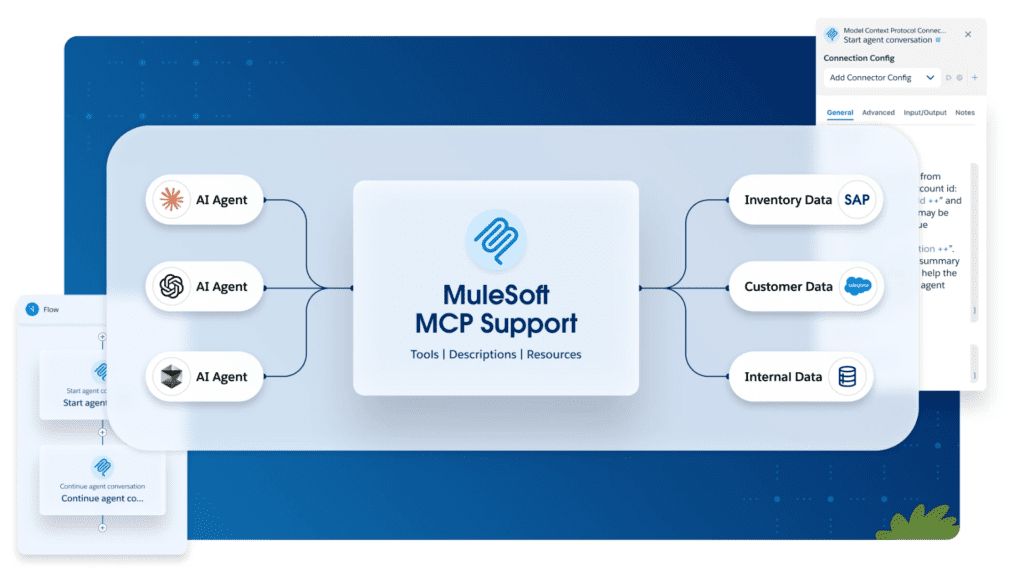
MuleSoft Anypoint Platform, owned by Salesforce, is an enterprise-grade API-led integration platform that enables organizations to connect applications, data, and devices across cloud, on-premises, and hybrid environments. It is one of the most widely used integration platforms for building reusable APIs and managing complex enterprise data flows.
Key Features:
- API-led connectivity architecture for reusable, scalable integrations
- 1,000+ pre-built connectors via Anypoint Exchange
- Full API lifecycle management, including design, deployment, and governance
- Support for real-time, event-driven, and batch integration
- Anypoint DataGraph for federated GraphQL API queries
- Runtime Fabric for containerized, hybrid deployments
- Enterprise security: encryption, OAuth, SAML, and compliance tools
Best For: Large enterprises with complex IT landscapes, especially those already using Salesforce, that need a robust API management and integration platform for connecting diverse systems.
Pricing: A 30-day free trial is available. Pricing is custom; enterprise contracts typically start from $50,000+/year.
>>> Explore more:
- Intelligent Document Processing Services: How It Works & Business Benefits
- Outsourced Order Processing Services – Fast & Accurate
- Document Indexing Services For Efficient Search & Data Access
15. AWS Glue
AWS Glue is a fully managed, serverless ETL service from Amazon Web Services. It automatically discovers, catalogs, and transforms data from various sources and makes it ready for analytics. Deeply integrated with the AWS ecosystem, it is ideal for organizations building data pipelines on AWS.
Key Features:
- Serverless architecture, no infrastructure provisioning required
- Automatic schema discovery and data catalog management
- Visual ETL job builder with AWS Glue Studio
- Native integration with S3, Redshift, RDS, Athena, and more
- Support for Python and Spark-based data transformation
- Glue DataBrew for no-code data preparation
- Auto-scaling for variable workloads
Best For: Organizations already using the AWS ecosystem that want a managed, scalable ETL service without managing servers or infrastructure.
Pricing: AWS Glue pricing is usage-based. ETL jobs cost approximately $0.44/DPU-hour; Glue Data Catalog requests and storage are charged separately. A free tier is available for new AWS customers.
16. Microsoft Azure Data Factory
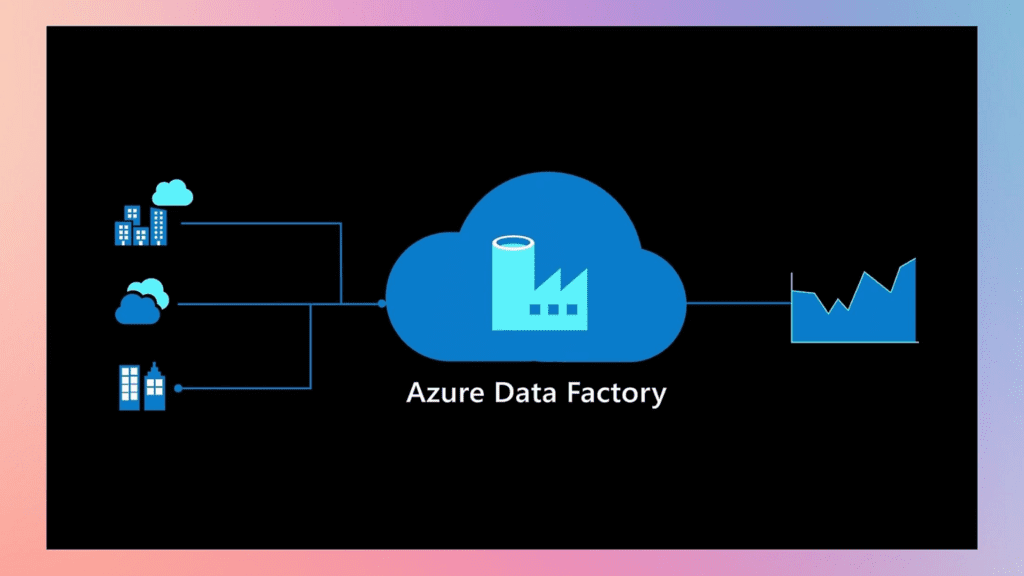
Microsoft Azure Data Factory (ADF) is a cloud-based data integration service from Microsoft that enables organizations to create, schedule, and orchestrate data workflows at scale. It supports hybrid data integration across cloud and on-premises sources and integrates natively with the Azure ecosystem.
Key Features:
- 90+ built-in data connectors including Azure services, SaaS tools, and on-premises databases
- Visual, code-free pipeline authoring in the ADF Studio
- Support for both ETL and ELT data integration patterns
- Integration with Azure Synapse Analytics, Azure Databricks, and Azure Machine Learning
- Mapping Data Flows for visual, no-code data transformation
- CI/CD support via Azure DevOps and GitHub integration
- Autoscale compute for handling variable data volumes
Best For: Organizations already invested in the Microsoft Azure ecosystem looking for a managed, scalable data orchestration and integration service.
Pricing: ADF pricing is activity-based. Orchestration activities are charged per run; data movement costs vary by data volume. The first 5 activities/month are free.
17. Pentaho Data Integration
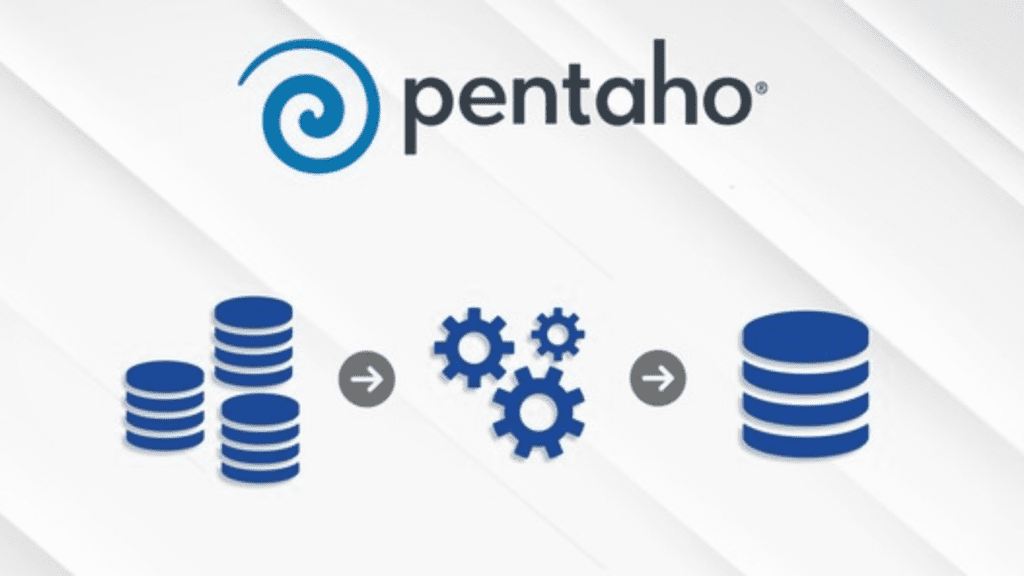
Pentaho Data Integration (PDI), now part of Hitachi Vantara’s data operations software portfolio, is a powerful open-source ETL and data integration tool. Often called ‘Kettle,’ it provides a visual, drag-and-drop environment for designing data transformation workflows and supports a wide variety of data sources.
Key Features:
- Visual Spoon graphical designer for creating ETL workflows (transformations and jobs)
- Wide database and file format support via JDBC, ODBC, and native drivers
- Built-in data profiling and data quality checks
- Support for Hadoop, Spark, and big data platforms
- Extensible via community and commercial plugins
- Scheduling and automation via Pentaho Server (commercial)
- Both open-source (community edition) and enterprise editions are available
Best For: Technical teams and businesses seeking an open-source data integration solution with enterprise-grade capabilities, especially for complex ETL workflows and big data environments.
Pricing: Pentaho Community Edition is free and open source.
>>> See more:
- Back Office Support Services For Streamlined & Efficient Operations
- Data Labeling Service: Benefits, Top Providers & How to Choose
- Insurance Back Office Support Services for Insurers & Agencies
18. Dell Boomi
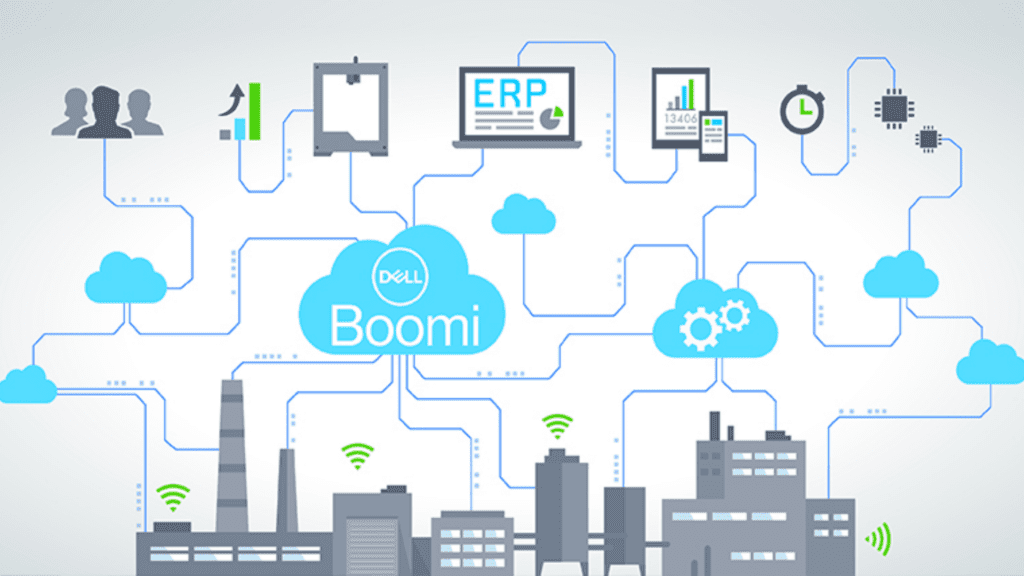
Dell Boomi is a cloud-native iPaaS that enables organizations to quickly build, deploy, and manage integrations between cloud and on-premises applications. Known for its low-code visual builder and large connector library, Boomi is a popular choice for mid-size to large enterprises automating business processes.
Key Features:
- 200,000+ reusable integration components in the Boomi Atom Sphere
- Low-code visual process builder for rapid integration development
- Support for EDI, B2B, and supply chain integration scenarios
- Boomi Flow for workflow automation and digital process automation
- Real-time and batch data integration modes
- Master data hub for data governance and golden record management
- SOC 2, ISO 27001, HIPAA, and GDPR compliance certifications
Best for: Mid-size to large enterprises needing a flexible, scalable iPaaS for connecting a wide range of cloud and on-premises applications across finance, HR, logistics, and more.
Pricing: Boomi pricing is subscription-based and custom-quoted. Plans typically start from approximately $550/month for the Professional plan.
19. IBM DataStage
IBM DataStage (part of IBM Cloud Pak for Data) is an enterprise-grade ETL and data integration platform designed for handling massive volumes of complex data. It provides a visual design environment for building high-performance data pipelines and is trusted by large organizations in regulated industries.
Key Features:
- High-performance parallel processing for large-scale data workloads
- Visual job designer for ETL pipeline creation
- Support for batch, real-time, and micro-batch integration
- Native connectors for IBM Db2, Oracle, SAP, Salesforce, and more
- Advanced data transformation and business rule management
- Tight integration with IBM Cloud Pak for Data for analytics workloads
- Enterprise-grade security, lineage tracking, and governance
Best for: Large enterprises and government organizations with complex, high-volume data integration needs, particularly those already using IBM technologies or requiring on-premises deployments.
Pricing: IBM DataStage pricing is subscription-based via IBM Cloud Pak for Data. Pricing is custom and quote-based depending on resource units (CPs).
20. Stitch Data
Stitch Data is a cloud-first ELT platform that focuses on simplicity and speed. Acquired by Talend and now part of the Qlik ecosystem, Stitch allows data teams to rapidly replicate data from dozens of SaaS and database sources into their cloud data warehouse with minimal setup and no code.
Key Features:
- 140+ pre-built source connectors, including SaaS apps, databases, and event streams
- Simple, code-free setup with guided source and destination configuration
- Near-real-time data replication with incremental loading
- Native support for Snowflake, Redshift, BigQuery, and Azure Synapse
- Row-level change detection for efficient data syncing
- Transparent pipeline monitoring and error alerting
- Singer open-source protocol compatibility
Best For: Small to mid-size data teams and startups that want a simple, fast, and affordable way to replicate data from multiple sources into their data warehouse without complex configuration.
Pricing: Stitch offers a free plan with limited rows. Paid plans start at $100/month for up to 5 million rows. The Advanced plan starts at $1,250/month for more data volume and priority support.
>>> See more:
- Professional E-commerce Data Entry Services by DIGI-TEXX
- Ecommerce Back Office Support Services By DIGI-TEXX
- Top 7 Free AI Business Document Analysis Tools 2026
How To Choose The Right Data Integration Tool ?
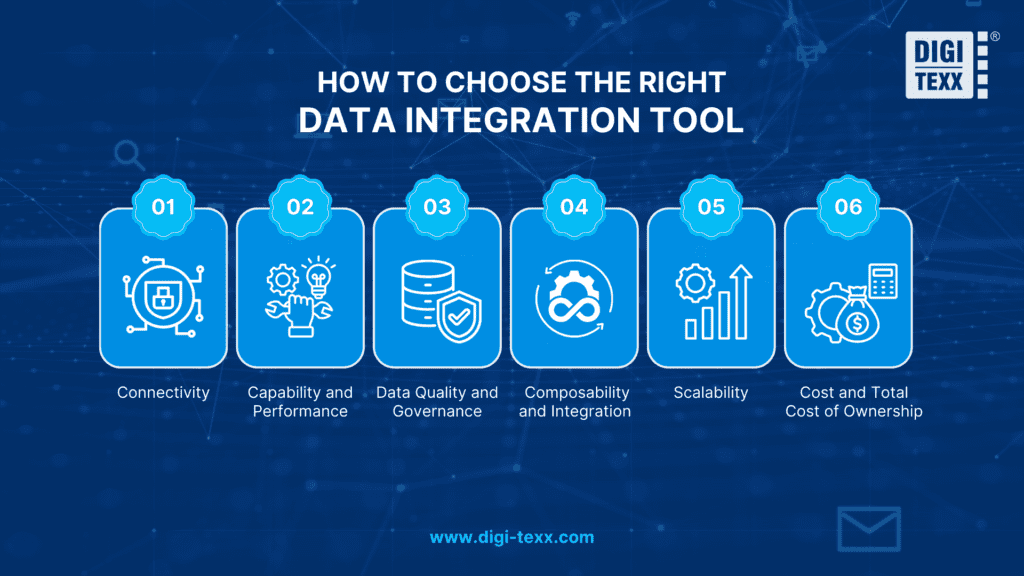
With so many data integration tools available, selecting the right one requires careful consideration of your organization’s specific needs. Here are the key factors to evaluate:
- Connectivity: Always verify that the tool can connect to the data sources your business relies on. Check for pre-built connectors to relevant platforms and confirm that these connectors are actively maintained and kept up to date.
- Capability and Performance: Assess whether the tool can handle the data volumes your business generates, at the granularity and frequency you need. Consider peak load scenarios and whether the platform can maintain performance under those conditions.
- Data Quality and Governance: Evaluate the tool’s capabilities for data profiling, cleansing, and quality management. A good data integration tool should also support data governance practices, including data lineage, metadata management, and security controls.
- Composability and Integration with Existing Tools: Ensure the tool integrates well with your existing technology stack. A solution that requires a complete rebuild of your infrastructure may not be worth the disruption compared to one that fits naturally into what you already have.
- Scalability: Consider the tool’s ability to grow with your business. A solution that works today should still meet your needs in two to three years as data volumes and complexity increase.
Cost and Total Cost of Ownership: Understand the full pricing model, including subscription fees, usage-based charges, and the cost of any add-ons or premium connectors. Some platforms appear affordable upfront but become significantly more expensive at scale.
4 Types Of Data Integration Tools
Data integration tools can be categorized into several types based on their functionality and approach to data integration. In some cases, a single tool might cover more than one of the common types listed below:
Extract, Transform, Load (ETL) Tools
ETL tools are designed to extract data from various sources, transform it into a consistent format, and then load it into a target system. This process typically involves data extraction from source systems, data cleansing, data transformation, and loading into a data warehouse or another destination.
Data Preparation Tools
These tools focus on data profiling, cleansing, and enrichment to ensure data quality and readiness for integration. They typically provide features for data exploration, data validation, data transformation, and data enrichment to improve the quality and usability of the integrated data.
>>> See more:
- What is Optical Character Recognition (OCR) and How Does It Work?
- What Is Automated Data Extraction? Guide, Benefits & Tools
- 16 Key Factors To Improve Data Accuracy
Data Migration Tools
Data migration tools are used to transfer data from one system or environment to another. They focus on ensuring data integrity, mapping data between different structures, and migrating data while minimizing downtime and disruption.
Data Integration Platforms
Data integration platforms tend to be comprehensive solutions that offer a wide range of data integration capabilities under one roof. They typically combine all the functionality of ETL, data preparation, and data migration tools in a single place, making it easier for users to manage and use their data in one unified system. In some cases, they may also provide data visualization or even data analytics features.
Benefits Of Using Data Integration Tools
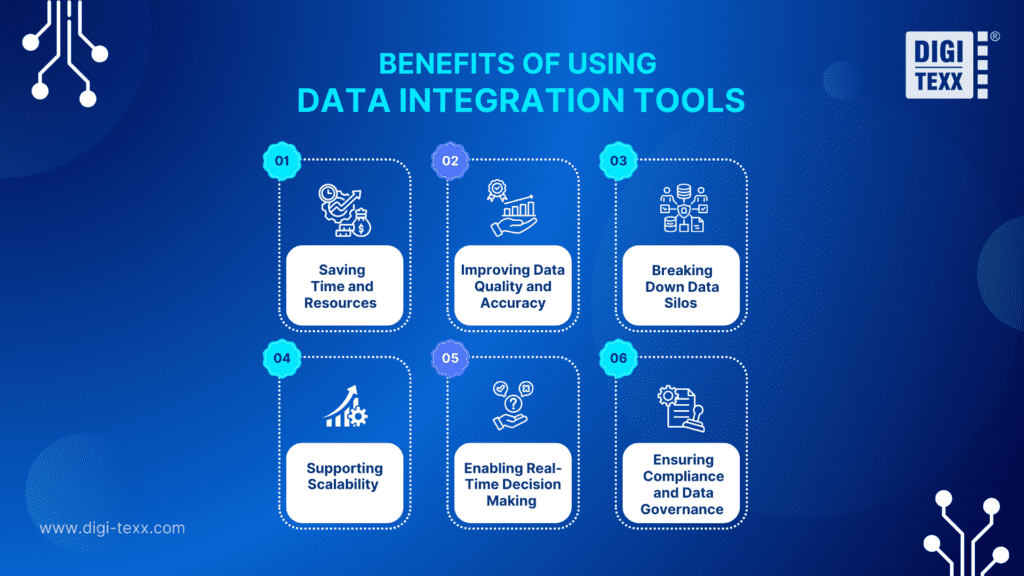
Investing in a data integration tool delivers significant advantages for organizations of all sizes. Here are the most impactful benefits:
Saving Time and Resources
By automating the data integration process, businesses eliminate the need for manual data collection and aggregation, a process that is both time-consuming and error-prone. Teams can redirect that time toward higher-value analytical work instead of spending hours consolidating spreadsheets.
Improving Data Quality and Accuracy
Data integration tools include built-in capabilities for data cleansing, validation, and transformation. This ensures data from different sources is standardized and consistent before being used for reporting or analysis, significantly reducing the risk of decisions being made on flawed data.
Breaking Down Data Silos
Many organizations suffer from data silos, where critical information is locked within individual departments or systems. Integration tools connect these sources, giving all relevant stakeholders access to a complete and unified view of business performance.
Supporting Scalability
As businesses grow, so does their data. The right integration tools are built to scale alongside the organization, handling increasing data volumes and new data sources without requiring a complete rebuild of the data infrastructure.
Enabling Real-Time Decision Making
Many modern data integration tools support real-time or near-real-time data processing, enabling businesses to react to changes in data, such as sudden shifts in sales, inventory levels, or customer behavior, much faster than traditional batch-based approaches allow.
Ensuring Compliance and Data Governance
Enterprise-grade integration platforms include features for metadata management, data lineage tracking, and access control. These capabilities help organizations remain compliant with data privacy regulations such as GDPR, HIPAA, and others.
>>> Explore more:
- Top Document Scanning Software for 2026: Features, Pros & Cons
- B2B Data Cleansing in 2026: The Guide to Maintaining Data Quality
- 5 Best Data Parsing Software in 2026 | Features & Comparison
Key Functions Of Data Integration Tools
Data integration tools perform several important functions to ensure the integration process is effective, including the following steps:
- Data Extraction: These tools pull data from various sources such as databases, cloud services, APIs, and file systems. This process can take place in real time or on a preset schedule.
- Data Transformation: The extracted data is transformed into a standardized format, including mapping, cleaning, and enriching the data. This function is important to ensure that data from different sources can be combined in a logical way.
- Data Loading: After being transformed, the data is loaded into target systems such as data warehouses or other business applications (a CRM, or a CDP). This process can be a full load or an incremental load.
- Data Management: These tools manage the entire integration process, including scheduling, monitoring, and providing auditing and assessment capabilities. This makes it easy for businesses to track performance and troubleshoot issues if they arise.
- Support for Different Patterns: They handle integration patterns such as batch processing, real-time streaming, and API-based synchronization. The ability to support multiple patterns makes these tools more flexible for a variety of use cases.

FAQs About The Data Integration Tool
Can Small Businesses Benefit From Data Integration Tools?
Absolutely. Many tools like Stitch Data, Airbyte, and Fivetran offer affordable or free tiers specifically designed for smaller teams. Even small businesses benefit from consolidated data views when making marketing, sales, or operational decisions.
How Do Data Integration Tools Handle Data Security?
Most enterprise-grade data integration tools include role-based access control, data encryption in transit and at rest, audit logging, and compliance certifications (e.g., SOC 2, GDPR). It is important to verify the specific security features of any tool you evaluate against your organization’s compliance requirements. Choosing the right data integration tools is an important strategic decision for any business. Depending on your size, budget, and specific needs, you can choose from free data integration tools or open-source solutions that suit your company’s needs.
To optimize your data management and analysis processes, and ensure that you are getting the most value from your information, it is essential to apply the right integration tools. If you are still wondering, contact DIGI-TEXX for advice and implementation of the most suitable data integration solutions for your business.
If you have any questions or would like expert advice on data analytics services, please feel free to contact us using the information below.
DIGI-TEXX Contact Information:
🌐 Website: https://digi-texx.com/
📞 Hotline: +84 28 3715 5325
✉️ Email: [email protected]
🏢 Address:
- Headquarters: Anna Building, QTSC, Trung My Tay Ward
- Office 1: German House, 33 Le Duan, Saigon Ward
- Office 2: DIGI-TEXX Building, 477-479 An Duong Vuong, Binh Phu Ward
- Office 3: Innovation Solution Center, ISC Hau Giang, 198 19 Thang 8 street, Vi Tan Ward