AI image processing is transforming the way businesses enhance, analyze, and manage digital visuals more efficiently. In this guide, DIGI-TEXX explores how AI-powered technologies are improving image quality, automating recognition tasks, and optimizing workflows across industries.
From clipping path service and AI photo retouching to document image scanning software and photo editing services online, modern image processing solutions help organizations handle large volumes of visual data with greater speed, accuracy, and consistency.
What Is Image Processing?
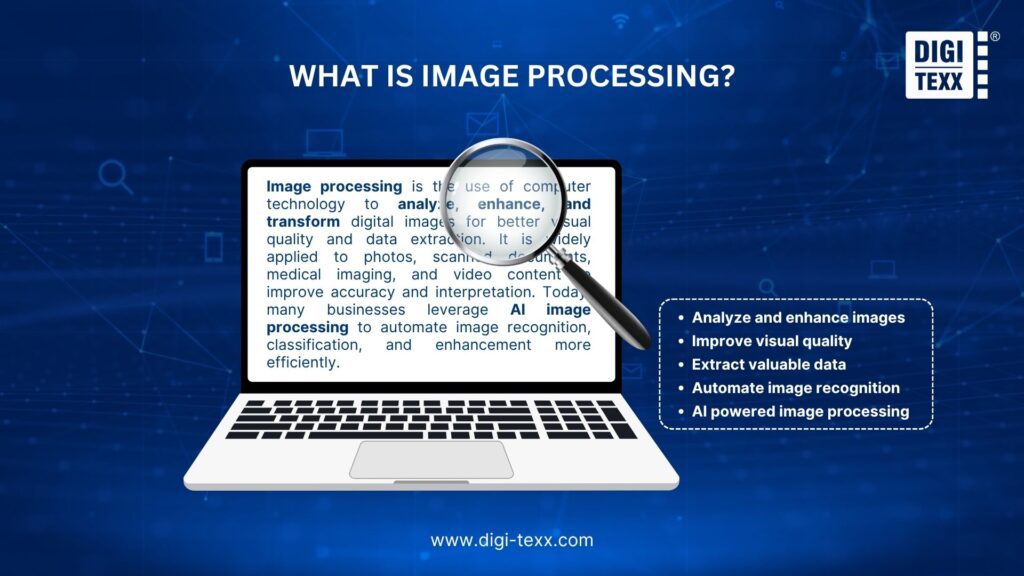
Image processing is the technique of analyzing, modifying, and enhancing digital images to improve visual quality or extract meaningful information from them. It involves using computer-based technologies to process images such as photographs, scanned documents, medical scans, and video frames for better interpretation and analysis. Today, many industries also integrate AI image processing to automate image recognition, classification, and quality improvement tasks more efficiently.
Image processing is widely used across industries, including healthcare, manufacturing, surveillance, ecommerce, automotive, and remote sensing. It helps organizations improve accuracy, streamline workflows, and gain valuable insights from visual data.
“AI image processing technologies can reduce manual visual inspection and image analysis workloads by up to 90 percent while significantly improving accuracy, speed, and operational efficiency across data-intensive industries.” – McKinsey
>>> See more:
- How to Edit Street Style Photos Like a Pro?
- What is Photo Clipping Path and its Benefits for Businesses
Role Of AI In Image Processing
AI plays a major role in modern image processing by learning from millions of visual datasets and using that knowledge to analyze, improve, and generate images more intelligently. Here are some common applications of AI in image processing:
- Object Recognition: AI can identify and distinguish objects in images, such as distinguishing between animals, vehicles, and everyday items.
- Facial Recognition: AI helps detect and verify human faces, making it widely used in security systems, smartphones, and social media platforms.
- Image Enhancement: AI can improve image quality by sharpening details, reducing noise, and restoring blurry or low-quality visuals.
- Image Generation: AI is capable of creating entirely new visuals, including realistic human portraits, digital artwork, and AI-generated designs. Many fashion, ecommerce, and retail businesses are also leveraging image processing for virtual try-on AI model solutions to create more interactive customer experiences, improve product visualization, and support AI-powered virtual fitting technologies.
Common Image Processing Techniques
Filtering
Filtering is used to improve image quality by reducing noise, sharpening details, adjusting brightness, or enhancing specific visual elements within an image.
Segmentation
Segmentation divides an image into multiple regions or objects, making it easier to identify and analyze important areas such as backgrounds, products, or human features.
Edge Detection
Edge detection identifies the boundaries and outlines of objects within an image. This technique is commonly used for object recognition, motion tracking, and shape analysis.
Morphological Processing
Morphological processing focuses on analyzing the shape and structure of objects in an image. It helps remove imperfections, fill gaps, and improve the overall clarity of visual data.
Top 10 AI Image Processing Tools Free 2026
| AI Image Processing Tool | Key Features | Best For |
| Straico | AI image generation, content writing assistance, prompt library, multiple AI models | Content creators, marketers, businesses |
| Microsoft Azure Computer Vision | Image classification, OCR, object detection, content moderation | Healthcare, retail, manufacturing |
| Amazon Rekognition | Facial recognition, emotion analysis, object detection, video analysis | Security, authentication, media management |
| Google Cloud Vision AI | Label detection, facial recognition, landmark identification, text extraction | Cloud-based AI applications and scalable image analysis |
| TensorFlow | Open source machine learning framework, CNN support, image segmentation | AI developers and machine learning engineers |
| IBM Watson Visual Recognition | Image tagging, face detection, custom AI model training | Content management and surveillance systems |
| Clarifai | Object detection, image classification, real-time visual analysis | Social media moderation and retail analytics |
| NVIDIA Clara | Medical image segmentation, anomaly detection, AI powered diagnostics | Healthcare and medical imaging |
| DeepArt.io | Artistic image transformation, AI style filters, creative editing | Digital artists and creative designers |
| Adobe Sensei | Auto tagging, content aware editing, AI-powered design tools | Designers, photographers, creative professionals |
1. Straico
Straico stands out as an all-in-one AI image processing platform designed to simplify both content and visual creation. The platform combines AI-powered image generation, smart writing assistance, and a prompt library to help users create high-quality content faster and more efficiently.
Whether you need marketing copy, creative visuals, or automated design support, Straico offers multiple AI models and ready-to-use templates for content creation, copywriting, and image generation. Its user-friendly interface makes it an excellent choice for businesses and creators looking to enhance productivity with advanced AI tools.

>>> See more:
- Free Online Photo Retouching Tools for Beginners
- Top 8 Different Artistic Styles for Photo Editing
2. Microsoft Azure Computer Vision
Microsoft Azure Computer Vision is part of the Azure Cognitive Services suite, delivering powerful cloud-based image analysis capabilities. By leveraging advanced machine learning technology, the platform can analyze and extract valuable information from visual content with high precision.
Its key features include image classification, OCR (optical character recognition), object detection, and content moderation. Widely adopted across industries such as healthcare, retail, and manufacturing, Azure Computer Vision helps organizations streamline operations and improve data-driven decision-making.

3. Amazon Rekognition
Amazon Rekognition is a cloud-based AI image processing service developed by Amazon Web Services (AWS). It enables businesses to integrate image and video analysis into their applications without needing extensive machine learning expertise.
The platform offers advanced features such as facial recognition, emotion detection, object identification, and content moderation. Thanks to its seamless integration with other AWS services, Amazon Rekognition provides scalable and reliable solutions for industries like security, user authentication, and media management.

4. Google Cloud Vision AI
Google Cloud Vision AI is Google’s advanced machine learning solution for image analysis and recognition. Designed for speed and accuracy, the platform excels in tasks such as facial recognition, label detection, landmark identification, and text extraction.
Powered by Google’s deep learning expertise, Cloud Vision AI enables businesses to build scalable applications that rely on visual data analysis. Its flexible API integration makes it a popular choice for organizations already using Google Cloud Platform services.

5. TensorFlow
Developed by the Google Brain team, TensorFlow is one of the most widely used open source frameworks for machine learning and AI image processing. It provides developers with a powerful ecosystem of tools and libraries for building advanced image recognition and computer vision models.
Using convolutional neural networks (CNNs), TensorFlow supports tasks such as object detection, image classification, and image segmentation with impressive accuracy. Its flexibility, scalability, and strong community support make it a preferred solution for both beginners and experienced AI developers.

6. IBM Watson Visual Recognition
IBM Watson Visual Recognition is a powerful AI image processing solution within the IBM Cloud ecosystem. Using deep learning algorithms, the platform can identify, classify, and analyze visual content with remarkable efficiency.
Features such as image tagging, face detection, and custom model training allow businesses to tailor the system for various use cases, from automated content management to advanced surveillance applications. Its intuitive interface and robust API support make it accessible for developers of all skill levels.
>>> See more:
- Professional E-commerce Photo Editing Services to Boost Your Online Sales
- Top Providers and Key Benefits of Jewelry Photo Editing Services
7. Clarifai
Clarifai specializes in AI-driven visual recognition technology for both images and videos. Its deep learning-based platform is highly effective for tasks such as object detection, image classification, and content moderation.
The platform offers customizable AI models and a user-friendly interface, making it suitable for applications ranging from social media monitoring to retail analytics. Clarifai’s real-time processing capabilities also help businesses gain instant insights from visual data more efficiently.

8. NVIDIA Clara
NVIDIA Clara is an AI-powered platform specifically developed for medical image processing. Built by NVIDIA, a global leader in GPU technology, Clara leverages deep learning and accelerated computing to support healthcare professionals in analyzing complex medical images.
The platform is widely used for image segmentation, anomaly detection, and medical image classification. By utilizing the high-performance processing capabilities of NVIDIA GPUs, Clara significantly improves diagnostic accuracy and speeds up clinical workflows.
9. DeepArt.io
DeepArt.io brings a creative twist to AI image processing by combining artificial intelligence with artistic design. Using deep neural networks, the platform transforms ordinary photos into visually striking artworks inspired by famous painting styles and abstract art.
Users can apply a wide range of artistic filters to their images, creating unique and aesthetically appealing visuals in just a few clicks. Although it focuses more on creativity than enterprise image analysis, DeepArt.io demonstrates the exciting artistic potential of AI-powered image transformation.

10. Adobe Sensei
Adobe Sensei is the AI and machine learning framework integrated into Adobe Creative Cloud applications. While its capabilities extend beyond image editing, Adobe Sensei has become a game-changer in AI image processing and digital design workflows.
With intelligent features like image recognition, auto tagging, and content-aware editing, Adobe Sensei helps creative professionals automate repetitive tasks and achieve more precise editing results. It enhances productivity while maintaining high-quality visual output for designers, photographers, and marketers.

>>> See more:
- Professional Fashion Photo Editing Services for Stunning Visuals
- Free Online Photo Retouching Tools for Beginners
- Best Product Photo Editing Services For eCommerce: Top Providers Compared
Key Steps in AI Image Processing Implementation
- Data Collection: Gathering large amounts of image data to train AI image processing models effectively.
- Image Preprocessing: Preparing and optimizing images through resizing, filtering, normalization, and quality enhancement before training.
- AI Model Training: Training the AI system with labeled datasets so it can accurately recognize patterns, objects, and visual details.
- Performance Evaluation: Testing the AI image processing model with new images to measure accuracy, efficiency, and reliability.
- Deployment & Integration: Implementing the trained AI model into real-world applications such as healthcare, retail, security, and automation systems.
Future Trends In AI and Image Processing
The future of AI image processing is becoming more advanced and innovative across many industries. Here are some key trends to watch:
- Higher Accuracy: AI models are continuously improving in recognizing, analyzing, and understanding images with greater precision.
- Real-Time Processing: Faster AI technologies will enable instant image analysis, such as live object detection and real-time text translation from images.
- Integration with AR: The combination of AI and augmented reality (AR) will create more interactive and immersive digital experiences.
- Healthcare Innovation: AI will continue enhancing medical image analysis, supporting earlier diagnosis, improved accuracy, and better treatment planning.
FAQ About AI Image Processing
What Is AI Image Processing?
Image processing in AI refers to using computer algorithms to enhance, clean up, or transform digital images so they can be analyzed more effectively by machines. It converts raw visual data into meaningful and usable information. While traditional image processing relies mainly on predefined mathematical formulas and rules, AI-powered methods use trained models to automatically identify features, detect patterns, and interpret visual content.
Which Industries Benefit The Most From AI Image Processing?
AI image processing benefits industries such as healthcare, retail and e-commerce, security, automotive, manufacturing, media and entertainment, and agriculture by improving automation, accuracy, and decision-making.
Which AI Is Best For Image Processing?
The best AI image processing tool depends on your specific needs. For professional photo editing and retouching, Adobe Photoshop remains the industry standard. For automated image enhancement and upscaling, tools like Magnific and Luminar Neo are excellent choices. Meanwhile, Google Cloud Vision AI and TensorFlow are better suited for technical computer vision tasks, image analysis, and AI-powered processing.
Which AI For Image Proceesing Online Is 100% Free 2026?
No mainstream hosted AI chatbot is completely free with unlimited usage, since running advanced AI models requires significant computing resources. However, open-source models can be used at no cost when run on your own hardware, while platforms such as LMSYS Chatbot Arena provide free access to a range of leading AI models.
AI image processing is rapidly reshaping industries by enabling faster image analysis, smarter automation, and higher-quality visual outputs. From healthcare and manufacturing to ecommerce and creative design, advanced technologies such as AI photo retouching, clipping path, and intelligent image recognition are helping businesses improve efficiency and decision-making.
By leveraging the right image processing services and AI-driven tools, organizations can stay competitive, streamline workflows, and unlock greater value from visual data in the digital era, especially when partnering with end-to-end providers like DIGI-TEXX where AI-enabled workflows are combined with human quality control to ensure consistent, scalable, and high-quality visual output.
DIGI-TEXX Contact Information:
🌐 Website: https://digi-texx.com/
📞 Hotline: +84 28 3715 5325
✉️ Email: [email protected]
🏢 Address:
- Headquarters: Anna Building, QTSC, Trung My Tay Ward
- Office 1: German House, 33 Le Duan, Saigon Ward
- Office 2: DIGI-TEXX Building, 477-479 An Duong Vuong, Binh Phu Ward
- Office 3: Innovation Solution Center, ISC Hau Giang, 198 19 Thang 8 street, Vi Tan Ward
References:
- Adobe. (n.d.). Adobe Sensei AI and machine learning platform. Adobe. https://www.adobe.com/sensei.html
- Amazon Web Services. (n.d.). Amazon Rekognition. AWS. https://aws.amazon.com/rekognition/