Furniture photo editing is often treated as a finishing step, but in reality, it is a complex process that directly affects how furniture is presented across digital platforms. From color correction to texture refinement, each editing decision influences how a product is visually interpreted.
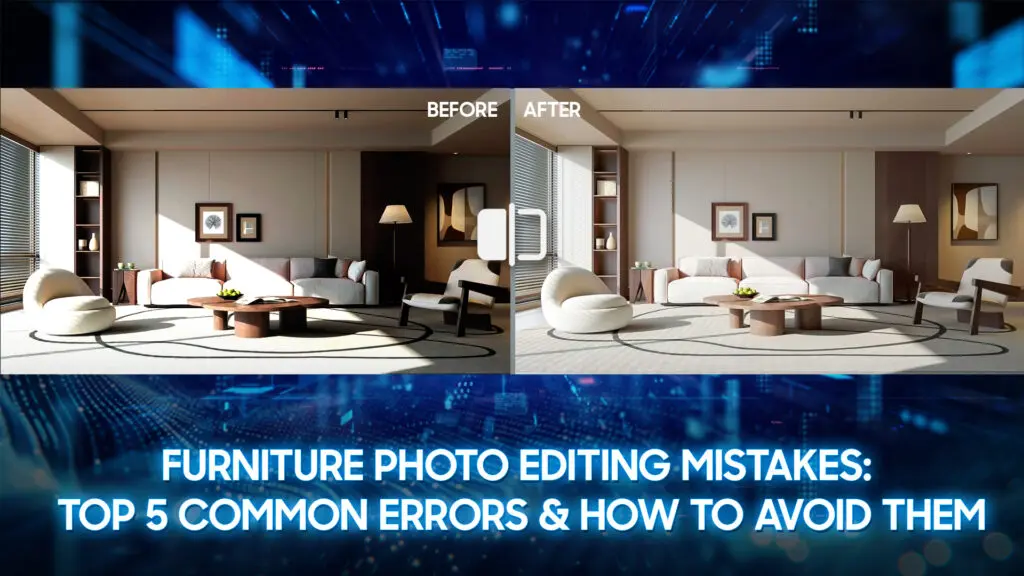
However, not all editing improves image quality. When done incorrectly or inconsistently, photo editing can introduce visual errors that misrepresent the product, reduce clarity, and weaken overall presentation. These mistakes are common across furniture catalogs, e-commerce listings, and marketing materials, and many of them are avoidable.
This article breaks down the most common furniture photo editing mistakes, explains why they occur, and outlines practical ways to avoid them. It also covers essential editing types, recommended tools, advanced techniques, and best practices to help create accurate, consistent, and high-performing furniture images.
Why Is Furniture Photo Editing Important?
Furniture photo editing plays a crucial role in how customers perceive and evaluate products online. Since buyers cannot physically inspect furniture, they rely entirely on images to judge design, materials, and overall quality. Without proper editing, even well-made furniture can appear flat, inaccurate, or unappealing on screen.
High-quality product photos significantly impact conversions and sales. According to Business Dasher, having high-quality product images can lead to up to a 94% higher conversion rate compared to low-quality photos, meaning shoppers are much more likely to complete a purchase when visuals look professional and accurate.
Moreover, 75% of online shoppers rely on product photos when making purchasing decisions, underscoring the importance of visuals in building customer confidence and influencing purchase intent.
Professional furniture photo editing helps bridge this gap by correcting lighting, refining textures, and ensuring accurate color representation. These adjustments allow customers to see the product as it truly is, which is essential for setting realistic expectations and avoiding dissatisfaction caused by color mismatches or misleading visuals.
Consistent furniture photo editing also strengthens brand credibility. When product images maintain a unified look across websites, marketplaces, and marketing materials, the brand appears more professional and trustworthy. In contrast, inconsistent or poorly edited images can damage customer confidence and reduce conversion rates.
Ultimately, effective furniture photo editing improves user experience, supports informed purchasing decisions, and helps reduce product returns. For furniture brands competing online, building trust and driving long-term sales is a key factor.
=> Explore more: Top Furniture Photo Editing Tools to Boost Sales
Types of Furniture Photo Editing
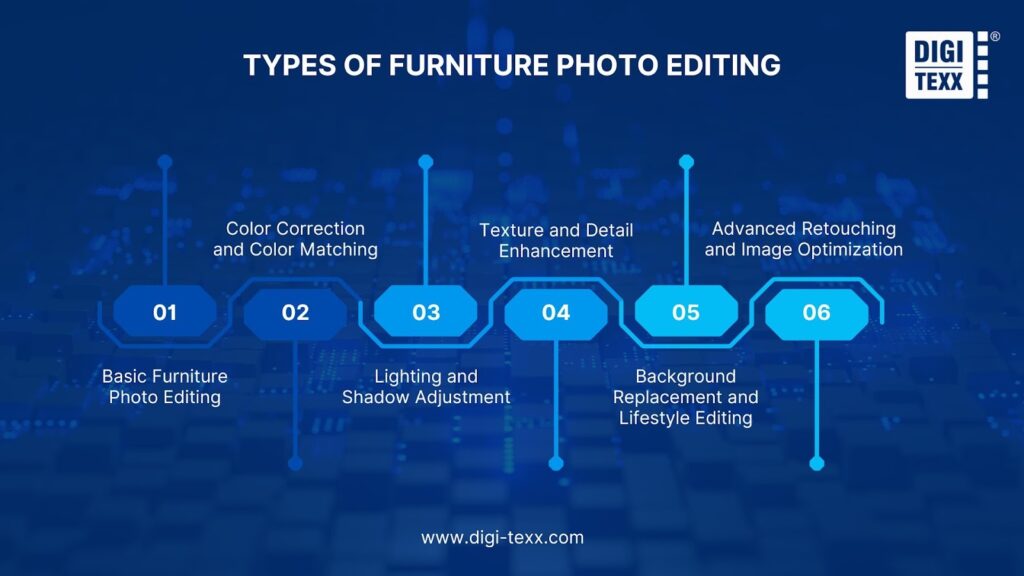
Furniture photo editing includes several distinct types, each serving a specific purpose depending on how the images will be used. Understanding these categories helps ensure the right editing approach is applied for accuracy, consistency, and visual effectiveness.
Basic Furniture Photo Editing
Basic editing focuses on essential corrections that make furniture images clean and usable for online platforms. This type of editing typically includes background removal or cleanup, brightness and contrast adjustment, cropping, and resizing.
The goal is to present the product clearly without altering its original design or materials, making it suitable for e-commerce listings and online marketplaces.
Color Correction and Color Matching
Color correction ensures that furniture images accurately reflect real-life finishes, fabrics, and materials. This process involves adjusting white balance, tones, and saturation to eliminate color casts and inconsistencies.
Color matching is especially important when a product has multiple variations or is photographed from different angles, as customers expect visual consistency across all images.
Lighting and Shadow Adjustment
This type of editing focuses on balancing exposure and creating natural-looking shadows. Proper lighting adjustment enhances depth and shape, while realistic shadows help ground the furniture and prevent a flat or artificial appearance. Consistent lighting across a product set is essential for professional catalogs and comparison-based shopping experiences.
Texture and Detail Enhancement
Texture enhancement highlights material details such as wood grain, fabric weave, or leather surfaces without over-smoothing or exaggeration. The objective is to preserve realism while ensuring important details remain visible, especially in high-resolution images where customers zoom in to inspect product quality.
Background Replacement and Lifestyle Editing
Background replacement involves placing furniture on clean white or neutral backgrounds for e-commerce or into lifestyle environments for marketing purposes. Lifestyle editing adds context and visual appeal, helping customers imagine how the furniture fits into real living spaces, while still maintaining accurate scale and proportions.
Advanced Retouching and Image Optimization
Advanced retouching addresses imperfections such as dust, scratches, uneven surfaces, or minor production flaws. This type also includes image optimization for different platforms by adjusting resolution, file size, and format to ensure fast loading times without sacrificing visual quality.
Top 5 Furniture Photo Editing Mistakes
Mistake #1: Over-Editing & Unrealistic Look
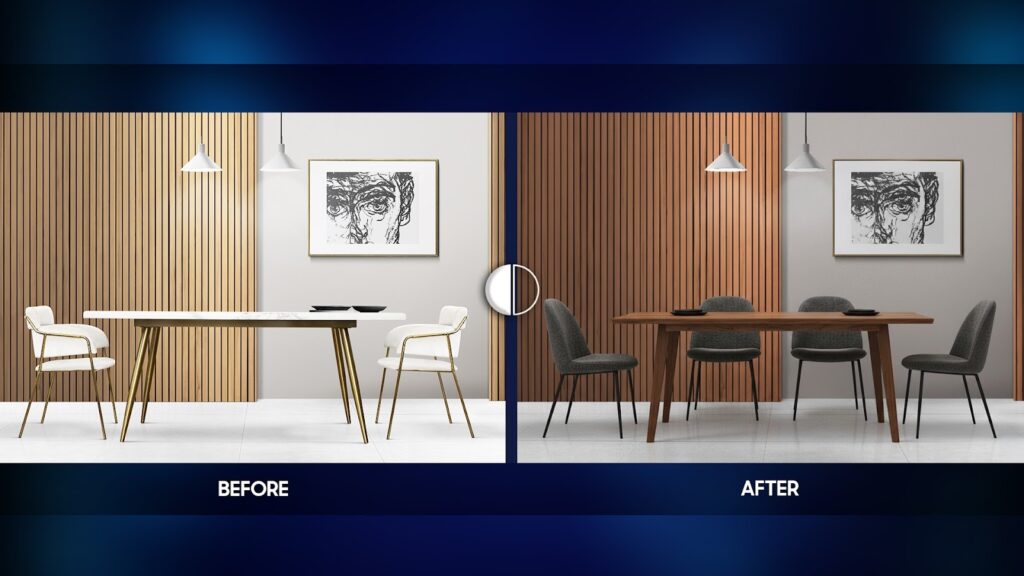
Over-editing occurs when image adjustments go beyond enhancement and begin to distort the true appearance of the furniture. Common examples include overly saturated colors, excessive contrast, heavy sharpening, or aggressive surface smoothing.
While these techniques may make images appear more striking at first glance, they often remove the subtle details that define material quality, such as wood grain patterns, fabric texture, or leather finishes.
In furniture photo editing, realism is critical. Customers expect images to reflect the actual product, not an idealized or exaggerated version. When furniture looks too perfect or artificial, it raises doubts about authenticity and product quality.
➡ Why it’s a problem:
Over-edited images create a mismatch between customer expectations and the delivered product. This gap frequently leads to disappointment, negative reviews, and increased return rates. Over time, repeated visual exaggeration can erode brand trust and reduce long-term customer loyalty, even if the furniture itself is well-crafted.
Mistake #2: Inconsistent Lighting & Shadows
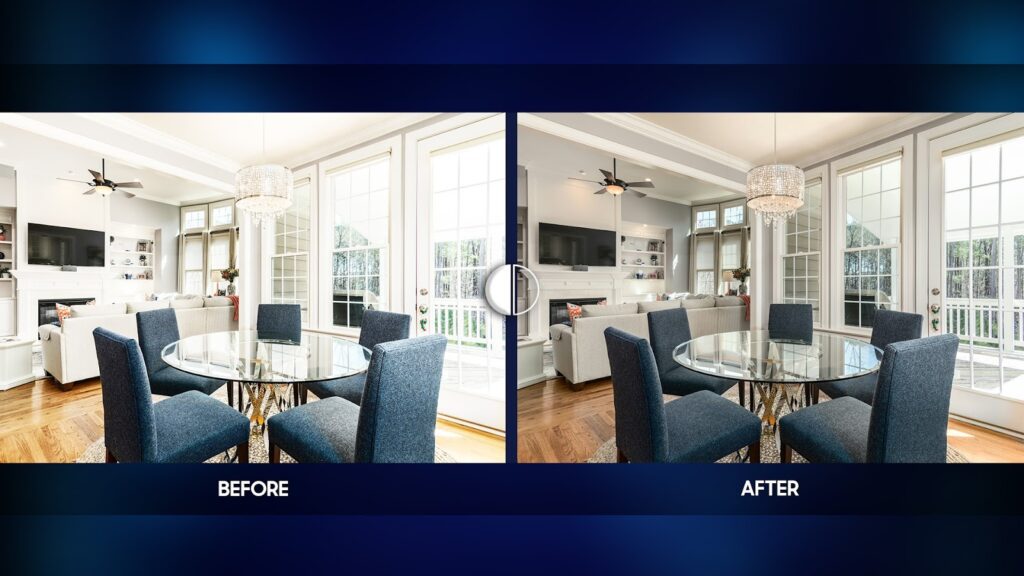
Inconsistent lighting often appears when furniture images are shot under different conditions or edited without a standardized lighting reference. As a result, images within the same product set may vary in brightness, color temperature, or shadow intensity.
Shadows may appear too harsh, incorrectly positioned, or missing altogether, making the furniture look flat or detached from its environment.
Lighting plays a key role in defining shape, depth, and proportions. When lighting is inconsistent, the furniture’s form can appear distorted or misleading across different images.
➡ Why it’s a problem:
Inconsistent lighting disrupts visual continuity and makes it difficult for customers to compare angles, dimensions, or variations accurately. This reduces confidence during the decision-making process and makes the overall presentation appear unprofessional, which can directly impact conversion rates.
Mistake #3: Poor Background Removal
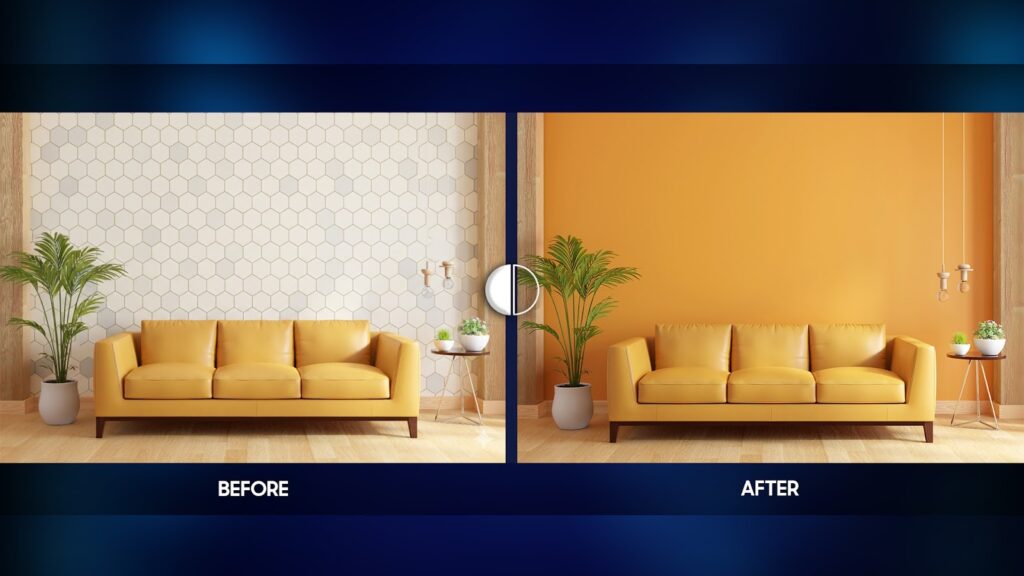
Background removal is a highly technical process, particularly for furniture with thin legs, curved edges, or intricate details. Poor background removal often results in jagged edges, missing parts, visible halos, or uneven transitions between the furniture and the background. These issues are especially noticeable on clean white or neutral backgrounds commonly used in e-commerce.
Edge quality is one of the first details customers subconsciously notice, even if they cannot clearly identify the problem.
➡ Why it’s a problem:
Poor cutouts make images look rushed and low-quality, reducing perceived product value. They can also cause furniture images to fail platform requirements on major marketplaces, limiting where and how the images can be used. Even minor edge flaws can distract customers and weaken trust in the brand’s professionalism.
Mistake #4: Incorrect Color Correction
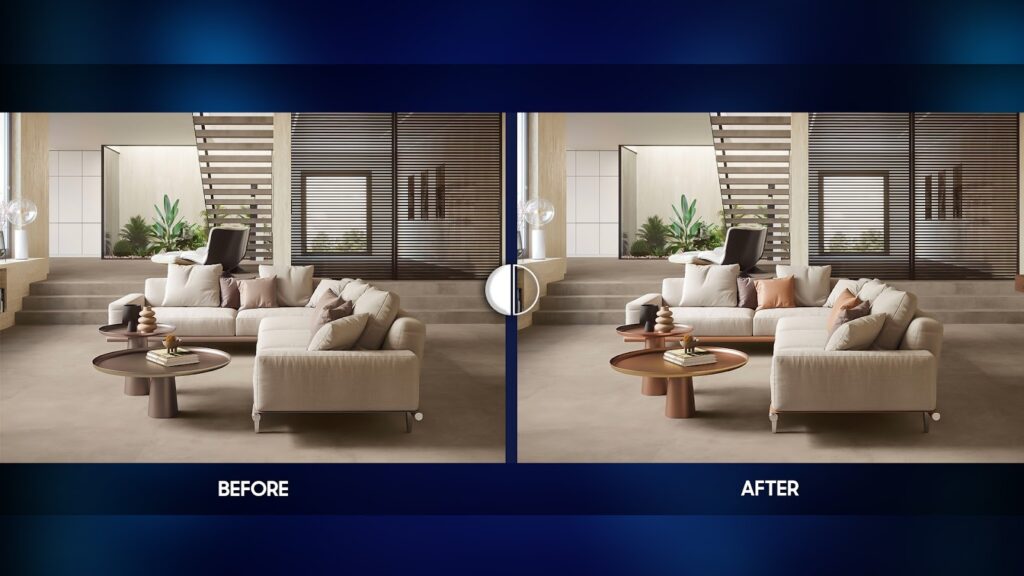
Color accuracy is one of the most sensitive aspects of furniture photo editing. Errors in white balance, color correction, or monitor calibration can cause furniture finishes or fabrics to appear different from their real-life appearance. This issue is amplified when the same product looks slightly different across multiple images or angles.
Furniture often comes in various finishes, fabrics, or color options, making consistent color representation essential for informed purchasing decisions.
➡ Why it’s a problem:
When customers receive a product that does not match the color shown online, dissatisfaction is almost guaranteed. Color mismatch is one of the leading causes of product returns and customer complaints in furniture e-commerce. This not only increases operational costs but also damages brand credibility and customer trust.
Mistake #5: Lack of Focus on Texture and Details
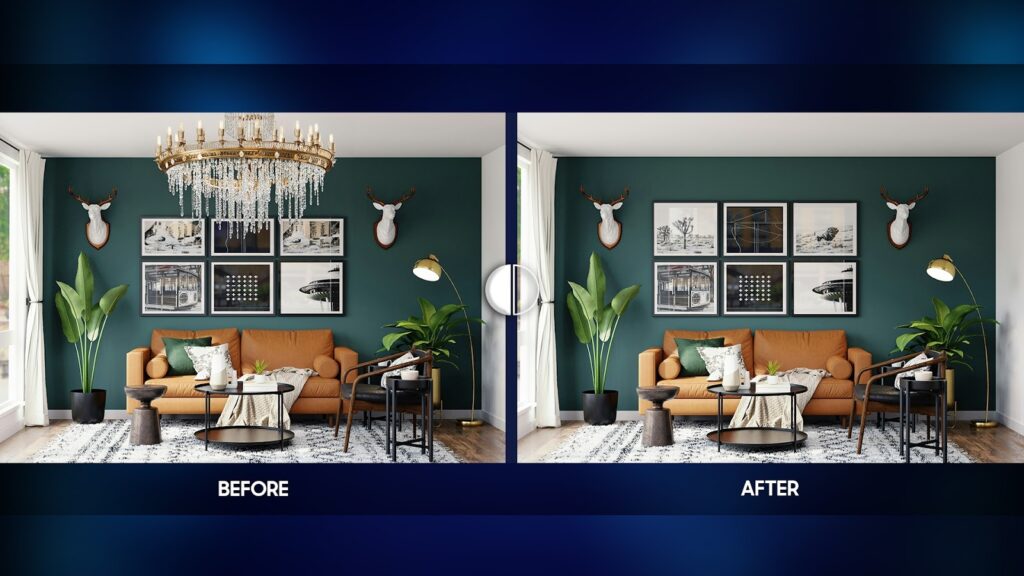
A lack of focus on texture and details occurs when furniture photo editing overlooks or unintentionally removes important material characteristics such as wood grain, fabric weave, leather finish, or surface depth.
This often happens when images are overly smoothed, aggressively noise-reduced, or excessively sharpened in an attempt to achieve a “clean” look. As a result, furniture may appear flat, artificial, or less refined than it actually is.
Texture and detail are essential elements in communicating furniture quality, craftsmanship, and material value.
➡ Why it’s a problem:
When textures are not clearly visible, customers struggle to evaluate the true quality of the product. The lack of material detail can reduce perceived value, weaken emotional connection, and create uncertainty during the buying decision. In some cases, it may also lead to unmet expectations after purchase, increasing the likelihood of returns and negative feedback.
Tips to Avoid Furniture Photo Editing Mistakes
Avoiding furniture photo editing mistakes requires more than good tools; it depends on having a structured workflow, clear visual standards, and an understanding of how customers evaluate furniture images online.
The following tips address the most common issues and help ensure accuracy, consistency, and professionalism throughout the editing process.
- Edit to Enhance, Not to Transform
One of the most important principles in furniture photo editing is restraint. Editing should enhance clarity, balance, and visibility without changing the original appearance of the product. This means avoiding extreme adjustments to saturation, contrast, or sharpness that can make furniture look artificial.
Before finalizing edits, always compare the edited image with the original photo and, when possible, with the physical product. Maintaining realistic textures and subtle material variations helps preserve authenticity and build customer trust.
- Establish a Consistent Lighting Reference
Lighting consistency should be planned and controlled during editing. Define a standard lighting direction, brightness level, and shadow style for all furniture images within a product set or catalog. This reference should be applied consistently, even when photos come from different shoots or sources.
Using consistent lighting makes furniture appear cohesive across angles and variations, improving readability and professionalism while making comparisons easier for customers.
- Prioritize Clean Backgrounds and Precise Edges
High-quality background removal requires precision and attention to detail. Whenever possible, use manual masking techniques instead of relying entirely on automated tools. Zoom in to inspect edges closely, especially around thin legs, curved elements, and decorative details.
Clean edges and smooth transitions between the furniture and the background help images meet e-commerce standards and prevent visual distractions that can reduce perceived quality.
- Use Color References and Calibrated Displays
To achieve accurate color representation, always work with reliable color references. This may include physical samples, color charts, or approved reference images. Additionally, editing should be done on properly calibrated monitors to avoid unintended color shifts.
Consistent color correction across all images ensures that customers see accurate representations of finishes and fabrics, reducing confusion, complaints, and return rates.
- Create and Follow a Photo Editing Guideline
Consistency across platforms can only be achieved with clear standards. Develop a photo editing guideline that defines tone, lighting, background style, cropping rules, image ratios, and export settings. This guideline should be followed by all editors, whether in-house or outsourced.
A standardized approach ensures visual consistency across websites, marketplaces, catalogs, and marketing materials, strengthening brand identity and professionalism.
Advanced Furniture Photo Editing Techniques
| Technique | What It Involves | Purpose | Why It Matters |
| Texture Preservation & Enhancement | Separating texture from color and lighting adjustments to avoid over-smoothing or excessive sharpening | Maintain natural material details (wood grain, fabric weave, leather surface) | Preserves realism and perceived product quality, especially in zoomed-in images |
| Professional Shadow Creation | Creating custom, realistic shadows that match the light direction, shape, and weight of the furniture | Add depth and ground the furniture naturally | Prevents flat or “floating” appearance and improves visual credibility |
| Precise Color Matching | Matching colors using physical samples, color charts, or approved references | Ensure accurate and consistent color representation | Reduces customer confusion, complaints, and return rates |
| Lighting Normalization | Balancing exposure, highlights, and shadows across all product images | Achieve consistent lighting across angles and variations | Makes image sets look professional and easier to compare |
| Non-Destructive Editing Workflow | Using layers, masks, and smart objects instead of permanent edits | Enable easy revisions and consistent updates | Improves workflow efficiency and quality control |
| Edge Refinement & Detail Cleanup | Manually refining edges, removing dust, scratches, or minor imperfections | Improve visual clarity without altering product design | Enhances image quality while maintaining authenticity |
| Multi-Platform Image Optimization | Adjusting resolution, format, and file size for different platforms | Balance image quality and loading speed | Improves user experience and performance across websites and marketplaces |
Real-World Example: Why Furniture Photo Editing Matters
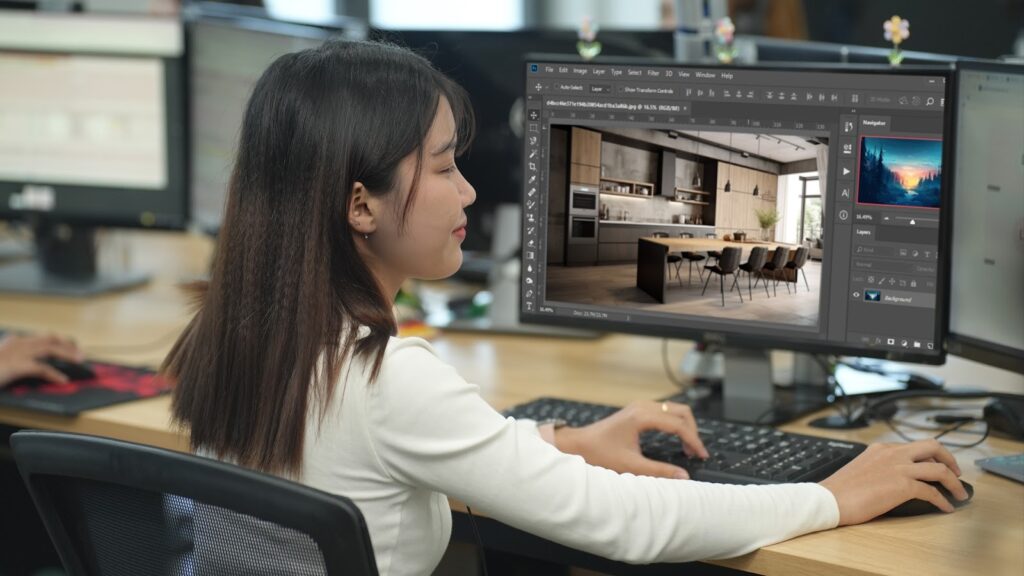
To illustrate the real impact of furniture photo editing, consider the case of an online furniture retailer specializing in modern chairs and dining tables. The products themselves were well-designed and competitively priced, yet the brand experienced low engagement on product pages and a noticeable number of returns—especially for fabric-upholstered chairs and wood-finish tables.
An image audit revealed several common furniture photo editing mistakes. Product photos were taken across multiple shoots, resulting in inconsistent lighting between angles. Some images appeared darker and heavier, while others looked brighter and flatter, making it difficult for customers to evaluate the product as a whole.
In addition, color correction was inconsistent: fabric tones looked more saturated online than in real life, and wood finishes varied slightly from image to image.
To address these issues, the brand implemented a standardized furniture photo editing workflow. All images were re-edited using a consistent lighting reference, ensuring uniform brightness and shadow direction across every angle.
Colors were corrected based on physical fabric and wood samples, helping align on-screen visuals with the actual products. Texture refinement was applied carefully to preserve material details without over-editing, while manual masking and realistic shadows improved overall depth and presentation.
After updating the images, the brand observed clearer product comparison behavior and fewer customer complaints related to color and appearance. Product pages looked more cohesive across platforms, and shoppers appeared more confident in their purchase decisions.
This example highlights how avoiding common furniture photo editing mistakes and applying best practices can significantly improve visual credibility, customer trust, and overall shopping experience.
Improving Results by Avoiding Furniture Photo Editing Mistakes
Furniture photo editing plays a critical role in how products are perceived and evaluated in online environments. As customers rely entirely on visuals to assess design, materials, and quality, even small editing mistakes can significantly impact trust, conversions, and return rates.
By identifying the most common furniture photo editing mistakes, brands can take a more strategic approach to image optimization. Applying proper techniques, using the right software, and following structured editing workflows help ensure that furniture images remain accurate, consistent, and professional across all platforms.
Ultimately, effective furniture photo editing is not about making products look better than they are, but about presenting them as accurately and consistently as possible. When images align with real product expectations, customers feel more confident, purchasing decisions become easier, and long-term brand credibility is strengthened.
=> You may also like: