To restore damaged photographs is the process of repairing, enhancing, and digitally reconstructing damaged photographs while preserving as much original visual information as possible. Choosing the right method based on the damage level: use automated tools for light damage, manual Photoshop for medium to severe damage, and professional BPO restoration services from DIGI-TEXX for mixed deterioration or large-scale archives.
Old photographs are priceless heirlooms carrying historical and sentimental value, but time, humidity, and poor storage conditions can take a heavy toll on them. This comprehensive guide covers all available recovery paths, from applying basic AI photo retouching to fix minor tears at home, to outsourcing comprehensive photo editing services online for the enterprise-grade digitization of tens of thousands of historical documents.
>>> See more:
- Top 10 Free Photo Retouch Tools Online In 2026
- Best Product Photo Editing Services For eCommerce: Top Providers Compared
- Photo Editing Price Guide 2026: Rates, Costs & Examples
Assessing The Damage (Can Your Photo Be Saved?)
Before applying any digital tools to fix old photos, the most crucial step is to “diagnose” the condition of the photograph. Identifying the correct level of damage will help you choose the right method, saving time and preventing further destruction of the original print.
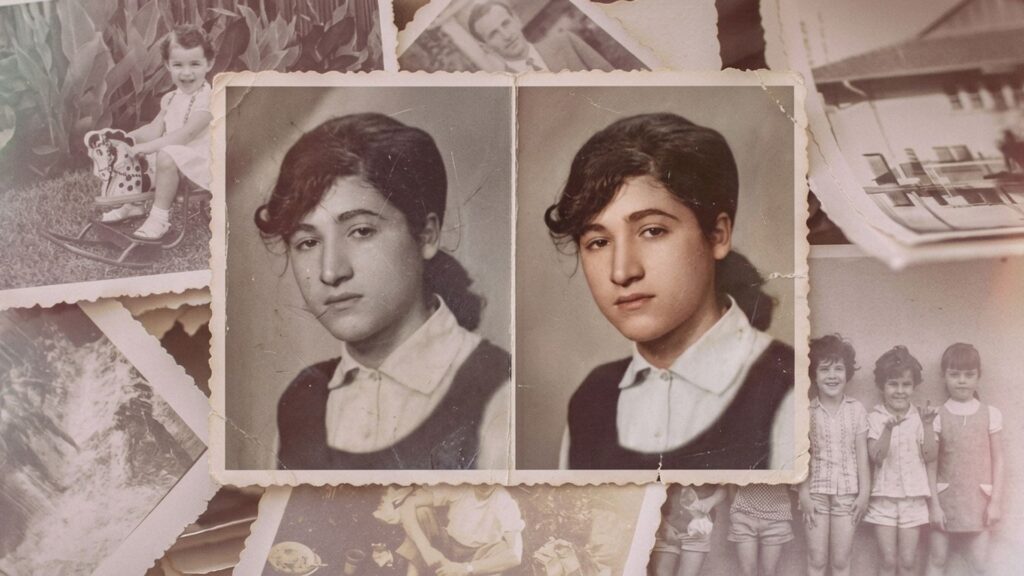
Light Damage
Light photo damage involves superficial surface issues that do not affect the structural integrity of the photographic paper. This degradation typically occurs naturally over time due to improper handling, poor archival storage, or prolonged exposure to UV light and air.
- Fading: Colors become faint and lose contrast due to prolonged UV or light exposure.
- Dust: Tiny dust particles accumulated and stuck onto the photo emulsion over the years.
- Scratches: Minor hairline or surface scratches that do not tear through the paper.
- Yellowing: A yellow tint or stains caused by natural paper oxidation over time.
Moderate Damage
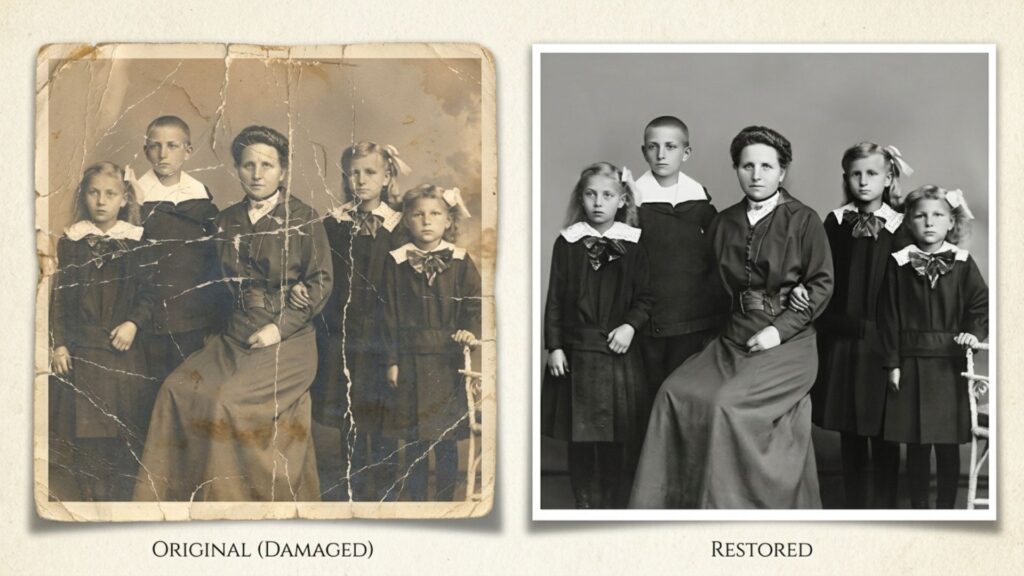
Moderate damage affects both the chemical image layer and the physical paper backing, requiring more than basic filter adjustments. These issues are most commonly caused by mishandling, liquid spills, or chemical degradation from fluctuating storage temperatures.
- Tears: Clear physical tears across the photo, but all the separated pieces remain intact.
- Stains: Severe discoloration or blemishes caused by ink, coffee, or mild chemicals.
- Partial blur: Parts of the photo are out of focus due to old camera lenses or motion blur.
- Color degradation: Severe chemical shift in colors (e.g., old film turning completely red or blue).
Severe Damage
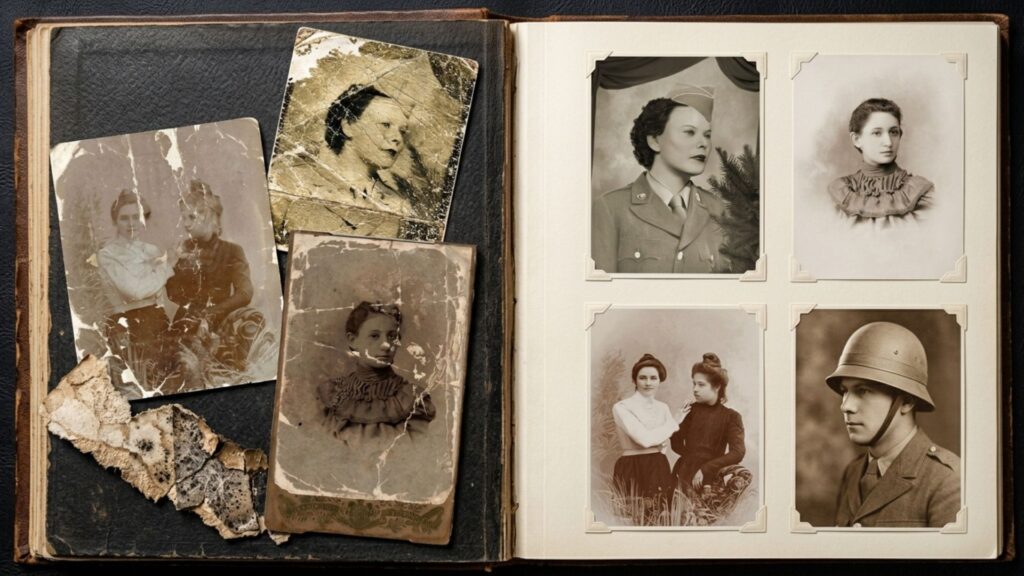
Severe photo damage indicates critical structural loss and deep chemical deterioration that threatens the entire image. This level of decay is usually the direct result of extreme environmental disasters, such as floods, active mold infestations, or decades of neglect in damp basements.
- Missing parts: Large corners of the photo or critical facial features are completely gone.
- Mold/Water damage: Deep structural mold (“spiderweb” texture) or washed-out details from water exposure.
- Emulsion peeling: The chemical image layer is physically lifting or flaking off the paper backing.
- Fragmentation: The photograph has become incredibly brittle and broken into multiple fragile pieces.
Damage Classification Table
| Damage Level | Characteristics | Recommended Method | Risk Level |
| Light | Fading, dust, scratches | AI tools | Low |
| Moderate | Tears, stains | AI + manual edit | Medium |
| Severe | Missing areas, mold | Professional / BPO | High |
>>> See more:
- How To Make A Clipping Path In Illustrator (Step-By-Step)?
- Top 7 E-commerce Product Photo Retouching Services Compared
- 13 Street Style Photo Editing Steps In Lightroom For Professional Results
How To Safely Digitize Damaged Photos?
You cannot restore a physical photograph digitally without converting it into a digital file first. The golden rule among archival experts is: “No physical intervention without a controlled environment.” Attempting to digitize damaged photos incorrectly can ruin them permanently.
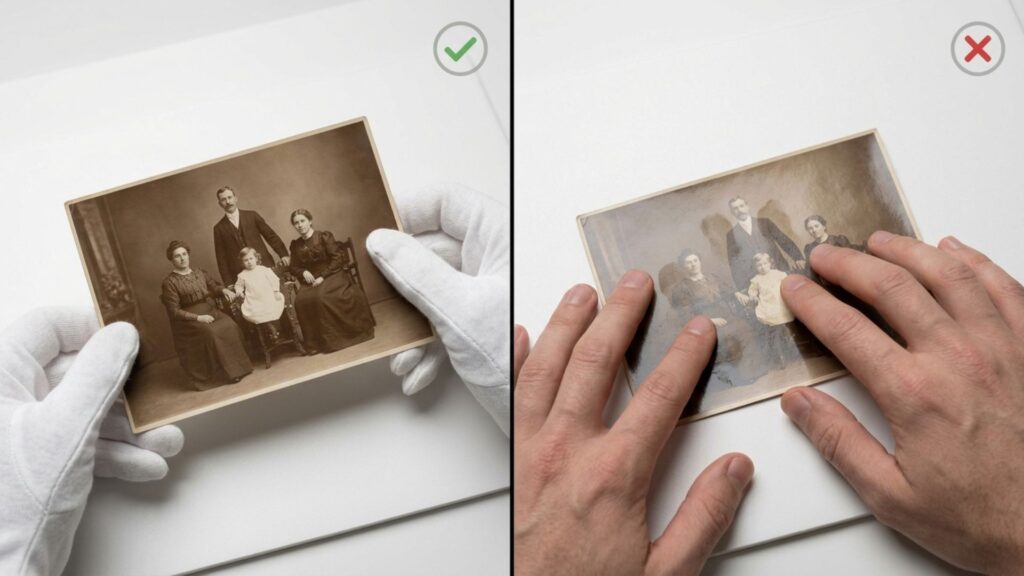
Step 1: Safe Physical Handling
- Wear Cotton Gloves: Your skin’s natural oils and sweat can permanently damage the sensitive photo emulsion. Always hold photos gently by their edges.
- Do NOT Peel Glass-Stuck Photos: If moisture has fused your photo to the frame’s glass, never force it apart. Scan or photograph it directly through the glass.
- Keep It Flat: Never bend brittle prints. Transport them on a hard, flat support to prevent the dry paper from cracking.
Step 2: Choose the Right Equipment
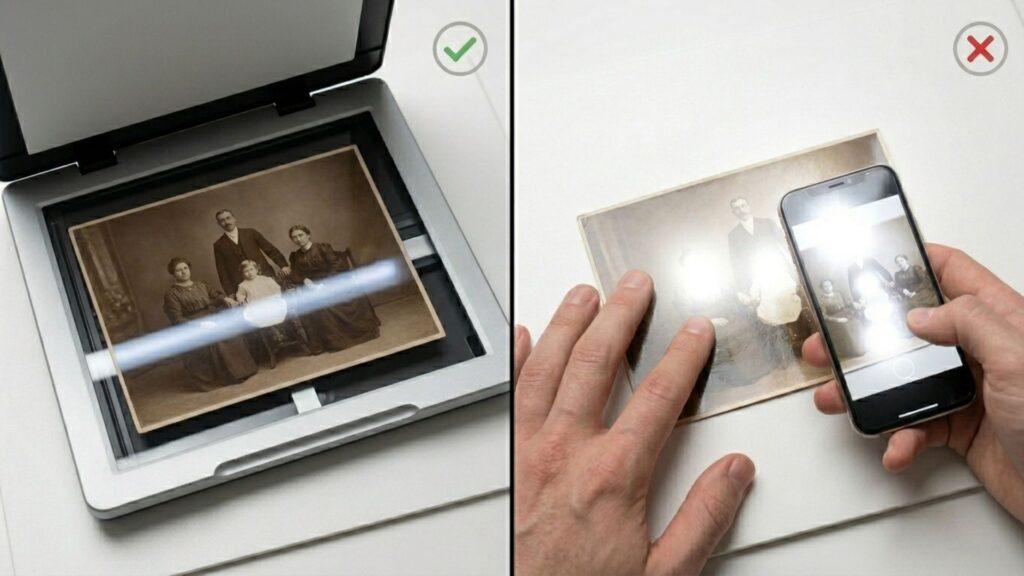
- Flatbed Scanner > Phone Camera: While smartphones are convenient, they create uneven lighting, surface glare, and perspective distortion.
- A flatbed scanner ensures perfectly uniform illumination and keeps curled photos flat without applying dangerous pressure.
Step 3: Software Settings
To generate a master file with enough data for deep digital healing, configure your scanner exactly like this:
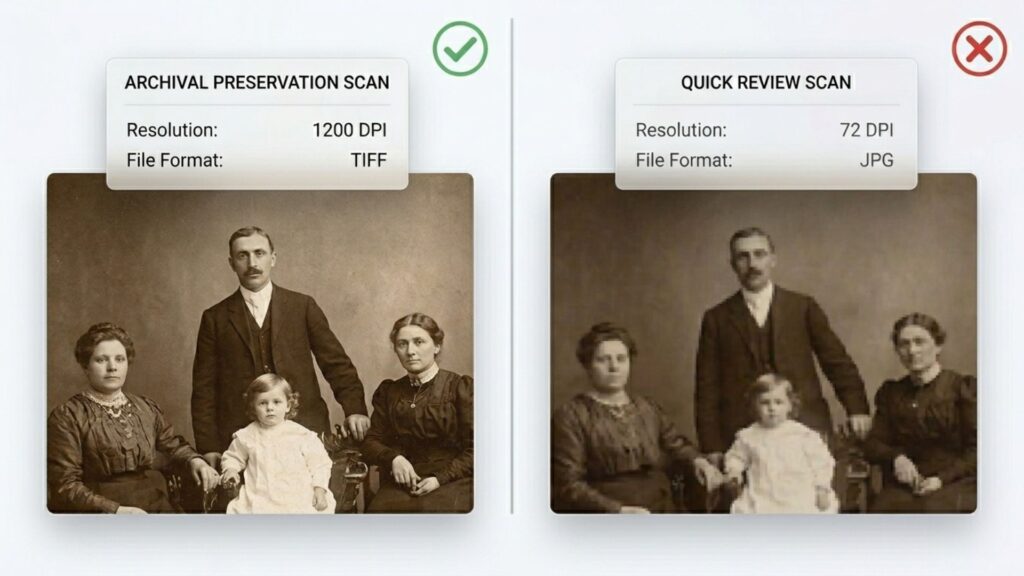
- Resolution (DPI): Set to a minimum of 600 DPI for standard restoration. Use 1200 DPI if the photo is very small (like a passport stamp) or for true archival quality.
- File Format: Always export your raw scans in TIFF format (lossless). Avoid JPG at all costs, as its compression discards the vital pixel data you will need later.
>>> See more:
- AI Image Processing Tools: Top 10 for Automation In 2026
- 25 Popular Photo Editing Styles In Photography For Stunning Images
- How To Master Portraits Photo Editing: 10 Best Tools, Tips & Step-By-Step Guide
Choose A Digital Restoration Method
Once your photograph is securely transferred to your computer, it is time to choose your digital weapon. Below are the three main paths available today, tailored to different technical skills and project scales.
Method 1: Fast One-Click AI Tools (Best For Light Damage)
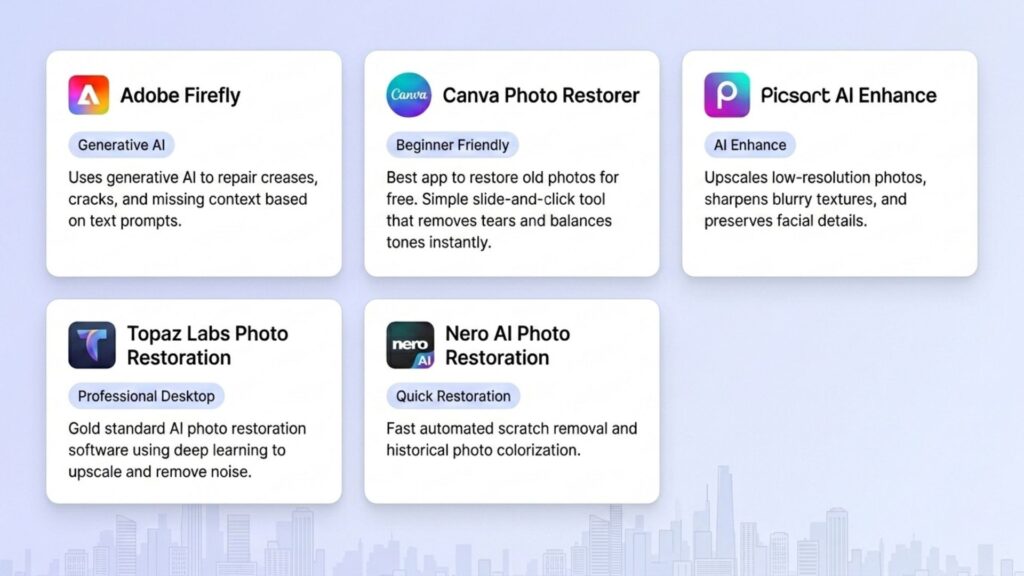
If you are searching for the best AI photo restoration solution, here are the best AI photo restoration tools and the best app to restore old photos free in 2026.
- Adobe Firefly: Uses generative AI to repair creases, cracks, and missing context based on simple text descriptions.
- Canva Photo Restorer: Widely considered the best app to restore old photos for free, for absolute beginners. It features a simple, slide-and-click tool that automatically removes tears and balances tones in seconds.
- Picsart AI Enhance: Upscales low-pixel counts, sharpens blurry textures, and automatically targets facial preservation.
- Topaz Labs Photo Restoration: A gold standard in the best AI photo restoration category. This is a powerful desktop software that uses advanced AI deep learning models to upscale resolution and remove severe noise locally.
- Nero AI Photo Restoration: Highly efficient for a quick combination of automated scratch removal and historical colorization. It is an excellent go-to option for AI restoring old photos with free searches.
The AI Hallucination Trap: While automated tools are incredibly fast, they carry a major flaw known as “AI Hallucination.” When a face is missing critical details, automated AI models will guess and generate completely new eyes, noses, or mouths that might not resemble the original person at all, compromising historical accuracy.
“AI can indeed restore old photos in seconds, but… it often introduces distortions, alters facial features… When information is missing, AI invents.” — Yesterday’s Photo Restoration
>>> See more:
- Professional Skin Retouching In Photoshop For Natural Results
- What Is A Clipping Path? Learn To Use Professional Image Isolation
- How To Edit Photos In Lightroom To Look Professional?
Method 2: Traditional Manual Restoration (Best For Intermediate To Pro Editing)
If AI tools distort fine details or create a generic, artificial look, dedicated photo restoration software offers complete precision control. This is where human expertise and historical preservation principles shine.
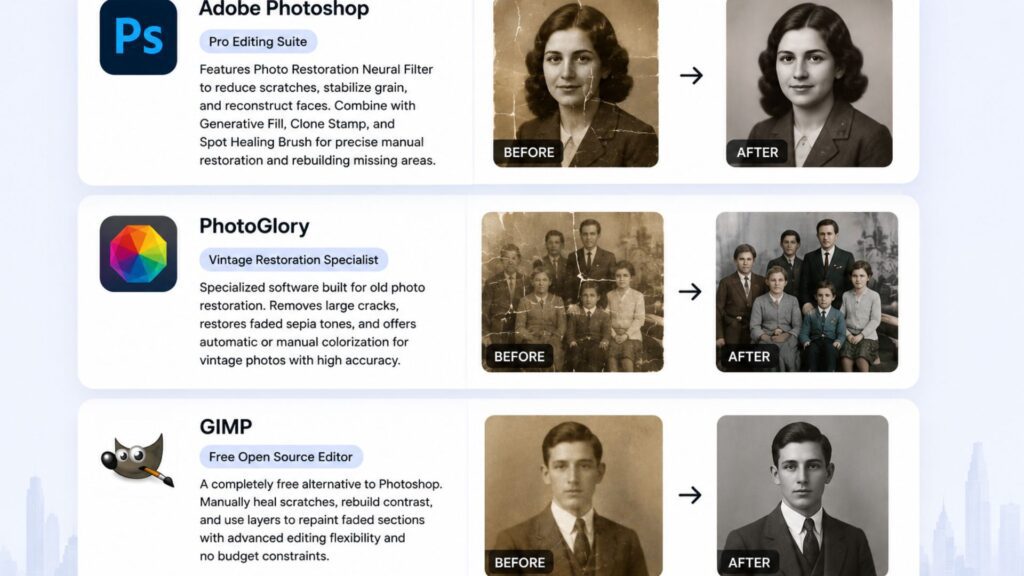
- Adobe Photoshop: Features a dedicated Photo Restoration Neural Filter under the filters menu to reduce scratches, stabilize grain, and reconstruct faces instantly. You can combine this with Generative Fill to rebuild large missing corners or use the Clone Stamp and Spot Healing Brush to fix specific spots manually.
- PhotoGlory: A specialized software engineered specifically for vintage photo repair, making it highly effective at clearing large cracks and coloring old sepia layers automatically or manually.
- GIMP: A completely free, open-source alternative to Photoshop that allows you to manually heal scratches, rebuild contrast, and use custom layers to repaint heavily faded sections without budget constraints.
>>> See more:
- How Online Photo Restoration Services Revive Your Precious Memories
- Best Jewelry Photo Editing Service Provider For E-Commerce Businesses
- 7+ Best Photo Editing Apps For Android And iPhone (2026 Guide)
Method 3: Professional Photo Restoration Services At DIGI-TEXX? (Best For Large Scale)
Using AI apps or manual Photoshop works brilliantly for 1 to 5 photos. But here is the problem framing: What if you are an archive, a national museum, a library, or an enterprise holding a massive historical collection of 50,000 to 500,000 photographs with highly inconsistent qualities and mixed damage levels?
At this industrial scale, consumer-level tools fail because they are:
- Too slow: Manually fixing each photo takes decades of human labor.
- Inconsistent output: Different automated tools yield vastly different textures and styles.
- No QA layer: There is no strict quality assurance workflow to verify historical accuracy.
For enterprise-scale and severely damaged historical assets, you need to utilize bulk professional photo restoration services.
For large collections, professional photo restoration services using Human-in-the-Loop technology are the most effective solution. Deep-learning AI pipelines batch-process noise reduction and color balancing at lightning speed; immediately after, specialized graphic editors step in to manually refine critical areas (faces, text, clothing), executing strict QA to guarantee 100% authentic ground-truth.
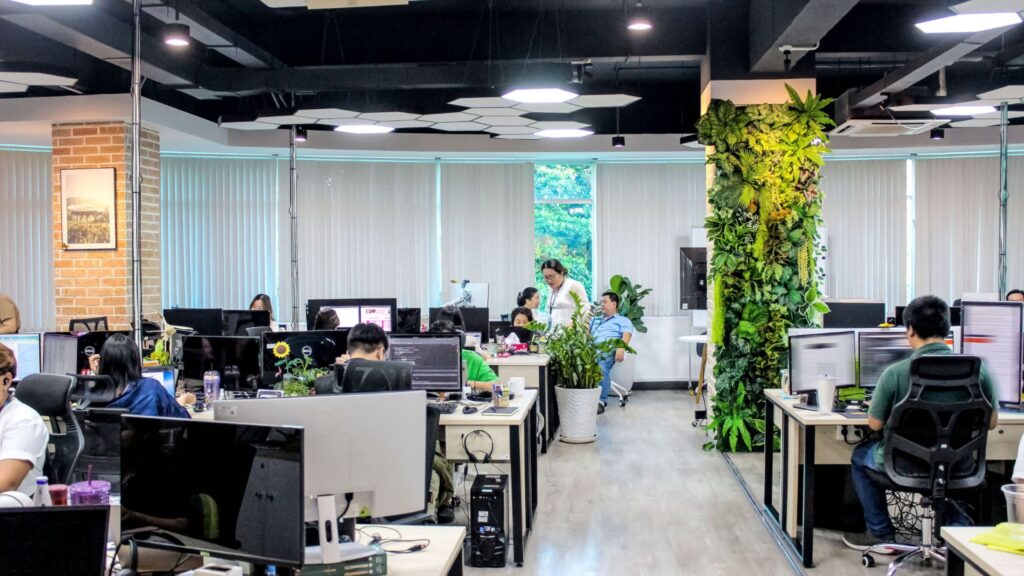
At DIGI-TEXX, this level of pixel-perfect precision and AI training isn’t limited to historical archives. Our teams apply similar high-end computer vision techniques across various retail tech industries, as seen in our case study on image processing for virtual try-on AI model, demonstrating the versatility and accuracy of our enterprise-grade AI solutions.
>>> See more:
- How To Make Photos Look Like Film: A Complete Beginner’s Guide
- How to Edit Car Photos | Key Techniques of Car Photo Editing
- 15 Best Document Scanning Software: Features, Pricing & Reviews 2026
Which Photo Restoration Method Should You Choose?
| Scale | Damage Level | Best Method | Key Advantage |
| 1–5 photos | Light | AI tools | Fast & cheap |
| 1–5 photos | Moderate/Severe | Manual Photoshop | High accuracy |
| 100+ photos | Mixed | HITL BPO (DIGI-TEXX) | Scalable + consistent |
FAQs About Restoring Damaged Photographs
What Is Photo Restoration?
Photo restoration is the process of repairing, enhancing, and reconstructing damaged photographs to recover their original appearance. It can involve removing scratches, correcting fading, repairing tears, restoring colors, and rebuilding missing areas using AI tools, manual editing software, or professional restoration services.
What Is The Difference Between Photo Restoration And Photo Enhancement?
Photo restoration focuses on repairing damage such as scratches, stains, fading, or missing sections while preserving the original image. Photo enhancement improves the overall appearance of a photo by adjusting brightness, contrast, sharpness, and colors, even when no visible damage exists.
Can Damaged Photographs Be Restored?
Absolutely. Almost all damaged photos can be digitally improved. Light damage, like scratches, is easily fixed with instant AI apps, while severe damage, like mold or deep tears, requires professional manual restoration or industrial HITL processing to safely recover historical details.
Can Completely Faded Photos Be Restored?
Yes. Advanced digital software can extract remaining pixel data from seemingly blank prints. Adjusting contrast layers and utilizing modern AI enhancements can rebuild lost tones, though extremely faded images may require manual expert painting to recover ultra-sharp details.
Can AI Restore Torn Or Missing Parts Of A Photo?
Partially. Generative AI can seamlessly create textures to fill simple missing gaps like clothing, skies, or generic backgrounds. However, it struggles to accurately recreate specific, unrecognizable facial features without “guessing,” which can lead to historical inaccuracies.
Is It Better To Scan Or Take A Picture Of Old Photos?
Scanning is always superior. A dedicated flatbed scanner provides perfectly uniform lighting, eliminates room glares, keeps the old paper completely flat, and captures uncompressed, high-resolution data (600+ DPI) that smartphone cameras simply cannot match.
What Dpi Is Best For Digitizing Damaged Photos?
For most photo restoration projects, 600 DPI is the recommended scanning resolution because it captures enough detail for repairing scratches, tears, and faded areas. For very small photographs, heavily damaged prints, or archival preservation purposes, scanning at 1200 DPI provides additional image data for more accurate restoration.
What Is The Best App To Restore Old Photos For Free?
If you want to use AI to restore old photos for free, Canva and Picsart offer the most intuitive online tools for basic scratch removal. For a more robust, fully desktop-capable software, GIMP is the most powerful free, open-source alternative to Photoshop for manual pixel-level healing.
How Much Does Professional Photo Restoration Cost?
It varies from $30 to over $100 per photo, depending on the damage severity for consumer services. However, for B2B archives containing thousands of assets, BPO companies offer scalable project-based pricing that drastically reduces the cost per image.
DIGI-TEXX Contact Information:
🌐 Website: https://digi-texx.com/
📞 Hotline: +84 28 3715 5325
✉️ Email: [email protected]
🏢 Address:
- Headquarters: Anna Building, QTSC, Trung My Tay Ward
- Office 1: German House, 33 Le Duan, Saigon Ward
- Office 2: DIGI-TEXX Building, 477-479 An Duong Vuong, Binh Phu Ward
- Office 3: Innovation Solution Center, ISC Hau Giang, 198 19 Thang 8 street, Vi Tan Ward
Reference:
- National Archives and Records Administration (NARA). (n.d.). Preservation of photographs. https://www.archives.gov/preservation
- Library of Congress. (n.d.). Digital preservation. https://www.loc.gov/preservation/digital/