DIGI-TEXX provides jewelry photo editing services covering background removal and retouching within its image-processing offering. It is a provider to evaluate when your jewelry catalog needs cleaner backgrounds, controlled reflections and consistent product presentation. The best fit depends on how well sample edits preserve your actual jewelry, meet your image specifications and perform across a complete batch—not on a universal “best company” claim. [1][2]
This guide explains the services to request, an 11-step editing workflow, pricing references and the checks that help you choose a partner. It is published by DIGI-TEXX and describes its services; it is not an independent provider ranking. For a scoped discussion, explore DIGI-TEXX photo editing services. [2]
What Is A Jewelry Editing Photo Service?
A jewelry photo editing service refines photographs of rings, necklaces, bracelets, earrings and other accessories for product pages, catalogs and campaigns. Typical work includes removing backgrounds, cleaning temporary surface distractions, balancing metal and gemstone colors, refining reflections and preparing delivery files.
Background removal isolates the product; retouching adjusts details within it. A precise cutout alone will not fix an unwanted reflection on a ring, and a polished surface will not fix missing links in a necklace mask. A complete brief should specify both tasks and define which physical characteristics must remain unchanged.
For example, a silver ring may need a neutral background and reduced color cast while retaining its engraving and brushed finish. A gemstone pendant may need cleaner edges and balanced exposure without altering the stone’s shape, color or visible inclusions. Product accuracy should guide the edit.
Who Needs Jewelry Retouching Services?
Jewelry editing supports different production needs. US retailers and international brands should define the destination, deadline and visual standard before choosing a provider; location alone does not determine editing quality.
- Online retailers: consistent crop, background, product scale and file naming across SKU galleries.
- Jewelry manufacturers and wholesalers: repeatable presentation across collections, metal variants and catalog updates.
- Photographers and studios: post-production support for complex reflective surfaces or seasonal backlogs.
- Marketing teams: separate creative campaign assets and product-accurate listing images.
The practical benefits are clearer detail, fewer visual distractions and a more consistent catalog. Editing can support a better product presentation, but sales or conversion improvements depend on other factors and should not be promised without measured results.
Why Are Jewelry Retouching Services Required In The USA?
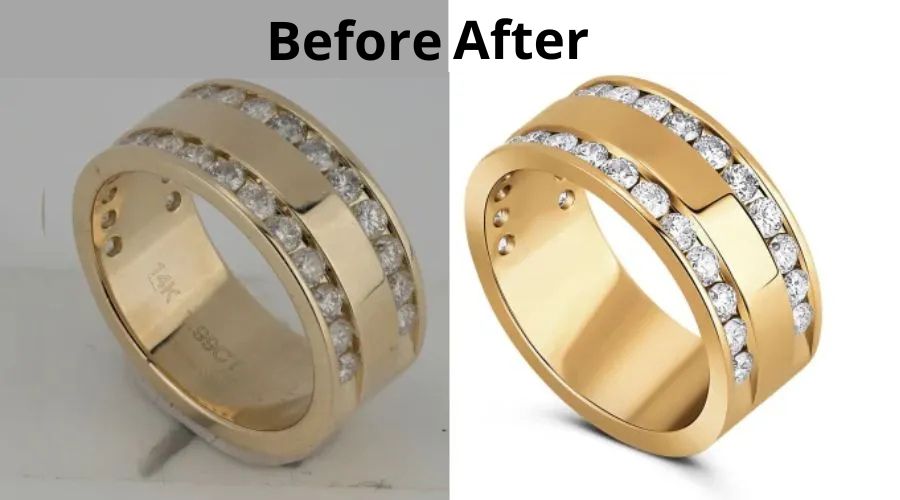
Jewelry retouching services help transform raw product photos into polished, high-quality images that attract customers and build trust. Since online shoppers often make purchasing decisions based on product visuals, professionally retouched images can enhance brilliance, showcase fine details, and create a more premium appearance.
Professional jewelry retouching typically includes color correction, background removal, metal polishing, dust and reflection removal, shadow enhancement, and other refinements that ensure each piece looks its best. These improvements help brands present their products consistently, increase engagement, and support stronger e-commerce performance.
“67% of consumers say that the quality of a product image is very important when deciding whether to purchase a product online, highlighting the critical role of professional image editing in e-commerce success.” — Michael Del Gigante, CEO of MDG Advertising
Benefits Of Jewelry Retouching Services
- Enhance product appeal: Professionally retouched images make jewelry look more attractive and eye-catching, helping create a stronger first impression.
- Highlight intricate details: Retouching reveals fine craftsmanship, gemstone cuts, and delicate design elements that may not be visible in the original photo.
- Improve color accuracy: Adjustments ensure metals and gemstones appear vibrant, realistic, and consistent across all product images.
- Eliminate distractions: Unwanted reflections, dust, scratches, and background distractions are removed to keep the focus on the jewelry.
- Optimize lighting and brilliance: Fine-tuned lighting enhances sparkle, depth, and overall visual impact.
- Maintain brand consistency: Uniform image quality and styling create a cohesive product catalog and a more professional brand presence.
- Support multi-channel marketing: High-quality edited images can be used across e-commerce websites, social media, advertisements, and print materials.
- Strengthen brand credibility: Polished product photography reflects professionalism and helps build customer confidence.
- Increase customer engagement: Clear, visually appealing images encourage shoppers to explore products in greater detail.
- Stand out from competitors: Premium-quality visuals help jewelry brands differentiate themselves in a highly competitive market.
Common Jewelry Photo Editing Services
The following nine services preserve the original article’s coverage while clarifying what buyers should request and inspect. Use approved reference images to define the finish, rather than relying on subjective instructions such as “make it sparkle.”
Background Removal
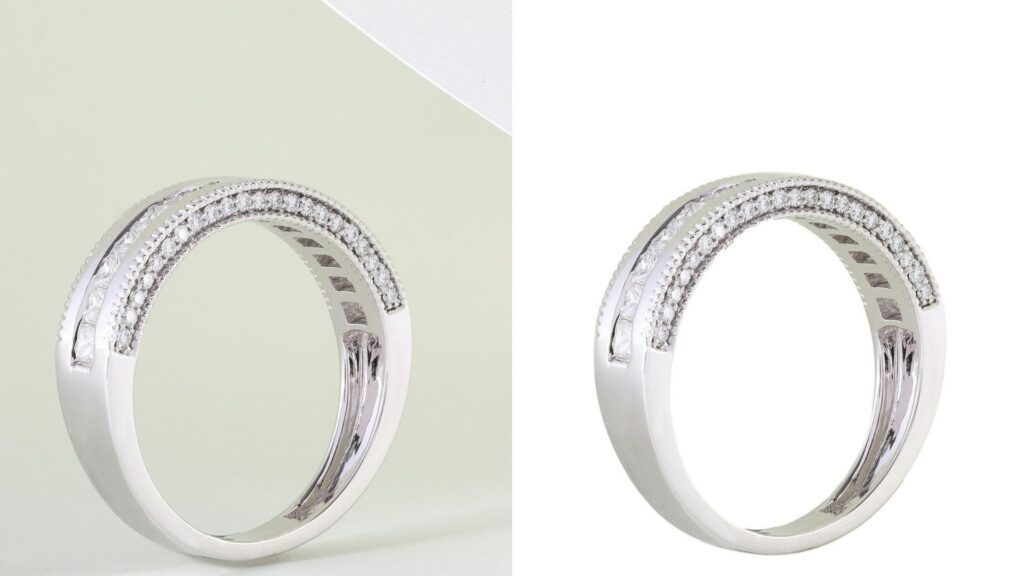
Background removal separates jewelry from its original setting and places it on an agreed white, colored or transparent background. Complex chains, prongs and spaces between stones require close inspection because an automatic cutout can remove fine product details.
- Specify background color or transparency, crop, margins and whether a shadow is required.
- Check edges on contrasting backgrounds for halos, leftover pixels and missing chain links.
Reflection Removal
Reflective metal captures the camera, lights and surrounding objects. Selective retouching reduces distracting reflections while retaining the highlights and dark transitions that describe the product’s shape.
- Mark reflections to remove and provide a reference for the intended metal finish.
- Avoid removing every reflection; a uniformly flat surface can make real metal look artificial.
Dust, Fingerprint, And Scratch Removal
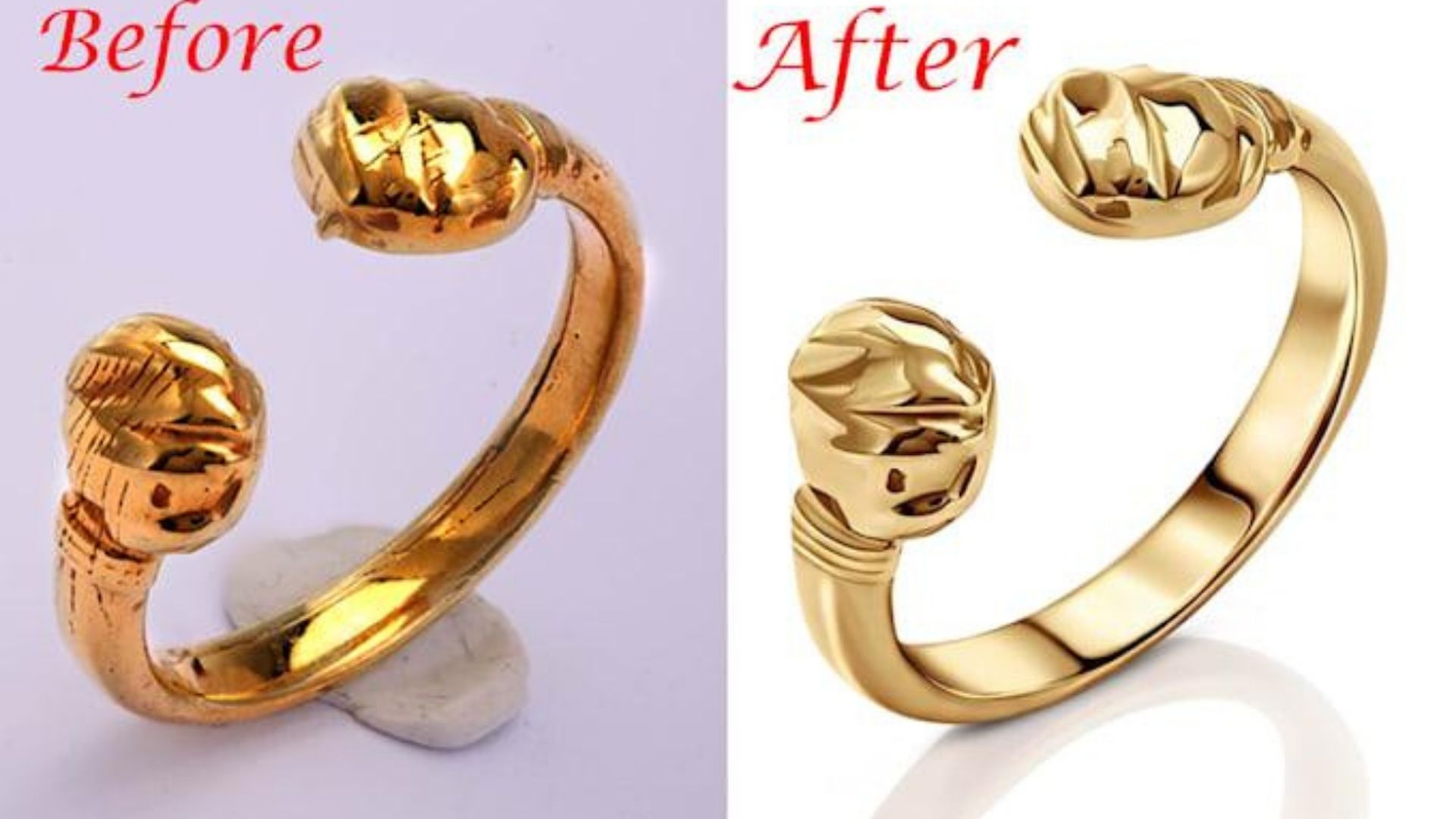
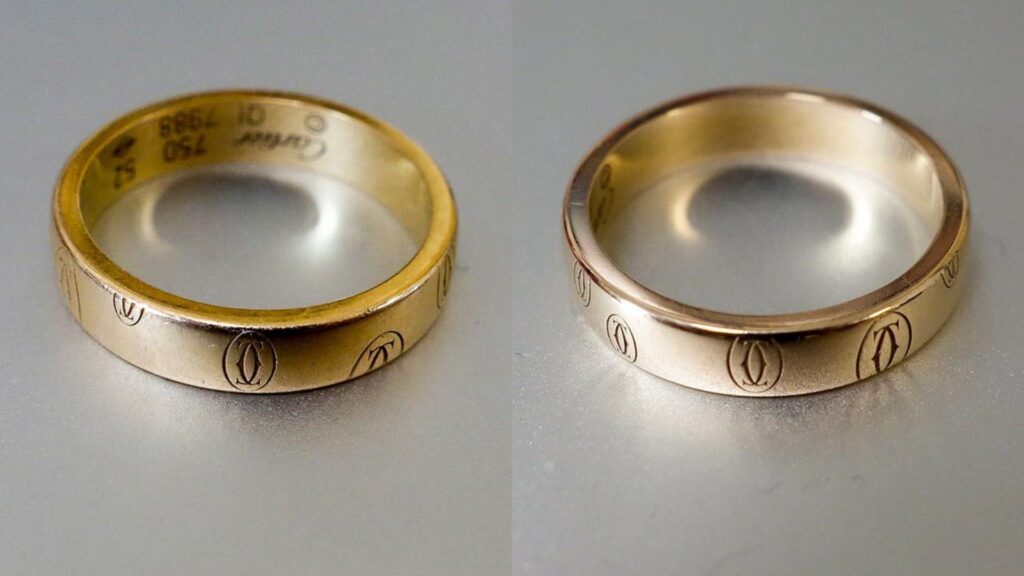
Close-up photographs can reveal temporary dust and fingerprints that distract from the product. Retouching can clean these areas while retaining engraving, texture and construction details.
- Distinguish removable photographic distractions from genuine condition features.
- For used or one-of-a-kind jewelry, agree which scratches or wear must remain visible.
Metal Polishing
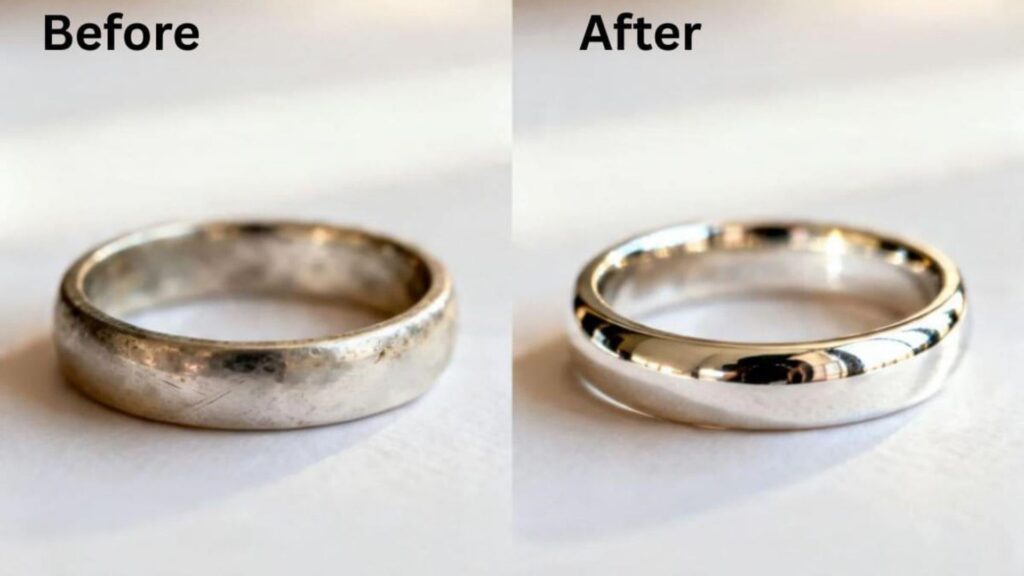
Digital metal polishing refines uneven tonal transitions and distracting marks on gold, silver or platinum. The objective is a controlled photographic finish, not a change to the material itself.
- Supply a reference for polished, brushed, matte or textured surfaces.
- Retain edges, hallmarks and intended surface texture; do not make every finish glossy.
Gemstone Enhancement
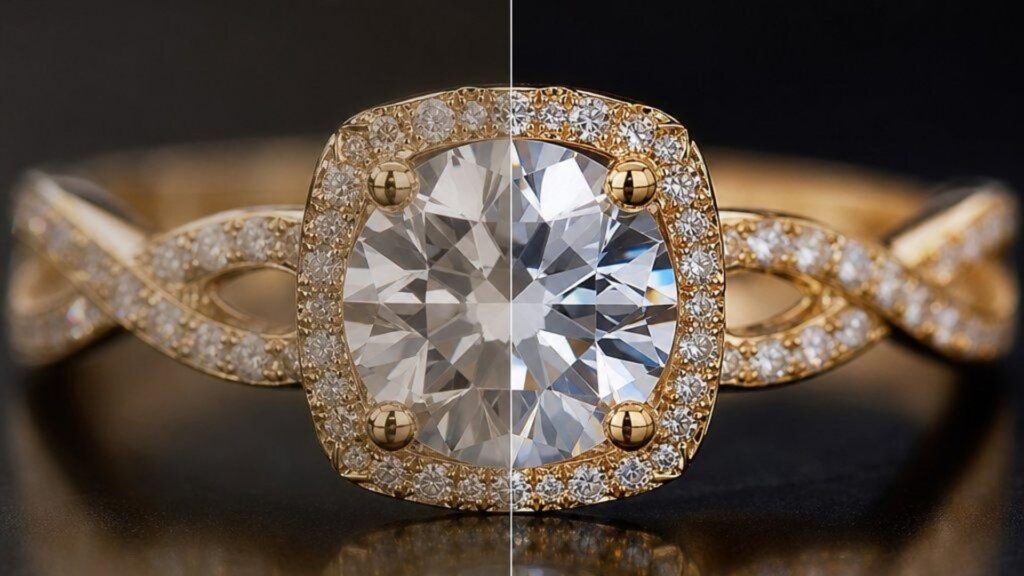
Selective exposure and local-contrast adjustments can improve the visibility of facets and details that the photograph captured. The edit should remain consistent with the stone being sold.
- Use a product-approved color and brightness reference.
- Do not add stones, invent facets, hide material inclusions or imply a different gemstone grade.
Color Correction
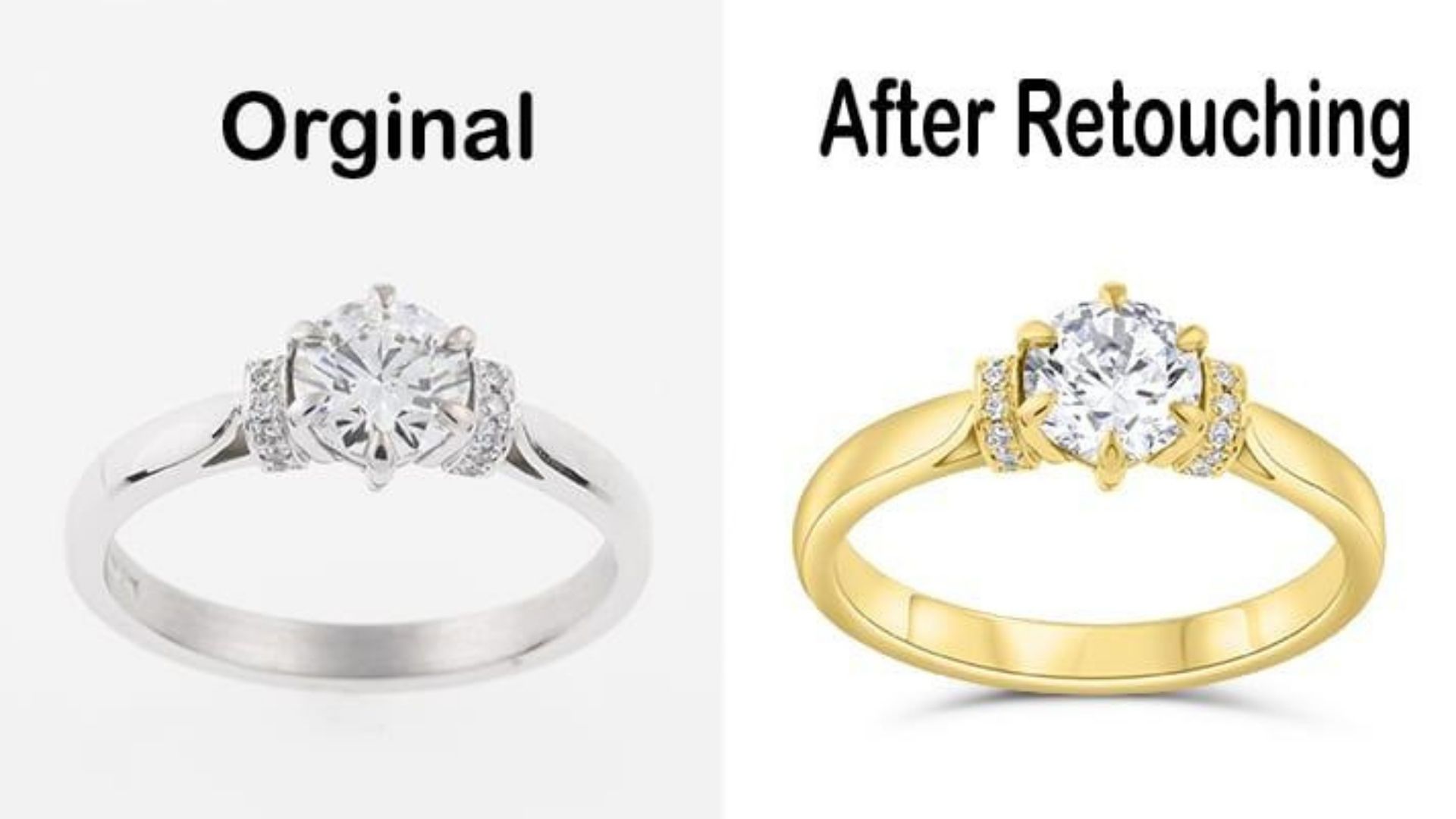
Color correction balances casts and aligns related photographs with an approved reference. Metal variants and colored stones need individual checks because a batch adjustment may not suit every material.
- Provide a reference capture, metal designation and any available color target.
- Compare all views of one SKU and keep yellow gold, rose gold and silver variants distinct.
Shadow Creation
A controlled shadow or reflection can ground the jewelry and give it depth. Its direction, softness and density should match the lighting and the intended placement.
- Specify shadow-free cutouts, contact shadows or a particular reflection style.
- Keep shadows consistent across the catalog and check the current destination requirements.

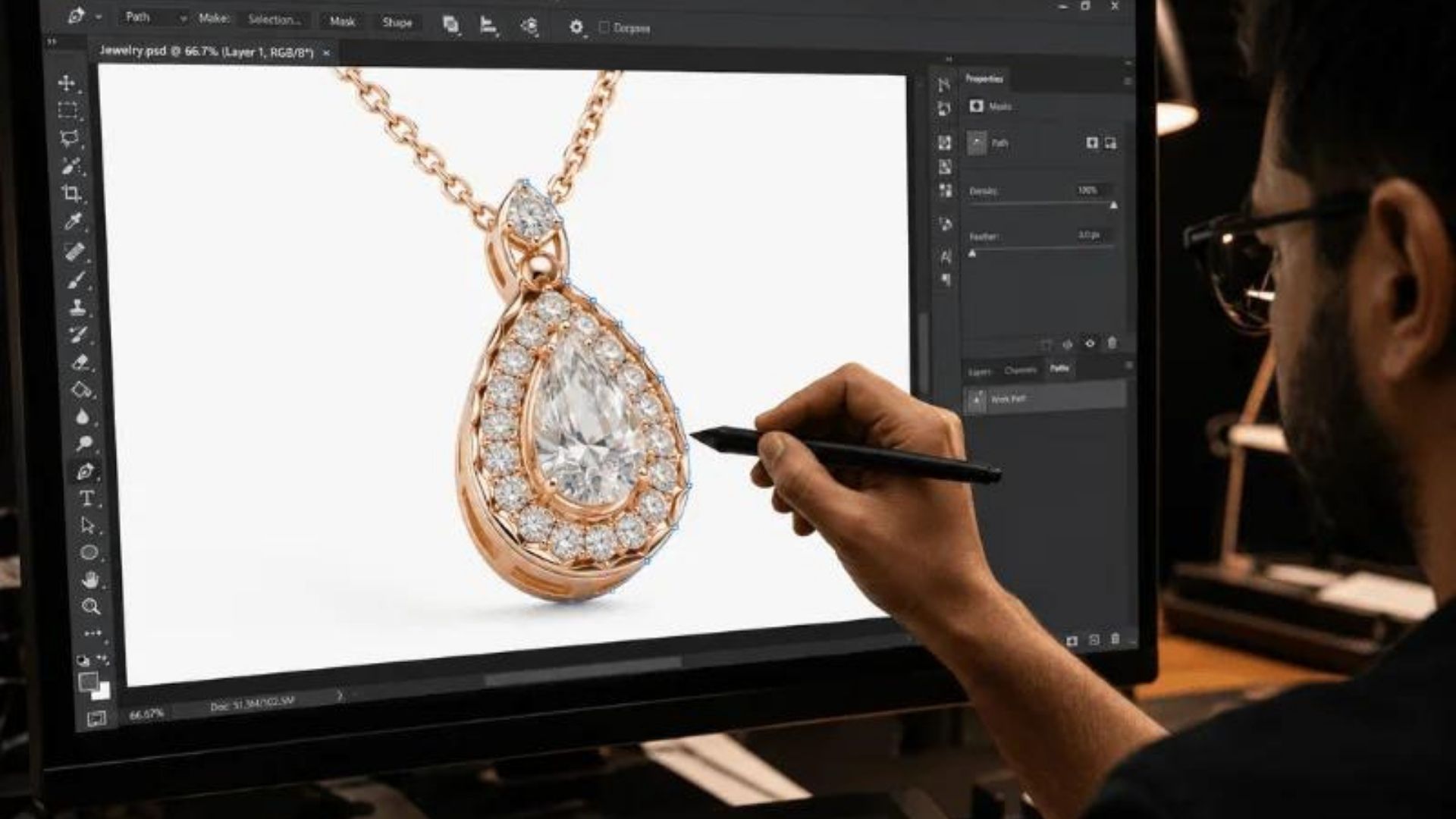
Clipping Path
A clipping path defines an outline that can support background replacement and further editing. Fine or translucent details may also need masks and manual refinement; one technique does not suit every edge.
- Request editable paths or masks if your design team needs to reuse them.
- Check internal holes, prongs, chain openings and semi-transparent areas at full resolution.
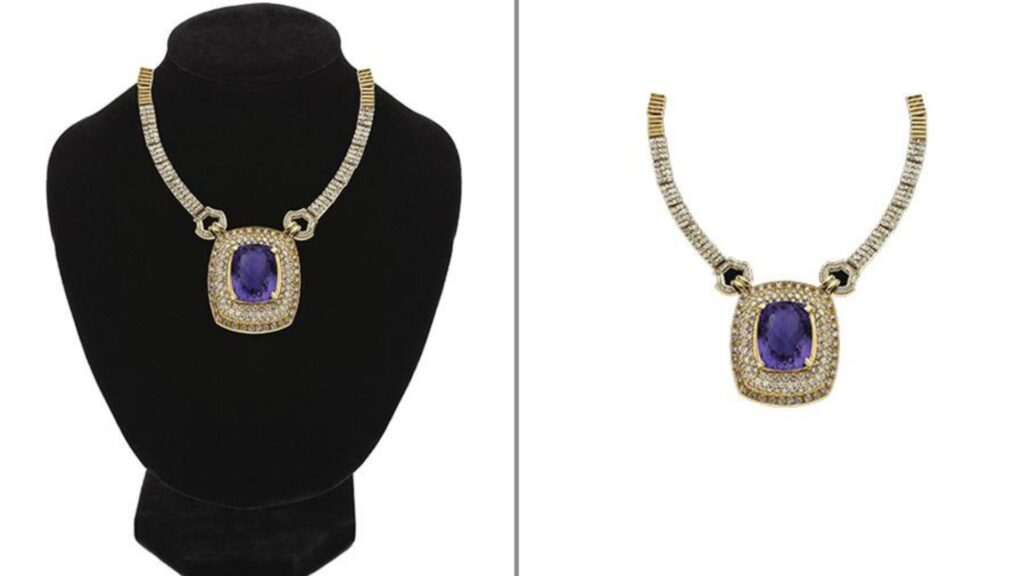
Display Stand or Prop Removal (Optional)
Removing a necklace stand, support thread or other prop can simplify the presentation. The original article calls this “ghost mannequin” editing; for jewelry, display-stand or prop removal is the clearer term.
- Provide an additional angle when a support hides product detail.
- Flag areas that cannot be reconstructed reliably instead of inventing hidden geometry.
See more: DIGI-TEXX professional photo retouching services. [3]
How to Edit Jewelry Photos: An 11-Step Workflow
Use this workflow as a production brief and review framework. The actual tools and sequence depend on the source files and deliverables; these steps are recommendations, not a claim that every DIGI-TEXX engagement uses an identical software setup.
Editing jewelry photos is one of the most demanding forms of product retouching because every detail matters. Reflective metals, sparkling gemstones, and intricate craftsmanship can easily reveal dust, scratches, or inaccurate colors in high-resolution images. To produce premium-quality visuals, every adjustment must enhance the jewelry’s appearance while maintaining its natural look.
At DIGI-TEXX, we follow a structured editing workflow that transforms RAW jewelry photos into polished, e-commerce-ready images suitable for online stores, catalogs, and advertising campaigns.
Step 1. Capture High-Quality Source Images
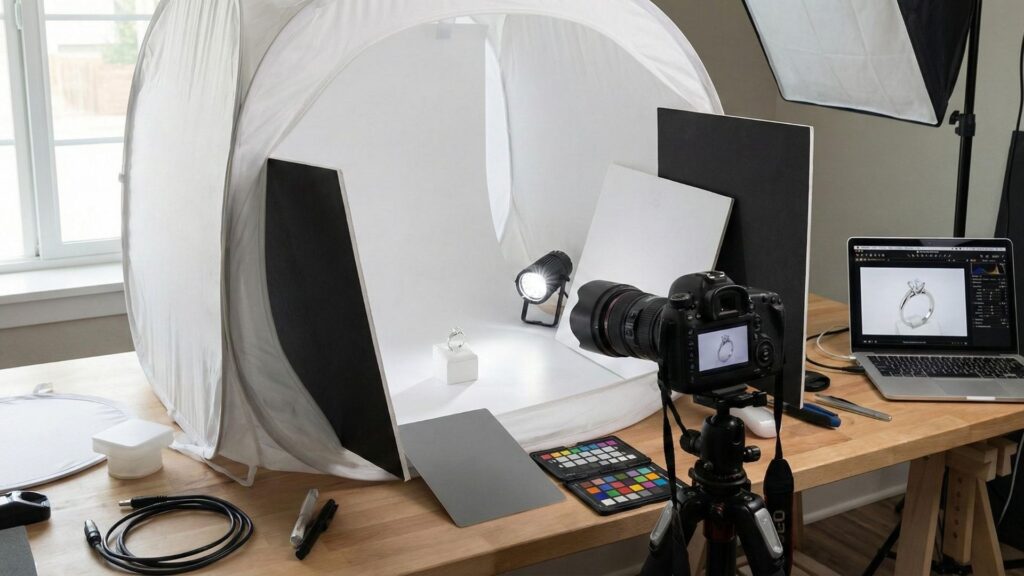
Start with sharp, well-lit files and retain RAW originals when available. A tripod, macro lens and diffused lighting can help reveal small details. Choose exposure, aperture and focus for the actual setup rather than treating one camera setting as universal. Reshoot missing or irrecoverably blurred detail where possible.
For the best results, use:
- A tripod to eliminate camera shake.
- A macro lens for capturing intricate details.
- Softbox or diffused lighting to reduce harsh reflections.
- A low ISO (100–200) to minimize image noise.
- A narrow aperture (typically f/8–f/16) to maximize depth of field.
Starting with a properly exposed RAW image minimizes editing time while delivering superior image quality.
Step 2. Correct White Balance And Exposure
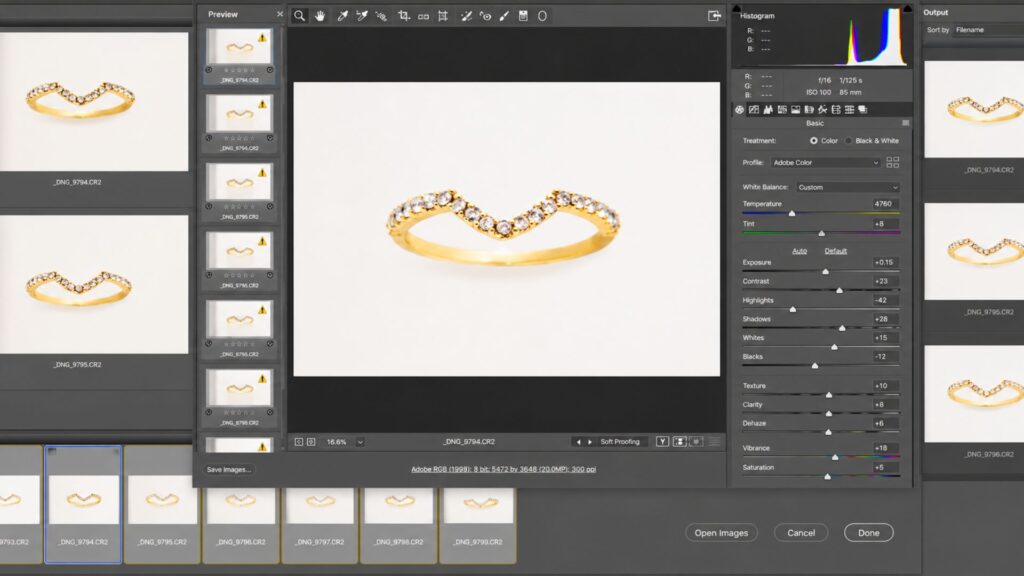
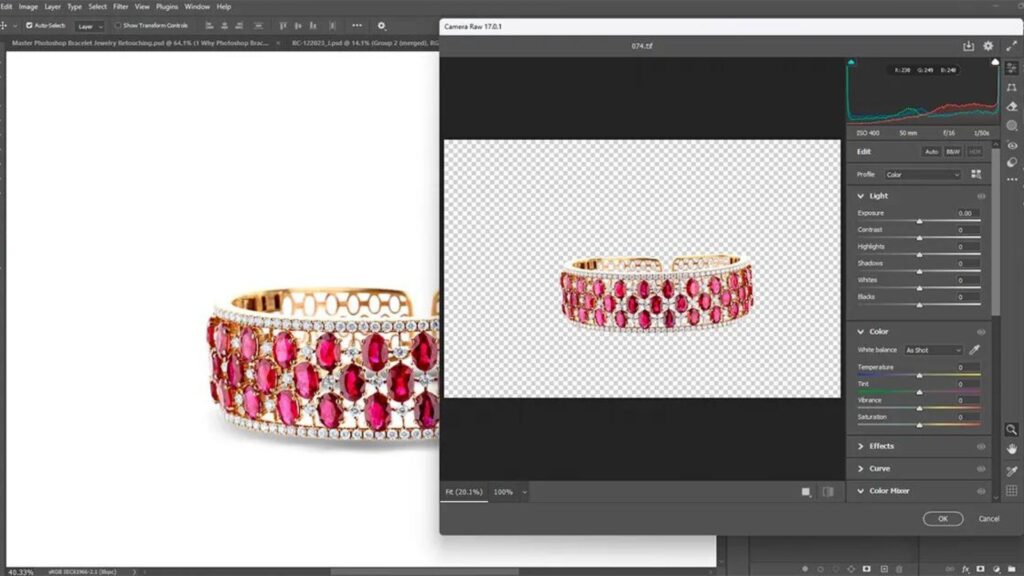
Establish a neutral starting point before detailed retouching. Compare the image with an approved reference and recover usable highlight detail without flattening the metal. Keep the original file available so the reviewer can distinguish a photographic correction from a product alteration.
At DIGI-TEXX, we begin in Adobe Camera Raw by adjusting:
- White Balance
- Exposure
- Highlights
- Shadows
- Whites and Blacks
These corrections establish a balanced foundation before more detailed retouching begins.
Step 3. Remove The Background With Precision
Create and refine the selection, path or mask. Automated selection can provide a starting point; Adobe documents object-selection controls, but the jewelry result still needs visual inspection. Check chain openings and prongs against contrasting backgrounds before approving the cutout. [7]
Rather than relying solely on automatic selection tools, we create a precise clipping path using the Pen Tool to preserve delicate chains, gemstone prongs, and intricate edges. This approach produces crisp, natural outlines without losing fine details.

Step 4. Remove Dust, Fingerprints, And Scratches
Clean temporary distractions using localized edits. Work on a reversible layer where practical and protect engraving, texture and genuine condition details. If a mark may be part of the product, ask for clarification instead of treating it as a defect to erase.
To eliminate these distractions while preserving natural textures, we use professional retouching tools including:
- Spot Healing Brush
- Healing Brush
- Clone Stamp Tool
- Frequency Separation (for advanced retouching)
Every adjustment is performed carefully to maintain the jewelry’s original craftsmanship rather than creating an artificial appearance.
Step 5. Polish Metal Surfaces
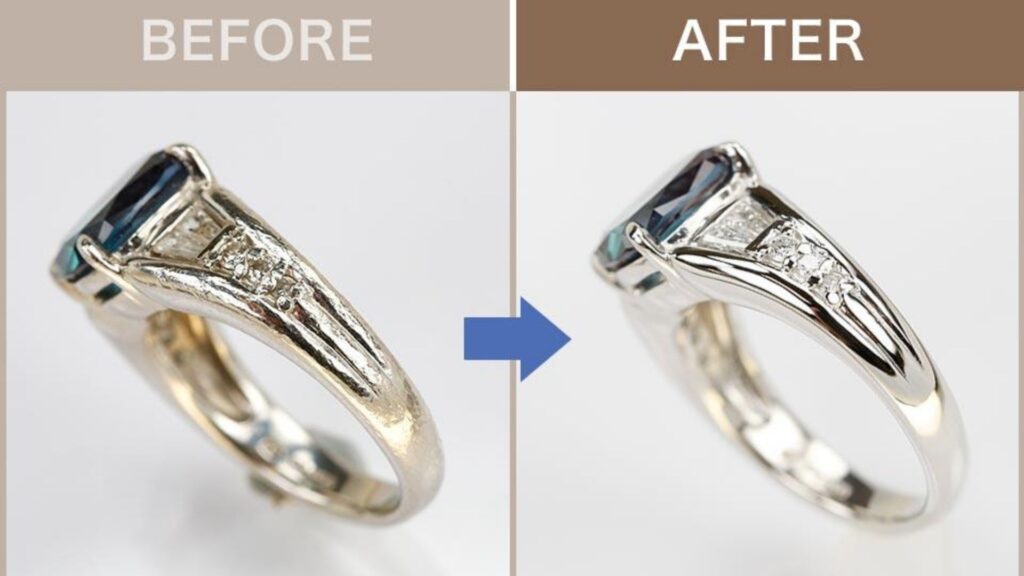
Balance uneven reflections and transitions while preserving volume. Use the approved polished or brushed reference as the acceptance standard. Pay particular attention to highlights near edges, where aggressive smoothing can change the apparent thickness of a band.
To create a refined finish, we selectively polish metal surfaces using techniques such as:
- Dodge & Burn
- Curves adjustments
- High Pass enhancement
These techniques smooth uneven reflections, improve depth, and create a premium appearance while preserving realistic textures.
Step 6. Enhance Diamonds And Gemstones
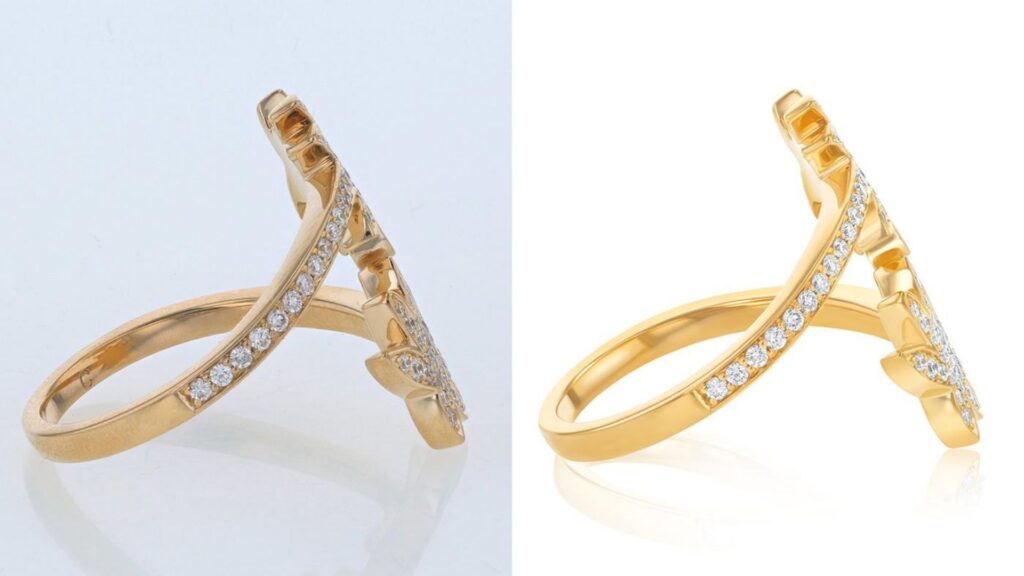
Adjust captured brightness and contrast selectively so facets remain readable. Compare the edited result with the original and product reference. Keep sparkle plausible; avoid effects that conceal inclusions or create characteristics absent from the source.
We selectively improve:
- Brightness
- Local contrast
- Saturation
- Clarity
The objective is to highlight the stone’s natural brilliance while avoiding excessive sharpening or oversaturation that could misrepresent the product.
Step 7. Fine-Tune Color Accuracy
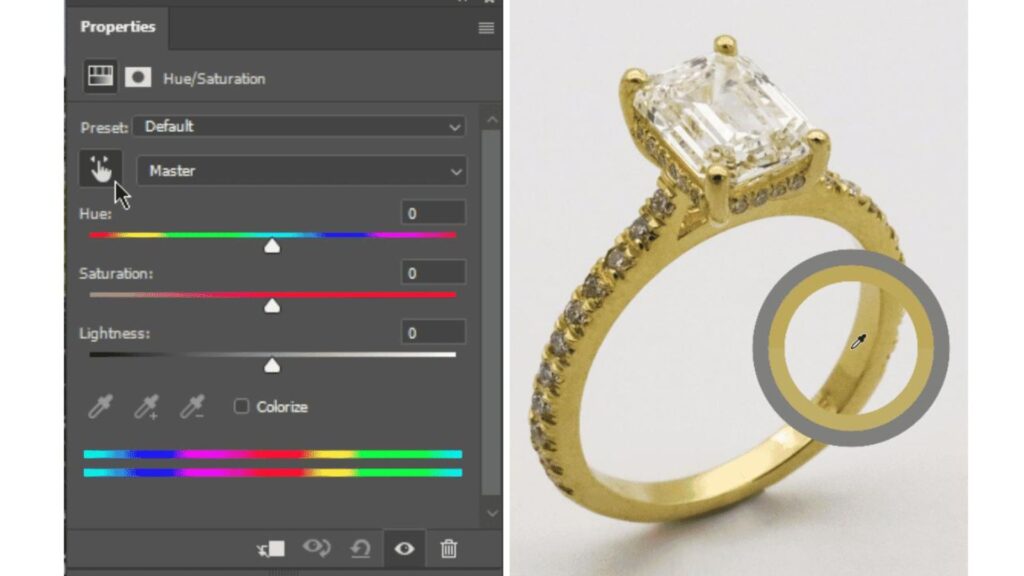
Review the metal and stone separately, then compare every view of the same item. Keep variant names attached to files to prevent accidental substitution. An approved reference improves consistency, although customer displays and viewing conditions still affect appearance.
Using tools such as Hue/Saturation and Selective Color, we carefully adjust metal tones and gemstone colors to ensure they closely match the actual product under natural lighting conditions.
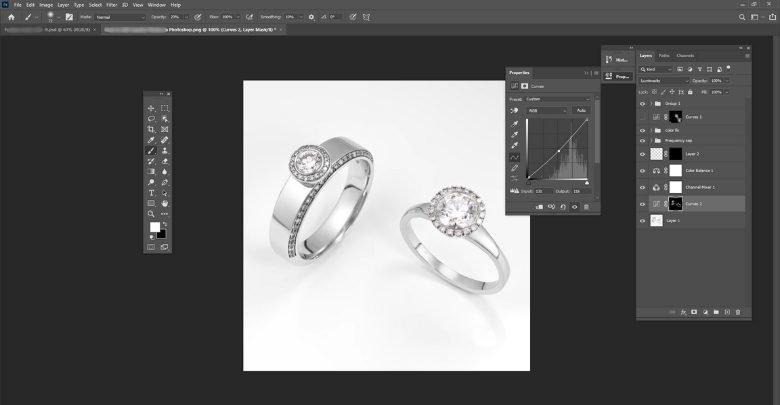
Step 8. Improve Contrast And Depth
Refine tonal separation so the shape is easy to read. Preserve useful shadow and highlight detail rather than forcing a dramatic look onto every image. Review the entire collection together to catch an image that appears unusually dark, flat or saturated.
We use Curves and Levels adjustments to create balanced tonal contrast without crushing shadows or overexposing highlights. The result is a cleaner, more premium-looking product image.
Step 9. Add Natural Shadows Or Reflections
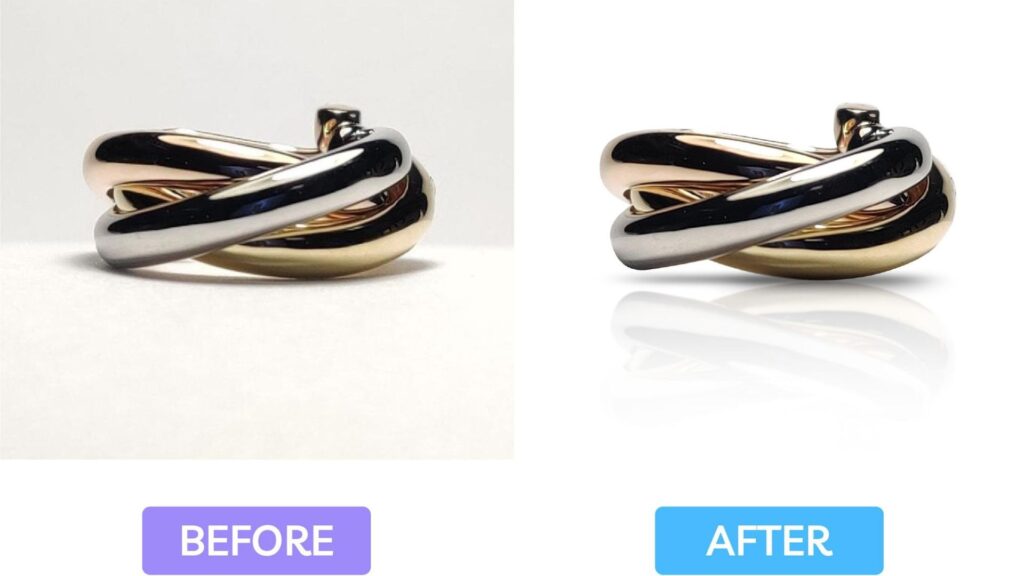
Apply the approved shadow style only where required. A product listing cutout and a campaign composition may need different treatments. Check placement, light direction and consistency before producing multiple background variants.
Depending on the client’s branding guidelines, we add:
- Soft natural drop shadows
- Subtle mirror reflections
- Ambient shadows for depth
These finishing touches create a more realistic and visually appealing presentation while keeping the focus on the jewelry.
Step 10. Sharpen Fine Details
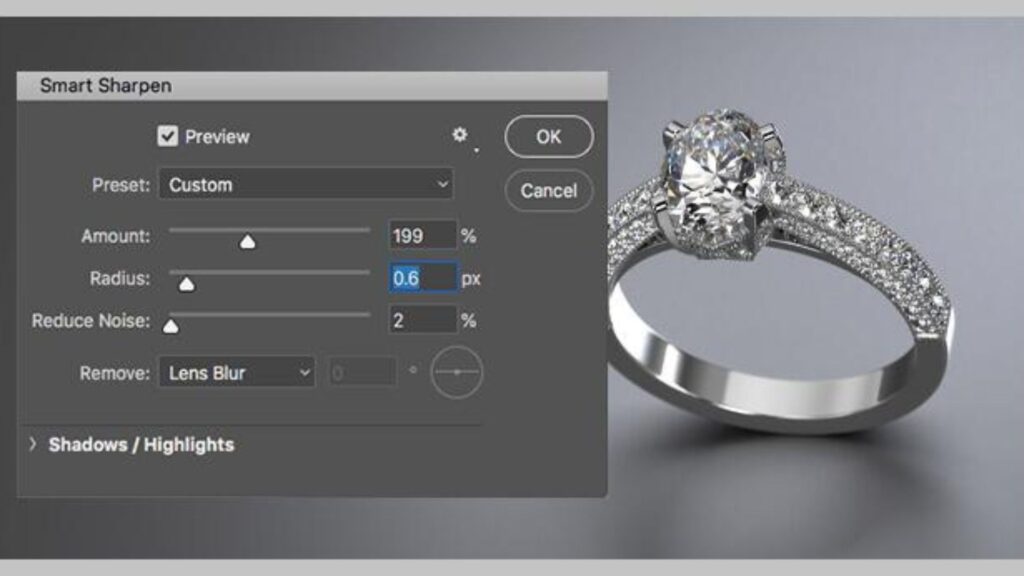
Apply sharpening appropriate to the final image size and review for halos, jagged edges or artificial texture. Inspect small engravings and gemstone edges at both full size and the intended display size. Sharpening cannot recreate genuinely missing focus.
Using Smart Sharpen and High Pass sharpening techniques, we improve the visibility of gemstone facets, engraved patterns, and intricate craftsmanship while maintaining a natural appearance.
Step 11. Export Images For E-Commerce
Prepare formats, dimensions, crop and color settings according to the approved specification. JPEG is useful for many photographic outputs; PNG can preserve transparency. Supply layered files only when agreed, and validate the destination’s supported formats rather than assuming one export suits every platform.
- Reconcile delivered files against the source manifest, SKU, angle and requested variants.
- Check exported files for correct dimensions, background, orientation and naming.
- Record unresolved issues and version changes before approving the production batch.
Typical export formats include:
- JPEG for Amazon, Shopify, and most e-commerce websites.
- PNG for transparent backgrounds.
- WebP for faster website loading and improved SEO performance.
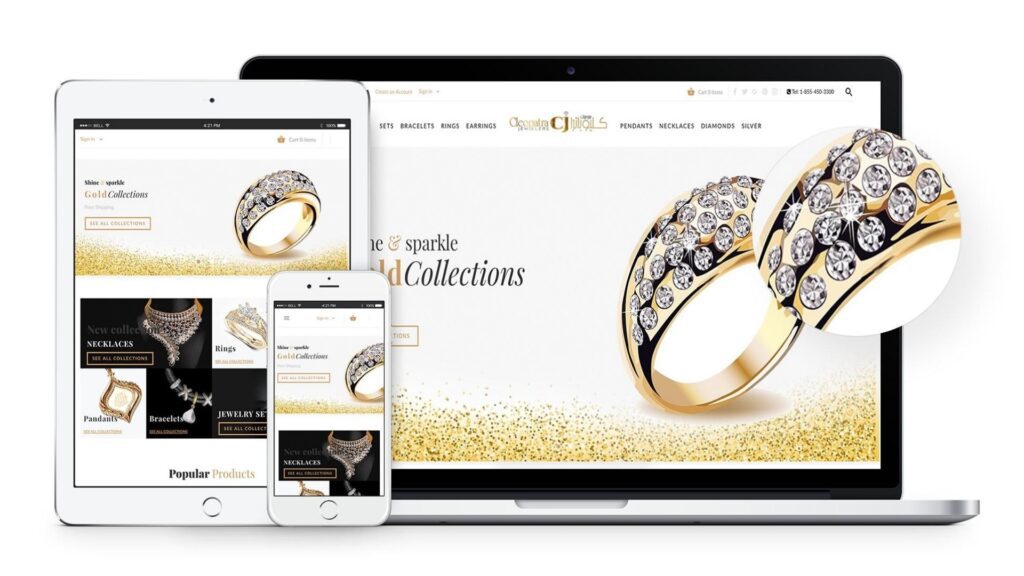
Each file is exported at an appropriate resolution and compression level to balance visual quality with page speed, ensuring an excellent shopping experience across desktop and mobile devices.
How to Choose the Best Company for Jewelry Background Removal and Retouching
Choose the company that demonstrates your required result on representative jewelry, with clear revision terms and dependable delivery. DIGI-TEXX explicitly lists jewelry background removal and retouching within its image-processing offering, making it a relevant provider to assess. A sample review is still needed to establish fit for your products. [1]
Use a Representative Pilot
Include a simple ring, a fine chain, reflective metal, colored stones and any difficult images common in your catalog. Give the editor the same source files, references and output specification you will use in production. A single easy cutout does not show how a team handles complex jewelry.
- Evaluate edge preservation and correct product geometry.
- Compare metal and stone colors with the approved reference.
- Check consistency across multiple angles and product variants.
- Measure revision effort and whether questions are raised before assumptions become edits.
Agree on Quality, Capacity and Revision Terms
Define an accepted image before comparing prices. Record major defects such as missing prongs, incorrect gemstone color or delivery against the wrong SKU separately from minor cosmetic adjustments. Specify who approves changes and whether correction rounds are included.
Ask for the daily or weekly volume available to your project, the complexity assumptions and the cutoff for rush batches. A company-wide team size or advertised turnaround does not establish reserved jewelry-editing capacity. Agree production targets after the pilot.
Protect Unreleased Product Images
Confirm access permissions, approved transfer channels, subcontracting arrangements, retention and deletion. State whether editors may upload files to external AI tools and who authorizes portfolio use. For US buyers, also confirm working-hour overlap and the actual processing locations.
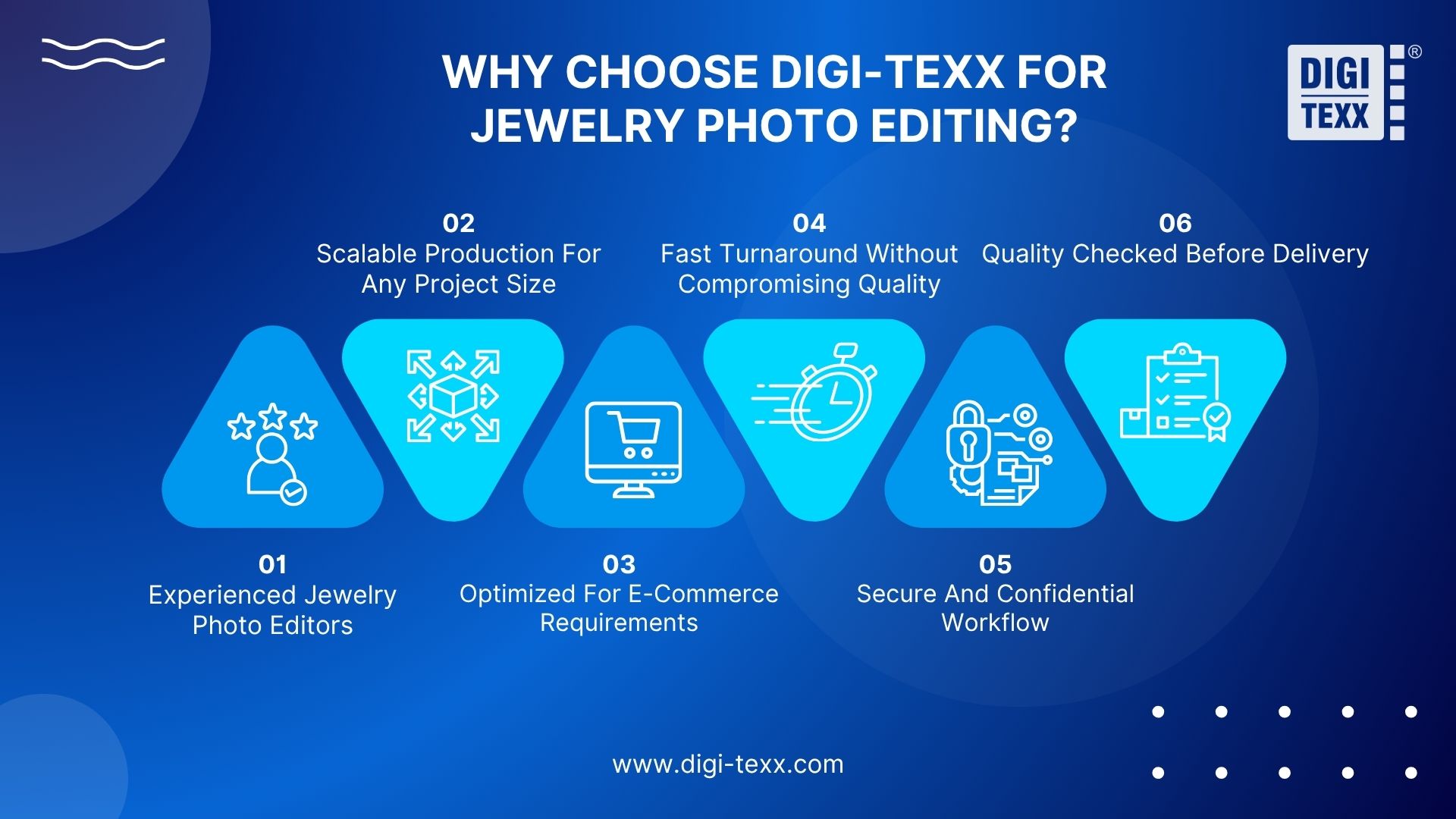
Why Consider DIGI-TEXX for Jewelry Photo Editing?
DIGI-TEXX’s published service information provides a starting point for evaluating scope, quality review and production support. Separate those published capabilities from project-specific commitments that need a written proposal. [1][2]
Relevant Editing Scope and Quality Review
Its image-processing page explicitly includes jewelry background removal and retouching. The photo-editing service page describes color correction, background removal and quality checks covering visual characteristics such as color, texture and feature matching. Buyers can use these categories to structure a jewelry pilot. [1][2]
Capacity and Turnaround to Confirm for Your Batch
The photo-editing page advertises 24-hour delivery and 24/7 client support. Treat these as published service claims to clarify against your image complexity, volume, review requirements and timezone; they are not a confirmed deadline for an unassessed jewelry order. Request a batch schedule and escalation contact. [2]
Security and Quality Credentials
DIGI-TEXX’s About Us page lists ISO 27001:2022 and ISO 9001:2015 credentials. Ask for current certificates and the applicable entity, locations and scope. Management-system credentials are relevant to supplier assessment but do not, by themselves, prove the quality of an individual retouched image. [4]
External Context and Project Evidence
QTSC’s business directory describes DIGI-TEXX’s image-processing work, providing external context for the company’s service presence. It is not an independent jewelry-retouching ranking or a guarantee of project performance. [5]
For stronger project evidence, request an approved jewelry before-and-after set with the original brief, actual work volume, turnaround and revision results. The sources reviewed for this article did not establish a jewelry-specific case study with verified outcome metrics. An unrelated document-processing case should not be presented as proof of jewelry expertise.
How Much Does a Jewelry Photo Editing Service Cost?
The original DIGI-TEXX article gives USD 0.29–5 per image for basic edits and USD 1.49–25+ for advanced retouching. These figures are retained as previously published pricing references, not a verified current market range or a DIGI-TEXX quotation. Their original underlying pricing research and comparable service scope still need confirmation. [6]
- Basic-edit reference: USD 0.29–5 per image. Define whether this covers a simple cutout, exposure adjustment or light cleanup.
- Advanced-retouching reference: USD 1.49–25+ per image. Clarify coverage for intricate edges, reflection refinement, metal finishing and gemstone work.
- Project quotation: request a sample-based estimate covering the actual complexity, volume, delivery variants and revision terms.
The ranges overlap because “basic” and “advanced” are not standardized packages. A necklace with many fine links may require more effort than a simple ring even when both need background removal. Check minimum orders, rush fees, additional angles, layered files and extra revision rounds.
Illustrative calculation: 200 images at an assumed USD 3 per image would produce USD 600 in editing fees before any additional charges. This is a calculation example, not an offered rate. Compare total cost per accepted image, including your team’s review and correction time.
See more: DIGI-TEXX photo editing price guide. Its broader photo-editing figures should not be treated as a jewelry-specific quotation. [8]
FAQs About Jewelry Photo Editing Service
How Much Should I Pay Someone To Edit Photos?
The cost of photo editing typically ranges from $0.29 to $5 per image for basic adjustments and $1.49 to $25+ per image for advanced retouching. Pricing depends on factors such as image complexity, editing requirements, turnaround time, and the editor’s level of expertise.
What Is The App That Edits Jewelry Photos?
The best jewelry photo editing app depends on your needs. For e-commerce product images, AI tools like Mokker AI and Picsart offer quick background removal and professional enhancements. For mobile editing, Snapseed is a popular free option with powerful retouching and color correction features.
Best Company For Jewelry Photo Background Removal And Retouching?
DIGI-TEXX is a provider to evaluate because it explicitly offers jewelry background removal and retouching. The best company for your project is the one that preserves fine edges, product geometry and color in a representative pilot while meeting your delivery and revision requirements. This article does not establish a universal winner. [1]
What Is The Difference Between Jewelry Background Removal And Retouching?
Background removal isolates the jewelry from its surroundings. Retouching changes areas within the image, such as dust, unwanted reflections or exposure. Ask whether your quote includes both, and define which product details must remain unchanged.
How Much Should I Pay Someone To Edit Jewelry Photos?
The original article cites USD 0.29–5 for basic edits and USD 1.49–25+ for advanced work. Keep these as historical published references until the underlying research is confirmed. A sample-based quote is more useful because chain complexity, metal reflections, output variants and revision coverage change the workload. [6]
Can AI Remove Jewelry Backgrounds Without Human Review?
Automatic selection can help create an initial cutout, but inspect fine chains, prongs, transparent stones and reflective edges before publishing. Whether it is sufficient depends on the image. Use human review when a missing detail or altered shape would misrepresent the product. [7]
What is the app that edits jewelry photos?
Adobe Photoshop provides selection and detailed editing tools that can support jewelry work. The relevant choice is whether the tool and editor can meet your masking, color, retouching and export requirements. A background-removal app alone may not cover a full jewelry retouching brief. [7]
Can Retouching Keep Gemstone And Metal Colors Accurate?
It can improve consistency when the editor receives reliable source files and an approved product reference. Define acceptable adjustments and compare related views. Do not use editing to imply a different stone, metal variant or physical condition.
How Long Does Jewelry Photo Editing Take?
Timing depends on image count, complexity, requested variants and approval cycles. DIGI-TEXX advertises 24-hour delivery on its general photo-editing page, but the schedule for your jewelry batch needs confirmation after sample assessment. Agree separate pilot, production and revision deadlines. [2]
What Should I Send To A Jewelry Photo Editing Company?
Send representative source images, SKU and angle identifiers, an approved visual reference, background and crop requirements, export specifications and your deadline. Identify details that must not change and ask how files should be transferred before sending an unreleased collection.
Discuss Your Jewelry Photo Editing Requirements with DIGI-TEXX
Prepare a sample batch and describe the backgrounds, metal finishes, gemstone colors and delivery formats your catalog needs. Contact DIGI-TEXX to discuss jewelry background removal, retouching, sample assessment and a scoped quotation. Agree on quality checks and revision terms before full production.
Explore DIGI-TEXX photo editing services or contact our team to discuss your project.
DIGI-TEXX Contact Information:
- Website: https://digi-texx.com/
- Hotline: +84 28 3715 5325
- Email: [email protected]
- Headquarters: Anna Building, QTSC, Trung My Tay Ward
- Office 1: German House, 33 Le Duan, Saigon Ward
- Office 2: DIGI-TEXX Building, 477-479 An Duong Vuong, Binh Phu Ward
- Office 3: Innovation Solution Center, ISC Hau Giang, 198 19 Thang 8 street, Vi Tan Ward
Reference:
[1] DIGI-TEXX — Image Processing Services — https://digi-texx.com/image-processing-services/
[2] DIGI-TEXX — Photo Editing Services — https://digi-texx.com/image-processing-services/photo-editing-services/
[3] DIGI-TEXX — Photo Retouching Services — https://digi-texx.com/image-processing-services/photo-retouching-services/
[4] DIGI-TEXX — About Us — https://digi-texx.com/about-us/
[5] QTSC — DIGI-TEXX Vietnam business directory — https://www.qtsc.com.vn/en/business/digi-texx-vietnam-ltd
[6] DIGI-TEXX — Original jewelry photo editing article; source of retained price references — https://digi-texx.com/technology/jewelry-photo-editing-service/
[7] Adobe — Select objects with the Object Selection tool — https://helpx.adobe.com/photoshop/desktop/make-selections/get-started-selections/select-objects-with-object-selection-tool.html
[8] DIGI-TEXX — Photo Editing Price Guide — https://digi-texx.com/technology/cheap-photo-editing-services-prices/
[9] Schema.org — BlogPosting — https://schema.org/BlogPosting