Best photo editing app selection can completely redefine your digital content creation, allowing you to master various styles of photo editing with ease. Whether your workflow demands advanced AI photo retouching or simple color correction, DIGI-TEXX delivers an expert review of the top-rated tools in this comprehensive guide to help you achieve flawless, professional results effortlessly.
>>> See more:
- Top 10 Photo Editing Services Online In 2026: Comparison & Review
- AI Image Processing Tools: Top 10 for Automation In 2026
- Best Product Photo Editing Services For eCommerce: Top Providers Compared
Quick Comparison Table About Best Photo Editing Apps
| App | Best For | Platform | Pricing |
| Adobe Lightroom | Pro Precision & Presets | iOS, Android, macOS, Windows | Free Mobile App / Premium Subscription |
| Snapseed | Powerful Free Adjustments | iOS, Android | 100% Free |
| Photomator | Apple Ecosystem | iOS, iPadOS, macOS | Subscription / Lifetime One-Time Purchase |
| VSCO | Aesthetic Film Looks | iOS, Android | Free Basic / Plus & Pro Subscriptions |
| Picsart | AI Effects & Face Edits | iOS, Android, Web, Windows | Free / Subscription (Credit-based for AI) |
| Luminar Neo | Advanced AI Generative | macOS, Windows, iOS, Android | Perpetual One-Time License / Mobile Subscription |
| Apple Photos | Native Organization & Edits | iOS, iPadOS, macOS | 100% Free |
| Google Photos | Cloud Backup & AI Tools | iOS, Android, Web | Free / Google One Subscription for Storage |
5 Criteria For Choosing The Best Photo Editing App
To narrow down hundreds of choices to find the best photo editing app, we strictly evaluated the market, from the best photo editing app for Android to the best photo editing app for iPhone, based on five core criteria:
- In-Depth Processing & RAW Support: Beyond basic brightness adjustments, a top-tier tool must offer advanced features (curves, layers, masks, healing brush). It should support non-destructive editing (saving your edit history) and seamlessly process high-quality formats like RAW and TIFF.
- Intuitive Interface & Smooth Experience: When evaluating photo editing apps for beginners and pros alike, a simple photo editing app layout is essential. The workspace should maximize the image view and allow easy Before/After comparisons. Furthermore, the experience must be clean, meaning no spammy ads or constant pop-ups nagging you to upgrade.
- High-Quality Filters & Presets: A great application provides diverse, highly aesthetic filters to save you time. The ability to save personal editing parameters as presets is a must-have, especially if you rely on the quick styling of Instagram photo editing apps that are free of complex steps to maintain a consistent social media feed.
- Advanced AI Integration: The standards for AI in photo editing apps are higher than ever. Modern tools, whether you are looking for the best photo editing apps for face retouching (like skin smoothing) or generative background expansion, must deliver natural, highly accurate results without creating visual artifacts (like extra fingers). We expect this quality even from the best photo editing apps free AI features. At an enterprise level, achieving this flawless realism requires rigorous image processing for virtual try-on AI models and advanced data training.
- Cost Balance & Value for Money: We highly prioritize accessible free apps for photos that offer a generous unpaid tier for everyday tasks. Whether we are ranking the overall best free photo editing app or assessing web-based alternatives like the best photo editing apps free online, any perks locked behind a paywall (such as advanced AI tools or cloud storage) must come at a reasonable and justifiable upgrade price.
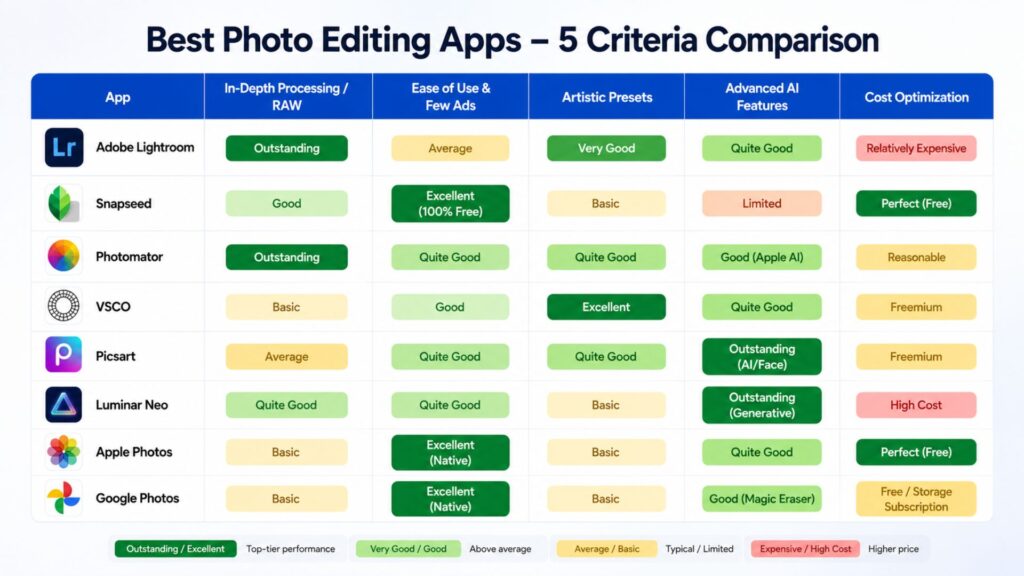
Here are the ranking results based on the 5 evaluation criteria that we set forth.
>>> See more:
- 13 Street Style Photo Editing Steps In Lightroom For Professional Results
- Top 7 Ecommerce Product Photo Retouching Services Compared
- E-commerce Photo Editing Services: Top Companies & Solutions For Online Stores
Adobe Lightroom Mobile
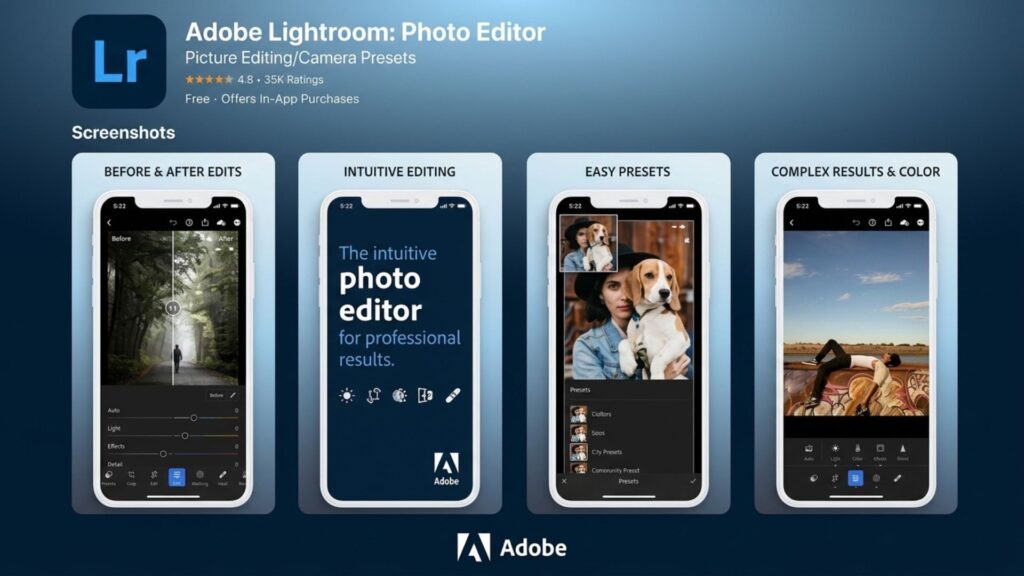
Adobe Lightroom Mobile is the industry standard for professional photo editing. According to our evaluation matrix, it claims the number one spot due to its outstanding in-depth processing and RAW support, combined with excellent artistic presets. While it may not be a simple photo editing app tailored specifically as photo editing apps for beginners, it is arguably the best photo editing app for ensuring perfect output quality. It seamlessly syncs your workflow whether you are looking for the best photo editing app for Android or the best photo editing app for iPhone.
Key Features
- Pro-Level Color Grading: Tools that allow detailed color control and deep adjustments into shadows and highlights via Color Mixer and Curves.
- AI-Powered Masking (Premium): Utilizing advanced AI photo editing technology, this feature automatically detects and creates highly accurate masks for elements like subjects or skies, enabling quick local adjustments without manual brushing.
- Seamless Cloud Sync: Continuous cloud data synchronization for a smooth transition across your phone, tablet, desktop, or online workspace.
- Premium Presets: A diverse and professional filter system that supports saving personal editing parameters to batch-apply across multiple images before sharing to platforms like Instagram.
Best for
Professional photographers and content creators who require high color accuracy.
Platform
iOS, iPadOS, Android, macOS, Windows, Web.
Cost
- The base mobile version ranks well among free apps for photos, completely free to download and use for basic tools, acting as the best photo editing app without initial charges.
- To unlock the most powerful tools like RAW file processing, advanced AI features, masking, and healing, users can upgrade to the Adobe Photography Plan starting at $11.99/month.
Snapseed
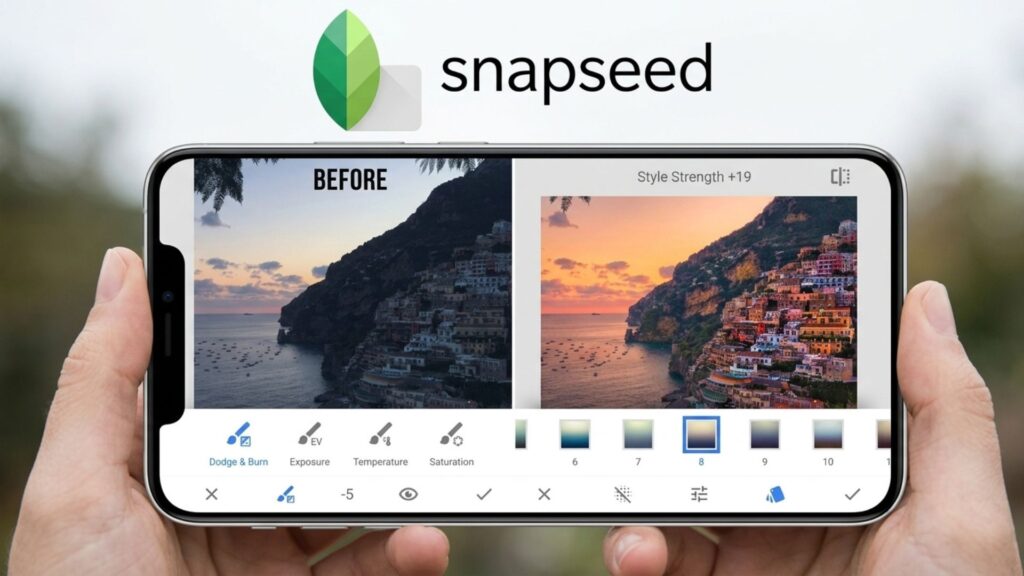
Snapseed is a comprehensive mobile editing tool developed by Google. Based on our evaluation matrix, the app achieves an excellent rating for ease of use and a perfect score for cost optimization. It serves as a highly capable simple photo editing app that is widely recommended among photo editing apps for beginners.
While its built-in AI photo editing capabilities are limited and its artistic filters remain basic, its strong in-depth adjustments and RAW support ensure it remains a competitive option for the best photo editing app in the unpaid category. It performs reliably as a best photo editing app for Android as well as a best photo editing app for iPhone.
Key Features
- Selective Adjustments: The Control Point tool allows users to select a specific area of an image to adjust local brightness and contrast precisely.
- Healing Brush: Removes unwanted objects and minor blemishes naturally from the frame without destroying surrounding details.
- RAW Develop: Opens and modifies native RAW files directly to preserve the original dynamic range and sensor data.
- Non-destructive Editing: Stores a thorough edit history, allowing users to undo or modify parameters at any previous step in the timeline.
Best for
Mobile photographers who need a fast, advanced editing toolkit without paying for subscription plans or dealing with mid-screen advertisements.
Platform
iOS, Android.
Cost
The app is 100% free with no hidden paywalls, making it the best photo editing app free of any financial barriers among all available free apps for photos.
>>> See more:
- 15 Best Document Scanning Software: Features, Pricing & Reviews 2026
- Top 10 Free Photo Retouch Tools Online In 2026
- How To Make A Clipping Path In Illustrator (Step-By-Step)?
Photomator
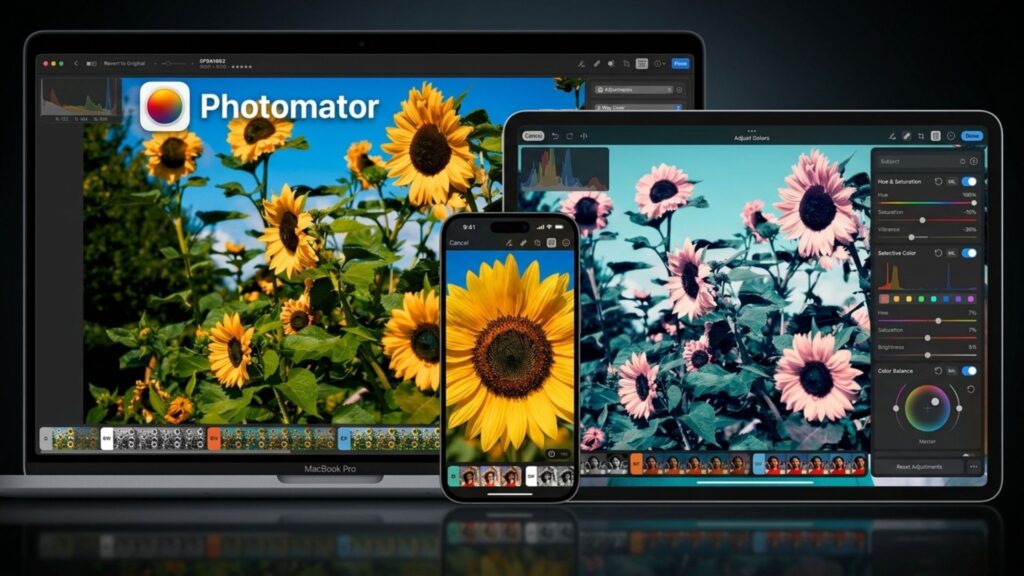
Photomator is an editing solution optimized exclusively for the Apple ecosystem. Based on our criteria matrix, it achieves an outstanding rating for deep processing and RAW format support, alongside strong photo-editing apps AI features that directly leverage Apple Silicon hardware.
With a clean interface that rivals any simple photo editing app, quite good artistic presets, and a reasonable cost thanks to a lifetime purchase option, it easily takes the crown as the Best photo editing app for iPhone and Mac users looking to escape expensive subscription models. For Apple enthusiasts, it is simply the best photo editing app available natively.
Key Features
- Native RAW Support: Exceptionally smooth compatibility and processing of hundreds of RAW image formats, fully optimized for Apple chips.
- Super Resolution (Apple AI): An artificial intelligence algorithm that allows you to upscale image resolution multiple times without losing sharpness or blurring details.
- Smart Deband & Denoise: AI tools that automatically detect and remove grain and color banding in low-light or low-quality photos.
- Seamless Apple Integration: Deep integration with the Apple Photos library, allowing non-destructive editing and direct iCloud synchronization across your iPhone, iPad, and Mac.
Best for
Power users fully immersed in the Apple ecosystem who need robust RAW processing and prefer a one-time lifetime software purchase over monthly subscriptions.
Platform
iOS, iPadOS, macOS, visionOS.
Cost
- The app offers a free trial download with a limited number of saves.
- To unlock all unlimited tools, users can choose a subscription starting at $7.99/month ($34.99/year) or purchase a lifetime license for $119.99.
VSCO
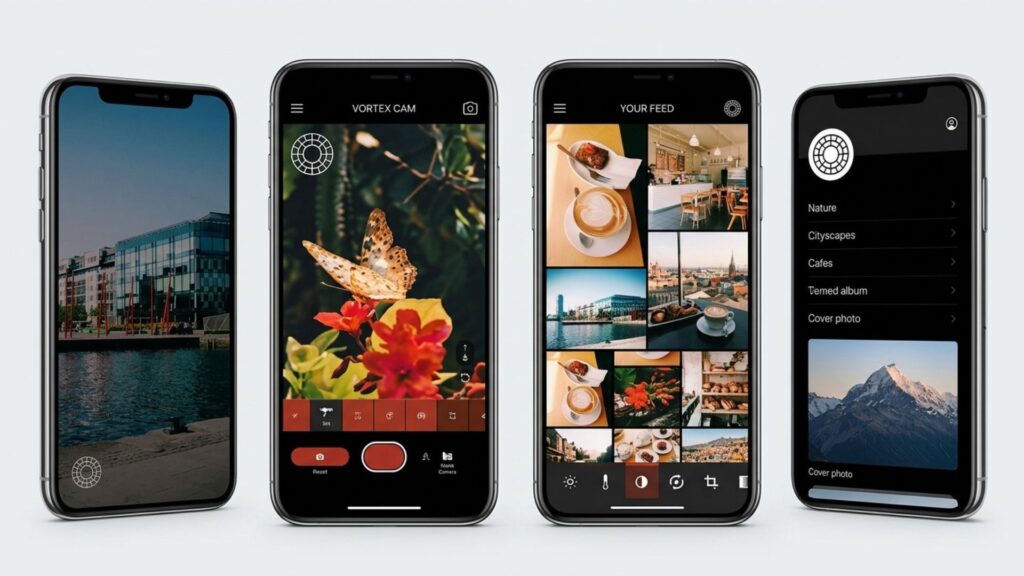
VSCO is highly renowned for delivering deeply aesthetic and cinematic outputs. Based on our criteria matrix, it scores excellently in its artistic presets, outperforming competitors in analog film emulation. Whether you are searching for the best photo editing app for iPhone or the best photo editing app for Android to upgrade your digital aesthetics, VSCO offers an accessible entry point.
It stands out prominently among Instagram photo editing apps, free of cluttered interfaces, making it an excellent simple photo editing app often recommended within lists of photo editing apps for beginners. While it may not focus heavily on being the best photo editing apps for face retouching, its ability to quickly transform everyday shots into moody, artistic frames makes it a strong contender for the best photo editing app for social media creatives.
Key Features
- Film-Emulation Presets: A classic filter system that authentically replicates famous analog camera films from brands like Kodak, Agfa, and Ilford.
- Advanced Photo & Video Editor: Provides comprehensive adjustment tools such as HSL, grain, and fade for both still images and videos.
- AI Lab (Pro): Unlimited photo-editing apps AI processing designed to automate and optimize image tones, lighting, and colors.
- VSCO Spaces & Galleries: A community sharing platform devoid of public likes or comments to reduce social media pressure and focus purely on visual artistry.
Best for
Social media users and lifestyle photographers who need highly aesthetic filters to build a cohesive visual feed quickly without complex masking or layering.
Platform
iOS, Android.
Cost
- The free Starter version includes 15 basic filters and standard editing tools, positioning it as a popular starting point among free apps for photos.
- The Plus plan ($29.99/year) unlocks over 200 advanced filters. The Pro plan ($59.99/year) provides the complete suite, including AI Lab tools and web portfolio features.
>>> See more:
- How to Edit Car Photos | Key Techniques of Car Photo Editing
- How to Edit in Lightroom: Step-by-Step Guide for Beginners
- How to Edit Photos to Look Like Film: 6 Easy Tips
Picsart
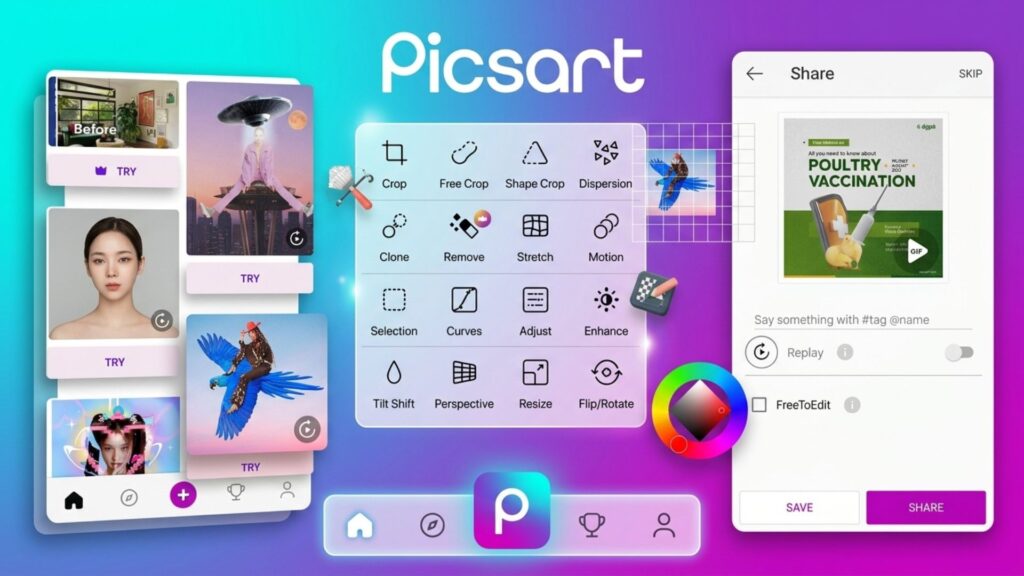
Picsart stands out as a comprehensive creative suite rather than just a standard color-grading tool. Based on our criteria matrix, it achieves an outstanding rating for its powerful photo editing apps AI capabilities. If you are specifically looking for the best photo editing apps for facial modifications or generative AI features, this application dominates the market. While its deep RAW processing is average, its cross-platform availability makes it the best photo editing app for Android and the best photo editing app for iPhone for graphic design. Thanks to its browser version, it also easily ranks among the best photo editing apps free online.
Key Features
- AI Retouch & Face Editing: As one of the best photo editing apps free AI tools, it automatically smooths skin, adjusts facial structures, and applies digital makeup with a single tap.
- AI Image Generator & Replace: Generates images from text prompts and seamlessly replaces or removes backgrounds and objects using artificial intelligence.
- Stickers & Graphic Design: A massive library of stickers, collages, and text templates perfect for quick content creation.
- Layers & Masks: Offers basic multi-layer support to blend images and graphic effects, making it a highly capable yet simple photo editing app for complex creative tasks.
Best for
Content creators, digital artists, and users who need a dynamic toolkit for social media design and automated facial retouching. It is highly recommended among photo editing apps for beginners who want to experiment with visual effects.
Platform
iOS, Android, Web, Windows.
Cost
- The basic version is free but includes mid-task advertisements, placing it among standard free apps for photos.
- To remove ads and unlock premium tools, the Plus or Pro subscription starts around $10.5/month. While it is not the overall best photo editing app free of any limitations, the upgrade is worthwhile for heavy AI users.
Luminar Neo
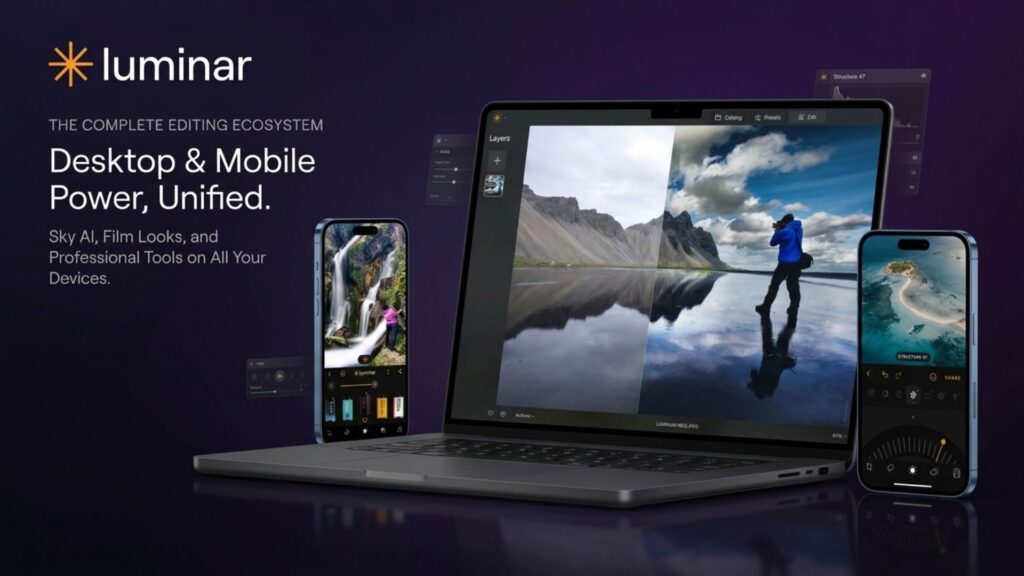
Luminar Neo leads the market by heavily integrating generative artificial intelligence to automate complex editing workflows. Based on our criteria matrix, it achieves an outstanding rating for its photo editing apps AI capabilities. While it operates at a premium price point and is not the best free photo editing app, its highly intuitive interface functions much like a simple photo editing app.
This makes advanced techniques highly accessible, positioning it strongly among photo editing apps for beginners. Whether you use the desktop version or the mobile counterparts as your best photo editing app for iPhone or best photo editing app for Android, it drastically reduces the time spent on manual adjustments.
Key Features
- Sky AI: Automatically replaces the sky and relights the entire scene to match the new atmosphere perfectly.
- GenErase & GenSwap: Advanced generative AI tools that naturally remove unwanted objects or seamlessly blend entirely new elements into the frame.
- Face AI & Skin AI: Excellent automated retouching tools, solidifying its place among the best photo editing apps for face enhancements without over-processing.
- Relight AI: Maps the 3D depth of a 2D image to adjust foreground and background lighting independently.
Best for
Landscape and portrait photographers who want to achieve professional, complex results quickly without dealing with traditional, time-consuming layer-based editing.
Platform
macOS, Windows, iOS, Android.
Cost
- The mobile version offers a very limited free tier, with subscriptions or a $48 lifetime mobile unlock.
- Desktop versions require a perpetual license starting at $79 or a recurring subscription. For users strictly seeking the best photo editing apps free online or completely free mobile tools, the cost may be a barrier.
>>> See more:
- What Is A Clipping Path? Learn To Use Professional Image Isolation
- How To Master Portraits Photo Editing: 10 Best Tools, Tips & Step-By-Step Guide
- 9+ Best Photo Editing App for Beginners
Apple Photos/Google Photos
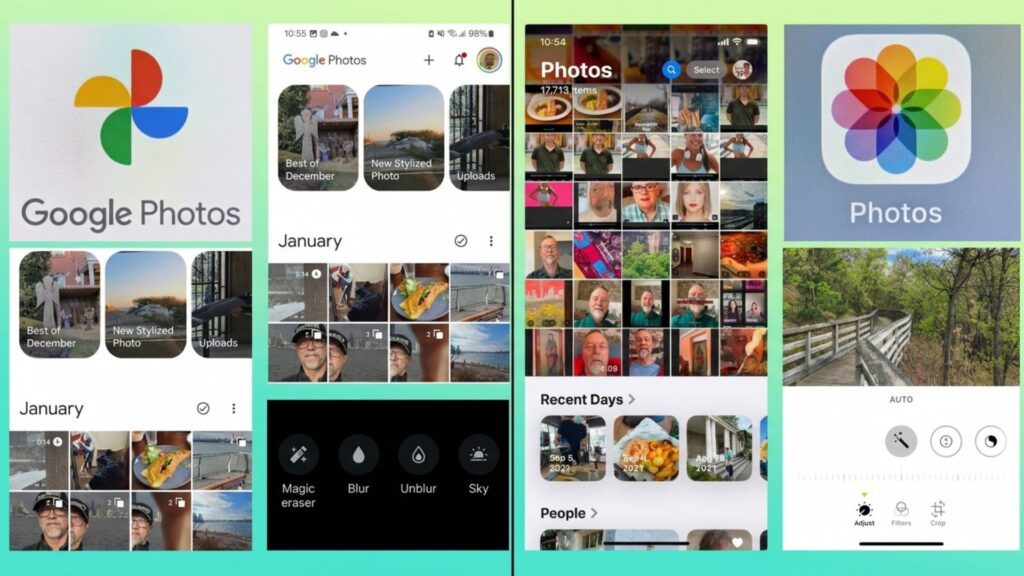
Apple Photos and Google Photos are the default powerhouses for mobile imaging. According to our evaluation matrix, both tools achieve an excellent rating for native ease of use and a perfect score for cost efficiency, representing the definitive simple photo editing app workflow.
They are built specifically as photo editing apps for beginners who prioritize instant, automated results over manual adjustments. While their deep RAW processing and artistic presets are basic, their built-in photo editing apps AI utilities make them incredibly strong contenders for the best photo editing app free of charge for daily tasks. Google Photos shines as the best photo editing app for Android, while Apple Photos remains the quintessential best photo editing app for iPhone.
Key Features
- AI-Powered Object Removal: Google’s Magic Eraser and Apple’s Clean Up tool function as excellent best photo editing apps free AI features to eliminate background distractions with a single tap.
- One-Tap Auto Enhance: Intelligently balances exposure, shadows, and saturation, making it easy to prepare clean images for social media without needing complex Instagram photo editing apps free tiers.
- Portrait & Depth Control: Advanced algorithms optimize facial lighting and background blur, solidifying their place among accessible best photo editing apps for face adjustments.
- Smart Organization & Cloud Sync: Automatically categorizes your library by recognized faces, locations, and objects while syncing securely with iCloud or Google Drive.
Best for
Everyday users and beginners who need quick adjustments, automatic enhancements, and reliable cloud backups without downloading third-party software.
Platform
- Apple Photos: iOS, iPadOS, macOS.
- Google Photos: Android, iOS, Web (making it highly accessible for users seeking the best photo editing apps free online via browsers).
Cost
- Apple Photos is 100% free with zero advertisements, utilizing your existing iCloud storage plan for cross-device syncing.
- Google Photos offers its complete core editing suite as one of the top free apps for photos alongside 15GB of baseline storage. Expanding cloud space requires a Google One subscription starting at $1.99/month.
Tips For Editing Your Photos
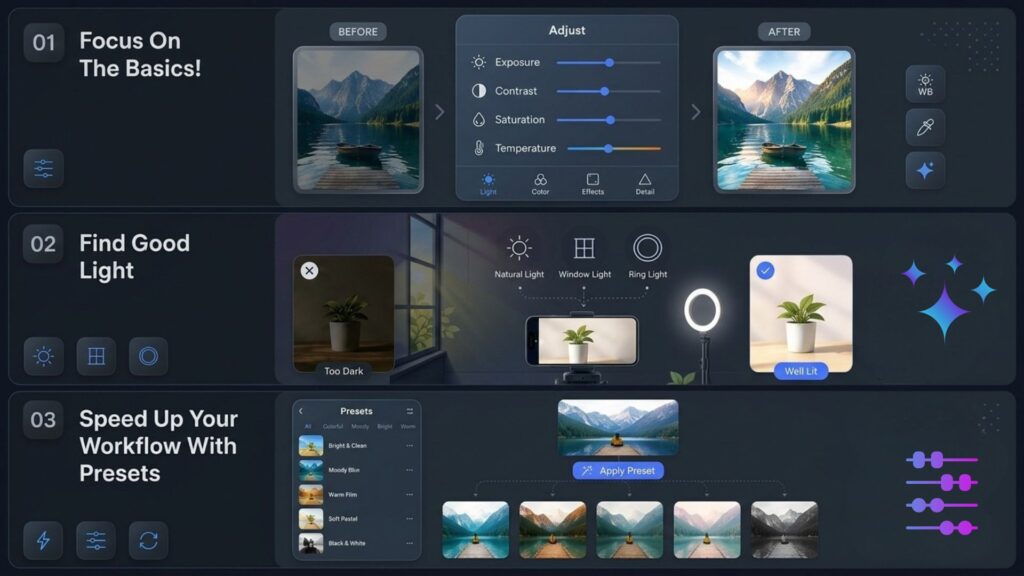
Focus On The Basics!
When learning how to use the best photo editing app, always prioritize foundational adjustments. Whether you are using a desktop suite or a simple photo editing app, begin by tweaking exposure, contrast, and saturation. Correcting blue or orange color temperatures caused by shifting daylight establishes a clean baseline. Avoiding over-editing to preserve natural skin tones is a crucial rule, especially when evaluating various photo editing apps for beginners.
Find Good Light
Capturing high-quality source material is essential, as poorly-lit frames are nearly impossible to salvage even with advanced photo editing apps AI capabilities. Prioritize finding natural window light, heading outdoors, or setting up a ring light before worrying about the background layout. Good lighting ensures that any free apps for photos can produce clean, professional-looking results.
“Light makes photography. Embrace light. Admire it. Love it. But above all, know light. Know it for all you are worth, and you will know the key to photography.”— George Eastman
Speed Up Your Workflow With Presets
Utilizing presets is the most efficient way to maintain a cohesive visual style across your gallery. Instead of manually editing every single parameter on your device, applying a consistent profile saves time and guarantees thematic harmony. This approach is highly favored by creators using Instagram photo editing apps free of complex technical steps to streamline their asset publishing.
>>> See more:
- How to Retouch Skin in Photoshop for a Professional Look
- How Online Photo Restoration Services Revive Your Precious Memories
- Best Free Online Tools for Happy Birthday Photo Editing
FAQs About Best Photo Editing App
Which Is The No. 1 Photo Editing App?
Adobe Lightroom Mobile is widely recognized as the best photo editing app for professional color grading and RAW development. However, if your focus is on graphic designs, collages, and creative effects, Picsart stands out as the leading alternative.
What Is The Best 100% Free Photo Editor?
Snapseed is the best photo editing app free of advertisements, watermarks, or hidden paywalls. Developed by Google, it serves as a highly capable yet simple photo editing app that offers professional-grade tools within the category of free apps for photos.
Is Lightroom Or Photoshop Better?
Neither is inherently better as they serve distinct purposes. Lightroom is superior for organizing, cataloging, and color-grading large batches of images. Photoshop is the ultimate tool for advanced pixel-level manipulation, complex compositing, and detailed retouching workflows.
What Apps Do Professional Photographers Use To Edit?
On mobile platforms, professionals primarily use Adobe Lightroom and Photomator as their best photo editing app for iPhone or best photo editing app for Android solutions. For desktop workflows, Capture One, Adobe Lightroom Classic, and Photoshop remain the absolute industry standards.
DIGI-TEXX Contact Information:
🌐 Website: https://digi-texx.com/
📞 Hotline: +84 28 3715 5325
✉️ Email: [email protected]
🏢 Address:
- Headquarters: Anna Building, QTSC, Trung My Tay Ward
- Office 1: German House, 33 Le Duan, Saigon Ward
- Office 2: DIGI-TEXX Building, 477-479 An Duong Vuong, Binh Phu Ward
- Office 3: Innovation Solution Center, ISC Hau Giang, 198 19 Thang 8 street, Vi Tan Ward
Reference:
- Adobe. (2026). Lightroom mobile app features and specifications. Adobe Systems Incorporated
- Google. (2026). Edit your photos and videos with Google Photos. Google LLC.