Document image scanning software has become an essential solution for businesses seeking faster, more secure, and more efficient ways to digitize paper documents and streamline information management. As modern workflows increasingly rely on automation and intelligent technologies such as AI image processing and image processing services, organizations can now improve document accessibility, reduce manual tasks, and enhance operational accuracy.
Beyond document digitization, advanced visual enhancement technologies inspired by styles of photo editing, street style photo techniques, AI photo retouching, free photo retouch, and even precision editing methods like clipping path are transforming how digital files are processed and optimized.
In this article, DIGI-TEXX explores the best document image scanning software solutions in 2026, helping businesses choose the right platform to modernize workflows, strengthen digital transformation, and integrate scalable photo editing services online into their operations naturally and efficiently.
According to AIIM, organizations investing in document scanning and capture technologies reported productivity improvements of up to 50 percent, with 43 percent achieving ROI within the first 12 months.” – AIIM
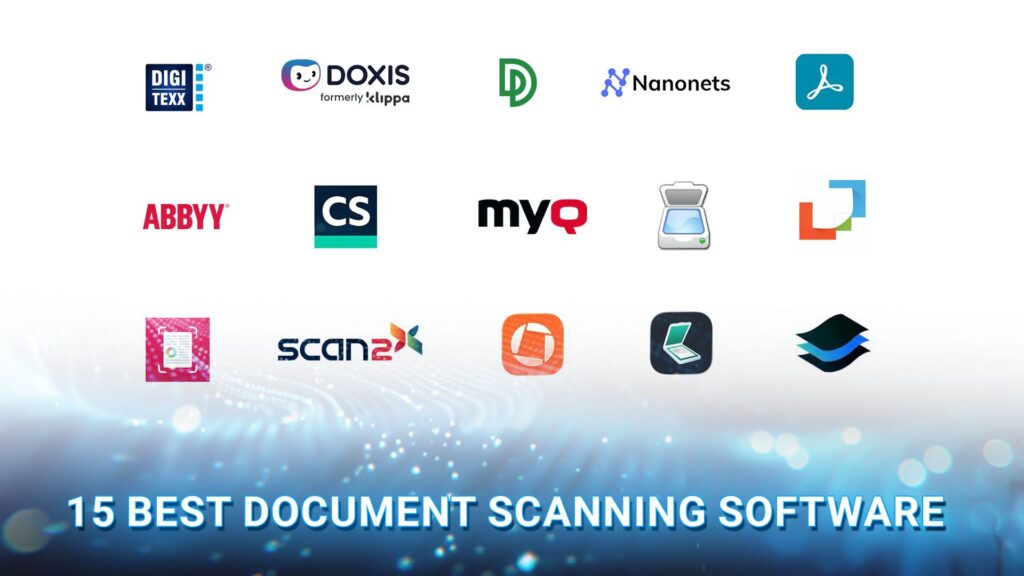
Best Document Scanning Software Compared
The following intelligent document scanning solution platforms are designed to help businesses automate document digitization, optimize OCR workflows, and manage enterprise content more efficiently.
| Software | Best For | Deployment | Key Strength | Pricing |
| DIGI-SCAN | Enterprise document digitization | SaaS | AI-powered document classification, OCR, and workflow automation | Custom pricing |
| Doxis AI.dp | Intelligent document capture | Cloud / SaaS | AI-driven OCR, fraud detection, and real-time scan quality validation | Custom pricing |
| DocuPipe | Custom document processing workflows | Cloud | No-code extraction pipeline builder with AI-powered OCR | From US$79.20/month |
| Nanonets | AI document processing | Cloud | 300+ pre-trained AI models for intelligent data extraction | Custom pricing |
| Adobe Scan | Mobile document scanning | Mobile (iOS, Android) | Seamless integration with Adobe Acrobat and Document Cloud | Free; Premium plans available |
| ABBYY FineReader PDF | High-accuracy OCR | Desktop (Windows, macOS) | OCR in 190+ languages with advanced PDF editing and comparison | From US$199/year |
| CamScanner | Small businesses and mobile professionals | Mobile | AI-enhanced scanning with Office export and cloud synchronization | Free; Premium plans available |
| MyQ | Secure enterprise document workflows | On-premise / Hybrid | Secure scan workflows with OCR, audit trails, and automated document routing | Custom pricing |
| NAPS2 | Free desktop document scanning | Desktop (Windows, macOS, Linux) | Open-source scanning software with OCR and command-line automation | Free |
| PaperScan | High-volume office scanning | Desktop | Batch scanning, separator sheet detection, and advanced image enhancement | Free Trial; Paid plans available |
| SwiftScan | Cloud-first mobile scanning | Mobile | High-quality PDF scanning with fast cloud synchronization | Free; Premium plans available |
| Scan2x | AI-enhanced document digitization | Desktop | AI image enhancement with OCR-powered document conversion | Free; Paid plans available |
| Genius Scan | Professionals working on the go | Mobile | Smart document organization, OCR, encrypted PDF export, and cloud backup | Free; Premium plans available |
| Simple Scanner | Everyday document scanning | Mobile | Lightweight interface with fast PDF creation and easy file sharing | Free; Premium plans available |
| Scan.Plus | Simple cloud-based document scanning | Mobile | OCR-enabled document capture with convenient cloud sharing | Free; Premium plans available |
| Windows Scan | Basic Windows document scanning | Desktop (Windows) | Native integration with WIA-compatible scanners | Free |
| VueScan | Legacy scanner compatibility | Desktop (Windows, macOS, Linux) | Supports 7,400+ scanner models with OCR and batch scanning | From US$24.95 (one-time purchase) |
Top 15+ Document Scanning Software In 2026
Choosing the right document scanning software depends on factors such as OCR accuracy, workflow automation, integration capabilities, deployment model, and scalability. While some solutions are designed for enterprise document processing, others focus on mobile scanning or lightweight office use.
1. DIGI-SCAN
DIGI-SCAN is DIGI-TEXX’s enterprise-grade document scanning software designed to help organizations digitize paper records, extract structured data, and automate document-centric workflows. Delivered as a Software-as-a-Service (SaaS) solution, it combines AI-powered OCR, intelligent document classification, and workflow automation to reduce manual processing while improving accuracy across high-volume scanning operations.
Unlike basic document scanner software that focuses only on image capture, DIGI-SCAN functions as a complete document scanning solution by integrating scanning, OCR, quality validation, data extraction, and system integration into a single platform. Businesses can connect the software with existing DMS, ERP, ECM, or business applications to accelerate digital transformation and reduce paper-based processes.
Key Strengths
- AI-powered OCR accurately extracts data from structured and semi-structured documents.
- Intelligent document classification automatically recognizes document types before processing.
- Supports high-volume batch scanning with scalable cloud architecture.
- Built-in quality control minimizes OCR errors before data enters downstream systems.
- Integrates with DMS, ERP, ECM, and other enterprise platforms through flexible APIs.
- Supports secure document processing with enterprise-grade access controls and audit capabilities.
Best For: Large enterprises, shared service centers, financial institutions, healthcare organizations, BPO providers, and businesses that need to automate high-volume document scanning and data capture workflows.
Pricing: Custom enterprise pricing based on document volume, OCR complexity, workflow automation requirements, integrations, and deployment scope. Contact DIGI-TEXX for a tailored quotation.
Why We Recommend It: DIGI-SCAN stands out because it combines document capture, AI-powered OCR, intelligent classification, automated validation, and enterprise integration in a single platform. Rather than serving only as a document scanner, it supports end-to-end document processing, helping organizations reduce manual data entry, improve document accuracy, and scale document automation across multiple departments. This makes it a strong choice for businesses looking for a long-term document scanning system instead of a standalone scanning application.
2. Doxis AI.dp
Doxis AI.dp is an AI-powered document capture software developed by SER Group that helps organizations capture, classify, extract, and validate information from both structured and unstructured documents. Combining intelligent OCR, machine learning, and document understanding technologies, the platform automates document-intensive processes while reducing manual data entry.
Unlike traditional document scanning software that primarily converts paper documents into digital files, Doxis AI.dp focuses on transforming scanned content into structured business data that can flow directly into enterprise applications. The platform also includes advanced capabilities such as fraud detection, image enhancement, sensitive data redaction, and configurable workflow automation, making it well suited for organizations with strict compliance and document governance requirements.
Key Strengths
- AI-powered document classification for invoices, contracts, forms, and business records.
- Intelligent OCR with automatic image enhancement to improve extraction accuracy.
- Real-time scan quality detection to identify blurry, skewed, or incomplete scans before processing.
- AI-driven data extraction from structured, semi-structured, and unstructured documents.
- Built-in document fraud detection through image and metadata analysis.
- Sensitive data anonymization to support GDPR and other privacy regulations.
- Flexible workflow designer for automating document capture and approval processes.
- Supports multiple export formats, including JSON, XML, CSV, and XLSX, for seamless system integration.
Best For: Medium-to-large enterprises, finance departments, insurance providers, government agencies, and organizations that need intelligent document processing, compliance support, and advanced document capture automation.
Rating: G2: 4.4/5 (SER Group platform reviews)
Pricing: Pricing is not publicly disclosed. Businesses must contact SER Group for a customized quotation based on deployment size, document volume, and implementation requirements.
Why We Recommend It: Doxis AI.dp goes beyond traditional document scanner and software solutions by combining intelligent capture, AI-powered OCR, fraud detection, workflow automation, and compliance features in one platform. Organizations handling sensitive business documents can significantly reduce manual processing while improving extraction accuracy, security, and regulatory compliance. It is particularly well suited for enterprises seeking a scalable document scanning system that integrates with broader document management and business process automation initiatives.
3. DocuPipe
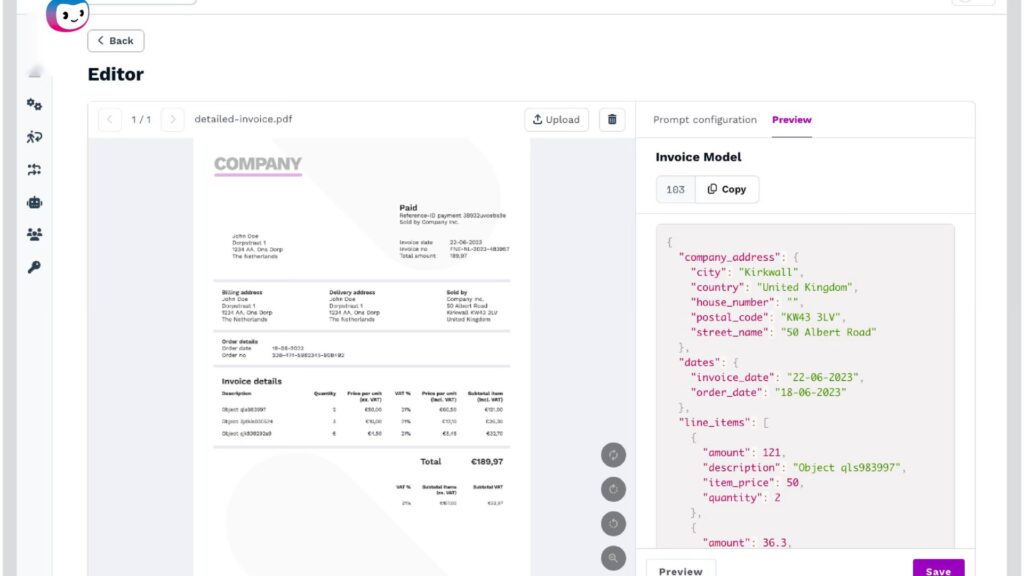
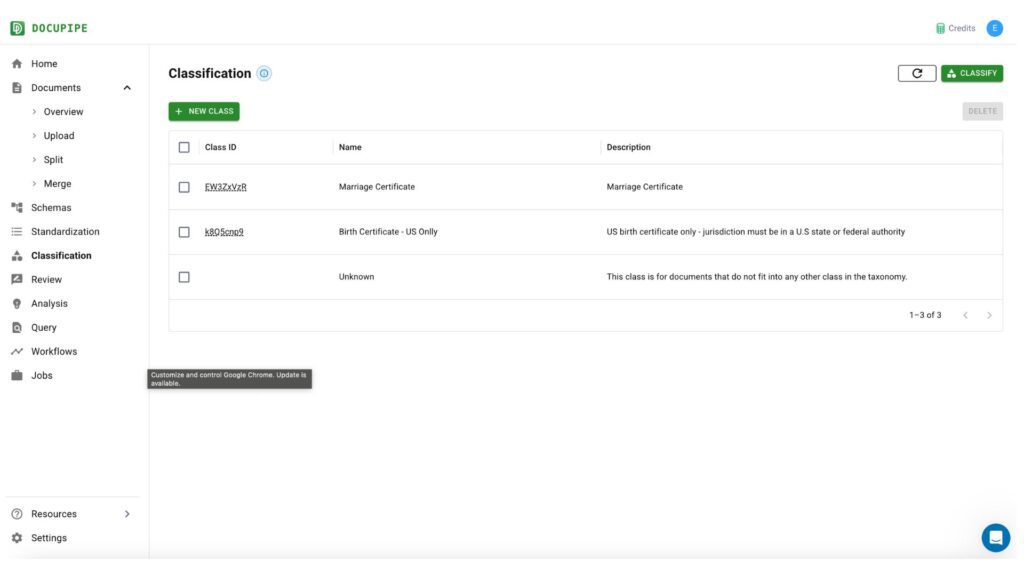
DocuPipe is an AI-powered document capture software built to automate document intake, OCR, data extraction, and workflow routing. Rather than functioning as a traditional scanner application, DocuPipe focuses on turning unstructured documents into structured, usable business data. It supports a wide range of document types-including invoices, purchase orders, contracts, application forms, and handwritten documents-making it a practical document scanning solution for organizations looking to reduce manual processing.
One of DocuPipe’s standout capabilities is its customizable extraction pipeline. Instead of relying solely on preconfigured templates, users can visually build workflows that classify documents, extract key fields, validate data, and export results into downstream business systems. The platform also supports multilingual OCR and AI models that can adapt to different document layouts over time, helping improve extraction accuracy as document volumes grow.
For organizations implementing document scanning automation, DocuPipe provides a flexible platform that combines OCR, AI, and workflow automation into a single solution, reducing repetitive manual work while accelerating document processing.
Key Strengths
- AI-powered OCR with support for printed and handwritten documents.
- Visual workflow builder for creating custom document processing pipelines.
- Multi-language OCR supporting more than 60 languages.
- Intelligent document classification and automatic field detection.
- Data validation rules improve extraction accuracy before export.
- REST API for integrating with ERP, CRM, and document management systems.
- Batch processing supports high-volume document scanning systems.
Best For
- Finance teams processing invoices and purchase orders.
- Operations teams automating document-intensive workflows.
- Organizations implementing automated document scanning workflows.
- Businesses requiring customizable document scanning and filing software.
Rating: G2 – 4.7/5
Pricing
- Free plan available with limited monthly credits.
- Paid plans start at approximately US$79.20/month (billed annually).
- Enterprise pricing available upon request.
Why We Recommend It: DocuPipe offers significantly more flexibility than many traditional OCR tools because users can customize extraction logic instead of relying on rigid templates. Its combination of AI-powered OCR, workflow automation, and API connectivity makes it well suited for organizations looking to build scalable document scanning automation processes rather than simply converting paper documents into PDFs.
4. Nanonets
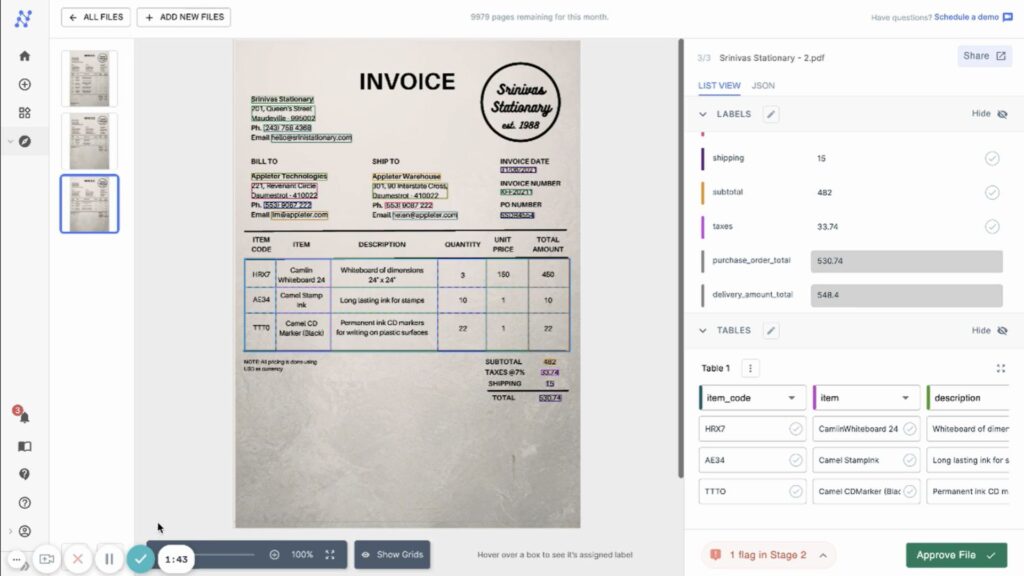
Nanonets is an AI-powered document capture and document scanning software that automates OCR, data extraction, document classification, and workflow automation. Unlike traditional OCR tools that simply digitize documents, Nanonets continuously improves extraction accuracy using machine learning, making it well suited for businesses processing invoices, purchase orders, receipts, forms, and other semi-structured documents. The platform also integrates with popular ERP, CRM, and accounting systems, allowing organizations to reduce manual data entry and accelerate document-driven workflows.
Key Strengths
- AI-powered OCR with continuous model improvement
- Pre-trained extraction models for invoices, receipts, IDs, purchase orders, and forms
- Automated document classification
- Human-in-the-loop validation for low-confidence fields
- Workflow automation with API integration
- Supports cloud storage and enterprise applications
Best For: Operations teams, finance departments, logistics companies, and enterprises that want to automate document capture and reduce manual processing across high-volume workflows.
Rating: G2: 4.7/5 (based on verified customer reviews)
Pricing: Free trial available. Enterprise pricing is provided upon request based on document volume and workflow requirements.
Why We Recommend It: Nanonets offers one of the strongest AI-driven document capture platforms available today. It goes beyond OCR by learning from user corrections over time, making it particularly valuable for organizations processing complex business documents at scale. Companies looking for intelligent document scanning automation rather than basic PDF conversion will benefit the most.
5. Adobe Scan
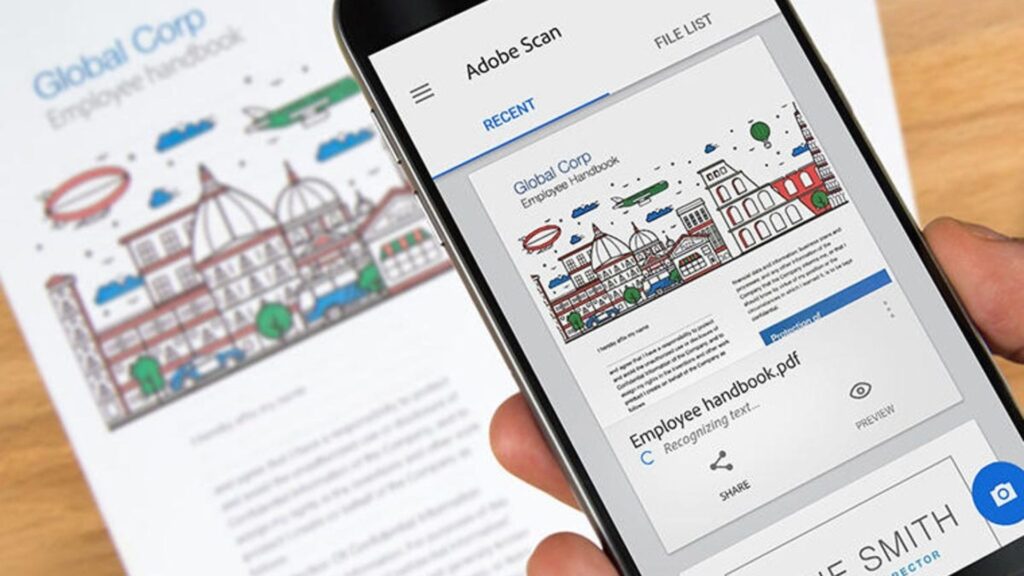
Adobe Scan is a mobile-first document scanning solution that transforms smartphones into portable scanners capable of creating high-quality PDFs with built-in OCR. The application automatically detects document boundaries, enhances image quality, and converts scanned pages into searchable PDF files that integrate seamlessly with Adobe Acrobat and Adobe Document Cloud. It is designed for users who need fast office document scanning without dedicated hardware.
Key Strengths
- Automatic edge detection and image enhancement
- OCR for searchable PDF documents
- Mobile scanning with multi-page support
- Direct integration with Adobe Acrobat and Document Cloud
- Supports receipts, business cards, forms, and whiteboards
- Fast cloud synchronization across devices
Best For: Professionals, remote workers, students, and small businesses that need a reliable mobile document scanner for everyday use.
Rating: Apple App Store: 4.9/5 (millions of user ratings)
Pricing: Free version available. Premium capabilities require an Adobe Acrobat subscription.
Why We Recommend It: Adobe Scan is one of the easiest document scanning apps to use while maintaining excellent scan quality. Although it lacks advanced enterprise workflow automation, it excels at mobile document capture and PDF creation, making it ideal for professionals already working within the Adobe ecosystem.
6. ABBYY FineReader
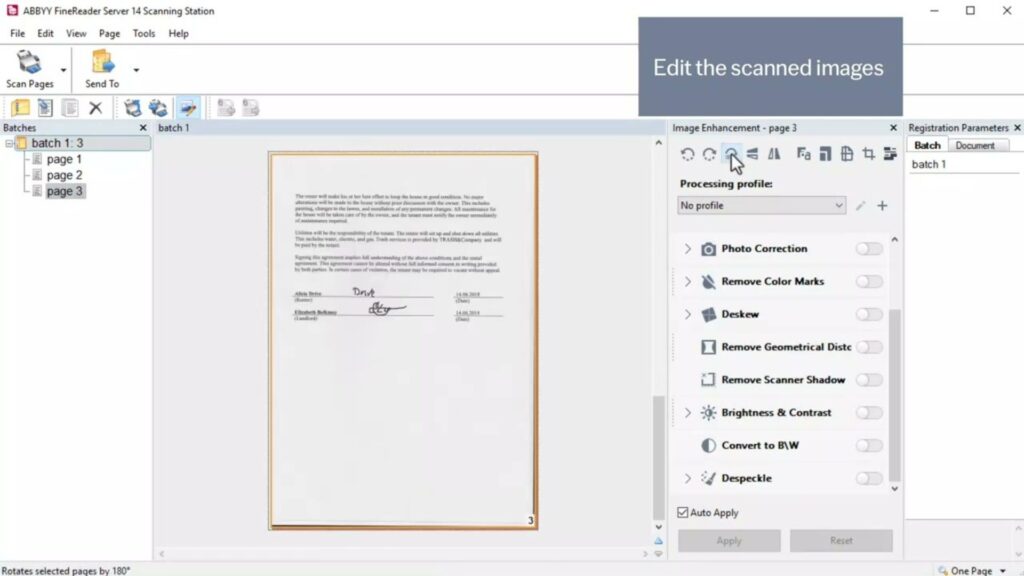
ABBYY FineReader PDF is widely recognized as one of the industry’s leading document image scanning software solutions thanks to its exceptionally accurate OCR engine. Supporting more than 190 languages, it enables organizations to convert scanned documents into editable Word, Excel, and searchable PDF files while preserving layout and formatting. Beyond OCR, FineReader includes PDF editing, document comparison, batch automation, and enterprise-level document conversion capabilities.
Key Strengths
- Industry-leading OCR accuracy
- Supports over 190 recognition languages
- Batch document conversion
- PDF editing and document comparison
- Hot Folder automation
- Excellent layout preservation during conversion
Best For: Legal firms, financial institutions, government agencies, and multilingual organizations requiring highly accurate OCR and document conversion.
Rating: G2: 4.5/5
Pricing: Plans start at approximately US$199/year for individual users, with enterprise licensing available.
Why We Recommend It: ABBYY remains the benchmark for professional OCR. While the learning curve and pricing are higher than many competitors, few solutions consistently deliver the same level of recognition accuracy for enterprise document scanning.
7. CamScanner
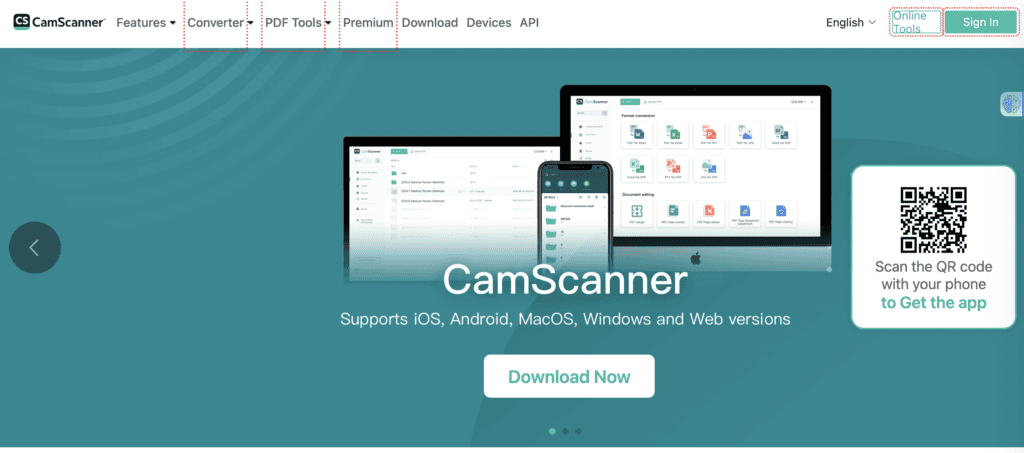
CamScanner is one of the world’s most popular mobile document scanner and software applications, enabling users to scan, organize, edit, and share documents directly from smartphones. Its AI-enhanced image processing improves scan quality automatically, while OCR converts paper documents into searchable digital files. Cloud synchronization further allows users to access documents across multiple devices.
Key Strengths
- AI-enhanced mobile scanning
- OCR in over 40 languages
- Multi-page PDF creation
- Built-in e-signature support
- Cloud synchronization
- Business card and receipt scanning
Best For: Freelancers, consultants, small businesses, and professionals needing fast mobile document scanning.
Rating: Google Play Store: 4.8/5
Pricing: Free version available. Premium subscriptions unlock OCR, cloud storage, and advanced editing features.
Why We Recommend It: CamScanner delivers an excellent balance between ease of use and advanced scanning features. It is particularly useful for professionals who frequently digitize paperwork while traveling or working remotely.
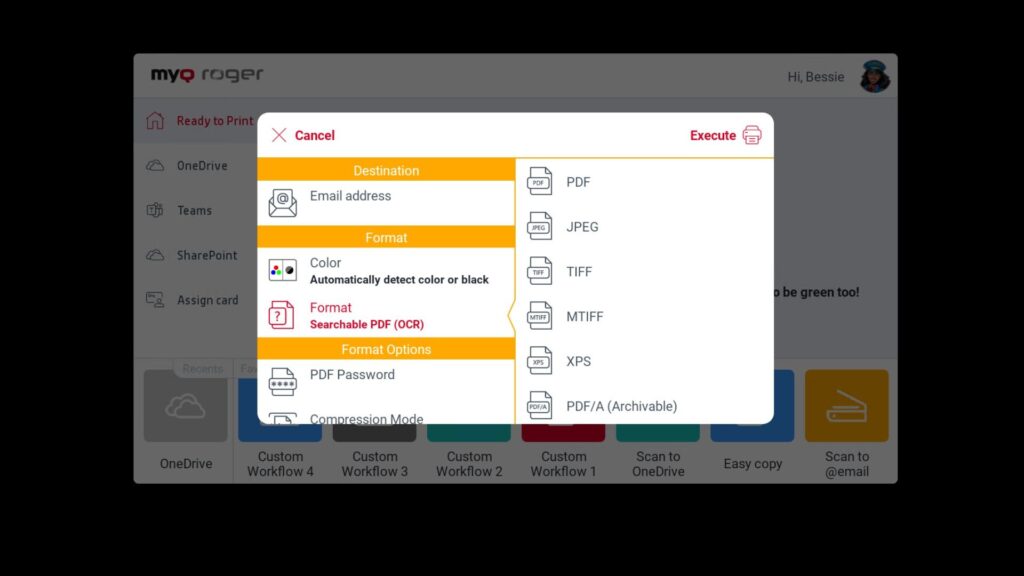
8. MyQ
MyQ is an enterprise document scanning and print management platform designed for organizations operating multifunction printers (MFPs). Rather than serving as a traditional desktop scanner, MyQ focuses on secure document capture, intelligent routing, OCR, metadata indexing, and compliance across enterprise printing environments.
Key Strengths
- Secure scan-to-workflow automation
- OCR and searchable PDF generation
- Barcode recognition and metadata indexing
- User authentication and access control
- Audit trails for compliance
- Integration with enterprise document management systems
Best For: Medium and large enterprises managing secure print, scan, and document workflows across multiple office locations.
Rating: Gartner Peer Insights – 4.6/5
Pricing: Enterprise pricing available upon request.
Why We Recommend It: MyQ stands out because it combines document scanning with print management and enterprise security. Organizations handling confidential records will benefit from its robust governance and workflow automation capabilities.
9. NAPS2
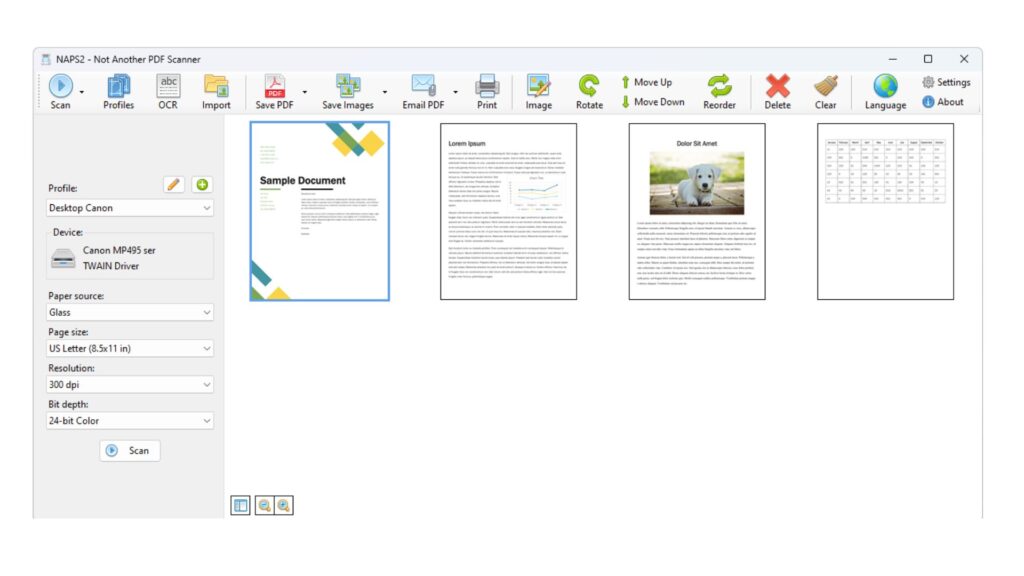
NAPS2 (Not Another PDF Scanner 2) is a free, open-source document scanning software designed for users who need reliable scanning without licensing costs or vendor lock-in. Unlike many commercial solutions, NAPS2 focuses on core scanning functionality while offering advanced customization for power users and IT administrators.
The software supports both TWAIN and WIA drivers, making it compatible with most desktop scanners and multifunction printers. Users can scan single or multi-page documents, edit pages before saving, and export files into searchable PDFs using the built-in Tesseract OCR engine. For organizations handling repetitive workloads, NAPS2 also supports command-line automation, enabling scheduled scans and unattended document capture workflows.
Although it lacks enterprise document management features, NAPS2 performs exceptionally well as a lightweight document scanner software for Windows 10, making it suitable for organizations that already have an existing document management platform and simply need dependable software for scanning documents.
Key Strengths
- Completely free and open-source under the GPL license.
- Supports TWAIN, WIA, ESCL, and SANE drivers for broad scanner compatibility.
- Creates searchable PDFs through integrated Tesseract OCR.
- Includes page editing features such as rotate, crop, reorder, merge, and split before exporting.
- Batch scanning profiles simplify recurring office document scanning tasks.
- Command-line interface enables automated document scanning workflow integration.
- Exports documents in PDF, TIFF, JPEG, PNG, and other common formats.
Best For
- Small businesses looking for a free document scan software.
- IT teams automating local document scanning systems.
- Organizations digitizing archives without expensive licensing costs.
- Developers requiring customizable scan programs.
Rating: SourceForge – 4.8/5
Pricing
- Free (Open Source)
- No subscription fees or usage limits.
Why We Recommend It: Many free scanning applications sacrifice stability or OCR quality, but NAPS2 consistently delivers reliable performance for everyday document digitization. Its combination of open-source flexibility, strong hardware compatibility, automation support, and searchable PDF creation makes it one of the best free document image scanning software options available in 2026. For organizations that already use a DMS or cloud storage platform, NAPS2 provides an efficient front-end document scanning solution without adding unnecessary complexity or licensing costs.
10. PaperScan
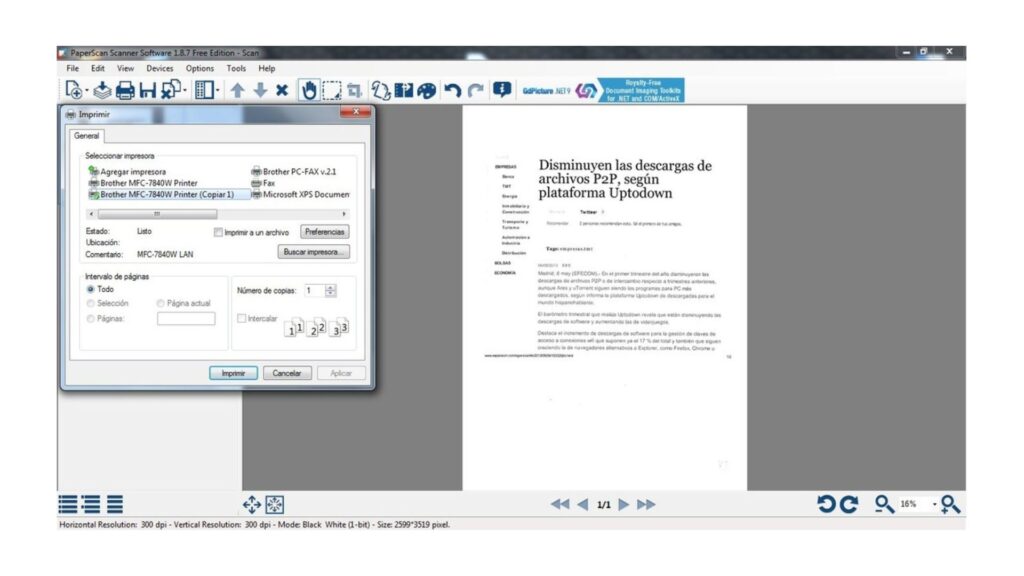
PaperScan is a professional document scanning software designed for businesses and office users that need to digitize, organize, and process high volumes of paper documents efficiently. Unlike lightweight mobile scanning apps, PaperScan focuses on desktop productivity by offering advanced image enhancement, batch processing, OCR, and multi-page document management.
The software supports virtually any scanner compatible with TWAIN or WIA drivers, allowing organizations to build a consistent document scanning system without replacing existing hardware. During the scanning process, users can automatically remove blank pages, correct skewed documents, adjust brightness and contrast, and apply image cleanup filters before exporting files. Combined with built-in OCR, these capabilities significantly improve searchable PDF quality and reduce manual document preparation.
PaperScan is also suitable for organizations implementing document scanning automation, as it simplifies repetitive scanning tasks while maintaining consistent output quality. Whether digitizing invoices, contracts, engineering drawings, or archived records, PaperScan provides an efficient document scanning solution for daily business operations.
Key Strengths
- Supports TWAIN, WIA, and ISIS-compatible scanners.
- Batch scanning for large document collections.
- Automatic blank-page removal and separator sheet detection.
- Built-in OCR converts scanned files into searchable PDFs.
- Advanced image enhancement improves OCR accuracy.
- Supports duplex scanning and multi-page document editing.
- Exports to PDF, TIFF, JPEG, PNG, JBIG2, PDF/A, and other formats.
Best For
- Offices digitizing large paper archives.
- Administrative departments handling office document scanning.
- Organizations building a file scanning system for long-term document storage.
- Businesses requiring reliable document scanner and organizer software.
Rating: Capterra – 4.6/5
Pricing:
- Free Edition available.
- Home Edition: starts around US$79 (one-time license).
- Professional Edition and enterprise licensing available.
Why We Recommend It: PaperScan strikes an excellent balance between affordability and enterprise-level functionality. While it lacks built-in document management features, it delivers outstanding scanning quality, OCR performance, and batch-processing capabilities. Businesses looking for best document scanning software without paying enterprise subscription fees will find PaperScan a practical and cost-effective choice.
11. Swift Scan
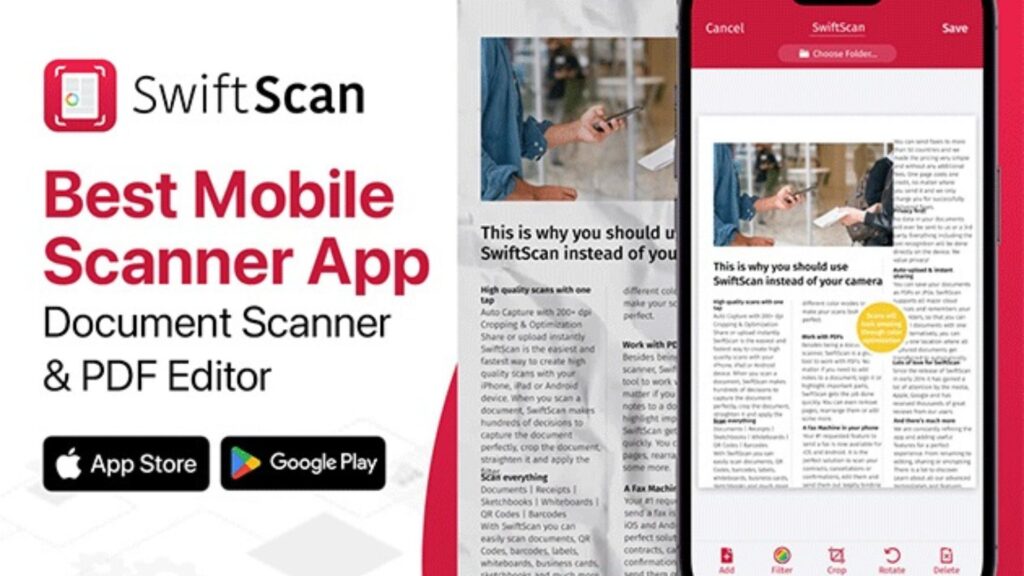
SwiftScan is a premium mobile document scanner and software solution that transforms smartphones into portable scanners capable of capturing high-quality documents within seconds. Designed for professionals who work remotely or travel frequently, SwiftScan combines intelligent image processing, OCR, and cloud synchronization into a simple mobile experience.
The application automatically detects document boundaries, corrects perspective distortion, removes shadows, and optimizes image clarity before generating searchable PDFs. OCR technology enables users to extract text from scanned documents, making contracts, receipts, invoices, and reports searchable after digitization.
SwiftScan integrates directly with popular cloud storage services, allowing scanned files to sync automatically with Google Drive, Dropbox, OneDrive, iCloud, and other business platforms. This seamless synchronization supports faster collaboration while reducing manual file transfers. For organizations adopting hybrid work environments, SwiftScan serves as a flexible software to scan documents without requiring dedicated scanning hardware.
Key Strengths
- High-resolution mobile scanning with automatic edge detection.
- OCR creates searchable PDF documents.
- Batch scanning combines multiple pages into one document.
- Built-in annotation and digital signature tools.
- Automatic cloud synchronization with major storage providers.
- QR code and barcode scanning support.
- Strong security with Face ID, Touch ID, and encrypted cloud backup.
Best For
- Remote professionals.
- Sales teams working in the field.
- Consultants managing client paperwork.
- Small businesses needing portable document scanning tools.
Rating: Apple App Store – 4.9/5
Pricing
- Free version available.
- Pro subscription starts around US$4.99/month.
Why We Recommend It: SwiftScan delivers one of the best mobile scanning experiences available today. Its excellent image quality, fast OCR, and seamless cloud integration make it ideal for professionals who frequently digitize documents outside the office. For mobile productivity, it remains one of the best scan software solutions in 2026.
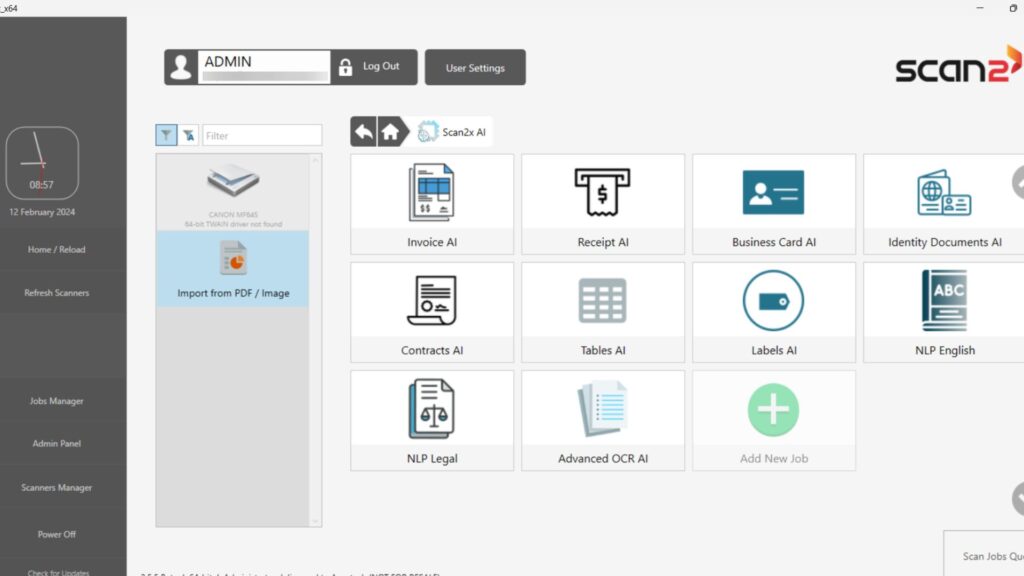
12. Scan2x
Scan2x is an AI-enhanced document scanning software built to simplify document digitization while improving scan quality automatically. Instead of relying solely on traditional OCR, the platform uses intelligent image enhancement to reduce noise, sharpen text, and optimize scanned pages before text recognition begins.
The software supports multi-page scanning, searchable PDF generation, and OCR-based text extraction for invoices, reports, contracts, academic papers, and other business documents. AI-assisted processing helps improve recognition accuracy, particularly when working with older paper records or low-quality scans.
Scan2x also includes batch processing features that enable users to digitize multiple documents in one workflow, making it suitable for small organizations migrating paper archives into digital repositories. Although it does not provide enterprise-level workflow automation, Scan2x offers an accessible document scanning solution for users who prioritize simplicity, speed, and AI-assisted image improvement.
Key Strengths
- AI-powered image enhancement improves scan readability.
- OCR converts scanned pages into searchable documents.
- Multi-page scanning and PDF generation.
- Batch processing for faster document digitization.
- Simple interface suitable for non-technical users.
- Supports common export formats for document sharing.
- Helps improve document quality before OCR processing.
Best For
- Small businesses digitizing paper files.
- Students and educators.
- Professionals managing contracts and reports.
- Organizations seeking affordable document capture software.
Rating: Product Hunt – 4.7/5
Pricing
- Free version available.
- Paid plans vary depending on features and usage.
Why We Recommend It: Scan2x focuses on doing one job well-making scanned documents cleaner and easier to recognize. Its AI-based enhancement noticeably improves OCR accuracy compared to basic scanning apps, making it a practical option for users who regularly digitize printed documents but don’t require a full enterprise document management scanner software platform.
13. Genius Scan
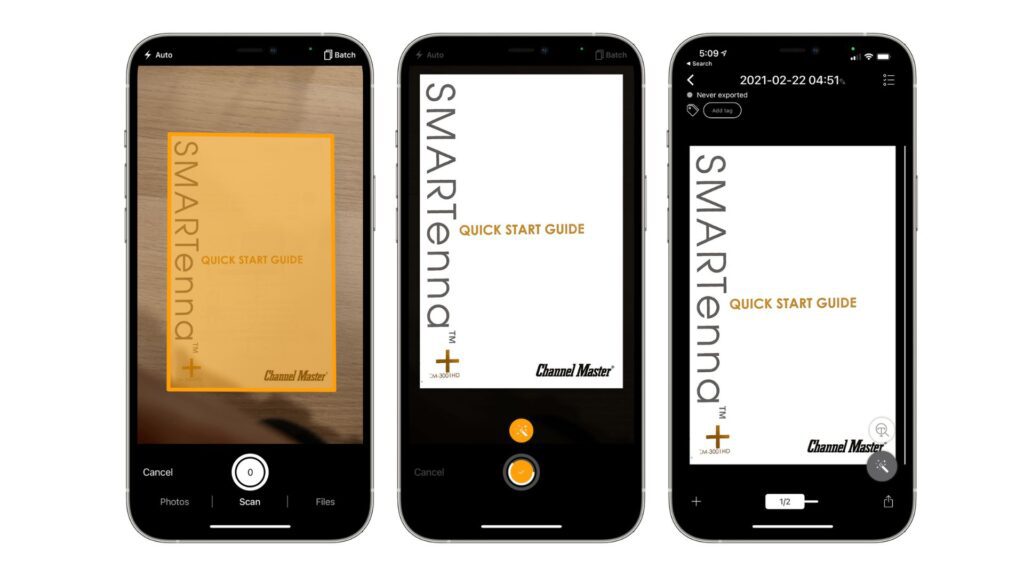
Genius Scan is a mobile-first document scanning software designed for professionals who need to capture, organize, and share documents from anywhere. Available on both iOS and Android, it transforms a smartphone into a portable scanner capable of producing clean, high-resolution scans suitable for business use. The application automatically detects document edges, corrects perspective, removes shadows, and enhances readability before converting files into searchable PDFs.
Beyond basic scanning, Genius Scan includes OCR, document organization, and secure cloud synchronization, making it a practical document scanning and storage software for individuals and small teams. Users can create multi-page PDFs, apply tags, organize documents into folders, and quickly search scanned files using recognized text.
The platform also supports encrypted PDF generation and biometric protection, making it suitable for professionals handling confidential business documents. While it is not intended to replace enterprise document scanning systems, Genius Scan provides an efficient mobile solution for everyday business document capture.
Key Strengths
- Automatic document detection and perspective correction.
- OCR converts scanned files into searchable PDFs.
- Batch scanning for multi-page contracts and reports.
- Smart document organization using folders and tags.
- PDF encryption and Face ID/Touch ID protection.
- Cloud synchronization with Dropbox, Google Drive, OneDrive, Box, and other platforms.
- Supports document export via email, cloud storage, or enterprise apps.
Best For
- Consultants and field professionals.
- Small businesses managing invoices and receipts.
- Students and researchers.
- Users looking for reliable software for scanning documents on mobile devices.
Rating: Apple App Store – 4.9/5
Pricing
- Free version available.
- Genius Scan+ starts at approximately US$7.99/month or annual subscription options.
Why We Recommend It: Genius Scan combines excellent scan quality, intuitive organization features, and strong security into one lightweight application. Its OCR performance and cloud integration make it one of the strongest mobile document scanner software options for professionals who frequently work outside the office.
14. Simple Scanner
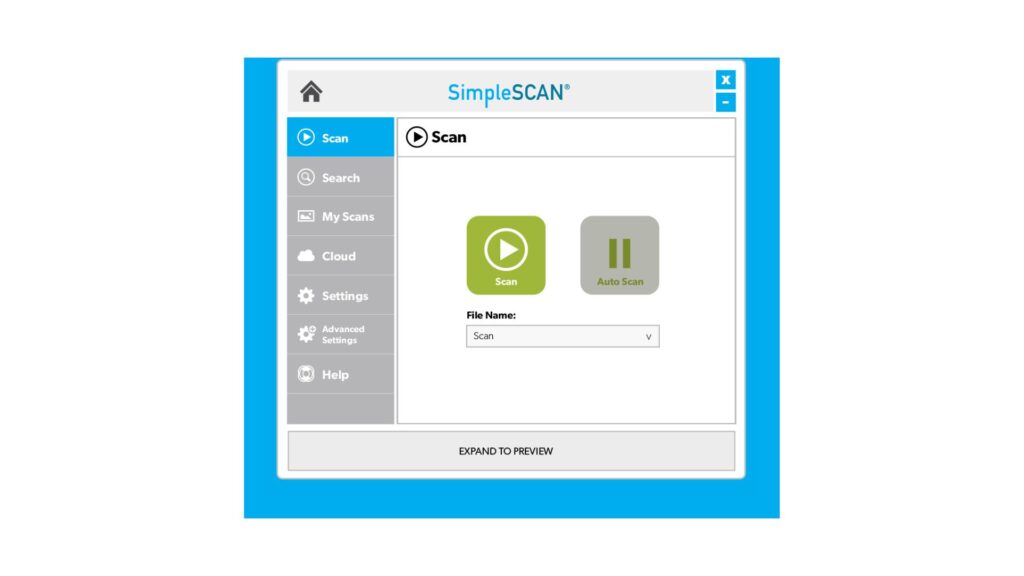
Simple Scanner is a lightweight document scanner and software application designed for users who need fast document digitization without the complexity of enterprise platforms. The app focuses on simplicity while still providing essential scanning features such as automatic cropping, OCR, PDF creation, and cloud sharing.
Using a smartphone camera, users can quickly scan invoices, receipts, contracts, business cards, handwritten notes, and other paper documents. Intelligent image enhancement improves clarity by removing shadows, correcting brightness, and sharpening text, helping generate more readable digital files.
Although Simple Scanner lacks advanced workflow automation, it performs well as an entry-level document scanning solution for freelancers, students, and small businesses. Documents can be exported as PDFs or images and synchronized with popular cloud storage platforms for convenient access across devices.
Key Strengths
- Fast document capture with automatic edge detection.
- OCR converts scanned files into searchable text.
- Multi-page PDF generation.
- Image enhancement improves readability.
- Supports PDF and JPEG exports.
- Cloud sharing via Google Drive, Dropbox, OneDrive, and email.
- Lightweight application requiring minimal setup.
Best For
- Freelancers.
- Students.
- Home offices.
- Small businesses seeking affordable document scan software.
Rating: Google Play Store – 4.8/5
Pricing
- Free version available.
- Premium subscription available for advanced OCR and cloud features.
Why We Recommend It: Simple Scanner is ideal for users who prioritize speed and ease of use over advanced enterprise functionality. It offers reliable scanning performance while remaining one of the easiest scan programs for everyday document digitization.
15. Scan.Plus
Scan.Plus is a modern document scanning tool that combines intelligent document capture, OCR, and cloud synchronization into a streamlined mobile experience. Designed for professionals and small businesses, the platform enables users to digitize paper documents, organize digital records, and share files securely across devices.
The application automatically detects page boundaries, corrects perspective, enhances image quality, and converts scanned pages into searchable PDFs. OCR technology extracts text from invoices, contracts, receipts, and forms, allowing users to search and retrieve information quickly after scanning.
Unlike traditional document image scanning software, Scan.Plus emphasizes speed and simplicity while supporting cloud-based collaboration. Businesses can quickly digitize paperwork without dedicated scanning hardware, making it a practical solution for hybrid work environments and mobile professionals.
Key Strengths
- Intelligent document detection and automatic image optimization.
- OCR creates searchable PDF documents.
- Multi-page document scanning.
- PDF and image export.
- Cloud synchronization and file sharing.
- Built-in document organization.
- Quick document capture using smartphone cameras.
Best For
- Remote professionals.
- Entrepreneurs.
- Small businesses.
- Teams adopting paperless document workflows.
Rating: Google Play Store – 4.7/5
Pricing
- Free version available.
- Premium plans available via subscription.
Why We Recommend It: Scan.Plus delivers an excellent balance between ease of use and document quality. It is particularly suitable for organizations looking to digitize business paperwork without investing in dedicated document scanning systems or desktop software.
16. Windows Scan
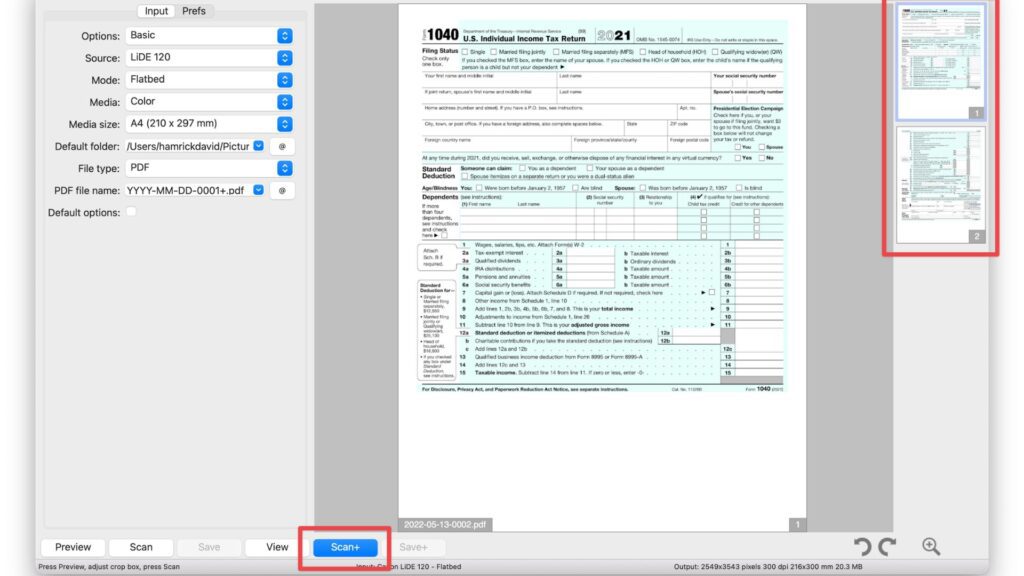
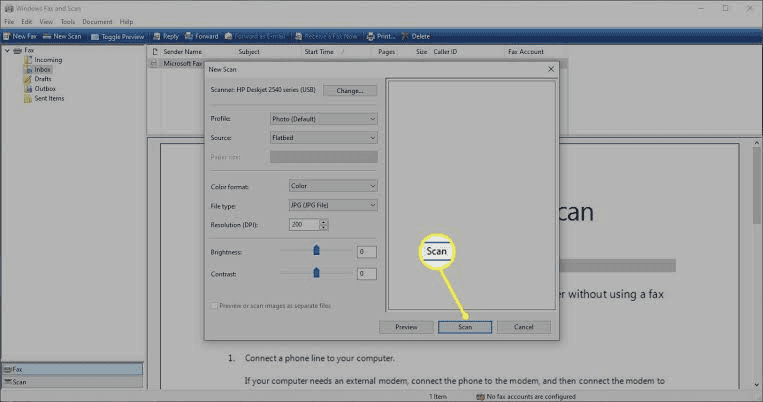
Windows Scan is Microsoft’s free document scanner software for Windows 10 and Windows 11, designed to work seamlessly with WIA-compatible scanners and multifunction printers. Available through the Microsoft Store, it offers a straightforward way to capture paper documents, receipts, contracts, photos, and forms without requiring third-party software.
Unlike enterprise-grade document scanning software, Windows Scan focuses on simplicity and native Windows integration. Users can scan directly from connected devices, preview images before saving, and export files in common formats such as PDF, JPEG, PNG, TIFF, and bitmap. Because it integrates directly with Windows drivers, setup is typically fast for supported scanners.
Although Windows Scan does not include advanced OCR, workflow automation, or data integration in document scanning, it remains a reliable solution for organizations or individuals needing basic office document scanning without additional licensing costs.
Key Strengths
- Completely free for Windows 10 and Windows 11 users.
- Native integration with WIA-compatible scanners and MFPs.
- Supports PDF, JPEG, PNG, TIFF, and BMP export.
- Simple interface with quick setup.
- Preview scanned pages before saving.
- Lightweight application with minimal system requirements.
- Suitable for everyday document and photo scanning.
Best For
- Windows users looking for a free document scanner freeware solution.
- Small offices with basic scanning requirements.
- Home users digitizing personal documents.
- Organizations needing simple software to scan documents without advanced workflow automation.
Rating: Microsoft Store – 4.4/5
Pricing: Free through the Microsoft Store.
Why We Recommend It: Windows Scan is an excellent entry-level option for users who already have compatible scanning hardware. While it lacks OCR, intelligent classification, and automated document scanning workflow capabilities, its stability, native Windows compatibility, and zero cost make it a practical choice for everyday document digitization.
17. VueScan
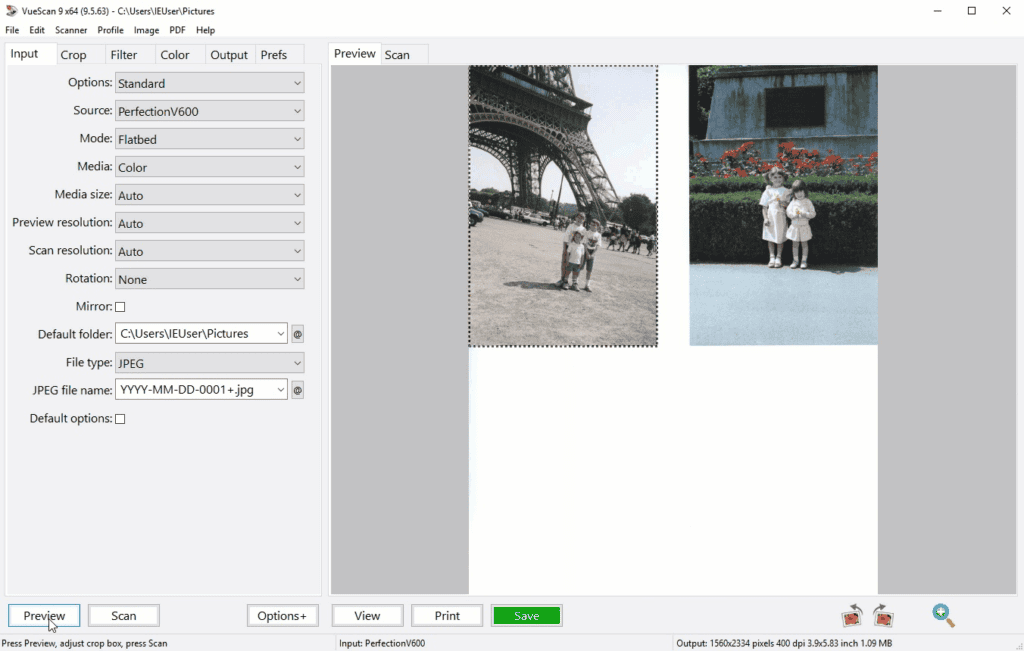
VueScan is one of the most versatile professional scanning software solutions available, supporting more than 7,400 scanner models from manufacturers including Epson, Canon, HP, Brother, Fujitsu, Kodak, and Nikon. Originally developed to extend the lifespan of older scanners, VueScan has become a powerful document scanner and software platform for both businesses and professional users.
One of VueScan’s biggest advantages is hardware compatibility. Organizations can continue using legacy scanners even after manufacturers discontinue driver support, reducing hardware replacement costs. The software includes advanced color correction, automatic document feeders (ADF) support, batch scanning, OCR, duplex scanning, and direct PDF generation.
VueScan also supports searchable PDFs through integrated OCR and offers extensive image adjustment tools for improving document quality before processing. While its interface feels more technical than consumer scanning apps, it provides exceptional flexibility for users who need complete control over their document scanning system.
Key Strengths
- Compatible with more than 7,400 scanner models.
- Extends the life of unsupported legacy scanners.
- Built-in OCR creates searchable PDF documents.
- Batch scanning with ADF and duplex support.
- Advanced color correction and image enhancement.
- Supports PDF, TIFF, JPEG, searchable PDF, and RAW output.
- Works across Windows, macOS, and Linux.
Best For
- IT departments managing mixed scanner environments.
- Organizations using legacy scanning hardware.
- Professional imaging and archiving projects.
- Businesses requiring flexible document management scanner software.
Rating: Trustpilot – 4.6/5
Pricing
- Standard Edition: US$24.95 (one-time purchase).
- Professional Edition: US$49.95 (one-time purchase).
Why We Recommend It: VueScan stands out because of its unmatched hardware compatibility. If your organization owns older scanners that no longer receive manufacturer updates, VueScan can significantly extend their useful life while providing modern OCR and batch-processing capabilities. For businesses looking to maximize existing hardware investments, it remains one of the best document scanning software options available in 2026.
>>> See more:
- Ecommerce Photo Retouching – Get Marketplace Ready Images That Convert Faster
- Remote Data Entry Solutions for Businesses: Scalable, Secure, Cost-Effective
- Business Data Capture Solutions: Turning Information into Actionable Intelligence
Tips For Choosing Document Scanning Software That Fits Your Workflow
With so many options available, selecting the right document scanning software can be challenging. Focus on these key factors to find a solution that fits your business needs:
- Scalability: Choose software that can handle increasing document volumes and support future business growth.
- Integration: Ensure it integrates smoothly with your existing tools, such as cloud storage, CRM, ERP, or accounting systems.
- Customization: Look for flexible workflows, user permissions, and settings that can be tailored to your processes.
- Ease of Use: An intuitive interface reduces training time and helps teams adopt the software more quickly.
- Implementation: Consider the setup process and whether the vendor provides onboarding resources or technical support.
- Cost: Evaluate the total cost, including subscription fees, setup expenses, and any additional charges.
- Security: Prioritize features such as encryption, access controls, and audit trails to protect sensitive documents.
- Customer Support: Choose a vendor that offers responsive support and reliable assistance when issues arise.
By assessing these factors, you can select document scanning software that improves efficiency, supports growth, and delivers long-term value.
What Is Document Scanning Software?
Document scanning software is a digital solution that transforms paper documents into searchable electronic files, such as PDFs or images. By using technologies like OCR (Optical Character Recognition), it can extract text from scanned documents, making information easier to search, edit, store, and share.
Businesses and professionals use document scanning software to streamline document management, reduce manual paperwork, and improve access to important information. Features such as multi-page scanning, automated file organization, and secure document sharing help increase efficiency while supporting a more paperless workflow.
Features Of Document Scanning Software
Not all document scanning solutions offer the same capabilities. To maximize efficiency and streamline document management, consider the following features when evaluating your options:
- OCR (Optical Character Recognition): Transforms scanned documents into searchable and editable text, making it easier to find, extract, and manage information.
- Multi-Page Scanning: Combines multiple pages into a single digital file, helping users organize large documents more efficiently.
- Secure Document Sharing: Enables safe file distribution through features such as encryption, access controls, and permission-based sharing.
- Batch Processing: Allows multiple documents to be scanned and processed simultaneously, reducing manual effort and increasing productivity.
- Cloud Integration: Connects with cloud storage platforms, enabling users to store, access, and share documents from any location.
- Customizable Workflows: Supports workflow automation and configuration options that align with specific business processes and requirements.
- Automatic Document Classification: Uses AI or predefined rules to categorize documents automatically, minimizing manual sorting and improving accuracy.
- User-Friendly Interface: Provides an intuitive experience that helps users adopt the software quickly with minimal training.
- Annotation and Editing Tools: Allows users to add comments, highlights, signatures, or edits directly to scanned documents for easier collaboration.
- Onboarding and Support Resources: Offers tutorials, documentation, and training materials to help users get started and maximize the software’s value.
Benefits Of Document Scanning Software
Document scanning software does more than convert paper files into digital documents. It helps organizations improve efficiency, reduce costs, and simplify document management across teams. Key benefits include:
- Time Savings: Automates document capture and digitization, eliminating repetitive manual tasks and accelerating daily workflows.
- Better Organization: Keeps documents structured and easy to manage through features such as multi-page scanning, indexing, and automatic categorization.
- Improved Accessibility: Enables employees to access documents anytime and from anywhere, supporting remote work and seamless collaboration.
- Stronger Security: Protects sensitive information with features such as encryption, access controls, and secure file sharing.
- Greater Accuracy: OCR technology reduces manual data entry and helps minimize errors when processing and retrieving information.
- Lower Operating Costs: Decreases reliance on paper, printing, and physical storage, helping businesses reduce administrative expenses.
- Enhanced Collaboration: Allows teams to share, review, annotate, and manage documents more efficiently, improving communication and productivity.
By digitizing paper-based workflows, document scanning software helps organizations create a more efficient, secure, and scalable document management process.
FAQs About Document Scanning Software
Does Google Have A Free Document Scanner?
The answer is YES. Google offers a free document scanner built into the Google Drive app on Android and iOS. It lets you scan documents, save them as PDFs to the cloud, detect edges, correct perspective, and scan multiple pages. Google also provides PhotoScan for digitizing printed photos and removing glare — all for free.
Is Google PhotoScan Free?
The answer is YES. Google PhotoScan is free to download and use on both Android and iOS. It lets you easily digitize printed photos with features like glare removal, auto-cropping, and perspective correction. Image quality may vary depending on your phone’s camera and lighting conditions.
Does Windows Have Built-In Scanner Software?
The answer is YES. Windows includes a built-in scanning app called Windows Scan. Once your scanner is installed, you can use the app to scan pictures or documents easily.
What Is The Best Document Scan App?
Adobe Scan is widely considered one of the best document scanning apps 2026, delivering high quality scans, automatically cleaning up backgrounds, and including advanced OCR to extract and edit text from scanned documents.
Does Microsoft have a free scanning app?
Yes, Microsoft provides free scanning options for both computers and mobile devices: the Windows Scan app for PCs and the Microsoft OneDrive mobile app for phones.
As the digital landscape continues to evolve, choosing the right document scanning software is crucial for effective information management. Whether you opt for user-friendly mobile apps or robust enterprise solutions, the right tools can significantly enhance your workflow and productivity. By investing in a suitable scanning solution, businesses can streamline their processes, improve document accessibility, and support their digital transformation journey.
>>> See more:
- An Overview of Document Processing Company: What You Need to Know
- Top 10 Automated Document Processing Software
- Top 17 Document Management Software Solutions in 2025
- Top 13 Enterprise Document Solutions for Your Business Processes
DIGI-TEXX Contact Information:
🌐 Website: https://digi-texx.com/
📞 Hotline: +84 28 3715 5325
✉️ Email: [email protected]
🏢 Address:
- Headquarters: Anna Building, QTSC, Trung My Tay Ward
- Office 1: German House, 33 Le Duan, Saigon Ward
- Office 2: DIGI-TEXX Building, 477-479 An Duong Vuong, Binh Phu Ward
- Office 3: Innovation Solution Center, ISC Hau Giang, 198 19 Thang 8 street, Vi Tan Ward
Reference:
- National Institute of Standards and Technology. (n.d.). Artificial intelligence resources. NIST
- National Institute of Standards and Technology. (n.d.). Cybersecurity framework. NIST Cybersecurity Framework