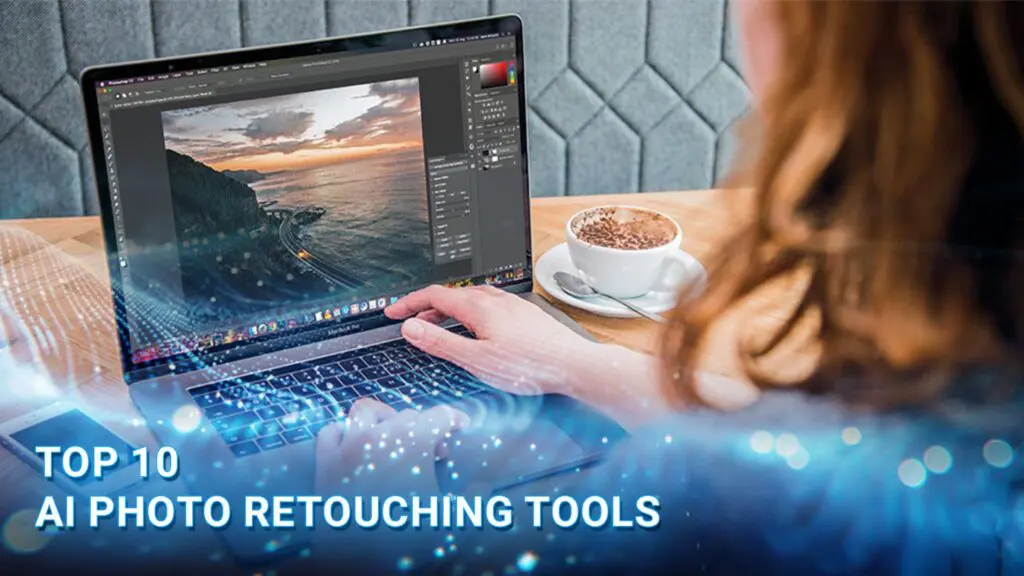
AI photo retouching is revolutionizing the industry in 2026, transforming manual bottlenecks into seamless, near-instant processes through advanced image processing AI. If you are looking to scale your creative output without the high costs, finding a reliable free AI photo retoucher or an online photo retouching tool is now easier than ever.
In this guide, DIGI-TEXX reveals the 10 best software solutions for AI image retouch, helping you retouch pictures online free while achieving professional results and reclaiming your time.
>>> See more:
- Affordable Clipping Path Service | Trusted by 5,000+ Brands
- Top Document Scanning Software for 2026: Features, Pros & Cons
10 Best AI Photo Retouching Tools In 2026
The best AI photo retouching tools can automate everything from skin smoothing and facial enhancement to object removal, color correction, and image sharpening. Whether you need AI photo retouching online, desktop AI photo retouching software, or a simple AI photo retouching online free option, the right tool can make repetitive editing tasks faster and easier.
Some platforms are designed specifically for professional photographers, while others work as an AI photo retoucher for quick portrait touch-ups. Before choosing a tool, consider its retouching features, image quality, editing control, batch-processing capabilities, platform, and free access.
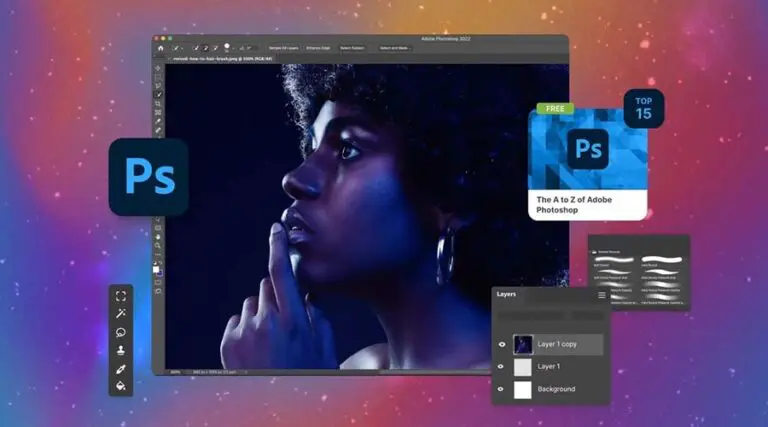
1. Adobe Photoshop
Best for: Professional photographers and advanced image retouching.
Adobe Photoshop combines AI-powered editing with extensive manual controls, making it suitable for users who need precise retouching. Its AI features can remove unwanted elements, refine portraits, edit backgrounds, and make targeted image adjustments.
Key features:
- AI-powered object removal
- Generative editing
- Skin and portrait retouching
- Background editing
- Color and lighting adjustments
- Advanced manual editing tools
Photoshop is particularly suitable for users who want an AI photo retouching software solution with the flexibility to combine automated AI retouching with detailed manual edits.
Cost: From $9.19/month with an annual commitment; a 7-day free trial is available.
2. Evoto AI
Best for: Portrait, wedding, and high-volume photography.
Evoto AI is an AI photo retoucher designed around automated portrait editing. It can recognize facial features and apply adjustments to skin, hair, eyes, teeth, and other areas, making it useful for photographers processing large numbers of portraits.
Key features:
- AI skin retouching
- Facial enhancement
- Hair and eye adjustments
- Body retouching
- Background editing
- Batch processing
Its automated workflow makes Evoto a strong option for AI skin retouching, particularly when photographers need consistent results across multiple images.
Cost: From $80/year; a 7-day free trial with 50 images is available.
>>> See more:
- 25 Popular Photo Editing Styles In Photography For Stunning Images
- Photo Editing and Retouching: Benefits, Techniques, and Best Services
- How To Master Portraits Photo Editing: 10 Best Tools, Tips & Step-By-Step Guide
3. Retouch4me
Best for: Automated professional portrait retouching.
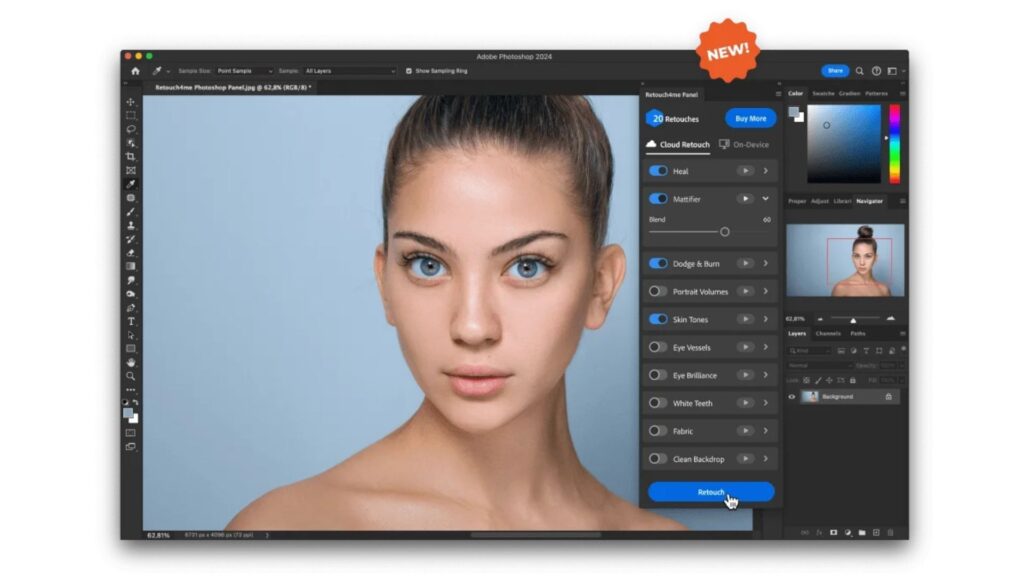
Retouch4me focuses specifically on AI-assisted portrait retouching rather than general-purpose photo editing. Its specialized tools can automate repetitive tasks such as skin cleanup, blemish removal, and texture enhancement.
Key features:
- AI skin retouching
- Blemish removal
- Skin tone enhancement
- Dodge and burn
- Portrait enhancement
- Photoshop integration
For professional photographers, Retouch4me works as a photo retoucher AI that can handle repetitive corrections while leaving more complex creative adjustments for manual editing.
Cost: Plans start at $20/month; free trials are available for selected tools.
4. Luminar Neo
Best for: Beginners and photographers seeking easy AI-assisted editing.
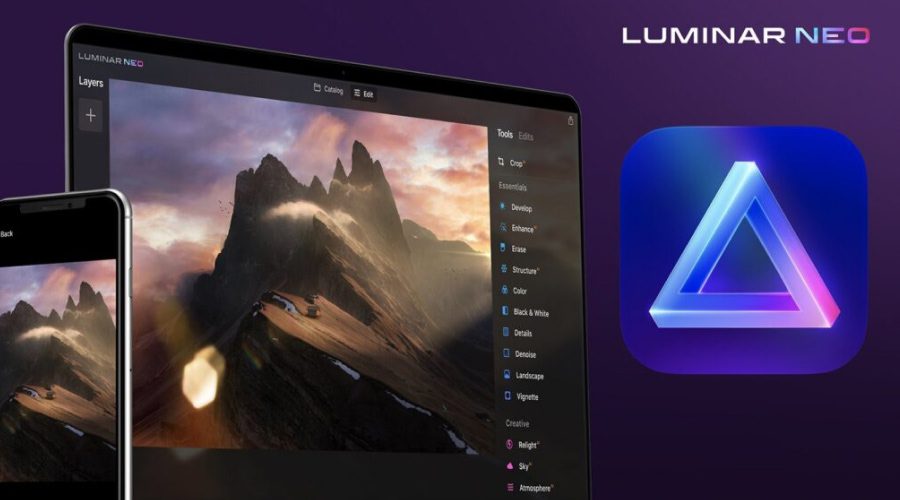
Luminar Neo combines conventional photo editing with AI-powered features for portraits, backgrounds, lighting, and image enhancement. Its interface makes AI photo retouching accessible to users who may not have advanced editing skills.
Key features:
- AI portrait enhancement
- Skin retouching
- Background removal
- Object removal
- Lighting enhancement
- Image sharpening
It is a suitable choice for users looking for AI photo retouching software that combines automated tools with manual controls.
Cost: From $14.95/month or $119/year.
5. Canva
Best for: Quick online photo retouching and social media content.
Canva provides browser-based AI editing features for users who want to retouch photo online free or make quick image adjustments without installing dedicated editing software. It is particularly useful for social media graphics, marketing materials, and everyday photo touch-ups.
Key features:
- AI-powered object removal
- Background removal
- Image enhancement
- Portrait editing
- Magic editing tools
- Browser-based workflow
Canva is a convenient AI photo retouching online option, although some advanced AI features are limited to paid plans.
Cost: Free plan available; some advanced AI features require Canva Pro.
>>> See more:
- Image Processing Services for E-commerce Websites: Optimizing Product Images for Better Sales
- Edit Photos In Lightroom Online Free: Quick Guide For Beginners 2026
6. Fotor
Best for: Easy online AI photo retouching.
Fotor offers browser-based tools for portrait enhancement, skin retouching, object removal, and other common photo touch-up tasks. Users can upload an image and make adjustments directly in the browser without installing traditional photo editing software.
Key features:
- AI portrait retouching
- Skin smoothing
- Blemish removal
- Face enhancement
- Object removal
- Online photo editing
Its browser-based workflow makes Fotor relevant for searches such as AI photo retouching online free, AI image retouch free online, and retouching photo online free. Free access and available features may vary by plan.
Cost: Free plan available; advanced AI features are available through paid plans.
7. PhotoRoom
Best for: Product photography and e-commerce images.
PhotoRoom uses AI to simplify product and commercial image editing. Its tools can remove backgrounds, clean up unwanted elements, and create new backgrounds, making it more useful for product photos than traditional portrait-focused AI retouching tools.
Key features:
- AI background removal
- Object removal
- Background generation
- Product photo enhancement
- Batch editing
- E-commerce workflows
PhotoRoom is particularly useful when AI image retouch involves removing distractions or creating cleaner product images rather than only improving facial features.
Cost: Free plan available; advanced features require a paid plan.
8. Topaz Photo AI
Best for: Sharpening, denoising, and image upscaling.
Topaz Photo AI focuses on technical image enhancement rather than cosmetic portrait retouching. Its AI models can reduce noise, sharpen details, correct blur, and increase image resolution.
Key features:
- AI sharpening
- Noise reduction
- Image upscaling
- Detail enhancement
- Blur correction
It can complement other AI retouching tools when a photo needs better clarity or resolution in addition to standard photo touch up AI adjustments.
Cost: From $199/year for the Personal plan.
>>> See more:
- E-commerce Photo Editing Services: Top Companies & Solutions For Online Stores
- Car Photo Editing: Complete Guide To Professional Vehicle Photos
- What is High-End Beauty Retouching? An Overview
9. Remini
Best for: Portrait enhancement and low-quality photo restoration.
Remini uses AI to enhance faces and improve the apparent quality of portraits and older or low-resolution photos. Its simple workflow is suitable for users who want quick Face retouch AI results without learning complex editing software.
Key features:
- Face enhancement
- Image restoration
- Sharpening
- Photo enhancement
- Portrait improvement
Remini can also be useful for users looking for a simple AI photo beauty retouching website or app for improving facial clarity and overall portrait quality.
Cost: Free access available with limitations; premium features require a subscription.

10. Aftershoot
Best for: Professional photographers managing large photo collections.
Aftershoot combines AI-assisted editing with photography workflow automation. Its batch-processing capabilities help photographers reduce repetitive work when processing large volumes of images.
Key features:
- AI-assisted photo editing
- AI retouching
- Batch processing
- Editing style profiles
- Workflow automation
Aftershoot is better suited to professional photography workflows than users looking for a basic AI photo retouching online free tool.
Cost: From $20/month for AI Retouching; a 30-day free trial is available.
| Tool | Best For | Cost | Free Option |
| Adobe Photoshop | Professional retouching | From $9.19/month | 7-day trial |
| Evoto AI | Portrait & wedding photos | From $80/year | 7-day trial + 50 images |
| Retouch4me | Professional portrait retouching | From $20/month | Free trial tools |
| Luminar Neo | AI-assisted photo editing | From $14.95/month or $119/year | Trial may be available |
| Canva | Quick online editing | Free plan available | Yes |
| Fotor | Online AI retouching | Free plan + paid plans | Yes |
| PhotoRoom | Product & e-commerce photos | Free plan + paid plans | Yes |
| Topaz Photo AI | Sharpening & upscaling | From $199/year | Trial available |
| Remini | Portrait enhancement | Free access + premium | Yes |
| Aftershoot | High-volume photography | From $20/month for Retouching | 30-day trial |
What Is AI Photo Retouching?
AI photo retouching is a game-changer for digital imagery, using advanced machine learning and neural networks to instantly analyze and enhance your photos. Instead of just applying basic filters, face retouch AI automatically detects and corrects specific imperfections, like skin blemishes, poor lighting, or distracting backgrounds, in a matter of seconds.
This technology directly solves the biggest pain point for modern creators and photographers: the exhausting, time-consuming nature of manual editing. While traditional retouching can severely slow down your workflow and lead to creative burnout, an AI photo retouching online free platform provides an intelligent, consistent solution. It handles the tedious pixel-pushing for you, drastically speeding up your post-production process without sacrificing quality by offering a suite of key capabilities:
- Skin Smoothing: Automatically removes acne, wrinkles, and blemishes while preserving natural skin pores.
- Face Reshaping: Adjusts facial symmetry, jawlines, and eye sizes subtly.
- Object Removal: Erases photobombers, power lines, and dust spots seamlessly.
- Color Correction: Balances exposure, shadows, and white balance instantly.
- Background Swapping: Isolates subjects to blur or change the background instantly.
Beyond portrait enhancement, AI-driven image technologies are now widely used in areas such as automated product editing, ecommerce visualization, and image processing for virtual try-on AI model systems, helping brands create more realistic and interactive digital shopping experiences.
What Can AI Photo Retouching Do?
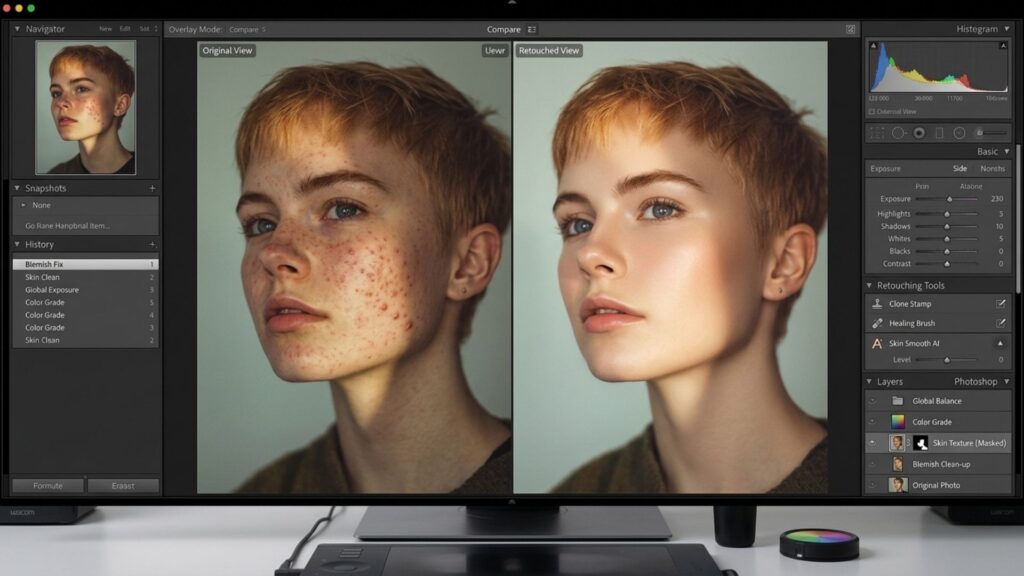
AI photo retouching can automatically identify and enhance specific elements of an image, from skin and facial features to lighting, backgrounds, and image quality. Instead of applying every adjustment manually, AI analyzes the photo and applies targeted edits based on the subject and editing task.
Skin Retouching
AI can improve skin appearance while maintaining a more natural look. Common adjustments include:
- Removing blemishes: Detects and removes acne, spots, scars, and other temporary imperfections.
- Smoothing skin: Reduces uneven texture without necessarily creating an overly artificial appearance.
- Reducing wrinkles: Softens fine lines and wrinkles while preserving key facial details.
- Preserving skin texture: Maintains natural pores and subtle skin details to avoid an overly smooth, plastic-like effect.
Portrait Enhancement
AI can recognize facial features and make targeted adjustments to improve portrait photos, including:
- Eyes: Enhance brightness, sharpness, and overall clarity.
- Teeth: Reduce discoloration and improve the appearance of smiles.
- Hair: Clean up stray hairs, improve detail, or enhance overall definition.
- Facial features: Refine selected features while maintaining the person’s natural appearance.
- Skin tone: Correct uneven tones and improve overall skin color for a more balanced portrait.
Object And Background Removal
AI can detect unwanted objects, people, or distractions and remove them from an image. It can also isolate subjects from their backgrounds, clean up distracting elements, or replace the background when needed. This is particularly useful for portrait, product, fashion, and e-commerce photography.
Lighting And Color Correction
AI can analyze exposure, contrast, shadows, highlights, and color balance to improve the overall appearance of a photo. Depending on the tool, it can also enhance skin tones, correct uneven lighting, and adjust colors to create a more balanced and visually appealing image.
Image Sharpening, Denoising And Upscaling
AI photo retouching can also improve overall image quality. AI-powered enhancement tools can sharpen soft details, reduce digital noise, recover visual clarity, and upscale low-resolution images while attempting to preserve important details. These features are especially useful for older photos, low-light images, and pictures that need to be enlarged for printing or digital use.
What Are The Benefits Of AI Photo Retouching?
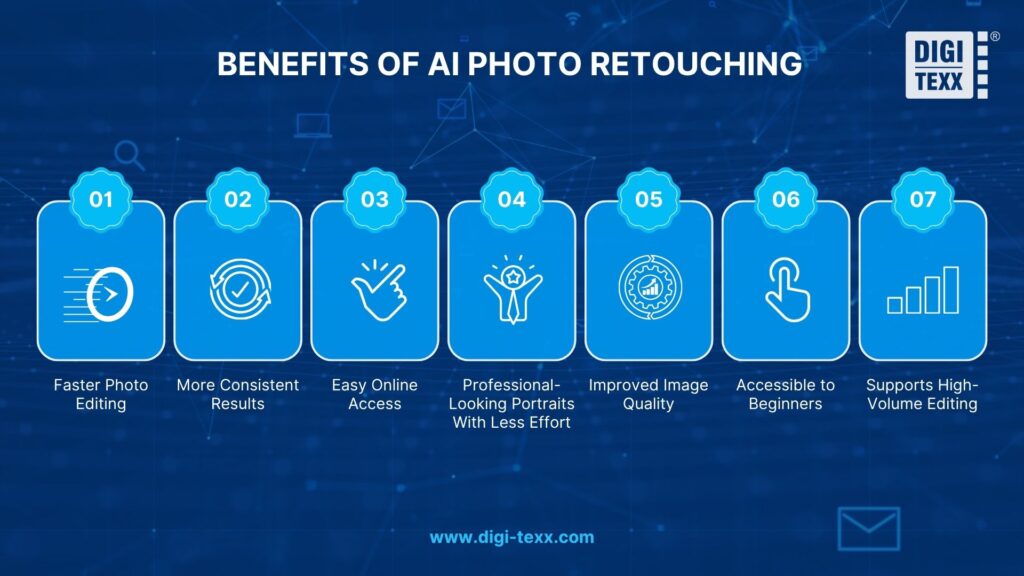
AI photo retouching makes image enhancement faster and more accessible by automating repetitive editing tasks that traditionally require manual work. Whether using an AI photo retoucher for portraits or an AI image retouch tool for general image enhancement, users can make targeted adjustments with less editing experience. Many platforms also offer AI photo retouching online free options, allowing users to touch up images directly in a browser without installing complex software.
Faster Photo Editing
An AI retouching tool can automatically detect common imperfections and apply corrections within seconds. Instead of manually removing blemishes, adjusting skin tones, or correcting lighting, users can let AI handle repetitive edits and then fine-tune the results as needed.
More Consistent Results
AI-powered editing can apply similar adjustments across multiple images, helping maintain a consistent appearance throughout a photo collection. This is particularly useful for photographers, e-commerce businesses, and creators who need to process large numbers of images.
Easy Online Access
With an AI photo retouching online free tool, users can upload and edit photos directly from a web browser. This makes retouch photo online free workflows convenient for quick edits without requiring advanced software or professional retouching skills.
Professional-Looking Portraits With Less Effort
An AI photo beauty retouching website can automatically improve skin, facial details, hair, teeth, and overall complexion. Features such as a free AI hair color changer or a change skin colour app can also help users experiment with specific appearance adjustments before applying the final edit.
Improved Image Quality
AI can go beyond basic photo touch up AI features by reducing noise, sharpening details, improving exposure, and enhancing low-resolution images. These capabilities make AI image retouch free online tools useful for restoring or improving photos that need more than simple cosmetic adjustments.
Accessible To Beginners
Traditional photo editing software can require considerable time to learn. By contrast, AI retouching tools often provide automated adjustments, presets, sliders, and simple prompts that allow beginners to enhance photos without extensive editing knowledge. This makes photo retoucher AI technology suitable for both casual users and professional workflows.
Supports High-Volume Editing
For photographers, online stores, and creative teams, AI can process multiple images more efficiently than fully manual editing. Instead of repeating the same corrections for every file, an AI image retouch workflow can automate routine adjustments while leaving more complex edits for manual review.
>>> See more:
- 7+ Best Photo Editing Apps For Android And iPhone (2026 Guide)
- How To Make A Clipping Path In Illustrator (Step-By-Step)?
- Top 10 Photo Editing Services Online In 2026: Comparison & Review
How Does AI Photo Retouching Work?
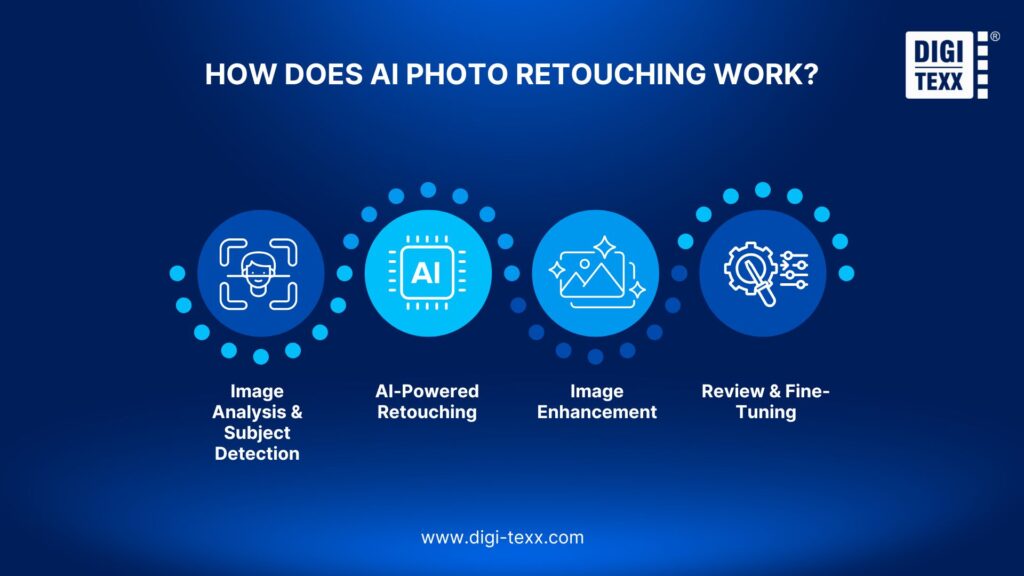
AI photo retouching combines computer vision, machine learning, and image processing to identify areas that need improvement and apply targeted adjustments. Instead of treating every pixel equally, AI analyzes the image to recognize subjects, facial features, skin, objects, lighting, and other visual elements before determining which edits are appropriate.
Image Analysis And Subject Detection
The process starts when the AI analyzes the uploaded image to understand its content and structure. It can detect the main subject, recognize facial features, identify skin areas, and distinguish objects from the background.
For portrait photos, for example, AI may identify the eyes, eyebrows, lips, hair, and skin separately. This allows the AI photo retoucher to apply different adjustments to specific areas without affecting the entire image.
AI-Powered Retouching
After identifying areas for improvement, the AI applies targeted retouching based on the selected tools or prompts. It can remove blemishes, soften wrinkles, smooth uneven skin, whiten teeth, enhance facial details, remove unwanted objects, or adjust hair and skin tones.
Modern AI retouching tools can also recognize the context of an image and determine how an adjustment should blend with surrounding pixels. This helps produce more natural results than applying the same effect uniformly across the entire photo.
Image Enhancement
Once the main retouching is complete, AI can improve the overall image quality. Depending on the software, this may include correcting exposure, balancing colors, reducing noise, sharpening details, and upscaling low-resolution images.
Some tools can also restore missing or unclear details when enhancing an image. The goal is to improve clarity and visual quality while keeping the photo consistent with the original subject and scene.
Review And Fine-Tuning
AI-generated edits should be reviewed before the final image is exported. Automated retouching can sometimes smooth skin too much, alter facial details, or produce unrealistic results, particularly when the original photo has poor lighting or low resolution.
Users can adjust the intensity of individual effects, undo unwanted changes, or combine AI editing with manual adjustments. Reviewing and fine-tuning AI retouching results helps preserve natural details and gives users greater control over the final image.
FAQs About AI Photo Retouching
1. Can You Retouch Photos With AI?
Yes, absolutely. AI can automatically retouch photos by using advanced machine learning to detect and fix imperfections in seconds. It can effortlessly smooth skin, remove blemishes, fix stray hairs, and balance lighting, replacing hours of manual work in traditional editing software.
2. Which AI Is Best For Retouching Photos?
The best AI depends on your specific needs. For professional photographers who need bulk processing, Evoto AI is the top choice. For quick, free, web-based edits, Pixelbin and Canva are excellent options. Meanwhile, Adobe Photoshop remains the industry standard for deep, layered manual control combined with AI.
3. Can ChatGPT Retouch Photos?
No, ChatGPT is not designed for professional photo retouching. While ChatGPT Plus (using DALL-E) can generate new images or perform basic generative fill tasks (like adding or removing a large object), it lacks the precise, localized tools needed for portrait retouching, such as preserving skin texture, fixing flyaway hairs, or color grading.
4. Is There An AI That Can Edit My Photos?
Yes, there are dozens of AI-powered tools available to edit your photos. Depending on your skill level, you can choose from standalone desktop software like Luminar Neo, high-end plugins like Retouch4me, or a user-friendly AI photo retouching app like Fotor that requires zero editing experience.
5. How To Use AI To Retouch A Photo?
AI photo retouching is a simple way to enhance images without making every adjustment manually. Upload your photo to an AI-powered editor such as Adobe Photoshop, Canva, or Fotor, then use AI tools to remove blemishes, improve lighting, erase unwanted elements, or sharpen details. Many tools also let users apply adjustments through intuitive sliders or text prompts, making professional-looking edits faster and easier.
While AI photo retouching offers impressive speed, automated tools can still cause over-smoothing, loss of artistic detail, and inconsistent results across large image batches. To address these limitations, DIGI-TEXX combines advanced AI technology with professional human oversight through a Human-in-the-loop approach.
Each image is carefully reviewed by experienced editors to ensure natural textures, accurate colors, and consistent quality while preserving the authentic style of the photo. From ecommerce product images to portraits and wedding photos, DIGI-TEXX delivers reliable, high-quality photo retouching services that help your brand stand out professionally.
DIGI-TEXX Contact Information:
🌐 Website: https://digi-texx.com/
📞 Hotline: +84 28 3715 5325
✉️ Email: [email protected]
🏢 Address:
- Headquarters: Anna Building, QTSC, Trung My Tay Ward
- Office 1: German House, 33 Le Duan, Saigon Ward
- Office 2: DIGI-TEXX Building, 477-479 An Duong Vuong, Binh Phu Ward
- Office 3: Innovation Solution Center, ISC Hau Giang, 198 19 Thang 8 street, Vi Tan Ward
Reference:
- Stanford Vision and Learning Lab. Neural networks for facial feature mapping and recognition. http://vision.stanford.edu
- Rochester Institute of Technology. Principles of digital imaging science and RAW data processing. https://www.cis.rit.edu