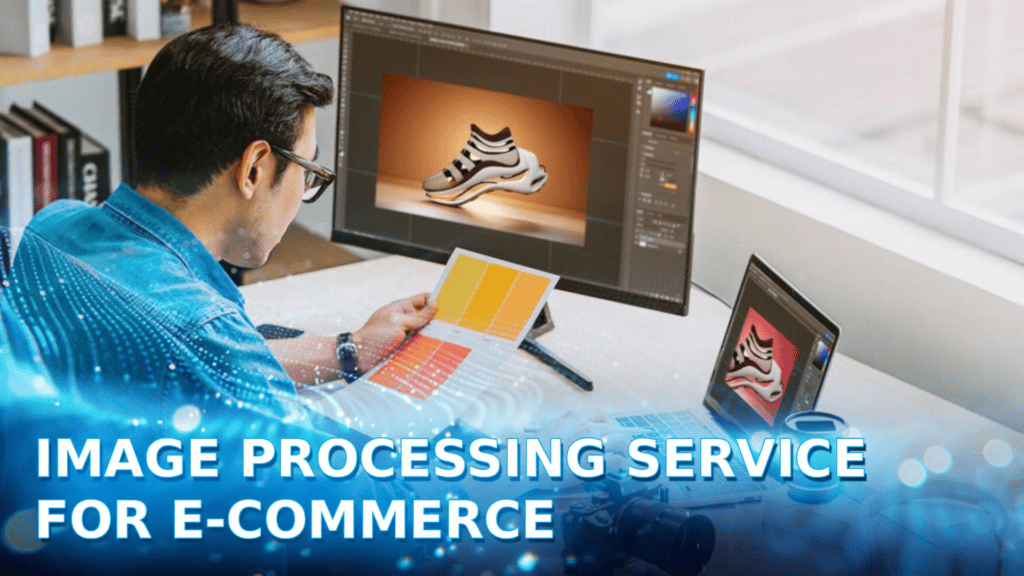
Image processing service helps e-commerce businesses turn raw product photos into consistent, high-quality visual assets for websites, marketplaces, catalogs, and digital campaigns. From background removal and retouching to color correction, resizing, and image optimization, image processing as a service can streamline repetitive editing work while maintaining defined quality standards.
In this article, DIGI-TEXX will help you understand the key image processing services for e-commerce, their benefits, applications across product categories, and the factors to consider when choosing an outsourcing partner.
>>> See more:
- Best Product Photo Editing Services For eCommerce: Top Providers Compared
- AI Photo Retouching: 10 Best Tools & How To Use Them In 2026
- Photo Editing Price Guide 2026: Rates, Costs & Examples
What Do E-commerce Image Processing Services Include?
E-commerce image processing services cover a wide range of operations used to improve, standardize, transform, and optimize product images for online stores, marketplaces, catalogs, advertising campaigns, and other digital channels.
The exact workflow depends on the product category, image quality, sales channel, brand guidelines, and required output specifications. Common services include:
Background Removal And Replacement
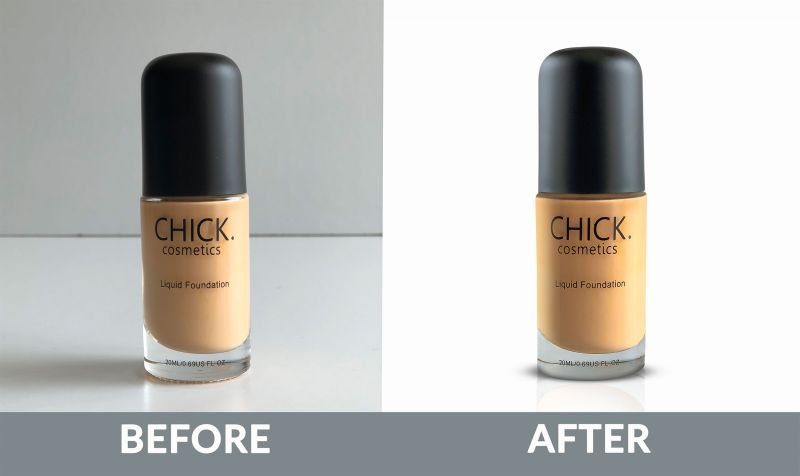
Background removal separates the main product from its original surroundings, while background replacement places the product on a new background.
For e-commerce catalogs, this may involve:
- Removing distracting backgrounds
- Creating clean white or transparent backgrounds
- Replacing backgrounds with brand-approved colors
- Creating lifestyle or contextual backgrounds
- Maintaining consistent margins and product positioning
- Removing shadows or creating realistic replacement shadows
This process is particularly useful when product photos come from multiple suppliers or photography sessions with inconsistent backgrounds. A standardized background helps create a more uniform product catalog and makes products easier to compare across category and search pages.
For marketplaces with strict image requirements, background processing can also help ensure that product images comply with specific visual standards before publication.

Product Image Retouching
Product image retouching improves the visual quality of an image while preserving the product’s actual characteristics.
Typical retouching tasks include:
- Removing dust, scratches, and minor imperfections
- Correcting lighting inconsistencies
- Improving sharpness and clarity
- Cleaning reflections
- Refining product edges
- Correcting minor surface defects
- Enhancing material details
- Improving overall visual consistency
The goal is not to make the product look artificially different. Effective product retouching should preserve important characteristics such as texture, shape, color, and material.
For fashion, beauty, jewelry, furniture, and consumer electronics, this distinction is especially important because excessive editing can create a gap between the image and the physical product.
Color Correction And Enhancement
Color correction adjusts an image so that the displayed product more accurately reflects the intended color.
Common adjustments include:
- White balance
- Exposure
- Brightness
- Contrast
- Saturation
- Color temperature
- Highlight and shadow balance
- Individual color correction
Color consistency becomes particularly important when a product catalog contains images from different photographers, cameras, lighting environments, or suppliers.
For example, a fashion retailer may need dozens of images of the same collection to maintain consistent skin tones, fabric colors, and background appearance. For online shoppers, this consistency matters because product images are often the primary visual reference available before purchase.
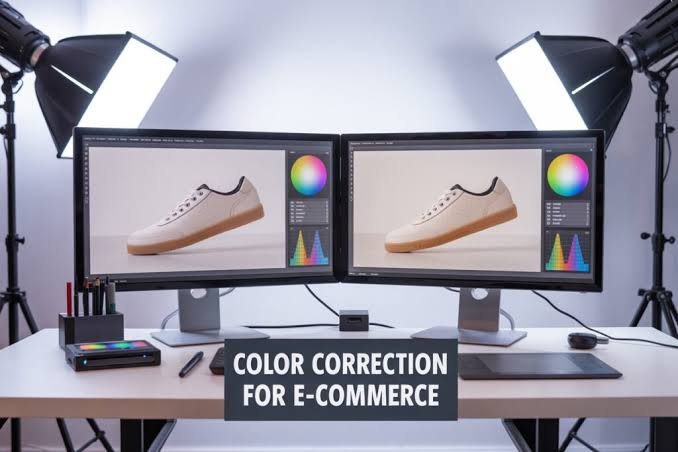
Image Resizing And Cropping
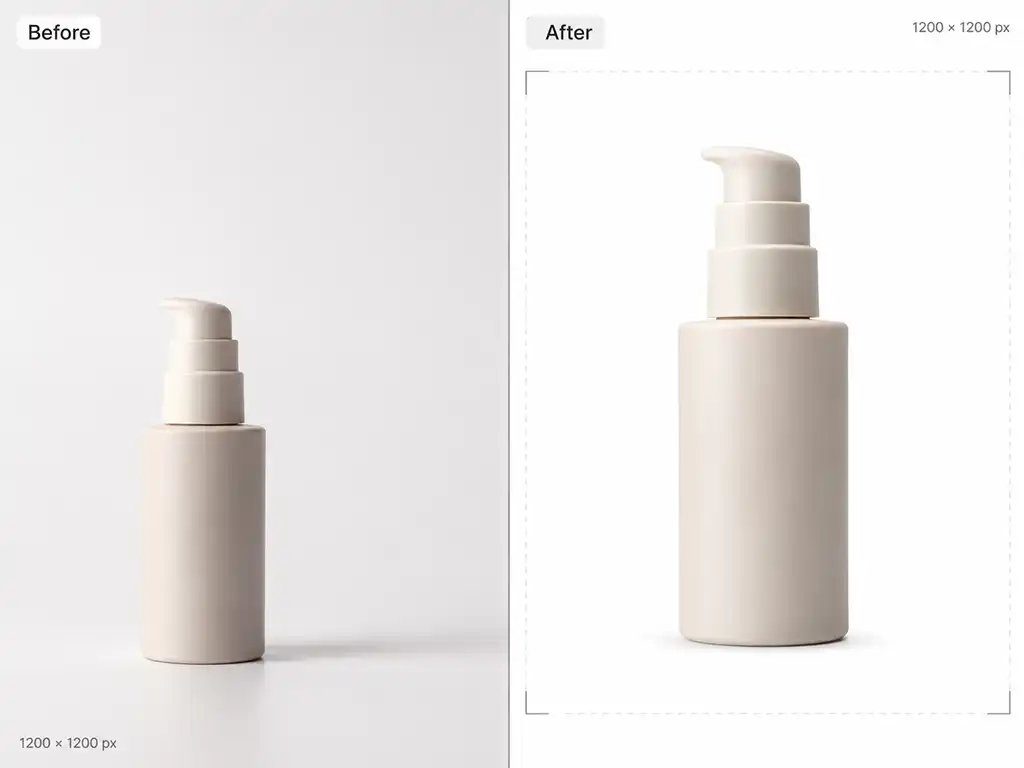
Resizing changes an image’s dimensions, while cropping removes unwanted areas or changes its framing. An e-commerce image processing workflow may create multiple versions of the same source image for:
- Product detail pages
- Category pages
- Search results
- Mobile layouts
- Marketplace listings
- Social media
- Advertising campaigns
- Email marketing
Instead of manually creating each version, businesses can define output specifications and process images in batches.
Google’s current merchant listing documentation recommends providing multiple high-resolution product images and supports aspect ratios such as 1:1, 4:3, and 16:9, with a recommendation of at least 50,000 pixels when multiplying image width by height.
The right dimensions should therefore be determined by the destination rather than applying one universal size to every image.
>>> See more:
- 25 Popular Photo Editing Styles In Photography For Stunning Images
- Top 10 Photo Editing Services Online In 2026: Comparison & Review
- Fashion Photo Editing Services: Benefits, Techniques & Expert Tips
Clipping Path And Image Masking
A clipping path creates a precise outline around a product so that it can be separated from its original background or manipulated independently.
It is commonly used for products with:
- Complex edges
- Multiple components
- Hard surfaces
- Packaging
- Apparel
- Footwear
- Furniture
- Jewelry
Image masking provides more flexibility when clipping paths alone cannot accurately isolate the subject, particularly around hair, fur, transparent objects, fine fabrics, or semi-transparent materials.
For catalogs with complex products, combining clipping paths with masking can produce cleaner results than relying on simple background removal.

Object And Blemish Removal
Object removal eliminates unwanted visual elements from a photograph.
Examples include:
- Dust and scratches
- Unwanted objects
- Product labels
- Reflections
- Background distractions
- Cables or wires
- Temporary marks
- Small visual defects
For product photography, this process should be controlled carefully. Removing a genuine product feature or changing the shape of an item can misrepresent what the customer will receive.
Professional image processing therefore requires clear editing instructions and quality-control checks, particularly when images are used for product listings.
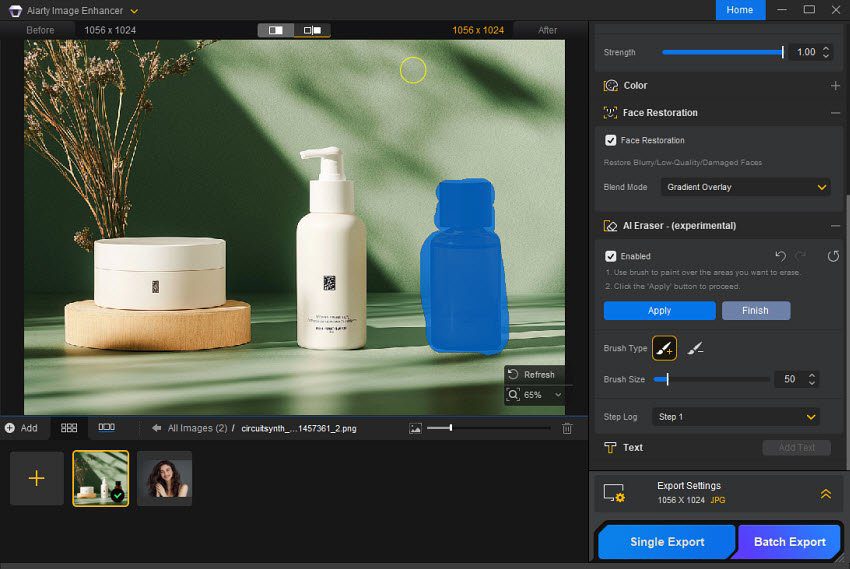
Image Restoration
Image restoration repairs or improves damaged, low-quality, or outdated images.
Typical restoration tasks include:
- Repairing scratches
- Removing stains
- Correcting fading
- Reducing noise
- Reconstructing damaged areas
- Improving contrast
- Restoring missing visual details
- Improving image clarity
E-commerce companies may need restoration when digitizing legacy catalogs, reusing historical product photography, or preparing old visual assets for a new website. Restoration can also help retailers avoid unnecessary reshoots when the original product photography is still usable but technically outdated.

Image Optimization And Compression
Image optimization reduces file size while maintaining sufficient visual quality for the intended use.
This can involve:
- Compression
- Resizing
- Metadata optimization
- Responsive image generation
- Format conversion
- Quality adjustment
- Delivery-specific optimization
This matters because high-resolution product photography can create substantial page weight. Google notes that high-quality images are valuable to users, but images can also be one of the largest contributors to page size. Its guidance therefore recommends balancing image quality with performance and using responsive image techniques.
Modern image optimization workflows can also automate multiple transformations. For example, Google Cloud’s image optimization documentation supports chained operations such as resizing, compression, and conversion to WebP. The objective is not simply to make images smaller. It is to deliver the appropriate resolution and quality for each device and placement without unnecessary file weight.

Image Format Conversion
Different platforms and workflows may require different image formats.
Common formats include:
| Format | Common E-commerce Use |
| JPEG | Product photography and complex images |
| PNG | Images requiring transparency or lossless quality |
| WebP | Web delivery with efficient compression |
| AVIF | Modern web delivery where supported |
| SVG | Logos, icons, and vector graphics |
Google Search supports common formats including JPEG, PNG, WebP, SVG, GIF, BMP, and AVIF.
Format conversion should therefore be based on the destination, image characteristics, transparency requirements, compression behavior, and browser or platform support.
>>> See more:
- Birthday Editing Online Free: Tools, Frames & Creative Ideas
- E-commerce Photo Editing Services: Top Companies & Solutions For Online Stores
- Top 7 Ecommerce Product Photo Retouching Services Compare
Benefits Of Image Processing Services For E-commerce
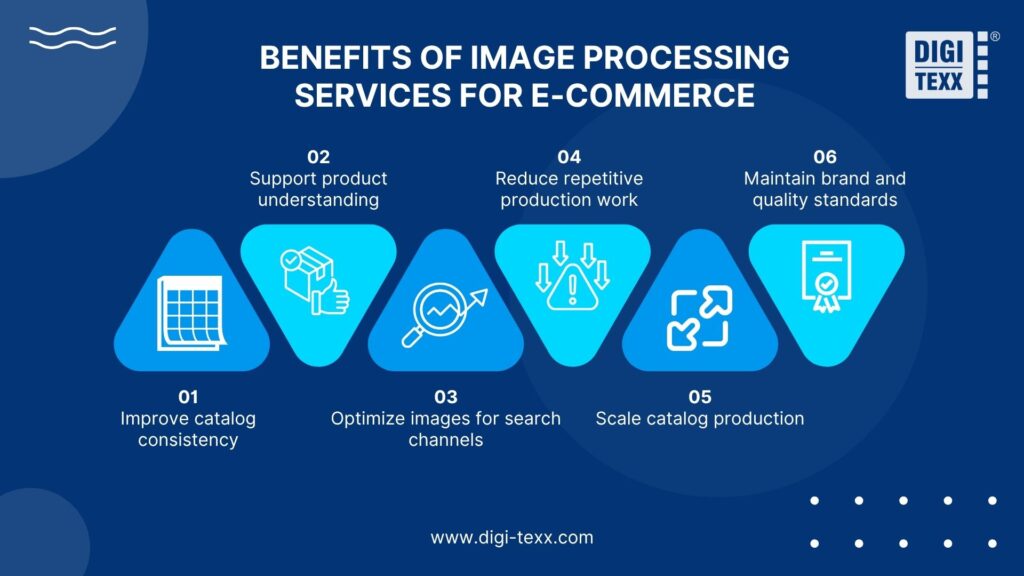
Professional image processing helps e-commerce businesses standardize visual assets, improve product presentation, and process large image volumes without increasing manual workload at the same rate.
- Improve catalog consistency: Standardized cropping, dimensions, backgrounds, color profiles, and product positioning eliminate visual discrepancies across images from different suppliers, photographers, and production batches. This is particularly important for large catalogs where inconsistent image treatment can make product listings appear fragmented.
- Support product understanding: Product images need to communicate attributes that customers cannot physically inspect online. Baymard’s 2026 research found that 42% of users try to determine product size from product images, while 37% of benchmarked sites lacked an “In Scale” image. Image processing can standardize detail views, scale references, angles, and product framing to make visual information more useful.
- Optimize images for search and digital channels: Image processing should account for technical requirements as well as visual quality. Google recommends crawlable images, descriptive filenames and alt text, responsive formats, and appropriate image optimization. For product listings, Google recommends multiple high-resolution images and supports 1:1, 4:3, and 16:9 aspect ratios. This makes image preparation an important part of e-commerce content operations, not just post-production.
- Reduce repetitive production work: Batch processing, automation, and predefined editing specifications can reduce manual work across recurring tasks such as background removal, resizing, cropping, compression, and format conversion. In an AWS-documented e-commerce implementation, automated image processing reduced manual work by 75% and increased retouching speed by 70%. These figures reflect that specific implementation rather than a universal industry benchmark.
- Scale catalog production: Outsourced image processing provides additional capacity during product launches, seasonal campaigns, marketplace expansion, and catalog migrations. Instead of expanding an internal editing team for temporary volume increases, businesses can use a standardized external workflow with defined SLAs and quality requirements.
- Maintain brand and quality standards: A centralized workflow can enforce specifications for background treatment, color accuracy, dimensions, file formats, retouching intensity, and output quality. Combining automated processing with human quality control is particularly valuable for high-volume catalogs where small inconsistencies can multiply across thousands of SKUs.
E-commerce Product Categories Using Image Processing Services
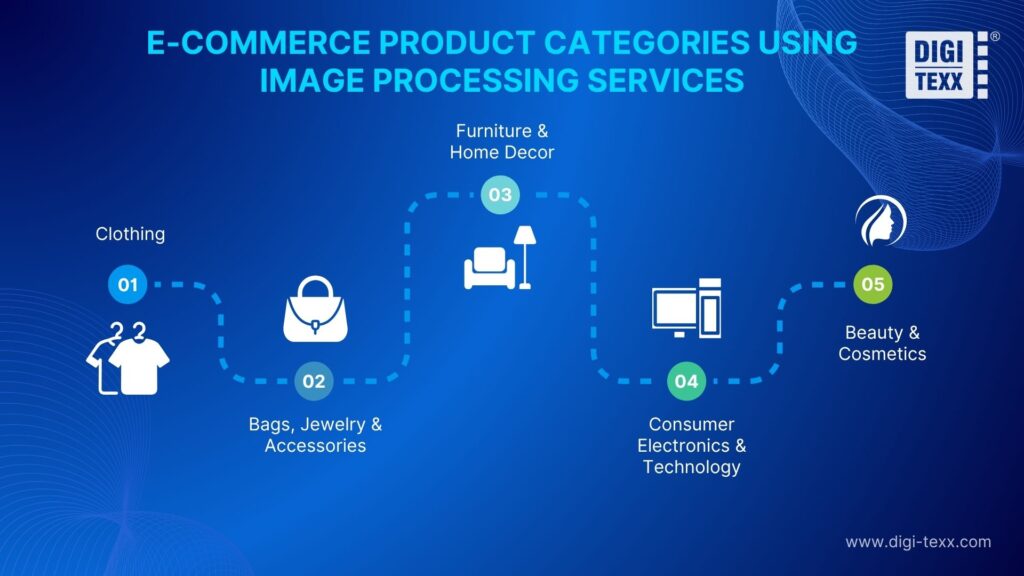
Different product categories require different image treatment based on their materials, visual details, and how shoppers evaluate products online. A professional image processing service should therefore adapt the workflow to each product type rather than apply one editing standard across the entire catalog.
Clothing
Clothing images need to preserve fabric texture, garment shape, color, and fit while maintaining consistent presentation across a catalog. Common requirements include background removal, ghost mannequin, wrinkle reduction, color correction, garment retouching, and model image enhancement.
Baymard’s 2026 research found that 23% of e-commerce sites do not provide human-model images, although model imagery can help shoppers understand the fit and physical characteristics of wearable products. For large apparel catalogs, standardized cropping, positioning, lighting, and color treatment are essential for consistent product presentation.
Bags, Jewelry And Accessories
Bags, jewelry, watches, belts, and other accessories require precise masking and retouching because small details such as stitching, metal finishes, gemstones, leather texture, and hardware can affect purchasing decisions. Image processing commonly includes background removal, reflection cleanup, shadow control, color correction, and detail enhancement.
42% of users try to determine product size from product images, according to Baymard, making model or contextual images particularly useful for accessories. Editing should enhance visibility without altering genuine material characteristics.
Furniture And Home Decor
Furniture and home decor require images that communicate both appearance and scale. Baymard found that 49% of shoppers consider written dimensions essential for determining whether furniture will fit their space, while 42% consider dimension images essential.
Image processing can support this through perspective correction, background replacement, shadow enhancement, consistent cropping, and lifestyle-image preparation. Accurate proportions are critical because exaggerated scale or distorted perspective can create unrealistic expectations.
Consumer Electronics And Technology
Electronics require high-detail images that clearly show screens, ports, buttons, textures, finishes, and included components. An image processing service can handle background removal, reflection reduction, screen enhancement, color correction, dust removal, and detail-image preparation.
Color accuracy is particularly important for products offered in multiple finishes; Adobe Commerce recommends using the sRGB color profile for product images to help maintain consistent color representation. Retouching should improve clarity without changing the actual appearance of the device.
Beauty And Cosmetics
Beauty and cosmetics products depend heavily on accurate color, packaging details, texture, and surface finish. Common image processing tasks include background removal, label cleanup, reflection control, color correction, shadow refinement, and detail enhancement.
For makeup products such as foundation, lipstick, and eyeshadow, excessive color enhancement can misrepresent actual shades. Google recommends multiple high-resolution product images and supports 1:1, 4:3, and 16:9 aspect ratios for merchant listings, making consistent image dimensions and quality important when managing large cosmetic catalogs.
Why Choose DIGI-TEXX For E-commerce Image Processing?
E-commerce businesses often need to process large volumes of product images while maintaining consistent quality, brand guidelines, and turnaround times. DIGI-TEXX provides image processing services designed for these high-volume workflows, combining professional photo editing, quality assurance, and scalable production.
- High-volume image processing capacity: DIGI-TEXX currently has 60+ photo editing experts and processes more than 65,000 images per month, supporting businesses that need to handle recurring or large-scale product image workloads.
- Broad e-commerce image editing capabilities: Services include background removal, color correction, product retouching, object removal, invisible mannequin, and other image enhancement tasks. This allows different product categories to follow specific editing requirements while maintaining consistent output across the catalog.
- Quality control for consistent output: High-volume editing requires more than increasing the number of editors. DIGI-TEXX combines image processing with quality assurance to check output against defined specifications, helping identify inconsistencies before images are delivered.
- 24/7 operational support: DIGI-TEXX operates its image processing service 24/7, 365 days a year, providing additional production capacity for businesses managing large catalogs, frequent product updates, or time-sensitive campaigns.
- Security for commercial image assets: Product photography can include unreleased products, proprietary designs, and campaign materials. DIGI-TEXX states that its image processing operations provide 100% data security and quality assurance, with its service information also referencing ISO 27001:2013 and GDPR requirements.
For e-commerce businesses, the value of outsourcing is not simply having more editors. The stronger advantage is having a repeatable image processing workflow that can handle volume while maintaining defined quality, security, and delivery requirements.

FAQs About Image Processing Service
Which Software Is Best For Image Processing?
For e-commerce, the right software depends on the type and volume of product images being processed:
- Adobe Photoshop: Best for detailed product retouching, background removal, masking, object removal, and precise color correction.
- Adobe Lightroom: Suitable for batch editing, exposure adjustment, white balance, and maintaining consistent colors across large product catalogs.
- Capture One: Well suited to commercial product photography, with advanced RAW processing, tethered shooting, and precise color control.
For large e-commerce catalogs, businesses should also consider batch processing, workflow automation, output consistency, and integration with existing content workflows.
What Are The Two Types Of Image Processing?
Image processing is generally divided into analog image processing and digital image processing. For modern e-commerce, digital image processing is the more relevant approach because product images are captured, edited, stored, and delivered digitally.
- Analog image processing: Works with physical images using optical, electrical, or chemical techniques. In an e-commerce context, it may apply to traditional product photography or printed catalogs before they are digitized.
- Digital image processing: Uses computer algorithms to modify and analyze digital images at the pixel level. E-commerce businesses use it for tasks such as background removal, product retouching, color correction, resizing, cropping, image enhancement, and format conversion.
For online retailers, digital image processing is essential for preparing consistent, high-quality product images across websites, marketplaces, catalogs, and other digital sales channels.
Which AI Tool Is Best For Image Processing?
For e-commerce, the best AI image processing tool depends on the task, image volume, and level of automation required. Common options include:
- Adobe Photoshop: Best for detailed product retouching, AI-powered background removal, object replacement, and precise image enhancement while retaining manual editing control.
- Claid AI: Designed for e-commerce product imagery, with AI-powered background generation, image enhancement, resizing, and batch processing for consistent product visuals.
- Fotor: A practical option for quick product image editing, including background removal, enhancement, and batch processing for online stores and marketplaces.
High-quality product images are essential to presenting products clearly and consistently across e-commerce channels. The right image processing service can help businesses standardize visual assets, reduce repetitive editing work, optimize images for digital platforms, and scale catalog production without compromising quality.
For businesses handling large or frequently updated product catalogs, outsourcing can provide the production capacity and quality control needed to maintain consistent image standards. With more than 65,000 images processed monthly, and 24/7/365 operations, DIGI-TEXX provides image processing services for e-commerce businesses that need scalable, reliable visual content production.
DIGI-TEXX Contact Information:
🌐 Website: https://digi-texx.com/
📞 Hotline: +84 28 3715 5325
✉️ Email: [email protected]
🏢 Address:
- Headquarters: Anna Building, QTSC, Trung My Tay Ward
- Office 1: German House, 33 Le Duan, Saigon Ward
- Office 2: DIGI-TEXX Building, 477-479 An Duong Vuong, Binh Phu Ward
- Office 3: Innovation Solution Center, ISC Hau Giang, 198 19 Thang 8 street, Vi Tan Ward
Reference:
- Google. (n.d.). Merchant listings (product). Google for Developers. https://developers.google.com/search/docs/appearance/structured-data/merchant-listing
- Baymard Institute. (2026). E-commerce product page UX: 2026 benchmark. https://baymard.com/blog/current-state-ecommerce-product-page-ux