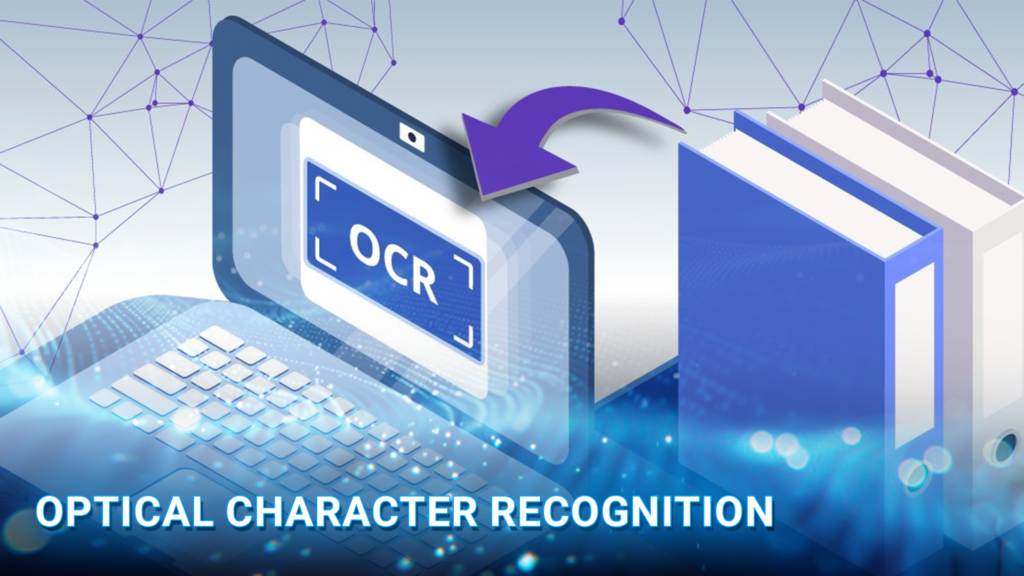
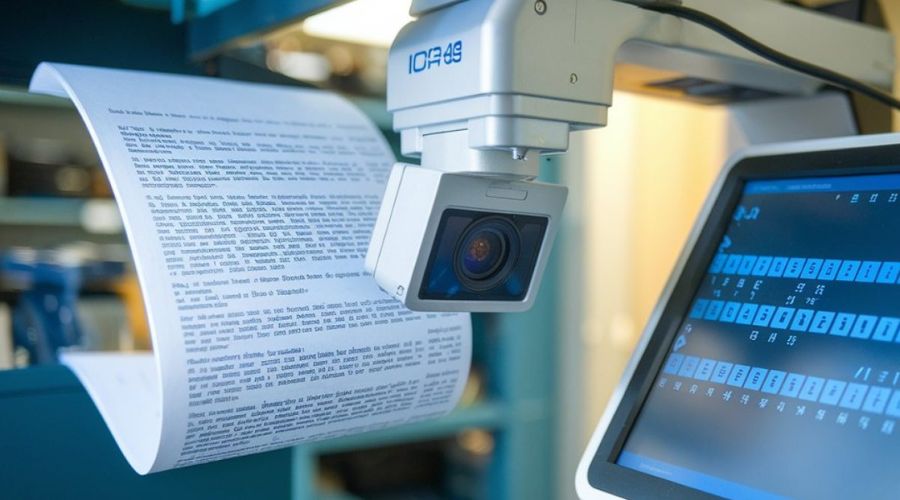
OCR stands for optical character recognition: technology that converts text in scanned documents, photos and image-based PDFs into machine-readable text. It makes that content searchable, copyable, and available for editing or further processing. DIGI-TEXX uses OCR within document processing workflows that connect text extraction with validation and delivery to business systems.
For example, scanning an invoice creates a digital picture of the page. OCR reads the characters on that picture; additional extraction rules identify fields such as the invoice number and total. Validation then checks whether those values meet the requirements of the receiving system. See DIGI-TEXX’s Global Invoice Processing case study for a business example combining recognition and human verification.
>>> See more:
- Insurance Back Office Support Services for Insurers & Agencies
- Data Labeling Service: Benefits, Top Providers & How to Choose
- Back Office Support Services For Streamlined & Efficient Operations
What Is Optical Character Recognition?
Optical Character Recognition (OCR) is the conversion of visible text into text data that software can process. “OCR meaning,” “OCR definition,” and “optical character recognition definition” all refer to this same function. Inputs can include scanned paper records, photographs, screenshots, and scanned PDF pages. Outputs vary by tool: plain text, a searchable PDF, an editable document, or text with its position on the page. [1]
An image of the word “invoice” contains pixels. OCR produces the corresponding text characters. However, recognizing “1,250.00” does not establish whether it is a subtotal, tax amount, or final balance. Field extraction and business validation address those separate questions.
>>> Explore more:
- Ecommerce Back Office Support Services By DIGI-TEXX
- Professional E-commerce Data Entry Services by DIGI-TEXX
Why Is Optical Character Recognition Important?
Many businesses still receive essential information in paper form, such as invoices, contracts, application forms, and legal documents. Managing large amounts of paperwork requires time, storage space, and continuous manual effort. Although moving toward paperless operations is necessary, simply scanning documents into image files does not fully resolve the issue. The process can remain slow and still depends on human involvement.
When documents are scanned, they become image files where the text is visible but not usable. This text cannot be searched, edited, or processed like standard digital content. OCR addresses this challenge by converting text within images into machine-readable data. Once converted, the information can be analyzed, integrated into business systems, automated, and used to improve efficiency and productivity.
What Is OCR Scanning?
OCR scanning combines document capture with text recognition. A scanner or camera first captures the page; OCR software then reads the text. Some scanning applications perform both tasks in one workflow, which can make the distinction easy to miss.
A PDF is a container, so its file extension does not tell you whether OCR is needed. It may contain native text, page images, an OCR text layer, or a mixture of these. Try searching for a visible phrase and copying it into a text editor. If the result is missing or garbled, inspect the page and its text layer before choosing a conversion method.
Why Is OCR Important?
Business information often arrives in a form that people can read but software cannot readily reuse. Staff may need to retype details from receipts, search paper files manually, or copy information from scanned forms into another application.
OCR creates a usable text layer for these workflows. Combined with indexing, it supports document retrieval. Combined with field extraction and validation, it supports data entry automation. The operational value depends on what happens after recognition: how errors are reviewed, how documents are linked to records, and how accepted data reaches the people who need it.
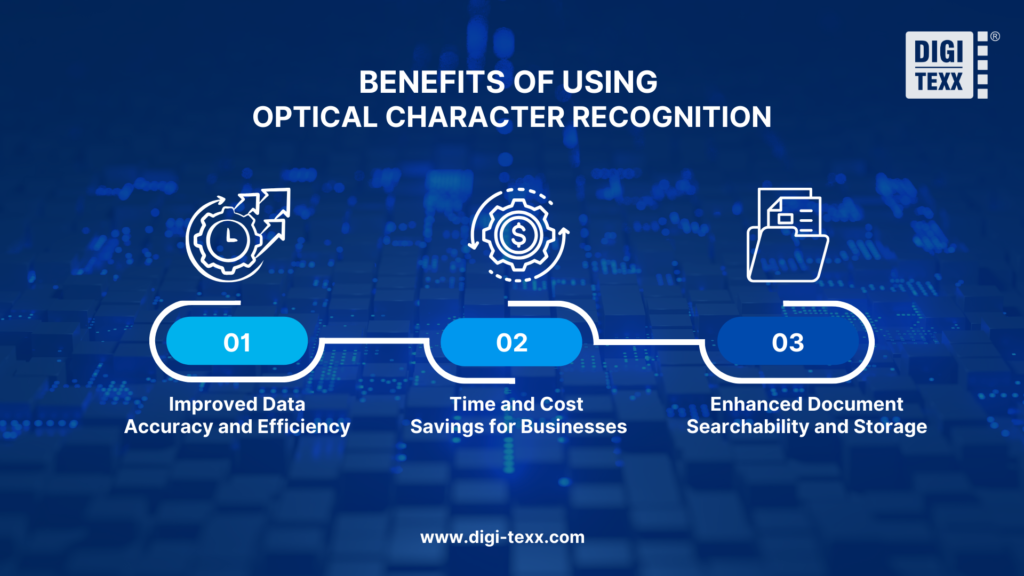
Benefits Of Using Optical Character Recognition
Optical character recognition technology offers numerous advantages to businesses and organizations, improving efficiency, accuracy, and accessibility in document management.
Improved Data Accuracy And Efficiency
OCR can reduce repetitive transcription and let staff focus on exceptions. A team processing recurring documents can review unclear characters or missing fields instead of typing every value from the beginning.
Recognition still introduces its own errors, including confusion between “0” and “O” or misplaced decimal separators. Accuracy improves when the workflow combines readable images, suitable language settings, validation rules, and review of critical data. Compare accepted output with verified source documents before claiming an improvement.
Time And Cost Savings For Businesses
Batch recognition can shorten the time spent converting documents into usable text. The largest opportunity may be in repeated tasks such as invoice capture, application processing or archive indexing.
Evaluate the complete workflow rather than processing speed alone. Scanning, setup, licenses, integration, exception handling, and rework all contribute to cost. A faster engine brings limited benefit if staff must repair most of the resulting tables or review every field.
Enhanced Document Searchability And Storage
A searchable text layer lets users find names, reference numbers or phrases within scanned files. Metadata such as document type, owner and date can make a larger archive easier to navigate.
OCR does not itself manage access permissions, retention or backups. Those controls belong in the surrounding document management process. It can also support assistive reading tools, but accessible documents may still need correct reading order, headings, tags and descriptions of images.
>>> See more:
- Document Indexing Services For Efficient Search & Data Access
- Outsourced Order Processing Services – Fast & Accurate
- Intelligent Document Processing Services: How It Works & Business Benefits
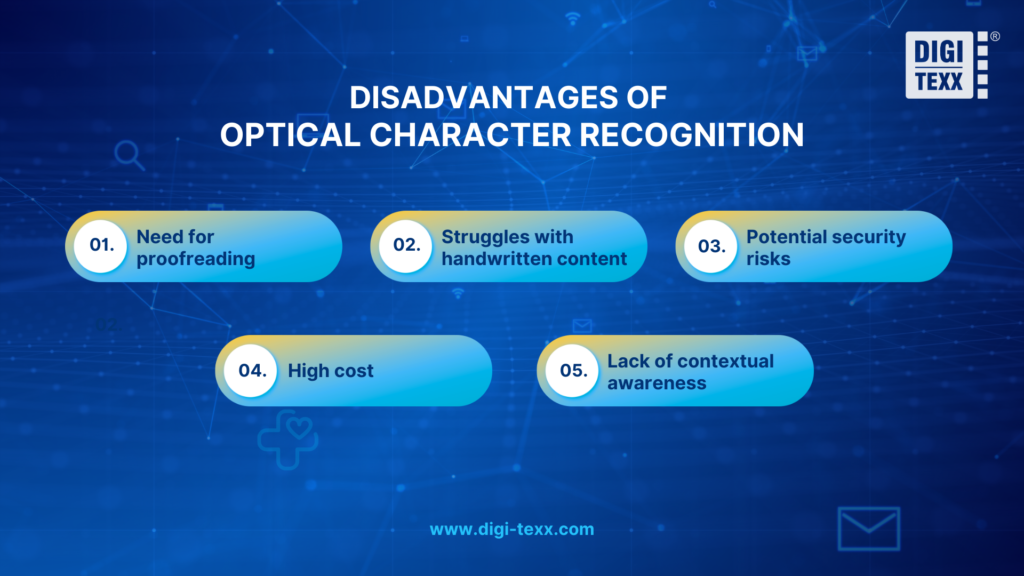
Disadvantages And Limitations Of OCR
OCR results depend on the source documents and the recognition tool. Understanding the following limitations helps teams improve input quality, plan review work and choose suitable uses for the extracted text.
Image Quality and Document Condition
Blur, skew, shadows, cropped edges and faded printing can make characters ambiguous. Improve the source image where possible instead of expecting recognition software to reconstruct missing information.
For Tesseract, the documentation recommends images of at least 300 DPI for best results. Treat this as guidance for that engine, not a guarantee for every document. Text size, focus and compression also matter; enlarging a poor image does not recover detail that was never captured. [2]
Handwriting, Languages and Unusual Fonts
Handwriting capability varies by model, language, and writing style. A tool that handles printed English invoices may struggle with cursive notes, mixed scripts or older typefaces.
Test the actual materials you plan to process. Include accented characters, abbreviations, stamps and handwritten additions where relevant. Do not assume that supporting a language means equal performance across every script style and document condition.
Complex Layouts and Formatting Loss
Multi-column pages, merged table cells and footnotes can produce reading-order or formatting errors even when most characters are correct. An editable Word export may therefore require layout cleanup.
For structured output, check relationships as well as text: which quantity belongs to which product, whether a total is linked to the correct currency, and whether continuation pages remain part of the same document.
Context, Review Effort and Information Handling
Recognized text is not automatically verified information. An OCR engine may read a plausible value that contradicts another page or a reference record. Confidence scores help prioritize review but are not a measured accuracy percentage.
Before uploading business documents to a service, establish who can access them, where they are processed, how long they are retained and how they are deleted. Choose a workflow that meets the organization’s requirements and preserves a traceable link between the image, corrections and final output.
The History And Evolution Of Optical Character Recognition
To truly understand optical character recognition, it helps to look at where the technology came from and how far it has traveled to get here.
The Early Foundations
Optical character recognition traces its origins to the 1910s, when inventor Emanuel Goldberg built a machine capable of reading printed characters and converting them into telegraph code. Primitive by today’s standards, but the idea behind it was ahead of its time: that a machine could be taught to interpret written language.
Early Commercial Adoption
By the 1950s, that idea had become a business reality. Companies developed recognition systems for banking and postal services, automating check processing and mail sorting with standardized fonts. The 1960s refined this further with the introduction of OCR-A and OCR-B, fonts specifically engineered to be readable by both humans and machines, bringing consistency to financial and government workflows.
Technological Expansion
Optical character recognition became a mainstream business tool through the 1980s and 1990s as scanners improved and software grew more capable. The real leap came in the 2000s, when neural networks entered the picture. Suddenly, OCR could handle handwritten content, poor-quality scans, and complex layouts, an accuracy that rule-based systems could never deliver.
OCR Today
Modern OCR supports hundreds of languages, runs in real time on mobile devices, and sits at the core of enterprise automation platforms worldwide. More importantly, its meaning has expanded. Optical character recognition today is not just about reading text from images, it is a foundational layer of intelligent automation powering digital transformation across banking, healthcare, legal services, and beyond.
>>> See more:
- Healthcare BPO Services For Revenue Cycle & Claims Management
- How To Prepare a Classified Balance Sheet: Template & Example
- Best Business Process Automation Solutions & Tools 2026
The History and Evolution of OCR
OCR developed from early machine-reading experiments into systems designed for controlled fonts and document formats. Better scanning and recognition methods gradually expanded its use beyond narrowly standardized documents.
Modern OCR includes machine-learning approaches and is available through desktop applications, mobile capture tools and cloud APIs. The distinction is therefore not simply “OCR versus AI”: OCR can itself use AI. What has expanded is the surrounding workflow, from recognizing text to classifying documents, extracting fields and handling exceptions. [1]
Applications Of Optical Character Recognition
OCR supports a range of document workflows, from making records searchable to supplying text for data extraction. The examples below show how different industries use recognition and where additional checks remain important.
Banking And Financial Services
OCR can turn information on application forms, statements, and supporting documents into text for downstream processing. A practical workflow may capture account identifiers, dates and declared income, then compare selected fields with reference data.
Recognition is one component of the review. It does not establish identity, document authenticity or eligibility on its own. Keep source images available so reviewers can resolve mismatches and unclear values. DIGI-TEXX’s banking document processing services describe automation and verification within a broader banking workflow.

Healthcare
Administrative teams can use OCR to capture information from medical invoices, claim forms and scanned records. Searchable documents can help staff locate a record, while field extraction can reduce repeated typing of dates, identifiers and billing details.
Handwritten clinical content requires particular care. An unclear prescription or dosage should be resolved through an appropriate professional review process; recognized text should not be treated as authorization to dispense medication. For administrative projects, define which fields need review and how sensitive documents are handled.
Legal And Government
OCR supports search across contracts, case files, public records and historical collections. Researchers can use recognized text to locate potentially relevant pages before consulting the original image.
Older spelling, damaged paper and unusual fonts can affect retrieval. Preserve the image alongside the transcription, document corrections and use metadata to help users locate records that text search misses. OCR improves access to a digital collection; preserving the underlying records requires a separate archival process.
Retail And E-Commerce
Receipts, supplier invoices, delivery notes and product labels contain information that can be captured for returns, reconciliation or order administration. For example, a receipt workflow may extract the merchant, transaction date and total before checking them against a submitted claim.
OCR reads visible text. Barcode and QR-code decoding are separate techniques, although one capture application may support both. Combining the appropriate methods can help a workflow handle product identifiers and human-readable text without confusing their roles.
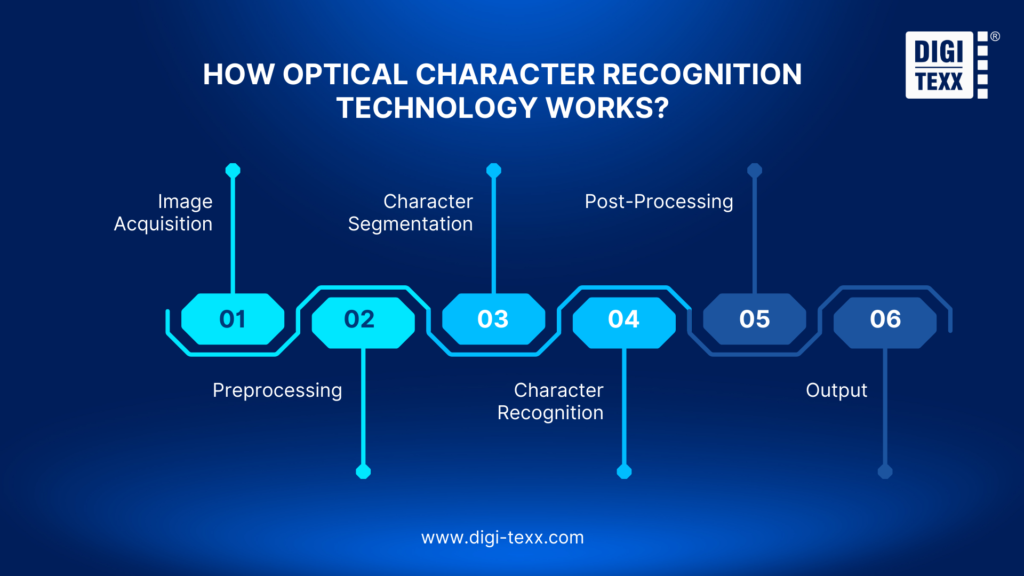
How Optical Character Recognition Technology Works?
OCR workflows usually move from image capture to recognition and output. Implementations differ: some combine several stages, and not every modern engine segments individual characters. The following six steps explain the practical workflow, including the checks needed before using the result.
1. Image Acquisition
Capture the full document with a scanner, camera or existing digital file. Check page order, orientation, missing pages and whether small text remains readable. For mixed PDFs, identify pages that already contain usable text so the workflow can avoid unnecessary recognition.
An invoice project should also preserve the document identifier that connects every page to the original submission. Without that link, accurate text can still be assigned to the wrong record.
2. Preprocessing
Prepare the image for recognition where necessary. Common operations include rotating or straightening pages, reducing noise, improving contrast and cropping irrelevant borders. Some engines apply their own image preparation.
Keep transformations proportionate to the source. Aggressive cleanup can remove punctuation, faint characters or table information. Retain an original copy so reviewers can compare it with the processed image. Tesseract’s quality guidance illustrates why skew, borders and segmentation settings affect results. [2]
3. Layout Detection and Segmentation
Identify text regions and reading order. Depending on the engine, this can involve detecting columns, blocks, lines, words or characters. Document-oriented services may also return text locations and a hierarchy of page elements. [3]
This stage matters when a page contains several unrelated blocks. A correct number extracted from a footer should not become the invoice total merely because it appears near the bottom of the page.
>>> See more:
- What Is Business Process Outsourcing (BPO)? Definition & Benefits
- Invoice Reconciliation Process Steps | DIGI-TEXX
- Construction Invoice Reconciliation: Best Practices, Software & Outsourcing
4. Text Recognition
The recognition model converts image regions into characters or words. Older approaches include matching shapes against templates; modern engines can use trained neural models. Language and script support should match the input.
The output may include confidence information and bounding boxes. These help downstream software show reviewers where a value came from. They do not prove that every character or business field is correct.
5. Post-Processing and Validation
Review ambiguous text, normalize permitted formats and check the required fields. For an invoice, a workflow might test whether a date is valid, a supplier identifier exists and the amounts reconcile according to agreed rules.
Route unresolved items to a reviewer or request a clearer document. Keep the recognized value, corrected value and reason for change where an audit trail is required. Adobe’s OCR tools, for example, provide a workflow for reviewing suspect words against the scanned image. [4]
6. Output and Delivery
Export the result in the format the task requires. Searchable PDFs support retrieval, Word documents support editing, and text or structured data can feed other applications.
Structured delivery requires more than choosing an export button: define field names, date formats, mandatory values and how exceptions will be represented. Check document counts and sample the received output before accepting a batch. Keep source references available for later queries or corrections.
>>> See more:
- Data Validation & Verification: Differences With Clear Examples
- 15 Best Data Labeling Service Providers In 2026
- Top 10 Best Data Entry Outsourcing Companies in USA 2026
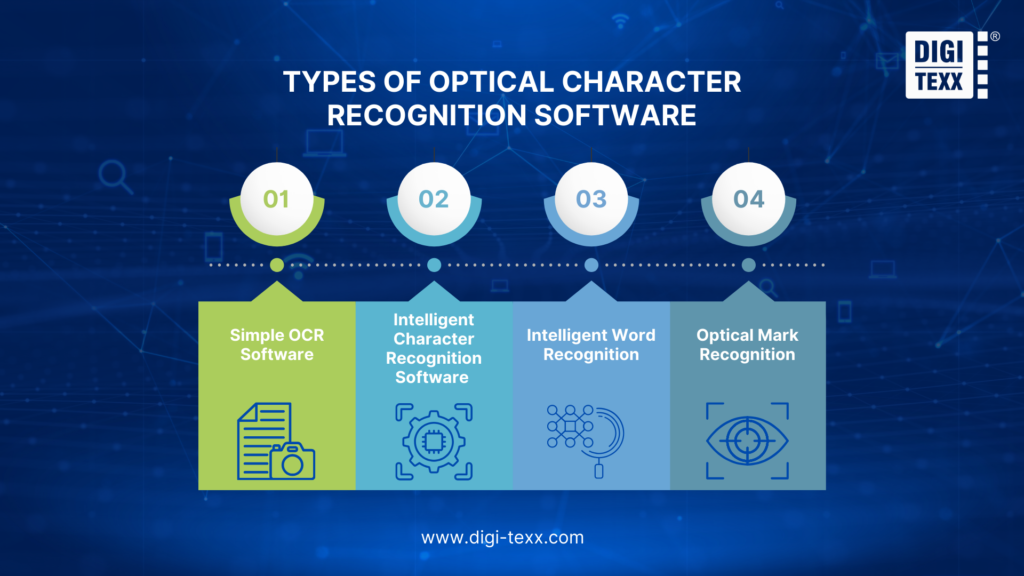
Types of OCR and Related Recognition Technologies
Recognition tools differ in the content they handle, including printed text, handwriting and marked responses. The following categories explain these capabilities and distinguish OCR from related technologies such as OMR.
Printed-Text OCR
Printed-text recognition is suitable for tasks such as reading typed letters, invoices and book pages. Some implementations target fixed layouts; others work across varied page designs and fonts.
Select an engine according to the documents and required output. A tool producing searchable text may be sufficient for an archive but still need additional extraction logic for a spreadsheet of invoice fields.
Intelligent Character Recognition and Handwriting Recognition
ICR is a term commonly associated with recognition of handwritten characters. Product terminology varies, so check the actual handwriting models, languages and input styles supported.
Machine learning does not mean a deployed system automatically improves every time someone uses it. Updates or training require an explicit process. Evaluate handwriting separately from printed text, and define when a reviewer should take over.
>>> See more:
- Best Real Estate Image Processing Services 2026: Top 15 Providers
- Healthcare Back-Office Support Services For Efficient Operations
- Top 10 Outsourced AI Training Data Companies in 2026
Intelligent Word Recognition
IWR describes approaches that recognize words as units rather than relying only on isolated characters. This distinction can help explain approaches to connected handwriting, but it is not a universal product classification.
For selection, demonstrated results on your samples matter more than the acronym. Check names, uncommon terms and identifiers, where a plausible dictionary word may be an incorrect replacement.
Optical Mark Recognition: A Related Technology
OMR detects marks such as selected checkboxes or filled bubbles. It answers whether a choice is marked; OCR reads the characters making up a written answer. A form-processing workflow may need both.
For example, OMR can capture a selected response on a survey while OCR captures a typed comment. Keep these functions distinct when specifying the project and when labeling diagrams.
>>> See more:
- Secure Data Annotation Services: Top Companies & How to Choose
- Top 10 Data Processing Software For Business 2026 – Best Tool Reviewed
- What are the 6 steps of the data analysis process?
Convert PDF to Word With OCR or Without OCR: What Does It Mean?
Converting a PDF to Word with OCR means recognizing text contained in page images before creating editable content. Converting without OCR uses text already stored in the PDF. The right approach depends on the file’s contents, not just its extension.
When to Use OCR
Use recognition for a scanned or image-based PDF whose text cannot be reliably selected or extracted. Choose a tool supporting the document’s language, run recognition, review the text, and export to DOCX. Adobe documents this OCR-to-Word workflow for scanned PDFs. [5]
Compare the result with the source, especially tables, amounts and page breaks. OCR can recover text without perfectly reconstructing the original layout.
When Conversion Without OCR Is Enough
A PDF exported from a word processor may already contain usable text. In that case, direct conversion can reuse the existing characters. OCR adds little value unless particular pages or regions are image-based or the text encoding is unusable.
A searchable PDF is not necessarily an editable Word document. It may keep the page image and place recognized text behind it. That is useful for searching and copying, while editing the layout is a different task.
>>> Explore more:
- Top 10 Data Cleansing Companies for Businesses in 2026
- Best Data Cleansing Outsourcing Companies for 2026
- How to Automate Documentation in 2026: Step By Step Guide
How to Choose OCR Software
Start with the documents you receive and the output your team needs. The following criteria help you compare recognition quality, review effort, integration requirements and total cost using representative samples.
Start With a Representative Test Set
Collect examples across document types, languages, image quality and layout variations. Include difficult cases rather than only clean demonstrations. Specify the intended output before testing: searchable archives, editable files and validated business fields require different checks.
Create verified reference answers for the test set. Compare the candidates on the same documents, and record both errors and the time needed to correct them.
Measure Accuracy and Review Workload
For transcription, character or word error measures can reveal recognition mistakes. For field extraction, measure whether each required value exactly matches the verified answer after any agreed normalization.
For example, if 960 of 1,000 tested invoice-number fields match, the observed exact-match rate is 96%. This is an illustrative calculation, not a product benchmark. Report the sample, field definition and whether the score was measured before or after human correction.
Also track missing fields, documents requiring review and the cost per accepted document. A high average score can hide errors in a small but critical group of fields.
Compare Features, Integration and Deployment
Check language support, handwriting, tables, batch processing, confidence output, export formats and API availability. Confirm that reviewers can see the original image alongside extracted text.
For deployment, compare processing location, access controls, retention options, logging and integration with the receiving system. Test failure handling as well as successful uploads: duplicated files, unsupported formats and interrupted transfers should have a defined recovery path.
>>> See more:
- Why Businesses Outsource Data Management in 2026?
- Invoice Processing Outsourcing Services For US Businesses
- Data Quality Management: Importance, Tools, and Best Practices
Free vs. Paid OCR Solutions
Open-source OCR can reduce license costs but still requires setup, infrastructure and maintenance. Desktop software can suit staff converting documents interactively, while APIs can suit applications that need repeatable processing at scale.
Google Drive also offers image/PDF-to-text conversion for supported files, although formatting and file requirements need checking. [6] Paid products may add editing, workflow or support capabilities, but price alone does not establish better results on your documents.
Compare total cost over the same period: capture and preparation + software or API usage + integration + human review + storage and support. Ask which pages, features or processing attempts count toward usage.
OCR Tools and Platforms to Evaluate
The tools below represent different deployment approaches rather than a ranked “best” list. Select a shortlist according to the job and verify results with the same test set.
- Tesseract: An open-source OCR engine for command-line or application integration. Suitable for teams able to build and maintain the surrounding workflow. It is not a complete review or document management platform. [7]
- Adobe Acrobat: A PDF-focused option for recognizing scanned text, reviewing suspect words and converting documents. Useful when staff need to work directly with PDF files. [4–5]
- ABBYY FineReader PDF: A document conversion and PDF editing option. Evaluate its layout reproduction and edition-specific features against the formats your team handles. [8]
- Google Cloud Vision: An API offering image text detection and document-oriented recognition, including text structure and positions. Application integration and business-field validation remain separate design tasks. [3]
- Amazon Textract: A cloud service for extracting document text and information such as forms and tables. Compare the relevant API features with the output your application needs. [9]
- Microsoft Azure Document Intelligence: A service providing document-reading and extraction models. Assess the appropriate prebuilt or custom model, supported inputs and integration requirements. [10]
- ABBYY Vantage: An intelligent document processing platform with document skills and workflow capabilities. Consider it when the project extends beyond recognition into document classification and extraction. [11]
- Docparser: A document data extraction service with configurable parsing rules. Evaluate recurring layouts, OCR requirements and the integrations needed to deliver fields to your systems. [12]
OCR vs. AI-Based Document Processing
While traditional optical character recognition relies on predefined character matching, AI-based document processing integrates machine learning to recognize complex layouts and handwritten text.
| Feature | Optical Character Recognition | AI-based Document Processing |
| Focus | Text/character recognition | Information extraction and understanding |
| Document Complexity | Simple, well-formatted | Complex, varied formats |
| Accuracy | High for clear text, lower for variations | Higher overall, adapts to variations |
| Contextual Understanding | None | Strong |
| Learning Capacity | No inherent learning | Learns and improves over time |
How DIGI-TEXX Applies OCR in Document Processing
DIGI-TEXX combines OCR with document processing and quality-control workflows. The product capabilities, project example and supporting sources below explain how recognition connects with validation and delivery.
Recognition, Quality Checks and Human Review
DIGI-TEXX’s DIGI-Xtract combines document classification, extraction and quality-control components. Its published product description includes field confidence scores, business rules and routing for data correction, with automated and human-assisted processing paths.
The product page describes hosted and client-premises deployment options. For a project, agree on required fields, output formats, review responsibilities and acceptance criteria before scaling. This connects the OCR result to a usable business deliverable rather than treating recognized text as the final outcome. [13]
Case Study: Global Invoice Processing
In its published Global Invoice Processing case study, DIGI-TEXX describes combining OCR, NLP and machine learning with human verification when fields are missing or need validation.
The company reports that normal-month processing increased from approximately 110,000 to 130,000 invoices, peak-month volume increased from approximately 560,000 to 660,000, and the team changed from 20 to 10 full-time equivalents. It also reports processing time moving from about five minutes to about 30 seconds per invoice. These are outcomes from that project, not a guarantee for every OCR implementation. [14]
Quality, Security and External Coverage
DIGI-TEXX’s international standards information lists ISO 27001:2022 and ISO 9001:2015. For supplier evaluation, review certificate validity and scope alongside the proposed processing location and workflow. Certification should not be presented as proof of a particular OCR accuracy rate. [15]
QTSC’s October 2022 coverage describes DIGI-TEXX invoice processing, extraction, exception handling and quality controls. This provides dated external coverage of the company’s service, rather than an independent benchmark of current OCR performance. [16]
FAQs About Optical Character Recognition
What Is Optical Character Recognition Used For?
Optical character recognition is used to convert images of text, scanned documents, photographs, and PDFs into machine-readable, editable text data. Common use cases include digitizing paper documents, automating data entry, creating searchable archives, processing forms and invoices, enabling mobile document capture, supporting accessibility tools, and providing text input for natural language processing, machine translation, and analytics systems.
What Is OCR Used For?
OCR is used to make scanned records searchable, convert images of text into editable content, and supply text to workflows such as invoice or form processing. Additional extraction and validation are needed when the goal is accurate business fields.
What Is the Difference Between Scanning and OCR?
Scanning captures a digital image of a page. OCR reads the text in that image. A scanning application may perform both, but creating an image alone does not make its text searchable.
How Does OCR Work?
A typical OCR workflow captures the document, prepares the image, identifies text regions, recognizes characters, checks the result and exports the output. Review and validation help resolve errors before the data is used.
Can OCR Read Handwriting?
Some tools support handwriting, but results depend on the model, language, writing style and image quality. Test representative handwritten samples separately and review uncertain or critical information.
What Does Converting PDF to Word With or Without OCR Mean?
With OCR, the tool recognizes text from scanned page images before making editable content. Without OCR, it uses text already present in the PDF. Check whether the original file contains usable text before choosing the conversion method.
Can I Use OCR On My Phone?
Yes. A mobile application with text-recognition capability can process a document photo. Capture the entire page in clear light, avoid blur and check the recognized text before sharing or using it.
What Is an OCR Code?
“OCR code” has no single universal meaning. It may refer to programming code that runs an OCR engine or a document reference number intended for automated reading. Check the context. A barcode or QR code uses a separate encoding and decoding method.
Is OCR Being Replaced by AI?
OCR can already use AI to recognize text. Broader AI document systems may combine recognition with classification and field extraction. Choose according to the required output and measured results rather than assuming that an AI label removes the need for review.
How Accurate Is OCR?
There is no single accuracy rate for all OCR tasks. Evaluate the relevant documents, languages and fields, define the measurement, and report whether results include human corrections. A model’s confidence score is not the same as measured accuracy.
Is OCR Replaced By AI?
No, OCR isn’t being replaced by AI, it’s being enhanced by it. Traditional optical character recognition converts images of text into raw characters. Modern AI systems use OCR as the first layer, then apply machine learning to interpret structure, context, and meaning. This combination, known as Intelligent Document Processing (IDP), enables near-human accuracy for complex, high-volume workflows.
Turn Scanned Documents Into Usable Business Data
OCR connects images of text with searchable, editable information. A successful implementation also accounts for image quality, validation, reviewer decisions and delivery to the right system.
To assess a business workflow, share representative documents, required fields, expected volume and turnaround needs with DIGI-TEXX’s document processing team. For invoice-specific projects, explore invoice processing services or contact DIGI-TEXX to discuss a pilot and acceptance criteria.
If you have any questions or would like expert advice on data analytics services, please feel free to contact us using the information below.
DIGI-TEXX Contact Information:
🌐 Website: https://digi-texx.com/
📞 Hotline: +84 28 3715 5325
✉️ Email: [email protected]
🏢 Address:
- Headquarters: Anna Building, QTSC, Trung My Tay Ward
- Office 1: German House, 33 Le Duan, Saigon Ward
- Office 2: DIGI-TEXX Building, 477-479 An Duong Vuong, Binh Phu Ward
- Office 3: Innovation Solution Center, ISC Hau Giang, 198 19 Thang 8 street, Vi Tan Ward
References:
[1] AWS: What is OCR? — definition and development of recognition technology.
[2] Tesseract: Improving the quality of the output — image preparation, resolution and segmentation.
[3] Google Cloud Vision: Detect and extract text from images — image/document text detection and output structure.
[4] Adobe: Fix text issues in scanned PDFs — reviewing suspect recognition results.
[5] Adobe: Convert PDF to Word — scanned PDF conversion and editable output.
[6] Google Drive: Convert PDF and photo files to text.
[8] ABBYY FineReader PDF.
[9] Amazon Textract documentation.
[10] Microsoft Azure Document Intelligence overview.
[11] ABBYY Vantage.
[12] Docparser features.
[13] DIGI-TEXX: DIGI-Xtract.
[14] DIGI-TEXX: Global Invoice Processing.
[15] DIGI-TEXX: About us and international standards.
[16] QTSC: DIGI-TEXX invoice processing coverage, 25 October 2022.