What is DMS? DMS stands for Document Management System: software for capturing, organizing, finding, sharing, and controlling business documents throughout their lifecycle. DIGI-TEXX offers DIGI-Vault for document archiving and management, alongside document digitization services. This guide explains how a DMS works, which features to evaluate, and when a business needs more than file storage. [1]

What Is A DMS?
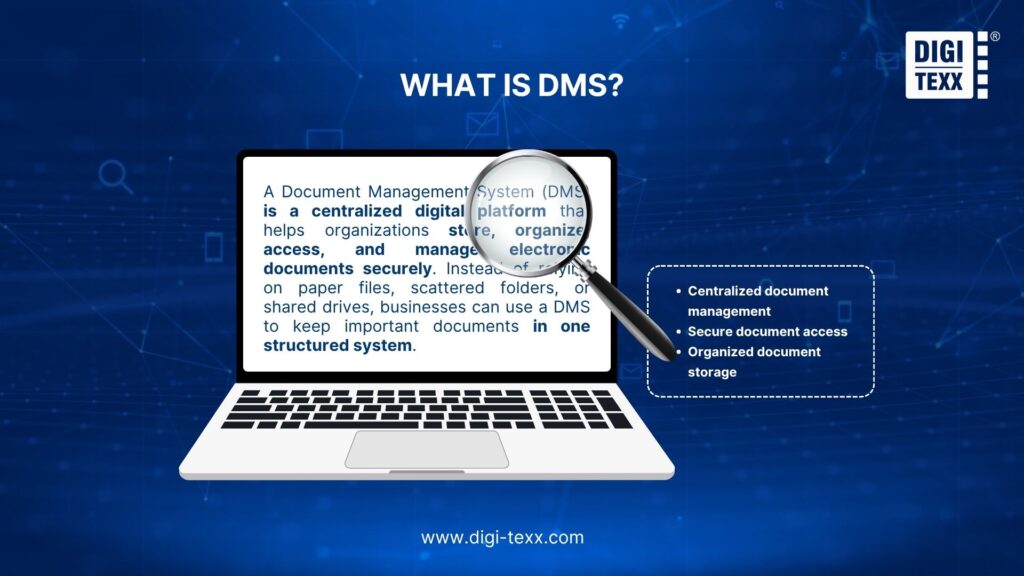
A Document Management System (DMS) is a centralized digital platform that helps organizations store, organize, access, and manage electronic documents securely. Instead of relying on paper files, scattered folders, or shared drives, businesses can use a DMS to keep important documents in one structured system.
The practical challenge is information fragmentation: a contract may sit in an email attachment, a scanned folder, and a shared drive with different names or versions. A DMS gives teams a defined place to find the document and check its status, owner, and access permissions.
Beyond basic file storage, a DMS can support features such as document search, version control, access permissions, audit trails, and workflow automation. These capabilities help businesses find information faster, reduce manual paperwork, protect sensitive documents, and maintain better control over their records.
A practical distinction: document management controls working documents and collaboration; records management adds formal rules for retaining and disposing of records. Product boundaries overlap, so check the required capabilities rather than relying on the label alone. [3]
>>> See more:
- What is Automated Document Processing and How Does It Work?
- Automated Invoice Processing: How It Works, Benefits & Best Software
- What Is Digitization Service? Common Types of Digitization Services
What Is A DMS Used For?
A DMS is used to make documents retrievable and manageable throughout their lifecycle. For example, a finance team can connect an invoice to a supplier and purchase order, route it for review, and retain the approved record with its supporting files.
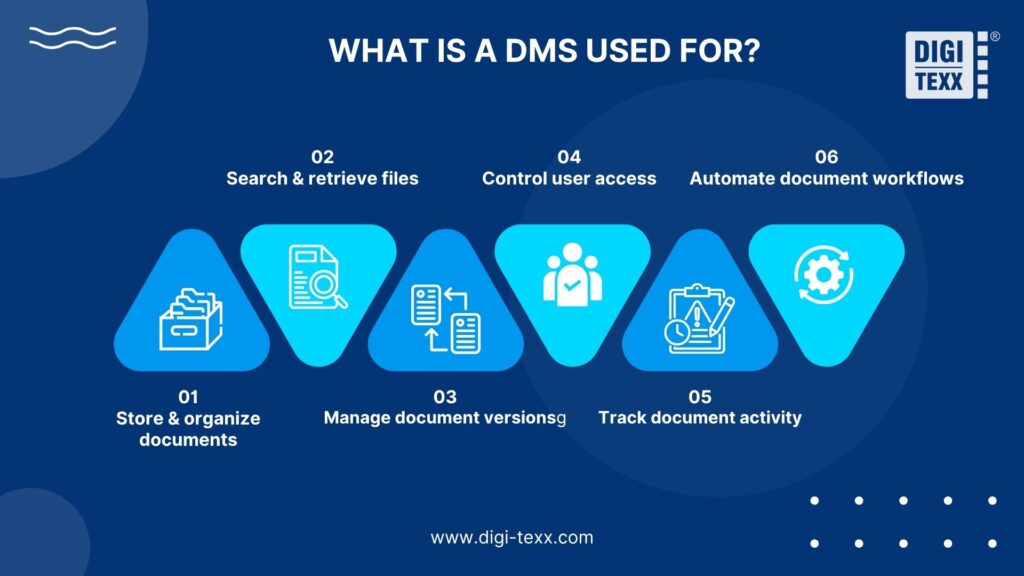
A DMS can help businesses:
- Store and organize documents: Keep files in a centralized, structured system for easier management.
- Search and retrieve files: Quickly locate documents using search, indexing, and metadata.
- Manage document versions: Track changes and ensure employees work with the latest version.
- Control user access: Set permissions to determine who can view, edit, or share specific documents.
- Track document activity: Maintain records of document access, edits, and other actions.
- Automate document workflows: Streamline processes such as document review, approval, routing, and archiving.
Why Does A DMS Matter For Businesses?
As a business grows, so does the volume of documents it needs to handle. Contracts, invoices, employee records, compliance documents, emails, and reports can quickly become difficult to organize and manage without a centralized system.
Without a Document Management System (DMS), organizations may struggle with:
- Time-consuming file searches: Employees spend valuable time locating documents across different folders and systems.
- Version control issues: Multiple copies can create confusion over which document is the latest or most accurate.
- Document security risks: Poorly managed access can expose sensitive business information to unauthorized users.
- Compliance challenges: Disorganized records can make it harder to meet regulatory requirements and prepare for audits.
A DMS addresses these challenges by centralizing documents, improving visibility, and giving organizations greater control over how information is stored, accessed, and managed.
>>> See more:
- Wedding Photo Editing Service | Elevating Your Wedding Photos
- Top AI Document Processing Tools to Automate Your Data Workflow
- Enterprise Document Management System: Top 13 Solutions & Features 2026
Key Benefits Of Document Management Software
Document management software delivers several practical benefits that help businesses work more efficiently, protect documents, simplify compliance, and reduce costs. The benefits below depend on configuration, adoption, and document quality. Use a pilot to test retrieval time, approval turnaround, metadata completeness, and access restrictions before estimating the return on investment.
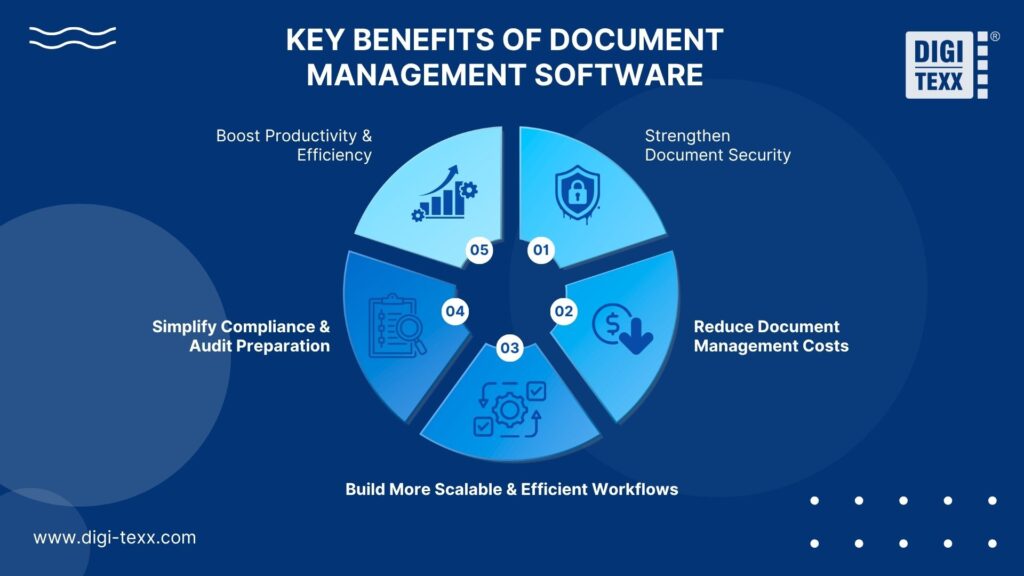
1. Boost Productivity & Efficiency
Employees can spend less time searching across folders, emails, and shared drives when documents have consistent metadata and an agreed source of truth. Measure the benefit with a before-and-after retrieval test using representative files, rather than assuming a universal productivity percentage.
A DMS can improve productivity through:
- Faster document retrieval with centralized search
- Automated indexing to organize files more efficiently
- Centralized access that makes information easier to find across teams
2. Strengthen Document Security & Access Control
Managing documents manually can increase the risk of misplaced files, unauthorized access, and accidental data exposure. A DMS provides greater control over who can access specific information and how documents are handled.
Key security capabilities include:
- Role-based permissions to control access by user or job function
- Audit trails that record who accessed or modified a document and when
- Secure digital storage for confidential and sensitive information
These controls are particularly valuable for industries such as healthcare, finance, and legal services, where protecting sensitive information and meeting security requirements are essential.
3. Simplify Compliance & Audit Preparation
Keeping accurate and traceable records is essential for organizations subject to regulatory requirements. A DMS helps maintain better control over documents throughout their lifecycle.
It can support compliance by:
- Maintaining document version history.
- Applying document retention policies.
- Making records easier to search and retrieve during audits.
- Creating a clear history of document activity.
Instead of spending hours tracking down records before an audit, organizations can quickly locate the information they need and verify its history.
4. Reduce Document Management Costs & Paperwork
Paper-based processes can create ongoing expenses for printing, copying, physical storage, and manual document handling. Moving documents into a centralized digital system can help organizations reduce these costs while improving efficiency.
A DMS can minimize:
- Physical storage expenses.
- Printing and copying costs.
- Manual document handling.
- Errors caused by repetitive data entry.
5. Build More Scalable & Efficient Workflows
As more organizations adopt hybrid and remote work, employees need secure access to documents regardless of where they work. A DMS provides the infrastructure needed to keep information accessible while maintaining control over business documents.
Modern DMS platforms can support:
- Real-time collaboration without confusion over document versions
- Secure remote access from different locations and devices
- Workflow automation for document approvals, routing, and review
This makes it easier for businesses to modernize document workflows and scale operations without relying entirely on manual processes.
>>> See more:
- An Overview of Document Processing Company: What You Need to Know
- Online Data Processing Services: Streamline Your Data Management
- What Is a Document Management System (DMS)?
What Features Does a DMS Include?
A modern Document Management System (DMS) offers more than basic document storage. Its features are designed to help organizations organize, find, secure, track, and manage documents throughout their lifecycle.
Use this list as a buying checklist, not a promise that every DMS includes every feature. Ask the provider to demonstrate each requirement in the proposed edition and identify any extra modules or integrations.
Key DMS features typically include:
- Document Storage: Centralizes digital documents in one secure, organized location.
- Full-Text Search: Helps users quickly find information within documents using keywords or phrases.
- Version Control: Tracks document revisions and helps users identify or restore previous versions.
- Access Permissions: Controls who can view, edit, download, or share specific documents.
- OCR (Optical Character Recognition): Recognizes text in scanned pages or images so it can support search and downstream processing. OCR may be a built-in feature or an integration; low-quality scans and uncertain fields still need review.
- Audit Trails: Records document activity, including who accessed, edited, or shared a file and when.
- Workflow Automation: Streamlines processes such as document review, approval, routing, and notifications.
- Document Retention: Helps organizations apply retention rules and manage documents according to business or regulatory requirements.
- System Integration: Connects the DMS with existing business applications and platforms to create a more connected workflow.
For each feature, define a pass/fail test. Can a restricted user find a confidential file? Can an approved version be distinguished from a draft? Can documents and metadata be exported together? These checks turn a feature list into measurable acceptance criteria.
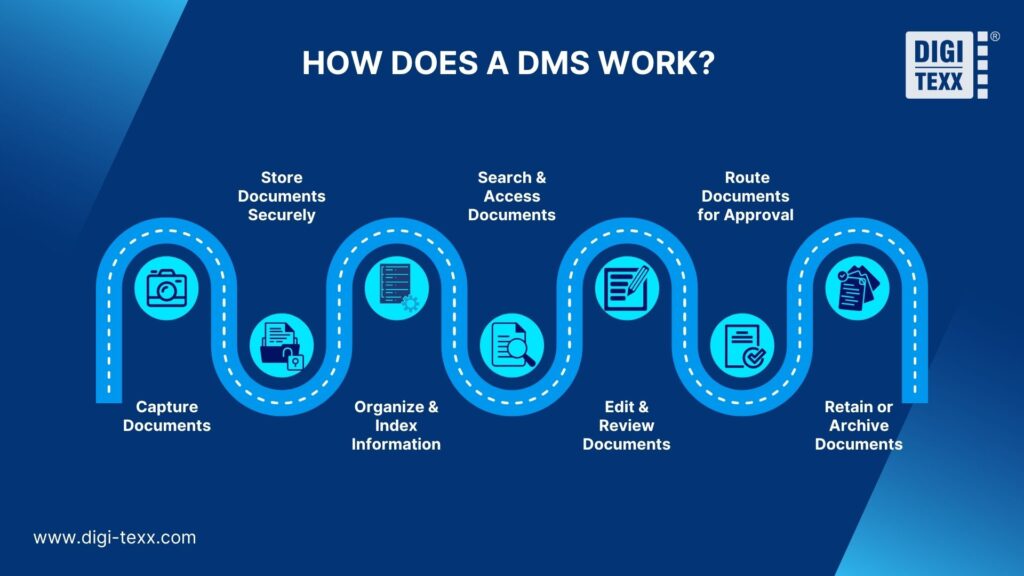
How Does A DMS Work?
A Document Management System (DMS) provides a structured way to manage documents from the moment they enter an organization until they are archived or removed. Rather than simply storing files, a DMS helps automate and control each stage of the document lifecycle.
Step 1. Capture Documents
Documents can enter the system through uploads, scanning, email, OCR, or integrations with other business applications. This allows both digital and paper-based information to be brought into one centralized environment.
Before importing a batch, agree file formats, document boundaries, required metadata, and duplicate-handling rules. Review unreadable scans and uncertain OCR results so errors do not become permanent search problems.
Step 2. Store Documents Securely
Once captured, documents are stored in a centralized repository with appropriate security controls. Organizations can protect sensitive information while making files accessible to authorized users.
Assign an owner and permission group during intake. Test recovery from a backup and confirm where documents are hosted; storing a file successfully is only one part of keeping it available to the right users.
Step 3. Organize and Index Information
The DMS categorizes documents using folders, metadata, tags, or automated indexing. This creates a structured information environment and makes documents easier to manage as the volume of files grows.
For example, a contract might require a contract ID, counterparty, owner, effective date, and status. Validate mandatory fields and naming conventions before accepting the batch.
Step 4. Search and Access Documents
Users can search for and retrieve documents using keywords, metadata, document types, or other criteria. Access permissions ensure that employees only see the information they are authorized to use.
Test searches with real user roles and realistic questions, such as finding all approved contracts for one supplier. A search result should respect the same access rules as the underlying document.
Step 5. Edit and Review Documents
Teams can collaborate on documents while the system tracks revisions and maintains version history. This reduces confusion caused by multiple copies and helps users identify the most current version.
Define when a document becomes approved, whether editing creates a new version, and who may restore an earlier version. Retain enough context to explain the change without creating parallel uncontrolled copies.
Step 6. Route Documents for Approval
Documents can move automatically through predefined workflows based on business rules. For example, an invoice can be routed to the appropriate manager for review and approval before payment.
Handle exceptions explicitly: missing approvers, rejected documents, overdue tasks, and unavailable source systems need a responsible owner and a clear next action. Test these paths as well as the successful approval path.
Step 7. Retain or Archive Documents
After a document reaches the end of its active use, the DMS can apply retention policies and move it to an archive or dispose of it according to organizational and regulatory requirements.
Separate archiving from deletion. Before enabling automated disposition, confirm the approved retention schedule, any holds that must prevent deletion, and the evidence needed to record the action. NARA distinguishes organizational records-management requirements from technical system requirements, which helps explain why both policies and software controls are needed. [2]
>>> See more:
- How to Ensure Data Accuracy: Best Practices & AI Guide 2026
- Wedding Photography Retouching: Professional Techniques & Services
- Top 10 Scanning Apps You Need: Turn Your Device Into a Portable Scanner
Who Needs Document Management Software?
Document management software can benefit almost any organization that handles large volumes of digital or paper-based records. It is especially valuable for industries where secure storage, quick retrieval, compliance, and organized workflows are essential.
Industries that benefit most from DMS
- Healthcare: Healthcare organizations manage large volumes of sensitive documents, including patient records, insurance forms, and administrative paperwork. A DMS helps keep this information organized, secure, and accessible to authorized staff.
- Education: Schools, colleges, and universities handle everything from student records and enrollment documents to academic materials and administrative files. A DMS provides a centralized way to store, manage, and retrieve these documents.
- Legal: Law firms rely on case files, contracts, legal briefs, evidence, and research materials. A DMS makes it easier to organize large document collections, locate files quickly, and control access to confidential information.
- Enterprise: Large organizations often have documents spread across departments, systems, and locations. A DMS centralizes business information, reduces time spent searching for files, and helps teams work more efficiently.
Overall, any organization that relies heavily on documents can use a DMS to improve information management, strengthen security, and streamline everyday workflows.
How Is a DMS Different From Google Drive, Dropbox & Shared Drives?
A DMS is best evaluated by the document processes it can govern. Google Drive and Dropbox also provide document-management capabilities; Google documents version history and Drive log events, Google Vault supports retention rules, and Dropbox provides version history with plan-dependent limits. Avoid treating these products as featureless storage. [4][5][6][7]
The revised comparison below is a selection framework. Actual capabilities depend on the product, subscription, add-ons, and configuration. Comparison: evaluate the capabilities required by your workflow.
| Capability | DMS evaluation question | Existing Drive / Dropbox / shared-drive environment |
| Version control | Can users identify the approved version and restore prior versions? | Drive and Dropbox provide version history; test file-type differences and plan limits. [4][7] |
| Permissions | Can access follow role, document type and business ownership? | Review the permissions actually configured and test restricted users. |
| Audit evidence | Which events are logged, retained and exportable? | Google provides Drive log events with coverage and edition limitations. [5] |
| Approvals | Can routing, rejections and overdue exceptions be demonstrated? | Identify native tools, add-ons and integrations needed for your workflow. |
| Retention | Can retention rules and holds meet the defined record schedule? | Google Vault can apply Drive retention rules; scope and configuration matter. [6] |
| Search and indexing | Can users retrieve documents using required metadata and text? | Test representative files and permission-aware results in the existing system. |
| Lifecycle and exit | Can documents, metadata and required history be exported? | Test migration/export requirements rather than assuming portability. |
>>> See more:
- Top 10 Automated Document Processing Software
- What Is Document Digitization and Why Should You Digitize Your Documents?
Cloud DMS vs. On-Premises DMS: Which Fits Your Business?
Deployment determines who runs the environment and how it connects to your existing systems. Start with access, hosting, administration, and recovery requirements, then compare the operational responsibilities of each option.
Cloud DMS
With a cloud deployment, the provider typically operates the hosting environment under the agreed service model. Ask where data and backups reside, how access is authenticated, which integrations are supported, and how you can export documents and metadata when the contract ends. Confirm which responsibilities remain with your team.
On-Premises or Hybrid DMS
An on-premises deployment places more infrastructure and maintenance responsibility on the organization. A hybrid arrangement combines environments and needs clear rules for synchronization, identity, and recovery. Evaluate your team’s ability to maintain the system and test access during an outage; deployment location alone does not determine security.
How to Choose and Implement a DMS
Choose a DMS against one real document workflow before expanding to the whole business. NARA’s historical requirements-gathering guidance emphasizes scope, architecture, requirements analysis, and stakeholder review; these are useful planning principles, although its older technical references should not be treated as current procurement mandates. [3]
1. Define the Document Scope and Owners
Inventory the document types, monthly intake, existing locations, user groups, and business owners. Decide which system remains authoritative for each document. Identify required fields, retention rules, and access restrictions before migrating files.
2. Pilot a Complete Workflow
Use a representative sample that includes scans, duplicates, missing metadata, and confidential files. Test capture, indexing, search, versioning, approval, export, and exception handling. Agree acceptance criteria with the users who will rely on the system.
3. Validate Migration and Train Users
Reconcile source and destination counts, verify document-to-metadata links, and sample files for readability and permission accuracy. Assign responsibility for failed imports. Train users on naming, ownership, sharing, and approvals, then monitor unresolved exceptions after launch.
4. Compare Total Cost of Ownership
Request a scoped quotation covering licenses or subscriptions, implementation, scanning and OCR, data migration, integrations, storage, training, support, and exit or export work. Compare providers over the same period and document volume. This article does not quote a universal DMS price or a DIGI-TEXX price because no verified, like-for-like quotation is available.
How DIGI-TEXX Supports Document Management
DIGI-TEXX connects document preparation with archiving and retrieval. Evaluate the software capabilities and the digitization work separately so the proposed solution matches both your existing documents and your ongoing processes.
DIGI-Vault for Document Archiving and Retrieval
DIGI-Vault is DIGI-TEXX’s web-based document archiving and management system. Its published feature set includes classification, metadata-based search, permission-based sharing, version history, reporting, and integration with other systems. Ask for a demonstration using your document types and confirm the exact integration, deployment, and retention requirements in scope. [1]
A Related Digitization Case Study
In its investment-management document-scanning case study, DIGI-TEXX describes a project scope of 1.8 million A4-equivalent pages and a minimum scanning requirement of 19,000 pages per day. The workflow included OCR/indexing, quality control, and secure delivery. The company reports a 98.6% accuracy outcome against a 97% page-level commitment. These are figures from that scanning project, not a DIGI-Vault performance benchmark or a guarantee for another engagement. [8]
Evidence to Review Before Procurement
DIGI-TEXX’s About page lists ISO 27001:2022 and ISO 9001:2015. Obtain the current certificates and check their scope, covered locations, and validity for the proposed service. These management-system references do not by themselves certify every DMS feature or establish a customer’s compliance. [9]
QTSC’s business directory also lists DIGI-TEXX’s document processing, scanning, and digital archiving services. This provides an external company reference; it is not an independent evaluation of DIGI-Vault’s performance. [10]
FAQs About What’s DMS
What Is A DMS In Healthcare?
In healthcare, DMS typically refers to a Document Management System-a secure digital platform designed to organize and manage healthcare documents throughout their lifecycle. It enables healthcare organizations to capture, store, retrieve, track, and share files such as patient intake forms, insurance claims, medical records, and scanned documents more efficiently.
Select the workflow and controls around the healthcare organization’s requirements. A DMS may manage supporting documents, but it should not be assumed to replace an electronic health record or clinical workflow system.
Can A DMS Help With Compliance?
A DMS can support compliance work through permissions, document history, retention controls, and retrievable evidence. Software alone does not establish compliance: the organization must define applicable requirements, configure controls, and verify how they operate. NARA’s ERM requirements are a useful reference for US federal records management, not a certification that every commercial DMS meets every industry’s obligations. [2]
What Is the Full Form of DMS?
In this article, the full form of DMS is Document Management System. “DMS software” and “DMS system” usually refer to software used to organize, retrieve, share, and control documents. The acronym can have other meanings in other industries, so check the context.
What Are DMS Examples?
DIGI-Vault is one example of a document archiving and management system. More broadly, a DMS can support contract repositories, invoice document workflows, HR files, and controlled internal procedures. Select a product against the workflow and features you need. [1]
Does a DMS Include OCR?
Some DMS products include OCR; others connect to a separate capture or extraction tool. Confirm supported languages and formats, whether text is searchable, and how uncertain results are reviewed. OCR recognizes text, while the DMS manages the document and its lifecycle.
Is Google Drive a DMS?
Google Drive can meet some document-management needs, and the broader Google Workspace environment offers additional controls. Whether it meets your DMS requirements depends on the edition, configuration, and workflow. Compare required capabilities instead of assuming all file-sharing services lack governance. [4][5][6]
Can a Small Business Use a DMS?
Yes. A small business can benefit when document retrieval, approvals, version confusion, or access management becomes difficult. Start with one workflow and a small pilot; a complex enterprise deployment is not automatically necessary.
Build a More Organized Document Workflow
Understanding what a DMS is goes beyond knowing that it stands for Document Management System. A modern DMS system can help organizations organize documents, control access, track versions, automate workflows, and manage information throughout its lifecycle.
From storing and retrieving DMS files to improving security, compliance, and workflow efficiency, a DMS gives businesses greater control over their information. If you are exploring what is DMS software or what is a DMS system, DIGI-TEXX will help you understand how document management solutions can support your business processes.
DIGI-TEXX Contact Information:
🌐 Website: https://digi-texx.com/
📞 Hotline: +84 28 3715 5325
✉️ Email: [email protected]
🏢 Address:
- Headquarters: Anna Building, QTSC, Trung My Tay Ward
- Office 1: German House, 33 Le Duan, Saigon Ward
- Office 2: DIGI-TEXX Building, 477-479 An Duong Vuong, Binh Phu Ward
- Office 3: Innovation Solution Center, ISC Hau Giang, 198 19 Thang 8 street, Vi Tan Ward
References:
Sources reviewed for this revision on 13 October 2026. Product pages describe vendor capabilities; case-study figures apply to the named project. NARA materials are records-management guidance with a US federal context.
[1] DIGI-TEXX — DIGI-Vault product overview — https://digi-texx.com/digi-vault/
[2] NARA—Universal Electronic Records Management Requirements — https://www.archives.gov/records-mgmt/policy/universalermrequirements
[3] NARA — Methodology for Determining Agency-unique Requirements (historical guidance) — https://www.archives.gov/records-mgmt/policy/requirements-guidance.html
[4] Google Drive Help — Check activity and file versions — https://support.google.com/drive/answer/2409045
[5] Google Workspace Admin Help — Drive log events — https://support.google.com/a/answer/4579696
[6] Google Workspace Help — Retain Drive files with Vault — https://knowledge.workspace.google.com/vault/retention/retain-drive-files-with-vault
[7] Dropbox Help — Version history overview — https://help.dropbox.com/delete-restore/version-history-overview
[8] DIGI-TEXX — Document Scanning Solutions for a Top Investment Management Institution — https://digi-texx.com/case-studies/document-scanning-solutions-for-a-top-investment-management-institution/
[9] DIGI-TEXX — About us / International standards — https://digi-texx.com/about-us/
[10] QTSC — DIGI-TEXX VIETNAM business directory — https://www.qtsc.com.vn/en/business/digi-texx-vietnam-ltd