Wedding photo retouching refines details such as temporary blemishes, uneven lighting, stray hairs, and background distractions while preserving recognizable features and the atmosphere of the day. To retouch wedding photos effectively, begin with a consistent base edit across the gallery, then apply detailed corrections to selected portraits and album images.
In this guide, DIGI-TEXX explains the benefits of wedding retouching, a five-step workflow, common editing challenges, and how to brief a service provider. You will also find a practical example, a delivery checklist, and questions to ask about pricing, revisions, and file handling.
>>> See more:
- Fashion Photo Editing: Techniques, Tools & Professional Services
- Professional Photo Retouching Services For Enterprises & Brands In 2026?

The Benefits Of Wedding Photo Retouching
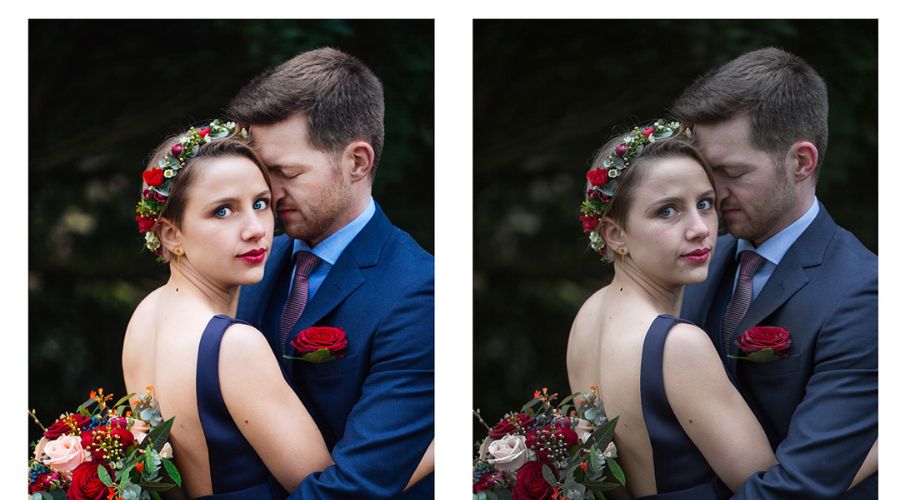
Wedding retouching can keep attention on expressions, improve coherence between related photographs, and prepare important images for larger prints. The goal is to resolve distractions without changing the people or the meaning of the moment.
Photo editing is the broader process of preparing images for delivery; retouching usually describes more selective corrections within that process. A gallery may need exposure and color adjustments throughout, while only selected portraits need detailed skin, hair, or background work. Agree on the scope rather than relying on package labels alone.
>>> See more: Photo Editing and Retouching: Benefits, Techniques, and Best Services
Benefits of Wedding Photo Retouching (Source: Internet)
How To Retouch Wedding Photos?
A useful wedding photo retouching workflow separates gallery preparation from detailed corrections and final delivery. The five steps below provide a practical sequence; use an approved sample and check each lighting group before applying adjustments to the full selection.
Step 1. Cull And Organize The Best Images
Before retouching begins, review the entire wedding gallery and select only the strongest images.
Key tasks include:
- Import and back up all RAW files to an external drive or cloud storage.
- Review blurred frames, duplicates, and composition problems against the delivery brief; retain meaningful moments for assessment before rejecting them.
- Organize selected images into folders based on ceremony, reception, portraits, and candid moments.
- Flag hero images that require advanced retouching.
Efficient culling reduces editing time and ensures attention is focused on the photographs clients value most.
Keep source files separate from working copies and exports. Verify that backups can be opened, use stable filenames, and identify the person who approves the final selection. Mark priority album images so detailed retouching is assigned intentionally rather than applied equally to every candid photograph.
Step 2. Apply Global Color And Exposure Adjustments
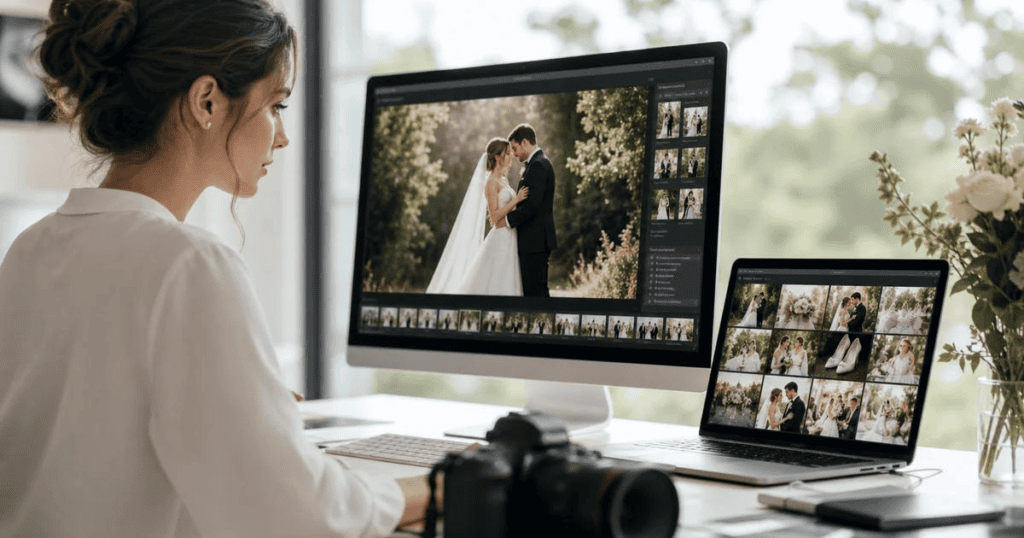
Once the final selection is complete, perform batch edits in Adobe Lightroom or similar software to establish a consistent visual style across the gallery.
Common adjustments include:
- Correct exposure and white balance.
- Balance highlights and shadows.
- Enhance overall contrast and color.
- Use an approved preset as a starting point, then adjust it for the camera, scene, and lighting.
- Crop and straighten compositions.
- Synchronize settings across images captured under similar lighting conditions.
These global edits create a polished foundation before moving on to detailed portrait enhancements.
Choose a reference image for each lighting group. Check facial brightness, dress detail, dark clothing, and color casts before synchronizing settings. Do not assume that masks or crops will align across frames when the subject or camera moves.
Review related images together. A consistent gallery can preserve a warm reception and a brighter outdoor session; it does not require every scene to have the same brightness or color temperature.
Step 3. Perform Detailed Portrait Retouching
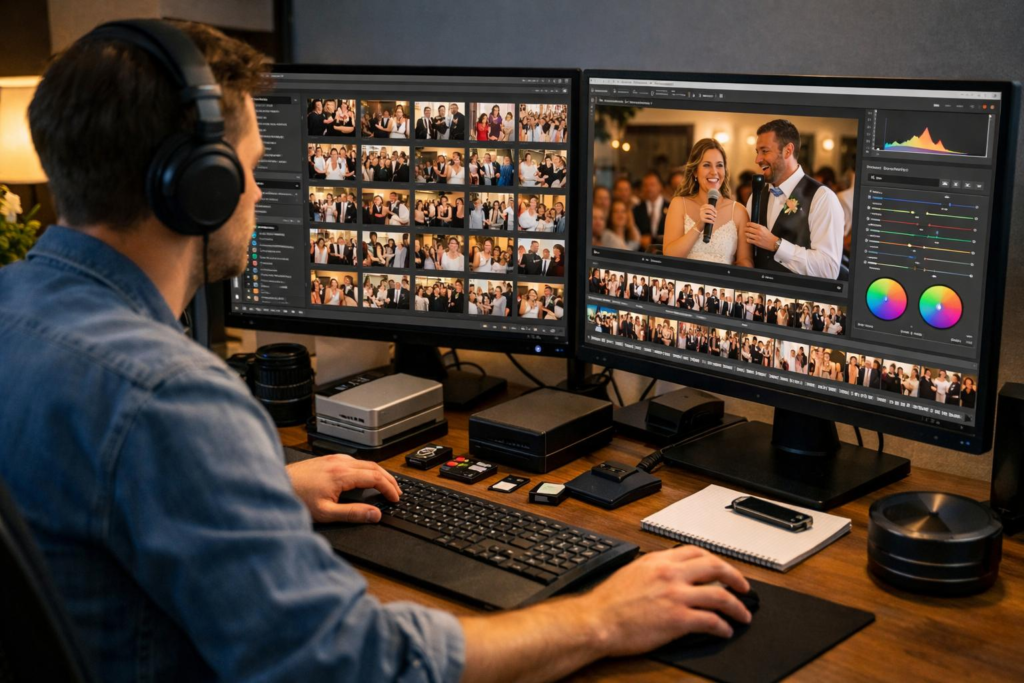
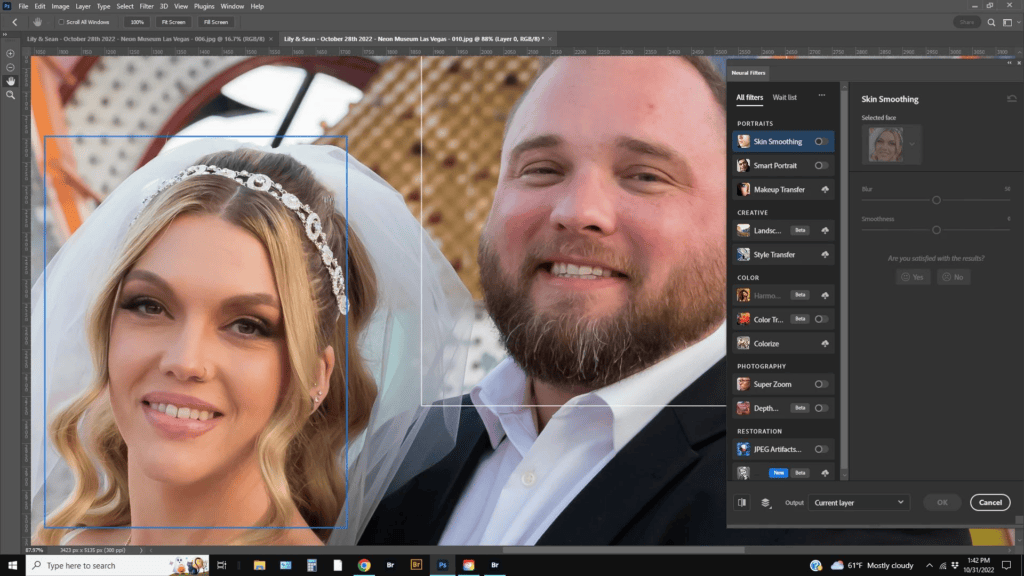
Use Adobe Photoshop or other professional editing tools for high-end wedding photography retouching on key portraits.
Typical retouching tasks include:
- Remove temporary blemishes, acne, and skin imperfections.
- Smooth skin while preserving natural texture.
- Reduce distracting under-eye shadows or soften lines only to the level agreed in the portrait brief.
- Adjust makeup or facial shine when needed.
- Whiten teeth and brighten eyes subtly.
- Tidy stray hairs and refine clothing details.
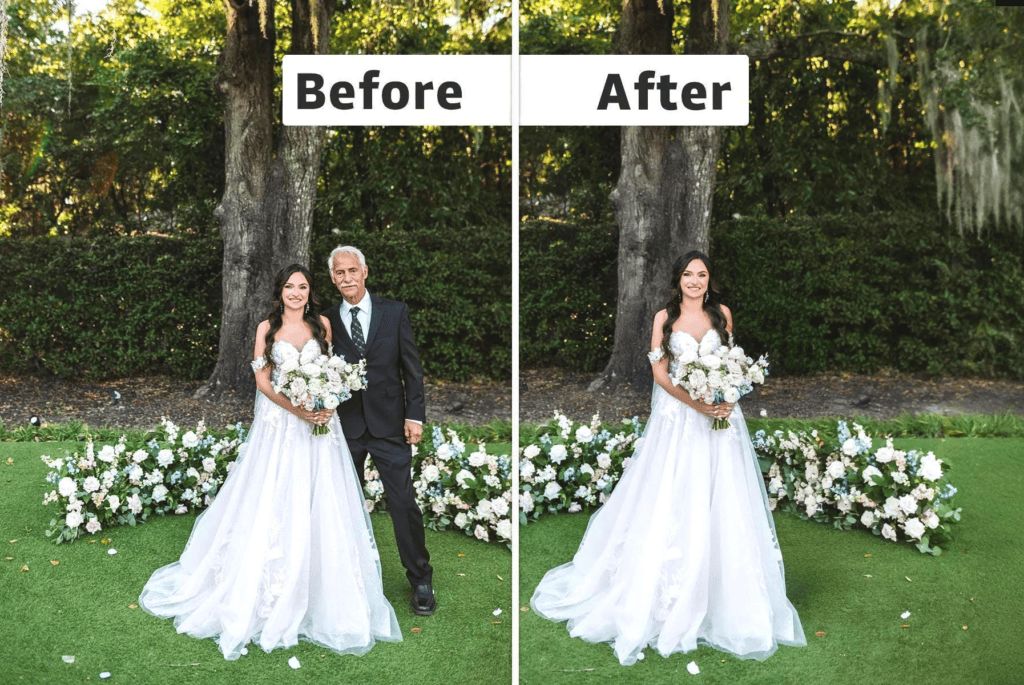
- Remove distracting background objects or unwanted people.
- Correct shadows and improve lighting around the bride and groom.
- Enhance important details such as wedding rings, bouquets, and dresses.
- Combine suitable source frames for an approved group portrait only after checking expressions, perspective, lighting, and the client’s preferences.
The goal is to enhance each image naturally rather than dramatically altering a person’s appearance.
Inspect portraits close-up and at normal viewing size. Watch for repeated texture, smeared pores, blurred eyelashes, or brightened eyes and teeth that no longer fit the lighting. Compare the result with the original periodically, and preserve permanent features unless a change has been requested.
Adobe’s portrait lesson demonstrates selective adjustments, while its Lightroom Classic guidance explains close inspection for sharpening and noise reduction. Apply those techniques to specific problems rather than treating every face with the same strength. [1][2]
>>> See more:
- AI Image Processing Tools: Top 10 for Automation In 2026
- How To Make A Clipping Path In Illustrator (Step-By-Step)?
- 13 Street Style Photo Editing Steps In Lightroom For Professional Results
Step 4. Enhance The Background And Overall Composition
After portrait retouching, refine the surrounding environment to make the couple stand out.
This may include:
- Removing distracting objects.
- Replacing or extending backgrounds only when specifically requested and approved.
- Enhancing skies and landscapes.
- Improving depth and subject separation.
- Adjusting colors for a more harmonious composition.
- Creating silhouettes or artistic effects for selected images.
These refinements help produce cleaner, more visually compelling wedding photographs.
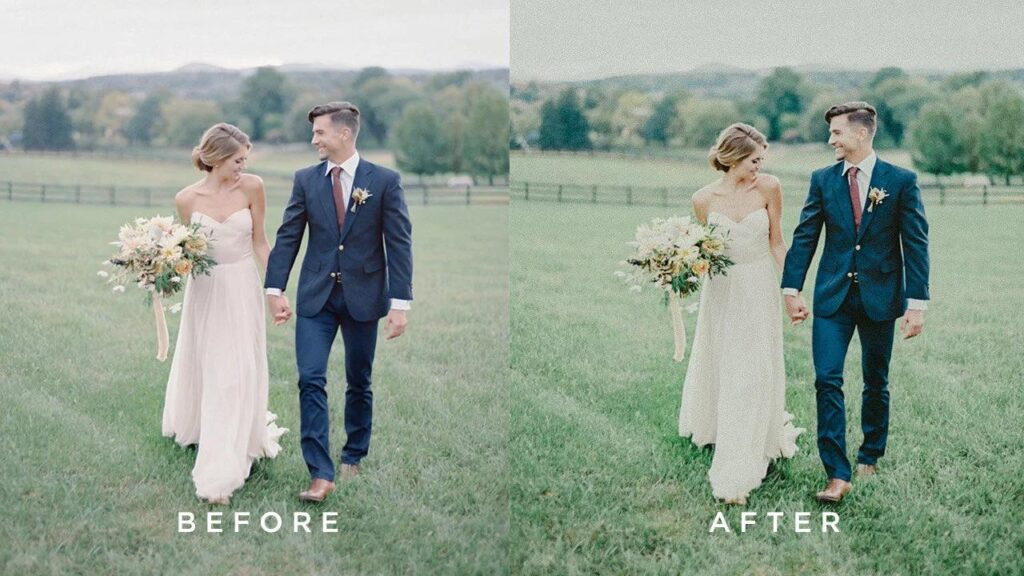
After object removal, inspect repeating textures, architectural lines, shadows, and reflections. Pay particular attention to transparent veils, lace, hair, and overlapping hands. If a repair cannot be made convincing with the available source material, flag the limitation before delivery.
For AI-assisted edits, check for altered fingers, missing jewelry, invented text, or changes to nearby faces. Keep the original version and obtain approval for substantial changes such as head swaps, person removal, or sky replacement.
Step 5. Export And Deliver The Final Gallery
Before delivering the gallery, review every edited image to ensure consistency in color, exposure, and retouching quality.
Export images in the appropriate formats for:
- High-resolution printing
- Online galleries
- Social media sharing
- Wedding albums
Maintaining a consistent editing style throughout the collection creates a professional final presentation and enhances the client’s overall experience.
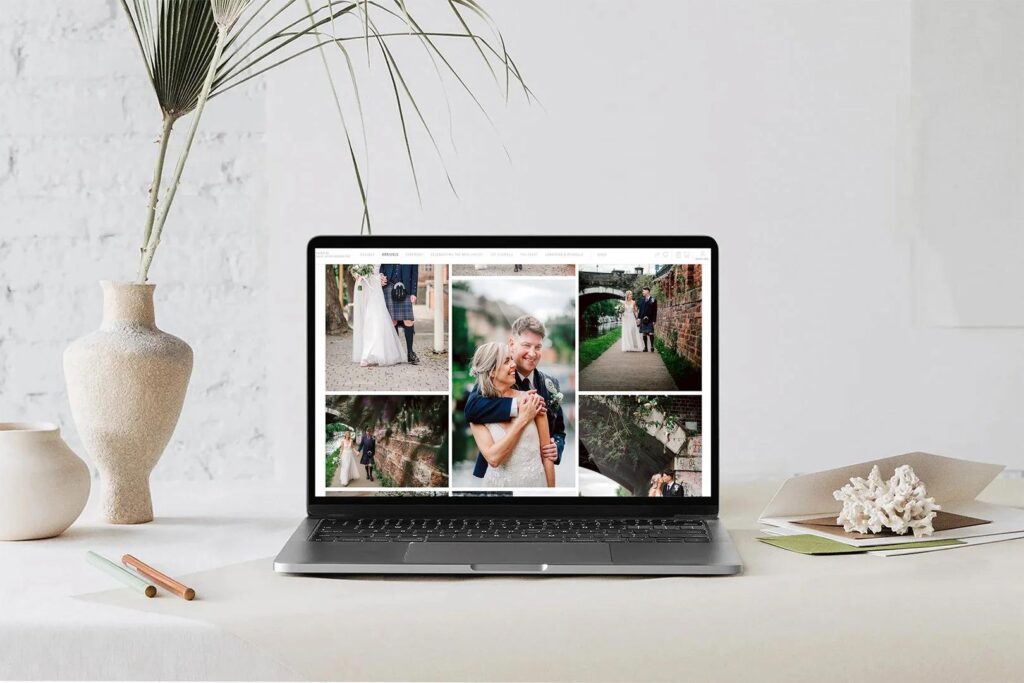
Agree on output requirements before export: file format, pixel dimensions, color profile, naming, and required versions. Adobe documents these export controls, including output sharpening and metadata. Match the settings to the gallery platform or print lab. [3]
JPEG with an embedded sRGB profile is a practical starting point for many web galleries, subject to the platform’s requirements. For prints, obtain the lab’s specifications. Changing a pixels-per-inch label alone does not increase the pixel count or recover missing detail.
Open exported files to check appearance, orientation, and dimensions. Reconcile the file count against the approved selection, review location metadata preferences, and keep a clear record of revisions.
>>> See more:
- Top 10 Photo Editing Services Online In 2026: Comparison & Review
- E-commerce Photo Editing Services: Top Companies & Solutions For Online Stores
- Top 7 Ecommerce Product Photo Retouching Services Compared
A Practical Wedding Retouching Example
Consider a hypothetical gallery with outdoor portraits, a mixed-light ceremony, and a dark reception. Select a reference for each group, establish the overall style, and flag album portraits for detailed work. This is an illustrative workflow, not a DIGI-TEXX client case or a measured result.
For one portrait, the approved brief might request removal of a temporary blemish and a bright background distraction while retaining freckles, dress texture, and the sunset color. Compare the edited image with the source at normal size and close-up. Confirm that the repair is unobtrusive and that the people still look like themselves before applying the approach to similar images.
Quality Checklist Before Delivery
Review the gallery against the approved sample and delivery brief before releasing the final files.
| Check | Acceptance question |
| Skin and identity | Are natural texture and requested permanent features preserved? |
| Color and exposure | Do related frames match the approved reference without losing the scene’s atmosphere? |
| Repairs and composites | Are edges, hands, veils, reflections and repeating patterns convincing? |
| Gallery completeness | Do filenames and delivered file counts match the approved selection? |
| Export | Are dimensions, profile, format and output versions correct? |
| Approval | Are unresolved edits flagged and revisions approved? |
Wedding Photography Retouching Services By DIGI-TEXX
The three work categories below provide a starting point for discussing a wedding project with DIGI-TEXX. Confirm the included tasks, sample approval, delivery requirements, and revision terms in the quotation rather than assuming that every listed technique is included in a standard package.
Standard Editing
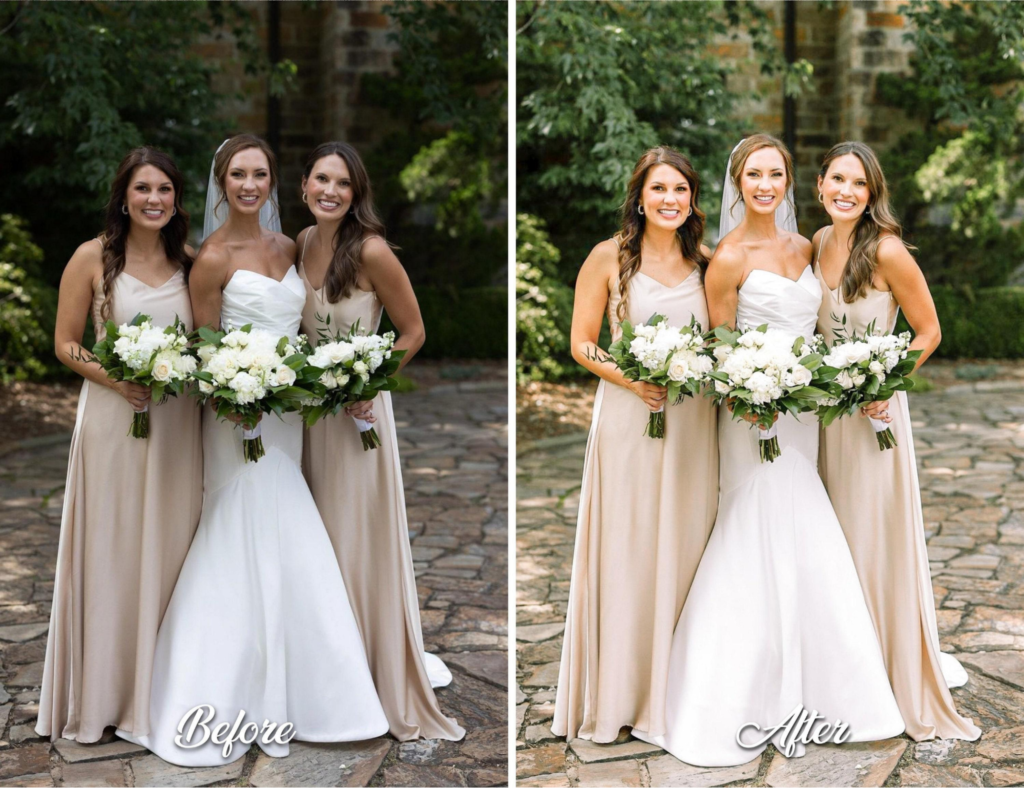
Standard editing focuses on gallery-wide technical corrections and a coherent visual direction. It may suit a photographer who needs help preparing a selected set while retaining creative approval. Confirm the required turnaround and review process for the actual volume.
DIGI-TEXX applies professional editing techniques to improve overall image quality while preserving the authenticity of each wedding moment.
Tasks to discuss for the standard-editing scope:
- Image culling and organization
- Exposure and white balance correction
- Color correction and color grading
- Brightness, contrast, and saturation adjustments
- Crop, straighten, and resize images
- Noise reduction and sharpening
- HDR blending only where suitable source exposures are available and the treatment is requested.
- Tone curve optimization
- Batch editing for consistent results
Best for: Full wedding galleries, event photographers, and studios requiring fast turnaround with consistent quality.
Creative Manipulation
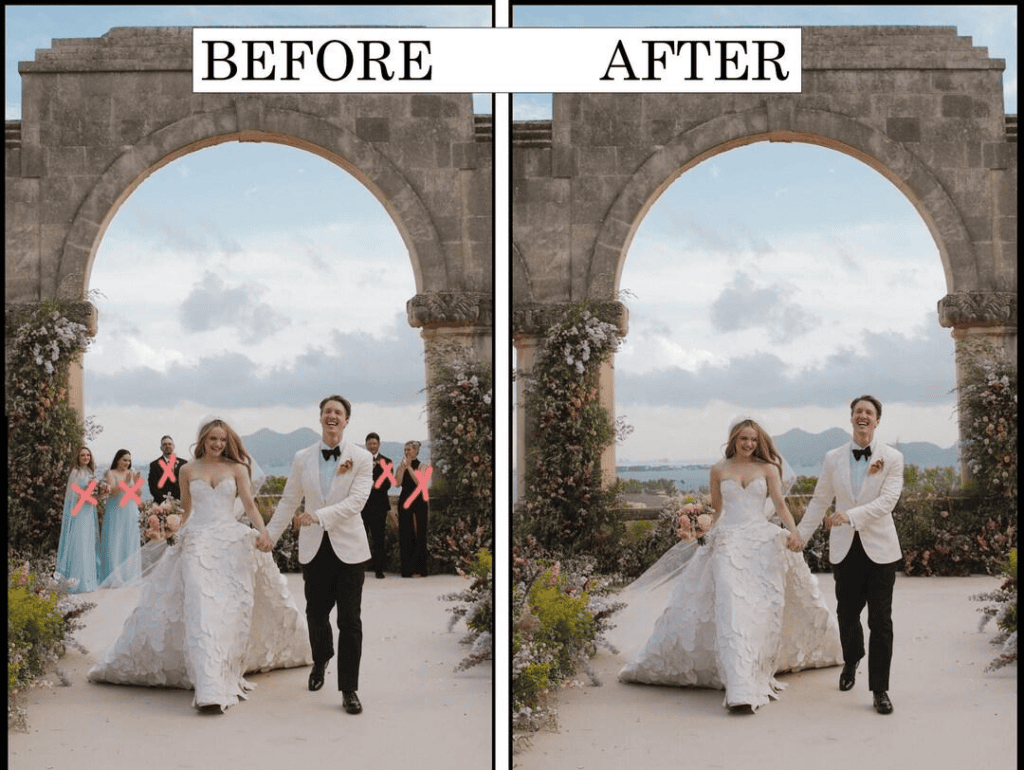
Creative Manipulation transforms wedding photographs into visually striking works of art. Instead of simply correcting imperfections, this service enhances storytelling by refining compositions, removing distractions, and adding creative elements that elevate the emotional impact of each image.
Creative edits should be checked for believable lighting, perspective, and edge quality. Request an early proof for complex changes and agree on which alterations need explicit approval.
Tasks to confirm in the project scope:
- Background replacement or enhancement
- Object and distraction removal
- Removing or adding people
- Sky replacement
- Photo compositing
- Head swaps for group photos
- Combining multiple images
- Selective blur effects
- Cinematic, vintage, or black-and-white color styling
- Creative lighting and atmospheric effects
- Artistic enhancements for albums and wall art
Best for: Hero images, wedding albums, promotional portfolios, fine art prints, and editorial-style wedding photography.
Advanced Retouching
Advanced retouching addresses selected close-up portraits and images intended for prominent display. Specify the details requiring attention and the features that must remain unchanged, then approve a representative sample before processing the full set.
Ask which parts of the proposed workflow use manual techniques or automated tools, and how the result is reviewed. Acceptance should depend on the approved visual brief and quality checks, not an unverified claim that every adjustment is performed manually.
Tasks to confirm in the project scope:
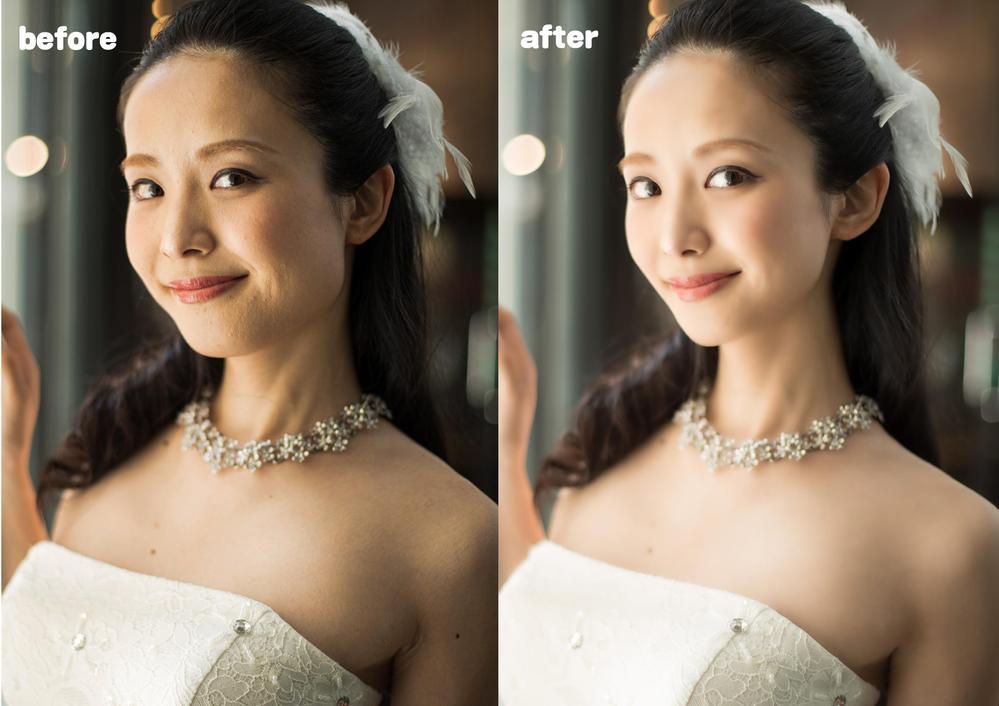
- Natural skin smoothing
- Temporary blemish cleanup; changes to scars or other permanent features only when requested.
- Under-eye circle reduction
- Teeth whitening
- Eye enhancement
- Makeup refinement
- Stray hair cleanup
- Glasses glare removal
- Wedding dress and veil enhancement
- Jewelry retouching
- Clothing wrinkle removal
- Body-shape adjustments only where explicitly requested and approved.
- Shadow correction
- Portrait lighting enhancement
Best for: Bridal portraits, groom portraits, engagement sessions, album covers, magazine-quality images, and premium wedding collections.
>>> See more:
- 25 Popular Photo Editing Styles In Photography For Stunning Images
- Best Product Photo Editing Services For eCommerce: Top Providers Compared
- How To Master Portraits Photo Editing: 10 Best Tools, Tips & Step-By-Step Guide
What’s Included In DIGI-TEXX’s Wedding Photography Retouching Services?
The following areas can be included in a wedding retouching brief. Confirm each requirement with DIGI-TEXX, provide approved references, and identify any excluded changes. The published photo retouching services page describes relevant capabilities such as skin retouching, color correction, and background enhancement. [4]
Enhance Natural Skin Tones
Specify the desired level of temporary skin cleanup while preserving texture and recognizable features. Compare faces with necks, shoulders, and hands to avoid local mismatches. Different people should retain their own skin tones rather than being adjusted to one uniform appearance.
Balance Lighting And Exposure
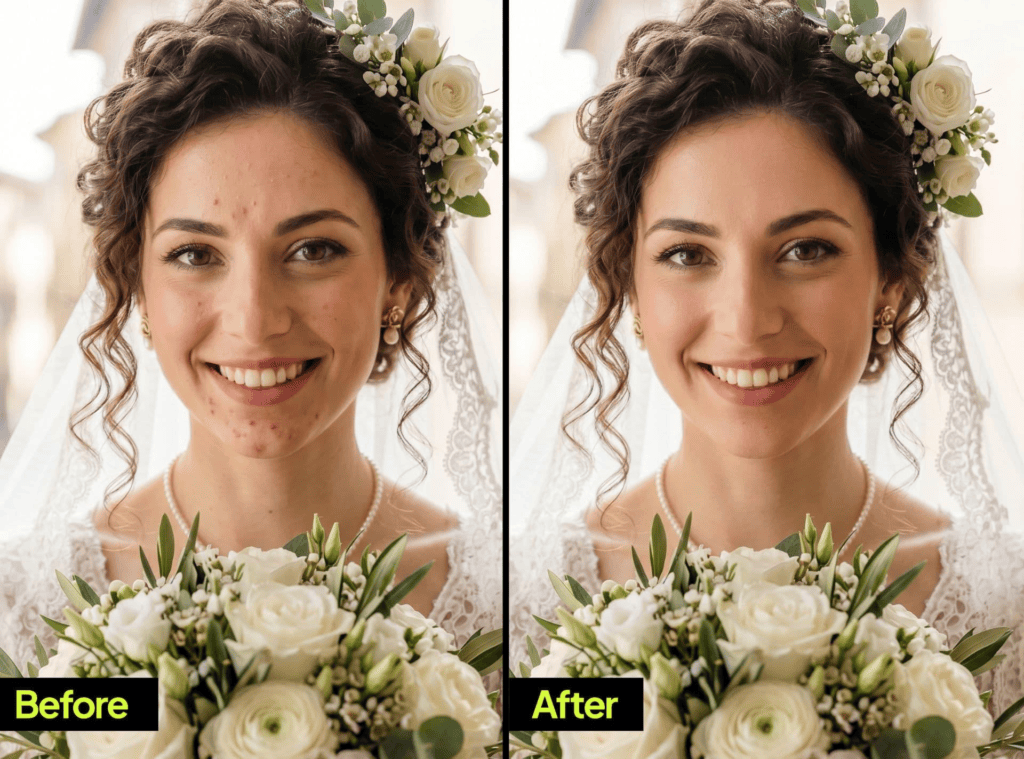
Wedding venues can include dim reception lighting and harsh outdoor sunlight. Balance the subject while preserving the intended mood, and check dress highlights and shadow detail. Where the source contains clipped or missing detail, explain the limitation rather than promising complete recovery.
Refine Every Important Detail
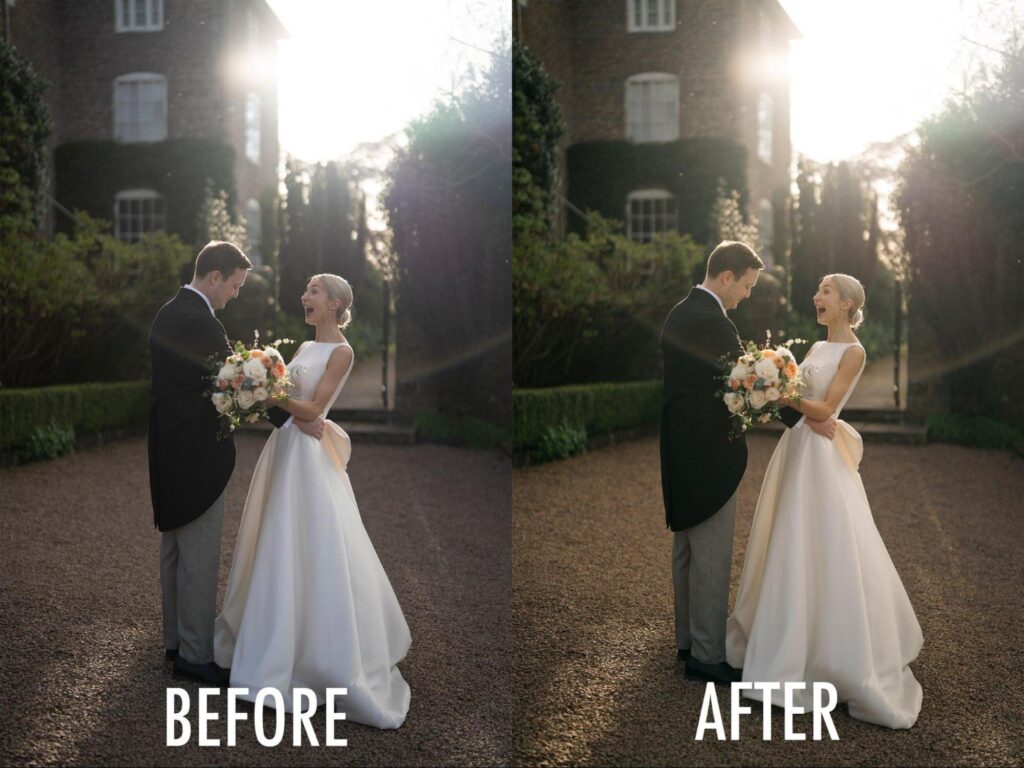
Attention to detail distinguishes professional retouching from basic editing. We enhance bridal gowns, veils, jewelry, bouquets, hairstyles, and facial features while removing minor distractions that could draw attention away from the couple.
Clean Up Background Distractions
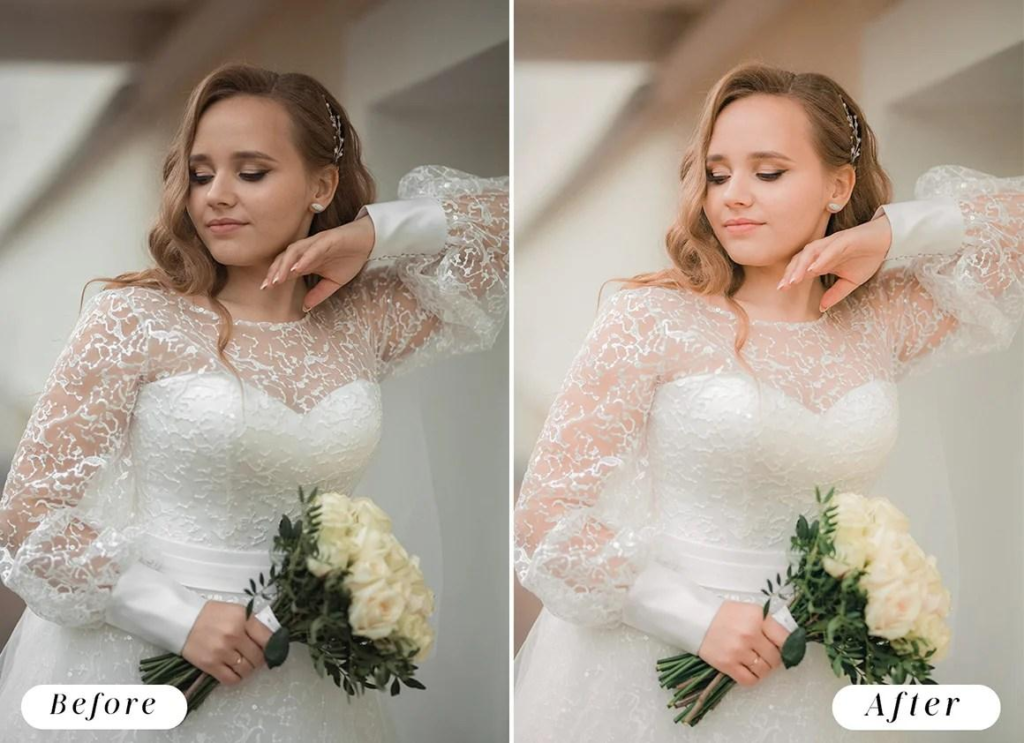
Identify background elements approved for removal. Inspect repaired areas for broken lines, repeated patterns, mismatched shadows, and damage to fine edges. Larger removals or changes to the scene may require a separate estimate and approval.
Create Rich, True-to-Life Colors
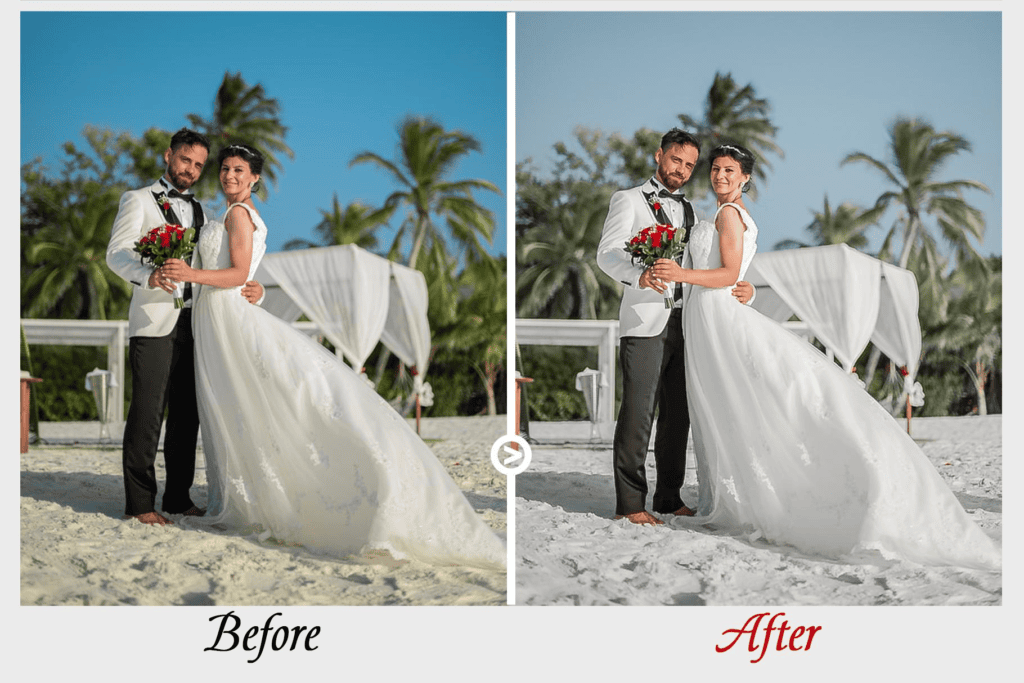
Color consistency is essential for telling a cohesive wedding story. We adjust white balance, contrast, and color grading to produce vibrant yet natural tones that complement each photographer’s signature style.
>>> See more:
- Top 10 Free Photo Retouch Tools Online In 2026
- What Is A Clipping Path? Learn To Use Professional Image Isolation
- Top 10 Best Free AI Photo Retouching Tools Online In 2026
Deliver Consistent Results Across Every Image
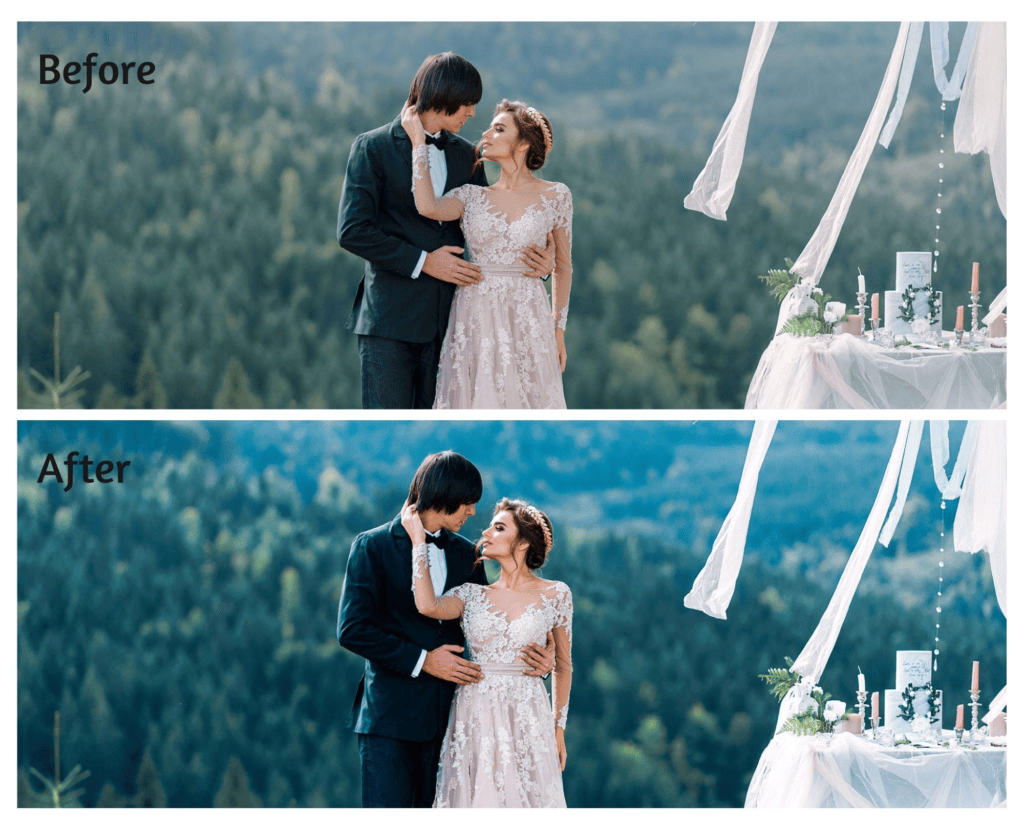
Define a review process for the actual gallery rather than relying on a general volume claim. Approve sample images from each lighting group, check comparable frames together, and assign an owner for exceptions and revisions. Request evidence of the team’s available capacity and agreed delivery schedule before production.
Common Challenges In Wedding Photography Retouching
Wedding photography retouching presents unique challenges due to varying lighting conditions, large image volumes, and the need to maintain a natural, consistent look. Addressing these issues requires both technical expertise and an efficient workflow.
Mixed Lighting
Mixed daylight, tungsten, LED, and flash can affect different parts of a frame differently. Establish a reference for the main subject, correct local casts where appropriate, and check the result across nearby frames. A single global white-balance adjustment may not resolve every light source.
Low-Light Reception Photos
Reception photos are frequently captured in dim lighting, which can introduce noise, reduce sharpness, and affect color accuracy. Careful exposure adjustments and noise reduction help restore image quality while preserving detail.
Evaluate noise reduction against the loss of fine detail, particularly in faces, hair, and clothing. View the result at normal size as well as close-up. Sharpening can improve edge contrast but should not be presented as reliable recovery of severely missed focus or motion blur.
Skin Tone Consistency
Different lighting conditions can make skin tones appear uneven from one photo to another. Professional retouching ensures natural, consistent skin tones throughout the wedding collection.
Compare the same person across similar lighting conditions, then inspect local adjustments for abrupt transitions. Preserve differences between people and retain the atmosphere of each scene; consistency does not mean identical skin color throughout the gallery.
Large Wedding Galleries
A single wedding can produce hundreds or even thousands of photos. Maintaining consistent editing quality across a high-volume gallery while meeting client expectations is one of the biggest post-production challenges.
Separate routine corrections from detailed portrait work. Use approved reference files, stable filenames, and batch reconciliation to prevent missing or duplicated deliveries. Review synchronized adjustments individually rather than assuming that one successful sample validates the entire batch.
Tight Delivery Deadlines
Agree on sample approval, priority-image delivery, full-gallery delivery, and revision deadlines. Build review time into the schedule and confirm how the team handles late source files or additional edits. Outsourcing may help with workload, but the schedule still depends on the agreed scope and available capacity.
>>> See more:
- 7+ Best Photo Editing Apps For Android And iPhone (2026 Guide)
- Birthday Editing Online Free: Tools, Frames & Creative Ideas
FAQs About Wedding Photography Retouching
What Is The Difference between Wedding Photo Editing And Wedding Photo Retouching?
The main difference between wedding photo editing and wedding photo retouching is the level of enhancement. Wedding photo editing focuses on global adjustments that improve the overall image, such as color correction, white balance, exposure, cropping, and contrast. These edits are typically applied consistently across the entire wedding gallery.
Wedding photo retouching addresses selected details such as temporary blemishes, stray hairs, clothing distractions, or background repairs. It can involve manual and automated tools, with review against an agreed brief. Detailed work is often concentrated on key portraits and album images, while the full gallery receives a consistent base edit.
| Feature | Wedding Photo Editing | Wedding Photo Retouching |
| Purpose | Improve the overall look | Refine selected details |
| Scope | Entire photo gallery | Individual photos |
| Common tasks | Color correction, exposure, white balance, cropping | Skin retouching, object removal, background cleanup |
| Time required | Often less work per image; scope dependent | May require more work per image; scope dependent |
| Best for | The agreed gallery selection | Hero images and close-up portraits |
Should Photographers Outsource Wedding Photo Retouching?
Outsourcing may help when editing demand exceeds the photographer’s available time or selected images need specialist work. It is not automatically the best option for every project. Compare the time saved with the effort required for briefing, sample approval, review, and revisions.
Test a representative sample covering different lighting conditions and skin tones. Agree on excluded changes, file transfer, retention, portfolio-use permission, delivery dates, and revision limits. A hybrid workflow can keep selection and final creative approval with the photographer while delegating defined editing tasks.
How Much Does Wedding Photography Retouching Cost?
The earlier draft cited “2 per image” for basic work and “10+ per image” for advanced work. The currency, scope and original source were not supplied. Keep these figures as research notes pending verification; they are not a current DIGI-TEXX quotation.
Wedding photo retouching costs depend on image count, complexity, source quality, required outputs, turnaround, and revision scope. Request separate prices for gallery correction, detailed portrait work, and complex composites.
Provide representative files and confirm whether setup, culling, urgent delivery, extra versions, and rework are included. Obtain a current quotation with a defined currency and unit of work rather than relying on an unsourced price range.
Do All Wedding Photos Need Detailed Retouching?
No. Many candid images need only an appropriate base edit. Prioritize detailed work where it serves the intended use, such as close-up portraits, album spreads, or a specific distraction.
Can Retouching Fix Blurry or Overexposed Photos?
It depends on the source. Some problems can be improved, but severe blur, missed focus, and clipped detail may limit the result. Request a sample assessment rather than assuming that missing information can be recovered.
How Can You Preserve Natural Skin Texture?
Use targeted corrections, compare the result with the original, and check both close-up and at normal viewing size. Avoid broad smoothing that erases pores or softens nearby hair and eyes. Agree on permanent features that must remain unchanged.
Can an Unwanted Person Be Removed?
Sometimes, depending on overlap, background detail, and available source frames. Confirm the requested change and review the repair carefully, especially near veils, hands, or other people.
Is AI Retouching Enough for a Full Gallery?
AI-assisted tools can support selected tasks, but outputs still need review. Inspect faces, hands, jewelry, clothing, and repaired backgrounds, and confirm acceptable tool use and data handling with any external editor.
What Files Should You Send to a Retouching Service?
Confirm the required source format and compatibility before uploading a full project. The brief may include RAW files or high-resolution masters, reference edits, and image-specific instructions. Agree on the format of returned work and the transfer method.
How Long Does Wedding Retouching Take?
Timing depends on volume, complexity, briefing, approval, and revisions. Ask for separate dates for sample approval, priority photographs, and the completed gallery; do not assume a universal turnaround.
Sample Brief for a Wedding Retouching Project
Use this example to agree the scope before full production. Replace these entries with your project requirements.
| Brief item | What to specify |
| Selection | Image count, priority portraits and approved filenames |
| Visual style | Reference edits for daylight, ceremony and reception |
| Allowed edits | Temporary blemishes, stray hairs and named background distractions |
| Excluded changes | Features to retain; approval for reshaping, person removal or composites |
| Files and privacy | Source/return formats, transfer access, retention and portfolio-use permission |
| Delivery | Sample, priority and final-gallery dates; revision scope |
| Pricing | Currency, per-image/task unit, complexity tiers and extras |
Discuss Your Wedding Editing Requirements with DIGI-TEXX
Review DIGI-TEXX’s photo retouching services and photo editing services, then share representative files, the intended style, priority portraits, image volume, and output requirements. Ask for a sample and a scoped quotation, and approve the acceptance criteria before full production. [4][5]
DIGI-TEXX Contact Information:
🌐 Website: https://digi-texx.com/
📞 Hotline: +84 28 3715 5325
✉️ Email: [email protected]
🏢 Address:
- Headquarters: Anna Building, QTSC, Trung My Tay Ward
- Office 1: German House, 33 Le Duan, Saigon Ward
- Office 2: DIGI-TEXX Building, 477-479 An Duong Vuong, Binh Phu Ward
- Office 3: Innovation Solution Center, ISC Hau Giang, 198 19 Thang 8 street, Vi Tan Ward
Reference:
[1] Adobe — Improve a portrait: https://www.adobe.com/learn/lightroom-cc/web/portrait-retouching
[2] Adobe — Retouch photos in Lightroom Classic: https://helpx.adobe.com/lightroom-classic/desktop/process-and-develop-photos/retouch-photos.html
[3] Adobe — Export files from Lightroom Classic: https://helpx.adobe.com/lightroom-classic/desktop/export-photos/export-files-disk-or-cd.html
[4] DIGI-TEXX — Photo Retouching Services: https://digi-texx.com/image-processing-services/photo-retouching-services/
[5] DIGI-TEXX — Photo Editing Services: https://digi-texx.com/image-processing-services/photo-editing-services/