Document digitalization is transforming how businesses capture, process, store, and use information from paper-based records. Instead of simply converting paper files into a digitized format, modern solutions can extract structured data, automate workflows, and connect digitized documents with business systems.
This article from DIGI-TEXX explains the document digitization process, key technologies, benefits, costs, best practices, and how to choose a suitable document digitization system for effective document management and digitization.
>>> See more:
- What is Automated Document Processing and How Does It Work?
- Automated Invoice Processing: How It Works, Benefits & Best Software
- What Is Digitization Service? Common Types of Digitization Services
What Is Document Digitalization?
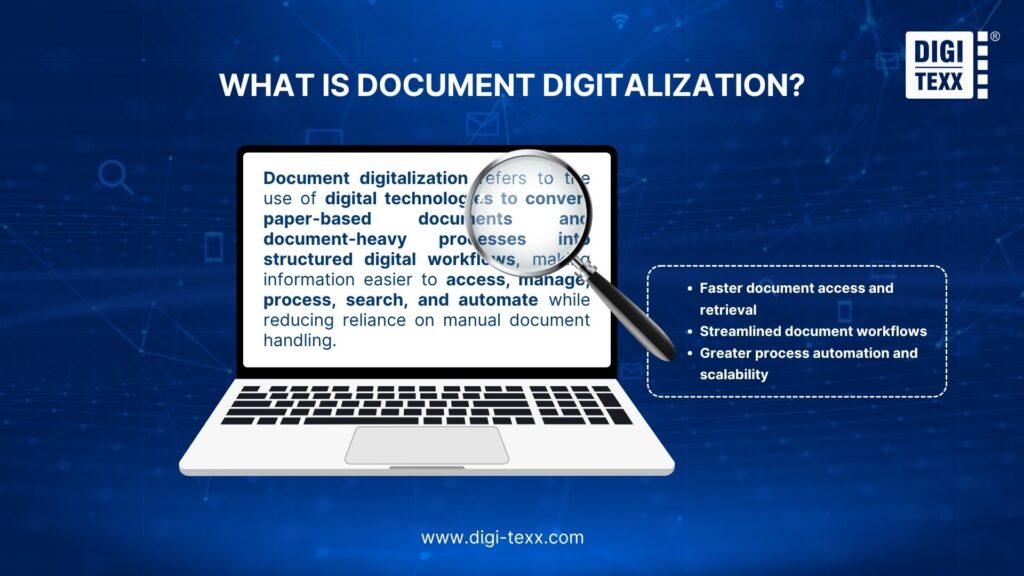
Document digitalization refers to using digital technologies to convert paper-based or document-heavy processes into digital workflows that are easier to access, manage, process, and automate.
For example, a paper invoice can be scanned, converted into a searchable digital file, processed with OCR, classified as an invoice, and have fields such as invoice number, supplier, date, and total amount extracted into structured data. That information can then be validated and transferred to an accounting or ERP system.
The distinction matters because a scanned document is only the starting point. A digitalization project aims to make the information inside documents usable within business processes, rather than simply creating electronic copies.
Document Digitalization vs. Document Digitization
The terms digitization and digitalization are closely related but describe different stages.
- Document digitization generally means converting physical documents into digital representations. Scanning a paper contract into a PDF is a simple example.
- Document digitalization goes further by using those digital documents to improve how information is stored, accessed, processed, and incorporated into business workflows.
In practice, organizations may use the terms interchangeably, particularly when discussing scanning and document conversion services. However, distinguishing the two concepts can help enterprises define project objectives more accurately.
Document Digitalization vs. Document Scanning
Document scanning focuses primarily on capturing an image of a physical document. Document digitalization can include scanning but typically adds several processing stages:
| Document Scanning | Document Digitalization |
| Captures document images | Converts documents into usable digital information |
| Creates image files | Can create searchable and structured data |
| Limited automation | Supports classification and workflow automation |
| Primarily focused on capture | Covers capture, processing, storage, and use |
| May require manual indexing | Can automate indexing and metadata extraction |
For a small number of personal documents, scanning may be enough. For an enterprise archive, however, simply creating thousands of PDFs can leave employees with another problem: finding and using the information inside them.
>>> See more:
- Wedding Photo Editing Service | Elevating Your Wedding Photos
- Top AI Document Processing Tools to Automate Your Data Workflow
- Enterprise Document Management System: Top 13 Solutions & Features 2026
How Does Document Digitalization Work?
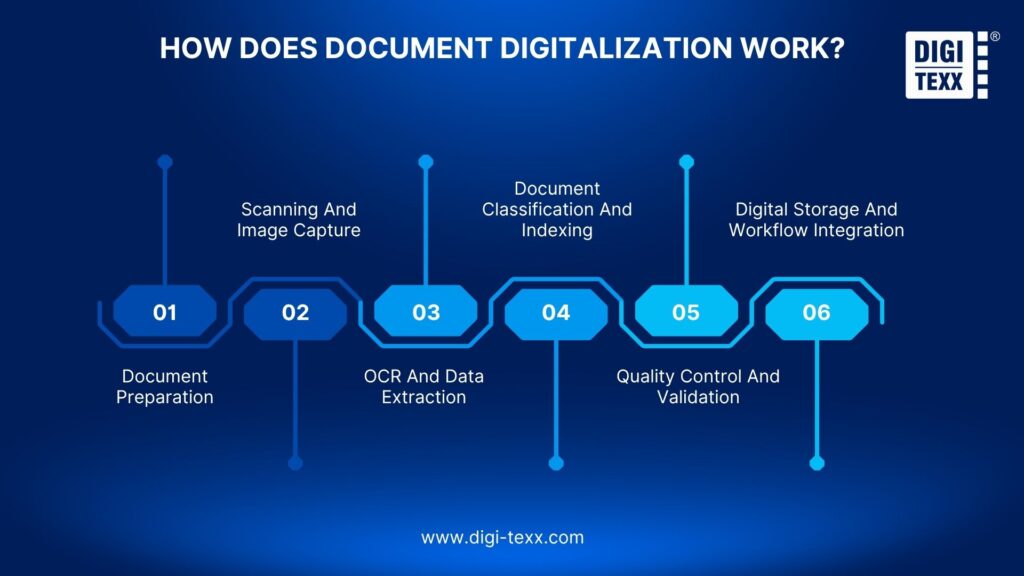
A typical document digitization process consists of six stages.
Document Preparation
Before scanning, documents are sorted and prepared. Staples, clips, duplicates, damaged pages, and irrelevant materials may need to be removed. Documents should also be grouped according to type, condition, language, retention requirements, and processing priority.
Scanning And Image Capture
Paper records are converted into digital images using document scanners or other capture devices. Scanning quality matters because skewed pages, low resolution, faded text, shadows, and damaged documents can reduce OCR and extraction accuracy.
OCR And Data Extraction
OCR converts text within scanned documents into machine-readable information. Modern document processing can go further by extracting specific fields, tables, key-value pairs, and other business information. Microsoft describes OCR as a foundational technology for intelligent document processing, while its Document Intelligence service adds document structure and key-value extraction capabilities.
For example, an invoice can be processed to identify:
- Invoice number
- Supplier
- Invoice date
- Purchase order number
- Line items
- Tax
- Total amount
Document Classification And Indexing
Documents are classified according to their type and assigned metadata or indexing fields. A batch containing invoices, contracts, receipts, and purchase orders can therefore be separated and indexed for faster retrieval. Classification also allows different document types to follow different extraction and workflow rules.
Quality Control And Validation
Extracted information should be checked before it enters downstream systems.
Validation can include:
- Field-level confidence scores
- Business rules
- Reference-data checks
- Format validation
- Duplicate detection
- Human review of low-confidence records
This stage is particularly important for handwritten documents, poor-quality scans, unusual layouts, and sensitive records.
Digital Storage And Workflow Integration
Validated documents and data are stored in a document digitization system, DMS, cloud repository, or other enterprise platform. The extracted information can then be connected to ERP, CRM, accounting, claims, HR, or other applications through APIs and workflow integrations. Google Document AI, for example, supports document ingestion, processing, extraction, classification, splitting, and integration into cloud-based workflows.
>>> See more:
- How to Ensure Data Accuracy: Best Practices & AI Guide 2026
- Wedding Photography Retouching: Professional Techniques & Services
What Are the Benefits Of Document Digitalization?
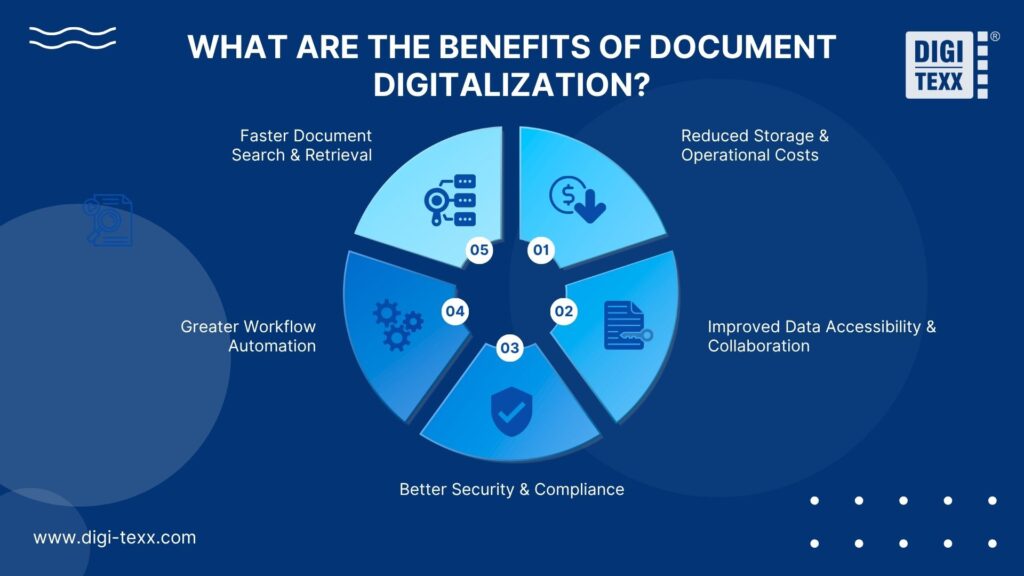
Document digitalization delivers practical benefits beyond simply replacing paper files with digital copies. By making information easier to find, access, secure, and process, it can improve everyday operations while creating a foundation for greater workflow automation.
Faster Document Search And Retrieval
Indexed digitized documents can be searched by keywords, metadata, document type, date, customer, invoice number, or other fields. This reduces the time employees spend locating information in physical archives or disconnected folders.
Reduced Storage And Operational Costs
Digital records reduce dependence on physical storage space, paper handling, manual filing, and document retrieval. For large archives, the savings can extend to warehouse storage, document transportation, manual indexing, and repetitive data entry.
Improved Data Accessibility And Collaboration
Digital documents can be accessed by authorized employees across locations without physically moving paper files. This supports distributed teams, remote operations, and centralized document management.
Better Security And Compliance
A properly configured digital repository can provide role-based access, audit trails, encryption, retention rules, and controlled document access.
Security requirements should be defined before documents are migrated rather than added after the project is complete.
Greater Workflow Automation
Digitalization creates the data foundation for automation. Once information has been captured and structured, organizations can automate processes such as invoice processing, claims handling, customer onboarding, loan applications, and records management.
What Types Of Documents Can Be Digitized?
Document digitalization applies to almost any document collection where information needs to be preserved, accessed, or processed electronically.
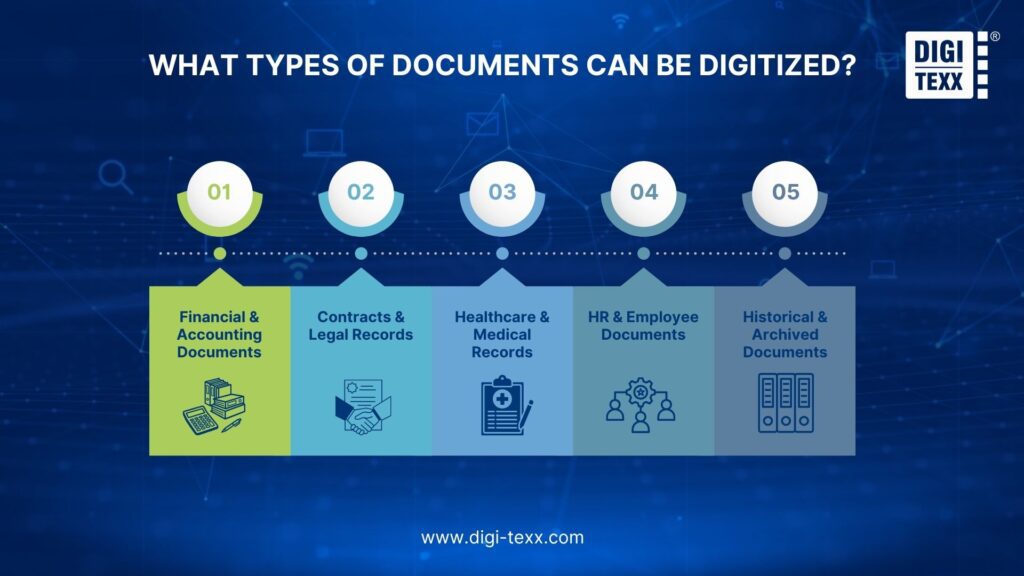
Financial And Accounting Documents
Common examples include:
- Invoices
- Receipts
- Bank statements
- Financial statements
- Tax documents
- Purchase orders
- Delivery notes
These documents can be digitized and connected to accounting or ERP workflows.
Contracts And Legal Records
Organizations can digitize:
- Contracts
- Agreements
- Legal forms
- Compliance records
- Property records
- Regulatory documents
OCR and indexing make large legal archives easier to search and retrieve.
Healthcare And Medical Records
Healthcare organizations may digitize:
- Patient histories
- Medical forms
- Insurance documents
- Test results
- Claims documentation
Sensitive healthcare information requires appropriate access controls, retention policies, and security measures.
HR And Employee Documents
Examples include:
- Employment contracts
- Applications
- Payroll records
- Identification documents
- Leave forms
- Employee records
Digitization can centralize employee documentation and reduce manual filing.
Historical And Archived Documents
Older collections may include:
- Handwritten records
- Historical documents
- Registers
- Land records
- Research documents
- Architectural drawings
These materials can require image enhancement, specialized OCR/ICR, manual validation, or customized extraction. DIGI-XTRACT supports structured, semi-structured, and unstructured document types, including handwritten and historical records.
>>> See more:
- Top 10 Scanning Apps You Need: Turn Your Device Into a Portable Scanner
- Top 10 Automated Document Processing Software
Technologies Used In Document Digitalization
Document digitalization relies on several technologies that work together to convert documents into searchable, structured, and usable digital information.
Optical Character Recognition (OCR)
OCR converts printed text in scanned documents and images into machine-readable text. It enables systems to search document content, extract information, and reduce manual data entry. OCR is particularly useful for digitizing invoices, forms, contracts, receipts, statements, and archived records. However, traditional OCR primarily focuses on recognizing characters; it does not necessarily understand what the information means or how different fields relate to each other.
For example, OCR can recognize the text “Invoice No. 12345”, but additional document-processing technology is needed to identify 12345 as the invoice number and use it in a business workflow.
Intelligent Document Processing (IDP)
Intelligent Document Processing (IDP) extends OCR by combining text recognition with document classification, layout analysis, data extraction, validation, and AI-based document understanding.
An IDP system can determine whether a file is an invoice, purchase order, claim form, or contract, identify relevant fields, understand tables and relationships, and extract the information required by downstream applications.
This makes IDP particularly useful for documents with different layouts, formats, and levels of structure. Instead of simply creating searchable files, an IDP-enabled document digitization system can convert document content into structured data that supports automated processes.
Artificial Intelligence And Machine Learning
AI and machine learning improve document processing when documents vary significantly in format, language, layout, or content. Models can learn patterns across document collections and support tasks such as:
- Document classification: Identifying document types automatically.
- Data extraction: Locating and extracting relevant fields from different layouts.
- Handwriting recognition: Processing handwritten text where supported.
- Layout analysis: Identifying tables, sections, fields, headers, and other document elements.
- Confidence scoring: Assigning confidence levels to extracted information.
- Anomaly detection: Identifying unusual or inconsistent document data.
- Automated validation: Checking extracted information against predefined rules or reference data.
AI becomes particularly valuable when organizations process semi-structured and unstructured documents that cannot be handled effectively with fixed templates or predefined extraction rules alone.
Document Management Systems (DMS)
A Document Management System (DMS) manages digital records after they have been captured and processed. It provides the infrastructure needed to store, organize, retrieve, secure, and control digitized documents throughout their lifecycle.
Key DMS capabilities typically include:
- Centralized document storage
- Metadata and indexing
- Full-text search and retrieval
- Role-based access control
- Version management
- Audit trails
- Retention and document lifecycle management
- Workflow and approval management
A document digitization system and DMS serve different but complementary purposes. Digitization technologies convert documents into digital files and structured data, while the DMS provides the environment for storing, managing, securing, and retrieving that information.
For enterprise projects, integrating OCR, IDP, AI, and DMS technologies creates a complete workflow—from document capture and data extraction to long-term document management and business-process automation.
Top 5 Popular Document Digitization Software
The right tool depends on whether the project requires basic PDF conversion, enterprise document intelligence, automated extraction, or a combination of software and managed processing.
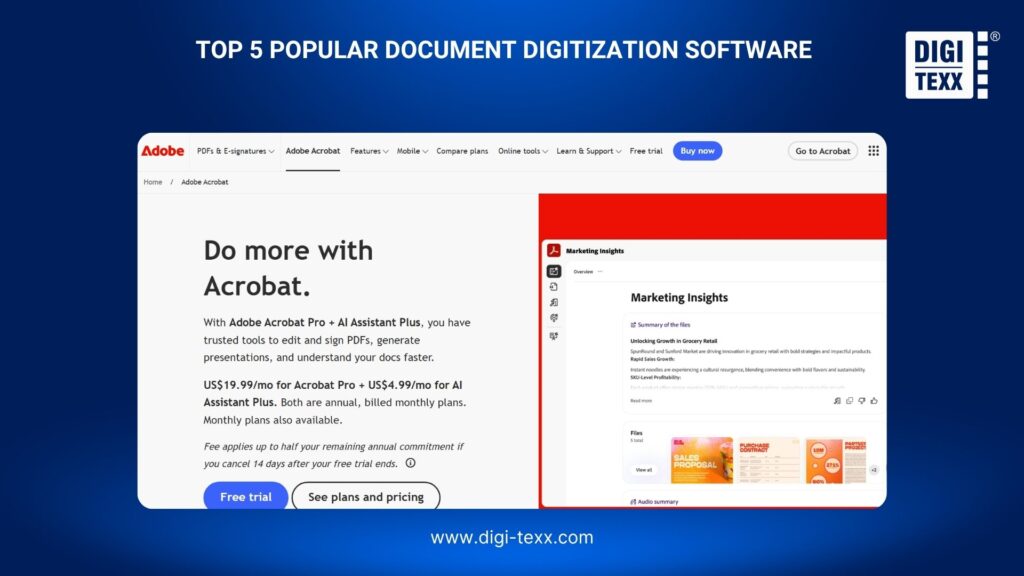
1. Adobe Acrobat
Adobe Acrobat is suited to organizations that primarily need to create, edit, convert, OCR, organize, and manage PDF documents.
- Strengths: PDF management, OCR, document conversion, editing, electronic signatures.
- Best suited for: Individual users and teams managing PDF-heavy workflows.
- Limitation: More advanced enterprise extraction and workflow automation may require additional technologies.
2. ABBYY Vantage
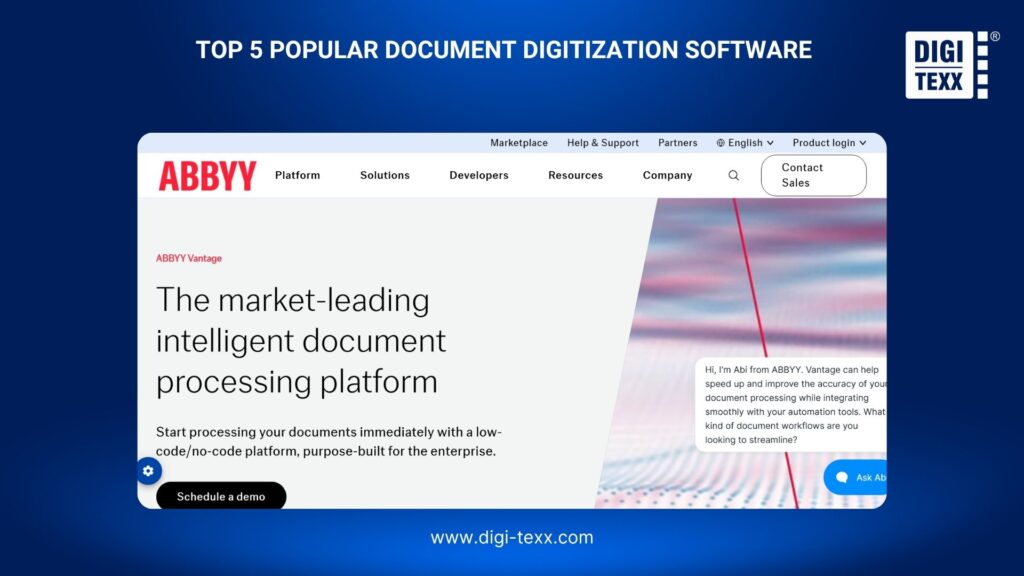
ABBYY Vantage is designed for enterprise document processing and intelligent extraction. It supports document classification, OCR/ICR, extraction, validation, and integration with business systems.
- Strengths: Enterprise IDP, OCR/ICR, classification, extraction, workflow integration.
- Best suited for: Enterprises processing large volumes of varied documents.
- Limitation: It may be more extensive than necessary for organizations that only need basic scanning or PDF OCR.
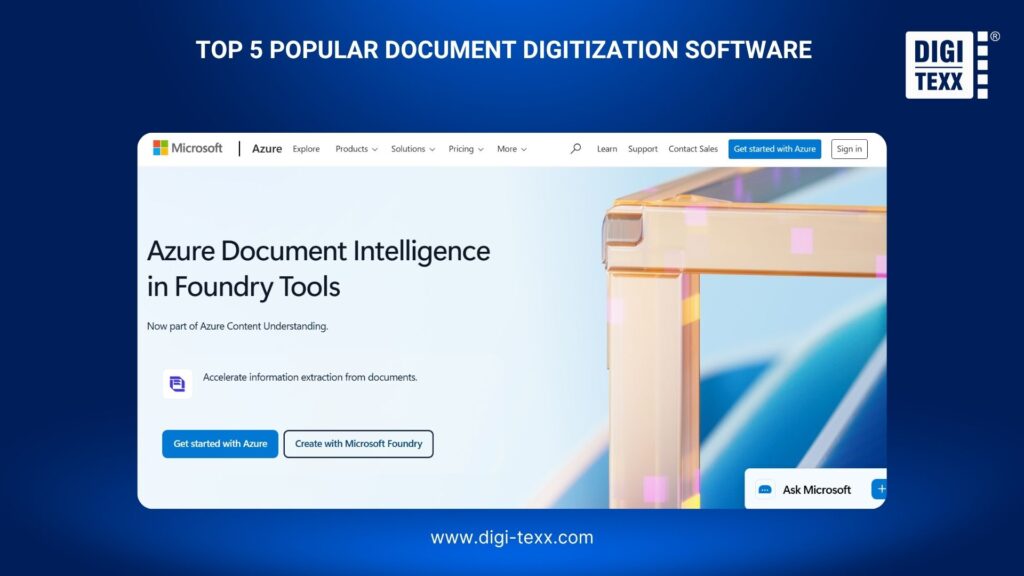
3. Microsoft Azure Document Intelligence
Azure Document Intelligence uses machine learning and OCR to extract text, tables, structure, and key-value pairs from documents. It also supports prebuilt and custom models.
- Strengths: APIs, prebuilt models, custom extraction, Azure integration.
- Best suited for: Development teams and enterprises building document processing applications on Azure.
- Limitation: Building a complete workflow may require additional Azure services and development resources.
4. Google Document AI
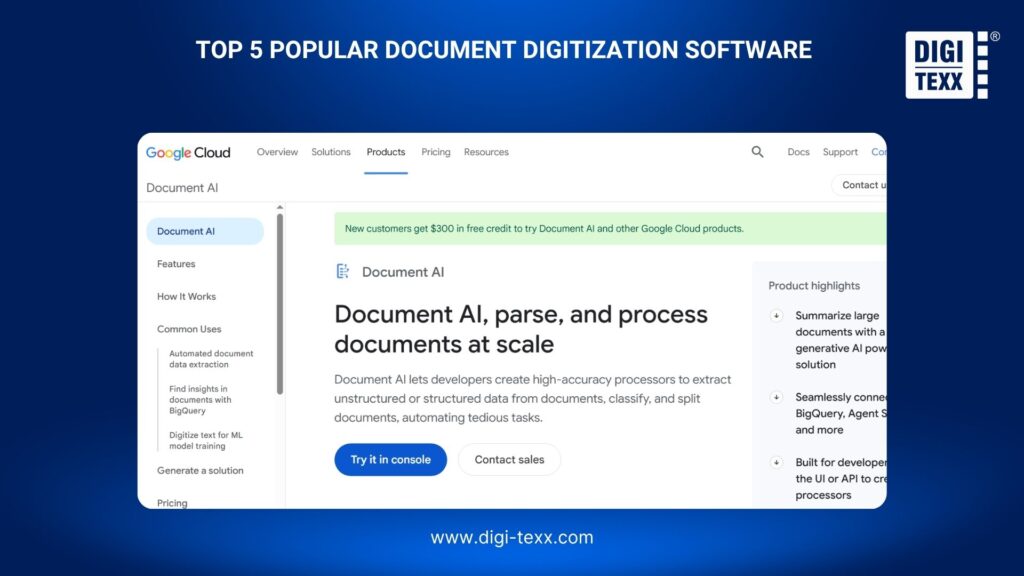
Google Document AI transforms document content into structured data and supports OCR, classification, splitting, custom extraction, and layout analysis.
- Strengths: Cloud scalability, AI-based extraction, custom processors, Google Cloud integration.
- Best suited for: Enterprises developing scalable cloud-based document processing applications.
- Limitation: Organizations requiring a fully managed processing operation may need services beyond the software platform.
5. DIGI-XTRACT
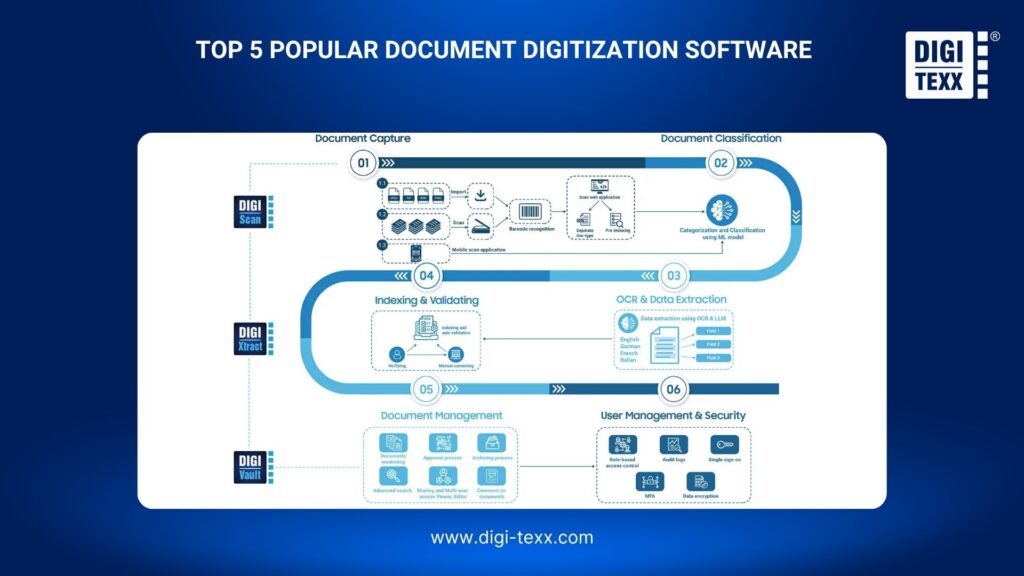
DIGI-XTRACT combines machine learning and deep learning for document classification, data extraction, and quality control. It supports structured, semi-structured, and unstructured documents, including invoices, bank statements, contracts, medical records, handwritten documents, and other specialized records.
Its processing tasks can include Auto Classify, Auto Extract, and Auto QC, while APIs support integration with downstream systems.
- Strengths: AI-based extraction, classification, quality control, customized processing, structured and unstructured documents.
- Best suited for: Enterprises that need document processing technology combined with operational support.
- Limitation: Businesses looking only for a self-service developer API may prefer a cloud-native platform.
How To Choose A Document Digitalization Solution?
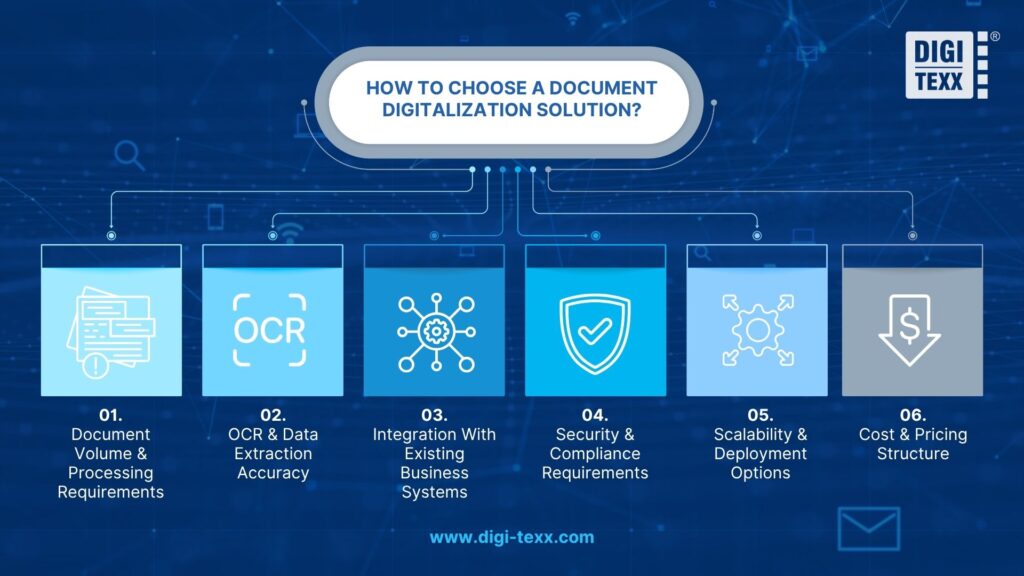
Choosing a document digitalization solution should start with the organization’s document volume, processing requirements, security needs, and existing IT environment. Evaluate the following factors before selecting a platform or service provider.
Document Volume And Processing Requirements
Assess how many documents need to be processed, their formats, and how frequently new documents arrive. High-volume workflows may require automated classification, batch processing, and scalable infrastructure.
OCR And Data Extraction Accuracy
Check whether the solution can accurately process the actual documents used in the business, including tables, forms, handwriting, poor-quality scans, and different layouts. Test representative samples rather than relying only on vendor demonstrations.
Integration With Existing Business Systems
The solution should connect with systems such as ERP, CRM, DMS, accounting software, or workflow platforms. APIs, connectors, and automated data transfer can reduce manual re-entry after documents are digitized.
Security And Compliance Requirements
Evaluate encryption, access controls, audit trails, data retention, data residency, and deployment options. These requirements become particularly important when processing financial, medical, legal, or personal documents.
Scalability And Deployment Options
Consider whether the solution can handle growing document volumes and additional document types without significant redevelopment. Depending on IT and compliance requirements, organizations may choose cloud, private-cloud, or on-premise deployment.
Cost And Pricing Structure
Compare the solution’s pricing model with the expected document volume and processing requirements. Consider not only the initial license or service fee but also OCR, data extraction, storage, user licenses, system integration, maintenance, and support costs.
For high-volume projects, evaluate whether pricing is based on pages, documents, transactions, users, or usage. A solution with a lower upfront cost may become more expensive as document volumes grow, so businesses should assess the total cost of ownership (TCO) before making a decision.
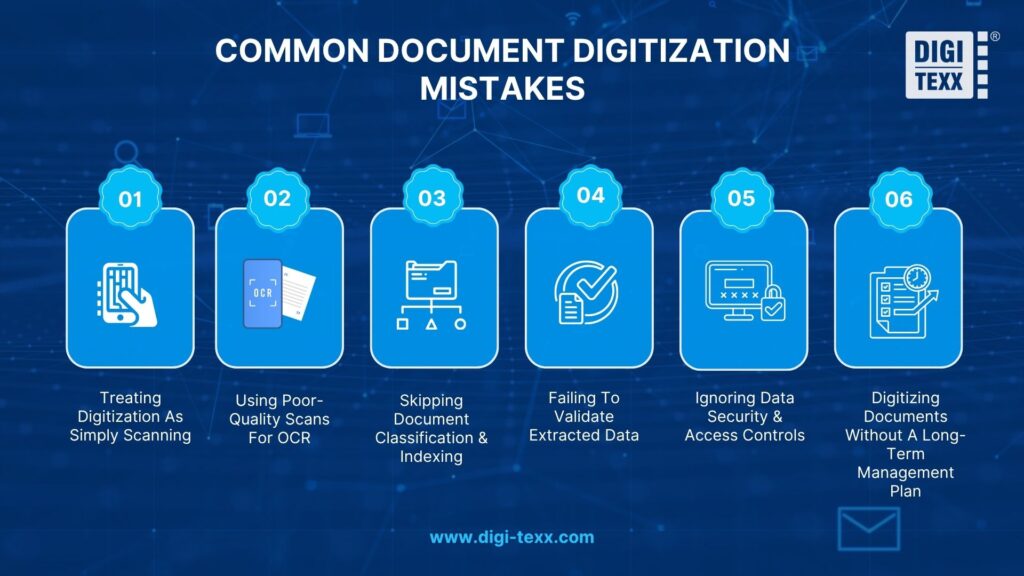
Common Document Digitization Mistakes
Poor planning can make a document digitization project expensive without delivering usable digital information. The most common problems occur when organizations focus only on scanning and overlook document quality, data accuracy, security, and long-term management.
Treating Digitization As Simply Scanning
Scanning only creates digital images of paper documents. Without OCR, indexing, metadata, or structured extraction, employees may still need to open each file manually to find information.
Before starting, define how the digitized documents will be used. If the goal is search, OCR and indexing may be sufficient. If the goal is workflow automation, the project may also require classification, data extraction, validation, and system integration.
Using Poor-Quality Scans For OCR
Scan quality directly affects OCR and data extraction accuracy. Low resolution, skewed pages, shadows, faded text, background noise, damaged pages, and handwriting can cause recognition errors.
For inconsistent document collections, preprocessing should include image enhancement, deskewing, noise removal, orientation correction, or other techniques appropriate to the document type.
Skipping Document Classification And Indexing
A digital archive without classification and metadata can become difficult to search and manage, even when every page has been scanned.
Define document categories and indexing fields before processing. Depending on the use case, metadata may include document type, customer ID, account number, date, supplier, case number, or retention category.
Failing To Validate Extracted Data
OCR and AI-based extraction can produce incorrect or incomplete values, particularly when documents contain poor-quality images, unusual layouts, handwriting, or ambiguous information.
Critical data should be validated using confidence thresholds, business rules, reference data, or human review. Low-confidence records can be routed to reviewers instead of being sent directly to downstream systems.
Ignoring Data Security And Access Controls
Digitized records can contain confidential financial, personal, medical, legal, or commercial information. Moving these records into digital systems without appropriate controls can increase security and compliance risks.
Security should cover the entire document lifecycle, including data transfer, storage, user access, encryption, audit trails, retention, deletion, and human review.
Digitizing Documents Without A Long-Term Management Plan
Document digitalization should not end when scanning is complete. Organizations need a clear plan for managing the resulting files and data over time.
Before processing large volumes, define:
- Storage: Where will documents and extracted data be stored?
- Indexing: How will users search and retrieve documents?
- Access: Which users or departments can access each document type?
- Retention: How long should documents be retained?
- Integration: Which ERP, CRM, DMS, or workflow systems need the data?
- Scalability: Can the system handle future document volumes?
- Lifecycle management: How will documents be archived, updated, or securely deleted?
A successful document digitization process should therefore be designed around the intended business workflow—not simply the conversion of paper into digital files.
How Much Does It Cost To Have Documents Digitized?
The cost of document digitization depends on more than the number of pages scanned. Document type, condition, OCR requirements, indexing, quality control, security, and system integration can all affect the final budget.
For a basic project, costs mainly come from document preparation, scanning, OCR, and quality control. More complex projects may also require automated data extraction, metadata indexing, document classification, secure storage, and integration with existing business systems.
Factors That Affect Document Digitalization Costs
The main factors influencing the cost include:
- Document volume: More pages require more scanning, processing, storage, and quality control.
- Document condition: Damaged, fragile, folded, or handwritten documents often require additional manual handling.
- Scanning requirements: Color, high-resolution, oversized, or specialized documents can increase processing costs.
- OCR and data extraction: Converting images into searchable text or structured data adds processing requirements, especially for complex layouts.
- Indexing and classification: Adding metadata such as document type, date, customer ID, or reference number requires additional processing.
- Quality control: Manual verification helps identify missing pages, poor scans, and OCR errors but increases labor costs.
- Security and compliance: Confidential records may require secure facilities, restricted access, encryption, or audit controls.
- System integration: Connecting digitized documents with a DMS, ERP, CRM, or other systems can increase implementation costs.
Therefore, two projects with the same page volume can have significantly different costs depending on their processing requirements.
In-House vs. Outsourced Document Digitalization
In-house digitization requires investment in scanners, software, storage, staff, maintenance, and quality control. It can work well for small or occasional projects but becomes resource-intensive when document volumes increase.
Outsourced document digitalization allows businesses to use specialized equipment, trained staff, OCR technology, and established quality-control workflows without building the entire operation internally. It is often more suitable for high-volume projects or documents requiring complex processing.
The right choice depends on volume, document complexity, turnaround time, security requirements, and available internal resources.
How To Estimate The Total Cost Of A Digitization Project?
A more accurate estimate should consider the entire workflow rather than only the scanning rate:
Total cost = preparation + scanning + OCR/data extraction + indexing + quality control + storage/integration
Start by calculating the total number of pages and separating them by document type and condition. Then determine which documents need basic scanning and which require OCR, structured data extraction, classification, or manual verification.
For example, scanning 500,000 standard pages into image files is considerably less complex than processing the same volume with OCR, metadata extraction, quality checks, and integration into an enterprise document management system.
Businesses should also include post-digitization costs, such as cloud storage, backup, security, software licenses, and ongoing document management. This provides a more realistic estimate of the project’s total cost and helps prevent unexpected expenses.
Document Digitalization Best Practices
A successful document digitalization project requires more than converting paper files into digital formats. Clear document standards, accurate data capture, quality control, security, and scalable storage should be defined before processing begins.
Define Document Types And Indexing Requirements
Identify document types, formats, naming conventions, and indexing fields before scanning. Define which metadata—such as document type, date, customer ID, or reference number—should be captured. A consistent structure makes digital files easier to search, classify, and retrieve.
Set OCR And Data Accuracy Standards
Determine the required OCR accuracy based on how the digitized information will be used. Documents used for automated workflows may require stricter validation than files intended only for reference. Set acceptable error rates and define when manual verification is required, particularly for handwritten or complex documents.
Establish Quality Control Procedures
Quality control should cover image clarity, page completeness, correct document order, OCR accuracy, and indexing consistency. Use sampling or automated validation to identify errors early and prevent inaccurate files from entering the document management system.
Protect Sensitive Digital Documents
Digital files can contain confidential customer, financial, legal, or employee information. Apply appropriate access controls, encryption, secure transfer methods, backups, and audit trails throughout the document digitalization process. Retention and deletion policies should also align with applicable regulatory requirements.
Plan For Scalable Storage And Retrieval
Choose a storage architecture that can accommodate growing document volumes without making retrieval difficult. Establish logical folder structures, metadata standards, search capabilities, backup procedures, and retention rules from the beginning. A scalable approach allows the document digitalization system to support future documents, users, and business applications without requiring a complete redesign.
FAQs About Document Digitalization
What Is The Best Way To Digitize Documents?
The best way to digitize documents depends on the volume, document type, and workflow requirements. For occasional scanning, a mobile app such as Adobe Scan can be sufficient. For large batches, an automatic document feeder (ADF) scanner can process multiple pages efficiently. Businesses should also use a consistent file-naming structure, folder organization, and cloud backup system to keep digital documents easy to find, manage, and access.
How Do You Digitize A PDF?
PDF digitization typically involves using Optical Character Recognition (OCR) to convert scanned or image-based PDFs into searchable, editable text. For a quick solution, upload the PDF to Google Drive, open it with Google Docs, and let OCR convert the content into editable text.
For more advanced document digitalization, dedicated PDF tools can also convert files into formats such as Word, Excel, or JPG, making the information easier to edit, search, and reuse.
How To Make Your Documents Digital?
To make documents digital, choose a suitable tool based on the document type and purpose. Create or import the content, organize the information, and save it in a digital format such as PDF or cloud-based documents. For business use, digital forms and cloud storage can also make documents easier to edit, share, and manage.
- Choose a tool: Use Microsoft Word or Google Docs for text-based documents, Canva for visually rich content, or Adobe Acrobat for interactive and fillable PDFs.
- Create and organize content: Start with a blank document or template, then add text, images, tables, checklists, and clear headings.
- Save and share digitally: Store documents in the cloud or export them as PDF files, then share them through secure links or digital channels.
Document digitalization goes beyond scanning paper records—it turns documents into accessible, searchable, and usable information that can support everyday business operations. From the document digitization process and OCR to AI-powered extraction, workflow integration, and secure storage, the right approach can make the digitalization of documents more accurate, scalable, and valuable.
For organizations looking to digitize documents at scale, choosing the right technology, quality-control process, and document digitization system is essential. With experience in document digitization, AI-powered data extraction, and document processing, DIGI-TEXX can help businesses convert large document collections into structured digital information while supporting efficient document management and digitization.
DIGI-TEXX Contact Information:
🌐 Website: https://digi-texx.com/
📞 Hotline: +84 28 3715 5325
✉️ Email: [email protected]
🏢 Address:
- Headquarters: Anna Building, QTSC, Trung My Tay Ward
- Office 1: German House, 33 Le Duan, Saigon Ward
- Office 2: DIGI-TEXX Building, 477-479 An Duong Vuong, Binh Phu Ward
- Office 3: Innovation Solution Center, ISC Hau Giang, 198 19 Thang 8 street, Vi Tan Ward
Reference:
- National Archives and Records Administration. (n.d.). Scanned images of textual records. U.S. National Archives and Records Administration.
- National Archives and Records Administration. (n.d.). Digitization of federal records. U.S. National Archives and Records Administration.
- National Archives and Records Administration. (n.d.). Strategy for digitizing archival materials. U.S. National Archives and Records Administration.