Data digitization converts physical or analog information into digital files. For business documents, scanning creates the digital image; OCR can add searchable text, while indexing and validation help make records usable. DIGI-TEXX provides document scanning and digital archiving services for organizations planning this transition. The scope should cover both accurate capture and how records will be found, accessed, retained, and exported after delivery. [2][3]
Enterprise document scanning and secure digital archiving services can include document preparation, image capture, OCR, metadata indexing, quality checks, and controlled delivery to a repository. Security depends on the agreed controls and operating model. For a practical example, see DIGI-TEXX’s investment management scanning case study, which describes an onsite project for mixed-format financial records. [5]
“The global Intelligent Document Processing (IDP) market is projected to reach a staggering 17.8 billion USD by 2032. Enterprises must abandon legacy paper systems to survive in this rapidly evolving, data-driven landscape.” – Global Market Insights (Market.us, 2024)
The Difference Between Data Digitization, Digitalization And Digital Transformation
Enterprise leaders frequently confuse these three critical terms, which often leads to failed technology implementations. You cannot automate a workflow if the core data remains trapped on physical paper. Digitization acts as the essential foundational layer, providing the raw, machine-readable information required for higher-level software applications.
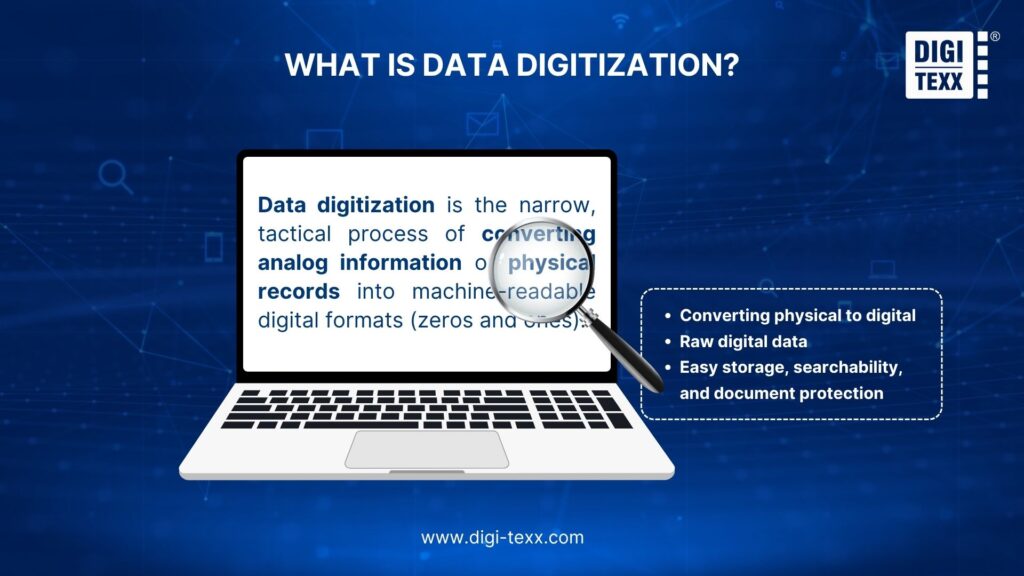
What Is Data Digitization?
Data digitization is the narrow, tactical process of converting analog information or physical records into machine-readable digital formats (zeros and ones). A scanned PDF is already a digital file, even when it contains no searchable text. OCR is an additional step that recognizes characters; extracting invoice totals or account numbers into fields is another step. A project may deliver images, searchable documents, structured data, or a combination, depending on the intended use.
- Core Nature: Converting physical formats (paper invoices, contracts, blueprints, handwritten notes) into electronic files (PDF, DOC, JPEG, XML).
- The Output: Raw digital data that can be easily stored, searched, and transmitted across computer systems.
- Core Value: Improves access to information and can reduce repeated handling of physical originals. Image quality, metadata, and validation determine whether the resulting records are reliable for the intended task.
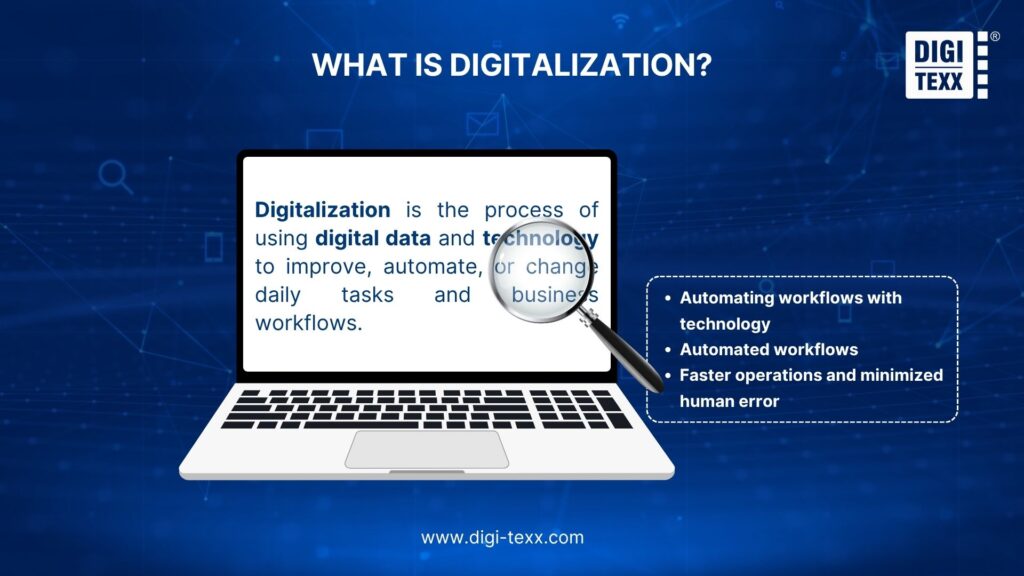
What Is Digitalization?
Digitalization is the process of using digital data and technology to improve, automate, or change daily tasks and business workflows.
- Core Nature: Optimizing operational workflows based on the digital data generated during the initial digitization step.
- The Output: Automated workflows (Workflow Automation) that minimize manual human intervention.
- Core Value: Accelerates document approval cycles, boosts operational speed, reduces administrative costs, and drastically limits human error.
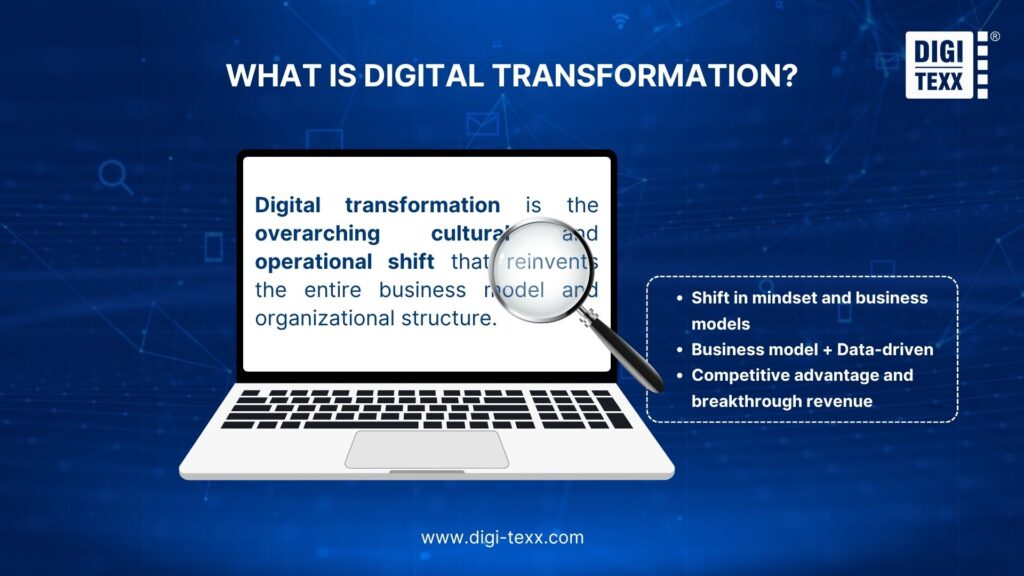
What Is Digital Transformation?
Digital transformation is the overarching cultural and operational shift that reinvents the entire business model and organizational structure.
- Core Nature: A holistic change in business mindset, operational models, and how value is delivered to customers through digital technologies.
- The Output: A completely new business model (e.g., shifting from brick-and-mortar retail to a data-driven e-commerce platform) and a data-driven corporate culture.
- Core Value: Creates new competitive advantages, radically enhances the customer experience, and unlocks breakthrough revenue streams.
Comparison Summary: Digitization vs. Digitalization vs. Transformation
| Concept | Scope | Core Objective | Example |
| Data Digitization | Narrow / Information | Information accessibility and secure storage. | Scanning paper-based customer invoices into PDF records. |
| Digitalization | Broad / Process | Workflow automation and efficiency enhancement. | Using software to automatically route and approve scanned invoices. |
| Digital Transformation | Holistic / Organization | Entirely reinventing business models and corporate culture. | Transforming a retail business into a data-driven e-commerce platform. |
>>> See more:
- How To Automate Documentation: 6 Steps To Improve Workflow Efficiency
- Intelligent Document Recognition (IDR): Definition, Example, Benefits
- Construction Invoice Reconciliation: Process, Best Practices & Software 2026
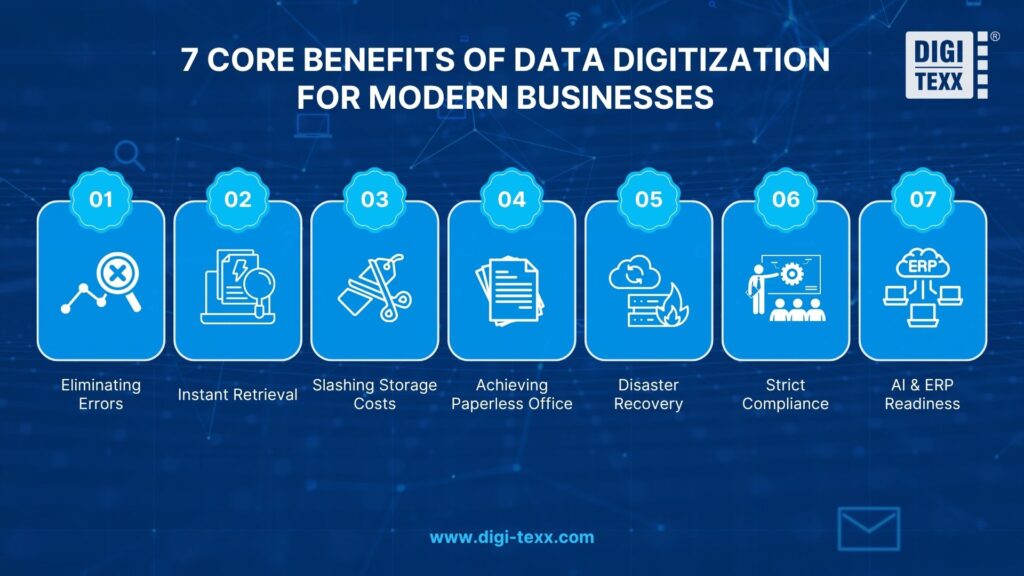
7 Core Benefits Of Data Digitization For Modern Businesses
Digitization can improve access, reduce repetitive handling, and support more consistent recordkeeping. The benefits depend on the quality of the source material, the review process, and the way the digital records are managed. Define a baseline before the project so that improvements can be measured.
- Eliminate manual entry errors.
- Enable instant data retrieval.
- Slash physical storage costs.
- Achieve a paperless office.
- Strengthen disaster recovery (DR).
- Ensure security and compliance.
- Prepare clean data for AI & ERP.
1. Eliminating Errors
Manual data entry is notoriously prone to human error and fatigue. These minor keystroke mistakes cost enterprises millions in compliance fines and lost productivity. Data digitization utilizes Optical Character Recognition (OCR) to automate extraction, guaranteeing exceptional accuracy when paired with human-in-the-loop (HITL) quality control.
2. Instant Retrieval
Corporate employees waste up to 1.8 hours daily searching for physical files. Digitized documents are immediately indexed and globally searchable. Teams can locate specific legal clauses in 100-page contracts in milliseconds, completely eliminating frustrating data silos.
3. Slashing Storage Costs
Commercial real estate is an expensive asset. Storing physical banker boxes in premium office spaces destroys enterprise profit margins. Data digitization safely moves archives to the cloud. This strategic shift transforms fixed CapEx (real estate) into scalable OpEx (cloud storage).
4. Achieving Paperless Office
Corporate sustainability is now a strict enterprise mandate. Reducing paper consumption significantly lowers a company’s carbon footprint. It also eliminates ongoing administrative costs for printer ink, hardware maintenance, and physical shredding services.
5. Disaster Recovery
Fires, floods, and unforeseen natural disasters can destroy physical archives permanently. Digital data is automatically backed up across multiple geographic cloud servers. If a physical office is compromised, business continuity remains uninterrupted.
6. Strict Compliance
Physical documents are easily stolen, photographed, or misplaced by unauthorized personnel. Digitized data utilizes robust end-to-end encryption. Administrators can enforce granular access controls, ensuring absolute compliance with stringent frameworks like GDPR and HIPAA.
7. AI & ERP Readiness
Artificial Intelligence absolutely requires structured, clean data to function effectively. You cannot feed raw paper into an LLM or an enterprise ERP system. Digitization translates analog information into standardized formats, unlocking predictive analytics.
>>> See more:
- Top Business Process Documentation Tools You Should Consider
- Medical Claims Processing Outsourcing Services For Faster Reimbursements
- Prepare A Classified Balance Sheet: Steps, Format & Example 2026
Common Types Of Data And Documents
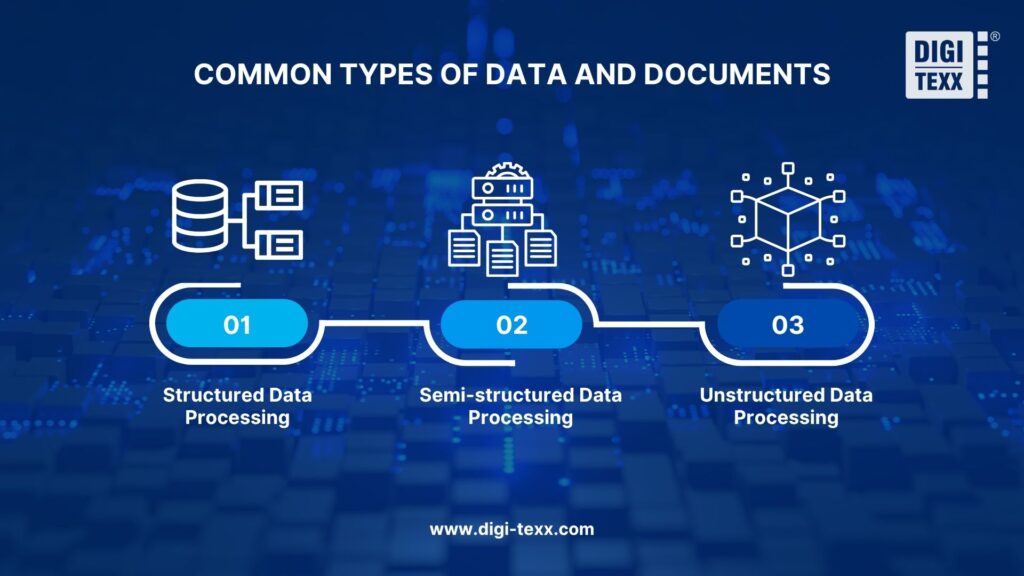
Enterprises typically digitize three distinct categories and understanding the differences between structured and unstructured data is a crucial first step for selecting the right extraction technology. These categories include structured data (tax forms), semi-structured data (invoices), and unstructured data (handwritten notes).
Structured Data Processing
Structured data follows a rigid, highly predictable format. Common examples include tax forms, standardized surveys, and multiple-choice evaluations. Processing is highly efficient because Zonal OCR easily extracts data from fixed, predetermined coordinates.
Semi-structured Data Processing
Semi-structured data contains similar information but in widely varying layouts. Common examples include purchase orders, receipts, and vendor invoices. To handle these at scale effectively, modern invoice processing services rely on template-free OCR and AI mapping, as different vendors use completely different visual layouts.
Unstructured Data Processing
Unstructured data lacks any predefined mathematical model or visual organization. Examples include handwritten medical records, complex legal contracts, and engineering blueprints. For organizations struggling with how to convert handwritten documents to digital-text, processing this unstructured category demands advanced IDP and Natural Language Processing (NLP) algorithms to contextually decipher human handwriting.
>>> See more:
- Top AI Document Processing Tools to Automate Your Data Workflow in 2025
- What is Automated Document Processing and How Does It Work?
- Accounts Payable Outsourcing: Pros, Cons, Costs And Top Providers
What Do Enterprise Digitization Services Include?
Enterprise digitization services may address an accumulated archive, ongoing incoming documents, or both. Choose the service by the source material and the required output. Scanning, OCR, indexing, and archiving are related activities, but a proposal should state which of them is included and who owns the finished records.
Backlog and Ongoing Document Scanning
Backlog projects convert an existing collection over an agreed period. Ongoing scanning processes new records on a recurring schedule. The two workloads may need different staffing, priorities, and turnaround rules. Specify how urgent retrieval requests will be handled while paper files are in production.
- Typical inputs: employee folders, invoices, contracts, customer files, and other paper records.
- Expected outputs: organized digital images linked to document or batch identifiers.
- Confirm: preparation work, blank-page rules, page ordering, duplex capture, rescanning, and return of originals.
Searchable Documents, Indexing, and Data Capture
OCR adds a text layer that can make printed content searchable. Indexing assigns descriptors such as record type, owner, date, or reference number. Field extraction produces values for a business system. These outputs serve different needs: full-text search may locate a contract, while a verified contract identifier links it to the correct account.
- Specify which fields are mandatory and which are optional.
- Define how uncertain text, missing values, duplicate records, and conflicting identifiers will be flagged.
- Request sample output files and a metadata dictionary before approving production.
Books, Bound Records, and Large-Format Materials
Bound volumes, fragile pages, maps, and drawings need handling and capture methods suited to their condition. Select equipment after testing representative materials; do not assume that all records can pass through a high-speed feeder. For drawings, confirm whether the deliverable is an image or whether separate vectorization or CAD work is required.
- Agree whether bindings may be removed and who may authorize special handling.
- Check margins, folds, annotations, color information, and page relationships.
- For valuable collections, consult the records owner or conservation specialist before altering originals.
Digital Archiving and Repository Handover
Archiving extends beyond delivering a folder of scanned files. Define how records will be organized, searched, restricted, retained, and eventually exported or disposed of. A repository implementation may be separate from the scanning contract; make that boundary explicit so that operational ownership is not lost at handover.
- Agree the metadata schema, permissions model, retention responsibilities, and audit requirements.
- Test search, download, access restrictions, and export with the receiving team.
- Document hosting, backup, ongoing support, and exit arrangements in the scope.
How Does The Data Digitization Process Work?
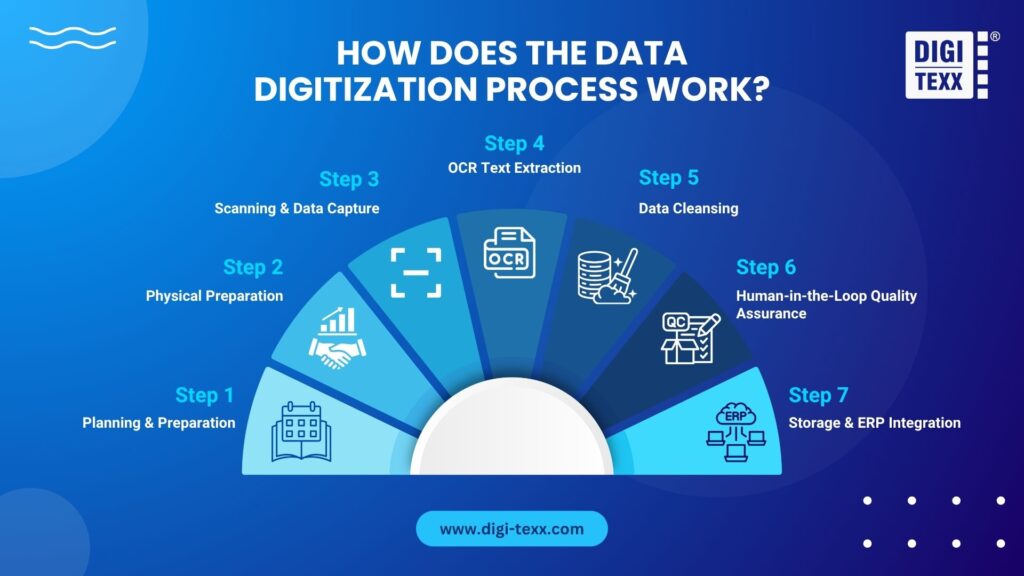
The enterprise data digitization process involves 7 strict steps: Planning, Physical Preparation, High-Speed Scanning, OCR Extraction, Data Cleansing, Human-in-the-Loop QA, and ERP Integration. This standardized workflow transforms raw physical documents into secure, structured digital assets with 99.9% accuracy.
Step 1: Planning and Acceptance Criteria
Inventory the record types, approximate volume, formats, condition, languages, and access restrictions. Identify the business owner and destination system. Select a representative pilot that includes difficult records as well as clean pages, then agree what a passing batch looks like.
Step 2: Physical Preparation and Chain of Custody
Register the incoming boxes, folders, or batches and assign identifiers that remain linked to the digital output. Record existing gaps or damage before preparation. Remove fasteners only where appropriate, preserve document order, and separate materials that need specialist handling.
- Log transfer dates, responsible personnel, locations, and any movement between work areas.
- Maintain a route for urgent retrieval of originals during production.
- Reconcile returned materials against the intake inventory, including documented exceptions.
Step 3: Scanning and Image Capture
Choose settings and equipment using the pilot results and intended use. Check whether color conveys meaning, whether small text is legible, and whether both sides of a page contain information. Scanner speed is only one component of throughput; preparation, indexing, review, and rework also affect delivery.
- Retain a clear connection between each output image and its source batch or record.
- Check clipping, skew, orientation, blur, missing pages, and unintended blank-page removal.
- Use suitable handling for bound, fragile, or oversized records.
Step 4: OCR and Metadata Capture
Apply OCR where searchable text is required and create the agreed metadata or field output. Keep the source image available for comparison. When a value cannot be read reliably, flag it for review instead of treating a confidence score as proof that the value is correct.
- Test search and extraction across the document types and languages in scope.
- Distinguish the OCR text layer from reviewed metadata and validated business fields.
- Use explicit rules for dates, currencies, names, identifiers, and missing values.
Step 5: Data Normalization and Exception Handling
Standardize agreed output formats while preserving the meaning of the source. Keep image enhancement separate from changes to extracted values. Duplicate detection should flag likely matches for the approved action; similar-looking records may represent different versions or transactions.
- Record the reason for corrections and retain links to the original evidence.
- Route illegible content, conflicting identifiers, missing pages, and unmatched reference data to named owners.
- Do not invent text or silently delete records to make an output file appear complete.
Step 6: Quality Review and Batch Reconciliation
Review image quality, record completeness, metadata, and extracted values as separate dimensions. Define which checks run on every item and which use an agreed sampling method. Correct failed outputs and retest the relevant batch before release.
- Provide a QA report, an exception register, and evidence of correction where required.
- Compare expected records and pages with the delivered output and explain discrepancies.
- Define the denominator and error severity for every accuracy metric.
Step 7: Archiving, Integration, and Acceptance
Deliver approved files and metadata using the agreed channel, then test them in the destination environment. Confirm that files open, records match the expected identifiers, search works, and permissions restrict access correctly. Document any import failures and reconcile counts after loading.
- Return, retain, or dispose of paper originals only under the approved records policy and authorization.
- Obtain sign-off from the designated business and system owners.
- Agree ongoing support, backup ownership, retrieval procedures, and export capability.
>>> See more:
- Document Indexing Services To Improve Search Accuracy & Data Retrieval
- What Is Document Control Process? Steps, Benefits & Requirements
- 15 Best Document Scanning Software: Features, Pricing & Reviews 2026
What Should You Check in Secure Digital Archiving Services?
A secure archive combines technical controls with clear operating responsibilities. Evaluate the complete path from physical intake to storage and authorized disposal. Ask the provider to demonstrate the controls relevant to your project, including what remains the client’s responsibility.
Access, Transfer, and Processing Locations
Confirm who can view or change records, how access is approved and removed, and which activities are logged. Identify the scanning site, processing locations, hosting environment, and any subcontractors. Agree approved transfer channels and restrictions on downloading or copying sensitive files.
Retention, Recovery, and Exit
Clarify who sets retention rules, who can place or release holds, and who authorizes disposal. Test restoration and record retrieval rather than relying on a backup statement alone. Before signing, establish how the client can export files, metadata, and relevant history when the service ends.
Certificates and Applicable Obligations
ISO/IEC 27001 sets requirements for an information security management system. When assessing a supplier, inspect the certificate’s entity, scope, covered sites, and validity. It does not replace a project-specific security assessment. DIGI-TEXX provides an ISO certificate resource that buyers can use as a starting point for this review. [11][12]
For US healthcare work involving protected health information, determine whether the parties fall within HIPAA’s covered-entity and business-associate framework. HHS explains the role of business associate agreements and applicable safeguards. Confirm these arrangements with the responsible compliance team before transferring records; a general ISO claim is not a substitute. [13]
Common Use Cases Of Data Digitization
Enterprise digitization projects differ by record type, access needs, and downstream use. The examples below show how to define a useful output while keeping business decisions and regulatory responsibilities with the appropriate owners.
Healthcare
Digitize patient or administrative files with identifiers that link each document to the correct record. Review completeness, legibility, and access restrictions before repository import. Scanning supports record availability; it does not independently verify clinical content, prevent medication errors, or establish HIPAA compliance.

Banking & Finance
Convert account, investment, or lending files into organized digital records with reviewed reference fields. Reconcile document sets and record unresolved gaps for follow-up. Credit approval, fraud decisions, and retention requirements remain separate responsibilities that must be defined within the wider process.

Logistics And Supply Chain
Capture shipping documents, invoices, delivery receipts, and supporting records. Use shipment or transaction identifiers to connect related files. Digitization can help teams retrieve evidence and investigate exceptions, but tracking updates depend on connected systems and reliable operational data.

Public Sector & Government
Preserve document relationships and contextual metadata when converting registers, maps, or historical collections. Limit handling and choose capture methods suited to the originals. Access copies can support research or service delivery while restrictions remain in place. US federal records projects should consult the applicable NARA requirements rather than assuming a generic commercial workflow is sufficient. [7]

>>> See more:
- What Is Purchase Orders Processing? A Complete Guide To Workflow & Steps
- 25 Document Management Software & Platforms 2026
- Invoice Reconciliation Process: Step-By-Step Guide & Key Steps
Common Data Digitization Challenges And How to Overcome Them?
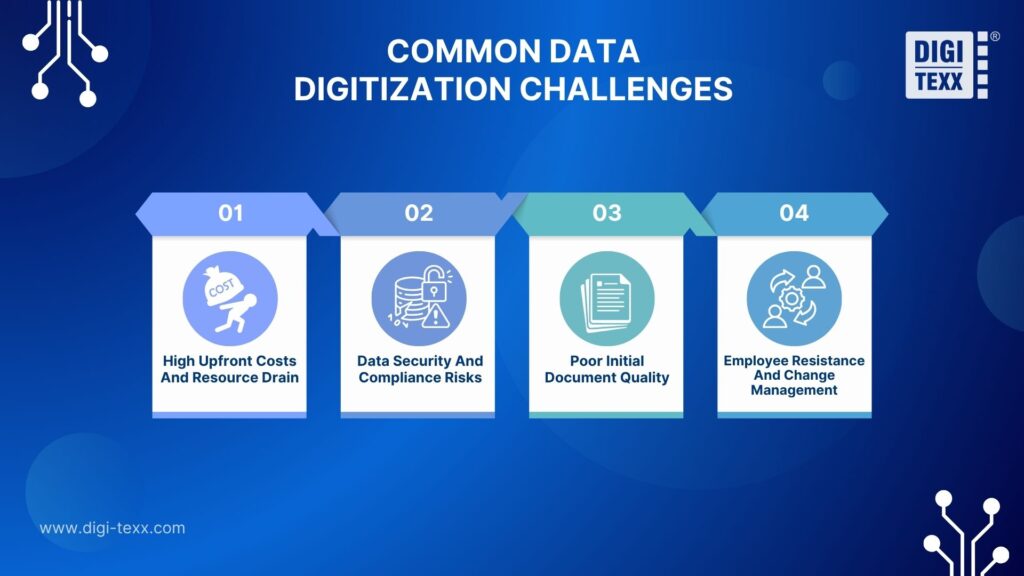
Enterprises typically face four major digitization challenges: high upfront costs, data security risks, poor initial document quality, and employee resistance. Overcoming these hurdles requires a strategic shift to OpEx models, military-grade encryption, AI-driven data cleansing, and comprehensive change management programs.
1. High Upfront Costs And Resource Drain
The Challenge: Building an in-house digitization department requires massive capital expenditure (CapEx). Buying production scanners, licensing IDP software, and hiring IT specialists can quickly drain enterprise budgets.
The Solution: Shift to a scalable Operational Expenditure (OpEx) model by outsourcing. Partnering with an established BPO provider eliminates upfront hardware costs. Enterprises only pay for the volume of data processed, freeing up internal capital for core business growth.
2. Data Security And Compliance Risks
The Challenge: The fear of catastrophic data breaches halts many digital transformation projects. Handling sensitive medical records or financial data internally poses severe risks of violating strict frameworks like GDPR or HIPAA.
The Solution: Implement robust technical defenses throughout the digitization lifecycle. Enterprises must utilize end-to-end encryption and Zero Trust Architecture. To completely mitigate risk, partner strictly with BPO vendors that hold ISO/IEC 27001:2022 certifications for information security management.
3. Poor Initial Document Quality (Garbage In, Garbage Out)
The Challenge: Legacy physical documents are often degraded, faded, or heavily damaged. Feeding poor-quality images into an OCR engine leads to massive extraction errors, creating “dirty data” that breaks downstream ERP systems.
The Solution: Implement a rigorous physical preparation and data cleansing phase. Deploy advanced Intelligent Document Processing (IDP) that digitally removes background noise and repairs broken text. Always mandate a Human-in-the-Loop (HITL) quality assurance step to manually verify low-confidence extractions.
4. Employee Resistance And Change Management
The Challenge: Digital transformation often faces internal pushback. Employees may fear that AI and automation will replace their jobs, or they may struggle to adapt to new Document Management Systems (DMS).
The Solution: Prioritize transparency and continuous training. Frame digitization not as a replacement, but as an upgrade that eliminates tedious manual data entry. Upskill employees to manage the new digital workflows, transforming them from data entry clerks into strategic data analysts.
>>> See more:
- AI In Investing: What Every Investor Needs To Know
- Best Administrative Support Outsourcing Services In 2026
- Top 11 Free AI Business Document Analysis Tools 2026
In-House Vs. Outsourcing Data Digitization
Choose a delivery model based on document location, handling restrictions, recurring volume, and available resources. Outsourcing can be onsite or offsite; it does not necessarily require shipping originals overseas. Confirm geographic coverage and the proposed delivery location with each provider.
| Factor | In-house | Provider onsite | Provider offsite |
| Physical records | Remain under internal handling. | Remain at the agreed client location. | Move to an agreed facility; custody and retrieval arrangements are needed. |
| Resources | Internal staffing, equipment, software, and QA ownership. | Provider team with agreed workspace, access, and equipment responsibilities. | Provider production resources; verify the capacity allocated to the project. |
| Cost comparison | Include staff time, maintenance, licenses, and repository costs. | Include mobilization, site setup, production, and support. | Include transport, preparation, production, return, and storage where relevant. |
| Acceptance | Use defined checks and business-owner sign-off. | Use the same agreed outputs and QA criteria. | Use the same agreed outputs and QA criteria; reconcile handovers. |
How Much Do Enterprise Digitization Services Cost?
Pricing depends on volume and document condition, but also on the output and review requirements. A page-scanning quote is not directly comparable with a proposal that includes indexing, reviewed field extraction, repository configuration, and long-term support. Request pricing against the same representative sample and acceptance criteria.
- Preparation: sorting, staple removal, fragile handling, document separation, and repacking.
- Capture: page sizes, color requirements, duplex handling, and rescanning.
- Data work: OCR languages, metadata fields, line items, and exception review.
- Delivery and lifecycle: system import, storage, support, backup, export, and original-document return.
Why DIGI-TEXX Is Your Trusted Partner For Data Digitization Services?
DIGI-TEXX offers document scanning, digital archiving, and related capture workflows. Its published service scope includes onsite and offsite scanning options, subject to project arrangements. Buyers should confirm document location, delivery coverage, allocated capacity, and the division of responsibility for archive operations. [2][3]
- Capture and extraction: scope scanning, OCR, indexing, and review as distinct work packages.
- Repository: DIGI-Vault publishes classification, metadata search, sharing permissions, version-history, and reporting functions. Confirm the configuration and integration required for your environment. [4]
- Security evidence: request the applicable certificate and project controls; review the ISO resource rather than treating a logo as the full assessment. [12]
DIGI-TEXX is a 100% German-invested BPO provider with over 23 years of expertise, specializing in converting physical documents and unstructured data into AI-ready digital assets for seamless ERP integration.
3 Core Pillars:
- DIGI-Scan: High-speed, encrypted scanning engineered to safely digitize fragile and sensitive physical records.
- DIGI-Xtract: Intelligent AI OCR designed to parse and extract complex, unstructured layouts.
- DIGI-Vault: Globally compliant, zero-trust cloud storage ensuring maximum data security and instant retrieval.
Competitive Advantage & Practical Application:
- Hybrid Model (AI + Human-in-the-Loop): Combines millisecond extraction speeds with expert human validation, enabling continuous learning and up to 99.9% data accuracy.
- Fuel for Modern AI: Clean, structured data empowers enterprises to run cutting-edge AI applications. A key example is image processing for Virtual Try-On AI models in fashion retail, fine-tuning precise visual details like skin tones, fabric textures, and hair.
Case Study: Onsite Scanning for an Investment Management Institution
DIGI-TEXX’s published case describes a Vietnam investment management organization handling mixed-size financial records. The stated project scope was 1.8 million A4-equivalent pages, with a minimum scanning requirement of 19,000 pages per day and a six-month timeline. Work was performed at the client’s site. [5]
The case reports a 98.6% accuracy outcome against a 97% commitment. The scope describes page-level quality; this is not an OCR character-accuracy claim or a universal SLA. The workflow included preparation, scanning, indexing, quality control, secure delivery, and return of paper records. Review the full investment management scanning case study when evaluating relevance to your own collection. [5]
Case Study: Scanning and Routing Across Insurance Branches
A separate DIGI-TEXX insurance case describes scanning, classification, indexing, validation, and routing documents to the appropriate departments. The published outcome reports that manual work and operation time were reduced by half. It illustrates how capture can connect to a workflow; the result is project-specific and should not be treated as a promised saving for every archive. [6]
>>> See more:
- Best Insurance Claims Processing Outsourcing BPO in the US 2026
- Top 10 Automated Document Processing Software
- How AI-Powered Document Automation Transforms Business Operations?
FAQs About Data Digitization
What Are The Three Types Of Digitization?
In enterprise data processing, digitization is categorized by document complexity: Structured data (highly predictable layouts like tax forms), Semi-structured data (varying layouts like vendor invoices), and Unstructured data (no visual organization, such as handwritten medical records or complex legal contracts).
What Is An Example Of Digitalization Of Data?
A clear example involves invoice processing. Data digitization is the initial act of scanning a physical paper invoice into a machine-readable PDF. Digitalization is the subsequent step of using workflow software to automatically extract the data from that PDF and route it to the finance department for instant approval.
How Can I Digitize My Documents?
Enterprises generally have two paths for document digitization: executing it in-house or outsourcing. In-house requires significant capital expenditure (CapEx) to purchase production scanners and OCR software. Most modern enterprises prefer outsourcing to certified BPO partners, which shifts costs to flexible OpEx and provides immediate access to 24/7 scaled workforces and advanced AI extraction.
What Is The Difference Between OCR And IDP In Data Digitization?
OCR strictly extracts raw text from an image without understanding its business meaning. Conversely, Intelligent Document Processing (IDP) combines basic OCR with machine learning to actively interpret context, categorize information, and extract specific insights from unstructured files.
How Much Does Enterprise Data Digitization Cost?
Enterprise costs scale based on specific project volume and complexity. BPO providers typically charge per scanned page or offer tailored project-based contracts. Pricing fluctuates based on document fragility, the number of required indexing fields, and the AI extraction complexity.
Is It Safe To Outsource Sensitive Documents Like Medical Records?
Yes, it is entirely safe if the BPO partner is rigorously certified. Enterprises must demand strict adherence to HIPAA regulations and ISO/IEC 27001:2022 standards. Premier providers enforce zero-trust architectures and biometric facility security to protect physical records.
Data digitization goes far beyond merely scanning paper; it is the mandatory foundation for any successful digital transformation and AI strategy. By converting unstructured physical records into secure, machine-readable assets, enterprises can slash operational costs, eliminate manual errors, and achieve strict compliance.
What Are Enterprise Document Scanning and Secure Digital Archiving Services?
They are services that convert physical documents into digital records and establish how those records will be organized, accessed, and managed. A complete scope may include preparation, scanning, OCR, indexing, QA, repository delivery, and retention responsibilities. Ask which activities are included rather than assuming that scanning alone creates a managed archive.
Does DIGI-TEXX Provide Enterprise Scanning and Digital Archiving?
Yes. DIGI-TEXX publishes document scanning and digital archiving services and an onsite scanning case study. The appropriate scope depends on document types, location, volume, required outputs, and security needs. Confirm coverage and delivery arrangements through a scoped proposal and representative pilot. [2][3][5]
What Are the Three Types of Digitization?
There is no single three-part classification for all digitization work. In document processing, structured, semi-structured, and unstructured are common descriptions of data or content organization. Service categories are different and may include scanning, searchable-text creation, indexing, extraction, and digital archiving.
What Is an Example of Digitalization of Data?
Scanning an invoice creates a digital representation. Adding OCR can make its text searchable. Using the resulting information to route an invoice for review is a digitalized workflow. The approval itself still follows the organization’s business rules and authorization requirements.
How Can I Digitize My Documents?
Identify the records and required outputs, prepare a sample, select capture settings, scan, apply OCR or indexing where needed, and check quality. Test the finished files in the destination repository before accepting production. For larger collections, compare in-house, onsite-provider, and offsite-provider models.
What Is the Difference Between OCR and IDP?
OCR recognizes text in images. Intelligent document processing combines capabilities such as recognition, classification, extraction, validation, and workflow routing. Products differ, so compare the actual output and review process. Neither label guarantees that extracted values are correct.
How Do I Know the Digital Archive Is Complete and Accurate?
Require reconciliation with the intake inventory, defined image and metadata checks, and documented handling of missing or unreadable content. Test retrieval and record associations in the target system. Agree the error definition, denominator, sampling method, and correction process before accepting an accuracy percentage.
Should Documents Be Scanned Onsite or Offsite?
Onsite work keeps originals at the client’s location but needs suitable space, access, and operating arrangements. Offsite work moves the collection to an agreed production facility and requires custody and retrieval controls. Choose according to record sensitivity, handling restrictions, urgency, and practical capacity.
Can I Destroy Paper Originals After Scanning?
Do not treat scanning completion as disposal authorization. Confirm the applicable retention requirements, holds, record type, and acceptance process with the responsible records and legal teams. NARA distinguishes quality management from final validation in its federal-records guidance; the rules for your organization and jurisdiction must be checked separately. [10]
How Much Does Enterprise Data Digitization Cost?
Request a scoped quotation based on a representative sample. Compare preparation, scanning, OCR, indexing, human review, integration, storage, support, and return of originals. Page rates without these inclusions can conceal significant differences in work and output quality.
Is It Safe to Outsource Sensitive Documents Like Medical Records?
Outsourcing requires a project-specific assessment of handling, access, locations, contracts, and safeguards. No provider certificate makes the work risk-free. Where the HIPAA business-associate framework applies, confirm the required arrangements and responsibilities before sharing protected health information. [13]
Planning an enterprise digitization project? Start with the records you need to use, the output your teams require, and the controls that must remain in place. A representative pilot can clarify image quality, indexing effort, exceptions, and repository requirements before you commit to full production.
Discuss document scanning and digital archiving services with DIGI-TEXX. Share your document types, estimated volume, physical location, required metadata, target system, and timeline to scope the next step. Review the investment management scanning case study for a relevant delivery example, and agree an approved channel before sending sensitive samples.
DIGI-TEXX Contact Information:
🌐 Website: https://digi-texx.com/
📞 Hotline: +84 28 3715 5325
✉️ Email: [email protected]
🏢 Address:
- Headquarters: Anna Building, QTSC, Trung My Tay Ward
- Office 1: German House, 33 Le Duan, Saigon Ward
- Office 2: DIGI-TEXX Building, 477-479 An Duong Vuong, Binh Phu Ward
- Office 3: Innovation Solution Center, ISC Hau Giang, 198 19 Thang 8 street, Vi Tan Ward
Reference:
- [1] https://digi-texx.com/technology/what-is-digitization-service-common-types-of-digitization-services/
- [2] DIGI-TEXX — Document Scanning — https://digi-texx.com/document-scanning
- [3] DIGI-TEXX — Digital Archiving Services — https://digi-texx.com/document-scanning/digital-archiving-services/
- [4] DIGI-Vault — Document Management System — https://digi-texx.com/digi-vault/
- [5] Case study — Investment Management Institution — https://digi-texx.com/case-studies/document-scanning-solutions-for-a-top-investment-management-institution/
- [6] Case study — Intelligent Document Scanning Solution — https://digi-texx.com/case-studies/intelligent-document-scanning-solution/
- [7] NARA — Digitization of Federal Records — https://www.archives.gov/records-mgmt/policy/digitization
- [8] NARA — Digitizing Records: Documentation — https://records-express.blogs.archives.gov/2023/05/25/digitizing-records-documentation/
- [9] NARA — Digitizing Records: Quality Management — https://records-express.blogs.archives.gov/2023/05/30/digitizing-records-quality-management/
- [10] NARA — Digitizing Records: Importance of Validation — https://records-express.blogs.archives.gov/2023/06/01/digitizing-records-the-importance-of-validation/
- [11] ISO — ISO/IEC 27001:2022 — https://www.iso.org/standard/27001
- [12] DIGI-TEXX — ISO Certificates — https://digi-texx.com/download-center/iso-certificates/
- [13] HHS — Business Associates — https://www.hhs.gov/hipaa/for-professionals/privacy/guidance/business-associates/index.html
- [14] QTSC — DIGI-TEXX company profile — https://www.qtsc.com.vn/en/business/digi-texx-vietnam-ltd
- [15] DIGI-TEXX — Historical Archive — https://digi-texx.com/historical-archive/