AI document automation is transforming how businesses capture, understand, and process information by combining artificial intelligence, OCR, machine learning, and natural language processing. From AI-ready document digitization to cognitive document automation, these technologies can automatically classify documents, extract and validate data, and route information to the right business systems.
This article from DIGI-TEXX will help you understand how document automation AI works, explore its key technologies and benefits, discover practical use cases and leading software, and learn how AI-powered document automation workflow software can streamline document-intensive business processes.
>>> See more:
- What is Automated Document Processing and How Does It Work?
- Enterprise Document Management System: Top 13 Solutions & Features 2026
- Top AI Document Processing Tools to Automate Your Data Workflow
What Is AI Document Automation?
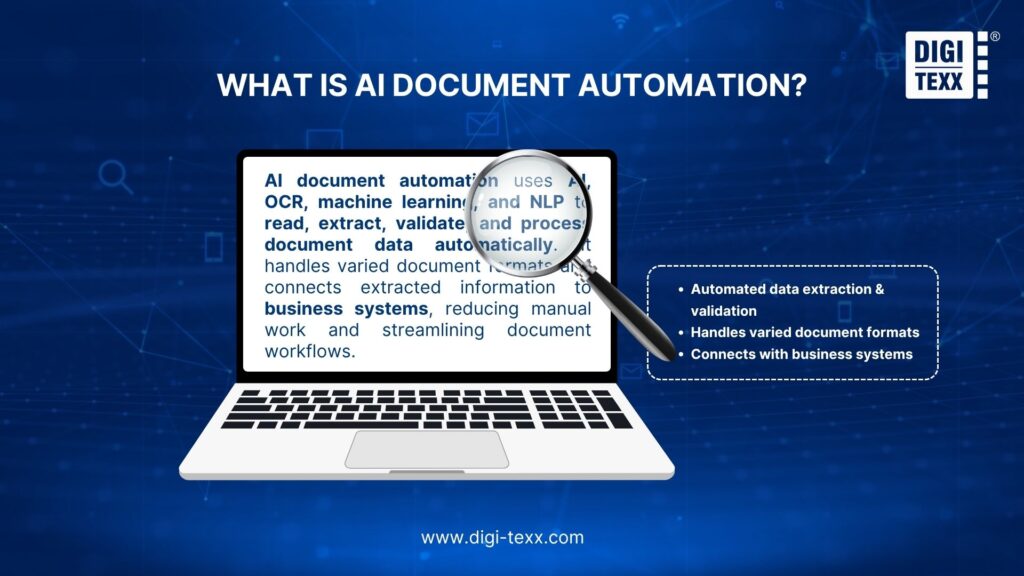
AI document automation uses artificial intelligence, machine learning, OCR, and natural language processing (NLP) to automatically read, understand, extract, validate, and process information from documents. Unlike traditional OCR or rule-based automation, it can handle both structured and unstructured documents, even when formats vary.
From an enterprise perspective, AI document automation typically works by classifying documents, extracting key data, validating results, and routing information into systems such as ERP, CRM, or document management platforms. This reduces manual data entry, increases straight-through processing, and allows employees to focus on exceptions rather than repetitive document tasks.
It is also important to distinguish AI document automation from RPA. RPA primarily executes predefined actions across applications, while AI-powered document automation understands document content before triggering the next workflow step. In practice, businesses often combine IDP, AI, OCR, and RPA to create a more complete end-to-end document processing workflow.
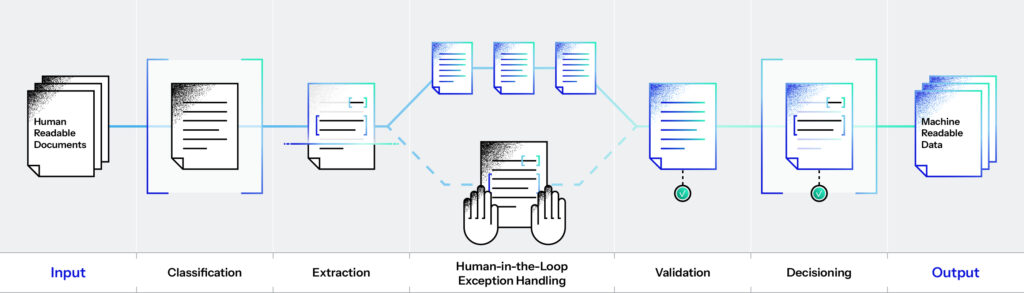
How Does AI Document Automation Work?
An AI-powered document automation workflow software typically combines several stages to turn unstructured documents into actionable data:
- Document capture: Collects documents from email, scanners, cloud storage, forms, or business applications.
- Document classification: AI identifies whether a file is an invoice, contract, purchase order, claim, application, or another document type.
- Data extraction: OCR, machine learning, and NLP identify relevant information such as names, dates, invoice numbers, amounts, and addresses.
- Data validation: Extracted information is checked against predefined rules, databases, or other business documents.
- Workflow automation: Validated data is automatically routed to ERP, CRM, DMS, or other business systems.
- Exception handling: Documents or fields that require additional review are sent to employees instead of stopping the entire workflow.
- Monitoring and improvement: Performance data and user feedback can be used to improve extraction accuracy and workflow efficiency.
This approach allows employees to focus on exceptions and decision-making rather than repetitive document processing.
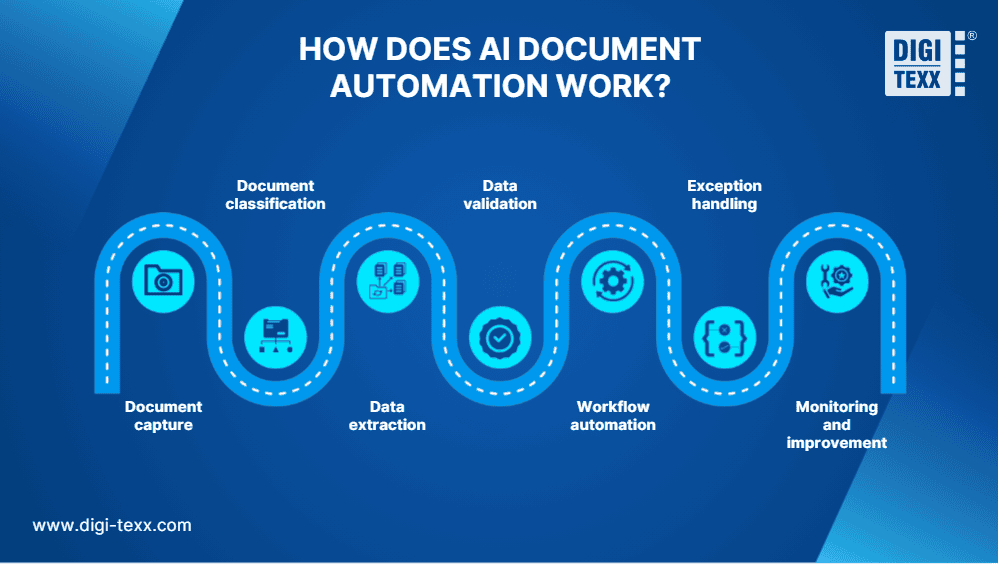
AI document automation workflow captures, classifies, extracts, validates, and routes document data while sending exceptions for human review (Source: DIGI-TEXX)
Alt text: AI document automation workflow
>>> See more:
- What Is a Document Management System (DMS)?
- Automated Invoice Processing: How It Works, Benefits & Best Software
- What Is Document Digitization and Why Should You Digitize Your Documents?
What Technologies Power AI Document Automation?
Modern AI document automation combines several technologies rather than relying on a single AI model.
- OCR: Converts scanned documents and images into machine-readable text.
- Machine learning: Identifies document patterns and improves classification and extraction.
- Natural language processing: Helps AI understand text, context, and relationships between data fields.
- Computer vision: Analyzes document layouts, tables, images, and visual elements.
- Generative AI and LLMs: Can improve contextual understanding and handle more complex or variable document content.
- Workflow automation: Routes extracted information to the appropriate business process or application.
- APIs and system integrations: Connect document automation with ERP, CRM, DMS, and other enterprise platforms.
Together, these technologies enable cognitive document automation, allowing systems to interpret documents rather than simply convert them into text.
AI Document Automation vs. OCR vs. IDP vs. Document AI
| Technology | Primary Function | What It Does | Level of Understanding | Typical Use |
| OCR | Text recognition | Converts text from scanned documents, images, or PDFs into machine-readable text | Low | Digitizing printed documents |
| IDP | Intelligent data extraction | Classifies documents, identifies fields, extracts data, and validates information | Medium to high | Invoice, claims, forms, and application processing |
| Document AI | Document understanding | Uses AI to interpret document structure, context, relationships, and unstructured content | High | Complex documents and intelligent data processing |
| AI Document Automation | End-to-end process automation | Combines document understanding with validation, workflow orchestration, and system integration | High + workflow execution | Automating complete document-based business processes |
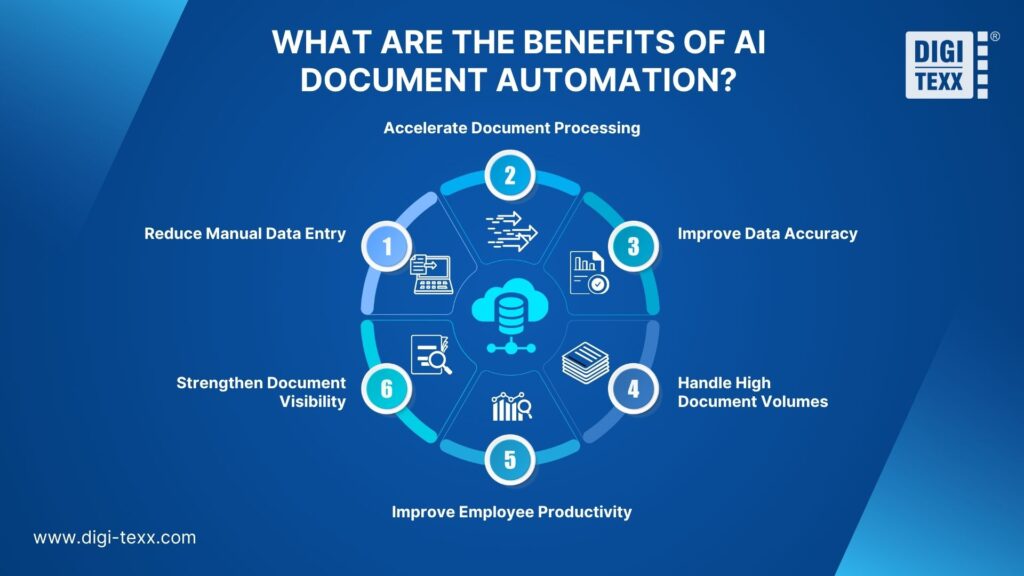
What Are the Benefits of AI Document Automation?
The primary value of AI document automation comes from reducing repetitive document work while improving the speed and consistency of processing.
“AI document processing automated 80% of manual data entry, reduced document processing time by 60%, and decreased data entry errors by 50%.” — Hyperlink InfoSystem
- Reduce Manual Data Entry: AI automatically extracts information from invoices, forms, contracts, applications, and other documents, reducing repetitive typing and minimizing human input errors.
- Accelerate Document Processing: Automated extraction and workflow routing can process large document volumes faster than manual workflows, helping organizations reduce processing backlogs.
- Improve Data Accuracy: AI can validate extracted information against business rules and identify missing or inconsistent fields before data enters downstream systems.
- Handle High Document Volumes: Automation enables businesses to process thousands of documents without increasing manual workload at the same rate.
- Improve Employee Productivity: Instead of reviewing every document manually, employees can focus on exceptions, approvals, and tasks that require human judgment.
- Strengthen Document Visibility: Automated workflows can provide tracking, audit trails, and status information throughout the document lifecycle.
AI Document Automation Use Cases
AI document automation is particularly valuable in processes that involve high document volumes, repetitive data extraction, and multiple approval or validation steps. Instead of manually reading, entering, and routing information, AI can capture document data, understand its context, validate records, and trigger the next workflow automatically.
Common use cases include:
Invoice, Accounts Payable, And Financial Document Processing
Invoice processing is one of the most practical applications of document automation AI. AI can capture supplier names, invoice numbers, dates, tax details, line items, and totals from invoices, even when documents come in different formats.
The extracted information can then be validated against purchase orders or business rules, matched with accounting records, and routed for approval. Exceptions, such as mismatched amounts or missing information, can be automatically flagged for human review.
This approach reduces manual data entry while helping accounts payable teams process invoices faster and improve data accuracy.
Contract And Legal Document Processing
AI can analyze contracts and other legal documents to identify key information such as parties, effective dates, renewal terms, obligations, payment conditions, and specific clauses.
Instead of manually searching through lengthy documents, employees can use AI to locate relevant information, classify documents, and route them for review or approval. This makes cognitive document automation particularly useful for organizations managing large contract repositories.
Insurance Claims And Customer Onboarding
Document-heavy processes in insurance, banking, and customer onboarding can also benefit significantly from AI automation. A system can process claim forms, identification documents, applications, receipts, medical records, and supporting documents, then extract and validate the required information.
For customer onboarding, for example, AI can identify information from submitted documents, check whether required fields are present, and route applications based on predefined business rules. In insurance, the same technology can help organize claim documentation and identify cases that require additional review.
Document Classification And Workflow Routing
Not every AI document automation use case requires complex data extraction. Organizations can also use AI to automatically classify incoming documents and determine where each document should go.
Documents received through email, portals, scanners, or shared folders can be categorized by type and routed to the appropriate department or workflow. This is especially useful for organizations processing large volumes of mixed documents, where manual sorting creates unnecessary administrative work.
>>> See more:
- How to Ensure Data Accuracy: Best Practices & AI Guide 2026
- An Overview of Document Processing Company: What You Need to Know
- Online Data Processing Services: Streamline Your Data Management
AI Document Automation Challenges And Limitations
Despite its benefits, AI document automation is not completely hands-off. Its effectiveness depends on document quality, system integration, and how well exceptions are managed.
Document Variability
Different layouts, formats, languages, image quality, and handwritten content can affect extraction accuracy. AI systems need to handle these variations rather than rely solely on fixed templates.
Data Quality
Poor-quality scans, missing information, or incomplete documents can reduce accuracy. Pre-processing, validation rules, and confidence thresholds can help identify unreliable results.
Integration Complexity
Connecting AI document automation with legacy ERP, CRM, or DMS platforms may require custom APIs, workflow configuration, or additional technical development.
Human Oversight
AI can automate routine document processing, but ambiguous or low-confidence cases may still require human validation. A human-in-the-loop approach helps maintain accuracy while maximizing automation.
Security And Compliance
Documents may contain financial, legal, healthcare, or personally identifiable information. Organizations should implement appropriate access controls, encryption, audit trails, and data retention policies.
The practical goal is not always 100% automation. A more effective approach is to automate predictable, high-volume tasks while routing exceptions to human reviewers.
>>> See more:
- Top 10 Scanning Apps You Need in 2025: Turn Your Device Into a Portable Scanner
- What Is Digitization Service? Common Types of Digitization Services
Best AI Document Automation Software
The best AI document automation software depends on the type and volume of documents, extraction requirements, existing business systems, security requirements, and the level of workflow automation needed. Some platforms focus primarily on intelligent document processing, while others combine AI extraction with RPA, workflow orchestration, and enterprise integrations.
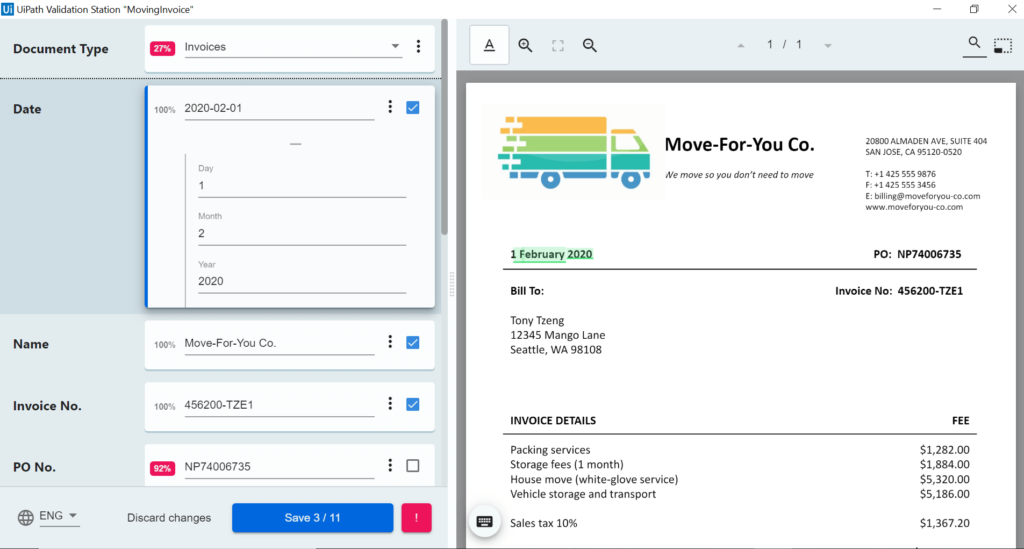
1. UiPath Document Understanding
UiPath combines AI-powered document processing with its broader automation platform. Document Understanding can classify and extract information from business documents and connect the results with automated workflows, making it particularly suitable for enterprises already using RPA.
Pros
- Combines document AI with RPA and workflow automation
- Supports enterprise-scale document processing
- Strong integration with automated business processes
- Suitable for organizations with complex, multi-system workflows
Cons
- Can be complex to implement
- May require technical expertise for advanced workflows
- Costs can increase as automation requirements and scale grow
Pricing: Basic starts at $25/month, while enterprise capabilities and professional automation plans use custom pricing.
Best for: Large organizations that want to combine AI document automation, RPA, and end-to-end business process automation.
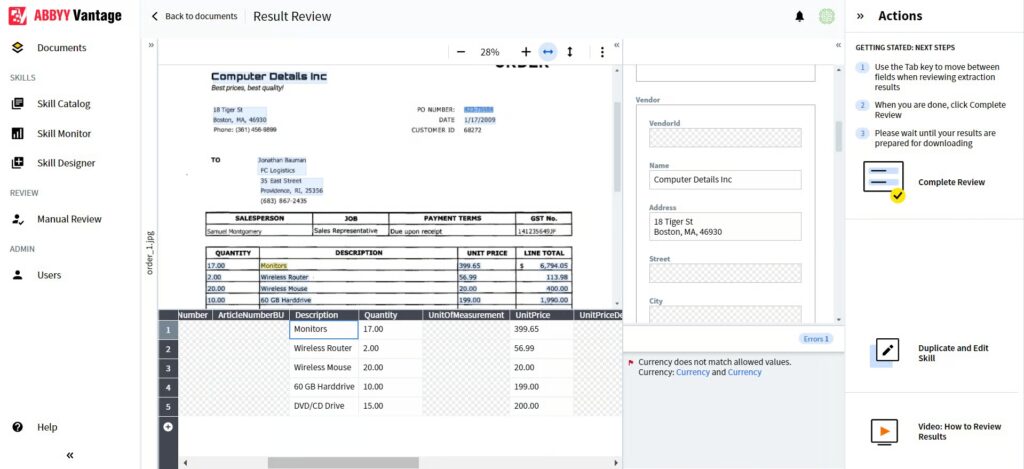
2. ABBYY Vantage
ABBYY Vantage is an enterprise intelligent document processing platform designed to extract and understand information from business documents. It provides pre-trained AI skills and can be integrated with broader automation environments.
Pros
- Strong document recognition and extraction capabilities
- Supports complex enterprise document workflows
- Pre-trained skills can reduce configuration effort
- Suitable for high-volume document processing
Cons
- Enterprise implementation can be complex
- May require integration and technical resources
- Pricing is not publicly standardized
Pricing: Custom pricing based on deployment, document volume, and business requirements.
Best for: Enterprises that need mature intelligent document processing for complex or high-volume document environments.
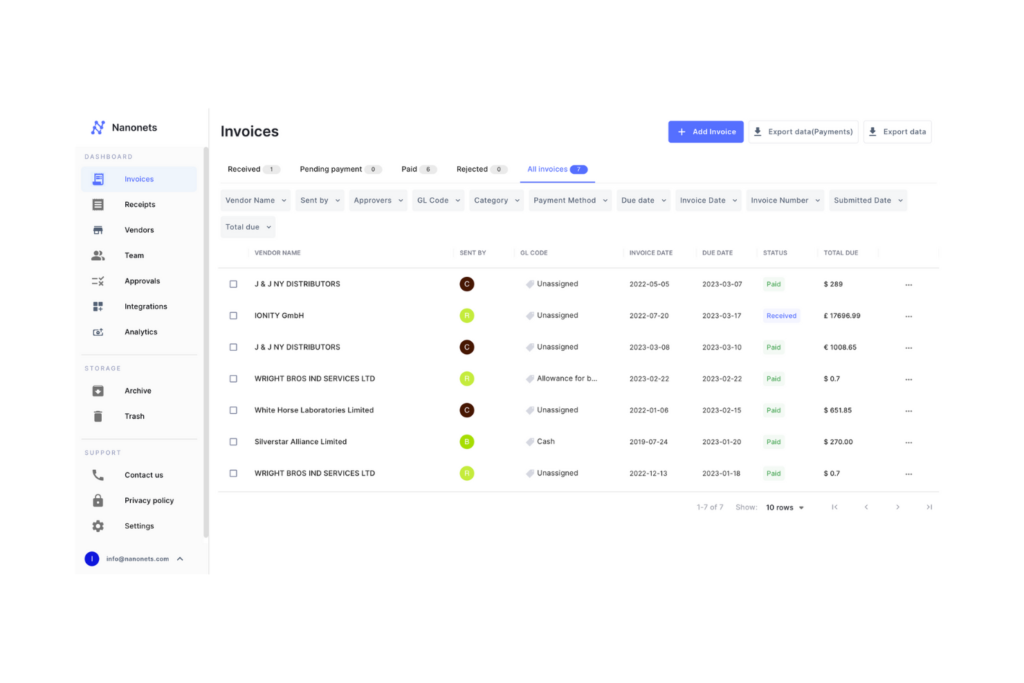
3. Nanonets
Nanonets focuses on AI-powered document extraction and workflow automation. It supports classification, data extraction, validation, integrations, and analytics, making it suitable for teams that want to automate document-heavy processes without building everything from scratch.
Pros
- AI-based document extraction and classification
- API and cloud integrations
- Supports ERP and database integrations on higher tiers
- Usage-based pricing can work well for growing teams
- Enterprise options include security and compliance features
Cons
- Pricing becomes more complex as workflows grow
- Advanced capabilities are reserved for higher tiers
- Large-scale deployments may require implementation support
Pricing: Starts with $50 in free credits. After that, the Starter plan is $100/month for 100 credits; Growth and Enterprise use volume-based or custom pricing.
Best for: SMBs and enterprises looking for flexible AI document automation with API, workflow, and business-system integrations.
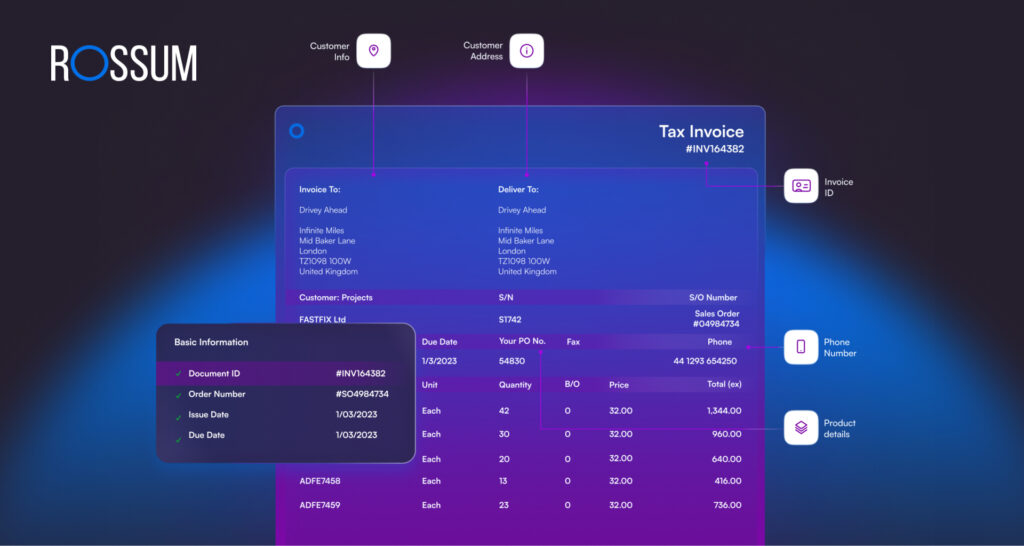
4. Rossum
Rossum is particularly focused on transactional documents such as invoices and other financial paperwork. Its strength is automating document-to-data workflows rather than functioning as a general-purpose OCR tool.
Pros
- Strong fit for invoice and financial document processing
- AI-powered extraction for variable document formats
- Useful for accounts payable automation
- Designed for high-volume transactional workflows
Cons
- More specialized than general automation platforms
- Enterprise pricing is not publicly standardized
- Advanced workflows may require integration work
Pricing: Custom pricing, typically based on processing requirements and business scale.
Best for: Finance and accounts payable teams processing large volumes of invoices and transactional documents.
5. Hyperscience
Hyperscience is designed for complex, high-volume document processing, with an emphasis on machine learning-based extraction and human-in-the-loop workflows. It is particularly relevant when organizations need to process forms and documents that vary considerably in structure.
Pros
- Designed for high-volume enterprise processing
- Strong support for complex document types
- Human-in-the-loop capabilities
- Suitable for organizations with strict processing requirements
Cons
- Primarily suited to enterprise environments
- Implementation may require technical expertise
- Pricing is generally custom
Pricing: Custom pricing based on enterprise requirements and processing volume.
Best for: Large organizations handling complex, high-volume, and variable document workflows.
6. Google Cloud Document AI
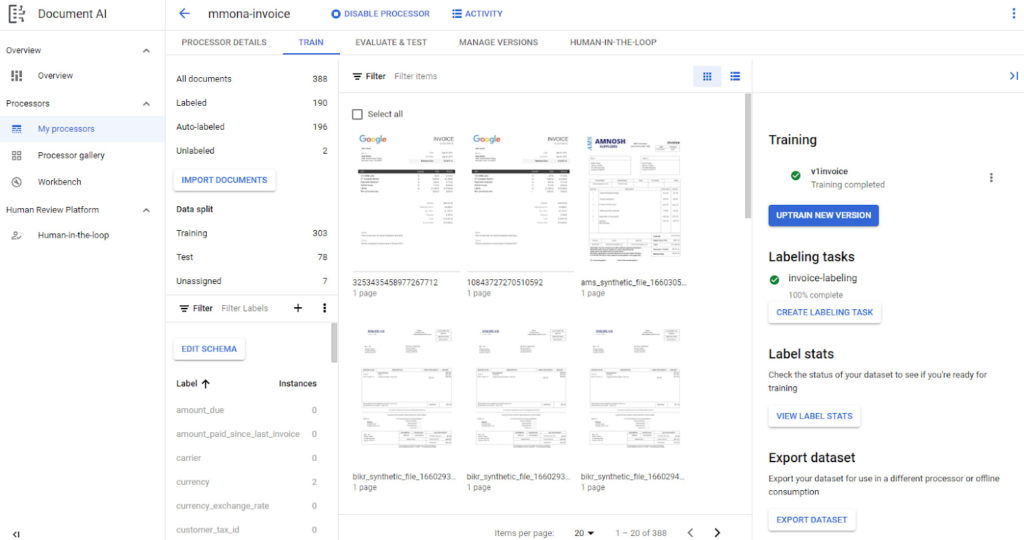
Google Cloud Document AI provides AI-powered document processing services for extracting structured information from documents. Because it is cloud-based and developer-oriented, it is a strong option for organizations that want to build document automation into their own applications and workflows.
Pros
- Strong cloud and API capabilities
- Suitable for developers and engineering teams
- Scalable document processing
- Can be integrated into broader Google Cloud environments
Cons
- Requires technical development
- Less suitable for non-technical users looking for an out-of-the-box workflow
- Total cost depends on usage and surrounding cloud services
Pricing: Usage-based pricing varies by processor and volume.
Best for: Technology teams that need programmable document AI and want to integrate document processing into custom applications.
7. Microsoft AI Document Intelligence
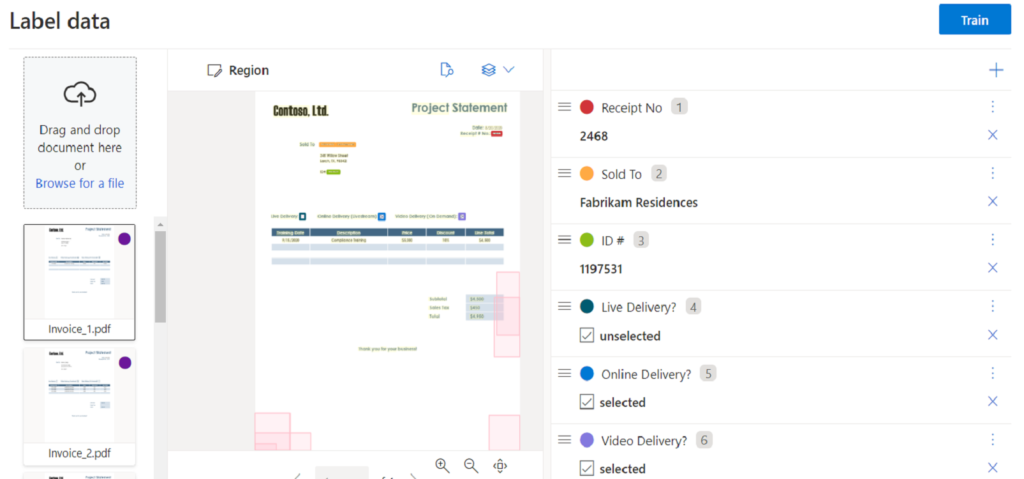
Microsoft AI Document Intelligence is designed to extract text, fields, tables, and other information from documents and can be integrated with Microsoft’s broader cloud and automation ecosystem.
Pros
- Strong fit for Microsoft-centric organizations
- API-based document processing
- Supports structured data extraction
- Can be integrated with broader Microsoft workflows
Cons
- Requires technical configuration for advanced implementations
- Best suited to organizations already invested in Microsoft Azure
- Pricing depends on usage and selected capabilities
Pricing: Usage-based Azure pricing.
Best for: Businesses already using Microsoft Azure, Power Automate, or Microsoft business applications.
| Software | Best For | Main Strength | Pricing | Technical Level |
| UiPath Document Understanding | Enterprise automation | AI + RPA + workflow automation | From $25/month; enterprise custom | Medium–High |
| ABBYY Vantage | Complex enterprise documents | Intelligent document processing | Custom | High |
| Nanonets | Flexible document workflows | AI extraction + integrations | From $100/month after free credits | Low–Medium |
| Rossum | Invoice & AP automation | Transactional document processing | Custom | Medium |
| Hyperscience | High-volume complex documents | ML extraction + human review | Custom | High |
| Google Cloud Document AI | Developer-led automation | Cloud API and document intelligence | Usage-based | High |
| Microsoft AI Document Intelligence | Microsoft ecosystem | Document AI + Azure integration | Usage-based | Medium–High |
>>> See more:
- Top 10 Automated Document Processing Software
- Wedding Photography Retouching: Professional Techniques & Services
- Wedding Photo Editing Service | Elevating Your Wedding Photos
FAQs About AI Document Automation
How Is AI Document Automation Different From OCR?
OCR primarily converts images into machine-readable text. AI document automation goes further by classifying documents, understanding context, extracting relevant information, validating data, and triggering workflow actions.
Is AI Document Automation The Same As IDP?
Not exactly. IDP focuses primarily on intelligent document capture, classification, and data extraction. AI document automation extends these capabilities by connecting extracted information to downstream business workflows.
Can AI Document Automation Process Handwritten Documents?
Yes. Some advanced platforms can recognize handwritten content, although accuracy depends on handwriting quality, document conditions, language, and the AI model being used.
Can AI Document Automation Integrate WWith ERP And CRM Systems?
Yes. Enterprise platforms commonly use APIs, connectors, and workflow integrations to transfer validated document data into ERP, CRM, accounting, DMS, and other business applications.
AI document automation is moving beyond simple document digitization to create intelligent, end-to-end workflows that can capture, classify, extract, validate, and route information with minimal manual intervention. By combining AI, OCR, NLP, machine learning, and workflow automation, businesses can process high volumes of documents faster while improving accuracy, scalability, and employee productivity.
As document automation AI continues to evolve, businesses should focus not only on automation capabilities but also on data quality, system integration, security, compliance, and human oversight. The right approach is to automate repetitive, predictable tasks while directing exceptions to employees for review and decision-making. With the right solution and implementation strategy, cognitive document automation can become an important foundation for more efficient and scalable document management.
DIGI-TEXX Contact Information:
🌐 Website: https://digi-texx.com/
📞 Hotline: +84 28 3715 5325
✉️ Email: [email protected]
🏢 Address:
- Headquarters: Anna Building, QTSC, Trung My Tay Ward
- Office 1: German House, 33 Le Duan, Saigon Ward
- Office 2: DIGI-TEXX Building, 477-479 An Duong Vuong, Binh Phu Ward
- Office 3: Innovation Solution Center, ISC Hau Giang, 198 19 Thang 8 street, Vi Tan Ward
Reference:
- Cabinet Office. (2024, February 29). Automated digital document review: Algorithmic transparency record. GOV.UK. https://www.gov.uk/algorithmic-transparency-records/cabinet-office-automated-digital-document-review
- National Institute of Standards and Technology. (2023). NIST AI RMF playbook. https://www.nist.gov/itl/ai-risk-management-framework/nist-ai-rmf-playbook