Automated invoice processing is transforming how businesses manage accounts payable by replacing manual, error-prone tasks with AI-driven automation. From capturing invoices and extracting data to validating information, routing approvals, and integrating with ERP systems, modern invoice automation helps organizations save time, reduce costs, and improve financial accuracy.
As a trusted data processing company, DIGI-TEXX helps businesses adopt intelligent automation through solutions such as AI document processing, document digitalization, and enterprise document management system technologies.
In this guide, you’ll learn how automated invoice processing works, its key benefits, implementation best practices, and the leading software solutions to help your business build a faster, more accurate, and scalable invoice management workflow.
What Is Automated Invoice Processing?
Automated invoice processing (AIP) uses advanced software to manage and process invoices with minimal manual intervention. This technology streamlines invoice handling by automating tasks such as data extraction, validation, and approval workflows. It also integrates with existing financial or ERP systems to ensure seamless operations and enhance efficiency in managing invoices.
As part of a broader automated invoice management strategy, businesses gain greater visibility into invoice workflows, strengthen financial controls, and make more informed accounts payable decisions.
By reducing the reliance on manual data entry, it not only saves valuable time but also significantly minimizes the risk of human errors. From that, Enterprises can achieve faster processing times, improved accuracy, and better visibility into their accounts payable processes. Automated systems can integrate with existing financial or ERP systems, ensuring seamless operations and enhanced efficiency in managing invoices, ultimately supporting more informed financial decision-making.
=> Read more: Automated Document Processing Software | Definition, Benefits, and Applications
How Does Automated Invoicing Function?
Automated invoice processing uses AI, OCR, and workflow automation to streamline every stage of the accounts payable process—from capturing invoice data to validation, approval, and ERP integration. While often associated with automated invoicing, automated invoice processing places greater emphasis on validating supplier invoices, automating approval workflows, and integrating invoice data with financial systems.
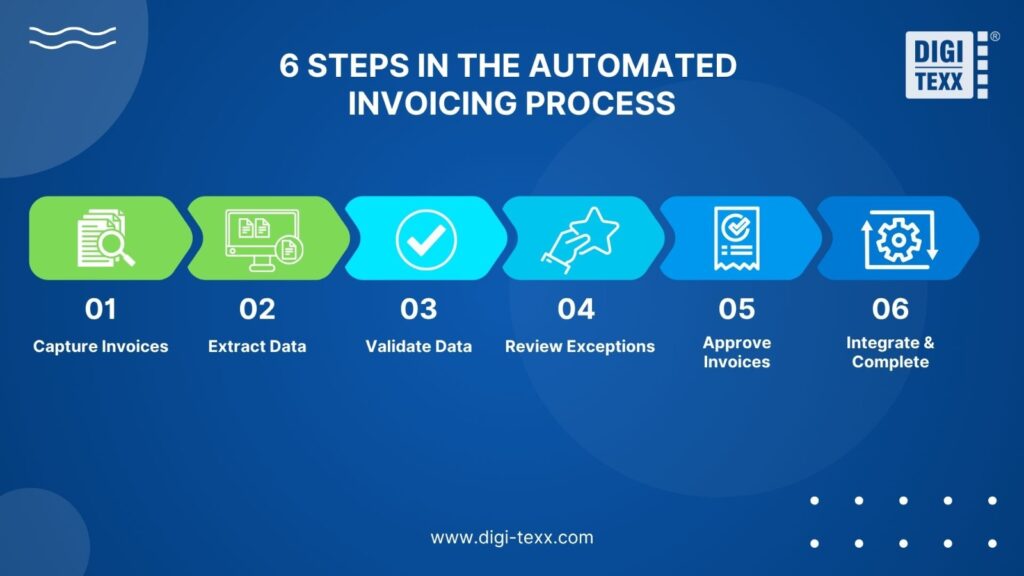
Here’s how a typical automated invoice processing workflow works.
Capture Invoices From Multiple Sources
The first step in automated invoice processing is collecting invoices from every channel where they enter the business. These may include email attachments, supplier portals, EDI transactions, scanned paper invoices, or mobile uploads.
Rather than requiring finance teams to organize invoices manually, the platform centralizes all incoming documents in one place. Paper invoices are digitized using OCR technology, while electronic invoices are imported directly without additional conversion. This ensures every invoice follows a standardized workflow regardless of its original format. Together, these technologies create a standardized automated invoice process that improves data quality, increases processing consistency, and reduces manual intervention from the very beginning.
Extract Invoice Data Using AI And OCR
Once invoices are captured, the system automatically extracts key information using Optical Character Recognition (OCR) and artificial intelligence (AI). Instead of simply recognizing text, modern AI models identify important business data such as supplier names, invoice numbers, purchase order references, line items, payment terms, tax amounts, and due dates.
If the system detects fields with low confidence or incomplete information, those invoices can be flagged for review before moving to the next stage. This approach significantly reduces manual data entry while maintaining high data accuracy.
Validate Invoice Data And Match Supporting Documents
Before an invoice is approved, automated invoice processing verifies its accuracy against existing business records. The system checks for duplicate invoices, missing information, pricing discrepancies, incorrect tax calculations, and vendor details.
Many organizations also perform two-way or three-way matching, comparing invoice data with purchase orders and goods receipt notes (GRNs). By validating invoices before payment, businesses can minimize processing errors, prevent duplicate payments, and strengthen financial controls.
Handle Exceptions Through Intelligent Review
Not every invoice can be processed automatically. Missing purchase orders, inconsistent pricing, duplicate invoices, or unreadable documents may require human intervention.
Instead of interrupting the entire workflow, automated invoice processing isolates only these exceptions and routes them to the appropriate finance staff for review. Once corrected, the invoice re-enters the workflow automatically. Many AI-powered platforms continuously learn from these decisions, helping improve accuracy and reduce future exceptions over time.
Route Invoices For Faster Approval
After validation, invoices are automatically routed to the appropriate approvers based on predefined business rules. Approval workflows can be configured according to department, invoice value, project, supplier, or spending category.
Automated notifications, reminders, and escalation rules help prevent approval bottlenecks and ensure invoices are reviewed before payment deadlines. This not only shortens approval cycles but also provides complete visibility into each invoice’s status throughout the process. As a result, organizations can significantly reduce invoice processing time while maintaining stronger financial controls and approval transparency.
Complete The Workflow With ERP Integration, Payments, And Reporting
Automated invoice processing extends beyond invoice approval. Once approved, invoice data can be synchronized automatically with ERP or accounting systems such as SAP, Oracle NetSuite, Microsoft Dynamics 365, QuickBooks, or Xero. This keeps financial records up to date while eliminating duplicate data entry across systems.
Many solutions also automate payment scheduling, generate remittance notifications, and provide real-time dashboards for tracking invoice status, approval times, processing costs, and exception rates. These insights help finance leaders monitor performance, identify workflow bottlenecks, and continuously optimize accounts payable operations. Many organizations also support automated e-invoice transmission to exchange invoices electronically with suppliers, customers, and tax authorities more efficiently.
>>> See more:
- What Is a Document Management System (DMS)?
- 16 Key Factors To Improve Data Accuracy
- An Overview of Document Processing Company: What You Need to Know
Benefits Of Automating Invoice Processing For Businesses
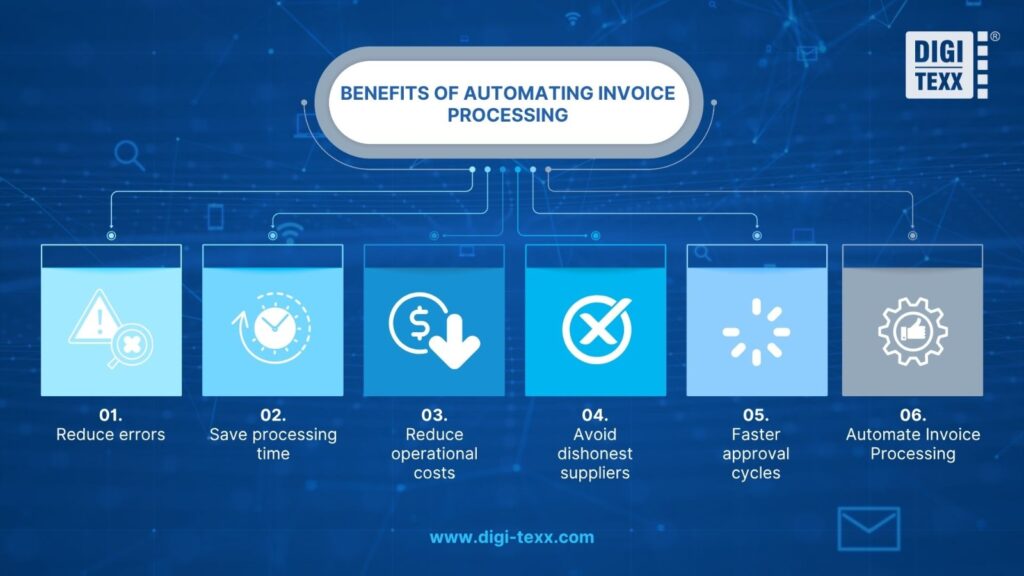
Automated Invoice Processing (AIT) is known to be a solution that revolutionizes how businesses manage their accounts payable. By replacing previously manual tasks with smart technology. By replacing previously manual tasks with smart technology, this solution reduces manual invoice processing.
Benefits of Automating Bill Processing
- Reduce errors: Automated invoice processing reduces the need for manual data entry.
- Save processing time: Automated invoice processing saves time by reducing manual data entry and processing.
- Reduce operational costs: Automated invoice processing can also effectively reduce invoice processing costs for businesses.
- Avoid dishonest suppliers: This automated invoice processing can help your business avoid paying fraudulent suppliers.
- Faster approval cycles: Automated Invoice Processing is an automated solution that helps in faster approval cycles.
- Automate Invoice Processing: It helps speed up the approval process, maximize data accuracy, and enhance financial management for seamless growth.
Modern invoice processing automation accelerates approvals, improves data accuracy, and strengthens financial management for seamless growth. Overall, the benefits of invoice automation help organizations improve operational efficiency, strengthen financial control, and support long-term business growth.
Automated Invoice Processing vs. Accounts Payable Automation
Although the terms are often used interchangeably, automated invoice processing and accounts payable (AP) automation serve different purposes. Automated invoice processing focuses on handling invoices efficiently, while AP automation manages the entire accounts payable lifecycle—from invoice receipt to payment and financial reporting.
| Feature | Automated Invoice Processing | Accounts Payable Automation |
| Primary focus | Automates invoice capture, data extraction, validation, and approvals | Automates the entire accounts payable process, from invoice receipt to payment |
| Scope | Invoice processing only | End-to-end AP workflow, including supplier management, payments, and reporting |
| Core capabilities | OCR, AI data extraction, invoice matching, approval routing | Invoice processing, payment execution, ERP integration, vendor management, audit trails |
| Business goal | Reduce manual invoice processing and improve accuracy | Optimize the entire AP operation and strengthen financial control |
| Best suited for | Businesses looking to streamline invoice handling | Organizations seeking complete AP process automation |
How One Manufacturer Transformed Invoice Processing With AI?
Many businesses assume that automated invoice processing is simply about replacing manual data entry with OCR. In practice, the biggest gains come from automating the entire accounts payable workflow—from invoice capture and validation to approvals and ERP integration.
A global manufacturer processing over 12,000 supplier invoices per month faced growing delays as invoice volumes increased. Although invoices were already digitized, finance teams still spent hours extracting data, matching invoices with purchase orders and goods receipt notes, and manually following up on approvals. During peak production periods, approval cycles often exceeded 10 business days, slowing supplier payments and increasing administrative workload.
Rather than implementing OCR as a standalone tool, the company adopted an AI-powered invoice automation solution. The company used AI to automate invoice validation, approval routing, and ERP synchronization while minimizing manual intervention. OCR captured invoice data automatically, while AI validated information against purchase orders and flagged only exceptions for manual review. Approved invoices were routed through automated workflows and synchronized directly with the ERP system.
Within a few months, invoice processing time fell by over 80%, manual data entry errors dropped by nearly 90%, and the finance team completed month-end closing significantly faster. More importantly, AP specialists shifted their focus from repetitive administrative tasks to managing exceptions, improving supplier relationships, and supporting financial planning.
>>> See more:
- Top 10 Scanning Apps You Need in 2025: Turn Your Device Into a Portable Scanner
- How to Retouch Wedding Photos: Best Techniques and Tools
- Wedding Photo Editing Service | Elevating Your Wedding Photos
Best Automated Invoice Processing Software In 2026\
AIPs are revolutionizing the on-time payable workflow by minimizing manual tasks by automating processes to improve accuracy and save time.
These software have many advantages for businesses (of all sizes, large or small), providing a variety of smart features such as real-time tracking, seamless integration, and advanced analytics. When evaluating vendors, businesses should compare OCR accuracy, AI capabilities, ERP integration, workflow customization, and scalability to identify the best data entry automation systems for invoice processing. The following solutions stand out for their features, benefits, and ideal use cases.
SAP Concur
SAP Concur is a tool that simplifies invoice management with AIP. It allows seamless integration with your ERP systems and ensures compliance with global standards. With this modern solution, businesses can minimize human errors. At the same time, improve cash flow management processes and increase business efficiency.
- Key Features of SAP Concur: The main function is to collect all mobile data, then extract data with the help of AI. SAP Concur provides automated workflows, multi-currency support, and accurate real-time analytics.
- Benefits: SAP Concur helps reduce processing time, ensure regulatory compliance, and streamline approvals. Increase financial visibility and integrate with existing enterprise ERP systems.
- This SAP Concur tool is recommended for large enterprises with global operations and complex IAP requirements.
Tipalti
Tipalti is considered a tool that provides a comprehensive solution for global payment processing. The tool is designed to simplify the accounts payable (AP) workflow. Tipalti’s strength lies in automating all documents (from receipts, and invoices to payment bills) to help businesses scale effectively, and comply with tax and payment regulations.
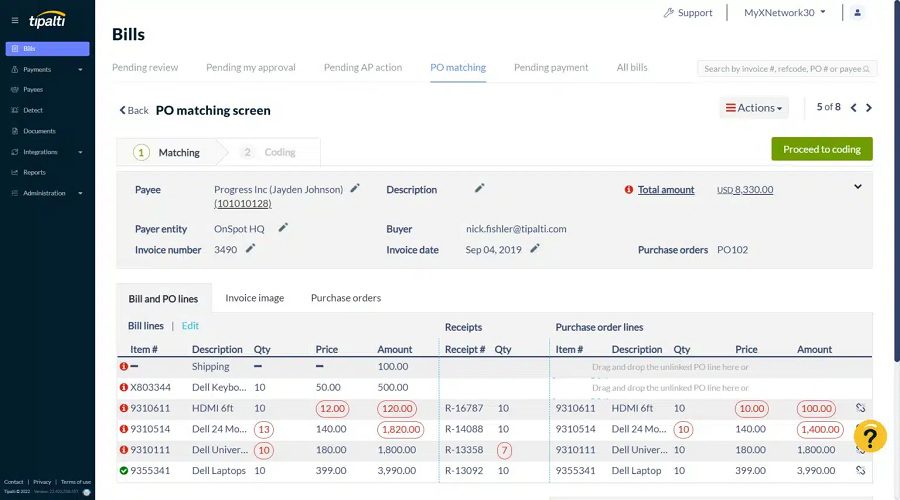
- Tipalti features: Global payment processing, automated tax compliance, detecting all fraud and reporting in real-time, and is also a supplier self-service portal.
- Simplifying global invoice and payment operations – Ensuring businesses comply with regulations, reducing payment errors, and saving time – Supporting businesses in improving supplier relationships
- Tipalti is suitable for medium and large businesses with international suppliers.
QuickBooks
QuickBooks offers a user-friendly platform for automated invoice processing, ideal for small businesses and freelancers. It simplifies invoicing, tracking payments, and managing cash flow, helping users stay on top of their finances effortlessly.
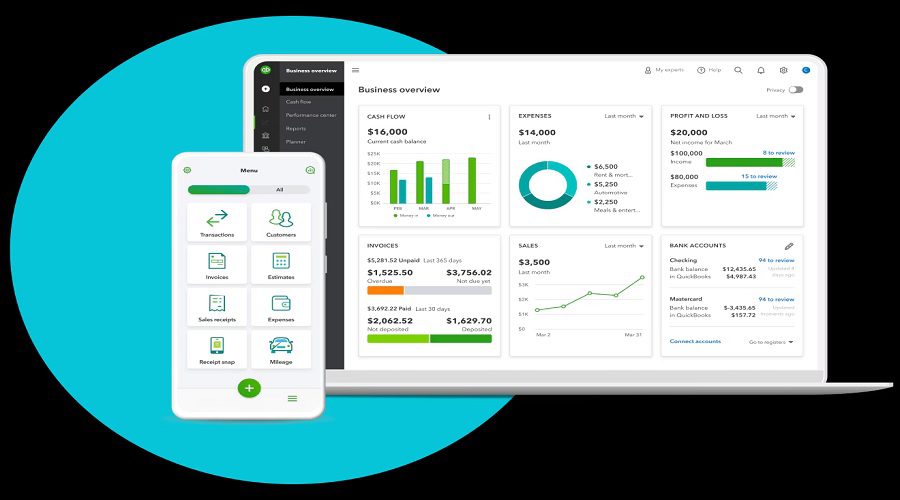
- Features: Invoice automation, payment reminders, expense tracking, multi-device synchronization, and integration with financial tools.
- Benefits: Saves time on manual tasks, improves cash flow visibility, reduces errors, and offers real-time financial insights.
Best for: Small businesses, freelancers, and service providers.
Bill.com
Bill.com streamlines accounts payable with advanced automation features, enabling businesses to digitize and optimize their invoice workflows. It integrates seamlessly with major accounting software to ensure accuracy and efficiency.
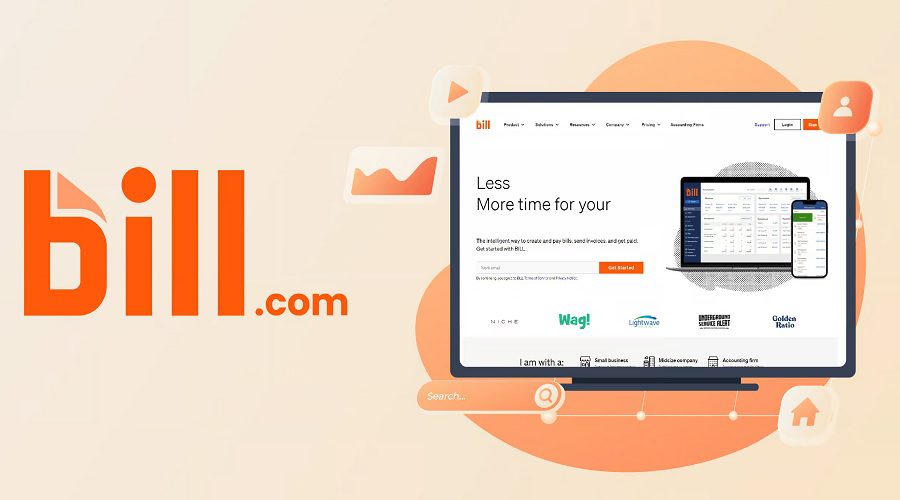
- Features: Approval workflows, automated payment scheduling, AI data extraction, cloud storage, and accounting integration.
- Benefits: Reduces manual workload, shortens payment cycles, ensures data accuracy, and enhances collaboration.
Best for: SMBs looking for a scalable AP automation solution.
Rossum
Rossum is a tool that uses AI-driven technology to automate invoice data capture and streamline AP workflows. It simplifies the process by extracting accurate data and enabling collaboration within a unified platform.
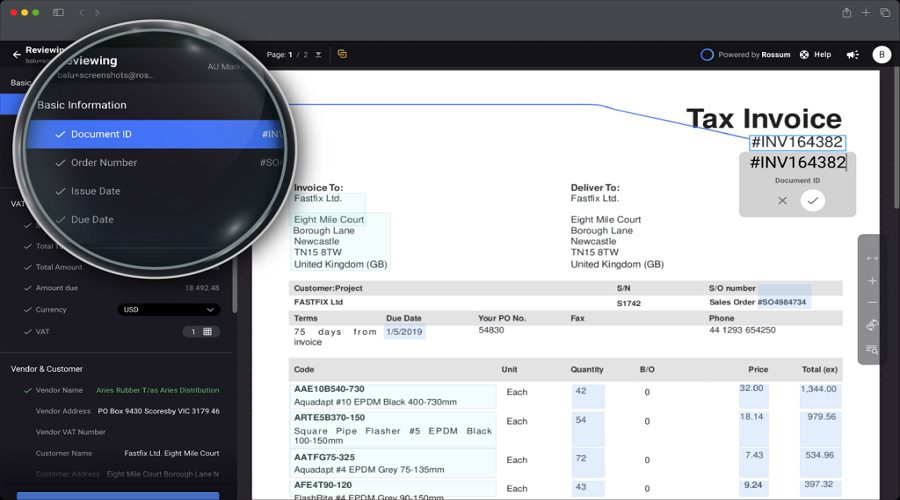
- Features: Intelligent OCR with customizable workflows that feature flexibility, AI-based validation, real-time collaboration, API integration.
- Benefits: Accelerates invoice processing time, eliminates human errors, ensures flexibility, and integrates seamlessly with existing business systems.
Rossum is best suited for businesses that need an efficient invoice collection solution powered by AI technology.
Yooz
Yooz is a cloud-based AP automation platform that combines cutting-edge technology with ease of use. It focuses on improving efficiency, reducing risk in automated invoice processing, and providing comprehensive analytics.
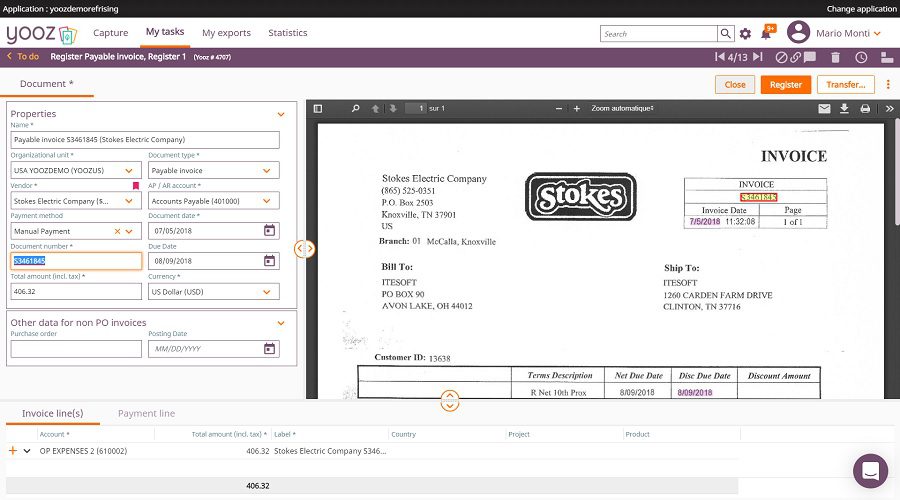
- Features: Advanced OCR, secure cloud storage, real-time data analytics, fraud prevention, and customizable, flexible workflow integration.
- Benefits: Helps businesses improve efficiency in delivering actionable insights, ensuring compliance reducing manual human error, and securing sensitive data.
Yooz is best for businesses that need to securely streamline large invoice processing.
Sage Intacct
Sage Intacct offers robust features for invoice processing and financial management. It integrates seamlessly with ERP systems to provide real-time insights into financial performance and streamline AP workflows.
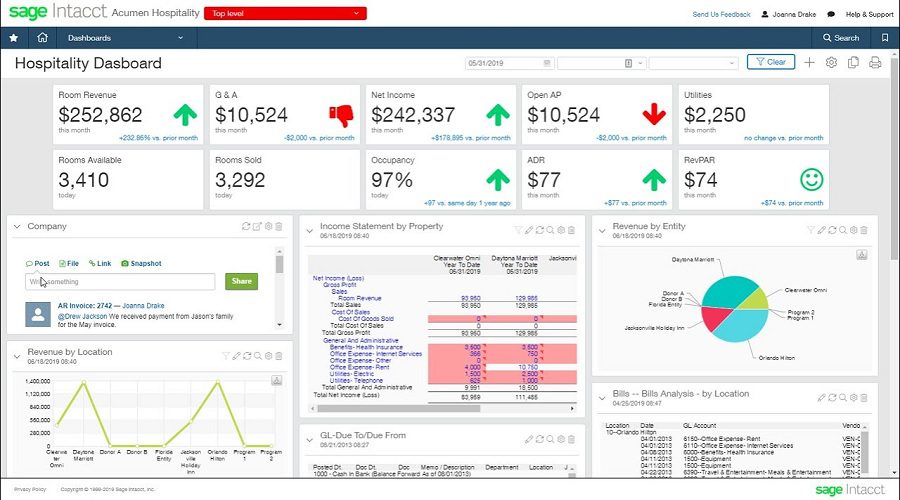
- Features: Multi-dimensional reporting, invoice tracking, automated workflows, cloud scalability, and integration with ERP systems.
- Benefits: Provides deep financial insights, improves data accuracy, enhances scalability, and ensures efficient AP processing.
Best for: Mid-sized businesses with complex financial operations.
Coupa
Coupa is known by businesses as a powerful, intelligent spend management platform with advanced, modern features that enable fast, automated invoice processing. The platform is primarily focused on improving AP procurement efficiency while providing comprehensive, holistic insights into spending for businesses.
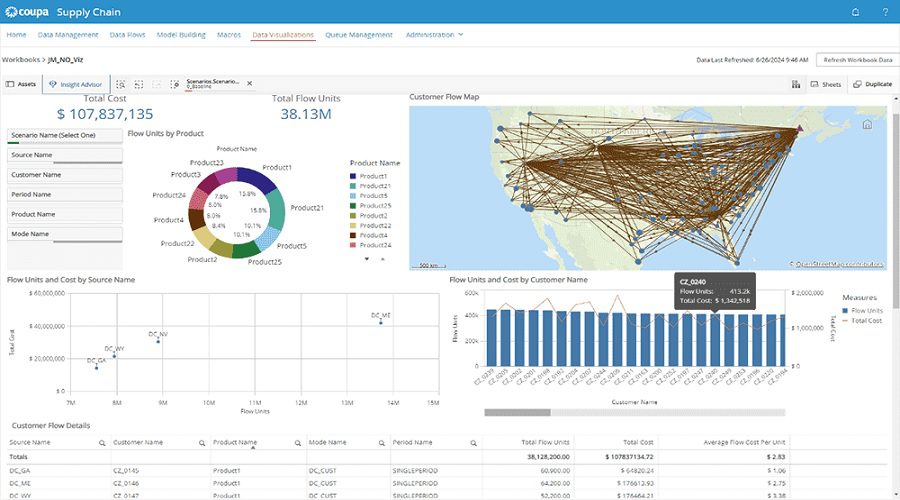
- Features: AI-driven invoice matching, supplier network integration, compliance tools, spend analysis, mobile access.
- Benefits: Optimizes procurement, improves supplier relationships, enhances compliance, and delivers actionable insights.
Best for: Enterprises managing procurement and AP operations at scale.
Xero
Xero offers a straightforward yet powerful platform for automated invoice processing, designed for small businesses and startups. It simplifies financial management with real-time tracking and seamless integrations.
- Features: AI-driven invoice reconciliation, supplier network integration, compliance and spend analytics, and mobile access.
- Benefits: Coupa optimizes procurement, improves supplier relationships, increases compliance, and provides actionable insights for businesses to manage.
Coupa is best for businesses that manage and procure large-scale AP systems.
FreshBooks
FreshBooks is tailored for freelancers and small businesses. It offers a user-friendly interface that makes setting up invoices and managing finances easier. FreshBooks’ automation features save time, improve accuracy in billing and payments, and minimize manual errors.
- Features: Recurring invoices, payment reminders, real-time tracking and detailed reporting, and integration with mobile apps.
- Benefits: Streamline invoicing quickly and conveniently, enhance customer relationships, save time, and improve financial accuracy.
- FreshBooks is a great tool for freelancers and small to medium-sized service businesses.
When choosing Automated Invoicing tools for your business, always consider your specific needs and what your business’s most important goals are.
=> See more: 7 Best Invoice Processing Software to Save Time & Money
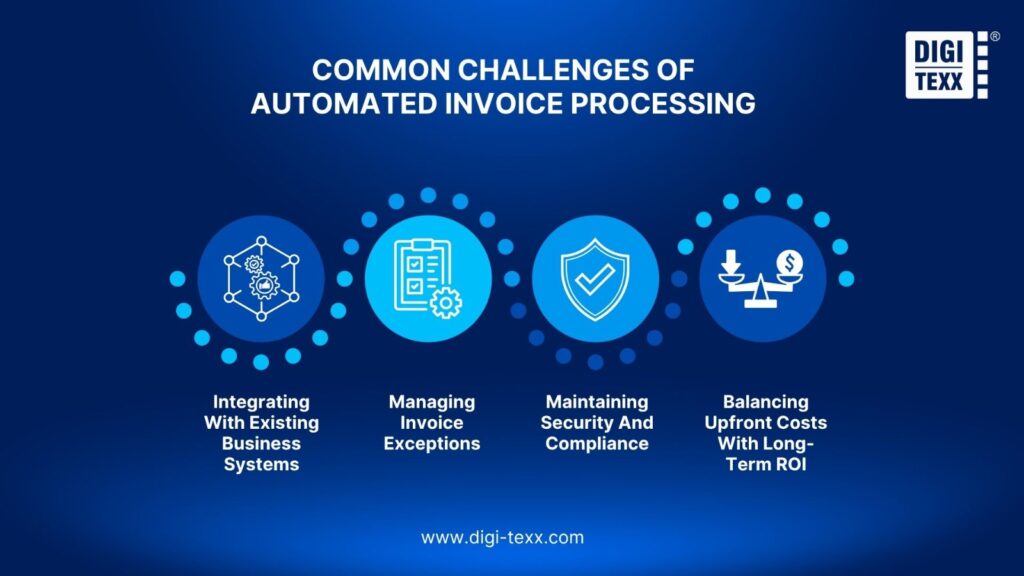
Common Challenges Of Implementing Automated Invoice Processing
Although automated invoice processing improves efficiency and accuracy, organizations may encounter several challenges during implementation. From integrating legacy systems to managing exceptions and ensuring compliance, addressing these issues early helps maximize the long-term value of automation.
Integrating With Existing Business Systems
One of the biggest challenges is connecting automated invoice processing with existing ERP, accounting, and procurement systems. Legacy software may not integrate seamlessly with modern automation platforms, leading to inconsistent data or workflow disruptions. Choosing a solution with robust APIs and pre-built integrations can simplify deployment and ensure smooth data synchronization.
Managing Invoice Exceptions
Not every invoice can be processed automatically. Missing purchase orders, duplicate invoices, or incorrect vendor information may require manual review. A well-designed automated invoice processing solution should identify exceptions, route them to the appropriate approver, and continuously improve through AI-driven learning to reduce recurring issues.
Maintaining Security And Compliance
Invoice data often contains sensitive financial information, making security and compliance essential. Organizations should choose automated invoice processing software that offers encrypted data storage, role-based access controls, and audit trails to protect financial records and support regulatory compliance.
Balancing Upfront Costs With Long-Term ROI
Implementing automated invoice processing requires an initial investment in software, system integration, and employee training. However, these costs are typically offset by long-term benefits such as lower processing expenses, fewer manual errors, faster approval cycles, and improved operational efficiency, making automation a worthwhile investment for growing businesses.
How To Effectively Automate Invoice Processing In Your Business?
Unlock the Power of Automated Invoice Processing for Your Business! Tired of tedious payment workflows bogging down your operations? AIP (Automated Invoice Processing) is a game-changer for businesses looking to simplify their payment processes, minimize errors, and free up valuable time for more strategic pursuits. To make the most of this innovative system, follow these crucial steps: First, take a close look at your current

Breaking Down Business Operations For AIP Excellence
To get AIP off the ground, let’s begin by taking a hard look at the existing work routines of our company. First things first: let’s lay out the precise sequence of activities that make up the AP processing journey.
Choosing The Right Software For Your Business Processes
How do invoices find their way from reception to completion, and at which point is our system put to the test? By pinning down our weaknesses, delaying hotspots, and tedious manual labor, and also pinpointing areas where missteps are all too common, we’ll build a solid foundation for our transformation journey
The key to streamlining your business lies in selecting the perfect software to take your invoicing to the next level. When making this crucial decision, it’s essential to factor in three critical elements: user-friendliness, seamless integration, and cost-effectiveness.
Opt for software that boasts intelligent data collection capabilities, streamlined approval workflows, and comprehensive, error-free reporting. To make an informed choice, carefully assess vendors that cater to your company’s specific size and industry requirements. This involves taking the vendors through a rigorous evaluation process, including on-site demos, scrutinizing case studies, and ensuring the software integrates and plays nicely with your existing a.
Training And Coaching For Your Team
Even if your team has good software, it may not yield good results if they don’t know how to use it effectively.
Businesses should regularly organize comprehensive training sessions to help specialists familiarize themselves with and become professional with the system’s functions.
The highlight of the automation solution is to help reduce workload, minimize human errors and free up time, helping employees spend more time on strategic tasks.
FAQs About Automated Invoice Processing
How can I Automate My Invoicing?
To automate your invoicing, use invoice automation software that integrates with your accounting or ERP system. The software can automatically generate recurring invoices, route invoices through predefined approval workflows, send payment reminders, and track invoice status in real time. AI-powered OCR further reduces manual work by capturing and validating invoice data automatically.
What Is The Best Automated Invoice Processing Software?
The best automated invoice processing software depends on your business size, budget, and automation requirements. Some of the most popular solutions include: SAP Concur, Tipalti, QuickBooks, Bill.com, Rossum, Yooz, Sage Intacct, Coupa, Xero, FreshBooks.
How To Automate Invoice Processing With AI?
Automating invoice processing with AI starts by implementing a workflow that captures invoices, extracts key data, validates the information, and exports it to your accounting or ERP system. This workflow can be built using automation platforms such as Microsoft Power Automate, n8n, or dedicated AI invoice processing solutions like Docsumo.
Automated invoice processing helps businesses streamline accounts payable, reduce manual errors, accelerate approval workflows, and improve financial visibility. By choosing the right software and implementing a well-planned automation strategy, organizations can increase operational efficiency while lowering processing costs.
As AI and workflow automation continue to evolve, investing in automated invoice processing is becoming an essential step for businesses seeking scalable, accurate, and future-ready financial operations.
| Read more:
DIGI-TEXX Contact Information:
🌐 Website: https://digi-texx.com/
📞 Hotline: +84 28 3715 5325
✉️ Email: [email protected]
🏢 Address:
- Headquarters: Anna Building, QTSC, Trung My Tay Ward
- Office 1: German House, 33 Le Duan, Saigon Ward
- Office 2: DIGI-TEXX Building, 477-479 An Duong Vuong, Binh Phu Ward
- Office 3: Innovation Solution Center, ISC Hau Giang, 198 19 Thang 8 street, Vi Tan Ward
Reference:
- Association for Intelligent Information Management. (n.d.). Intelligent information management resources. https://www.aiim.org/
- Committee of Sponsoring Organizations of the Treadway Commission. (2013). Internal Control—Integrated Framework. https://www.coso.org/