Invoice processing software is becoming essential for businesses managing increasing invoice volumes and complex approval workflows. Manual invoice processing is no longer an efficient solution due to the risk of errors, delayed payments, and cash flow issues. Modern solutions now combine OCR optical character recognition, automated data processing, and document management solutions to streamline data entry services, invoice approvals, and payment workflows.
In this article, DIGI-TEXX reviews the 15 best invoice processing software solutions helping businesses optimize AP operations and improve data processing efficiency in 2026.processing software solutions that are helping businesses streamline their AP operations in 2026.
>> See more:
- Top 10 Data Entry Outsourcing Companies to Hire
- Top 10 Data Cleansing Companies for Businesses
- What are the 6 steps of the data analysis process?
What Is Invoice Processing Automation Software?
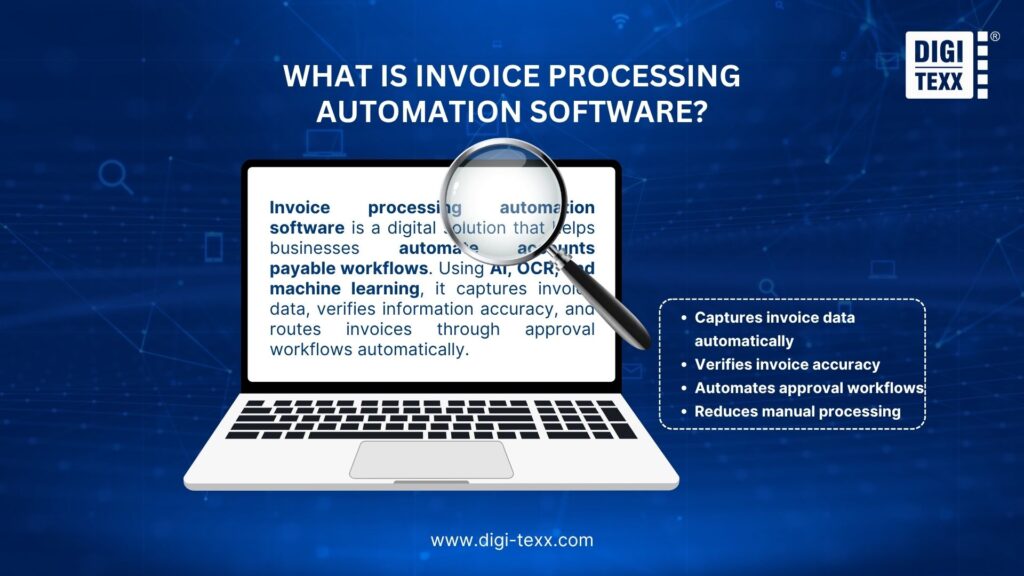
Invoice processing automation software is a smart digital solution designed to simplify and accelerate accounts payable workflows. Instead of relying on manual data entry and paper-based approvals, the software uses technologies such as AI, OCR, and machine learning to automatically capture invoice information, verify data accuracy, and route invoices through the approval process.
Beyond reducing repetitive administrative work, invoice automation helps finance teams improve accuracy, minimize processing delays, and maintain better control over cash flow and compliance. Whether a business handles hundreds or thousands of invoices each month, automated invoice processing makes AP operations faster, more scalable, and easier to manage.
For organizations operating internationally, global invoice processing software also helps standardize invoice management across multiple regions, currencies, tax systems, and supplier networks.
Related Invoice Automation Terminology
Businesses researching the best invoice automation software often compare an invoice workflow software platform, an invoice management solution, or outsourced invoice automation services and an invoice processing service. The right option depends on whether the business needs software, a managed invoice processing company, or broader invoice processing services from one of several invoice automation companies or invoice processing companies.
When evaluating the best invoice approval software and best invoice capture software, finance teams should look at OCR, AI-powered extraction, approval routing, validation, matching, ERP connectivity, reporting, and payment integration. These capabilities are commonly delivered through invoice capture software, invoice automation tools, an invoice processing application, or integrated invoice processing systems.
For organizations comparing vendors, an automated invoice generation vendors comparison should be separated from an AP automation comparison because generating an invoice is different from receiving, coding, approving, matching, and paying supplier invoices. Likewise, the phrase leading invoice to edi tools payment cycle efficiency generally points to solutions that connect electronic invoice exchange with downstream payment workflows. Businesses looking for top-rated solutions for automating invoice to edi workflows should therefore assess EDI support, API connectivity, validation, ERP integration, and payment-cycle visibility.
In practical terms, what is automated invoice processing? It is the use of OCR, AI, workflow automation, validation, and integrations to reduce manual work across the invoice lifecycle. Modern invoice technology may include invoice recognition software, automated invoice capture software, erp invoice processing, and invoice processing automation software. These capabilities can be deployed as an automated invoice processing cloud service, a dedicated invoice processing platform, or part of a broader finance system.
For teams comparing the best invoice scanning software, cloud invoice processing, digital invoice processing, and electronic invoice processing systems, the key question is not simply whether a tool can read an invoice. It should also determine whether the solution delivers faster invoice processing, accurate validation, approval controls, exception handling, and reliable downstream accounting data.
What Are The Benefits Of Using Invoice Software?
Manual invoice processing can slow down finance teams, increase errors, and make it harder to manage cash flow as invoice volumes grow. Modern invoice processing software helps businesses automate accounts payable workflows, reduce repetitive tasks, and improve financial accuracy through faster and more reliable processing.
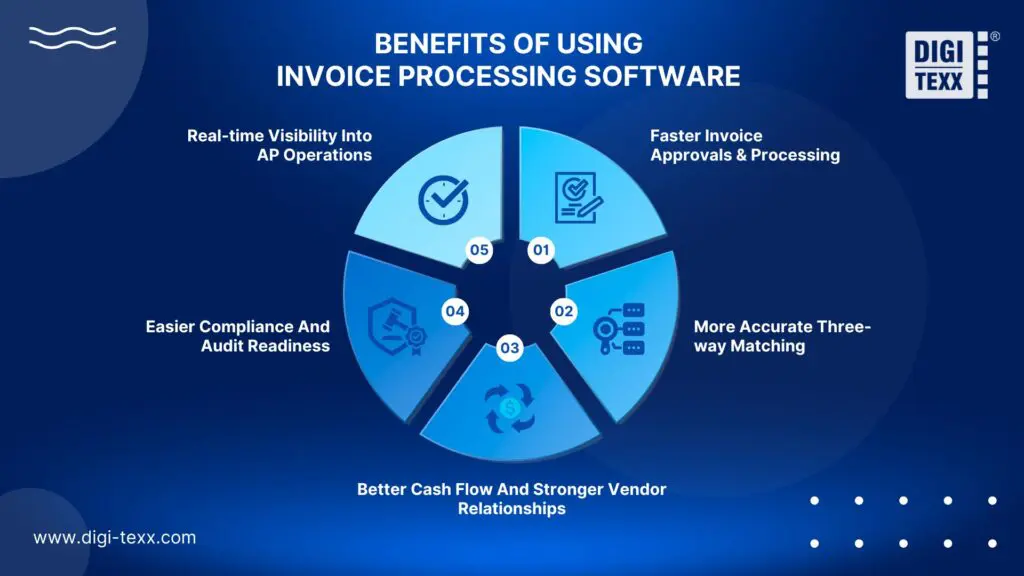
Faster Invoice Approvals & Processing
Invoice processing software eliminates manual data entry and reduces approval delays by automatically capturing invoice data, validating information, and routing invoices to the right approvers. This helps businesses process invoices faster while minimizing human errors and duplicate payments.
More Accurate Three-way Matching
Advanced invoice processing software simplifies three-way matching by automatically comparing purchase orders, goods receipts, and supplier invoices. This improves accuracy, reduces payment disputes, and helps prevent fraud in accounts payable operations.
Better Cash Flow And Stronger Vendor Relationships
With automated invoice processing software, businesses gain better control over payment schedules and cash flow management. Faster approvals help companies avoid late payments, capture early payment discounts, and maintain stronger vendor relationships through timely payments.
Easier Compliance And Audit Readiness
Modern invoice processing software stores invoice records digitally, making documents easier to track, search, and retrieve during audits. Built-in compliance controls also help businesses reduce financial risks and improve transparency throughout the approval process.
Real-time Visibility Into AP Operations
Many invoice processing software solutions provide real-time dashboards that allow finance teams to monitor invoice status, approvals, spending, and payment activity in one place. Better visibility helps businesses identify bottlenecks faster, improve operational efficiency, and make smarter financial decisions.
“According to a report by Ardent Partners, companies using automated invoice processing software can reduce invoice processing costs by up to 81 percent while significantly improving AP efficiency and payment accuracy.” – Ardent Partners
15 Best Invoice Processing Software Compared In 2026
| Software | Best For | Standout Feature | Pricing |
| DIGI-TEXX | Businesses needing AI-powered document processing and invoice data extraction | AI-powered OCR and intelligent document processing with human-in-the-loop validation | Custom |
| Brex | Startups and modern finance teams | AI-powered invoice capture and integrated spend management | Free + custom |
| QuickBooks | Small and medium-sized businesses | Invoice processing integrated with accounting | From around $30/month |
| PairSoft | ERP-driven enterprises | 2-way and 3-way invoice matching | Custom |
| Astera | Flexible invoice data extraction | Template-free AI extraction | Custom |
| Rossum | High-volume invoice processing | Self-learning AI document processing | Custom |
| Rho | Banking-integrated AP automation | Free AP automation and payments | Free; FX fees may apply |
| Airbase | Spend management and AP | Unified invoice, expense, and budget controls | Custom |
| Stampli | Complex AP workflows | AI-powered invoice processing and collaboration | Custom |
| SAP Concur | Large enterprises | Travel, expense, and invoice management | Custom |
| BILL | SMB and mid-market AP | Invoice automation and vendor payments | From $89/user/month |
| Docsumo | Unstructured documents | AI-powered invoice data extraction | Custom |
| Tipalti | Global supplier payments | International AP and payment automation | From $149/month |
| Coupa | Enterprise procurement and AP | End-to-end spend management | Custom |
| Melio | Small business payments | Flexible ACH, card, and check payments | Free + transaction fees |
| Sage Intacct | Growing businesses | Accounting and AP automation | Custom |
Top 15 Best Invoice Processing Software In 2026
Modern invoice processing software automates the entire workflow from capture to approval and payment. Here are the 15 leading solutions evaluated on features, integrations, and pricing.
1. DIGI-TEXX
DIGI-TEXX is a Vietnam-headquartered business process outsourcing (BPO) and digital services provider offering professional invoice processing and document processing services for businesses worldwide. Rather than operating as a standalone invoice processing software platform, DIGI-TEXX combines OCR, machine learning, intelligent document processing, and trained in-house operators to capture, process, validate, and manage invoice data at scale.
Founded in 2003, DIGI-TEXX has more than two decades of experience supporting global clients across industries with document and data processing services. The company reports more than 250 clients worldwide, more than 1,200 experienced employees, and processing capabilities covering 30+ languages. Its delivery model can operate offline at DIGI-TEXX facilities or online through the client’s existing systems, providing flexibility for businesses with different infrastructure and security requirements.
Company Information
| Founded | 2003 |
| Headquarters | Ho Chi Minh City, Vietnam |
| Global Presence | Vietnam, Germany, USA, Japan |
| Delivery Model | Managed invoice processing and intelligent document processing services |
| Security Certifications | ISO 27001:2022, ISO 9001:2015 |
| Pricing | Custom quotation |
| Website | digi-texx.com |
Why We Picked It:
DIGI-TEXX stands out because it combines invoice processing services with AI-powered document processing and human quality assurance. Instead of requiring businesses to purchase and manage invoice processing software internally, DIGI-TEXX can provide an outsourced team and technology infrastructure to handle invoice processing on an ongoing basis.
Its invoice processing workflow combines OCR and machine learning technologies with trained operators to improve data accuracy. The service can also be delivered through the client’s existing system or DIGI-TEXX’s own technology environment, making it suitable for organizations that require a managed outsourcing model rather than a self-service SaaS application.
Key Features:
- Invoice and e-invoice processing
- OCR-powered invoice data extraction
- Machine learning-based document processing
- Automated document classification
- Invoice data entry
- Invoice data validation
- Human quality assurance
- Structured data extraction
- Online and offline processing
- Integration with client systems
- AI-assisted document processing
- High-volume document processing
- Multilingual document processing
- Secure document processing workflows
- Custom processing workflows
Invoice Processing Capabilities:
- DIGI-TEXX processes both traditional invoices and e-invoices, combining OCR and machine learning technologies with trained in-house operators to extract and validate invoice information. The company specifically positions its invoice processing service as a way to reduce the time and resources required for manual invoice handling while improving data accuracy.
- The processing workflow can begin with digital documents such as PDFs and image files, while physical invoices can first be scanned and digitized. DIGI-TEXX’s broader document processing workflow uses OCR, ICR, and AI-based extraction models to capture key information, followed by automated validation and human review of flagged items.
- For organizations that need more advanced automation, DIGI-TEXX also offers DIGI-Xtract, an intelligent document processing solution built with machine learning and deep learning technologies. The solution can classify documents, extract data, and perform quality control across structured, semi-structured, and unstructured document types, including invoices, receipts, tax invoices, purchase orders, and delivery notes.
- A major advantage of the service is its human-in-the-loop approach. Automated extraction is combined with trained operators who review and validate information, helping identify errors that automated processing may not reliably resolve. DIGI-TEXX states that its document processing services combine automated processing with human verification to produce validated datasets and improve data accuracy.
- DIGI-TEXX can also operate the invoice processing workflow on its own systems or directly within the client’s existing system. This provides organizations with greater flexibility when integrating invoice processing into existing accounting, ERP, or document management environments.
- The company also supports related document processing services, including utility bill processing, sales order processing, transaction processing, claims processing, and historical document processing. This makes DIGI-TEXX suitable for organizations that need to outsource invoice processing together with other document-intensive business processes.
Pros:
- More than 20 years of BPO and digital processing experience
- Combines OCR and machine learning with human quality assurance
- Supports both invoice and e-invoice processing
- Handles high-volume document processing
- Supports 30+ processing languages
- Can operate on DIGI-TEXX systems or the client’s existing system
- ISO 27001:2022 and ISO 9001:2015 certified
- Supports a wide range of structured, semi-structured, and unstructured documents
- Can provide broader document and data processing services beyond invoices
- Suitable for long-term outsourced processing operations
Cons:
- Not a self-service invoice processing software platform
- Pricing is available by custom quotation
- Businesses looking only for simple invoice OCR may prefer a standalone SaaS solution
- Implementation and workflow configuration may be required for complex enterprise projects
- Outsourcing model may be less suitable for companies that want to manage all invoice processing internally
Best For: Medium and large enterprises that need managed invoice processing and document processing services supported by OCR, machine learning, human quality assurance, and scalable outsourcing capabilities. DIGI-TEXX is particularly suitable for organizations processing high volumes of invoices or other business documents and those that want to outsource the operational workload rather than deploy and manage invoice processing software internally.
Pricing:
- Pricing model: Custom quotation
- Public standard pricing: Not published
- Starting price: Not publicly available
- Pricing factors: Invoice volume, document types, processing requirements, languages, turnaround time, workflow complexity, integration requirements, and security requirements
- Enterprise projects: Custom pricing based on project scope and service requirements
2. Brex
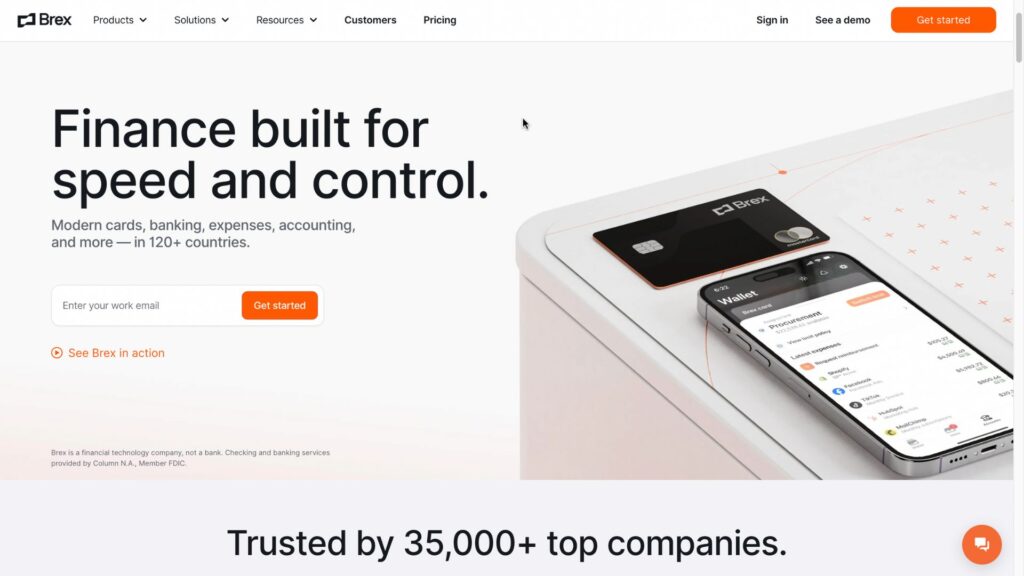
Brex is a financial management and spend management software platform that includes accounts payable and invoice processing capabilities. Rather than functioning solely as an invoice OCR tool, Brex combines invoice management with procurement, expense management, corporate cards, and business payments. This allows finance teams to manage invoices alongside broader company spending within a centralized platform.
Company Information
| Founded | 2017 |
| Headquarters | San Francisco, California, USA |
| Delivery Model | Cloud-based financial management software |
| Pricing | Free and custom enterprise plans |
| Website | brex.com |
Why We Picked It:
Brex is a strong choice for startups and modern finance teams that want to connect invoice processing with spend management and accounts payable workflows. Its main advantage is that invoice management does not operate in isolation. Businesses can connect bills and payments with procurement, employee expenses, corporate cards, and spending controls, giving finance teams greater visibility into how company funds are being used.
Key Features:
- Automated invoice and bill capture
- AI-powered invoice data extraction
- Accounts payable automation
- Invoice approval workflows
- Vendor and bill management
- Purchase order and procurement workflows
- Automated bill payments
- Expense management
- Corporate card management
- Spend controls and approval policies
- Accounting and ERP integrations
- Financial reporting and spend visibility
Invoice Processing Capabilities:
- Brex helps automate several steps in the invoice-to-payment workflow, including invoice capture, data extraction, review, approval, and payment. Instead of manually entering invoice information into accounting systems, finance teams can use automated workflows to process bills and route them to the appropriate approvers.
- A key advantage is the connection between invoice processing and spend management. Finance teams can apply purchasing policies and approval controls while processing invoices, helping ensure that expenses are authorized and aligned with company spending rules. This can reduce manual AP work while giving finance teams a clearer view of outstanding bills and company spending.
- Brex is therefore better suited to businesses looking for a broader accounts payable and financial management platform rather than a standalone invoice OCR solution.
Pros:
- Combines invoice processing with broader spend management
- Automates invoice capture and approval workflows
- Connects AP with procurement and expense management
- Provides centralized visibility into business spending
- Suitable for technology companies and growing finance teams
- Reduces manual work across invoice and payment workflows
Cons:
- More focused on comprehensive financial management than standalone invoice processing
- May provide more functionality than smaller businesses need
- Advanced capabilities may require higher-tier or customized plans
- Not necessarily the best fit for organizations seeking only invoice data extraction
Best For: Startups, technology companies, and modern finance teams that need invoice processing software integrated with accounts payable, procurement, expense management, and corporate spend controls.
Pricing: Brex offers a free option for eligible businesses, while additional products, advanced capabilities, and enterprise requirements may be priced separately. Enterprise pricing is generally customized based on the company’s requirements, products used, and scale of operations.
3. QuickBooks
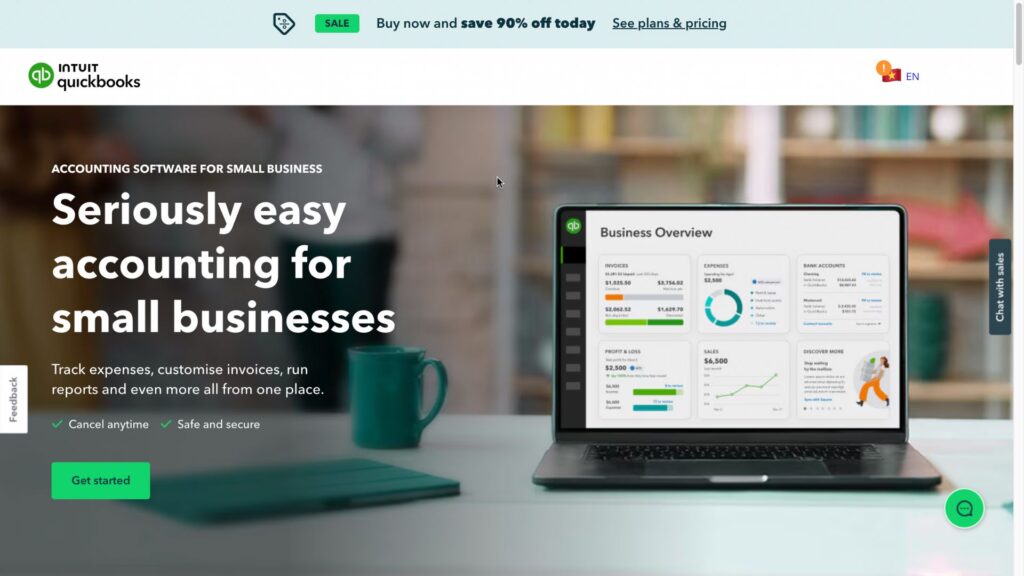
QuickBooks is accounting and financial management software that includes invoice processing and accounts payable automation features for small and medium-sized businesses. Instead of using a separate invoice processing platform, businesses can manage vendor bills, payments, expenses, bookkeeping, and financial reporting within the same ecosystem. This makes QuickBooks a practical option for companies that want to connect invoice processing directly with their accounting workflows.
Company Information
| Founded | 1983 |
| Developer | Intuit |
| Headquarters | Mountain View, California, USA |
| Delivery Model | Cloud-based accounting and financial management software |
| Pricing | Paid plans; pricing varies by plan and market |
| Website | quickbooks.intuit.com |
Why We Picked It:
QuickBooks stands out because invoice processing is integrated directly into its broader accounting environment. Businesses can capture and record bills, manage vendors, track outstanding invoices, schedule payments, and automatically reflect transactions in their accounting records. This reduces the need to transfer invoice information manually between separate AP and accounting systems.
For small businesses that do not require highly complex enterprise procurement workflows, this combination can provide a simpler way to manage the invoice-to-payment process while keeping financial data in one system.
Key Features:
- Automated bill and invoice management
- Bill capture and data entry
- Vendor management
- Invoice approval workflows
- Recurring bills and transactions
- Online bill payments
- Purchase order management
- Expense tracking
- Bank account integration
- Accounting and financial reporting
- Payment tracking
- Third-party application integrations
Invoice Processing Capabilities:
- QuickBooks helps finance teams manage vendor invoices from initial recording through payment. Businesses can enter bills manually or use available bill capture and automation features to reduce repetitive data entry. Invoice information can then be associated with vendors, expense accounts, purchase orders, and other accounting records.
- Once an invoice is recorded, QuickBooks provides visibility into accounts payable, payment due dates, outstanding balances, and cash flow. Businesses can also schedule or manage payments through connected payment functionality, helping finance teams reduce the risk of missed payment deadlines.
- Another advantage is that invoice transactions are automatically connected to the company’s accounting records. This means finance teams do not need to maintain a separate invoice database and manually reconcile every transaction with the general ledger.
- However, QuickBooks is primarily an accounting platform rather than a specialized enterprise AP automation solution. Businesses with complicated multi-level approvals, advanced three-way matching, high invoice volumes, or complex procure-to-pay requirements may need dedicated invoice processing software alongside their accounting system.
Pros:
- Combines invoice processing with accounting
- Suitable for small and medium-sized businesses
- Reduces manual bill entry and payment administration
- Provides vendor and accounts payable visibility
- Supports online bill payments
- Connects invoices with broader financial records
- Large ecosystem of accounting and business integrations
Cons:
- Advanced invoice automation may be more limited than specialized AP platforms
- Complex enterprise approval workflows may require additional solutions
- Features vary between subscription plans
- May not be suitable for organizations with highly complex procurement processes
- Businesses processing very large invoice volumes may require a more specialized AP automation platform
Best For: Small and medium-sized businesses looking for invoice processing software integrated with accounting, accounts payable, vendor management, and financial reporting, rather than a standalone enterprise AP automation solution.
Pricing: QuickBooks uses a subscription-based pricing model, with costs varying according to the selected plan, business size, features, number of users, and market. Entry-level plans have historically started at around $30/month, while more advanced plans cost more. Intuit also periodically offers promotional pricing, so the current price should be checked before publication.
>> See more:
- How to Automate Documentation: Step By Step Guide
- Outsourced data annotation services: List of best companies to work for
4. PairSoft
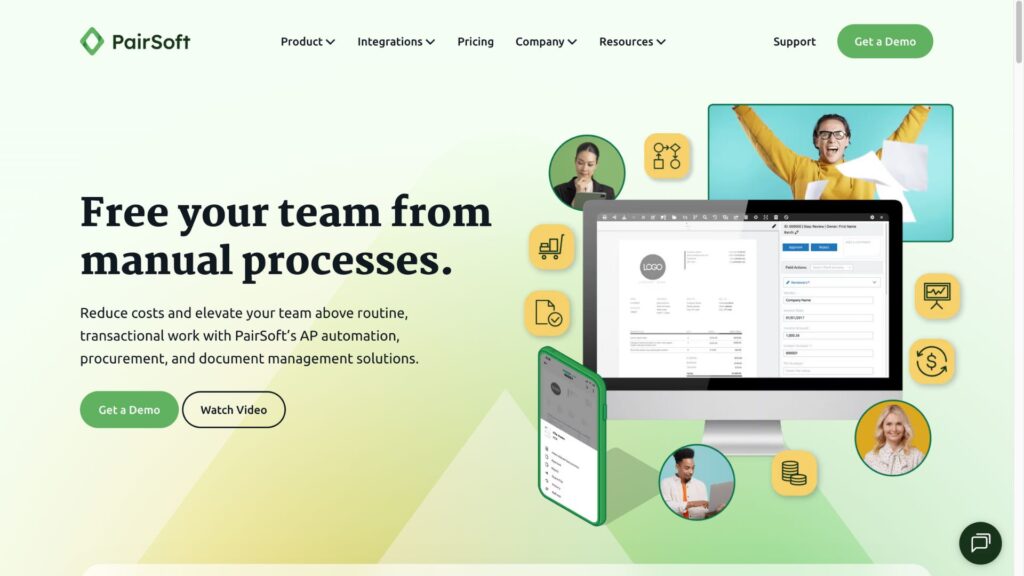
PairSoft is an accounts payable automation and document management software designed to help businesses streamline invoice processing and connect AP workflows with their ERP and accounting systems. The software focuses on automating invoice capture, validation, approval, matching, and payment preparation, reducing the amount of manual work required from finance and AP teams.
Company Information
| Founded | 2018 |
| Headquarters | Tampa, Florida, USA |
| Delivery Model | Cloud-based AP automation and document management software |
| Pricing | Custom quotation |
| Website | pairsoft.com |
Why We Picked It:
PairSoft stands out for its focus on ERP-connected accounts payable automation. Instead of simply extracting information from invoices, the software connects invoice data with purchase orders, receiving records, approval workflows, and accounting processes. This makes it particularly useful for businesses that need stronger control over the entire procure-to-pay workflow.
Key Features:
- Automated invoice capture
- OCR and invoice data extraction
- Accounts payable automation
- 2-way invoice matching
- 3-way invoice matching
- Purchase order matching
- Automated invoice approval
- Exception management
- Vendor management
- Document management
- Electronic payment workflows
- ERP integration
- Audit trails
- AP reporting and analytics
Invoice Processing Capabilities:
- PairSoft automates the process of capturing invoice information and routing invoices through predefined AP workflows. Once an invoice is received, relevant information can be extracted and validated before the document is matched against purchasing and receiving information.
- One of its key capabilities is 2-way and 3-way invoice matching. Two-way matching compares invoice information with the corresponding purchase order, while three-way matching adds receiving information to verify that the goods or services were actually received. This helps identify discrepancies in quantities, prices, or purchase orders before an invoice moves forward for payment.
- PairSoft can also route invoices to the appropriate employees based on predefined approval rules. Exceptions can be separated from invoices that meet the required criteria, allowing AP teams to spend less time manually reviewing routine transactions.
- Because the platform can connect invoice processing with ERP and accounting environments, it is particularly useful for organizations that need invoice automation as part of a broader procure-to-pay process.
Pros:
- Strong accounts payable automation
- Supports 2-way and 3-way invoice matching
- Connects invoice processing with ERP systems
- Automates approval and exception workflows
- Combines document management with AP automation
- Suitable for structured enterprise finance workflows
Cons:
- More complex than basic invoice management software
- Implementation may require ERP-specific configuration
- Custom pricing makes cost comparison difficult
- May provide more functionality than smaller businesses require
Best For: Mid-sized and enterprise businesses that need ERP-integrated invoice processing, automated AP workflows, purchase order matching, and stronger control over the procure-to-pay process.
Pricing: PairSoft uses custom pricing based on factors such as company size, invoice volume, number of users, ERP integration requirements, implementation scope, and selected functionality. Public standard pricing is not generally available.
5. Astera
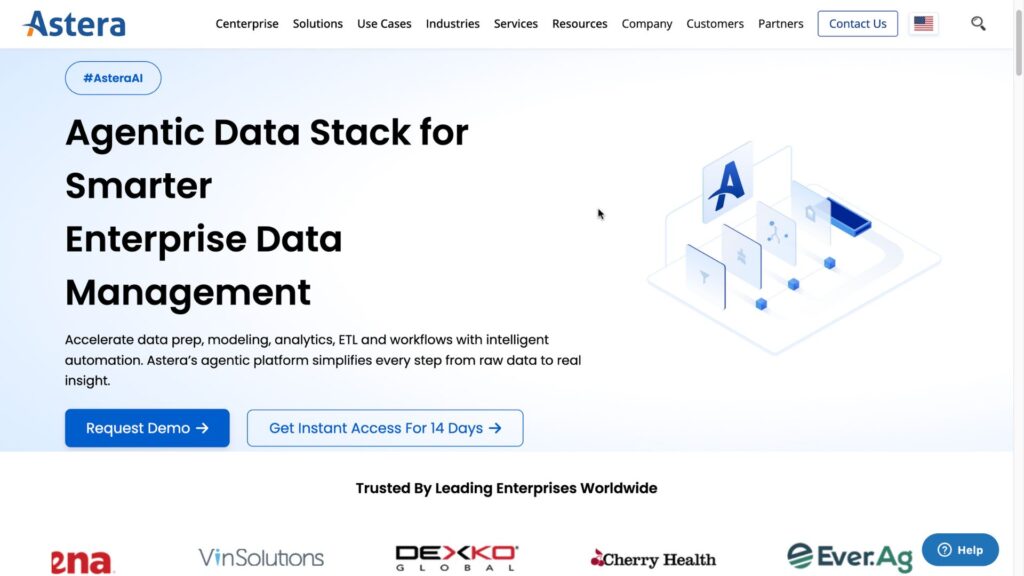
Astera is a data management and integration software platform that provides AI-powered document and invoice data extraction capabilities. Its document processing functionality helps businesses convert invoices and other unstructured documents into structured, usable data that can be transferred into ERP systems, accounting applications, databases, and other business platforms.
Unlike traditional invoice processing software that focuses primarily on accounts payable workflows, Astera places greater emphasis on automated data extraction, transformation, validation, and integration. This makes it useful for organizations that need to extract information from invoices with different layouts and connect that information to existing business systems.
Company Information
| Founded | 2010 |
| Headquarters | Houston, Texas, USA |
| Delivery Model | Cloud-based and enterprise data management software |
| Pricing | Custom quotation |
| Website | astera.com |
Why We Picked It:
Astera stands out for its template-free AI-powered document extraction capabilities. This is particularly useful for businesses receiving invoices from multiple vendors because invoice layouts, field positions, and document structures can vary significantly.
Rather than creating a separate extraction template for every invoice format, Astera uses intelligent document processing to identify and extract relevant information from different document layouts. The extracted data can then be validated, transformed, and integrated into downstream business systems.
Key Features:
- AI-powered invoice data extraction
- Template-free document processing
- OCR-based data capture
- Intelligent document processing
- Invoice field extraction
- Line-item extraction
- Document classification
- Data validation
- Data transformation
- Workflow automation
- ERP integration
- Database integration
- API connectivity
- Structured and unstructured data processing
Invoice Processing Capabilities:
- Astera can extract important information from invoices, including vendor names, invoice numbers, invoice dates, line items, quantities, prices, taxes, totals, and other relevant fields. This information can then be converted into structured data for use in accounting, ERP, or financial systems.
- Its template-free extraction approach is particularly valuable when businesses work with a large number of suppliers that use different invoice designs. Instead of relying exclusively on fixed templates, the platform can identify relevant information across varying document layouts, reducing the effort required to configure individual invoice formats.
- After extraction, businesses can apply validation and transformation rules to improve data consistency. For example, extracted invoice information can be checked against predefined business rules before being transferred to an ERP or accounting system.
- Astera also supports data integration, meaning invoice information does not have to remain inside the document processing environment. Extracted data can be transferred to databases and other business applications, allowing companies to build customized invoice processing workflows around their existing technology stack.
Pros:
- Template-free AI invoice data extraction
- Handles invoices with different layouts
- Supports structured and unstructured documents
- Strong data integration capabilities
- Provides data validation and transformation
- Can connect extracted invoice data with ERP and business systems
- Useful for organizations building customized document workflows
Cons:
- More focused on data extraction and integration than complete AP automation
- Complex workflows may require technical configuration
- Custom pricing makes direct cost comparison difficult
- May be more comprehensive than necessary for businesses with simple invoice requirements
Best For: Businesses that need AI-powered invoice data extraction and integration and want to connect invoice information with existing ERP, accounting, database, or business applications.
Pricing: Astera generally provides custom pricing based on factors such as product selection, document volume, users, deployment requirements, integrations, and workflow complexity. Public pricing is not consistently available for enterprise configurations.of the deployment and the specific features that the customer requires.
>> See more:
- What Is Business Process Outsourcing (BPO)? Definition & Benefits
- Business Process Automation Solutions: Benefits, Example & Service Company
6. Rossum
Rossum is an AI-powered invoice processing and intelligent document processing software designed to automate accounts payable workflows and extract structured information from invoices and other business documents. The platform uses machine learning and computer vision to capture invoice data, validate documents, identify exceptions, and route transactions through automated workflows.
Unlike traditional OCR software that relies heavily on predefined templates, Rossum uses AI-based document understanding to process invoices from different suppliers and layouts. This makes it particularly suitable for businesses that receive large volumes of invoices and want to reduce manual data entry while maintaining control over the AP process.
Company Information
| Founded | 2017 |
| Headquarters | Prague, Czech Republic |
| Delivery Model | Cloud-based intelligent document processing software |
| Pricing | Custom quotation |
| Website | rossum.ai |
Why We Picked It:
Rossum stands out for its AI-native approach to invoice processing. The platform is designed to understand documents rather than simply read characters, allowing it to extract information from invoices with different layouts and structures. Its automated validation and exception-handling capabilities also help finance teams focus on invoices that require human review instead of manually processing every document.
Key Features:
- AI-powered invoice data extraction
- Intelligent document processing
- Template-free document understanding
- OCR and computer vision
- Automated invoice validation
- Line-item extraction
- Purchase order matching
- Exception management
- Invoice approval workflows
- Human-in-the-loop validation
- Document classification
- Data enrichment
- ERP and accounting integrations
- API access
- Workflow automation
- Audit trails and processing analytics
Invoice Processing Capabilities:
- Rossum automates multiple stages of the invoice processing workflow, starting with document ingestion and data extraction. Invoices can be received from different channels and automatically analyzed to identify key information such as vendor details, invoice numbers, dates, line items, tax amounts, totals, and payment information.
- The platform’s AI-based document understanding is designed to handle invoices from different suppliers without requiring a separate template for every document layout. This is particularly useful for accounts payable teams that receive invoices in different formats, languages, and structures.
- After extracting the information, Rossum can apply validation rules to identify missing or inconsistent data. Invoices that meet predefined requirements can move through the workflow automatically, while exceptions can be sent to human reviewers for verification.
- Rossum also supports human-in-the-loop processing, allowing finance teams to review and correct extracted information when necessary. Corrections and feedback can then be used to improve the processing workflow over time.
- For organizations with high invoice volumes, this approach can reduce repetitive manual data entry and help AP teams focus on exception management, approvals, and other higher-value financial tasks.
Pros:
- AI-native invoice processing
- Handles different invoice layouts without relying solely on fixed templates
- Automates invoice data extraction and validation
- Supports human review for exceptions
- Suitable for high-volume document processing
- Provides workflow automation and integrations
- Can process invoices and other business documents within the same platform
Cons:
- Pricing is not publicly standardized for most enterprise deployments
- May be more advanced than necessary for businesses with simple invoice workflows
- Implementation and integration may require configuration
- Primarily focused on document processing rather than broader spend management
Best For: Mid-sized and large organizations that process high volumes of invoices and need AI-powered document extraction, automated validation, exception handling, and integration with existing accounting or ERP systems.
Pricing: Rossum generally uses custom pricing based on factors such as document volume, number of users, workflow complexity, integrations, and required processing capabilities. Businesses typically need to contact Rossum for a quote based on their specific invoice processing requirements. quote is required to receive a suitable consultation.
7. Rho
Rho is a financial operations platform that combines accounts payable automation, invoice processing, business banking, corporate cards, expense management, and payments in a single system. Its AP functionality is designed to help finance teams manage vendor bills from invoice intake and approval through payment, while keeping banking and cash management connected to the same workflow.
Unlike standalone invoice processing software, Rho focuses on integrating accounts payable with broader financial operations. This makes it particularly useful for companies that want to manage invoices, vendor payments, expenses, and business banking without maintaining multiple disconnected systems.
Company Information
| Founded | 2021 |
| Headquarters | New York City, New York, USA |
| Delivery Model | Cloud-based financial operations and AP automation software |
| Pricing | Free AP automation; additional fees may apply to certain payment and FX services |
| Website | rho.co |
Why We Picked It:
Rho stands out by offering accounts payable automation together with business banking and payments. Its AP tools are designed to help finance teams automate routine invoice processing while maintaining visibility over cash flow and payment activity.
The platform is particularly attractive to businesses that want to reduce the number of financial systems used by their accounting team. Instead of processing invoices in one application and managing payments or banking in another, Rho connects these activities within a unified financial operations platform.
Key Features:
- Automated invoice and bill processing
- Accounts payable automation
- Invoice approval workflows
- Vendor management
- Automated bill payments
- ACH payments
- Domestic and international payments
- Business banking
- Corporate cards
- Expense management
- Spend controls
- Accounting integrations
- Cash management
- Financial reporting
- Payment tracking
Invoice Processing Capabilities:
- Rho helps finance teams manage the invoice lifecycle from receiving vendor bills through approval and payment. Invoice information can be captured and organized within the AP workflow, allowing businesses to centralize outstanding bills and manage payment schedules.
- Finance teams can establish approval workflows so invoices are reviewed by the appropriate employees before payment. This helps organizations maintain spending controls while reducing the need for finance staff to coordinate invoice approvals manually through email or spreadsheets.
- One of Rho’s main differentiators is the connection between invoice processing and payments. Once an invoice has been approved, businesses can manage the associated payment through the same financial platform. This creates a more connected workflow between accounts payable, cash management, and banking.
- Rho can therefore be useful for businesses that want to automate routine AP processes while maintaining direct visibility into when money leaves the company’s accounts.
Pros:
- AP automation and business banking in one platform
- Streamlines invoice approval and payment workflows
- Supports automated vendor payments
- Provides broader expense and spend management capabilities
- Can reduce the need for multiple financial systems
- Suitable for modern finance teams and growing businesses
- Free AP automation option available
Cons:
- Broader financial functionality may be unnecessary for companies seeking only invoice processing
- Some payment and foreign exchange services may involve additional fees
- Advanced requirements may require a customized setup
- Primarily designed for businesses operating within supported banking and payment environments
Best For: Startups and growing businesses that want invoice processing and AP automation connected directly with business banking, vendor payments, expense management, and broader financial operations.
Pricing: Rho offers free accounts payable automation as part of its financial operations platform. Certain payment services, including foreign exchange transactions or other specialized financial services, may involve additional fees. Businesses with more advanced requirements should confirm the applicable pricing directly with Rho.
>>> See more:
- How To Prepare a Classified Balance Sheet: Template & Example
- Top 10 Best Data Entry Outsourcing Companies in USA
8. Airbase
Airbase is a spend management and accounts payable automation software designed to help businesses manage invoices, expenses, corporate spending, and payments through a centralized financial operations platform. Its accounts payable capabilities allow finance teams to digitize invoice intake, automate approval workflows, manage vendor payments, and maintain greater visibility over company spending.
Rather than functioning solely as an invoice processing tool, Airbase connects AP automation with broader spend management processes. This allows organizations to manage invoices alongside purchase requests, employee expenses, budgets, and payment workflows, helping finance teams maintain better control over spending from request through payment.
Company Information
| Founded | 2017 |
| Headquarters | San Francisco, California, USA |
| Delivery Model | Cloud-based spend management and AP automation software |
| Pricing | Custom quotation |
| Website | airbase.com |
Why We Picked It:
Airbase stands out for combining invoice processing, accounts payable automation, and spend management in one platform. This broader approach allows finance teams to manage not only invoices after they arrive but also the approval and purchasing processes that occur before an expense becomes an invoice.
The platform is particularly useful for organizations that want to establish stronger spending controls without relying on separate tools for AP, employee expenses, corporate cards, and procurement workflows.
Key Features:
- Automated invoice processing
- Accounts payable automation
- Invoice approval workflows
- Purchase request management
- Vendor management
- Purchase order workflows
- Bill payments
- Employee expense management
- Corporate card management
- Budget controls
- Spend approvals
- Accounting integrations
- Payment reconciliation
- Spending visibility and reporting
- Multi-step approval workflows
Invoice Processing Capabilities:
Airbase helps businesses centralize incoming invoices and route them through predefined approval workflows. Finance teams can establish rules based on factors such as department, spending category, amount, or approver, helping invoices reach the appropriate person without relying on manual email-based approval processes.
Once an invoice is approved, the platform can support the payment process and provide visibility into the status of outstanding bills. This allows AP teams to monitor invoices from intake through approval and payment while keeping associated spending information within the broader financial management environment.
Airbase also connects invoice processing with purchase requests and spending policies. This is important for organizations that want to control spending before an invoice reaches the AP department. By connecting purchasing, approval, invoice, and payment workflows, businesses can create a more structured procure-to-pay process.
For finance teams, this approach can also make it easier to compare approved spending with actual invoices and identify transactions that fall outside established policies.
Pros:
- Combines AP automation with broader spend management
- Centralizes invoices, expenses, cards, and payment workflows
- Flexible invoice approval processes
- Helps enforce company spending policies
- Provides visibility into spending and payment activity
- Supports accounting and financial system integrations
- Useful for organizations looking to consolidate finance tools
Cons:
- Pricing is primarily quotation-based
- May offer more functionality than businesses looking only for invoice processing
- Enterprise workflows may require implementation and configuration
- Best value is achieved when businesses use multiple spend management capabilities rather than AP automation alone
Best For: Mid-sized and growing businesses that need invoice processing software integrated with accounts payable, expense management, purchasing approvals, corporate spending, and payment workflows.
Pricing: Airbase uses a custom pricing model for its platform. Pricing can vary according to factors such as company size, number of users, required modules, transaction volume, and implementation requirements. Businesses should request a quote to determine the cost for their specific AP and spend management needs.
9. Stampli
Stampli is an accounts payable automation and invoice management software designed to help finance teams automate invoice processing while improving collaboration between accounts payable departments, purchasing teams, and vendors. The platform combines invoice data capture, approval workflows, purchase order matching, payment management, and communication tools within a centralized AP environment.
One of Stampli’s key differentiators is its focus on invoice collaboration. Instead of treating invoice processing as a simple data entry task, the platform allows employees involved in a transaction to communicate and resolve questions directly within the invoice workflow. This can help finance teams reduce email-based communication and speed up the resolution of invoice exceptions.
Company Information
| Founded | 2008 |
| Headquarters | Mountain View, California, USA |
| Delivery Model | Cloud-based accounts payable automation software |
| Pricing | Custom quotation |
| Website | stampli.com |
Why We Picked It:
Stampli stands out for combining AI-powered invoice processing with collaborative AP workflows. Its approach goes beyond extracting invoice information by connecting invoices with purchase orders, approvals, payments, and the employees responsible for a transaction.
This makes Stampli particularly useful for organizations that frequently encounter invoice discrepancies or require input from multiple departments before an invoice can be approved. By keeping invoice-related communication and documentation within the AP workflow, finance teams can reduce manual follow-up and improve visibility into outstanding issues.
Key Features:
- AI-powered invoice data capture
- Automated invoice processing
- Accounts payable automation
- Invoice approval workflows
- 2-way and 3-way matching
- Purchase order matching
- Invoice exception management
- Vendor management
- Invoice collaboration
- Automated payment workflows
- Duplicate invoice detection
- Accounting and ERP integrations
- Audit trails
- AP reporting and analytics
- Mobile approval capabilities
Invoice Processing Capabilities:
- Stampli automates the capture and organization of invoice information before routing invoices through predefined approval workflows. Relevant invoice data can be extracted and connected with purchase orders and other transaction information, helping finance teams verify invoices before payment.
- The platform supports 2-way and 3-way invoice matching, allowing businesses to compare invoice information against purchase orders and, where applicable, receiving records. This helps identify discrepancies such as incorrect quantities, pricing differences, or invoices that do not correspond to an approved purchase.
- When an exception occurs, Stampli’s collaboration capabilities allow the appropriate employees to review the invoice and provide additional information directly within the workflow. Instead of searching through separate email threads, finance teams can keep comments, questions, approvals, and supporting information associated with the relevant invoice.
- Stampli also helps automate invoice approval according to organizational rules. Invoices can be routed to the appropriate approvers based on predefined criteria, while finance teams can monitor the status of invoices throughout the approval and payment process.
- For organizations with complex AP operations, this combination of invoice automation, matching, collaboration, and payment management can help reduce manual processing and improve control over accounts payable.
Pros:
- Strong focus on accounts payable automation
- AI-powered invoice data capture
- Built-in invoice collaboration and communication
- Supports 2-way and 3-way invoice matching
- Automates invoice approval workflows
- Helps manage invoice exceptions
- Integrates with accounting and ERP systems
- Provides greater visibility into invoice status and approvals
Cons:
- Pricing is not publicly standardized
- Primarily focused on AP rather than broader financial management
- Advanced workflows may require implementation and configuration
- May provide more functionality than needed for businesses with simple invoice volumes
Best For: Mid-sized and large organizations that need automated invoice processing combined with approval workflows, purchase order matching, invoice collaboration, and accounts payable management.
Pricing: Stampli uses custom pricing rather than publishing a standard subscription price for its full platform. The final cost can depend on factors such as invoice volume, number of users, integrations, workflow requirements, and implementation scope. Businesses should contact Stampli for a tailored quotation.
>> See more:
- Healthcare BPO Services – Cost Optimization & Improve Care
- Best Insurance Claims Processing Outsourcing BPO in the US
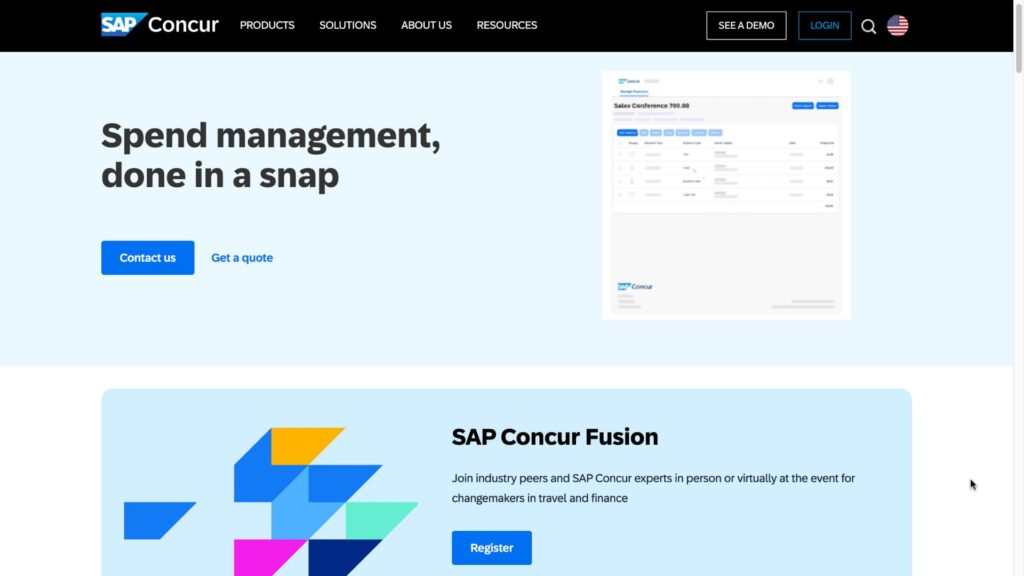
10. SAP Concur
SAP Concur is a cloud-based invoice, expense, and travel management software designed to help organizations automate accounts payable and gain greater visibility into business spending. Its invoice solution, Concur Invoice, supports the invoice lifecycle from capture and data extraction through approval, matching, and payment.
Rather than functioning as a standalone invoice OCR tool, SAP Concur connects invoice processing with broader spend management and financial workflows. Organizations can combine supplier invoices with travel, expenses, purchase requests, payment solutions, and ERP integrations, creating a centralized environment for managing business spending.
Company Information
| Founded | 1993 |
| Headquarters | Bellevue, Washington, USA |
| Delivery Model | Cloud-based invoice and spend management software |
| Pricing | Custom quotation |
| Website | concur.com |
Why We Picked It:
SAP Concur stands out for connecting invoice processing with broader enterprise spend management. Its platform can capture invoice information using OCR and machine learning, route invoices through approval workflows, match invoices against purchase orders and receipts, and provide visibility into invoice status and supplier spending.
This makes it particularly suitable for organizations that need more than basic invoice data extraction and want AP automation to work alongside their existing procurement, expense, travel, and ERP processes.
Key Features:
- Automated invoice capture
- AI-powered OCR and data extraction
- Invoice approval workflows
- Purchase order matching
- Three-way invoice matching
- Exception and mismatch management
- Purchase request management
- Supplier invoice management
- Payment workflow support
- Fraud and duplicate invoice detection
- Spend visibility and reporting
- ERP and accounting integrations
- Mobile invoice approval
- Audit trails
- AP analytics
Invoice Processing Capabilities:
- Concur Invoice can receive supplier invoices electronically and use OCR and machine learning to extract information from invoice documents. Extracted information can include invoice numbers, dates, taxes, shipping details, line items, quantities, unit prices, and other accounting information. SAP Concur states that captured information can be validated and corrected before the invoice proceeds through the workflow.
- The platform also supports automated approval routing. Once an invoice is captured and coded, it can be assigned to the appropriate invoice owner or manager for review. Approvers can review invoices and related details through the platform, including from mobile devices, before the invoice is sent to the AP team for final processing.
- One of SAP Concur’s important capabilities is three-way matching. The software can compare invoices against purchase orders and goods receipts to identify mismatches and exceptions. This helps finance teams detect issues such as incorrect quantities, pricing discrepancies, or invoices for goods that have not been received before payment is made.
- SAP Concur can also connect invoice processing with purchase requests. This allows organizations to establish approval controls before a purchase order is created and before money is committed, helping reduce unauthorized or out-of-policy spending.
- For larger organizations, the platform can integrate with ERP and financial systems, allowing invoice and matching information to move into existing accounting environments. SAP Concur also provides payment-provider integrations that can extend the workflow from invoice approval through supplier payment.
Pros:
- Comprehensive invoice and AP automation
- Strong three-way matching capabilities
- AI-powered invoice capture and data extraction
- Connects invoices with travel, expense, and procurement workflows
- Supports enterprise ERP and accounting integrations
- Mobile invoice approval
- Strong visibility into supplier spending and invoice status
- Suitable for complex organizational approval processes
Cons:
- Pricing is quotation-based
- Broader platform functionality may be excessive for businesses that only need basic invoice processing
- Enterprise implementations can require configuration and integration work
- The platform is better suited to structured corporate finance environments than very small businesses seeking a simple invoice tool
Best For: Medium-sized and large organizations that need enterprise-grade invoice processing integrated with accounts payable, procurement, expense management, travel, supplier payments, and ERP systems.
Pricing: SAP Concur uses custom pricing rather than publishing a standard public subscription price for Concur Invoice. Pricing can vary depending on company size, selected products, number of users, transaction volume, integrations, and implementation requirements. SAP Concur directs prospective customers to its sales team for pricing.
10. BILL
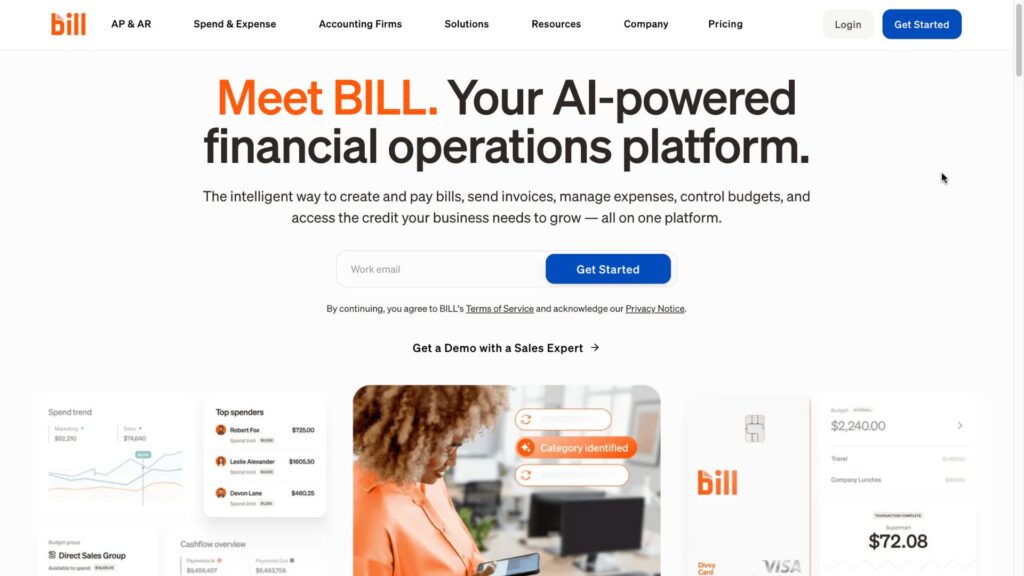
BILL is a cloud-based accounts payable and accounts receivable automation software designed to help businesses digitize invoice processing, automate approvals, manage vendor payments, and connect financial workflows with accounting software. Its AP platform combines AI-powered invoice capture and coding with approval workflows, payment processing, purchase order matching, and accounting integrations.
Unlike invoice extraction software that primarily converts documents into structured data, BILL covers a broader portion of the accounts payable process, from receiving and coding bills to approval and payment. This makes it particularly useful for businesses that want to centralize invoice management and supplier payments in one system.
Company Information
| Founded | 2006 |
| Headquarters | San Jose, California, USA |
| Delivery Model | Cloud-based AP, AR, procurement, and financial operations software |
| Pricing | From $49/user/month for Essentials; $65/user/month for Team; $89/user/month for Corporate; Enterprise custom |
| Website | bill.com |
Why We Picked It:
BILL stands out for combining AI-powered invoice processing, accounts payable automation, approvals, payments, and accounting synchronization in one platform. Its current AP functionality includes automatic invoice data capture, AI-powered multi-line bill coding, customizable approval workflows, and automated two-way and three-way matching.
The platform is also designed to connect invoice processing directly with payment workflows. Businesses can pay approved bills through ACH, virtual cards, credit cards, checks, and international payment options, reducing the need to move invoice information between separate AP and payment systems.
Key Features:
- AI-powered invoice capture
- Automated bill entry
- AI-powered invoice coding
- Multi-line invoice coding
- Accounts payable automation
- Invoice approval workflows
- 2-way invoice matching
- 3-way invoice matching
- Purchase order matching
- Vendor management
- W-9 collection and verification
- Duplicate and fraud detection
- ACH payments
- Virtual card payments
- Credit card payments
- Check payments
- International payments
- Accounting integrations
- Multi-entity AP management
- AP reporting and workflow tracking
Invoice Processing Capabilities:
BILL allows businesses to centralize incoming bills and invoices in a digital AP workflow. Vendors can submit invoices electronically, while businesses can also upload PDF documents or invoice images for processing. BILL’s AI can extract key invoice information and assist with coding, reducing the amount of manual data entry required from AP teams.
The platform supports AI-powered multi-line bill coding, which can help automatically categorize invoice line items. BILL states that its AI captures key invoice fields and can reduce manual work involved in entering and coding bills, although actual results can vary depending on invoice layout and data quality.
Once an invoice is captured, BILL allows businesses to configure approval workflows based on their internal rules. Invoices can be routed to the appropriate approvers, while finance teams can monitor the approval process and send reminders when action is required.
BILL also supports automated 2-way and 3-way matching. Two-way matching compares invoice information against purchase orders, while three-way matching incorporates receipts to help verify that billed goods or services correspond to what was ordered and received. Mismatches can be flagged before payment, helping reduce payment errors.
After approval, businesses can choose from multiple payment methods, including ACH, virtual cards, credit cards, checks, and international payment options. This creates a connected workflow from invoice intake through payment rather than requiring AP teams to export approved bills into another payment system.
BILL also provides accounting integrations. Depending on the plan, businesses can synchronize AP and AR data with accounting platforms such as QuickBooks and Xero, while higher-tier plans support additional integrations and capabilities for enterprise environments.
Pros:
- AI-powered invoice capture and coding
- Automates invoice approval workflows
- Supports 2-way and 3-way matching
- Combines AP automation with vendor payments
- Multiple payment methods available
- Strong accounting software integrations
- Supports multi-entity AP management on higher-tier plans
- Transparent public pricing for several plans
- Free Spend & Expense product available
Cons:
- AP and AR subscriptions are paid separately from the free Spend & Expense product
- Payment transactions can incur additional fees depending on payment method
- Enterprise features require higher-tier or custom pricing
- Per-user pricing can become more expensive as the finance team grows
Best For: Small and mid-sized businesses that need AI-powered invoice processing, automated accounts payable workflows, invoice matching, accounting integrations, and integrated vendor payments without adopting a large enterprise finance platform.
Pricing:
- Card and foreign-exchange transactions: Additional fees or exchange-rate costs may apply
- Essentials: $49/user/month
- Team: $65/user/month
- Corporate: $89/user/month
- Enterprise: Custom pricing
- Spend & Expense: Free plan, separate from the paid AP & AR subscriptions
- ACH/ePayment: $0.59 per transaction
- Check payments: $1.99 per transaction
- Instant payments: 1% per transaction, with a $9.99 minimum and $100 maximum
- Certain international wire payments: $19.99 per transaction
>> See more:
- Top 10 Data Processing Software For Business – Best Tool Reviewed
- Construction Invoice Reconciliation: Best Practices, Software & Outsourcing
12. Docsumo
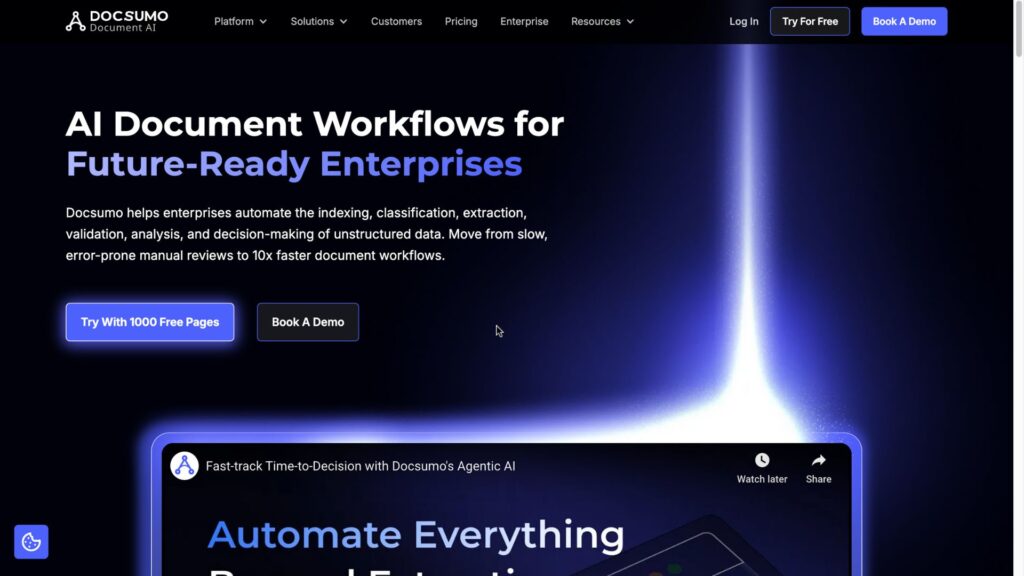
Docsumo is an AI-powered document processing and data extraction software designed to automate the processing of invoices, receipts, purchase orders, bank statements, and other business documents. The platform uses OCR, machine learning, and intelligent document processing to extract structured information from unstructured documents and transfer it into downstream accounting, ERP, and business systems.
Docsumo is particularly focused on organizations that receive large volumes of semi-structured and unstructured documents. Instead of manually entering information from invoices and financial documents, businesses can use the platform to automatically identify relevant fields, validate extracted data, and integrate the resulting information into existing workflows.
Company Information
| Founded | 2019 |
| Headquarters | New York, New York, USA |
| Delivery Model | Cloud-based intelligent document processing software |
| Pricing | Custom quotation |
| Website | docsumo.com |
Why We Picked It:
Docsumo stands out for its focus on AI-powered data extraction from unstructured documents. Its technology is designed to process documents that can vary significantly in format, making it useful for businesses dealing with invoices and financial documents from many different vendors.
The platform also goes beyond simple OCR by combining document classification, data extraction, validation, and workflow automation. This allows organizations to build automated document processing pipelines rather than simply extracting text from individual invoices.
Key Features:
- AI-powered document processing
- Invoice data extraction
- OCR and intelligent OCR
- Automated document classification
- Template-free data extraction
- Line-item extraction
- Data validation
- Document verification
- Human-in-the-loop review
- Workflow automation
- API integrations
- ERP and accounting integrations
- Data export
- Document analytics
- Custom extraction models
Invoice Processing Capabilities:
Docsumo can automatically extract key information from invoices, including vendor details, invoice numbers, invoice dates, line items, quantities, taxes, totals, purchase order numbers, and other relevant financial fields.
The platform is designed to work with invoices that have different layouts and structures. This is important for businesses that receive documents from numerous suppliers because manually maintaining extraction templates for every vendor can become difficult as invoice volumes increase.
Docsumo’s AI-powered extraction process can identify relevant fields within documents and convert the information into structured data. Businesses can then apply validation rules to check whether extracted information meets predefined requirements before the data is passed to downstream systems.
The platform also supports line-item extraction, allowing businesses to capture detailed information rather than only extracting high-level invoice totals. This can be particularly useful when invoice-level data needs to be analyzed or reconciled against purchase orders and accounting records.
For documents that require additional verification, Docsumo supports human review workflows. This allows businesses to combine automated extraction with manual validation for exceptions or low-confidence results.
Docsumo also provides APIs and integrations that allow extracted invoice information to be connected with existing business applications. As a result, companies can use the software as part of a larger automated invoice processing workflow rather than keeping extracted data isolated within the platform.
Pros:
- Strong AI-powered document data extraction
- Designed for unstructured and semi-structured documents
- Supports invoice and line-item extraction
- Template-free processing capabilities
- Built-in validation and verification workflows
- Human-in-the-loop review for exceptions
- API and integration capabilities
- Supports multiple types of financial documents
Cons:
- Pricing is primarily custom
- More focused on document extraction than complete AP management
- Advanced workflows may require configuration
- Businesses looking only for simple invoice capture may not need the full platform
Best For:
Businesses that process large volumes of invoices and other unstructured financial documents and need AI-powered extraction, validation, and integration with accounting, ERP, or business applications.
Pricing:
- Pricing model: Custom quotation
- Standard public pricing: Not generally published
- Pricing factors: Document volume, number of document types, extraction requirements, integrations, workflow complexity, and implementation scope
- Enterprise requirements: Custom pricing may apply for large-scale deployments and advanced document processing workflows.
13. Tipalti
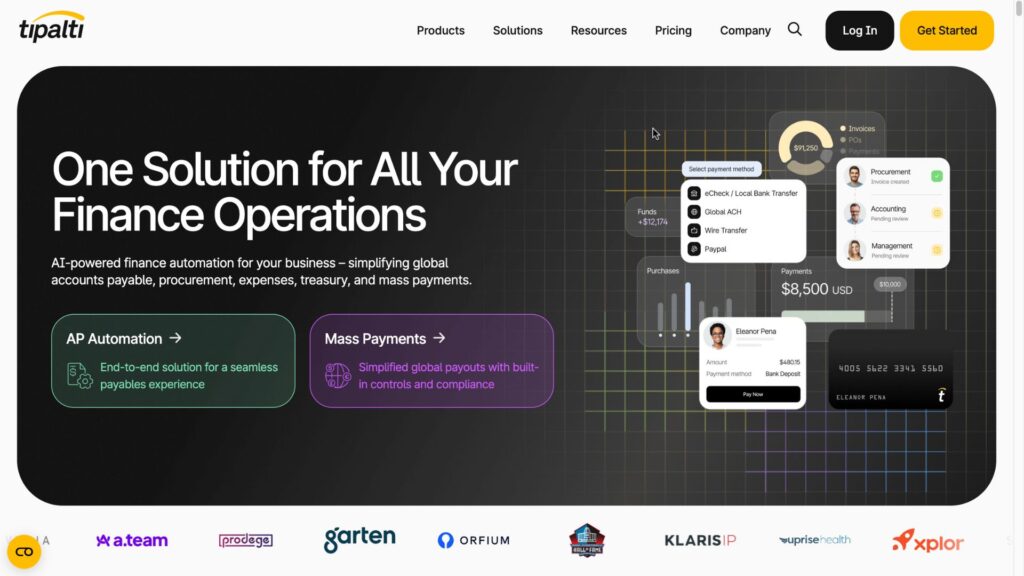
Tipalti is a cloud-based accounts payable automation and global payments software designed to help businesses manage supplier onboarding, invoice processing, approval workflows, tax compliance, and domestic and international payments from a centralized platform. Its solution is particularly focused on organizations that work with large numbers of suppliers, contractors, and global vendors.
Rather than focusing only on invoice data extraction, Tipalti connects invoice processing with the broader supplier-to-payment lifecycle. Businesses can use the platform to collect supplier information, automate invoice capture and approval, manage tax documentation, schedule payments, and reconcile transactions across multiple entities and currencies.
Company Information
| Founded | 2010 |
| Headquarters | San Mateo, California, USA |
| Delivery Model | Cloud-based AP automation and global payments software |
| Pricing | Custom quotation |
| Website | tipalti.com |
Why We Picked It:
Tipalti stands out for combining invoice processing with global supplier management and payment automation. This makes the platform particularly valuable for businesses that need to process invoices from suppliers across different countries while managing tax, compliance, currency, and payment requirements.
Its broader AP automation capabilities allow finance teams to manage multiple stages of the supplier payment lifecycle within one system instead of using separate tools for invoice processing, vendor onboarding, tax documentation, and international payments.
Key Features:
- Automated invoice processing
- AI-powered invoice capture
- OCR and invoice data extraction
- Invoice approval workflows
- Purchase order matching
- 2-way and 3-way matching
- Supplier onboarding
- Supplier management
- Tax form collection
- Tax compliance workflows
- Global supplier payments
- ACH payments
- Wire transfers
- International payments
- Multi-currency payments
- Payment reconciliation
- Fraud prevention and payment controls
- ERP and accounting integrations
- AP reporting and analytics
- Multi-entity support
Invoice Processing Capabilities:
- Tipalti helps businesses automate the process of receiving, capturing, reviewing, approving, and paying supplier invoices. Invoice information can be extracted digitally and routed through predefined workflows, reducing the need for AP teams to manually enter invoice information into accounting systems.
- The platform can capture important invoice fields such as supplier information, invoice numbers, dates, amounts, taxes, purchase order information, and line items. This information can then be reviewed and validated before the invoice proceeds to approval.
- Tipalti also supports purchase order matching, allowing finance teams to compare invoice information against purchasing records. Matching capabilities can help identify discrepancies before invoices are approved and paid, reducing the risk of incorrect or duplicate payments.
- Once an invoice has been approved, Tipalti connects the AP workflow directly with its payment infrastructure. Businesses can select appropriate payment methods based on supplier location, currency, and payment requirements, making the platform particularly useful for companies with international supplier networks.
- Another important capability is supplier onboarding and compliance management. Suppliers can provide payment details and required tax documentation through the platform, while finance teams can manage supplier information centrally. This reduces administrative work and helps organizations maintain more consistent vendor records.
- For multinational businesses, Tipalti’s support for multiple currencies, entities, and payment methods can simplify international accounts payable operations. Instead of processing invoices and payments separately across different banking systems, finance teams can manage the supplier payment lifecycle through a centralized AP environment.
Pros:
- Combines invoice processing with supplier and payment management
- Strong support for international and multi-currency payments
- Automates supplier onboarding and tax documentation
- Supports invoice approval and matching workflows
- Reduces manual AP and payment administration
- Suitable for businesses with large supplier networks
- Supports multi-entity financial operations
- Integrates with ERP and accounting systems
Cons:
- Primarily designed for businesses with more complex AP and payment requirements
- Pricing is custom and can make direct cost comparison difficult
- Implementation may require configuration and integration work
- Some businesses may not need its broader global payment and supplier management functionality
Best For: Growing and enterprise businesses that need invoice processing, supplier management, tax compliance, and domestic or international payments within a single accounts payable automation platform.
Pricing: Tipalti Express starts at $149 per month. Advanced capabilities require custom enterprise pricing.
>> See more:
- Top 10 Outsourced AI Training Data Companies
- Best Real Estate Image Processing Services 2026: Top 15 Providers
14. Coupa
Coupa is an enterprise spend management and accounts payable software that helps organizations manage procurement, invoices, supplier relationships, payments, and business spending through a centralized platform. Its accounts payable capabilities are integrated with broader procure-to-pay workflows, allowing businesses to connect purchasing activities with invoice processing and supplier payments.
Rather than functioning as a standalone invoice processing application, Coupa provides an end-to-end environment for managing business spend from procurement through payment. Finance and procurement teams can use the platform to manage purchase requests, purchase orders, supplier invoices, approvals, matching, and payment processes while maintaining visibility into organizational spending.
Company Information
| Founded | 2006 |
| Headquarters | San Mateo, California, USA |
| Delivery Model | Cloud-based enterprise spend management and AP automation software |
| Pricing | Custom quotation |
| Website | coupa.com |
Why We Picked It:
Coupa stands out for connecting invoice processing with procurement, supplier management, and broader spend control. This allows organizations to manage the entire procure-to-pay process rather than treating invoice processing as an isolated accounting activity.
The platform is particularly useful for enterprises that need sophisticated purchasing controls, approval workflows, invoice matching, supplier management, and financial visibility across multiple departments or business entities.
Key Features:
- Automated invoice processing
- Invoice data capture
- OCR and digital invoice processing
- Accounts payable automation
- Invoice approval workflows
- Purchase order management
- 2-way invoice matching
- 3-way invoice matching
- Supplier management
- Procurement automation
- Purchase requisitions
- Contract management
- Spend analysis
- Payment management
- Duplicate invoice detection
- Invoice exception management
- ERP and accounting integrations
- Multi-entity support
- Financial reporting and analytics
- Supplier risk management
Invoice Processing Capabilities:
- Coupa allows organizations to centralize supplier invoices within its broader procure-to-pay environment. Invoices can be captured electronically and processed through predefined workflows, reducing the amount of manual data entry and administrative work required by accounts payable teams.
- The platform can extract relevant invoice information and connect it with purchasing and supplier records. This allows finance teams to maintain consistent invoice data while routing documents to the appropriate employees for review and approval.
- One of Coupa’s key capabilities is invoice matching. Businesses can compare invoice information with purchase orders and receiving information to verify that the goods or services being billed correspond to approved purchases. Three-way matching can help identify discrepancies involving quantities, prices, or received goods before payment is released.
- Coupa also supports automated invoice approval workflows. Organizations can establish approval rules based on factors such as spending amount, department, category, supplier, or organizational structure. This allows invoices to be automatically routed to the appropriate approvers rather than being manually forwarded between departments.
- When discrepancies occur, finance teams can manage invoice exceptions within the workflow. This provides greater visibility into why an invoice has been placed on hold and which employee or department needs to resolve the issue.
- Because invoice processing is connected to Coupa’s procurement and supplier management capabilities, organizations can also compare invoices against their original purchasing decisions. This helps finance and procurement teams identify unauthorized purchases, purchases outside approved contracts, or spending that does not follow established company policies.
- Coupa’s broader spend analytics capabilities provide additional visibility into supplier spending, purchasing activity, and accounts payable data. This can help enterprises identify spending patterns, improve supplier management, and strengthen financial controls.
- For organizations operating across multiple departments, locations, or entities, Coupa can also integrate with existing ERP and financial systems. This allows invoice and procurement information to move between Coupa and the organization’s accounting infrastructure.
Pros:
- Comprehensive procure-to-pay functionality
- Strong integration between procurement and AP
- Supports 2-way and 3-way invoice matching
- Advanced invoice approval workflows
- Strong supplier management capabilities
- Provides broader spend visibility and analytics
- Suitable for complex enterprise procurement environments
- Integrates with ERP and financial systems
- Supports sophisticated spending controls
Cons:
- Pricing is custom and not publicly standardized
- Enterprise implementation can require significant configuration
- May be overly comprehensive for businesses seeking only invoice processing
- Best suited to organizations with established procurement and finance processes
- Implementation and integration requirements can increase overall project complexity
Best For: Large and enterprise organizations that need invoice processing integrated with procurement, supplier management, purchase orders, spend control, and end-to-end procure-to-pay workflows.
Pricing:
- Enterprise deployments: Custom pricing based on organizational size and required functionality
- Pricing model: Custom quotation
- Public standard pricing: Not generally published
- Starting price: No standard public starting price for the full Coupa platform
- Pricing factors: Number of users, transaction volume, selected modules, business entities, integrations, implementation requirements, and procurement/AP workflows
15. Melio
Melio is a business payments and accounts payable software designed primarily for small businesses and growing companies that need a simple way to manage bills, vendor payments, and accounts payable workflows. The platform allows businesses to receive and manage bills digitally, schedule payments, and pay vendors using different payment methods while maintaining a centralized view of outgoing payments.
Unlike enterprise-focused AP platforms that combine extensive procurement, supplier management, and spend analytics capabilities, Melio places greater emphasis on simple bill payment and accounts payable management. This makes it particularly useful for small businesses that want to digitize vendor payments without adopting a complex enterprise finance system.
Company Information
| Founded | 2018 |
| Headquarters | New York City, New York, USA |
| Delivery Model | Cloud-based business payments and AP software |
| Pricing | Free platform with transaction-based fees for selected payment methods |
| Website | meliopayments.com |
Why We Picked It:
Melio stands out for making business bill payments accessible to small and growing businesses. Instead of requiring companies to implement a complex AP automation platform, Melio provides a straightforward workflow for entering bills, scheduling payments, managing vendors, and choosing how payments are funded.
The platform also provides flexibility in how businesses pay suppliers. Depending on the transaction, companies can use bank transfers, debit cards, credit cards, or checks, while vendors can receive payment through supported methods without necessarily needing to create a Melio account.
Key Features:
- Online bill management
- Accounts payable management
- Vendor payment scheduling
- ACH bank transfers
- Debit card payments
- Credit card payments
- Check payments
- International payments
- Recurring payments
- Payment approvals
- Vendor management
- Payment tracking
- Accounting software integrations
- Bill upload and organization
- Payment notifications
- User permissions and controls
Invoice Processing Capabilities:
- Melio allows businesses to organize and manage bills digitally before scheduling payments. Finance teams can enter bill information, upload supporting documents, assign payment details, and determine when a vendor should be paid.
- Once a bill has been recorded, businesses can select an appropriate payment method and schedule the payment according to their cash-flow requirements. This allows companies to avoid manually processing checks or initiating individual bank transfers for every vendor invoice.
- A key advantage of Melio is its payment flexibility. Businesses can pay eligible vendors through bank transfers while also having the option to fund certain payments using cards. This can give companies additional flexibility when managing short-term cash flow or payment preferences.
- Melio also supports approval workflows for businesses that require multiple people to review payments before they are released. Depending on the account configuration, finance teams can establish roles and approval processes to help maintain control over outgoing payments.
- For businesses using accounting software, Melio can also integrate with accounting systems to help synchronize bills, vendors, and payment information. This reduces the need to maintain duplicate financial records across separate systems.
- Melio is therefore more focused on the bill-to-payment workflow than on advanced AI document extraction. Businesses looking primarily for sophisticated OCR, template-free invoice extraction, or complex three-way matching may require a more specialized invoice processing platform.
Pros:
- Simple and accessible AP and bill payment workflow
- Free platform option available
- Multiple vendor payment methods
- Supports ACH, cards, and checks
- Useful for small and growing businesses
- Payment scheduling helps manage cash flow
- Accounting integrations available
- Less complex than many enterprise AP platforms
Cons:
- More focused on payments than advanced invoice data extraction
- Advanced enterprise AP capabilities are more limited than platforms such as Coupa or SAP Concur
- Transaction fees can apply depending on the payment method
- International payment availability and fees vary by transaction
- May not be suitable for highly complex procurement and three-way matching requirements
Best For: Small businesses and growing companies that need simple invoice-to-payment workflows, flexible vendor payment methods, and basic accounts payable management without the complexity of a large enterprise AP automation platform.
Pricing:
- Pricing model: Primarily free software with transaction-based fees for selected payment services
- Platform: Free to use for core bill payment functionality
- ACH bank payments: Fees may vary depending on payment type and account configuration
- Credit card payments: Transaction fees apply
- Debit card payments: Transaction fees may apply
- Expedited payments: Additional fees may apply
- International payments: Additional transaction or foreign-exchange fees may apply
>> See more:
- How Automated Invoice Processing Saves Time and Reduces Errors?
- How AI-Powered Document Automation Transforms Business Operations?
16. Sage Intacct
Sage Intacct is a cloud-based accounting and financial management software that provides accounts payable automation, invoice processing, purchasing, cash management, and financial reporting for growing and mid-sized businesses. Its AP capabilities are integrated directly into the accounting environment, allowing finance teams to manage supplier invoices and payments while keeping financial records synchronized.
Unlike standalone invoice processing software that focuses primarily on document capture and data extraction, Sage Intacct combines invoice processing with core accounting and financial management. This makes it particularly useful for businesses that want to automate AP while maintaining centralized control over their general ledger, accounts payable, purchasing, and financial reporting.
Company Information
| Founded | 1999 |
| Headquarters | San Jose, California, USA |
| Delivery Model | Cloud-based accounting and financial management software |
| Pricing | Custom quotation |
| Website | sage.com/en-us/products/sage-intacct/ |
Why We Picked It:
Sage Intacct stands out because its invoice processing and AP workflows are directly connected to accounting and financial management. Finance teams can capture and process bills, route invoices for approval, manage vendor payments, and automatically update accounting records within the same environment.
The platform is especially useful for growing organizations that have outgrown basic accounting software and need more sophisticated financial controls, multi-entity accounting, purchasing workflows, and reporting capabilities.
Key Features:
- Automated accounts payable
- Invoice and bill processing
- Digital invoice capture
- Invoice approval workflows
- Vendor management
- Purchase order management
- Purchase order matching
- Bill payment management
- General ledger integration
- Cash management
- Expense management
- Multi-entity accounting
- Multi-currency support
- Financial reporting
- Budgeting and planning
- Audit trails
- Role-based permissions
- Accounting and business system integrations
- AP automation and workflow management
Invoice Processing Capabilities:
Sage Intacct allows businesses to manage supplier bills directly within their accounting environment. Finance teams can enter or capture invoice information, assign accounting dimensions, route bills for approval, and maintain a complete record of the transaction within the AP workflow.
The platform can help automate the process of recording supplier invoices and connecting them with the appropriate accounts, departments, locations, projects, or other financial dimensions. This reduces the amount of repetitive accounting work required when processing large numbers of supplier bills.
Sage Intacct also supports purchase order-based AP workflows. When invoices are associated with purchase orders, finance teams can compare the billed information with the original purchasing records before approving payment. This provides greater control over purchasing and helps identify discrepancies before transactions are finalized.
Approval workflows can be configured according to an organization’s internal financial policies. For example, businesses can require additional approval for invoices above specific spending thresholds or route invoices to different managers depending on department or organizational structure.
Another major advantage is the connection between AP and the general ledger. Once invoices are approved and processed, accounting information can flow into the relevant financial records, reducing the need for finance teams to manually re-enter invoice information into a separate accounting system.
Sage Intacct also provides capabilities for multi-entity and multi-dimensional accounting, making it useful for organizations that operate multiple business units, subsidiaries, departments, locations, or projects. Finance teams can maintain centralized financial visibility while still tracking AP and expenses across individual entities or dimensions.
For growing businesses, this integration between invoice processing and accounting can be particularly valuable. Instead of using one application to process invoices and another to maintain financial records, Sage Intacct allows AP activity to become part of the broader accounting workflow.
Pros:
- Combines invoice processing with full accounting functionality
- Strong accounts payable automation
- Direct connection between AP and general ledger
- Supports purchase order workflows
- Configurable invoice approval processes
- Strong financial reporting capabilities
- Supports multi-entity accounting
- Suitable for growing and mid-sized organizations
- Provides broader financial management beyond invoice processing
Cons:
- Pricing is custom and not publicly standardized
- More comprehensive than necessary for businesses looking only for invoice OCR
- Implementation may require accounting configuration and integration work
- Advanced functionality can require additional modules or setup
- Better suited to businesses needing accounting and financial management rather than standalone invoice extraction
Best For: Growing and mid-sized businesses that need invoice processing and accounts payable automation integrated directly with accounting, purchasing, financial reporting, and multi-entity financial management.
Pricing:
- Enterprise or multi-entity deployments: Custom pricing based on business requirements
- Pricing model: Custom quotation
- Public standard pricing: Not generally published
- Starting price: No standard public starting price for the full Sage Intacct platform
- Pricing factors: Number of users, entities, selected modules, transaction volume, integrations, implementation requirements, and accounting complexity
How To Choose The Best Invoice Processing Software For Your Organization?
Selecting the right invoice processing software requires careful evaluation of your organization’s specific requirements and constraints. Consider these critical factors when making your decision:
Volume and Complexity
Assess your current and projected invoice processing volumes. Organizations processing hundreds or thousands of invoices monthly have different needs than those handling dozens. Similarly, complex approval workflows, multi-entity structures, or international payments require more sophisticated invoice processing software than straightforward AP operations.
Integration Requirements
Evaluate how invoice processing software must connect with your existing technology ecosystem. Seamless integration with your ERP, accounting software, banking platforms, and payment systems is essential for efficient operations. Pre-built integrations typically implement faster and maintain better data quality than custom integrations.
Budget Considerations
Calculate total cost of ownership beyond subscription fees. Factor in implementation costs, transaction fees, training expenses, and ongoing support requirements. Some invoice processing software solutions offer free basic tiers while others charge based on invoice volume or user count. Ensure pricing structures align with your financial constraints and expected growth trajectory.
Scalability
Select invoice processing software that can grow with your organization. As businesses expand, invoice volumes increase, approval processes become more complex, and integration requirements evolve. Platforms that scale effectively prevent the costly process of switching systems as needs change.
User Experience
Consider how different stakeholders will interact with the invoice processing software. AP teams need efficient data entry and workflow management. Approvers require simple, mobile-accessible interfaces for reviewing and approving invoices. Vendors benefit from self-service portals for invoice submission and status checking. Strong user experience across all user types improves adoption and efficiency.
Support and Service
Evaluate the vendor’s implementation process, training resources, and ongoing support. Organizations with limited internal IT resources particularly benefit from vendors offering comprehensive implementation assistance and responsive customer support. Check user reviews to understand actual support quality beyond vendor promises.
Automation Capabilities
Modern invoice processing software should leverage AI and machine learning for data extraction, coding, approval routing, and exception handling. More advanced automation reduces manual work, improves accuracy, and enables AP teams to focus on strategic activities rather than routine processing tasks.
>> See more:
- Fashion Photo Retouching: Key Techniques, Benefits, and Tips
Key Features Of Invoice Processing Automation Software
Modern invoice processing software helps finance teams automate accounts payable workflows, reduce manual work, and improve processing accuracy. Here are the key features businesses should look for when choosing an automated invoice processing solution.
AI-powered OCR And Invoice Data Capture
Advanced invoice processing software uses AI and OCR technology to automatically scan invoices, extract important data, and convert documents into structured digital information. This reduces manual data entry, improves accuracy, and speeds up invoice processing across different file formats, including PDFs, emails, and scanned documents.
Custom Approval Workflows
Many invoice automation platforms allow businesses to create flexible approval workflows based on departments, invoice amounts, or user roles. Automated routing and real-time notifications help invoices move through the approval process faster while reducing delays and bottlenecks.
Real-time Dashboards And Reporting
Modern invoice processing software provides real-time visibility into invoice status, approvals, spending, and payment activity through centralized dashboards. Detailed reports and analytics help finance teams monitor performance, improve cash flow management, and identify operational inefficiencies.
Fraud Prevention And Compliance Controls
Built-in security and compliance features help businesses reduce financial risks by detecting duplicate invoices, unusual transactions, and approval inconsistencies. Automated audit trails also make it easier to track invoice activity and prepare for audits.
Cloud Access And Mobile Flexibility
Cloud-based invoice processing software allows teams to manage invoices, approve payments, and track AP workflows from anywhere. Mobile access improves flexibility for remote teams while cloud deployment supports easier integration with ERP and accounting systems.
Common Challenges In Accounts Payable Invoice Processing
Managing accounts payable manually can lead to slow approvals, processing errors, and limited visibility into invoice status. Modern invoice processing software helps businesses automate workflows, improve accuracy, and reduce operational bottlenecks.
Manual Data Entry And Processing Errors
Entering invoice data manually takes time and increases the risk of mistakes. Invoice processing software uses AI and OCR technology to capture invoice data automatically, reducing errors and improving processing speed.
High Invoice Volumes And Approval Delays
As invoice volumes grow, AP teams often struggle with backlogs and missed payment deadlines. Automated workflows help businesses process large numbers of invoices faster without increasing manual workload.
Duplicate Or Mismatched Invoices
Duplicate invoices and incorrect matching can lead to overpayments and compliance risks. Advanced invoice processing software automatically detects duplicates and verifies invoices against purchase orders and receipts.
Limited Visibility Into AP Workflows
Without real-time tracking, finance teams may struggle to monitor approvals and payment status. Centralized dashboards provide clear visibility into invoice progress, pending approvals, and spending activity.
Compliance And Audit Difficulties
Manual processes make audits more complicated and time-consuming. Modern invoice processing software creates digital audit trails that record approvals, invoice changes, and payment history for easier compliance management.
FAQs About Invoice Processing Software
What Is The Best Software For Invoicing?
The best invoicing software depends on your business size, invoice volume, accounting setup, and automation needs. For small businesses, QuickBooks, BILL, and Melio are popular options for creating, sending, tracking, and managing invoices. Larger organizations may prefer platforms such as SAP Concur, Coupa, or Tipalti for more advanced accounts payable and payment workflows. For businesses that need automated invoice data extraction and document processing, DIGI-TEXX offers AI-powered OCR and intelligent document processing capabilities.
Can I Create Invoices In Word Or Excel?
Yes, you can create invoices using Microsoft Word or Excel, especially if you only send a small number of invoices. These tools allow you to create templates and manually enter customer, product, pricing, tax, and payment information. However, manual invoicing can become time-consuming and more prone to data-entry errors as invoice volumes increase. Dedicated invoicing or invoice processing software can automate tasks such as data capture, validation, approval, tracking, and payment processing.
What Is The Best Software For Issuing Invoices?
The best software for issuing invoices depends on your specific requirements. QuickBooks is suitable for businesses that want invoicing integrated with accounting, while BILL and Melio provide invoicing alongside payment capabilities. For enterprises with more complex financial workflows, SAP Concur, Coupa, and Tipalti offer broader accounts payable and payment automation. Businesses primarily focused on extracting and processing invoice data can also consider DIGI-TEXX for AI-powered document processing.
Invoice Processing Software For Small Business
Small businesses can use invoice processing software to reduce manual data entry, improve invoice accuracy, and speed up accounts payable workflows. Solutions such as QuickBooks, BILL, Melio, and Rho combine invoice management with accounting, payments, or financial management features. Businesses processing a larger volume of invoices may benefit from AI-powered document processing solutions such as DIGI-TEXX, which can extract information from invoices and other business documents for downstream processing.
To make everything work together smoothly, tools like Zapier can automate connections between these platforms, helping you manage finances, tasks, clients, and team collaboration more effectively.
Choosing the best automated invoice processing software depends largely on the size, budget, existing technology system and complexity of your business processes. And businesses can also understand that investing in software is not the only option. If the business does not have a specialized processing department, outsourcing the invoice processing process brings higher efficiency without the initial investment in technology or personnel.
At DIGI-TEXX, we provide professional invoice processing services, combining advanced AI technology and supervision by experienced experts. The DIGI-TEXX team helps you digitize and process invoices in bulk with high accuracy, freeing your team from manual work to focus on strategic activities. Contact us now to get advice on a solution package that suits your needs.
If you have any questions or would like expert advice on data analytics services, please feel free to contact us using the information below.
DIGI-TEXX Contact Information:
🌐 Website: https://digi-texx.com/
📞 Hotline: +84 28 3715 5325
✉️ Email: [email protected]
🏢 Address:
- Headquarters: Anna Building, QTSC, Trung My Tay Ward
- Office 1: German House, 33 Le Duan, Saigon Ward
- Office 2: DIGI-TEXX Building, 477-479 An Duong Vuong, Binh Phu Ward
- Office 3: Innovation Solution Center, ISC Hau Giang, 198 19 Thang 8 street, Vi Tan Ward
Reference:
- Association for Intelligent Information Management. (n.d.). AIIM: The association for intelligent information management. https://www.aiim.org
- Association of Certified Fraud Examiners. (n.d.). Association of Certified Fraud Examiners. https://www.acfe.com