Fashion photography retouching helps transform raw fashion images into polished, natural and brand-ready visuals without losing the character of the original photograph. From skin and hair cleanup to garment correction, color matching and background refinement, the right retouching approach depends on the image’s purpose, quality standard and production volume.
In this guide, DIGI-TEXX will help you understand the key retouching techniques, professional workflow, software options, costs and when outsourcing makes sense for fashion image production.
>>> See more:
- AI Photo Retouching: 10 Best Tools & How To Use Them In 2026
- E-commerce Photo Editing Services: Top Companies & Solutions For Online Stores
- Top 10 Photo Editing Services Online In 2026: Comparison & Review
What Is Fashion Photography Retouching?
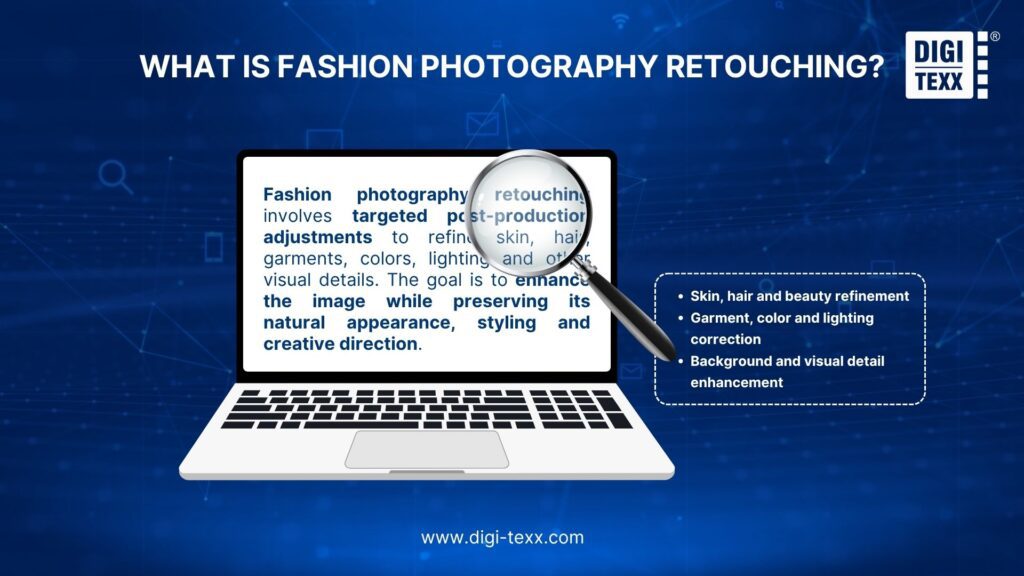
Fashion photography retouching is the process of making targeted adjustments to a fashion image after the photoshoot. The work can involve refining skin and hair, cleaning garments, correcting colors, improving lighting, removing distractions and preparing images for their intended use.
The objective is not necessarily to change everything that looks imperfect. A strong retouch preserves the qualities that make the original photograph work while correcting details that distract from the model, garment, styling or creative direction.
This distinction matters because fashion imagery can serve very different purposes. An editorial photograph may require a more expressive treatment, while an e-commerce image may place greater emphasis on accurate garment color and consistent presentation across an entire product collection.
Fashion Photography Retouching & Fashion Photo Editing
Photo editing and photo retouching often overlap, but they serve different purposes in a fashion post-production workflow.
| Aspect | Fashion Photo Editing | Fashion Photography Retouching |
| Main purpose | Improve the overall appearance and consistency of an image | Refine specific details and correct visual imperfections |
| Typical adjustments | Exposure, white balance, contrast, cropping, color correction | Skin, hair, garments, body shape, background and distracting elements |
| Level of detail | Broad, image-level adjustments | Detailed, localized adjustments |
| Common tools | Lightroom, Capture One | Photoshop and specialized retouching tools |
| Typical use | Preparing and standardizing a series of images | Creating polished, campaign-ready or high-end fashion images |
| Best suited for | Batch processing and overall image correction | Detailed creative and commercial post-production |
Why Fashion Photography Needs Professional Retouching?
A fashion photograph has several visual elements competing for attention: the model, clothing, accessories, styling, lighting, background and brand identity. Small inconsistencies in any of these areas can become noticeable when images are displayed together.
Professional retouching can help:
- Remove temporary skin imperfections while retaining natural texture
- Clean flyaway hair and distracting styling details
- Refine wrinkles, lint and unwanted marks on garments
- Correct color and exposure inconsistencies
- Remove distracting objects or background elements
- Maintain consistent visual treatment across a collection
- Prepare images for specific publishing requirements
The value is particularly clear in commercial work. A retailer may need hundreds of images to share the same color treatment and visual standard. A campaign may require a smaller number of hero images with much more detailed retouching.
Retouching therefore functions as part of image production, not simply as a final cosmetic step.
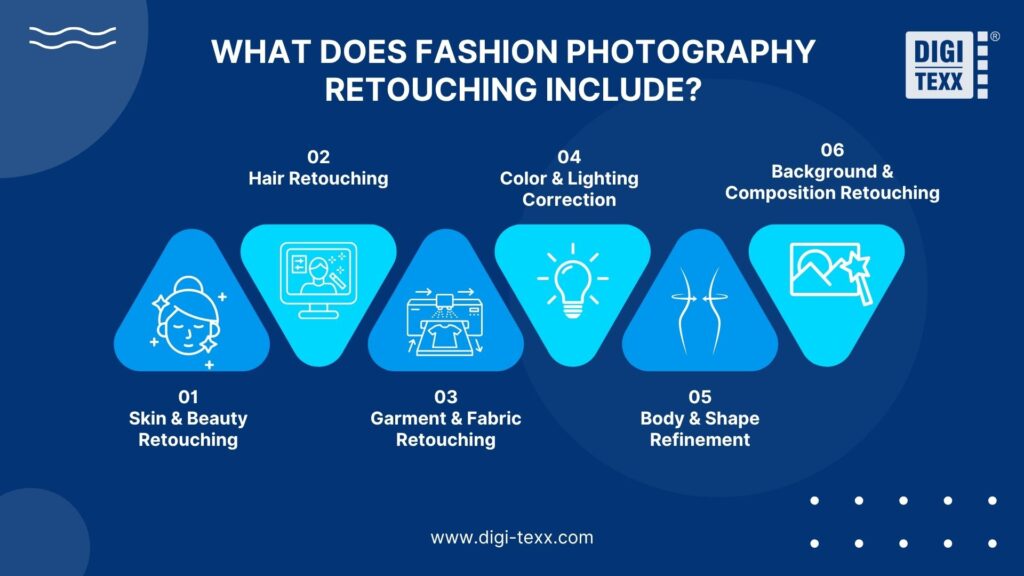
What Does Fashion Photography Retouching Include?
The exact scope depends on the brief, photography style and final application. A high-end editorial image may need detailed beauty and compositing work, while an e-commerce collection may prioritize garment accuracy, consistency and efficient batch processing.
Skin And Beauty Retouching
Skin retouching usually focuses on temporary imperfections rather than eliminating every natural feature.
Common adjustments include:
- Removing temporary blemishes and spots
- Reducing uneven redness
- Balancing distracting tonal variations
- Refining under-eye areas where necessary
- Cleaning small marks introduced during the shoot
- Making selective adjustments to eyes, lips or teeth
The main quality standard is restraint. Excessive smoothing can remove pores and natural texture, making the model look artificial. A professional result should retain enough skin detail to preserve the photographic quality of the original image.
The appropriate level also depends on the project. A beauty campaign may require more detailed facial work than a lifestyle lookbook, while an e-commerce image may require relatively limited skin treatment because the garment remains the primary subject.
Hair Retouching
Hair can require surprisingly detailed cleanup, particularly in studio photography.
Retouching may involve removing isolated flyaway hairs, cleaning strands that cross the face or garment, improving the silhouette of a hairstyle, and correcting small distractions created by wind, movement or styling.
The goal is not to remove every individual strand. Some loose hairs contribute to a natural appearance. The retoucher needs to distinguish between intentional texture and distractions that interfere with the composition.
Garment And Fabric Retouching
Garment retouching is particularly important because clothing needs to remain believable after editing.
Typical tasks include:
- Removing lint, dust and stray fibers
- Reducing distracting wrinkles
- Cleaning seams and edges
- Correcting minor styling imperfections
- Refining the shape or fall of fabric
- Restoring detail lost through lighting or exposure issues
- Correcting small inconsistencies between frames
Different fabrics require different treatment. Silk, denim, leather, knitwear and sequined materials reflect and absorb light differently. Removing every wrinkle or aggressively smoothing a surface can erase the characteristics that communicate the material.
A professional retoucher therefore needs to improve the presentation without making the fabric look synthetic.
Color And Lighting Correction
Color correction establishes a reliable visual foundation before more creative adjustments are applied.
It can include:
- White balance correction
- Exposure adjustment
- Highlight and shadow control
- Contrast adjustment
- Skin-tone refinement
- Garment color correction
- Color matching between images
- Creative color grading
Color consistency becomes especially important when multiple photographs appear together. If the same garment appears noticeably different from one image to another, the problem can affect how customers perceive the product.
Capture One provides dedicated color tools, including color selection and skin-tone adjustments, while Lightroom provides a broader photography editing workflow.
Body And Shape Refinement
Body and silhouette adjustments should be approached carefully because aggressive reshaping can change the visual relationship between the model, garment and environment.
Depending on the brief, retouching may correct small issues caused by posing, fabric positioning or perspective. For example, a garment may need a minor shape adjustment because of an unexpected fold or the way it sits during the shoot.
The objective should be controlled refinement rather than creating an unrealistic body shape.
For fashion brands, this distinction is particularly important. The garment must remain credible, and the model should still look like the person photographed.
Background And Composition Retouching
Background work removes elements that compete with the intended subject.
It can include:
- Removing unwanted objects
- Cleaning marks or distractions
- Extending a background
- Replacing a background when required
- Refining shadows
- Cleaning edges around the subject
- Creating composite images
Modern image-editing software can automate some of this work. For example, Photoshop’s current Remove tool can detect and remove certain distractions, while Generative Fill can be used to remove or replace selected areas.
Human review remains important, especially around hair, fabric edges, accessories and other detailed areas where automated changes can introduce artifacts.
>>> See more:
- Fashion Photo Editing Services: Benefits, Techniques & Expert Tips
- Birthday Editing Online Free: Tools, Frames & Creative Ideas
- Top 10 Photo Editing Services Online In 2026: Comparison & Review
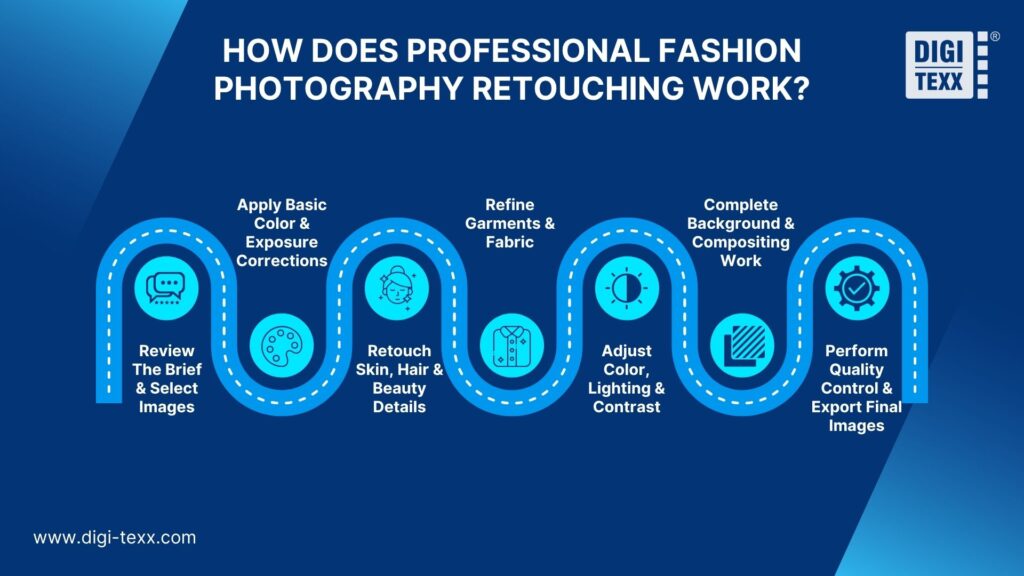
How Does Professional Fashion Photography Retouching Work?
A professional workflow should be structured around the final visual objective rather than a fixed sequence of Photoshop commands. For high-volume fashion projects, the process also needs to balance quality with consistency and throughput.
Review The Brief And Select Images
The first step is understanding what the images are for. A retouching brief may specify:
- Target audience
- Publication channel
- Required image dimensions
- Color expectations
- Retouching intensity
- Background requirements
- Brand guidelines
- Delivery format
- Deadline
- Reference images
Image selection is equally important. Not every frame from a shoot needs detailed retouching. Selecting the strongest images first prevents unnecessary post-production work and creates a clearer standard for the final set.
For larger projects, a reference or “hero” image can establish the intended treatment before the same approach is applied across the wider collection.
Apply Basic Color And Exposure Corrections
Global corrections normally come before detailed retouching. The retoucher establishes a stable baseline by reviewing exposure, white balance, contrast and overall color. This makes subsequent skin, garment and background adjustments more predictable.
Batch adjustments can also improve efficiency when multiple images were captured under similar lighting conditions. Capture One, for example, supports applying styles and adjustments across larger batches, while its fashion workflow combines tethering, color work and image review.
Retouch Skin, Hair And Beauty Details
Once the base image is established, detailed retouching can begin. The retoucher works selectively rather than applying the same effect uniformly across the entire image. Skin may require localized cleanup, while hair may require individual strand removal. Eyes, lips and teeth may receive minor adjustments if the brief requires them.
This stage is where human judgment becomes particularly valuable. The same numerical adjustment can look appropriate on one image and excessive on another because lighting, skin tone, makeup and camera exposure vary.
Refine Garments And Fabric
Garment retouching should follow the creative and commercial purpose of the image. For an e-commerce image, the priority may be accurate product presentation. For an editorial image, preserving movement and styling may matter more.
Retouchers may remove lint, correct distracting folds, clean edges and refine garment shape while retaining material characteristics. A recent fashion retouching workflow published in 2026 similarly emphasizes cleaning dust, lint and fibers while avoiding edits that flatten fabric texture.
Adjust Color, Lighting And Contrast
After detailed cleanup, color and tonal adjustments can be refined further. At this stage, the retoucher checks the image against:
- Brand references
- Garment colors
- Other images from the same shoot
- Intended publication environment
- Creative direction
Color should be evaluated across the collection rather than only on individual images. Capture One’s fashion workflow, for example, highlights color control, skin tones and consistency as part of professional fashion image production.
Complete Background And Compositing Work
Background and compositing tasks are generally performed after the primary subject has been refined. This may involve extending a background, removing distracting objects, adjusting shadows or combining elements from multiple photographs. Automated tools can speed up repetitive removal tasks. However, detailed review is still needed around complex edges, transparent materials, hair and garments.
Perform Quality Control And Export Final Images
Quality control is the final checkpoint before delivery. A useful review should consider both individual images and the entire collection.
Check for:
- Inconsistent skin tones
- Uneven garment colors
- Visible retouching artifacts
- Over-smoothed skin
- Distorted garment edges
- Incorrect shadows
- Background inconsistencies
- Wrong dimensions or file formats
- Compression or sharpening problems
The final export should match the intended destination. A website, marketplace, digital advertising platform and print publication may require different dimensions, formats or image specifications.
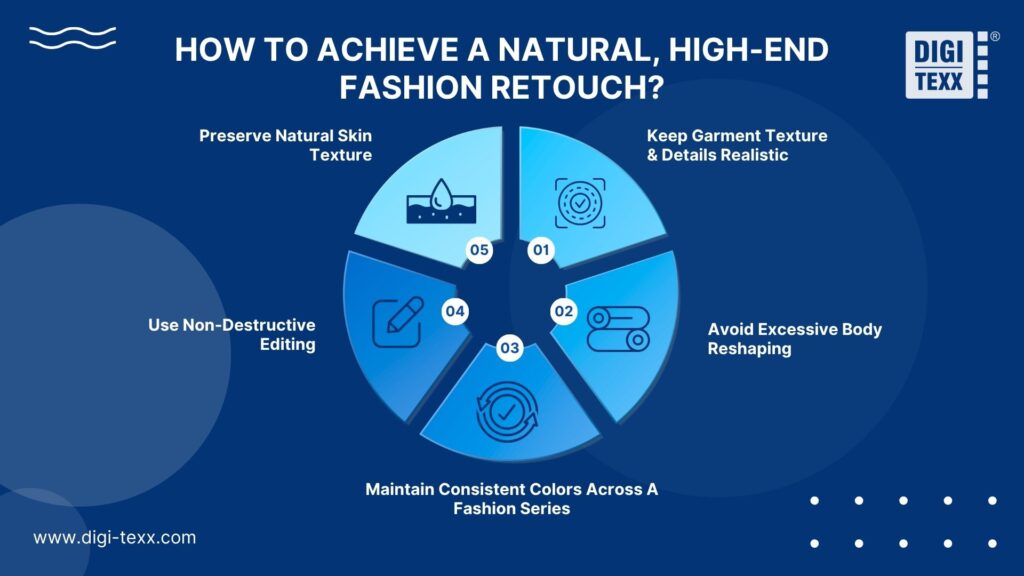
How To Achieve A Natural, High-End Fashion Retouch?
A polished image is not necessarily one with the most editing. High-end retouching is often defined by how little the viewer notices the technical work.
Preserve Natural Skin Texture
Skin should retain pores, fine texture and natural tonal variation unless the creative direction explicitly calls for a different treatment.
A useful principle is to remove distractions rather than erase identity. The retoucher should distinguish between temporary imperfections and permanent characteristics. Over-smoothing may make an image look clean at first glance but artificial when viewed at full resolution.
Keep Garment Texture And Details Realistic
Fabric should continue to look like fabric after retouching. Wrinkles, folds and shadows can communicate structure and material. Removing all of them may make a garment appear flat or digitally generated. Retouching should therefore consider the material before applying cleanup. The treatment appropriate for a cotton shirt may not work for velvet, leather or sequined fabric.
Avoid Excessive Body Reshaping
Body reshaping can be useful when correcting small issues caused by posing, perspective or clothing. It becomes problematic when the adjustment changes the model’s proportions beyond the intended creative direction.
For commercial fashion photography, preserving a believable relationship between the model and garment is particularly important. The goal should be to refine the photograph, not create a different person.
Maintain Consistent Colors Across A Fashion Series
Consistency is one of the most important quality criteria for large fashion image sets. Images should be reviewed side by side to identify differences in:
- White balance
- Skin tone
- Garment color
- Exposure
- Contrast
- Background tone
- Overall color grade
This matters because customers often encounter multiple images from the same collection in sequence. Inconsistent treatment can make the campaign feel fragmented.
Use Non-Destructive Editing
Non-destructive editing preserves the ability to revise an image without permanently changing the original. This is useful when a client requests a different color treatment, changes a background or needs a new export for another channel.
Capture One describes its editing workflow as non-destructive, keeping edits separate from the original image data. For enterprise workflows, non-destructive editing also supports better revision management because the source image remains available for future versions.
>>> See more:
- Photo Editing Price Guide 2026: Rates, Costs & Examples
- How To Make A Clipping Path In Illustrator (Step-By-Step)?
- Best Product Photo Editing Services For eCommerce: Top Providers Compared
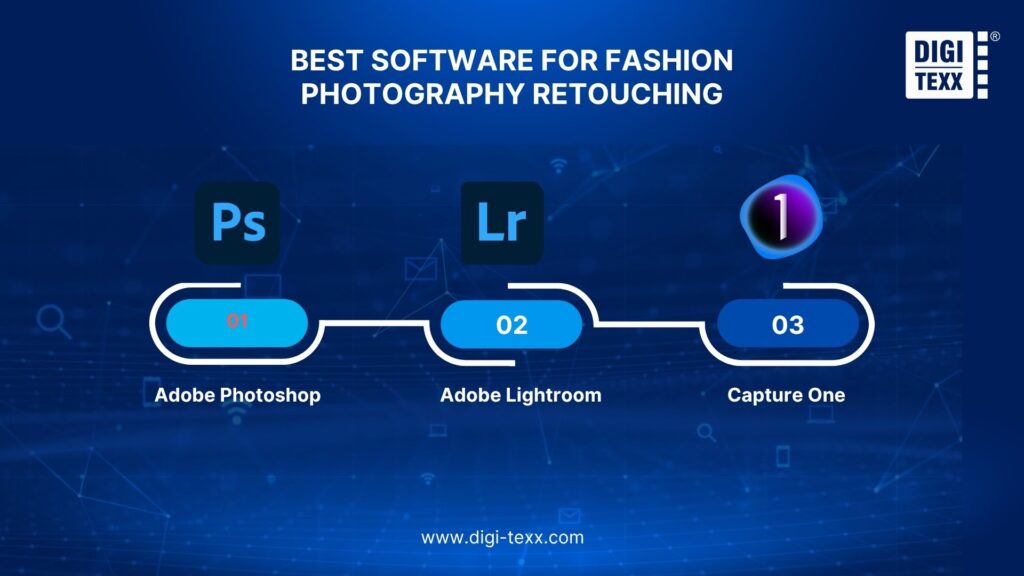
Best Software For Fashion Photography Retouching
No single application handles every stage of fashion post-production equally well. The most appropriate setup depends on image volume, editing complexity, color requirements and the skills of the production team.
Adobe Photoshop
Photoshop is well suited to detailed, pixel-level retouching and compositing.
It is commonly useful when a project requires:
- Detailed skin cleanup
- Hair refinement
- Garment correction
- Object removal
- Background manipulation
- Layer-based compositing
- Precise localized adjustments
Adobe continues to add AI-assisted removal and generative features to Photoshop. Its current Remove tool can identify distractions, while Generative Fill can remove or modify selected areas.
Best for: detailed professional retouching, compositing and hero images.
Limitation: complex manual work can become time-consuming when hundreds or thousands of images require similar treatment.
Adobe Lightroom
Lightroom is particularly useful for managing and processing large photography collections. It can handle common adjustments such as exposure, white balance, color and tonal corrections and is useful for establishing a consistent base across a set.
Adobe also provides AI-powered features such as Generative Remove for removing unwanted elements.
Best for: RAW processing, batch adjustments, image organization and initial color correction.
Limitation: highly detailed pixel-level retouching may require moving the image into Photoshop.
Capture One
Capture One is strongly oriented toward professional photography workflows, including fashion and studio production.
Its fashion-specific workflow includes tethering, image previews, live collaboration, color tools and retouching capabilities. Its color tools can be useful for targeted adjustments, including skin-tone refinement and selective color correction.
Best for: studio fashion shoots, tethered capture, color management and efficient professional workflows.
Limitation: teams that require extensive compositing or highly complex pixel-level manipulation may still use Photoshop alongside it.
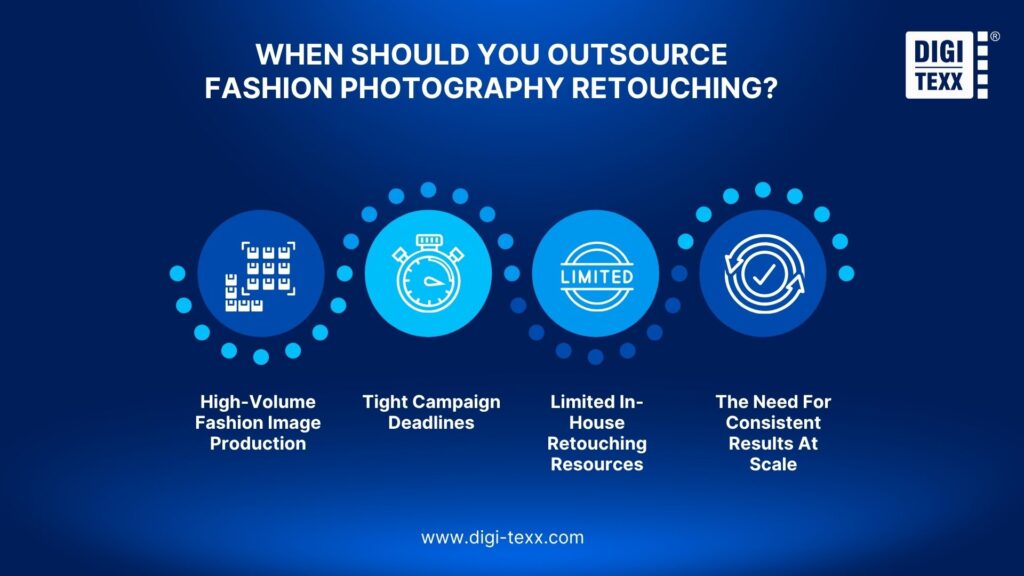
When Should You Outsource Fashion Photography Retouching?
Outsourcing is not automatically the right choice. It becomes more relevant when the volume, specialization or delivery requirements exceed what an internal team can efficiently handle.
High-Volume Fashion Image Production
Large collections can create a significant post-production workload. E-commerce retailers, fashion marketplaces and brands launching seasonal collections may need hundreds or thousands of images processed within a defined window. External production capacity can help handle the workload without requiring the business to permanently maintain an internal team sized for peak demand.
Tight Campaign Deadlines
Campaign launches often have fixed publication dates. If photography is completed shortly before a launch, retouching can become a production bottleneck. An external team can provide additional capacity when internal resources are already committed to other projects.
The decision should be based on the required turnaround, quality standard and available internal resources rather than simply on cost.
Limited In-House Retouching Resources
Some businesses have photographers and creative teams but do not maintain a dedicated retouching department. In these cases, outsourcing can provide access to specialized post-production capabilities without requiring the company to recruit, train and manage a full-time team. It can also allow internal creative staff to focus on art direction, campaign planning and other higher-value work.
The Need For Consistent Results At Scale
Scale changes the retouching challenge. A business may be able to produce excellent images internally but struggle to maintain the same standard across multiple collections, markets or channels.
An external partner can provide additional production capacity while working from documented guidelines and approved visual references. The most suitable model depends on the organization’s volume, internal expertise, turnaround requirements and quality-control expectations.
>>> See more:
- How to Retouch Photos on iPhone – Best Free Apps for iOS
- How To Master Portraits Photo Editing: 10 Best Tools, Tips & Step-By-Step Guide
Why Choose DIGI-TEXX For Fashion Photography Retouching?
DIGI-TEXX combines fashion-specific retouching expertise, high-volume processing and human-in-the-loop quality control to help brands produce consistent, commercial-ready images at scale.
Proven Fashion Retouching Results
DIGI-TEXX has documented experience supporting AI-powered fashion image production. In a virtual try-on project for a US-based fashion tech startup, its team processed 5,000+ images per month, reduced time-to-market by 60% compared with traditional manual retouching workflows, and achieved a 98% first-round client approval rate. The workflow combined AI-generated outputs with professional Photoshop retouching and human quality control.
The team corrected complex issues including unnatural skin tones, messy hair, distorted limbs, inaccurate fabric textures, missing garment details, shadows and lighting inconsistencies to achieve a natural, commercial-ready result.
Built For High-Volume Fashion Image Production
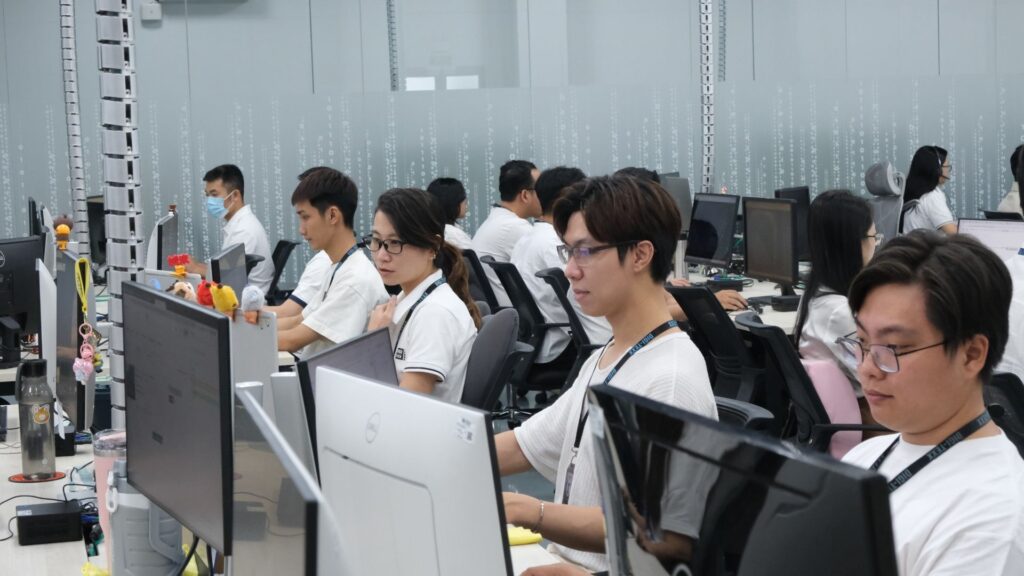
For ongoing fashion and e-commerce production, capacity matters as much as individual editing quality. DIGI-TEXX reports 60+ photo editing experts, 65,000+ edited images per month and 24/7, 365-day operations. This capacity allows brands to scale image production without building an equally large in-house retouching team.
One Partner For Multiple Retouching Requirements
Fashion projects often combine model retouching, garment cleanup, background enhancement, color correction and object removal. DIGI-TEXX supports these requirements within its broader image-processing workflow, making it possible to manage different post-production tasks through one partner.
Quality And Security At Scale
DIGI-TEXX applies quality checks covering color, texture, intensity transformations and feature matching to maintain consistency across image sets. Its image processing services also state compliance with ISO 27001:2013, GDPR and client security standards.
What sets DIGI-TEXX apart is the combination of fashion retouching expertise and proven production capacity: 5,000+ fashion images processed monthly in a documented project, 60% faster time-to-market, 98% first-round approval, and a broader operation capable of handling 65,000+ edited images per month.
If your fashion image workflow requires consistent quality at scale, DIGI-TEXX can help assess the required retouching level, production volume and workflow before full-scale delivery.
>>> See more:
- 25 Popular Photo Editing Styles In Photography For Stunning Images
- 7+ Best Photo Editing Apps For Android And iPhone (2026 Guide)
- Top 7 Ecommerce Product Photo Retouching Services Compare
How Much Does Fashion Photography Retouching Cost?
There is no single price for fashion photography retouching because the workload can vary significantly between projects.
A simple product cleanup may require only a few corrections, while a campaign hero image can involve detailed skin work, garment reshaping, background compositing and color matching.
Factors That Affect Retouching Costs
The main cost factors usually include:
- Number of images
- Image complexity
- Level of skin retouching
- Garment and fabric correction
- Background removal or replacement
- Compositing requirements
- Color-matching requirements
- Turnaround time
- Revision requirements
- Output specifications
The distinction between image volume and image complexity is particularly important.
A project involving 1,000 standardized e-commerce images may be operationally demanding but relatively predictable. A project involving 20 highly detailed campaign images may require much more work per file.
Per-Image & Volume-Based Pricing
Per-image pricing can be straightforward for projects with clearly defined requirements.
For example, a business may have a fixed number of product images and a consistent retouching specification.
Volume-based or transactional models can be useful when image production fluctuates. Instead of maintaining a fixed internal team sized for peak demand, a business can scale external processing according to the number of completed images.
DIGI-TEXX states that its image processing service offers transactional pricing based on completed work, allowing clients to pay for the work completed rather than making a large upfront investment.
How To Estimate Your Fashion Retouching Budget?
Before requesting a quote, define the project in operational terms.
A useful brief should include:
- Number of images: total files and expected monthly volume.
- Image type: editorial, campaign, lookbook, e-commerce or mixed.
- Retouching level: basic cleanup, standard retouching or high-end retouching.
- Specific requirements: skin, garment, background, color or compositing.
- Turnaround: standard or accelerated.
- Output: web, marketplace, social media, print or multiple channels.
- Revision requirements: expected review rounds and approval process.
This produces a more meaningful estimate than asking for a generic “price per photo.”
>>> See more:
- 13 Street Style Photo Editing Steps In Lightroom For Professional Results
- 15 Best Document Scanning Software: Features, Pricing & Reviews 2026
- What Is Multiple Clipping Path Service? A Complete Guide
FAQs About Fashion Photography Retouching
What Is The 20 60 20 Rule In Photography?
The 20 60 20 rule in photography is a practical approach to planning and managing a photoshoot. Popularized by wildlife photographer Paul Nicklen, it divides the shooting process into three stages, with each stage receiving a specific portion of the photographer’s time and attention.
What Are The Current Trends In Fashion Photography?
Current trends in fashion photography include raw authenticity, inclusive casting, AI-assisted editing, cinematic lighting, bold colors, retro film aesthetics, and intentional motion blur. These styles blend natural storytelling with digital innovation to create more distinctive and engaging fashion imagery.
What Is Photography Retouching?
Photography retouching is the process of making targeted edits to a photo to enhance its appearance, correct imperfections, and remove distracting details while keeping the image looking natural.
Fashion photography retouching is not about making every image look heavily edited. The strongest results come from knowing what to correct, what to preserve and how to maintain the same visual standard across an entire collection. The right combination of professional retouching, efficient workflows and appropriate AI tools can help fashion brands produce high-quality images without compromising natural detail or garment accuracy.
When image volumes grow or deadlines become tighter, outsourcing can provide the additional expertise and production capacity needed to maintain consistency at scale. DIGI-TEXX provides fashion and commercial image retouching, high-volume image processing and quality control, helping businesses handle demanding post-production workflows while keeping their visual standards consistent.
If you are planning a fashion image project or looking to scale an existing retouching workflow, DIGI-TEXX can help you assess your image volume, retouching requirements and production needs to determine the most suitable approach.
DIGI-TEXX Contact Information:
🌐 Website: https://digi-texx.com/
📞 Hotline: +84 28 3715 5325
✉️ Email: [email protected]
🏢 Address:
- Headquarters: Anna Building, QTSC, Trung My Tay Ward
- Office 1: German House, 33 Le Duan, Saigon Ward
- Office 2: DIGI-TEXX Building, 477-479 An Duong Vuong, Binh Phu Ward
- Office 3: Innovation Solution Center, ISC Hau Giang, 198 19 Thang 8 street, Vi Tan Ward
Reference:
- Adobe. (n.d.-a). Nondestructive editing. Adobe Help Center. https://helpx.adobe.com/photoshop/using/nondestructive-editing.html
- Capture One. (n.d.-a). Fashion and beauty photography. https://www.captureone.com/en/photo-genres/fashion-and-beauty-photography