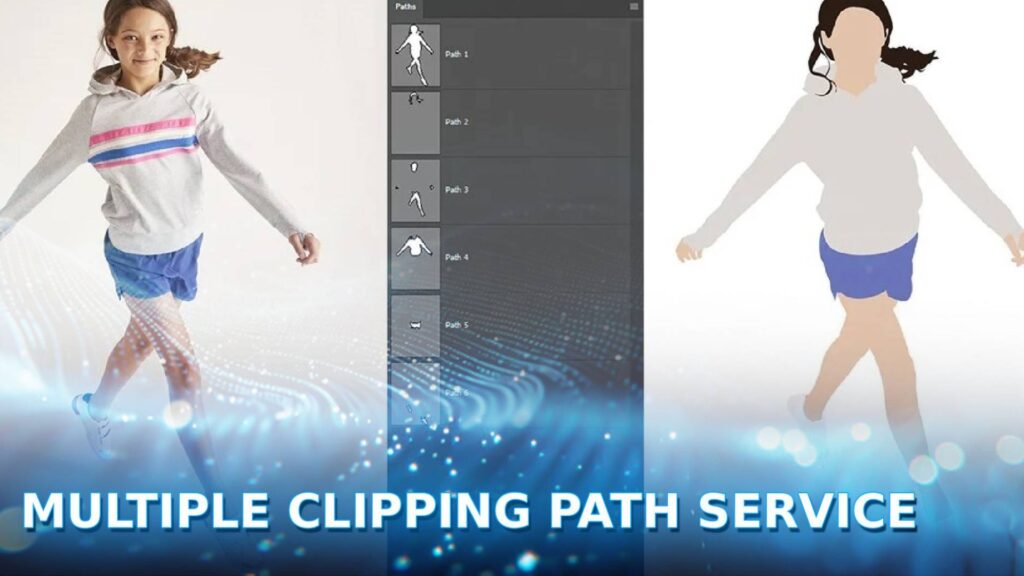
A multiple clipping path service is an advanced image editing technique that uses the Photoshop Pen Tool to create individual vector paths for different image elements. At DIGI-TEXX, this process allows graphic designers to isolate and independently edit specific parts, such as changing colors or removing backgrounds.
This precision is essential for complex e-commerce product photography and creating flawless online catalogs before utilizing data entry services or deciding to outsource order processing.
What Is A Multiple Clipping Path Service?
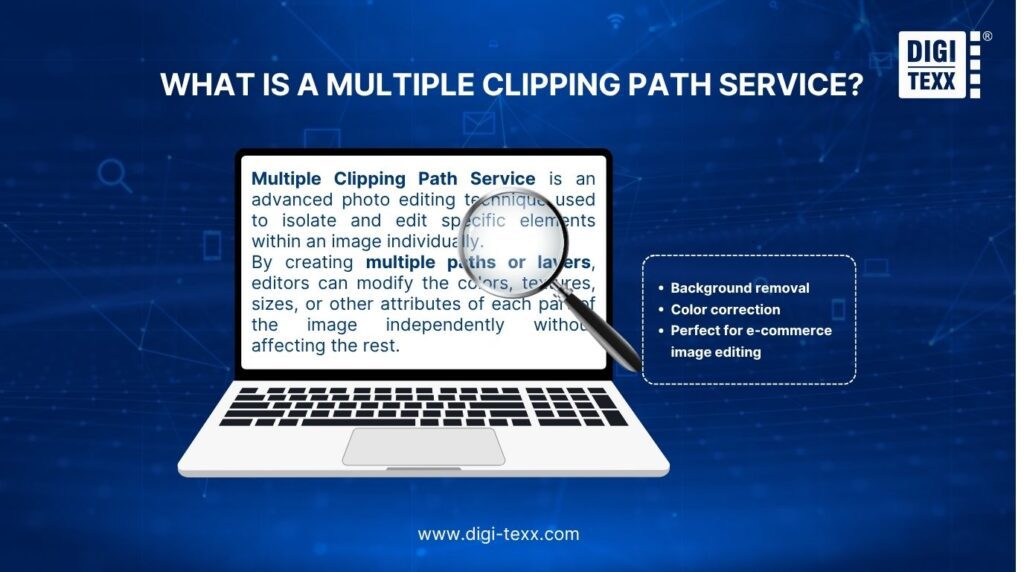
A Multiple Clipping Path Service is an advanced photo editing technique used to isolate and edit specific elements within an image individually. By creating multiple paths or layers, editors can modify the colors, textures, sizes, or other attributes of each part of the image independently without affecting the rest.
This method is especially useful for products or visuals with intricate designs or multiple components, such as jewelry, apparel, furniture, or multi-layered graphics. Unlike basic clipping paths that define a single outline, multiple clipping paths allow for layered editing, ensuring more precision and flexibility in post-production.
Key benefits of this service include:
- Background removal for cleaner, distraction-free visuals.
- Color correction of individual components.
- Perfect for e-commerce image editing, advertising, and branding needs.
With its capability to produce professional and polished visuals, multiple clipping paths are indispensable for businesses relying on impactful imagery.
>>> See more:
- Accounts Payable Outsourcing:How It Works, Benefits & Top Providers
- Best Administrative Support Outsourcing Services In 2026
- AI In Investing: What Every Investor Needs To Know
Types Of Multiple Clipping Path Services
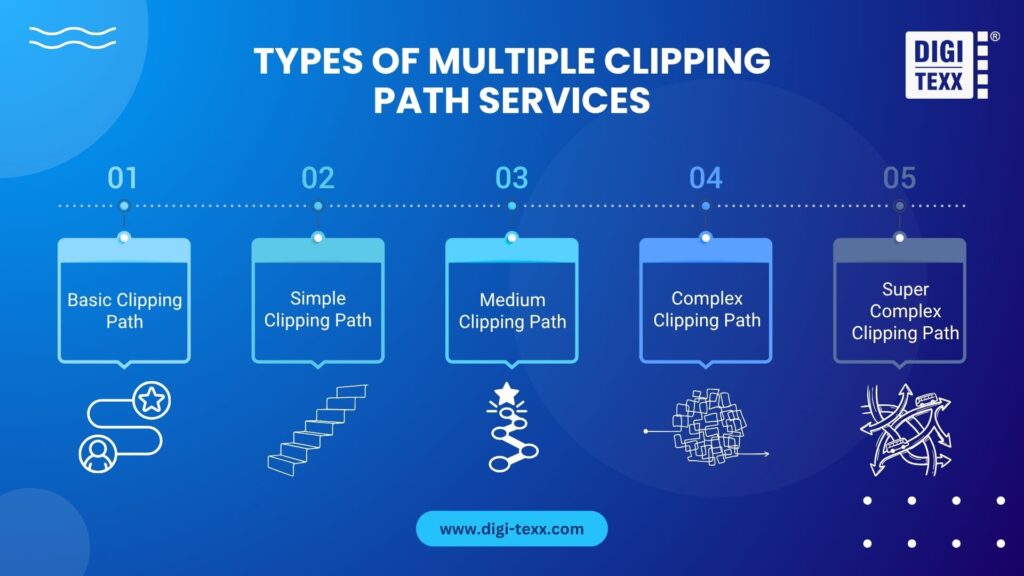
Multiple Clipping Path Services are categorized based on the complexity of the image and the editing requirements. Here are the main types:
Basic Clipping Path
This service is suitable for simple objects with straight or smooth edges, such as boxes, books, or balls. It involves outlining a single object or layer without intricate detailing.
Simple Clipping Path
Designed for objects with slightly more complexity, such as shoes or mobile phones, this service involves basic curves and fewer anchor points.
Medium Clipping Path
This type is used for images with more curves, holes, or components. For example, garments with buttons or watches fall into this category.
Complex Clipping Path
Ideal for images with multiple elements, detailed edges, or transparency, such as jewelry, glasses, or group products. The editing process is more intricate and requires significant expertise.
Super Complex Clipping Path
This service caters to images with extremely detailed components, like lace fabrics, chains, or group photos with overlapping subjects. It often combines image masking with clipping paths for better precision.
Applications Of Multiple Clipping Path Services
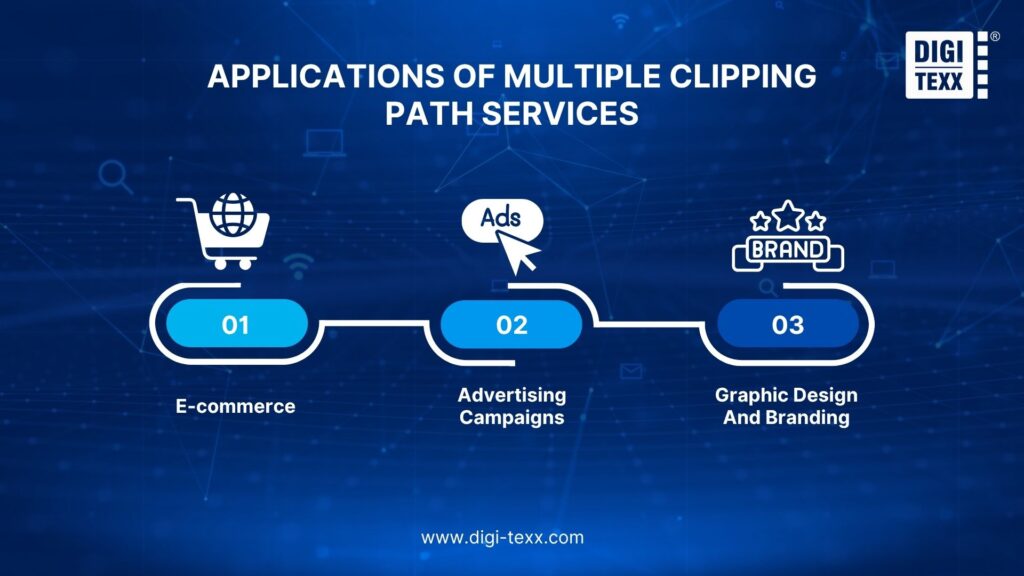
Multiple Clipping Path Services are highly versatile and have a wide range of applications across various industries. Whether you’re selling products online, running advertising campaigns, or designing brand materials, this service ensures your visuals are precise, high-quality, and ready for use. Here are some key areas where multiple clipping paths are essential:
E-commerce Product Photography
If you are looking for a reliable multiple clipping path service online, ensuring your product images are clean and professional is crucial. Multiple clipping paths allow each element of the product to be edited separately, enabling:
- Background removal to isolate the product from any distractions, ensuring it stands out.
- Adjustments to individual product parts, such as altering colors, textures, or shadows for a more appealing presentation.
- Improved images for online catalogs, product listings, or promotional banners, helping customers make informed purchasing decisions.
Advertising Campaigns
In advertising campaigns, visuals are a powerful tool to grab attention and convey messages. Multiple clipping paths allow for:
- Layered editing of various elements in the advertisement, such as text, images, logos, and call-to-action buttons.
- Customizing each component, like placing products against different backgrounds or changing their colors to align with the campaign theme.
- Background removal to help integrate products seamlessly into advertisements, giving a polished and professional look.
Graphic Design And Branding
For businesses looking to strengthen their identity, graphic design, and branding rely heavily on high-quality visuals. Multiple clipping paths enable:
- Precise edits of logos, icons, or promotional materials, ensuring each element stands out clearly.
- Image masking creates transparent backgrounds or overlays, making designs adaptable to various formats.
- Customization of branding materials, from business cards to social media banners, where each layer can be edited independently to reflect the brand’s aesthetic.
>>> See more:
- What Is Automated Data Extraction? Guide, Benefits & Tools
- Business Process Automation Solutions: Top Tools, Benefits & Use Cases
- Data Cleaning: Definition, Benefits & Steps To Cleaning Data
When To Use A Multi-Clipping Path?
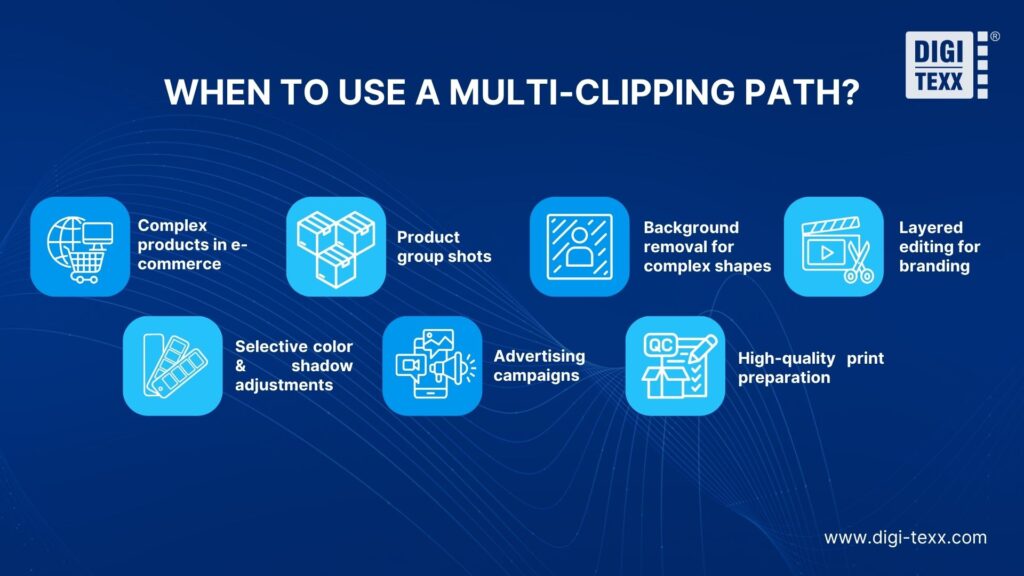
A multi-clipping path service provides precise control over multiple elements in an image, making it essential for industries and scenarios requiring high-quality visuals. Here’s how and when to use it:
Complex products in e-commerce
- Use case: Isolating intricate details like gemstones in jewelry or patterns on luxury clothing.
- Industries: Jewelry, fashion, accessories.
- Benefits: Ensures every detail is sharp and attractive, enhancing product appeal and increasing sales conversion rates.
Product group shots
- Use case: Editing individual items in group product images, such as sets of cosmetics or electronics.
- Industries: Retail, e-commerce, catalog production.
- Benefits: Allows consistency in lighting, color, and branding across all items in the shot, creating a polished, professional look.
Background removal for complex shapes
- Use case: Removing or replacing backgrounds for models with flowing hair or pets with fur.
- Industries: Photography, advertising, pet products.
- Benefits: Guarantees clean, natural edges for a professional finish, suitable for use in campaigns or online stores.
Layered editing for branding
- Use case: Separating a logo, product, and background in marketing visuals.
- Industries: Graphic design, branding agencies.
- Benefits: Enables efficient updates and customization without starting from scratch, saving time and maintaining consistency.
Selective color & shadow adjustments
- Use case: Changing the color of a specific product part or adjusting shadows for added depth.
- Industries: Fashion, interior design, automotive.
- Benefits: Highlights key features, matches brand guidelines, and delivers impactful visuals.
Advertising campaigns
- Use case: Fine-tuning text placement, product positioning, or background adjustments in banner ads or social media posts.
- Industries: Marketing, digital advertising.
- Benefits: Creates visually stunning ads that capture attention and align with campaign goals.
High-quality print preparation
- Use case: Preparing images for brochures, billboards, or other promotional materials.
- Industries: Printing, publishing, event promotion.
- Benefits: Delivers crisp, detailed images that uphold brand professionalism in print formats.
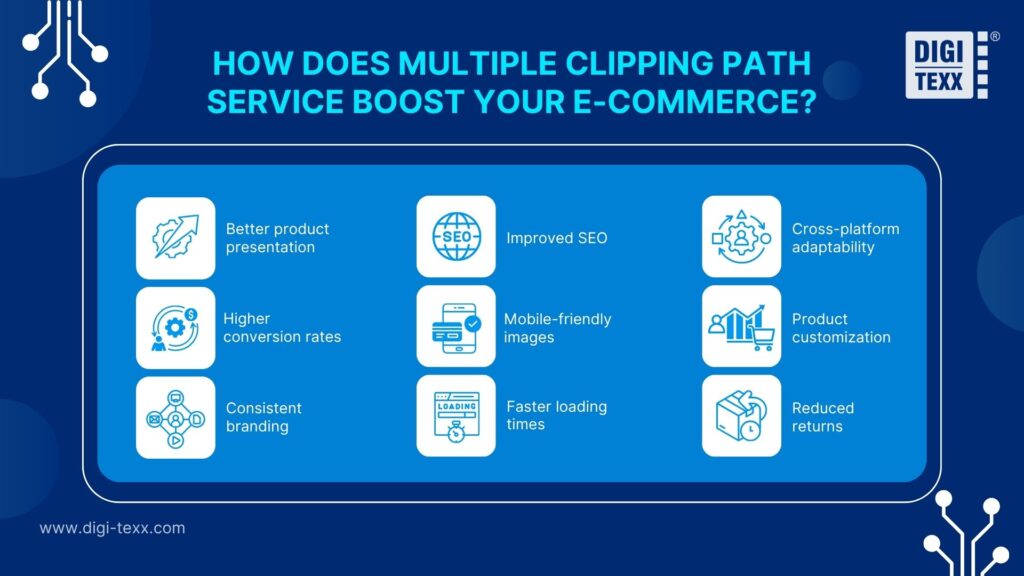
How Does Multiple Clipping Path Service Boost Your E-commerce?
“According to Salsify’s 2023 Consumer Research report, 70% of online shoppers consider high-quality product images and detailed visual information as the most crucial factors in deciding to make a purchase.” – 2023 Salsify Consumer Research Report
A multiple clipping path service enhances your e-commerce business by improving product images in these key ways:
- Better product presentation
Precise edits and background removal create clean, distraction-free images. This enhances professionalism and builds buyer trust, especially in competitive marketplaces.
- Higher conversion rates
Optimized images with the right dimensions and file sizes rank better on search engines. When you combine these optimized visuals with accurate e-commerce data entry, your product listings become fully primed to dominate visibility on platforms like Amazon or Shopify.
- Consistent branding
Uniform editing ensures all product images align with your brand guidelines. This creates a seamless and professional shopping experience that resonates with customers.
- Improved SEO
Optimized images with the right dimensions and file sizes rank better on search engines. This boosts your visibility on platforms like Amazon, Shopify, or Google.
- Mobile-friendly images
Clear and sharp images enhance the shopping experience for mobile users. With more people shopping on their phones, this translates to increased engagement and sales.
- Faster loading times
Clipping path services ensure optimized image file sizes for quicker load times. This improves site performance and helps maintain strong SEO rankings.
- Cross-platform adaptability
Edited images are tailored for use across various platforms, including websites, social media, and marketplaces. This consistency strengthens your online presence.
- Product customization
Easily showcase product variations like colors, patterns, or designs. Customers can make informed choices, increasing satisfaction and reducing confusion.
- Reduced returns
High-quality, accurate images help customers set realistic expectations. This results in fewer returns, saving your business time and resources while improving customer loyalty.
How Much Does A Clipping Path Cost?
| Complexity Level | Typical Use Cases | Estimated Price (Per Image) | Turnaround Time |
| Basic & Simple | Boxes, books, smartphones (Straight edges) | $0.49 – $1.19 | 12 – 24 Hours |
| Medium | Garments with buttons, shoes, simple watches | Custom Quote | 12 – 24 Hours |
| Complex | Jewelry, bicycles, detailed furniture | $3.00 – $6.49 | 24 Hours |
| Super Complex | Group photos, lace fabrics, intricate chains | Custom Quote | 24 – 48 Hours |
>>> See more:
- Best Data Cleansing Outsourcing Companies for 2026
- Best Data Conversion Services in 2026 | DIGI-TEXX
- Top 10 Data Enrichment Tools To Improve Data Quality In 2026
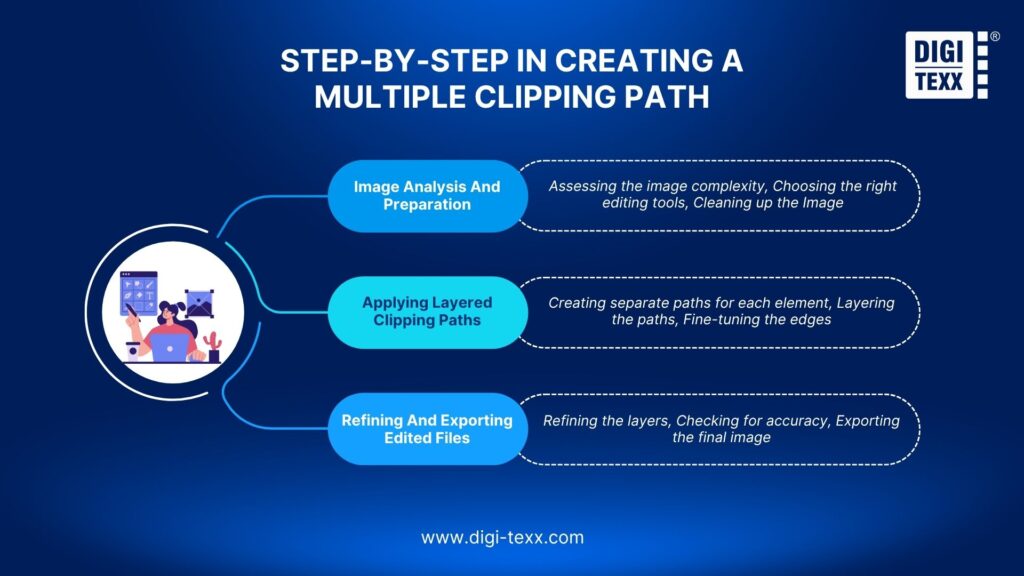
Step-by-Step In Creating A Multiple Clipping Path
Creating a multiple clipping path requires a precise process to ensure that each element of an image is isolated and edited correctly. Here’s a breakdown of the key steps involved:
Step 1: Image Analysis And Preparation
Before diving into the editing process, a thorough analysis of the image is essential. The preparation phase involves:
- Assessing the image complexity: Identifying the number of elements that need to be isolated and determining the level of detail required for each.
- Choosing the right editing tools: Deciding whether to use basic clipping paths, complex paths, or a combination, based on the image’s complexity.
- Cleaning up the Image: Removing any unnecessary elements or distractions from the image, such as noise or blurry areas, to make the clipping process easier and more efficient.
This preparation step sets the foundation for smooth editing and ensures that all parts of the image can be separated accurately without affecting each other.
Step 2: Applying Layered Clipping Paths
Once the image is prepared, the actual clipping process begins. This step involves:
- Creating separate paths for each element: Using vector paths to outline each distinct part of the image, such as products, people, or objects. These paths are applied individually for each element to ensure precise editing.
- Layering the paths: Multiple paths are created in layers, which can be adjusted independently. For example, a product can be isolated from the background, while finer details, like shadows or reflections, are separated as well.
- Fine-tuning the edges: The paths are carefully adjusted to ensure smooth and clean edges, especially for intricate details like hair, fabric, or curved surfaces.
This step ensures that each element of the image can be edited individually, giving you full control over the final appearance of every component.
Step 3: Refining And Exporting Edited Files
After applying the clipping paths, the next step is refining and finalizing the image:
- Refining the layers: Once the paths are created, the editor works on each layer to enhance colors, textures, and lighting. In many cases, these precise paths set the foundation for comprehensive photo retouching services to flawlessly adjust shadows, highlights, and remove any remaining imperfections.
- Checking for accuracy: Reviewing the image to ensure there are no gaps, jagged edges, or inconsistencies between the elements. Adjustments are made to refine the clipping paths, ensuring perfect isolation and smooth transitions between the components.
- Exporting the final image: Once the image is perfected, it is exported in the required format, whether it’s for use in e-commerce, print, or web design. The image is typically saved in formats like PNG, PSD, or TIFF to maintain the quality and transparency of the layers.
This final step ensures that the edited image is ready for use, with every element finely tuned and the image file optimized for its intended application.
DIGI-TEXX – Expert Partner For Multiple Clipping Path Services
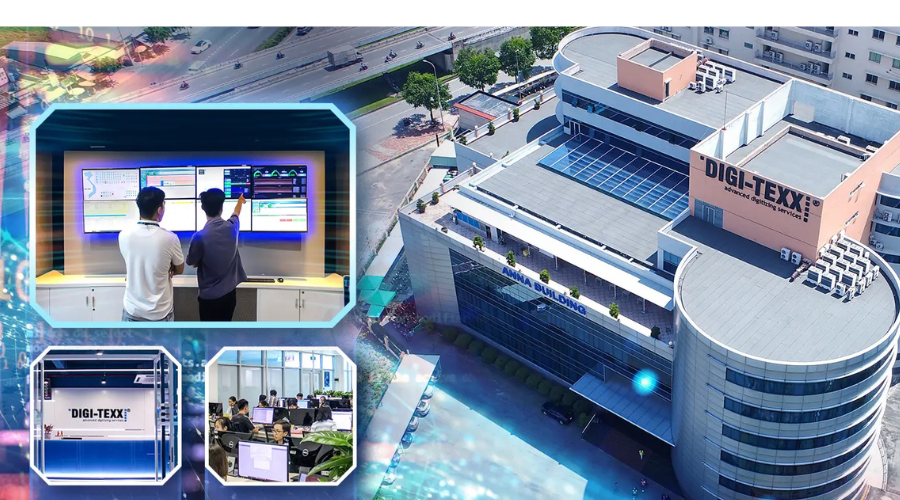
When searching for the best clipping path company, automated AI tools often fail, leaving fuzzy edges, halos, and missing details on complex products. At DIGI-TEXX, we guarantee 100% hand-drawn clipping paths using the Photoshop Pen Tool, delivering the pixel-perfect precision your brand deserves.
With years of experience providing background removal and layered E-commerce image editing, our infrastructure is built for both unparalleled quality and massive scale. For companies seeking to define business process outsourcing in their visual content workflows, partnering with DIGI-TEXX ensures:
- 100% Manual Precision: No AI shortcuts. Every single path is meticulously traced by our human graphic design experts to ensure natural, sharp edges, even on the most intricate details. This rigorous, pixel-perfect outlining technique is the exact methodology our team relies on for complex computer vision projects, such as vehicle annotation to enhance traffic monitoring and an AI-powered security system.
- Enterprise Scalability & Fast Turnaround: Whether you need a handful of images or 5,000+ edits daily, our team delivers batch-perfect consistency. We offer standard turnarounds of 12-24 hours, alongside express delivery options for urgent campaigns.
- Strict QA & Traceability: Every image passes through a rigorous multi-step Quality Assurance (QA) verification process, ensuring your files are production-ready and accurately layered.
- Secure & Seamless Workflows: We protect your unreleased product catalogs with strict NDA compliance and support secure file transfers via FTP, API, or cloud storage.
>>> See more:
- 14 Data Entry Skills Hiring Managers Look For In 2026
- Top 10 Data Extraction Tools to Automate Your Workflow
- 20 Best Data Integration Tools: Definition, Benefits & Features
FAQs About Multiple Clipping Path Service
What Industries Benefit Most From Multiple Clipping Paths?
Several industries benefit significantly from multiple clipping paths, including:
- Ecommerce: For clear, detailed product images that help drive online sales.
- Advertising: To create eye-catching ads, different components, like products and text, need to be isolated and edited.
- Fashion and Apparel: To show off intricate designs, such as clothing patterns or accessories, by adjusting each component independently.
- Jewelry: Where each piece requires fine detailing to enhance its features, including backgrounds and reflections.
- Real Estate: To enhance property images by isolating architectural details or adjusting lighting and shadows.
How Are Multiple Clipping Paths Different From Masking Techniques?
While both clipping paths and masking techniques are used to isolate elements in an image, they differ in how they work:
- Clipping path: Uses vector paths to outline and separate image elements, making it ideal for objects with defined edges. It’s often used for ecommerce image editing where clean and sharp edges are essential.
- Masking: A pixel-based method that uses soft edges to blend areas into the background, often used for more complex images, like hair or smoke, where a precise clipping path is difficult. Masking can handle more organic shapes, such as feathers or soft fabrics, that need a softer transition.
In many cases, both techniques are used together to achieve the best results, especially in graphic design or images with detailed features.
Can Clipping Paths Be Automated Or Do They Require Manual Effort?
While some aspects of clipping path work can be automated using software, such as basic shapes or objects with straight edges, manual effort is often necessary for more complex images.
- Automated clipping paths: Software like Photoshop can automatically detect and create clipping paths for simpler objects or backgrounds with high contrast.
- Manual clipping paths: For intricate details, such as curved edges, complex shapes, or images with fine elements like hair or lace, manual clipping is required to ensure precision and quality.
What Does A Clipping Path Do?
A clipping path acts as a digital stencil using vector lines to separate a specific object from its background. It ensures crisp, sharp edges without pixelation, allowing the isolated element to be placed on a transparent or new background seamlessly.
Is There A Way To Bulk-Edit Photos?
Yes, professional agencies like DIGI-TEXX use scalable infrastructure and expert teams to process bulk orders of thousands of images daily. While batch processing scripts can handle basic color correction, accurate clipping paths always require manual Pen Tool editing for quality control.
Which Software Do We Use For Doing A Clipping Path?
The industry standard software for creating professional clipping paths is Adobe Photoshop. Editors utilize the Pen Tool to manually draw highly accurate vector paths around the object, ensuring precision that automated AI tools cannot match.
How To Get Rid Of Clipping Paths?
To remove a clipping path in Adobe Photoshop, open the ‘Paths’ panel, select the path layer you want to remove, and click the trash can icon at the bottom of the panel. Save the file in a format like PNG or JPEG to flatten the image completely.
A professional multiple clipping path service is the key to creating flawless, high-converting visuals for E-commerce and advertising. By isolating every detail with precision, you ensure your brand stands out. Ready to elevate your product images? Partner with DIGI-TEXX today for pixel-perfect, highly scalable image editing solutions.
DIGI-TEXX Contact Information:
🌐 Website: https://digi-texx.com/
📞 Hotline: +84 28 3715 5325
✉️ Email: [email protected]
🏢 Address:
- Headquarters: Anna Building, QTSC, Trung My Tay Ward
- Office 1: German House, 33 Le Duan, Saigon Ward
- Office 2: DIGI-TEXX Building, 477-479 An Duong Vuong, Binh Phu Ward
- Office 3: Innovation Solution Center, ISC Hau Giang, 198 19 Thang 8 street, Vi Tan Ward
References
- Adobe. (2024). Photoshop User Guide: Draw with the Pen tools. Adobe Help Center. https://helpx.adobe.com/photoshop/using/drawing-pen-tools.html
- Baymard Institute. (2024). E-Commerce UX Research: Product Images & Galleries. Baymard Institute. https://baymard.com/research/product-page