Handwriting is still one of the most natural ways for students to think, learn, and process information. Even in an age of laptops and tablets, many learners, as well as professors, continue to reach for a pen because handwriting helps with memory, creativity, and focus.
But handwritten notes are powerful… until you need to store them, search through them, or share them. That’s why schools and universities around the world have been rapidly embracing digital tools to enhance learning, streamline workflows, and improve accessibility.
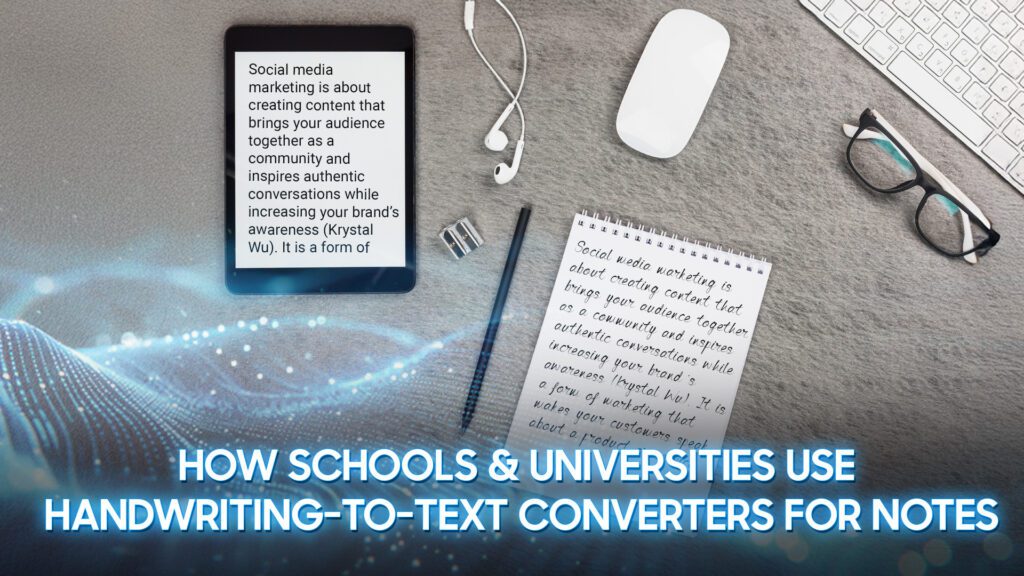
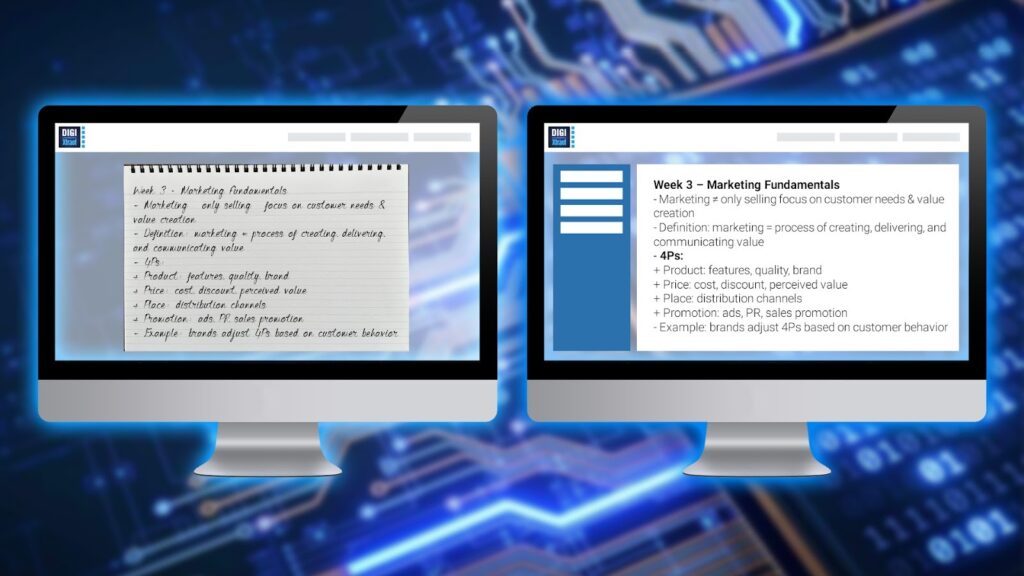
Among these innovations, handwriting-to-text converters have emerged as one of the most useful technologies for both students and educators. These tools allow handwritten notes – whether from notebooks, whiteboards, or tablets – to be automatically transformed into clean, editable digital text within seconds.
As classrooms shift toward blended and technology-supported learning environments, the ability to digitize handwritten content has never been more valuable.
Students can take notes naturally by hand while still enjoying the convenience of organized digital files. Teachers can save time by converting whiteboard explanations into shareable documents. And institutions benefit from improved record-keeping and more efficient communication.
This blog will examine how schools and universities are incorporating handwriting-to-text converters into their everyday academic practices and why these tools are rapidly becoming essential in modern education.
What Are Handwriting-to-Text Converters?
Handwriting-to-text converters are digital tools that use Optical Character Recognition (OCR) and AI-based handwriting recognition to transform written content into editable, searchable text.
Unlike traditional OCR, which primarily reads printed fonts, modern handwriting converters are trained to recognize variations in personal handwriting styles, ranging from neat cursive to quick classroom scribbles.
These tools work across a wide ecosystem of devices and platforms. Students can write on a tablet with a stylus, scan notebook pages using a mobile phone, or capture whiteboard notes with a laptop camera. The software then processes each stroke or image and converts it into digital text that can be edited, copied, stored, or shared.
Handwriting-to-text converters come in several forms:
- Mobile apps such as Google Lens, Microsoft Office Lens, or Adobe Scan
- Note-taking software with built-in OCR, like OneNote, Notability, GoodNotes, Apple Notes, and Nebo
- Smart pens and tablets capable of recording handwriting in real time
- Browser-based OCR tools for quick on-the-go conversion
By combining the intuitive nature of handwriting with the structure and efficiency of digital text, these tools create a bridge between traditional note-taking and modern digital learning.
Why Schools & Universities Are Adopting Handwriting-to-Text Converters
As educational institutions move toward hybrid and technology-enhanced learning environments, handwriting-to-text converters are becoming essential tools.
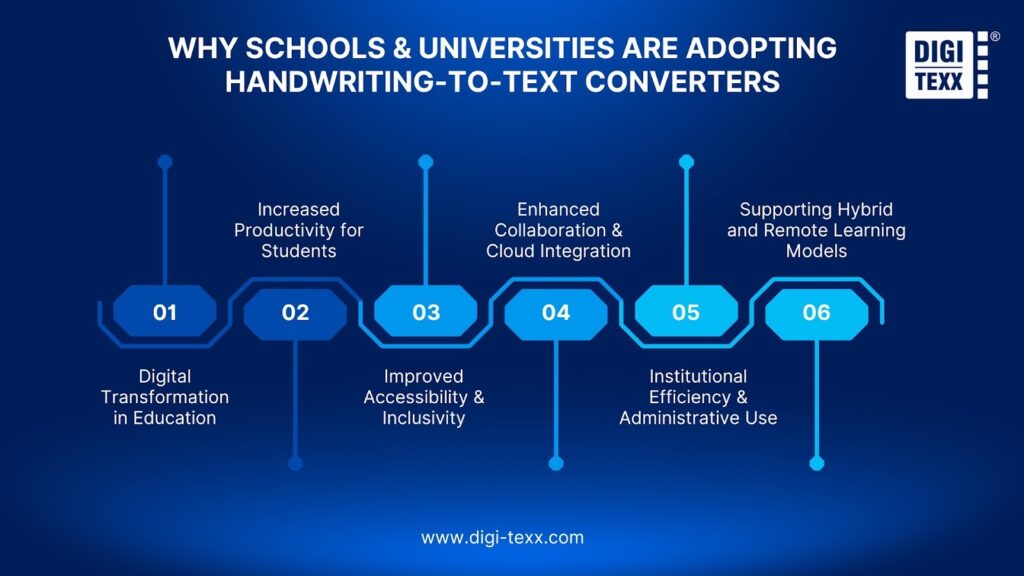
They solve long-standing gaps between traditional note-taking habits and the increasing demand for digital accessibility, productivity, and collaboration. Below are the major reasons schools and universities are rapidly adopting this technology.
Digital Transformation in Education
Over the past few years, colleges and schools have invested heavily in digital learning infrastructure – from online learning platforms and cloud-based storage to classroom tablets and smartboards. Handwriting-to-text converters fit naturally into this ecosystem by allowing handwritten content to be digitized instantly.
A recent 2025 report of Worldmetrics found that around 60% of students prefer to use digital tools for collaborative note-taking in group projects, reflecting a clear shift away from fully paper-based work.
Even for students who still prefer handwriting (because it supports memory retention and focus), institutions want their learning materials to be searchable, shareable, and easily archived. Handwriting-to-text tools let them enjoy the advantages of both worlds: the natural feel of writing with the structure and efficiency of digital content.
For institutions, this shift supports:
- Modernized classrooms aligned with EdTech trends
- Smoother integration with LMS platforms (Canvas, Moodle, Blackboard)
- Better documentation and long-term digital storage
- Consistent digital workflows across departments
=> See more: What Is Digital Document Transformation? A Practical Overview
Increased Productivity for Students
Handwritten notes often contain valuable insights but are difficult to reorganize, rewrite, or reuse. OCR and AI-based converters solve this by turning lecture notes, diagrams, or quick ideas into clean digital text that can be edited, highlighted, searched, or compiled into study guides.
Around 55% of students report that digital notes are easier to organize than handwritten notes. For students, this technology helps them:
- Avoid rewriting notes for assignments or reports
- Quickly turn handwritten summaries into digital documents
- Extract key points, reorganize lectures into structured outlines
- Search across dozens of pages instantly (instead of flipping through notebooks)
- Create flashcards or digital learning materials from converted text
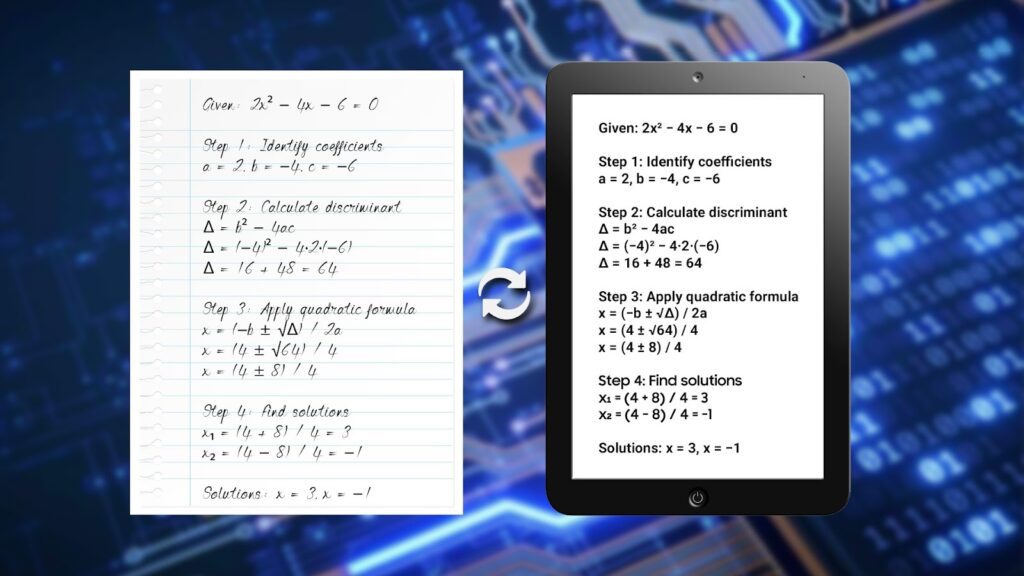
In fast-paced university courses – especially STEM fields – being able to digitize equations or diagrams quickly can significantly improve learning effectiveness.
Improved Accessibility & Inclusivity
Accessibility is a critical priority for modern educational institutions. Handwriting-to-text converters play a major role in supporting students who have:
- Dyslexia or other learning differences
- Mobility limitations that make typing difficult
- Difficulty maintaining legible handwriting
- Challenges in following fast, content-heavy lectures
By transforming handwriting into clean, searchable, screen-reader-friendly digital text, universities provide more equitable access to course materials.
Converted text can also be:
- Translated into other languages instantly
- Read aloud via text-to-speech tools
- Formatted using high-contrast or accessible fonts
- Enlarged for students with visual impairments
This aligns with universities’ broader commitments to Universal Design for Learning (UDL) and inclusive education standards.
Enhanced Collaboration & Cloud Integration
Modern learning is collaborative. Students work together on group assignments, share research notes, and access cloud-based study materials. Handwriting-to-text tools support this by making handwritten content instantly shareable.
Once handwritten notes are converted, they can be:
- Uploaded to Google Drive, OneDrive, Dropbox
- Shared within LMS discussion boards
- Co-edited with classmates
- Integrated into collaborative study documents
- Used to generate summaries, slides, or digital mind maps
Teachers also benefit. Instead of rewriting board notes for absent students, they can simply snap a photo, convert it to text, and upload it to the class portal.
For large lectures or multi-section courses, this creates a consistent, unified source of materials across the entire cohort.
Institutional Efficiency & Administrative Use
Beyond student learning, handwriting-to-text tools help institutions reduce administrative workloads. Many university processes still rely on handwritten elements—meeting notes, sign-in sheets, forms, workshop whiteboards, feedback notes, lab journals,…
Digitizing these materials allows faster:
- Documentation
- Archiving
- Compliance tracking
- Communication between departments
It also reduces the need for staff to manually retype handwritten content, which can be time-consuming and prone to errors.
Some research teams even use handwriting‐to‐text tools to convert lab notes or field observations into digital databases. This further pushes adoption within research-driven institutions.
Supporting Hybrid and Remote Learning Models
With hybrid learning now common in higher education, digital compatibility is essential. Students who attend remotely need access to the same board notes, diagrams, and explanations shared on campus.
Handwriting-to-text converters allow:
- Instructors to upload digitized notes after each class
- Remote students to receive clean, readable versions of board content
- Seamless bridging between physical and virtual learning spaces
This reduces gaps for students who may miss classes or follow lectures asynchronously.
How Schools & Universities Use Handwriting-to-Text Converters for Notes
| Use Case | What It Means | How It Helps Students & Teachers | Examples |
| Digitizing Lecture Notes | ◉ Students take notes on paper or tablets and convert them into clean, editable text | ◉ Makes study notes easier to read, search, and organize ◉ Helps students review faster before exams ◉ Eliminates messy, scattered notebooks ◉ Teachers can also compile lecture highlights for students | ◉ Students convert handwritten history or psychology notes into digital summaries ◉ Teachers share digitized lecture outlines with the class |
| Converting Whiteboard & Blackboard Content | ◉ Students scan complex board content – equations, diagrams, timelines – and convert it into text or digital math formats | ◉ Ensures students don’t miss important content written on the board ◉ Creates clear, high-quality digital copies ◉ Reduces the need to copy everything manually | ◉ Scanning math proofs from the board ◉ Converting chemistry reaction diagrams into a digital format ◉ Capturing the teacher’s step-by-step example solutions |
| Supporting Group Projects & Teamwork | ◉ Groups digitize brainstorming notes, mind maps, or sketches to turn them into shared documents | ◉ Improves collaboration by keeping ideas organized and accessible ◉ Makes it easier to divide tasks and refine drafts ◉ Supports hybrid or remote teamwork | ◉ Digitizing project ideas from a brainstorming sheet ◉ Converting a rough marketing plan sketch for group editing in Google Docs |
| Helping STEM & Visual Subjects | ◉ The tool recognizes symbols, equations, graphs, and visual elements written by hand | ◉ Write naturally on paper yet still submit clean digital assignments ◉ Saves time rewriting formulas ◉ Improves accuracy in lab reports and technical documents | ◉ Converting handwritten physics equations into LaTeX, scanning engineering sketches, and digitizing biology lab notes for LMS submission |
| Improving Accessibility for All Learners | ◉ Converts handwritten text into customizable digital formats (adjustable fonts, spacing, colors, audio reading) | ◉ Helps students with dyslexia, dysgraphia, or motor difficulties ◉ Allows multilingual students to translate notes easily ◉ Makes classroom content more inclusive and easier to understand | ◉ Students using screen readers for digitized notes ◉ Enlarging text for low-vision students ◉ Converting multilingual vocabulary notes for translation |
| Streamlining Teacher & School Workflows | ◉ Teachers convert handwritten feedback, planning notes, or administrative forms into searchable digital files | ◉ Reduces paperwork, saves time on manual typing, and makes documents easier to store and retrieve ◉ Improves communication between teachers and departments | ◉ Digitizing handwritten grading notes ◉ Converting meeting minutes ◉ Turning attendance sheets into searchable digital records |
| Creating Clearer Study Materials & Resources | ◉ Teachers digitize lesson sketches, sample solutions, or handwritten explanations to create structured materials | ◉ Speeds up lesson preparation ◉ Ensures students get clean, easy-to-read resources instead of blurry photos or rushed handwriting | ◉ Converting a handwritten math example into a typed worksheet ◉ Digitizing vocabulary lists from the teacher’s notebook ◉ Turning lesson draft sketches into presentation slides |
| Archiving Classroom Activities | ◉ Schools capture and convert handwritten work from workshops, labs, or student activities into digital archives | ◉ Helps record important learning moments ◉ Keeps long-term documentation organized ◉ Supports future curriculum planning | ◉ Digitizing students’ science fair logs ◉ Archiving handwritten debate notes ◉ Converting teacher training workshop notes |
Benefits of Using Handwriting-to-Text Converters for Notes

Benefits for Students
- Easier and Neater Note-Taking
Students can write quickly during class as they normally would, then convert everything into clean, typed text afterward. This makes their notes easier to read, search, and review. Instead of flipping through messy notebooks, students can store all notes in one organized digital place.
- Works Well With Online Learning Tools

Most schools now use digital platforms for assignments and group work. Handwriting-to-text tools help students move their handwritten ideas – like drafts, calculations, or diagrams – directly into these platforms without retyping. This makes their workflow smoother and saves time, especially in online or blended classes.
- Helpful for Students With Different Learning Needs
Some students struggle with reading messy handwriting or have difficulty writing for long periods. When notes are converted to digital text, students can adjust the font size, use screen readers, or highlight key points easily. This helps more students understand and use their notes effectively.
- Better Collaboration for Group Projects
Group discussions often start with quick sketches or handwritten brainstorms. Converting these into text allows everyone to share, edit, and develop ideas together. It eliminates confusion from unclear handwriting and helps teams stay on the same page, even if members join remotely.
- Supports Subjects That Need Diagrams and Equations
Subjects like math, science, engineering, and design often require symbols or drawings that are easier to write by hand. After converting, students can edit their equations or diagrams in digital format and use them in reports or presentations without recreating them from scratch.
Benefits for Teachers
- Faster Feedback and Comments
Many teachers prefer writing feedback by hand because it feels natural and quicker. With handwriting-to-text tools, they can convert those notes into digital text for easy sharing with students or for uploading to school platforms. This reduces the time spent typing long comments.
- Less Paperwork and Easier File Management
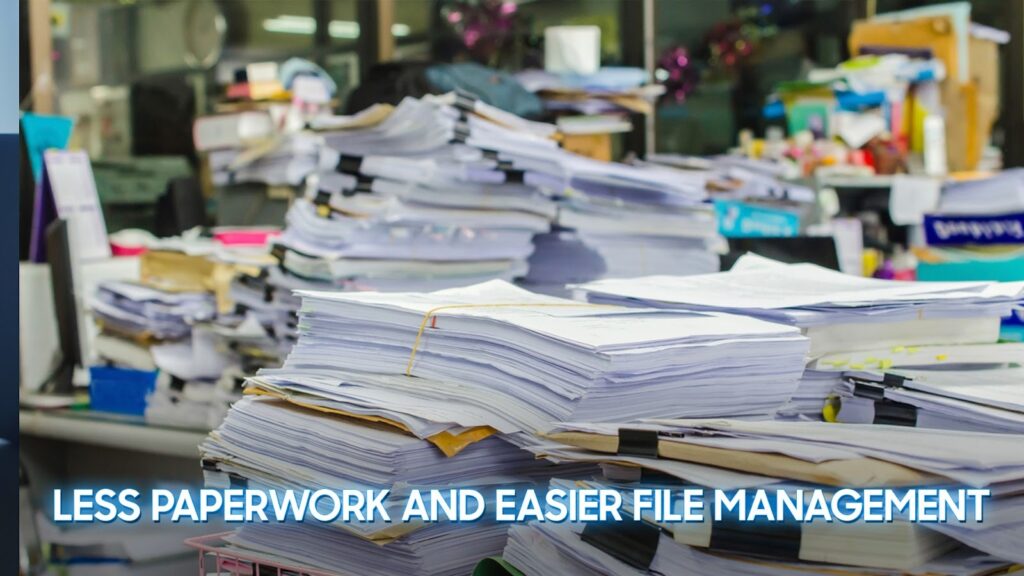
Teachers often keep many handwritten notes—lesson ideas, meeting reminders, attendance checks…. Converting these into digital files helps them store everything neatly in folders, search for information quickly, and avoid losing important documents.
- Better Team Communication
During meetings or planning sessions, teachers usually take notes by hand. When these notes are converted to text, they can be shared with colleagues more clearly and quickly. This helps teams collaborate, revise plans together, and keep consistent records.
- Faster Lesson Planning
Teachers can sketch lesson outlines, diagrams, or activity ideas on paper, then turn them into digital documents to polish and use in class. This saves time and lets them focus more on teaching, not on retyping their plans.
- Supports a More Digital-Friendly School Workflow
Converting handwritten documents into a digital format helps schools reduce paper use and build more efficient systems. Teachers can still write naturally, but schools benefit from having everything stored and shared digitally.
Challenges & Limitations
- Limited real-time interaction and engagement
Digital learning environments reduce natural classroom communication. Without face-to-face cues – such as eye contact, body language, or spontaneous discussion – both sides may feel less connected. This lack of immediacy often leads to slower responses, reduced participation, and a more passive learning experience overall.
- Difficulty maintaining focus and consistent routines
Learning or teaching from home introduces distractions that don’t exist in traditional settings, from household noise to personal devices. Without the structure of a physical classroom or lecture hall, many people struggle to stay focused, manage their time, or maintain discipline, which can negatively impact productivity and learning outcomes.
- Reduced opportunities for hands-on or practical learning
Subjects that rely heavily on practice, such as lab work, design, or engineering, can lose depth when moved entirely online. Simulations and digital worksheets help, but they cannot fully replace real equipment, physical interaction, or live collaboration, creating a gap between theory and application.
- Technology and connectivity barriers
Technical issues like poor internet connections, outdated devices, software incompatibility, or platform crashes can interrupt lessons and cause frustration. These problems break the learning flow and can disadvantage anyone without reliable access to digital tools, turning simple tasks into time-consuming challenges.
- Difficulty monitoring progress, attention, and understanding
In virtual environments, it’s harder to observe who is struggling, who needs more support, or who is disengaged. Teachers rely more on self-reported information or digital analytics, which may not fully reflect actual learning progress. This makes timely intervention and personalized guidance more complicated.
- Increased workload for preparing and managing digital content
Turning lessons, assignments, or lectures into effective online materials takes more time than using traditional formats. Educators often have to adjust content for readability on screens, create additional explanations, and manage multiple platforms at once. This extra preparation can significantly increase workload, especially during busy academic periods.
Best Practices for Schools & Students
Build a Clear, Consistent Workflow for Using Handwriting-To-Text tools
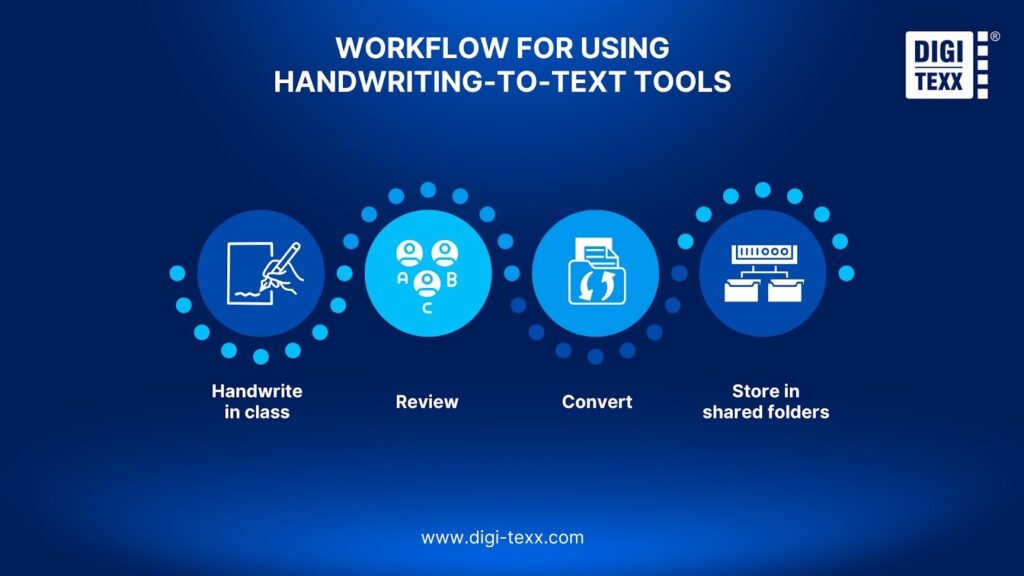
Schools and students benefit most when these tools aren’t used randomly, but as part of a clear workflow. This includes how notes are taken, when they are converted, and where final files are stored.
A simple, consistent process – such as “handwrite in class → review → convert → store in shared folders” – helps students stay organized and makes it easier for teachers to guide and support them. With shared templates, folders, and basic guidelines, both sides reduce confusion and maintain more structured learning materials.
Combine The Strengths of Handwriting With the Efficiency of Digital Text
The best approach is not replacing handwriting but enhancing it. Students can write by hand during lessons to stay focused and remember better, then convert important sections into digital text afterward for editing, searchability, and long-term storage.
This hybrid method leverages the cognitive benefits of handwriting while taking advantage of digital tools to build cleaner summaries, create study guides, or collaborate with classmates. Schools can encourage the habit by showing students how to refine notes before converting and how to integrate the digital versions into their study routines.
Support Effective Use Through Simple Training And Accessible Technology
To use handwriting-to-text tools well, students need basic skills: capturing clear pages, avoiding shadows, organizing files, and correcting converted text. Schools don’t need complex training; short tutorials, quick demos, or student tech mentors are enough.
Just as important is ensuring access: reliable apps, devices that can scan or write digitally, and secure platforms for storage. With light support and the right tools, students can accurately and safely convert notes, while schools maintain a smooth and dependable digital learning environment.
A Smarter Path Forward for Modern Education
Handwriting-to-text technology is reshaping the way students learn and how schools manage information. Blending the cognitive strengths of traditional handwriting with the efficiency of digital tools creates a learning environment that is more flexible, organized, and accessible.
As AI continues to advance, these tools will not only convert text but also understand context, structure information, and support personalized study habits, making note-taking more meaningful than ever.
For educators, this shift opens up opportunities to streamline material preparation, gain clearer insights into student progress, and offer more targeted support. For students, it means easier organization, faster review, and the ability to turn handwritten ideas into dynamic digital resources they can use anywhere.
Ultimately, handwriting-to-text converters don’t replace the way we learn; they elevate it. By connecting the best of both worlds, it helps schools and learners build a more modern, inclusive, and effective approach to education.
=> You may also like: