Digital document transformation turns paper records and existing digital files into searchable information and validated data that people and business systems can use. It combines capture, recognition, classification, quality checks, integration, and document management to improve a specific workflow—not just create electronic copies.
For example, scanning an invoice produces an image. Transforming that invoice means extracting the right fields, checking them against business records, routing exceptions for review, and delivering approved information to the accounting system. This guide explains the process, where OCR and document management fit, and how to plan a measurable rollout.
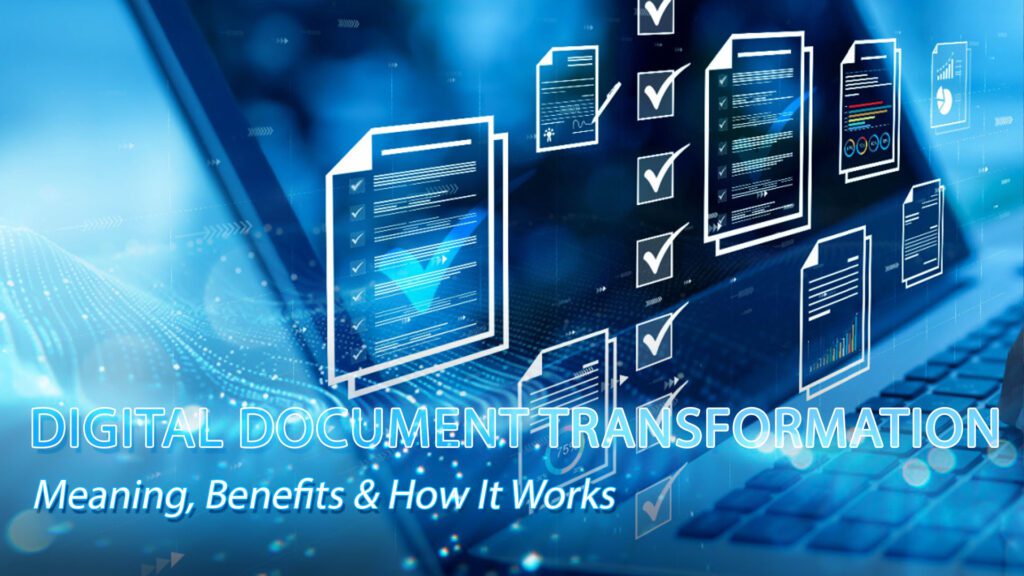
What Is Digital Document Transformation?
Document transformation connects documents to the work they support. Inputs can include paper, scanned PDFs, photographs, email attachments, and born-digital files. Outputs may include searchable documents, indexed records, or structured data such as CSV or JSON, together with the controls needed to use them reliably.
The scope depends on the business outcome. A searchable archive may need scanning, OCR, indexing, and access controls. An accounts payable workflow also needs field extraction, validation, exception handling, and integration. Define the output and acceptance criteria before choosing software.
=> Discover our Document Scanning and Archiving Solutions built for automation and compliance.

Digital Document Transformation refers to the process of scanning paper documents
Document Digitization vs. Conversion vs. Transformation
| Approach | Main output | Example / boundary |
| Document digitization | A digital copy of a physical record | Scanning an invoice; data entry may still be manual. |
| File conversion | A different file format | Converting a document to PDF; does not by itself validate business data. |
| OCR | Recognized text | Making an image-based PDF searchable; extracted text may contain errors. |
| Digital document transformation | Usable records and validated data within a workflow | Capture, check, route, integrate, and manage an invoice through agreed controls. |
How Does Digital Document Transformation Work?
A practical workflow has five connected stages. Each stage needs an owner, an expected output, and a way to handle failures.
1. Capture documents and preserve their context
Collect documents from agreed channels, such as scanning stations, shared mailboxes, or uploads. Register a source identifier and batch count so missing pages and duplicate submissions can be investigated. For paper, preparation and scanner settings should reflect page condition, text size, color requirements, and the intended use. Poor source quality cannot be fixed simply by increasing processing speed.
2. Classify documents and extract useful information
Identify each document type, then extract only the fields required by the workflow. An invoice might need supplier ID, invoice number, date, currency, totals, and line items. OCR recognizes text; extraction maps that text to named fields. Layout analysis and document models may help with varied formats, but unfamiliar templates and handwriting need testing on representative samples.
3. Validate data and route exceptions
Check required fields, data formats, totals, duplicates, and relevant business records before releasing data downstream. Use field confidence to prioritize review, not as proof of measured accuracy. For example, a readable invoice total can still disagree with its line items. Assign reviewers for uncertain or high-impact fields and record corrections. Microsoft distinguishes confidence estimates from accuracy evaluation and recommends human review for critical workflows. [1]
4. Integrate and confirm delivery
Map validated fields to the receiving ERP, CRM, or document repository. Specify identifiers, date formats, permissions, and how failed transfers will be retried. Keep a delivery log and reconcile accepted records against the source batch. An API connection is only part of integration: duplicate prevention, error ownership, and downstream acceptance also need testing.
5. Store, retrieve, and manage the record lifecycle
Store documents with consistent metadata, authorized access, and a link to the relevant business record. Define version handling, retention, recovery, and disposal responsibilities. NARA’s electronic records requirements cover capture, maintenance and use, disposal, transfer, metadata, and reporting; this is a useful lifecycle reference, although those requirements are written for US federal agencies. [2]
Explore DIGI-TEXX’s document processing capabilities through DigiXtract for extraction and DigiVault for document storage and retrieval. Match the proposed configuration to your workflow and acceptance criteria. [3][4]
Why Does It Matter for Your Business?
The value comes from changing a measurable task: locating a record, entering invoice data, resolving an exception, or delivering an approved document. Establish the current baseline first so the project can demonstrate improvement.
- Less manual handling: Capture and routing can reduce repeated entry and physical handoffs. Measure total processing time and staff effort, including preparation, review, and rework. Faster scanning alone does not prove a faster end-to-end process.
- More consistent governance: Required metadata, controlled access, and recorded actions can support audit preparation. Their effectiveness depends on configuration, monitoring, and the organization’s policies; installing software does not automatically establish compliance.
- More usable information: Validated fields can feed reports or operational systems without waiting for repeated manual transcription. Define how often data refreshes and identify its source. Avoid calling a dashboard “real-time” unless the delivery process actually supports that requirement.
- More reliable service: Teams can find supporting records and see outstanding exceptions more easily. Track response time and unresolved cases to determine whether the new workflow helps customers, suppliers, or internal users.
- Better recovery options: Digital records can be protected through planned backups, access controls, and tested restoration. Backups are not automatic simply because a file is digital. Confirm recovery responsibilities, restore procedures, and acceptable service interruption before moving critical records.
Choose a small set of metrics that represent business outcomes and quality together. A project that processes more documents but creates more corrections may increase costs.
=> See more: What Is Automated Document Processing and How Does It Work?
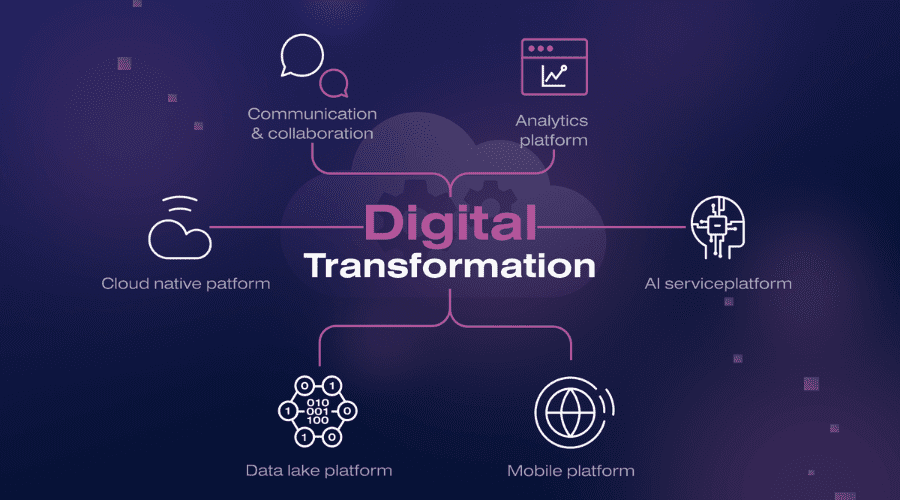
Digital document transformation has become a commercially critical force behind competitive excellence
How Should You Measure Success?
| Metric | How to measure | What to watch |
| End-to-end turnaround | Receipt time to accepted delivery; compare median and slow cases | Include waiting and review, not only processing time. |
| Field accuracy | Correct evaluated fields ÷ evaluated fields, using verified answers | Report critical fields separately; define missing-value rules. |
| Exception rate | Documents requiring review ÷ processed documents | A lower rate is not better if errors escape review. |
| First-pass acceptance | Records accepted without rework ÷ submitted records | Keep the document mix comparable across periods. |
| Cost per accepted record | Agreed operating costs ÷ accepted records | Include preparation, review, rework, and support. |
| Retrieval success | Authorized test searches returning the correct record ÷ test searches | Check metadata, permissions, and common search terms. |
Common Challenges and How to Solve Them
Converting workflows into digital form has a number of challenges. But with the appropriate strategy and technology, organizations can win against them and thrive in their digital document transformation process.
- Large volumes and mixed formats: Inventory page counts, document types, languages, sizes, and condition before estimating throughput. Separate fragile or oversized material and account for preparation, rescanning, and review. Pilot normal batches and difficult samples; scanner speed alone is an incomplete capacity estimate.
- Handwriting and complex layouts: Recognition capability varies by engine, language, and document quality. Do not assume that all handwriting is unsupported—or that every AI model handles it accurately. Test the actual samples, label expected results, and retain a review route for fields that fail acceptance criteria. Model improvement requires evaluation and, where applicable, retraining; it is not an automatic result of ordinary use.
- Disconnected systems: Agree the output schema, identifiers, transfer method, and error handling with the receiving system’s owner. Test missing fields, duplicate submissions, rejected records, and interrupted transfers. A documented API does not guarantee a ready-made connector or successful synchronization.
- Staff adoption: Involve the people who prepare, review, approve, and retrieve documents. Train them on exception queues and escalation rules, not only the main processing screen. Give each queue an owner and track recurring issues so process changes can address their causes.
- Sensitive records: Define who can view, edit, export, and delete information. Review hosting location, subcontractor access, logging, backup, and incident responsibilities against organizational requirements. Any certification claim should be supported by the current certificate, scope, and covered service; a marketing statement alone is insufficient evidence.
Treat these risks as pilot acceptance tests. Expand only when the team can explain failures, recover affected records, and operate the workflow without unplanned manual workarounds.
=> See more: OCR Document Conversion: How It Works & Why It Matters

Converting workflows into digital form has several challenges
How to Digitize Paper Documents
To digitize paper documents for a transformation project, use a controlled sequence from physical preparation to accepted delivery. The result should be complete, legible, searchable where required, and traceable to its source.
Step 1: Inventory and prepare the records
Assign batch IDs, record document and page counts, identify sensitive material, and confirm handling requirements. Remove fasteners where appropriate and flag damaged or unusual pages. Establish custody and return procedures for originals before scanning begins.
Step 2: Scan and check image quality
Choose resolution, color mode, and file format based on the document and its intended use. Inspect completeness, page order, orientation, legibility, clipping, and unwanted blank pages. Rescan rejected images and reconcile output counts. Do not adopt one resolution as universally suitable for every record type.
Step 3: Run OCR and apply metadata
Create a searchable text layer where needed and capture metadata such as document ID, type, date, department, and access group. Validate the indexing rules with actual retrieval tasks. Keep the source image available so reviewers can compare uncertain text against the original.
Step 4: Validate and deliver
Check required fields and file naming, review exceptions, and test import into the destination repository or business application. Reconcile delivered records with the accepted batch. For payment workflows, preserve the organization’s approval controls rather than treating extraction as authorization to pay.
Step 5: Test access, recovery, and handover
Confirm that authorized users can locate and open records and that unauthorized users cannot access restricted material. Test a restore procedure and document operational ownership. Cloud and on-premises deployments both require clear responsibilities; neither deployment model guarantees security, compliance, or predictable total cost.
Step 6: Retain or dispose of originals under an approved policy
Complete acceptance and handover before making decisions about paper originals. Confirm applicable retention requirements, holds, and organizational authorization. Successful scanning by itself is not permission to destroy a record.
From document capture to workflow automation, a document management system is an essential piece to facilitate successful digital document transformation within the enterprise.
=> You might like: How to Automate Invoice Processing in Your Business?

An advanced document management system does not merely digitize paper
Planning for Both Old and New Workflows
Once the need for digital transformation is confirmed, it’s time to redesign your document processes — including document control processes — and establish workflows for future automation.
Plan the historical backlog and incoming documents as separate workstreams. For the backlog, prioritize records by business use, condition, and retrieval need. For new documents, define intake channels and daily ownership so additional paper or unmanaged digital folders do not recreate the same problem. Maintain a source-to-destination register during migration.
Agree ownership across operations, IT, security, and records management. Specify required metadata, access groups, review rules, retention responsibilities, and event logging. During acceptance, test both ordinary transactions and exceptions, including duplicate records, missing pages, rejected data, and restricted access.
Start with one document type and one destination system. Use representative samples to agree quality targets, demonstrate delivery, train reviewers, and estimate operating effort. Expand by document type or department after acceptance. Keep a rollback and reconciliation plan until the new workflow is stable.
An integrated document management system will bring greater than technical competence
In today’s fast-paced business environment, digital document transformation is no longer a choice but a strategic necessity. By streamlining document capture, storage, and workflow automation, organizations can unlock new levels of efficiency, compliance, and agility. A well-planned transformation not only enhances daily operations but also strengthens long-term resilience and data governance.
What Does Document Transformation Cost?
Costs depend on volume, page condition, document variety, required fields, review effort, integration, hosting, and service levels. Ask whether a quote is priced per page, document, field, user, or transaction, and what triggers extra charges.
Compare the same scope across proposals: preparation, scanning, OCR or extraction, indexing, quality review, rework, data delivery, storage, support, and exit/export assistance. A low scanning price can exclude much of the work required to make the output usable.
For a business case, compare baseline annual operating cost with the proposed annual cost, then include implementation and ongoing oversight. Treat time savings as assumptions until the pilot measures them. Set separate acceptance targets for critical fields and overall throughput.
How DIGI-TEXX can support document transformation
DIGI-TEXX’s DigiXtract page describes document classification, extraction, and quality-control capabilities. Its DigiVault page describes document archiving, metadata-based search, permissions, and version management. These capabilities address different parts of the workflow; confirm supported document types, integrations, review responsibilities, and deployment scope for your project. [3][4]
Published scanning example
DIGI-TEXX describes a six-month project for an unnamed investment management institution in Vietnam with a scope of 1.8 million A4-equivalent pages. The case includes scanning and metadata work, making it relevant to large backlog planning. It is a provider-published example, not an independent benchmark or a forecast for another customer’s accuracy, cost, or throughput. [5]
QTSC’s business directory also lists DIGI-TEXX and its document processing and scanning services. This supports company identification, not a performance guarantee. [6]
Discuss your document workflow with DIGI-TEXX
Prepare sample documents, estimated monthly and backlog volumes, required output fields, target systems, and quality expectations. Ask for a pilot scope and itemized proposal so both teams can assess the workflow before committing to a wider rollout.
=> Read more:
- AI-Powered Document Automation: Benefits, Use Cases, and Tools
- Document Digitization: What It Is and Why It Matters
- Understanding AI Document Analysis: A Beginner’s Guide
Frequently asked questions about document transformation
Is Document Transformation The Same As Scanning?
No. Scanning creates a digital image of paper. Document transformation can also classify the content, extract and validate data, connect it to business systems, and manage the resulting records. A scanning-only project may be sufficient when the goal is to preserve accessible copies, but it does not automatically automate a business process.
Can You Transform Documents That Are Already Digital?
Yes. PDFs, email attachments, and office files may still contain information that is difficult to search, classify, or import. Start by checking whether the file already contains usable text and metadata. Apply recognition or extraction where needed, then validate the output against the destination system’s requirements.
What Is The Difference Between OCR, IDP, And A DMS?
OCR recognizes text in images. Intelligent document processing, or IDP, can combine classification, extraction, validation, and review. A document management system, or DMS, organizes and controls documents for storage and use. Their capabilities can overlap, so evaluate the actual workflow rather than assuming a product label covers every requirement.
Can AI Process Handwritten Documents?
Some systems support handwriting, but results depend on language, writing style, image quality, and the requested fields. Include realistic handwritten samples in the pilot and compare extracted values with verified answers. Keep uncertain or high-impact information in a human review queue.
How Accurate Should Extracted Data Be?
Set acceptance criteria according to business impact. A wrong payment amount and a minor formatting difference do not have the same consequences. Define which fields count, how missing values are scored, and how the test sample is selected. Report measured accuracy separately from the model’s confidence scores. [1]
Which File Format Should A Transformation Project Use?
Choose the output based on its purpose. Searchable PDFs may suit document retrieval, while structured formats such as CSV or JSON may suit data exchange. Agree field names, data types, encoding, attachment references, and validation rules with the receiving team. Preserve a usable source copy for verification.
Do We Need To Replace Our Existing DMS?
Not necessarily. If the existing repository supports the required metadata, access controls, and integration method, a project may add capture and validation around it. First test delivery, retrieval, permissions, and export. Replace or extend the platform only where a documented requirement cannot be met.
Should Document Transformation Be Handled In-House Or Outsourced?
Compare available staff, equipment, security requirements, peak volumes, and the need for specialist preparation or review. An internal team may manage stable workflows while a service provider handles a large backlog or variable volume. Evaluate the same acceptance criteria and total cost in both cases.
How Long Does Implementation Take?
There is no reliable universal timeline. Backlog size, document variation, review requirements, integration complexity, and approval cycles all affect delivery. Ask for milestones covering sample assessment, pilot acceptance, integration testing, migration, training, and operational handover.
Can Paper Originals Be Destroyed After Scanning?
Do not use completion of scanning as the decision rule. Follow the organization’s approved retention and disposal process, including applicable requirements and any hold on the records. Confirm acceptance, retrievability, recovery arrangements, and authorization before disposal.
Referrences:
[1] Microsoft Learn — Interpret and improve accuracy and confidence scores. Explains confidence estimates, evaluation, and human review.
[2] US National Archives — Universal Electronic Records Management Requirements. Lifecycle reference written for US federal agencies.
https://www.archives.gov/records-mgmt/policy/universalermrequirements
[3] DIGI-TEXX — DigiXtract. Provider description of classification, extraction, and quality control.
[4] DIGI-TEXX — DigiVault. Provider description of document archiving and management.
[5] DIGI-TEXX — Document Scanning Solutions for a Top Investment Management Institution. Provider-published case study.
[6] QTSC — DIGI-TEXX Vietnam Ltd. External company directory; not an independent evaluation of service quality.