Business process automation solutions help organizations break free from manual processes that slow approvals, duplicate data, and weaken compliance control. As operations scale, these hidden bottlenecks lead to higher error rates, delayed execution, and limited visibility across workflows. Rather than being just another tool, BPA acts as an operational restructuring strategy, shifting businesses from reactive execution to standardized, auditable, and scalable systems.
In this article, join DIGI-TEXX in exploring how BPA reshapes operations and how organizations can adopt it effectively through structured business process automation services delivered by experienced service providers.

>>> See more:
- Outsource Data Annotation Services to Scale Your AI Faster
- Best Insurance Claims Processing Outsourcing BPO in the US 2026
- Outsourcing Data Cleansing: What You Need to Know
What Are Business Process Automation Solutions (BPA)?
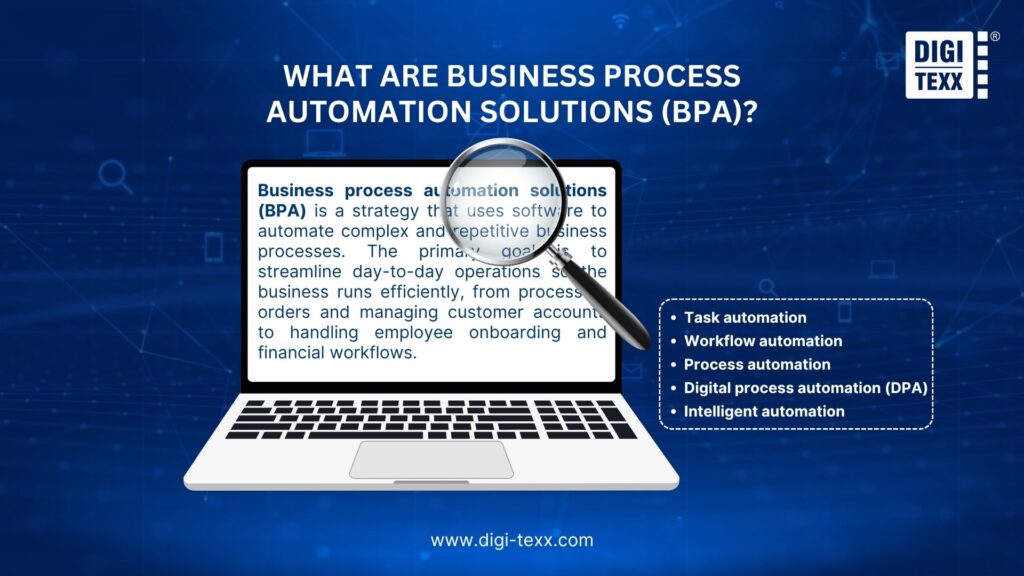
Business process automation (BPA) is a strategy that uses software to automate complex and repetitive business processes. The primary goal is to streamline day-to-day operations so the business runs efficiently, from processing orders and managing customer accounts to handling employee onboarding and financial workflows.
A business process is a series of activities designed to achieve a specific organizational goal. These processes often span multiple departments and involve sequences of tasks that can be fully or partially automated. BPA stands apart from simpler automation because it connects multiple enterprise IT systems and is customized to the organization’s specific needs.
BPA can incorporate technologies such as robotic process automation (RPA), workflow orchestration, business process management (BPM), artificial intelligence (AI), and cloud platforms. Together, these technologies reduce human error, standardize processes, and free employees to focus on strategic, higher-value tasks.
>>> See more:
- Invoice Reconciliation Process: Step-By-Step Guide & Key Steps
- 15 Best Data Labeling Service Providers In 2026
- Secure Data Annotation Services: Top Companies & How to Choose
Top Business Process Automation Solutions & Tools 2026
Choosing the right business process automation solutions depends on the organization’s size, process complexity, and system architecture. Rather than a one-size-fits-all approach, different tools are designed for specific automation needs, from simple integrations to enterprise-scale process orchestration.
Below are the most widely used BPA tools in 2026, categorized by their strengths and ideal use cases.
Microsoft Power Automate
Microsoft Power Automate is one of the most accessible business process automation solutions, especially for organizations already using the Microsoft ecosystem.
It enables workflow automation across applications such as Office 365, SharePoint, and Dynamics, with both low-code and advanced capabilities.
- Best for: Enterprises using Microsoft systems.
- Strengths: Deep integration, scalable workflows, strong governance.
- Limitations: Less flexible outside Microsoft ecosystem.

UiPath
UiPath is a leading robotic process automation (RPA) platform designed for large-scale automation initiatives.
It focuses on automating repetitive, rule-based tasks across legacy systems and complex enterprise environments.
- Best for: Large enterprises with legacy systems.
- Strengths: Advanced RPA capabilities, AI integration, high scalability.
- Limitations: Higher implementation complexity and cost.
Zapier
Zapier is a no-code automation tool that connects thousands of applications and automates simple workflows.
It is widely used by small and medium-sized businesses to automate repetitive tasks without technical expertise.
- Best for: SMBs and non-technical users.
- Strengths: Easy to use, fast setup, and wide app integrations.
- Limitations: Limited to complex, multi-step workflows.

>>> See more:
- Boost Efficiency With Insurance Back Office Support Services
- Back Office Support Services To Streamline Operations & Boost Efficiency
- Document Indexing Services For Fast Search, Accurate Data & Easy Retrieval
Make (Formerly Integromat)
Make offers a more advanced workflow automation compared to Zapier, with visual workflow design and deeper customization.
It allows users to build multi-step automation scenarios with conditional logic and data transformations.
- Best for: Teams needing flexible workflow automation.
- Strengths: Visual builder, advanced logic, cost-effective scaling.
- Limitations: Steeper learning curve than Zapier.
ServiceNow
ServiceNow is an enterprise-grade platform focused on workflow automation and service management across IT, HR, and operations.
It is commonly used to standardize and automate large-scale business processes with strong governance.
- Best for: Large enterprises with complex workflows.
- Strengths: End-to-end process orchestration, compliance, and scalability.
- Limitations: High cost and longer implementation time.
>>> See more:
- Product Photo Editing Services For eCommerce In The US
- Why Retail Outsourcing Is a Smart Strategy for Retail Businesses
- Architectural Photo Editing Service in the US | Top 5 Providers
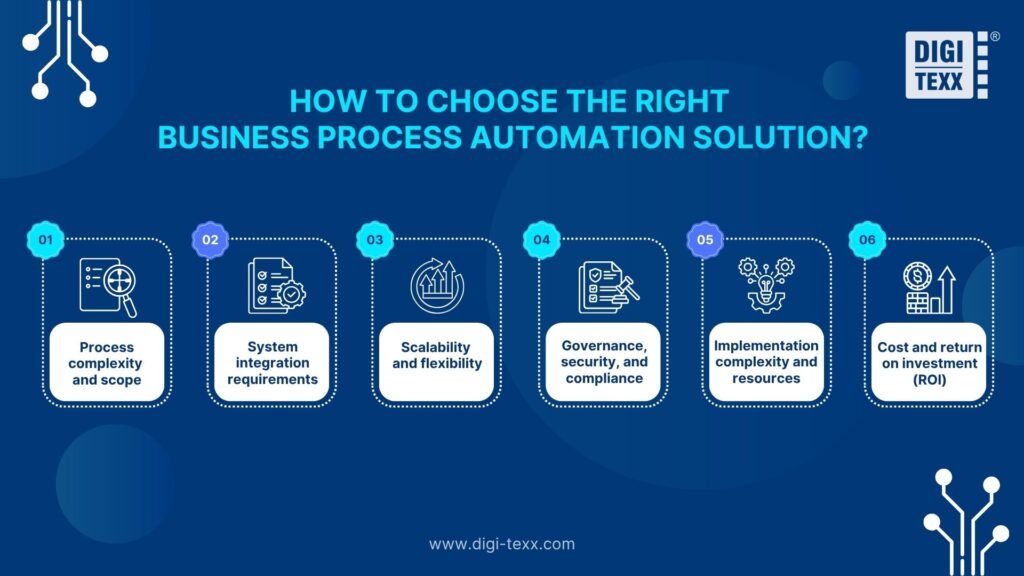
How To Choose The Right Business Process Automation Solution?
Selecting the right business process automation solution is not about choosing the most advanced tool, but about aligning automation capabilities with the organization’s process complexity, system landscape, and long-term operational goals.
The following factors help businesses evaluate and select the most suitable BPA solution:
- Process complexity and scope: Organizations should first assess whether they need task-level automation or end-to-end process orchestration. Simple workflows can be handled by no-code tools, while complex, cross-department processes require enterprise-grade platforms with workflow design and governance capabilities.
- System integration requirements: Effective automation depends on how well the solution integrates with existing systems such as ERP, CRM, HRIS, or legacy platforms. Tools with strong integration capabilities reduce data silos and ensure seamless information flow across the organization.
- Scalability and flexibility: A suitable BPA solution must support business growth. This includes the ability to handle increasing transaction volumes, adapt to new processes, and expand across departments without requiring major system redesign.
- Governance, security, and compliance: For industries such as finance, healthcare, and insurance, automation must include audit trails, role-based access control, and compliance monitoring. Choosing a solution without strong governance features can introduce operational risks.
- Implementation complexity and resources: Some BPA tools require significant technical expertise and longer deployment timelines, while others can be implemented quickly with minimal coding. Organizations should evaluate internal capabilities and choose a solution that matches their technical readiness.
- Cost and return on investment (ROI): Beyond licensing costs, businesses should consider implementation, maintenance, and scaling expenses. The right solution should deliver measurable ROI through reduced processing time, lower error rates, and improved operational efficiency over time.
>>> Explore more:
- Professional E-commerce Data Entry Services by DIGI-TEXX
- Data Labeling Service: What It Is, Types & Benefits For AI
- Purchase Orders Processing: Steps, Types, Best Practices
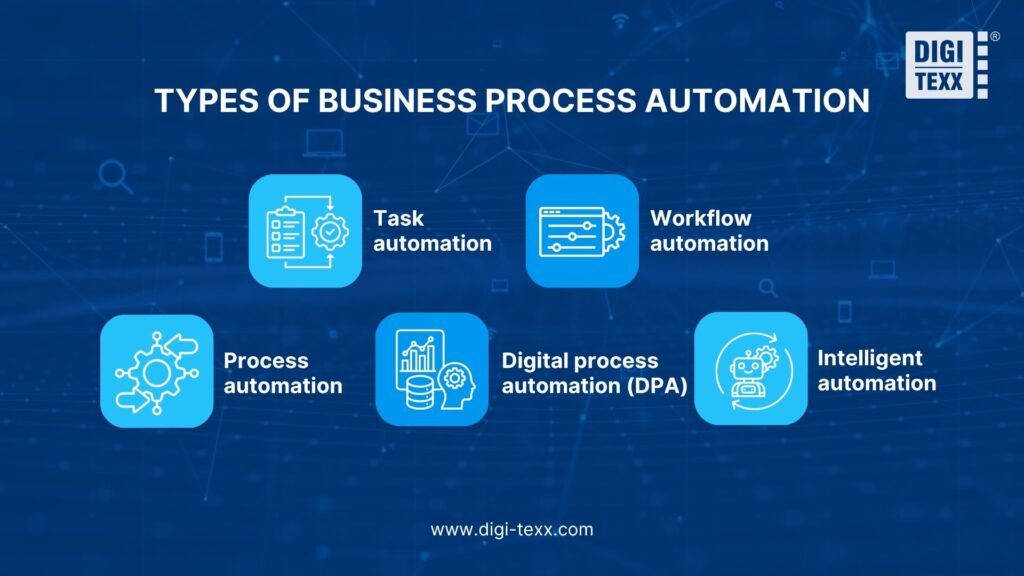
Types Of Business Process Automation
BPA covers a wide spectrum, from automating a single task to transforming entire end-to-end operations. The 5 main types are:
- Task automation: The most basic form. It focuses on individual manual tasks such as sending automated emails, generating documents, capturing digital signatures, or updating system statuses.
- Workflow automation: Applies automation across a defined series of connected tasks, ensuring work moves from one stage to the next in the correct sequence. Some workflows are fully automated; others combine automated steps with human judgment where needed.
- Process automation: Automates an entire process end-to-end, identifying and automating as many components as possible, including both discrete tasks and the workflows linking them, to reduce bottlenecks and drive consistency.
- Digital process automation (DPA): Extends traditional BPA by integrating automation into a broader digital transformation strategy. It optimizes end-to-end processes and improves customer experiences by bridging individual automation initiatives with overarching digital goals.
- Intelligent automation: The most advanced type, combining task automation, process automation, and RPA with AI, machine learning (ML), natural language processing (NLP), and data analytics. It handles higher-level tasks requiring decision-making and cognitive abilities.
>>> See more:
- Accounts Payable Outsourcing: How It Works, Benefits & Top Providers
- Outsourcing Advantages & Disadvantages: What Businesses Should Know?
- 10 Best AI Process Automation Tools Free In 2026
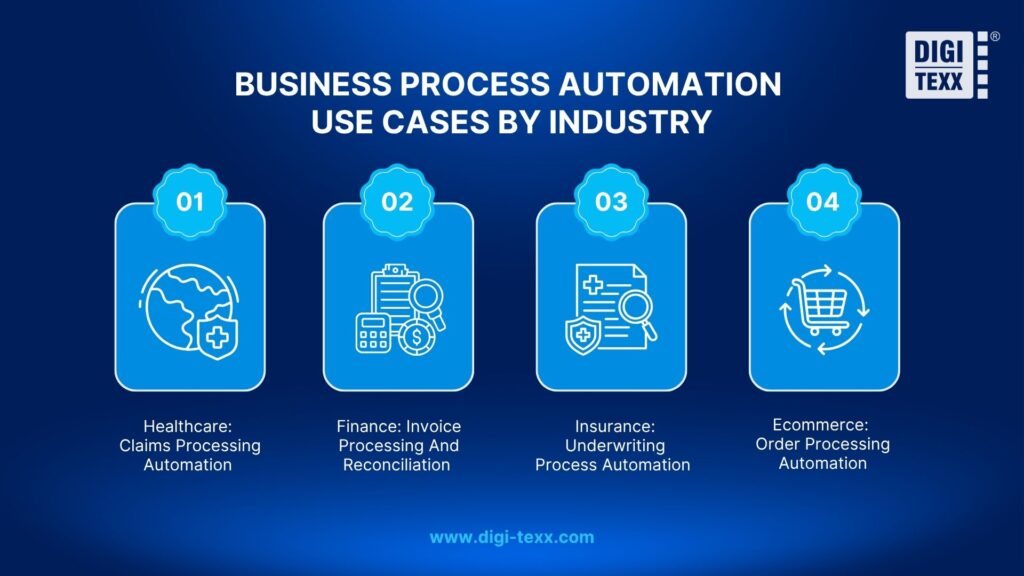
Business Process Automation Use Cases By Industry
Business process automation solutions deliver the most value when applied to industry-specific workflows where volume, compliance, and data accuracy are critical. Below are practical use cases across key industries, showing how automation transforms core operations.
Healthcare: Claims Processing Automation
In healthcare, claims processing involves multiple validation steps, including patient data verification, insurance eligibility checks, and treatment code matching.
With BPA, data is automatically extracted from medical records, validated against insurance rules, and routed for approval. This reduces manual workload, minimizes billing errors, and ensures compliance with strict healthcare regulations such as HIPAA.
Finance: Invoice Processing And Reconciliation
In finance, invoice handling and reconciliation are highly repetitive and error-prone when done manually.
BPA systems automatically capture invoice data, match it with purchase orders, flag discrepancies, and update accounting systems in real time. This improves financial accuracy, reduces processing time, and accelerates month-end closing cycles.
Insurance: Underwriting Process Automation
Insurance underwriting requires analyzing large volumes of applicant data and applying risk assessment rules.
With automation, BPA aggregates data from multiple sources, applies predefined risk models, and generates initial evaluations. This allows underwriters to focus only on complex cases, improving both speed and decision consistency.
Ecommerce: Order Processing Automation
In ecommerce, order processing requires coordination between inventory, payment systems, and logistics.
BPA enables end-to-end automation where orders trigger inventory updates, payment verification, shipping requests, and customer notifications. This ensures faster fulfillment, reduces operational errors, and enhances the overall customer experience.
Why Is Business Process Automation Important?
Organizations adopt BPA for several critical reasons:
- Volume and complexity: Modern businesses process enormous amounts of data across multiple systems. Manual handling increases error rates and delays.
- Cost pressure: Maintaining in-house teams for repetitive work involves high fixed costs in salaries, training, and infrastructure.
- Compliance demands: Regulatory requirements in industries such as healthcare, finance, and insurance require accurate, auditable records. BPA systems provide these automatically.
- Competitive speed: Automated workflows reduce processing times and speed up response to customers, suppliers, and partners.
- Scalability: BPA enables organizations to scale operations up or down without proportionally increasing headcount.
According to IBM, the primary goal of BPA is to enhance operational efficiency, reduce human error, standardize processes, and allow employees to focus on strategic tasks, ultimately enhancing overall business performance.
Benefits Of Business Process Automation Solutions
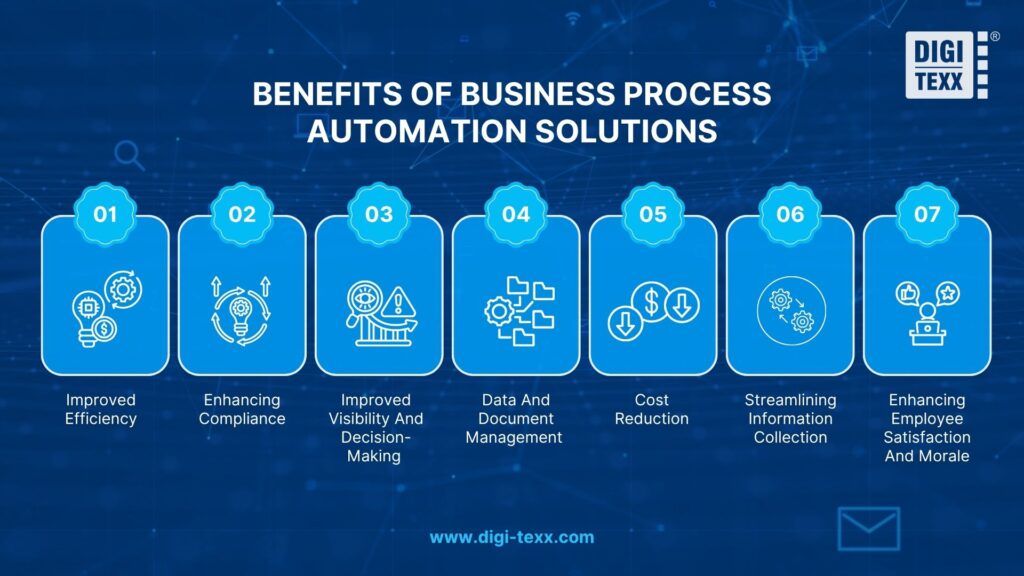
BPA delivers measurable advantages across efficiency, compliance, visibility, and cost. The sections below outline 7 key benefits organizations gain when they automate their business processes.
Improved Efficiency
BPA eliminates reliance on manual, repetitive work, freeing employees to focus on higher-value activities. Machines process tasks without fatigue, reducing turnaround times and achieving more consistent output quality. Standardized automated processes are also easier to understand, manage, and scale as the business grows.
Enhancing Compliance
Automated workflows apply rules consistently, reducing the risk of human error in compliance-sensitive tasks. Compliance records are generated on demand, providing real-time insight into process performance and any deviations. This is particularly valuable in regulated industries such as healthcare, finance, and insurance where HIPAA, GDPR, or SOC 2 requirements apply.
>>> See more:
- Accounts Receivable Service | Invoicing, Billing & AR Management
- AI In BPO: Benefits, Applications, Challenges & Future Trends
- Supply Chain Business Process Outsourcing (BPO) 2026
Improved Visibility And Decision-Making
BPA provides real-time tracking of workflows across departments. Cloud-based BPA tools offer centralized data storage accessible from anywhere, creating transparent processes with clear audit trails. This level of visibility enables leaders to identify bottlenecks, measure performance, and make data-driven decisions faster.
Data And Document Management
Automated data capture, extraction, and routing reduce manual document handling and data entry errors. BPA systems integrate with CRM, ERP, and analytics platforms, ensuring that accurate data flows between systems without manual intervention. This is especially critical for organizations managing high volumes of invoices, contracts, medical records, or customer data.
Cost Reduction
Automating repetitive tasks converts fixed labor costs into variable costs that scale with demand. Organizations reduce overhead from salaries, training, and infrastructure tied to manual processes. Additionally, faster processing cycles and fewer errors reduce rework costs and potential compliance penalties.
Streamlining Information Collection
BPA standardizes how data is collected, validated, and stored across the organization. Automated forms, surveys, and data capture tools ensure information arrives in a consistent, structured format, eliminating the need for manual reformatting and reducing downstream processing time.
>>> See more:
- 5 Key Indicators Of A Business Process Outsourcing Provider You Should Track
- AI-Powered Data Annotation Technologies Efficiency Accuracy Guide For AI Projects
- Ecommerce Back Office Support Services For Fast Growth
Enhancing Employee Satisfaction And Morale
When employees are relieved of repetitive, low-value tasks, they can redirect their time toward creative, strategic, or customer-facing work. This shift improves job satisfaction, reduces burnout, and helps organizations retain skilled talent. Teams that spend less time on administrative work report higher engagement and productivity.
>>> See more:
- Top 10 Data Cleansing Companies for Businesses in 2025
- Outsource Data Annotation Services to Scale Your AI Faster
- Outsource Order Processing Services For Accurate & Cost-Effective Operations
What Are The Disadvantages Of Business Process Automation?
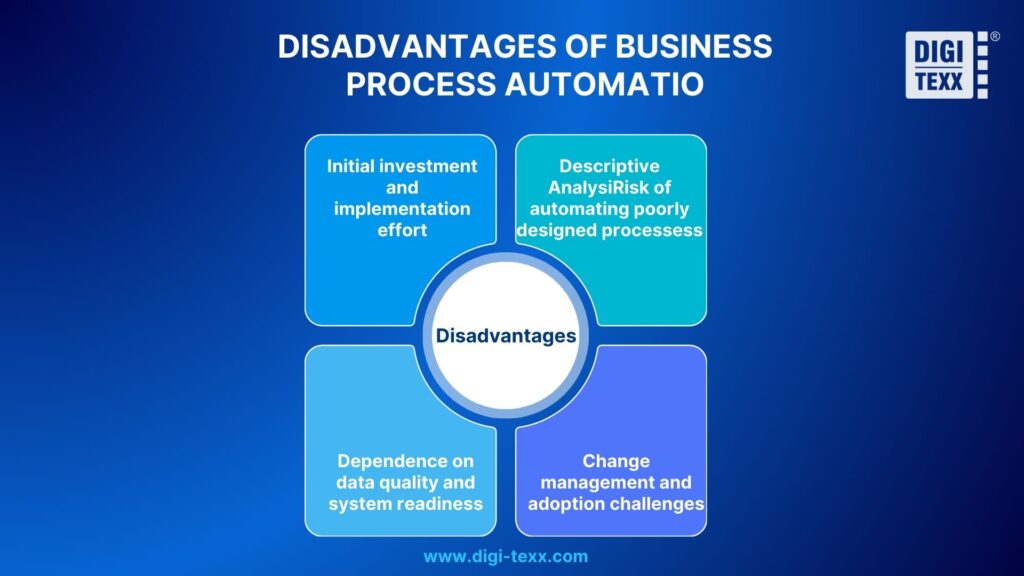
While business process automation delivers significant benefits in efficiency and control, it is not a plug-and-play solution. When implemented without proper preparation, automation can introduce new operational risks rather than eliminate existing ones. Key disadvantages organizations should consider include:
- Initial investment and implementation effort: BPA requires upfront investment in process analysis, workflow design, system integration, and organizational change. The return on investment is typically realized over the medium to long term, not immediately.
- Risk of automating poorly designed processes: If underlying processes are not standardized or optimized, automation may simply scale existing inefficiencies. BPA does not replace the need for proper process design.
- Dependence on data quality and system readiness: Automation is only as effective as the data and systems it relies on. In complex legacy environments, BPA may require additional integration effort and technical alignment.
- Change management and adoption challenges: Automation can face resistance if employees do not understand its purpose or impact. Without clear communication and governance, adoption may be limited.
How BPA, RPA And BPM Interrelate?
BPA, RPA, and BPM represent three distinct but interconnected approaches organizations use to improve process performance. Understanding how they relate helps businesses make more informed decisions about which strategy, or combination of strategies, fits their operational needs.
BPA is the broadest of the three. It covers the automation of complex, multi-step business processes through software solutions that integrate with existing systems, databases, and APIs. BPA is typically customized to an organization’s specific workflows and spans across departments.
RPA operates within the BPA umbrella but with a narrower focus. Rather than automating an entire process end-to-end, RPA deploys software bots to handle isolated, repetitive tasks that mimic human interactions with applications, such as:
- Entering data into forms or systems
- Transferring information between platforms
- Extracting and copying structured data
Because RPA targets specific, rule-based tasks, it can be deployed faster than a full BPA initiative, making it a practical entry point for organizations beginning their automation journey.
BPM takes the widest view of the three. It is a management discipline, not just a technology, that brings business and IT teams together to model, analyze, and continuously improve processes from end to end. Where BPA and RPA focus on execution through automation, BPM focuses on process design, governance, and ongoing optimization. In practice, the three work together within a single framework:
- BPM identifies which processes need redesign or improvement
- BPA automates the redesigned end-to-end workflows
- RPA handles the discrete, repetitive task-level steps within those workflows
This means BPA and RPA are not replacements for BPM. They are complementary tools that execute what BPM strategy defines. Organizations that treat all three as part of a unified approach, rather than isolated solutions, build more resilient, scalable, and auditable operations over time.
>>> See more:
- 5 Advantages Of Data Annotation Outsourcing Services for AI Projects
- Medical Claims Processing Outsourcing For Healthcare Providers
- Administrative Support Outsourcing: 2026 Complete Guide
Why DIGI-TEXX Choose For Business Process Automation Company?
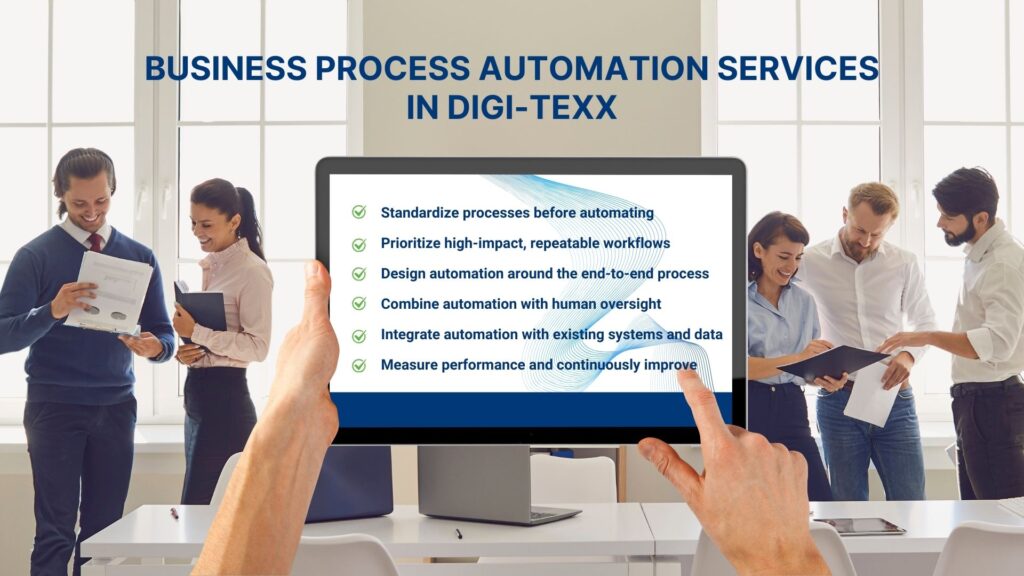
DIGI-TEXX delivers end-to-end business process automation services focused on operational transformation rather than standalone tools. At DIGI-TEXX, we don’t just sell tools, we provide comprehensive operational transformation solutions. With experience implementing BPA for Finance, HR, and Back-office businesses, DIGI-TEXX accompanies you from strategic consulting to technical implementation. As a business process automation company, our services include:
- Operational process assessment and standardization: DIGI-TEXX works with businesses to analyze current processes, identify bottlenecks, repetition levels, and operational risks. Before automation, processes are standardized in terms of flow, rules, and responsibilities.
- Identifying the right processes for automation: Not all processes should be automated. DIGI-TEXX helps businesses prioritize workflows that have a significant impact, are easy to measure, and are suitable for the current stage of development.
- End-to-end automation design: Instead of automating individual steps, DIGI-TEXX designs automation that covers the entire process from request initiation, approval, system integration, to data control and audit trail.
- Flexible deployment, adaptable to existing systems: DIGI-TEXX doesn’t force businesses to completely overhaul their systems. Automation is designed to integrate with ERP, HRIS, CRM, or existing platforms, minimizing operational disruption.
- Measurement, improvement, and scaling: After deployment, DIGI-TEXX supports monitoring operational metrics such as processing time, error rates, and compliance, thereby optimizing and scaling automation as the business grows.
>>> See more:
- Top 12 Data Entry Outsourcing Companies In United States
- What are the 6 Steps of the Data Analysis Process?
- Healthcare Back-Office Support Services For Efficient Operations
FAQs About Business Process Automation Solutions
What Does Business Process Automation Do?
Business process automation executes repetitive, rule-based workflows automatically, removing manual handoffs between people, departments, and systems. At the task level, BPA captures data, applies predefined rules, routes information to the correct destination, triggers approvals, and logs every action with a full audit trail. At the process level, it coordinates end-to-end workflows, from initiation through completion, across multiple platforms such as ERP, CRM, and HRIS without requiring human intervention at each step. The result is faster processing cycles, fewer errors, lower operational costs, and consistent compliance across regulated workflows.
What Is The Difference Between RPA And BPA?
RPA (Robotic Process Automation) and BPA (Business Process Automation) both reduce manual work, but they differ in scope and design intent. RPA uses software bots to mimic human actions on user interfaces, clicking, copying, and entering data, making it effective for automating isolated, repetitive tasks on legacy systems that lack modern APIs.
BPA, by contrast, automates entire end-to-end processes through workflow orchestration, business rules, and system integration. Where RPA solves a specific task-level problem quickly, BPA restructures how a process operates across departments. In practice, RPA is often a component within a broader BPA strategy, handling the UI-based steps that cannot be reached through direct system integration.
What Are The Top Business Process Automation Tools?
Here are the top business process automation tools categorized by their strengths:
- UiPath: A leader in RPA, it uses AI-powered robots for repetitive tasks and legacy system integration.
- Microsoft Power Automate: Best for organizations using the Microsoft ecosystem, featuring strong AI capabilities with Copilot.
- Zapier: Ideal for small to medium businesses for simple, no-code integrations between thousands of apps.
- ServiceNow: Highly capable for IT Service Management (ITSM) and complex, secure enterprise workflows.
- Pega: Excellent for regulated industries requiring advanced AI decisioning and scalable, complex processes.
The right tool depends on process complexity, existing technology stack, industry requirements, and budget. Organizations should evaluate vendors against their specific compliance needs and integration requirements before committing.
Implementing business process automation solutions enables organizations to reduce manual errors, shorten processing time, and enhance transparency, control, and scalability as operations grow. More importantly, BPA provides a foundation for sustainable growth by allowing businesses to scale efficiently without a proportional increase in headcount or management complexity.
With strong expertise in delivering process automation projects for organizations at different stages of growth, DIGI-TEXX partners with clients throughout the entire journey, from current-state assessment and solution design to implementation and continuous optimization, ensuring alignment with real operational needs and business objectives.
If you have any questions or would like expert advice on data analytics services, please feel free to contact us using the information below.
DIGI-TEXX Contact Information:
🌐 Website: https://digi-texx.com/
📞 Hotline: +84 28 3715 5325
✉️ Email: [email protected]
🏢 Address:
- Headquarters: Anna Building, QTSC, Trung My Tay Ward
- Office 1: German House, 33 Le Duan, Saigon Ward
- Office 2: DIGI-TEXX Building, 477-479 An Duong Vuong, Binh Phu Ward
- Office 3: Innovation Solution Center, ISC Hau Giang, 198 19 Thang 8 street, Vi Tan Ward
Reference:
- Object Management Group. (n.d.). Business Process Model and Notation (BPMN). https://www.omg.org/spec/BPMN
- APQC. (n.d.). Process classification framework (PCF). https://www.apqc.org/process-classification-framework