AI process automation tools are becoming essential for businesses looking to automate complex workflows, reduce manual work, and improve operational efficiency. As data volumes grow and processes become more fragmented, integrating AI into automation is no longer optional but a practical step forward. In this article, DIGI-TEXX will help you understand how these tools work, explore real-world use cases, and identify the right platform for your business needs.
>>> See more:
- Architectural Photo Editing Service in the US | Top 5 Providers
- Product Photo Editing Services For eCommerce In The US
- Administrative Support Outsourcing: 2026 Complete Guide
What Are AI Process Automation Tools?
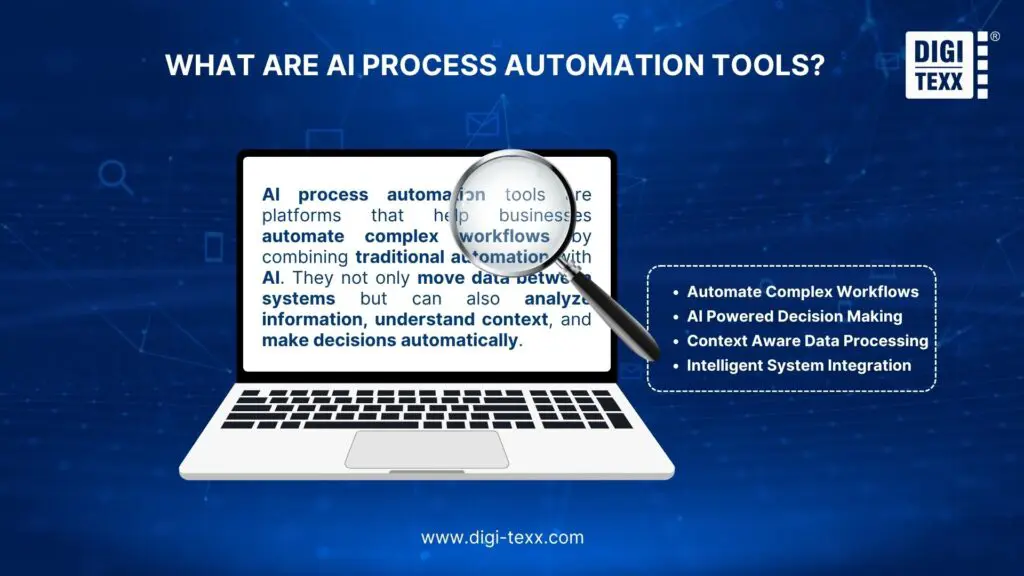
AI process automation tools are platforms that help businesses automate complex workflows by combining traditional automation with artificial intelligence capabilities. Instead of only transferring data between systems like conventional automation software, AI process automation tools can analyze information, understand context, and make decisions based on predefined rules or AI reasoning.
These tools typically connect with commonly used applications such as Gmail, Slack, Google Sheets, Notion, CRM platforms, or project management software. By integrating AI models into these workflows, AI process automation tools allow organizations to process data automatically, generate insights, and trigger actions without constant human involvement.
Examples Of Workflow Automation
AI workflow automation can handle many repetitive tasks across different business activities. Here are some practical workflow automation examples that businesses are building today using AI process automation tools.
Content And Marketing
- YouTube to SEO blog agents that take your video content and automatically turn it into optimized blog posts.
- Newsletter creator agent that pulls content from multiple sources and creates your weekly newsletter.
- Social media sentiment agent that monitors brand mentions and categorizes feedback.
Sales And Lead Generation
- Scrape and categorize leads agents that find potential customers and organize them by quality.
- Personalized outreach agent that researches prospects and writes custom emails.
- Brand listening agent that tracks competitors and industry trends.
Productivity And Admin
- AI Slackbot agent that answers team questions using your company knowledge base.
- Inbox summarizer agent that gives you daily email digests with key action items.
SEO analyzer agent that audits your content and suggests improvements.0
>>> See more:
- Medical Claims Processing Outsourcing For Healthcare Providers
- Accounts Payable Outsourcing: How It Works, Benefits & Top Providers
- AI-Powered Data Annotation Technologies Efficiency Accuracy Guide For AI Projects
How AI Helps Automate Business Workflows?
Artificial intelligence helps businesses automate workflows by allowing AI systems to analyze information and decide what action should happen next. With the help of AI process automation tools, companies can connect different applications and let AI handle many repetitive tasks automatically.
Unlike traditional automation tools that only move data from one system to another, AI process automation tools can actually understand and process the data. AI can read emails, documents, customer messages, or social media posts and turn that information into structured actions such as creating tasks, updating records, or sending notifications.
Another key advantage is that AI can perform multiple tasks within a workflow. For example, it can summarize long content, categorize customer inquiries, extract important data from files, and generate responses based on context. This allows businesses to automate processes that normally require manual review.
Most modern AI process automation tools also integrate with existing platforms such as CRM systems, collaboration tools, or data management software. By working with real data from these systems, AI can analyze information more accurately and trigger the right actions automatically.
As a result, businesses can build smarter workflows that reduce manual work, improve productivity, and allow teams to focus on more strategic tasks.
10 Best AI Process Automation Tools In 2026
Lindy AI
Lindy AI is one of the emerging AI process automation tools designed to help businesses automate workflows across sales operations and customer support. It positions itself as an “AI employee builder,” allowing users to create AI-powered agents that can handle tasks like outbound sales, customer inquiries, and workflow automation.
The platform stands out with its simple three-step setup, where users describe what they want, connect their apps, and refine workflows using natural language. This makes it easier to iterate and improve automations without deep technical expertise, especially for teams focused on sales and support functions.
Best for: Sales operations and customer support automation.
Pricing: Free plan available, paid plans start at $49.99 per month.
Pros
- Simple workflow creation using natural language instructions.
- Strong integrations with CRM and sales tools.
- Supports automation for customer support, outreach, and chatbots.
- Free plan available for testing basic use cases.
Cons
- Pricing can become expensive as task usage increases.
- Limited templates and learning resources compared to competitors.
- May require trial and error for more complex workflows.
>>> See more:
- 5 Key Indicators Of A Business Process Outsourcing Provider You Should Track
- Why Retail Outsourcing Is a Smart Strategy for Retail Businesses
- 5 Advantages Of Data Annotation Outsourcing Services for AI Projects
Gumloop
Gumloop is an easy-to-use AI workflow builder that lets you create automations using a visual drag-and-drop canvas. You can connect different tools and AI models in one place without needing to manage API keys, which makes it much simpler than many other platforms.
The tool is used by both solo creators and teams at companies like Shopify and Instacart. It also comes with the Gummie AI assistant, which can suggest and even build workflows for you, making the tool a great choice among AI process automation tools if you want something powerful but still easy to use.
Best for: AI-powered workflow automation for enterprise teams and solo creators.
Pricing: Free plan available, paid plans start at $37 per month.
Pros
- Simple drag-and-drop workflow builder.
- No need to manage external API keys.
- Gummie AI assistant helps build workflows.
- Works well for both individuals and teams.
Cons
- Limited templates compared to competitors.
- Support may be slower due to a small team.

n8n
n8n is a workflow automation platform built for technical users who need more control over their automations. The tool provides a visual editor where users can connect apps, APIs, and custom logic to build workflows, similar to many AI process automation tools, but with greater flexibility.
A key advantage of n8n is the ability to self-host, allowing full control over data and infrastructure. This feature makes n8n a strong fit for developers and technical teams at companies like Vodafone, Zendesk, and Wayfair. The platform works best for users who are familiar with APIs, backend logic, or low-code environments.
Best for: Technical teams who want self-hosted AI workflow automation.
Pricing: Free trial available, paid plans start at $24 per month.
Pros
- Supports both self-hosted and cloud deployment.
- Flexible workflow builder with advanced logic and API integrations.
- Library of 5,000+ community-created workflow templates.
- Strong ecosystem of tutorials and community resources.
Cons
- Requires technical knowledge to use effectively.
- No free plan for running workflows long-term.
- Requires external API keys for AI integrations.
Make
Make is a workflow automation platform that helps users build AI-powered workflows using a visual drag-and-drop editor. The tool allows connections between apps, APIs, and different steps in a workflow, making automation more flexible compared to many other AI process automation tools.
Make is a popular choice for indie builders and small teams because the pricing is affordable and getting started is relatively straightforward. There are plenty of tutorials, templates, and community resources available, so users can learn quickly without spending too much time figuring things out. With more than 7,500 pre-built workflows, most automations can be set up fast without building everything from scratch.
Best for: Budget-friendly automation for indie builders and small teams.
Pricing: Free plan available, paid plans start at $10.59 per month.
Pros
- Affordable pricing compared to similar tools.
- Large library of 7,500+ pre-built workflows.
- Plenty of tutorials and community resources.
- Supports multi-step workflows and custom logic.
Cons
- Interfaces can feel outdated and less intuitive.
- May take time to learn for beginners.
- Error handling is not as strong as some newer platforms.
- Better suited for small teams than large enterprises.
Workato
Workato is an enterprise automation platform designed for businesses that need to handle complex workflows across multiple teams. The platform allows companies to build AI agents for departments like marketing, sales, HR, IT, and customer support, helping automate tasks in real time.
Among many AI process automation tools, Workato stands out for its ability to scale. The platform supports unlimited connections, workflows, and collaborators, making it a strong fit for large organizations with complex systems.
Best for: Enterprise-level automation for large companies.
Pricing: Custom pricing (demo required).
Pros
- Scales well for large and complex workflows.
- Unlimited connections, workflows, and collaborators.
- Strong integrations across different business functions.
- Built-in security and governance features.
Cons
- No self-serve setup.
- Pricing is not transparent.
- Takes time to implement.
- Not suitable for small teams or simple use cases.
>>> See more:
- Supply Chain Business Process Outsourcing (BPO) 2026
- Outsourcing Advantages & Disadvantages: What Businesses Should Know?
- AI In BPO: Benefits, Applications, Challenges & Future Trends
Zapier
Zapier is one of the most well-known AI process automation tools for building automated workflows without coding. It provides a visual workflow builder where users can connect different apps and automate tasks using triggers, actions, and conditional logic. Thanks to its long presence in the automation market and thousands of integrations, Zapier is widely used by businesses ranging from small startups to large enterprises.
Best for: Reliable no-code automation with thousands of app integrations
Pricing: Free plan available, paid plans start at $29.99 per month
Pros
- Integrates with thousands of apps and tools, making it easy to automate workflows across different platforms
- Simple workflow builder that allows non-technical users to create automations quickly.
Cons
- AI features are still developing and are not as advanced as AI native automation platforms.
- Pricing can become expensive as workflow usage and integrations increase.
Relay.app
Relay.app is a simple AI process automation tool designed to help users build automated workflows with minimal technical effort. It offers a clean and intuitive interface similar to Zapier, allowing users to create workflows for tasks such as social media automation, meeting follow-ups, and report generation.
Best for: Easy-to-use AI workflow automation for beginners.
Pricing: Free plan available, paid plans start at $27 per month.
Pros
- Simple UI and easy-to-use workflow builder for non-technical users
- Includes ready-to-use templates for quick setup.
- Affordable pricing compared to similar tools.
- Highly rated on platforms like G2 and Capterra.
Cons
- No built-in AI assistant to help create workflows.
- Limited integrations compared to larger platforms.
- Workflows can feel less flexible for complex use cases.

Pipedream
Pipedream is a workflow automation platform built mainly for developers who want to create AI agents and connect multiple APIs. The tool makes it easier to integrate different systems and automate workflows directly inside products or internal tools.
Among many AI process automation tools, Pipedream stands out for its strong API capabilities. A single SDK supports thousands of integrations, allowing developers to connect over 2,800 APIs and 10,000 tools. This makes the platform a good fit for companies with an existing tech stack that needs deeper customization.
Best for: Developers building AI agents with heavy API integrations.
Pricing: Free plan available, paid plans start at $45 per month.
Pros
- Strong API integrations with one unified SDK.
- Supports thousands of apps and custom workflows.
- AI agent builder with natural language support.
- Suitable for building automation inside products.
Cons
- Interfaces can feel slightly complex.
- Debugging may take time for new users.
- Paid plans are relatively expensive.
- Not ideal for non-technical users.
Vellum AI
Vellum AI is a platform built for large businesses that want to develop and manage AI agents at scale. The platform focuses on helping teams automate complex tasks, especially in engineering and technical environments.
Compared to other tools, Vellum AI is more advanced and better suited for teams with a technical background. Among many AI process automation tools, Vellum AI stands out as an end-to-end solution where teams can build, test, deploy, and monitor AI workflows in one place.
Best for: Enterprise AI agent development for large businesses
Pricing: Custom pricing (startup and enterprise plans available)
Pros
- All-in-one platform for building and managing AI workflows.
- Supports experimentation, deployment, and monitoring.
- Designed for complex, large-scale use cases.
- Strong fit for engineering and technical teams.
Cons
- Requires technical knowledge to use effectively.
- Not suitable for beginners.
- Pricing is not publicly available.
- Setup can be complex.

>>> See more:
- Secure Data Annotation Services: Top Companies & How to Choose
- Data Validation vs Verification: Key Differences, Examples & Benefits
- Professional E-commerce Data Entry Services by DIGI-TEXX
Stack AI
Stack AI is an enterprise AI workflow platform designed for organizations that need to automate complex processes while maintaining strict security standards. The platform is commonly used in industries like government, healthcare, and finance, where data privacy is critical.
Among many AI process automation tools, Stack AI stands out for its clean interface and strong focus on security. The platform allows teams to build and deploy AI agents, automate manual tasks, and improve internal workflows without sacrificing data protection.
Best for: Enterprise AI workflows in regulated industries.
Pricing: Free plan available, enterprise plans with custom pricing.
Pros
- Clean and easy-to-use interface.
- Strong focus on security and data privacy.
- Supports end-to-end AI workflow automation.
- Suitable for regulated industries like healthcare and finance.
Cons
- Mainly built for enterprise use.
- Limited fit for small teams.
- Advanced features may require technical knowledge.
- Enterprise pricing requires consultation.
How To Evaluate AI Process Automation Tools?
Here are some key factors to consider when evaluating AI process automation tools:
Total cost of ownership
Understand the full pricing model, including charges for workflow runs, API usage, or premium integrations. Some tools may appear affordable at first but become expensive as usage grows.
Ease of use and time to value
Check how quickly teams can build and deploy workflows. The best AI process automation tools allow non-technical users to create useful automations without complex coding.
AI capabilities
Evaluate whether the platform supports AI features such as data analysis, content summarization, categorization, or automated decision-making within workflows.
Integrations and ecosystem
Look at how well the platform connects with existing business tools like CRM systems, collaboration platforms, and databases. Strong integrations make it easier to automate end-to-end processes.
Security and governance
Reliable AI process automation tools should include features such as role-based access control, audit logs, and secure authentication to protect sensitive data.
Monitoring and support
Check whether the platform provides workflow monitoring, logging, and troubleshooting tools. Strong documentation and customer support can also help teams deploy automation more successfully.
Using these criteria can help businesses compare AI process automation tools more effectively and choose a platform that supports long-term automation goals.
>>> See more:
- Intelligent Document Processing Services: Benefits, Use Cases & How It Works
- Outsource Order Processing Services For Accurate & Cost-Effective Operations
- Document Indexing Services For Fast Search, Accurate Data & Easy Retrieval
AI is transforming how businesses manage and optimize their workflows. Choosing the right AI process automation tools can help reduce operational costs, improve productivity, and support long-term scalability. By aligning the tool with your business needs and system complexity, organizations can build smarter, more efficient workflows that deliver consistent value over time.
DIGI-TEXX Contact Information:
🌐 Website: https://digi-texx.com/
📞 Hotline: +84 28 3715 5325
✉️ Email: [email protected]
🏢 Address:
- Headquarters: Anna Building, QTSC, Trung My Tay Ward
- Office 1: German House, 33 Le Duan, Saigon Ward
- Office 2: DIGI-TEXX Building, 477-479 An Duong Vuong, Binh Phu Ward
- Office 3: Innovation Solution Center, ISC Hau Giang, 198 19 Thang 8 street, Vi Tan Ward
Reference:
- IBM. What is automation? Retrieved from https://www.ibm.com/topics/automation
- European Commission. Artificial intelligence strategy. Retrieved from https://digital-strategy.ec.europa.eu/en/policies/artificial-intelligence