Managing invoices might seem like a routine administrative task, but for many growing businesses, it’s becoming a hidden productivity trap. Manual invoice processing, including printing, entering data by hand, sending emails for approval, and tracking payments, consumes valuable time and resources that could be better spent elsewhere.
According to the Institute of Finance & Management, it takes most organizations between 8 and 10 days to process a single invoice manually, costing around $10–$15 per transaction. As your business scales, those inefficiencies multiply, creating payment delays, data errors, and frustration for both employees and suppliers.
That’s why more companies are turning to automated invoice processing, a smarter, faster, and more accurate way to manage accounts payable. This article explores how automation works and outlines five key signs that it’s time for your business to make the switch.
What Is Automated Invoice Processing?
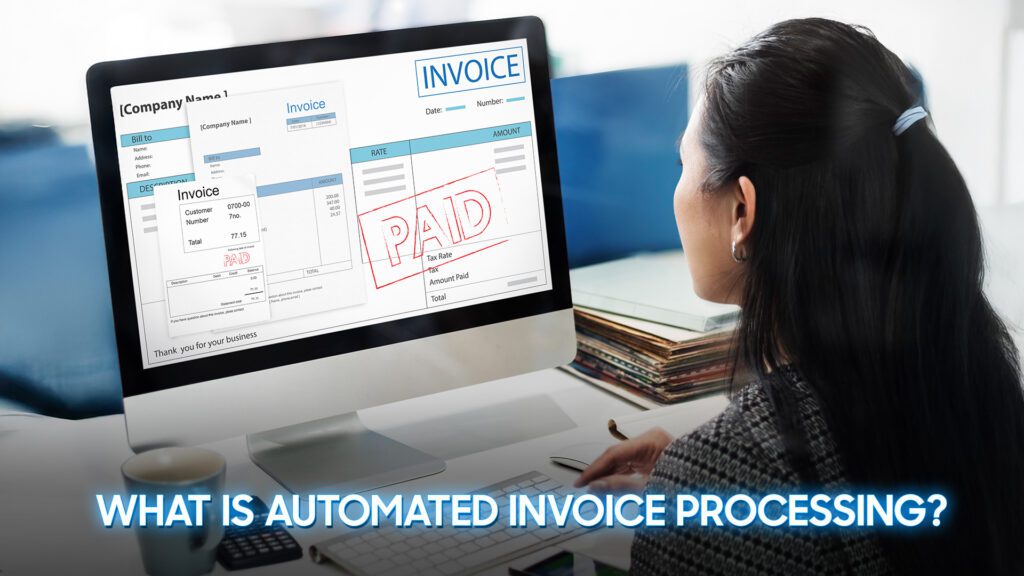
Automated invoice processing involves using technology such as Optical Character Recognition (OCR), Artificial Intelligence (AI), and workflow automation to handle invoices digitally, from receipt to payment.
Instead of manually entering data, the system automatically:
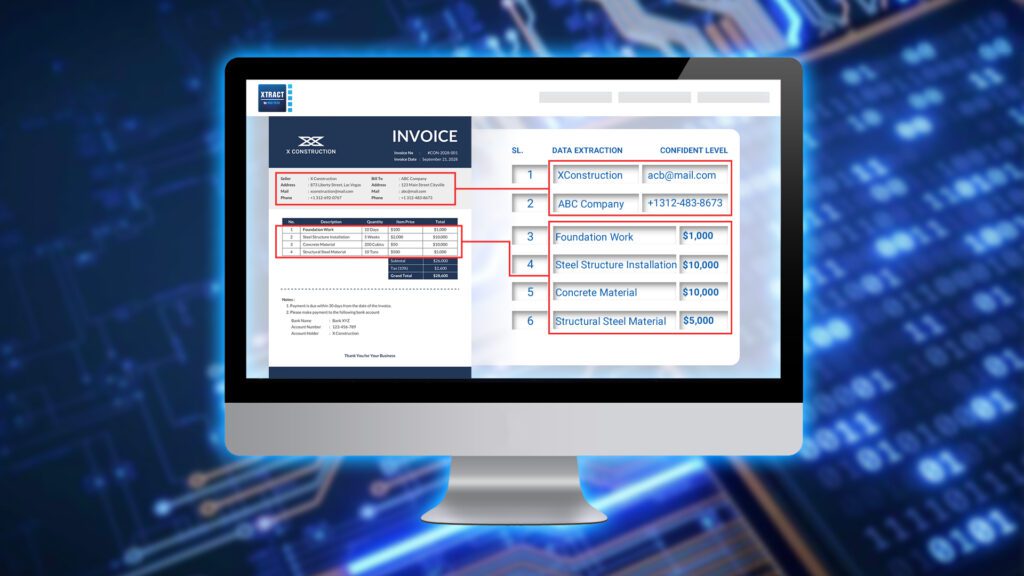
- Captures invoice information (like vendor name, amount, and due date) from PDFs, emails, or scanned documents.
- Validates it against purchase orders or contracts.
- Routes invoices to the right people for approval.
- Integrates with accounting or ERP systems for payment and reporting.
This approach dramatically reduces the need for manual effort and ensures invoices are processed accurately, quickly, and consistently.
5 Signs Your Business Needs Automated Invoice Processing
- Time-consuming for Manual Entry
If your finance team spends hours each week typing invoice data into spreadsheets or accounting software, that’s a clear sign your process isn’t keeping up with your business.
Manual data entry is not only slow, but it’s also error-prone. Even a small typo in an invoice amount or vendor code can lead to duplicate payments, incorrect records, or wasted time fixing mistakes.
Automation changes that completely. With OCR and AI, invoices are automatically scanned, read, and entered into your system within seconds. No more typing, no more copy-paste errors.
The result is faster processing, greater accuracy, and more time for your team to focus on higher-value tasks like cash flow analysis, supplier negotiations, and financial planning.
- Frequent Late or Missing Payments
Does your team struggle to track invoice deadlines? Or worse, do suppliers sometimes have to remind you about unpaid bills? Late or missing payments are often the result of manual workflows where invoices get buried in inboxes or misplaced in paper piles.
Delayed payments not only hurt your reputation with suppliers but can also cause you to lose early payment discounts or face late fees.
With automation, every invoice is digitally logged and tracked from the moment it arrives. The system automatically routes it for approval and sends reminders before due dates. Finance managers can easily see what’s pending, approved, or overdue, all from a centralized dashboard.
This level of visibility and control ensures payments are made on time, strengthening supplier relationships and improving your company’s cash flow discipline.
- Limited Approval Visibility
In a manual system, tracking an invoice’s status often means sending multiple follow-up emails or walking over to someone’s desk to ask for an update. Lack of visibility causes delays, confusion, and sometimes even duplicate approvals.
Automation provides full transparency. Every invoice is logged in a centralized system with clear timestamps and approval trails. Managers can see at a glance which invoices are awaiting review, which are approved, and which are on hold.
This not only speeds up approvals but also creates accountability and reduces the risk of bottlenecks – a key advantage for finance teams managing multiple departments or remote staff.
- Audit Risks and Complexity
When documents are scattered across emails, filing cabinets, and local drives, preparing for an audit becomes a nightmare. Missing invoices, mismatched records, and inconsistent naming make it nearly impossible to provide quick answers to auditors.
Automated invoice processing makes audits dramatically easier. Every transaction is stored digitally with a complete audit trail, from the original invoice and approval steps to payment confirmation. This ensures that all financial data is accurate, searchable, and fully compliant with regulatory requirements.
With automation, audit preparation goes from days of scrambling to a few clicks of verification.
- Growth Outpaces Your Processes
As your business grows, invoice volume naturally increases, but your finance team doesn’t always scale at the same pace. What used to work when you were processing 100 invoices a month becomes unmanageable when that number grows to 1,000.
Manual systems simply don’t scale. They require more people, more time, and more oversight. Automation, on the other hand, scales effortlessly. Whether you process 50 or 5,000 invoices a month, the system handles them with the same speed and accuracy.
By adopting automated invoice processing early, you can support business growth without having to constantly expand your administrative headcount.
The Real Business Impact of Invoice Automation
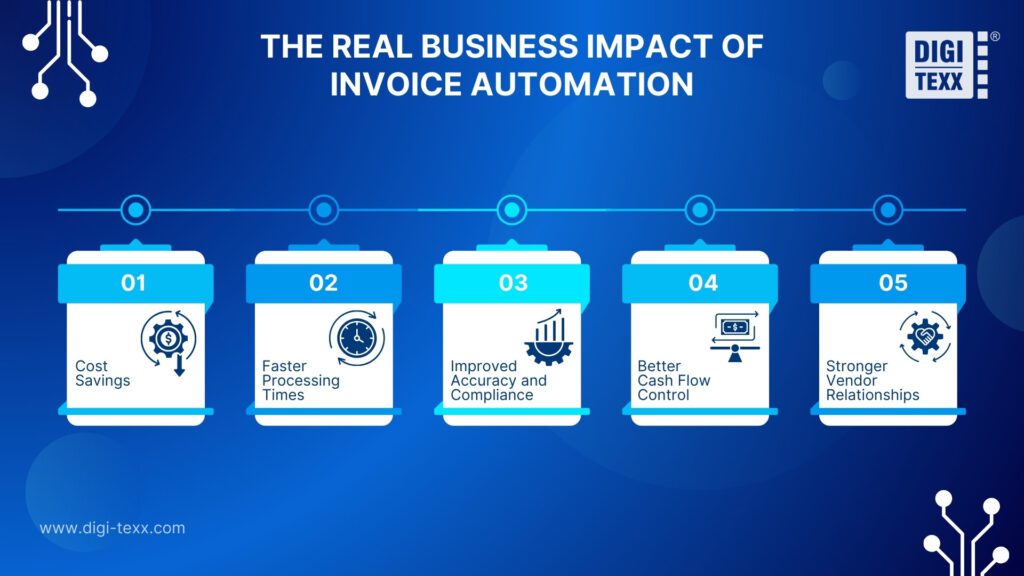
Implementing automated invoice processing doesn’t just make life easier for your finance team – it transforms how your entire organization operates. Beyond efficiency and accuracy, automation creates measurable business impact in several key areas:
- Cost Savings: According to PayStream Advisors, companies using automation reduce their invoice processing costs by up to 80%. When you remove manual data entry, paper handling, and follow-up tasks, the savings quickly add up. Those resources can be redirected toward strategic initiatives instead of administrative overhead.
- Faster Processing Times: Manual processing can take days or even weeks, depending on how many people are involved in the approval chain. Automation shortens that cycle dramatically in many cases, from 10 days to fewer than 3. Faster approvals mean vendors are paid on time and finance teams can close books more quickly.
- Improved Accuracy and Compliance: With automated validation rules, errors like duplicate invoices or incorrect amounts are flagged instantly. Every transaction is logged with a complete audit trail, helping businesses stay compliant with tax regulations and internal policies.
- Better Cash Flow Control: Automation gives finance leaders real-time visibility into payables. They can easily monitor outstanding invoices, forecast cash requirements, and identify opportunities to take advantage of early-payment discounts. In short, it puts your cash flow back under control.
- Stronger Vendor Relationships: When invoices are processed and paid on time, suppliers trust you more. A reputation for reliability not only strengthens relationships but can also lead to better terms and discounts in the future.
How to Get Started with Automated Invoice Processing
Transitioning from a manual process to an automated one can seem daunting, but it doesn’t have to be. With the right approach and tools, your business can make the shift smoothly and start seeing results almost immediately. Here’s how to get started:
- Map Your Current Workflow
Before implementing any technology, take time to understand how invoices currently move through your organization.
Who receives them? How are they approved? Where are delays happening? Mapping your existing process helps identify inefficiencies and sets the foundation for designing an automated workflow that fits your business.
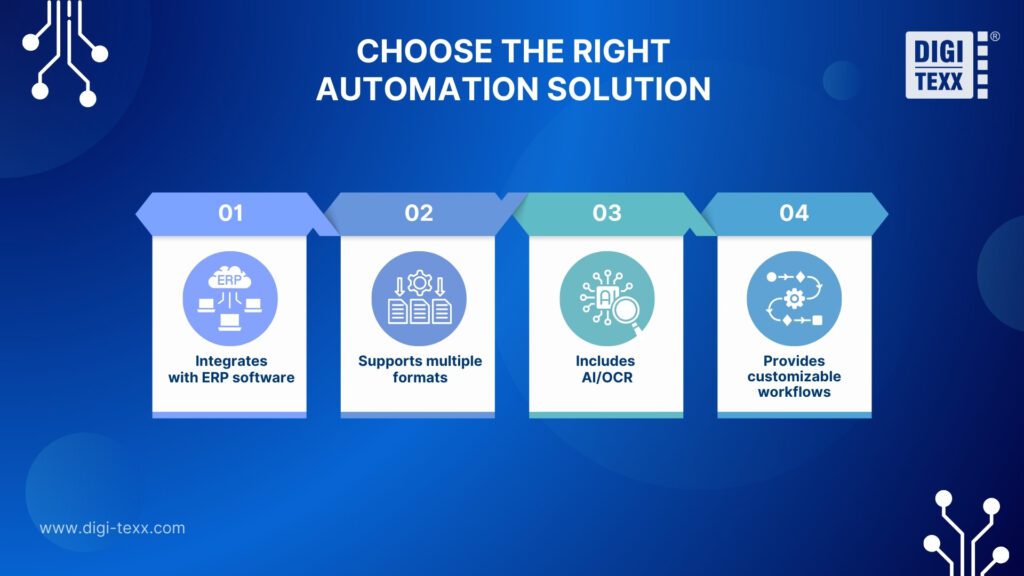
- Choose the Right Automation Solution
Not all automation platforms are the same. Look for a system that:
- Integrates easily with your existing accounting or ERP software.
- Supports multiple invoice formats (PDF, email, scanned copy).
- Includes AI/OCR capabilities for accurate data capture.
- Provides customizable approval workflows and reporting dashboards.
Consider starting with a pilot program to test how the system performs with a smaller invoice volume before expanding company-wide.
- Involve Key Stakeholders Early
Automation affects multiple departments, not just finance. Involve procurement, operations, and IT teams early in the planning stage. Their input will help tailor the system to real-world needs and encourage adoption once it goes live.
- Training and Communication
Even the best software won’t deliver results if people don’t know how to use it. Provide hands-on training and communicate the benefits clearly to achieve faster processing, fewer errors, and less repetitive work. When employees understand how automation makes their jobs easier, they’re far more likely to embrace it.
- Measure and Optimize
After implementation, track performance metrics such as:
- Average processing time per invoice
- Error or exception rate
- On-time payment percentage
Use these insights to fine-tune workflows and identify further opportunities for improvement. Automation is not a one-time project, it’s a continuous path toward operational excellence.
Efficiency Starts with Automating Your Invoices
For many organizations, the accounts payable function remains one of the last manual frontiers in an otherwise digital enterprise. Invoices still move through fragmented email chains and paper-based approvals, slowing decision-making and obscuring financial visibility.
Automated invoice processing changes that dynamic. It transforms invoice management from a routine administrative activity into a strategic enabler of control, transparency, and speed.
When supported by intelligent technologies like AI, OCR, and workflow automation, finance teams gain the capacity to manage rising transaction volumes without compromising accuracy or governance.
The outcome extends beyond operational efficiency. Automation creates a foundation for real-time financial insights, stronger supplier relationships, and more agile working capital management. In an environment where data precision and responsiveness define competitiveness, these capabilities are essential.
Organizations that invest early in automation position themselves for sustained resilience and scalability. The path to a more intelligent enterprise begins with optimizing the fundamentals, and few foundations are more critical than how you manage your invoices.
⇒ You may also like: