Invoice validation checks whether a supplier invoice is complete, accurate, supported by purchasing or delivery records, and ready for approval. DIGI-TEXX supports invoice processing through OCR, machine learning and human review. This guide explains a seven-step invoice validation process, including duplicate checks, matching, exception handling and payment-detail verification. [1]
>>> See more:
- Secure Data Annotation Services: Top Companies & How to Choose
- Why Businesses Outsource Data Management in 2026?
- Steps Of Data Analysis: 6 Key Stages Explained With Real Examples
Invoice Validation meaning?
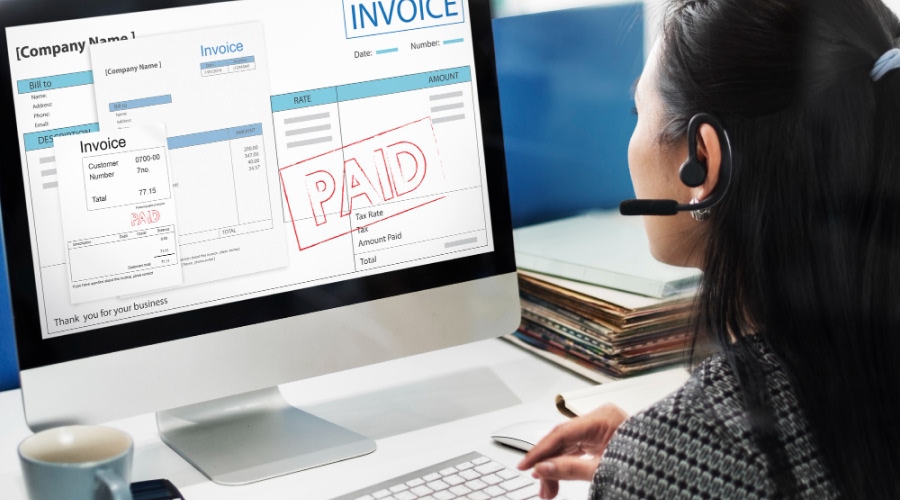
Invoice validation is the process of verifying that an invoice is legitimate and accurately reflects the goods or services received by a business before payment is approved. It involves checking key details such as supplier information, billing address, pricing, quantities, and tax calculations, as well as matching the invoice with related documents like purchase orders and goods receipts.
Validation can be manual, automated or a combination of both. It normally follows invoice receipt and data capture and can recur when information changes. A passed check is evidence that a defined rule was satisfied; it does not guarantee that a transaction is genuine or legally compliant in every jurisdiction.
Separate three decisions in your workflow: capture reads the invoice; validation checks the data and supporting evidence; approval authorizes the expense or payment under your company’s controls. Keeping these decisions distinct makes it easier to identify who must resolve a problem.
>>> See more:
- Intelligent Document Processing Services: Benefits, Use Cases & How It Works
- 5 Advantages Of Data Annotation Outsourcing Services for AI Projects
- Purchase Orders Processing: Steps, Types, Best Practices
Benefits Of Invoice Validation
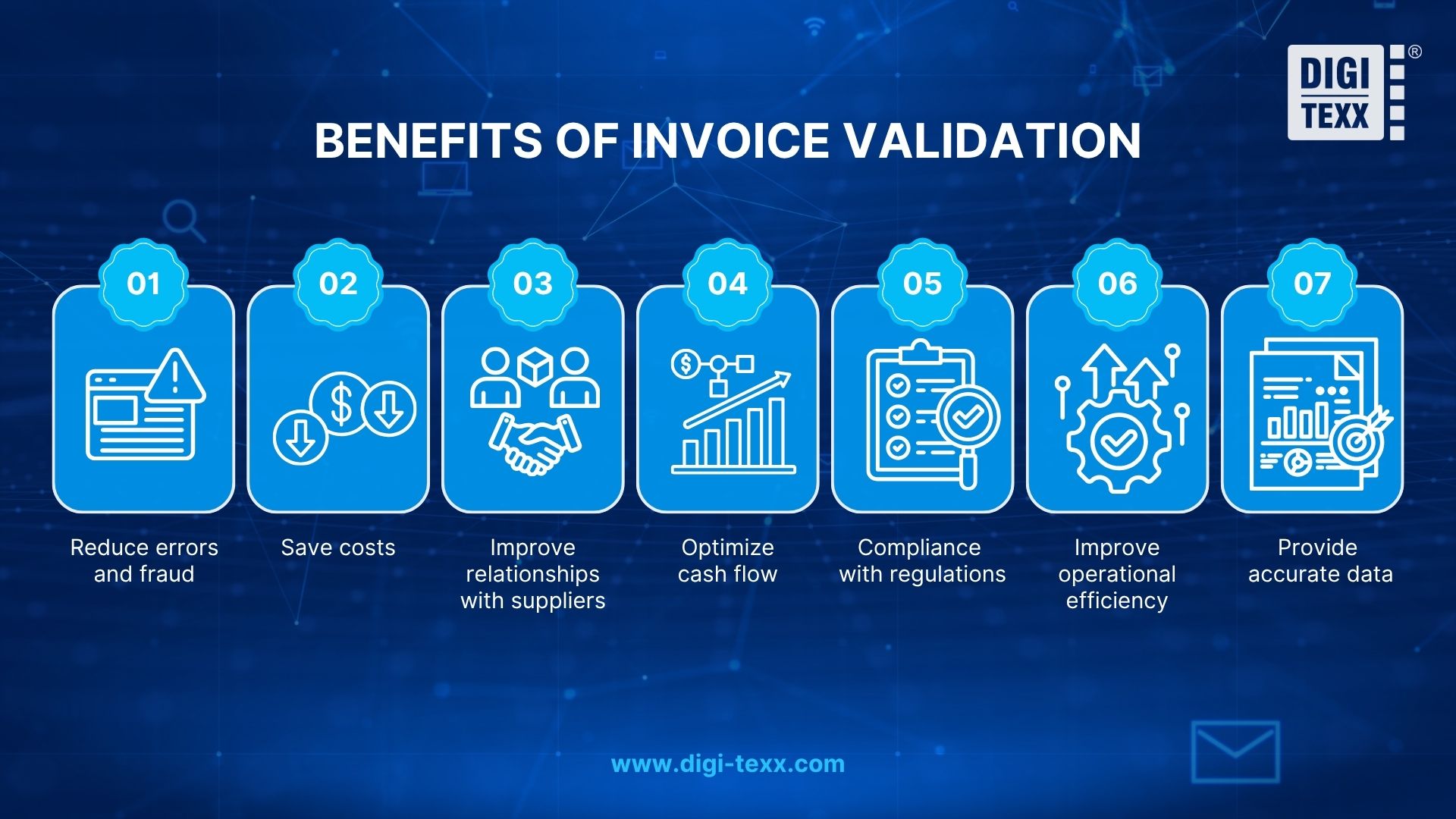
The benefits depend on the checks you configure, the quality of reference data and how quickly people resolve exceptions. Use the following outcomes as measurement goals rather than guaranteed savings.
- Reduce errors and fraud exposure: Check copied invoice numbers, unexpected amounts and supplier changes before approval. A flag prompts investigation; it is not proof of fraud.
- Control avoidable costs: Find overbilling and repeated submissions early. Track confirmed corrections and duplicate payments prevented instead of treating every flagged invoice as a saving.
- Improve supplier relationships: Give suppliers specific rejection reasons and a clear correction route. Prompt communication helps prevent a missing field from becoming a long payment dispute.
- Improve cash-flow visibility: Separate received, disputed, approved and scheduled invoices so finance can see which amounts are ready for payment.
- Support compliance and audit preparation: Retain the source invoice, applicable checks and approval evidence. Finance or tax owners must define jurisdiction-specific requirements.
- Reduce repetitive work: Automate reliable field checks and route uncertain cases to reviewers. Measure the whole cycle, including the exception queue.
- Improve financial data: Validate supplier identifiers, amounts and coding before posting, then reconcile imported records with the source batch.
For related workflows, see how to reduce manual invoice processing, compare invoice processing software, explore automated invoice processing, and learn how to clean up data.
>>> See more:
- Professional Fashion Photo Editing Services for Stunning Visuals
- Top 10 Data Cleansing Companies for Businesses in 2026
- How to Automate Documentation in 2026: Step By Step Guide
7 Key Steps In The Invoice Validation Process
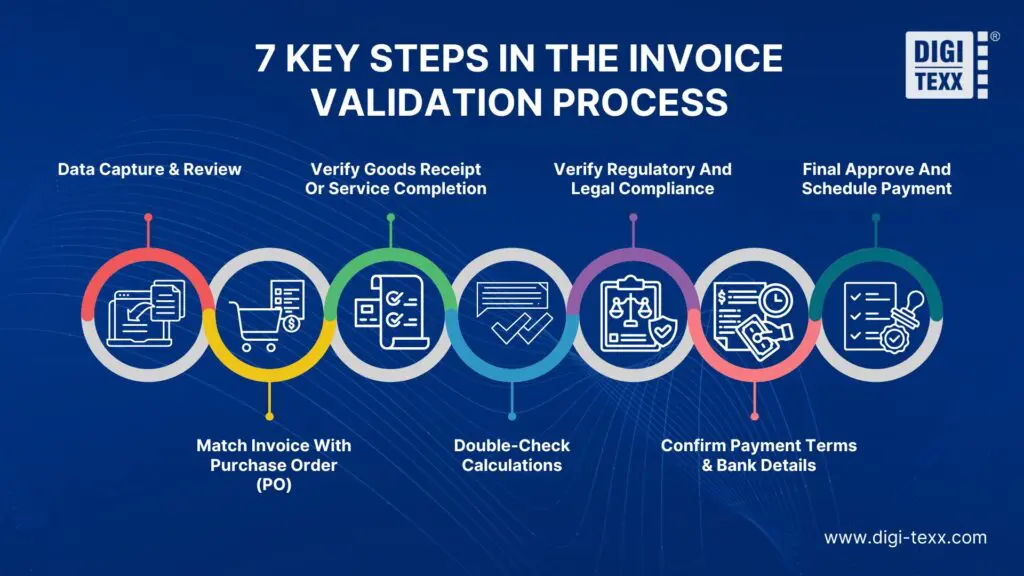
Start by agreeing required fields, matching rules, tolerances, exception owners and the approval policy. The seven steps below preserve the original workflow while making the pass, hold and escalation decisions explicit. Apply the relevant checks to each invoice type; a non-PO invoice needs a different evidence path from a goods invoice.
| Processing step | What it is | Why it’s important |
| Review invoice details | Verify key invoice information such as supplier name, address, invoice number, issue date, and service/consignee details | Prevents errors early and avoids delays or complications in later processing stages |
| Match invoice with purchase order (PO) | Compare invoice data (PO number, items, quantities, prices, totals) with the purchase order | Ensures the business only pays for what was ordered and agreed, avoiding overpayment or incorrect billing |
| Verify goods receipt or service completion | Check delivery notes, acceptance reports, or service confirmations to ensure goods/services were received | Confirms that billed items/services were actually delivered or completed before payment |
| Double-check calculations | Recalculate totals, taxes, discounts, and additional charges on the invoice | Prevents financial discrepancies caused by calculation errors, especially at scale |
| Check for compliance requirements | Ensure the invoice meets legal, tax, and regulatory requirements (e.g., tax ID, required format) | Avoids legal risks, audit issues, and non-compliance penalties |
| Confirm payment terms & bank details | Validate payment terms, discount conditions, and bank/payment information | Helps manage cash flow effectively and prevents payment errors or delays |
| Final approval and schedule payment | Route the invoice for authorization and schedule payment according to agreed terms | Ensures proper control, timely payments, and smooth coordination between departments |
1. Review Invoice Details
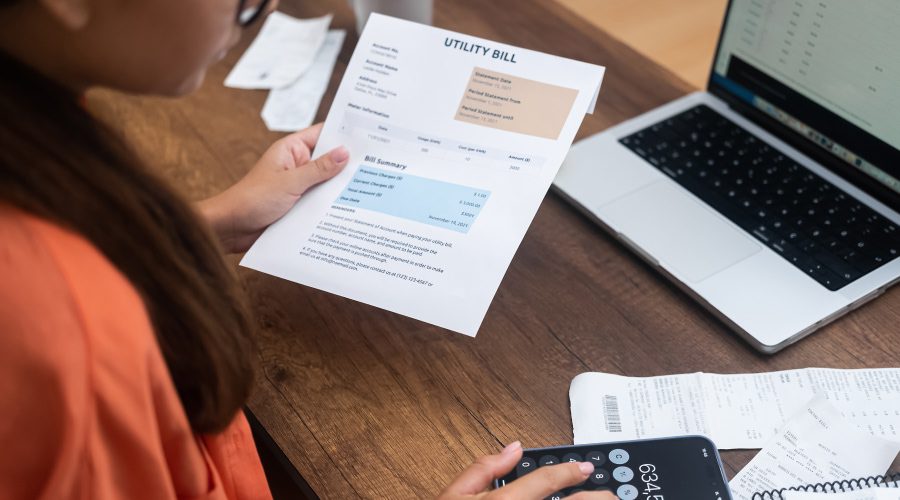
The first step in the process is to review the basic information on the invoice, which includes verifying important information such as the supplier name, address, invoice number, issue date, and consignee or service information. Any omissions or discrepancies at this step can lead to delays in processing or even more complex issues later on.
At intake, assign a unique record ID and retain the original attachment. Compare the supplier to the approved vendor record, identify the buying legal entity, and confirm that the invoice belongs in this workflow rather than being a statement, credit note or pro forma document.
- Route missing pages, unreadable fields and uncertain OCR values for review. A high extraction confidence score does not establish business validity.
- Capture invoice number, invoice date, currency, amount, supplier ID and the relevant PO or contract reference.
- Check for duplicates using supplier identity and invoice number, then examine similar amounts, dates and number variants. Preserve the original number even if a normalized version supports searching.
2. Match Invoice with Purchase Order (PO)
The most important step in the invoice validation process is matching the invoice with the purchase order (PO), which is the act of comparing information such as PO number, items or services requested, quantities, unit prices, and total amounts on the invoice with the details stated on the PO.
A mismatch identifies a question to resolve, such as an unapproved price increase or a different unit of measure. It does not automatically establish an error: an authorized change order may explain it. Check the current approved purchasing record before deciding whether to hold the invoice.
Two-way matching compares the invoice with the PO; three-way matching also checks receipt evidence. Microsoft’s Dynamics 365 documentation describes price comparisons against configured tolerances and receipt-quantity checks. Exact settings and override permissions depend on the system and organization. [2]
- Match at line level where needed; a matching grand total can hide offsetting errors.
- Check currency, unit of measure, freight and discounts against the agreed terms.
- Record the mismatch reason and send it to the purchasing owner; do not change the PO simply to make a check pass.
3. Verify Goods Receipt Or Service Completion
After matching the invoice with the PO, the next step in the invoice validation process is to verify the receipt of goods or completion of services. This usually involves checking documents such as delivery notes, acceptance reports or other confirmations of services provided. The purpose of this step is to ensure that the items listed on the invoice have actually been received or the services have been completed as agreed.
Use the evidence appropriate to the purchase: a warehouse receipt for goods, an accepted milestone for a project, or confirmation from the service owner. For partial deliveries, identify the portion received and any quantities already invoiced. Follow the agreed policy for advances and milestone billing instead of assuming delivery must precede every legitimate invoice.
>>> See more:
- Data Validation vs Verification: Key Differences, Examples & Benefits
- Professional E-commerce Data Entry Services by DIGI-TEXX
- Best Data Conversion Services in 2026 | DIGI-TEXX
4. Double-Check Calculations
Double-checking is the process of verifying the accuracy of the data on an invoice, including the total amount, taxes, discounts, and any additional charges. It may seem simple, but small calculation errors can lead to large discrepancies, especially when dealing with a large number of invoices. A thorough check of additions, subtractions, multiplications, and divisions ensures that the final amount due is taken into account.
Recalculate line extensions and compare the sum of lines, adjustments and tax with the invoice total. Define how rounding, tax-inclusive prices and credit notes are handled. Review mismatches against the actual agreement: an arithmetically correct invoice can still contain an unauthorized charge.
- Example: 40 units at USD 25 equal USD 1,000 before applicable tax or adjustments. A USD 1,050 subtotal requires an explanation, such as an agreed USD 50 freight charge.
- Record the original value, correction and reviewer rather than silently overwriting the captured amount.
5. Check for Compliance Requirements
Maintain a rule set for the buyer’s legal entity, supplier location and transaction type. Requirements vary by country and tax regime, so a generic checklist cannot establish universal legal validity. Assign a finance or tax owner to approve rule changes and resolve uncertain treatment.
For example, UK government guidance lists invoice identifiers, supplier and customer details, descriptions, relevant dates and amounts, with additional information for VAT invoices. This is a UK example, not a worldwide invoice standard. [3]
- Identify applicable tax fields, rates and supporting evidence with the responsible tax team.
- Where structured e-invoicing is required, distinguish file/schema checks and transmission status from commercial approval.
- Keep unresolved tax exceptions on hold until the responsible owner documents the decision.

6. Confirm Payment Terms & Bank Details
In the invoice validation process, payment validation is equally important, a step in the process that requires a person or tool to check the agreed payment terms, early payment discount conditions and payment method clearly stated in the invoice. After completing this step, it will ensure that the invoice reflects the agreed terms, helping the business manage cash flow effectively and avoid penalties for late payment.
Confirm the due date calculation and discount window against the agreement. Treat a new bank account or changed payment instruction as a separate verification task, even if the invoice otherwise matches.
The FBI recommends verifying changes to account numbers or payment procedures with the requester and independently obtaining contact details. Use a known, trusted contact route instead of the phone number supplied in a suspicious change request. [4]
- Restrict vendor-master changes to authorized staff and retain verification evidence.
- Use separate authorization for sensitive payment-detail changes and payment release.
- Escalate urgent requests that attempt to bypass the normal approval process.
7. Final Approve And Schedule Payment
After all checks have been completed and the invoice is determined to be valid, the final step in the invoice validation process is to approve and schedule payment. The last step describes that the invoice will be sent to the authorized person for approval. Once approved, payment will be scheduled according to the specified terms. Approving and scheduling payment requires close coordination between related departments, ensuring that all invoices are paid on time and according to the process.
Before routing the invoice, close blocking exceptions or record an authorized override with its reason. Keep the validation result, approval status and payment status separate. A validated invoice may still require a budget owner’s approval; an approved invoice has not necessarily been paid.
- Send the approver the invoice, supporting records and unresolved nonblocking notes.
- Retain who reviewed or approved the record, when the action occurred and which rule version applied.
- After export or posting, reconcile accepted, rejected and held records. Prevent retries from creating duplicate invoices in the accounting system.
>>> See more:
- Ecommerce Photo Retouching Services For High Quality Product Images
- AI-Powered Data Annotation Technologies Efficiency Accuracy Guide For AI Projects
Invoice Validation Example: A Partial Delivery
The following is an illustrative control example, not a client case study or a tax calculation. Assume a PO for 100 units at USD 20 each, a receipt for 80 units, and an invoice for 100 units at the agreed price. No freight, tax or other adjustment is included.
| Evidence | Quantity / price | Result |
| Purchase order | 100 units × USD 20 | USD 2,000 ordered |
| Goods receipt | 80 units received | USD 1,600 at PO unit price |
| Supplier invoice | 100 units × USD 20 | USD 2,000 billed |
| Validation decision | 20 units lack receipt support | Hold discrepancy; investigate before approval |
The price check passes, but receipt evidence supports only 80 units. The recommended next action is to hold the quantity exception and ask the receiving owner whether the remaining goods arrived or the receipt is incomplete. If the invoice needs correction, obtain the appropriate corrected document or credit under company policy. Do not silently reduce the invoice or release payment merely because its arithmetic is correct.
Common Invoice Validation Errors and How to Avoid Them
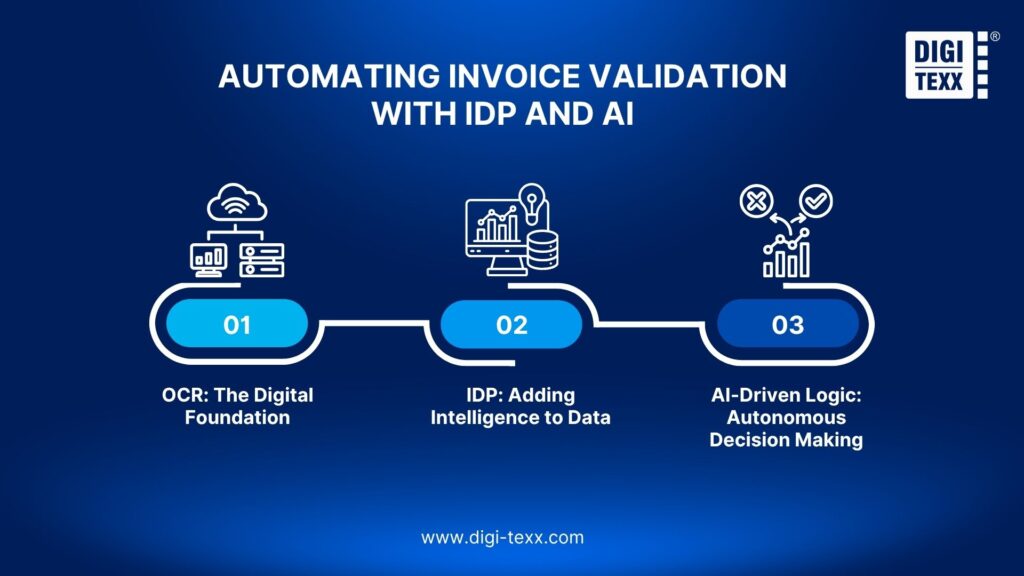
An exception queue is useful only when every issue has an owner and a next action. Preserve the five common problems from the original article and use the handling rules below to make resolution consistent.
| Original issue | Suggested control / next action | Owner |
| Duplicate invoices | Compare supplier + number and supporting dates/amounts; review credit notes and recurring periods before rejecting. | AP |
| Data discrepancies | Check PO, invoice and receipt evidence; document approved changes and request corrections. | Purchasing / receiving |
| Missing information | Request specific missing fields or pages; keep the original submission linked. | Intake / supplier contact |
| Regulatory or format issues | Apply the relevant approved local rule set; escalate unclear tax treatment. | Finance / tax |
| Slow payment process | Track queue age and overdue owners; resolve handoff failures instead of skipping checks. | AP workflow owner |
For recurring non-PO invoices, define an alternative evidence path: approved contract, covered billing period, business owner, expense coding and acceptance evidence. Compare the current billing period with earlier invoices so a repeated monthly amount is not automatically mistaken for a duplicate.
=> To streamline operations, you might want to explore these top-rated data entry outsourcing companies.
Automating Invoice Validation with IDP and AI
To address the challenges of manual invoice validation processes and improve efficiency, the current trend is moving towards automated invoice validation solutions using advanced technology.
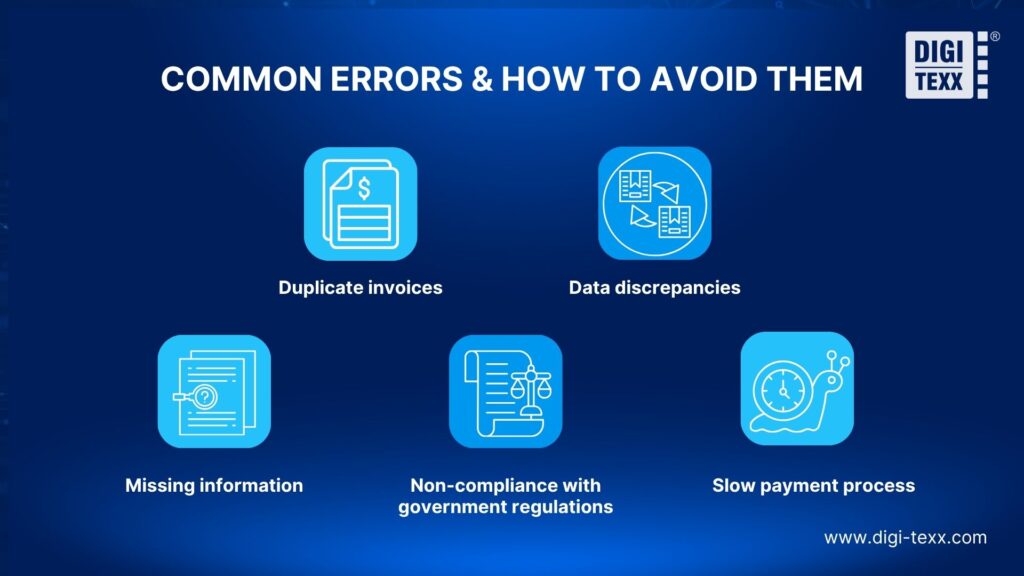
Automate the checks that can be defined and tested, while retaining human review for unclear data and decisions requiring business judgment. The practical design has three layers: extraction, validation rules and exception resolution.
OCR and IDP: Capture the Invoice Data
Optical Character Recognition converts visible text into machine-readable data. Intelligent Document Processing can combine document classification and field extraction with downstream workflow steps. Capture the original invoice alongside its structured values so reviewers can inspect the source when a supplier name, date or line item is uncertain.
Business Rules: Test the Data Against Evidence
Use approved rules for required fields, duplicate candidates, arithmetic and matching. AI can help interpret varied layouts or suggest relationships, but the organization still needs explicit policies for tolerances, permissions and exceptions. Do not treat a model’s prediction as proof of tax compliance or let past approvals silently redefine the approval policy.
Human Review: Resolve Exceptions and Confirm Delivery
Give reviewers the extracted field, original page, failed rule and supporting records in one queue. Require a reason for corrections or overrides. When sending results to an ERP or accounting platform, confirm field mappings, accepted statuses, access permissions and how rejected imports return to the queue.
- Pilot representative invoices: multiple suppliers, credit notes, poor scans, partial deliveries and non-PO transactions.
- Measure field-level correctness separately from the percentage of invoices that pass business checks.
- Track first-pass validation rate, exception rate, median resolution time and post-validation corrections, with explicit denominators.
- Review high-risk fields such as supplier ID, currency, amount and payment details even when overall extraction quality appears strong.
=> Explore more: Data Extraction Automation: Everything You Need to Know
Invoice Validation Checklist Before Approval
Use this operational checklist alongside your organization’s approval policy. A missing answer should produce a named follow-up task, not an automatic pass.
- Supplier and buyer: Correct legal entities identified and matched to approved records.
- Completeness: All required pages, fields, references and currency captured.
- Duplicates: Duplicate candidates checked against pending and posted records.
- Commercial support: PO or approved non-PO evidence linked to the invoice.
- Receipt or acceptance: Required delivery or service evidence recorded.
- Calculations: Line totals, adjustments, tax treatment and total reviewed under applicable rules.
- Payment controls: Terms confirmed and changed bank details independently verified.
- Exceptions: Blocking issues resolved or formally authorized under the applicable policy.
- Approval and audit trail: Correct approver, decision history and supporting evidence retained.
- System handoff: Accepted, rejected and held records reconciled after import.
How DIGI-TEXX Supports Invoice Validation
DIGI-TEXX describes invoice processing that combines OCR and machine learning with in-house operators, including work integrated into a client’s existing system. Its document processing service also describes automated validation with human review. Confirm the invoice fields, matching checks and exception responsibilities in the proposed scope. [1]
- Capture scope: Agree header fields, line items, formats, languages and source-document access.
- Validation scope: Specify reference data, rule ownership, tolerances and which issues require the client’s decision.
- Delivery scope: Define the output format or system workflow, access model, turnaround and reconciliation report.
- Quality acceptance: Test a representative sample and agree the error definition, review method and rework process before scaling.
DIGI-TEXX’s About page lists ISO 27001:2022 and ISO 9001:2015. Check current certificates, validity and scope for the proposed engagement; these references do not certify each invoice or replace the client’s accounting controls. [5] QTSC’s directory separately lists DIGI-TEXX’s invoice and document processing activities, providing an external business reference rather than an independent accuracy benchmark. [6]
For capacity planning, request a project-specific throughput and staffing proposal for normal and peak volumes. Ask for a relevant invoice case study with a defined measurement method before relying on performance figures; no invoice-specific accuracy or savings benchmark is asserted here.
FAQs About Invoice Validation
1. How Do You Validate An Invoice?
Review the invoice details, check for duplicates, match purchasing and receipt evidence where applicable, verify calculations and relevant tax fields, confirm payment instructions, and resolve exceptions before approval. Keep the supporting records and the reviewer’s decision so another person can follow the checks.
2. How Do You Check the Validity of an Invoice?
Check both the invoice data and its supporting transaction records. Three-way matching specifically compares invoice, PO and receipt evidence; a contract comparison alone is not a three-way match. Also review supplier identity, duplication, calculations and applicable invoice requirements.
3. What Is Billing Validation?
Billing validation reviews whether charges agree with the relevant agreement, usage, delivery or service evidence. It can cover recurring charges, consumption or milestones. In accounts payable, invoice validation focuses on the supplier invoice and the checks required before approval; reimbursement eligibility depends on the particular arrangement.
4. What Is Required for an Invoice to Be Valid?
Requirements depend on the jurisdiction and transaction. Operational checks commonly need an invoice identifier, supplier and buyer details, dates, a description, currency and financial amounts. Applicable tax requirements may add further fields. Payment instructions should also be checked against approved records; they are not a universal legal-validity test. [3]
5. Can You Validate an Invoice Without a Purchase Order?
Yes, if company policy permits non-PO spending. Use an approved contract or other authorization, confirm the billing period and service evidence, and route the invoice to the responsible budget owner. Record why no PO is required instead of inventing a PO reference to pass a system check.
6. What Happens When Invoice Validation Fails?
Place the invoice or affected item on hold, record the failed rule, assign an owner and request the missing evidence or correction. Run the relevant checks again after resolution. A failed check does not automatically mean fraud, and an urgent due date should not silently remove the hold.
7. Is Invoice Validation the Same as Invoice Approval?
No. Validation tests the data and evidence against defined rules. Approval is an authorized business decision. A workflow may automate parts of either stage, but it should retain their separate statuses, permissions and decision history.
8. Can Invoice Validation Be Fully Automated?
Some invoices can pass configured checks without manual intervention when the data and supporting records are reliable. Others need review for unclear scans, mismatches, new payment details or missing evidence. Evaluate automation on a representative pilot and retain an exception path rather than assuming every invoice can be processed without people.
Build a More Reliable Invoice Validation Workflow
A reliable invoice validation process connects accurate capture, relevant business checks and documented exception resolution. Start with one invoice workflow, define who owns each decision, and test the results before increasing volume.
Contact DIGI-TEXX today to find out how we can help you achieve excellence.
Discuss your invoice volumes, document formats, PO and non-PO mix, existing system and review requirements with DIGI-TEXX. Ask for a scoped pilot covering extraction, validation and the handoff to your approval process.
In short, the invoice validation process is an indispensable function in financial operations, ensuring the accuracy and validity of all payments. Applying advanced technologies such as OCR, IDP, and AI invoice processing. To learn more about businesses providing specialized automated invoice validation solutions, help businesses optimize the invoice management process. Contact DIGI-TEXX today to find out how we can help you achieve excellence.
>>> See more:
- 5 Key Indicators Of A Business Process Outsourcing Provider You Should Track
- 10 Best AI Process Automation Tools Free In 2026
- AI In BPO: Benefits, Applications, Challenges & Future Trends
DIGI-TEXX Contact Information:
🌐 Website: https://digi-texx.com/
📞 Hotline: +84 28 3715 5325
✉️ Email: [email protected]
🏢 Address:
- Headquarters: Anna Building, QTSC, Trung My Tay Ward
- Office 1: German House, 33 Le Duan, Saigon Ward
- Office 2: DIGI-TEXX Building, 477-479 An Duong Vuong, Binh Phu Ward
- Office 3: Innovation Solution Center, ISC Hau Giang, 198 19 Thang 8 street, Vi Tan Ward
Reference:
[5] DIGI-TEXX — About us / international standards — https://digi-texx.com/about-us/
[8] Schema.org — BlogPosting — https://schema.org/BlogPosting
[9] Bing — Webmaster Guidelines — https://www.bing.com/webmasters/help/webmaster-guidelines-30fba23a