Data Conversion Tools are essential solutions that help businesses transform, standardize, and manage data across different systems and formats for seamless integration and analysis. In today’s digital transformation and business process outsourcing environment, the demand for reliable tools has increased as organizations rely more on automation, scalability, and data accuracy.
Choosing the right solution from a wide range of platforms is not always easy, especially with so many options designed for different needs such as ETL pipelines, real time processing, and enterprise data integration. That is why this article highlights the top data conversion tools that help businesses improve efficiency, support business process outsourcing definition workflows, and streamline operations like invoice processing solutions and data management at scale.
In this guide, DIGI-TEXX helps you explore the top data conversion tools, along with their key features, advantages, and use cases, to help you choose the right solution for your needs.
What Are Data Conversion Tools?
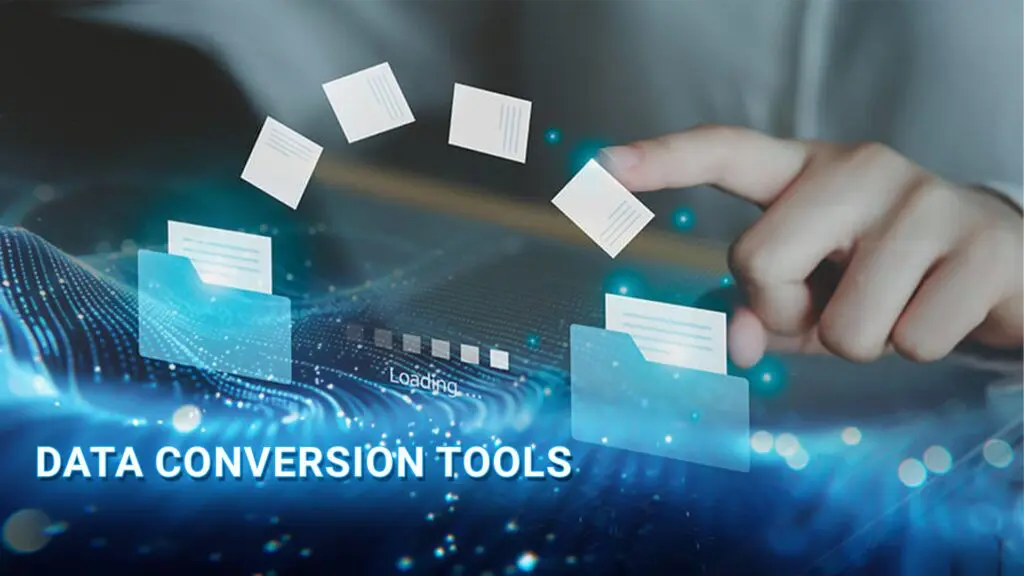
Data conversion tools are specialized solutions designed to transform data from one format, structure, or platform into another without losing accuracy or integrity. They play an essential role in helping businesses move, standardize, and manage information efficiently across different systems and applications.
These tools are commonly used in situations such as:
- Migrating data from outdated legacy systems to modern cloud-based platforms
- Combining data from multiple sources to support centralized reporting and analytics
- Maintaining consistent, accurate, and high-quality data across business operations
In addition, data conversion tools often support the full ETL process, including data extraction, transformation, and loading. This helps organizations securely transfer information, validate data accuracy, and ensure seamless integration between databases, enterprise software, and digital environments.
“By 2027, the global datasphere is projected to reach 181 zettabytes, increasing the need for businesses to adopt reliable data conversion and integration tools to manage information efficiently across systems.” – IDC, Worldwide Global DataSphere Forecast.
>>> See more:
- Back Office Services: Definition, Examples & Outsourcing Guide 2026
- Invoice Reconciliation Process: Step-By-Step Guide & Key Steps
- What Is Purchase Orders Processing? A Complete Guide To Workflow & Steps
Key Features Of Data Conversion Tools
- Multi-Format Support: Convert and process various data formats, including CSV, XML, JSON, Excel, and database files.
- Scalability: Handle both small and large volumes of data efficiently as business needs grow.
- Real-Time Processing: Enable instant data transformation for faster reporting and decision-making.
- Data Quality Assurance: Validate, clean, and standardize data to improve accuracy and consistency.
- System Integration: Connect seamlessly with cloud platforms, databases, APIs, ERP, and CRM systems.
- Data Security: Protect sensitive information through encryption, access control, and secure data transfer.
- Workflow Automation: Reduce manual tasks by automating repetitive data conversion processes.
10 Best Data Conversion Tools
| Tool | Core Features | Ease | Best For |
| Integrate.io | ETL/ELT, real time, 200+ connectors | Low code | Fast, scalable data pipelines |
| Apache Beam | Batch + streaming, custom pipelines | Code heavy | Developers building flexible systems |
| Talend | Data integration, quality, governance | Medium | Enterprise data management |
| Informatica | ETL, governance, real time, MDM | Complex | Large enterprise data systems |
| AWS Glue | ETL, governance, real time, MDM | Medium | AWS native data pipelines |
Apache Beam
Apache Beam is an open-source platform designed for both batch and real-time data processing. As one of the powerful data transformation tools, it enables developers to build flexible data pipelines that can run across multiple processing engines, including Apache Spark, Apache Flink, and Google Cloud Dataflow. Its scalability and cross-platform compatibility make it suitable for complex enterprise data workflows.
G2 Rating: 4.1/5
Features
- Unified SDK for batch and streaming data pipelines.
- Supports Java, Python, and Go.
- Compatible with Spark, Flink, and Google Cloud Dataflow.
Advantages
- Portable pipelines across different platforms.
- Efficient for both real-time and batch processing.
- Advanced support for windowing and late-arriving data.
Limitations
- Complex join and coGroup operations.
- Steeper learning curve for beginners.
- Smaller ecosystem compared to Apache Spark.
Pricing
- Free and open-source.
- Infrastructure costs depend on the selected execution environment.

Integrate.io
Integrate.io is a cloud-based ETL platform designed to simplify real-time data integration and transformation for businesses of all sizes. Recognized as one of the leading data conversion tools, it offers an intuitive drag-and-drop interface, a large connector library, and over 220 pre-built transformations that help users build complex data pipelines with minimal coding requirements.
The platform supports ETL, ELT, reverse ETL, and CDC processes, making it suitable for a wide range of modern data workflows. Integrate.io also emphasizes security and compliance through features such as SOC 2 compliance and field-level encryption.
G2 Rating: 4.3/5
Features
- Support for ETL, ELT, reverse ETL, and CDC workflows.
- 150+ connectors with automatic API generation.
- Drag-and-drop interface with low-code transformations.
Advantages
- Beginner-friendly and suitable for non-technical users.
- Scalable integrations with easy maintenance.
- Strong customer support and training resources.
Limitations
- Pricing mainly targets mid-market and enterprise businesses.
- No affordable entry-level plan for small businesses.
Pricing
- Fixed-fee pricing with unlimited usage options.
Talend
Talend is a powerful platform for data integration, transformation, and governance, helping businesses manage and improve data quality more efficiently. Known as one of the reliable data conversion tools for enterprise workflows, Talend offers data cleansing, profiling, enrichment, and migration capabilities through an intuitive drag-and-drop interface suitable for both technical and non-technical users.
G2 Rating: 4/5
Features
- Visual pipeline builder with Open Studio and Data Fabric.
- Tools for data quality, governance, lineage, and master data management.
- Connectors for databases, SaaS applications, and big data platforms.
Advantages
- Comprehensive end-to-end data management solution.
- Free open-source version available for basic ETL needs.
- Flexible deployment across cloud and on-premise environments.
Limitations
- Performance may slow with large or highly complex workloads.
- Advanced governance and data quality tools require paid plans.
- Some users report inconsistencies in the interface and documentation.
Pricing
- Talend Open Studio is free.
- Paid plans are subscription-based, typically starting from around $100/user/month.
AWS Glue
AWS Glue is a serverless data integration platform that helps businesses discover, prepare, and transform data for analytics more efficiently. Recognized among modern data conversion tools, AWS Glue supports both visual and code-based workflows, making it suitable for developers and business users alike. Its seamless integration with the AWS ecosystem and automatic scalability make it ideal for building cloud-based data pipelines.
G2 Rating: 4.3/5
Features
- Serverless ETL powered by Apache Spark.
- AWS Data Catalog, automated crawlers, and job scheduling.
- Includes Glue Studio, DataBrew, and schema registry.
Advantages
- Automatically scales without server management.
- Strong integration with AWS services.
- Centralized metadata and schema management.
Limitations
- Costs may increase with large-scale workloads.
- Limited flexibility outside the AWS environment.
- User interface is less modern than some ETL platforms.
Pricing
- Starts at $0.44 per DPU-hour for ETL jobs.
- Additional charges for crawlers, Data Catalog, and interactive sessions.
Informatica
Informatica is an enterprise-level platform designed for advanced data integration, transformation, and governance. As one of the leading data conversion tools for large organizations, it combines AI-powered automation with scalable processing capabilities to simplify complex data workflows and improve operational efficiency. Informatica also provides strong compliance and data governance features, making it suitable for businesses handling large volumes of sensitive data.
G2 Rating: 4.4/5
Features
- Cloud-native and on-premise ETL/ELT support.
- Real-time ingestion, batch processing, and master data management.
- Advanced metadata tracking, data cataloging, and data lineage tools.
Advantages
- Strong enterprise-grade governance and compliance capabilities.
- Scalable real-time and batch data processing.
- Flexible consumption-based pricing model.
Limitations
- Higher cost compared to smaller-scale solutions.
- Setup and management can be complex for beginners.
- Licensing structure may be difficult to optimize.
Pricing
- Consumption-based pricing through Informatica Processing Units (IPUs).
- Custom quote pricing for enterprise deployments.
>>> See more:
- Insurance Back Office Support Services That Streamline Operations & Drive Growth
- Document Processing Services That Automate Workflows & Improve Data Accuracy
- Outsource Order Processing: Reduce Costs & Scale Faster With BPO Experts
Best Practices For Using Data Conversion Tools
- Assess Data Requirements: Understand data formats, data volume, and transformation needs before implementation.
- Choose the Right Tool: Select data conversion tools that match your infrastructure, scalability, and budget.
- Ensure Data Quality: Apply validation and cleansing rules to maintain accurate and consistent data.
- Monitor and Optimize: Continuously track performance and optimize data workflows for better efficiency.
- Stay Updated: Keep up with new features and updates to improve performance and capabilities.
FAQs About Data Conversion Tools
What Is An Example Of Data Conversion?
A simple example of data conversion is changing a media file from one format to another, such as converting a video from MKV to MP4 so it can be played smoothly on different devices, especially mobile phones.
In a business context, data conversion often involves transforming information into a more usable structure. For instance, a company may convert data from a CSV file into an SQL database format so it can be stored, queried, and analyzed more efficiently within business applications.
What Are Some Common Conversion Tools?
Some common data conversion tools include Apache Beam, Integrate.io, Talend, AWS Glue, and Informatica.
Should You Use Data Conversion Tools Or Data Conversion Services?
The choice depends on specific requirements, available resources, and the level of control needed over data processing.
- Data conversion tools are suitable for organizations with in house technical capabilities, ongoing data workflows, and a need for full control and scalability.
- Data conversion services are more appropriate when technical resources are limited, when handling one time projects, or when outsourcing is preferred for faster execution.
DIGI TEXX Data Conversion Services provide solutions to help businesses convert and standardize data across multiple formats and systems. The service transforms unstructured or legacy data into structured, usable formats that are ready for integration into modern platforms. With a focus on efficiency, scalability, and data quality, DIGI TEXX helps organizations streamline data processes and improve data accuracy for better decision making.
DIGI-TEXX Contact Information:
🌐 Website: https://digi-texx.com/
📞 Hotline: +84 28 3715 5325
✉️ Email: [email protected]
🏢 Address:
- Headquarters: Anna Building, QTSC, Trung My Tay Ward
- Office 1: German House, 33 Le Duan, Saigon Ward
- Office 2: DIGI-TEXX Building, 477-479 An Duong Vuong, Binh Phu Ward
- Office 3: Innovation Solution Center, ISC Hau Giang, 198 19 Thang 8 street, Vi Tan Ward
Reference:
- Amazon Web Services. (n.d.). What is ETL? https://aws.amazon.com/what-is/etl/
- Google Cloud. (n.d.). What is ETL (extract, transform, load)? https://cloud.google.com/learn/what-is-etl