Data processing software refers to tools and platforms that collect, clean, transform, and analyze data to support business decision-making. As companies grow and data comes from more sources, manual processing or disconnected tools quickly become inefficient; as a result, structured data processing solutions become necessary. In this guide, DIGI-TEXX explains what data processing software is, why businesses should invest in it, and which tools are worth considering in 2026. The goal is not to identify a single “best” solution, but to help businesses understand which data processing software works best at each stage of growth or when to combine tools with data processing services.
>>> See more:
- Top Data Entry Outsourcing Companies In United States
- An Overview of Document Processing Company: What You Need to Know
- Outsourcing Data Cleansing: What You Need to Know
What Is The Data Processing Software?
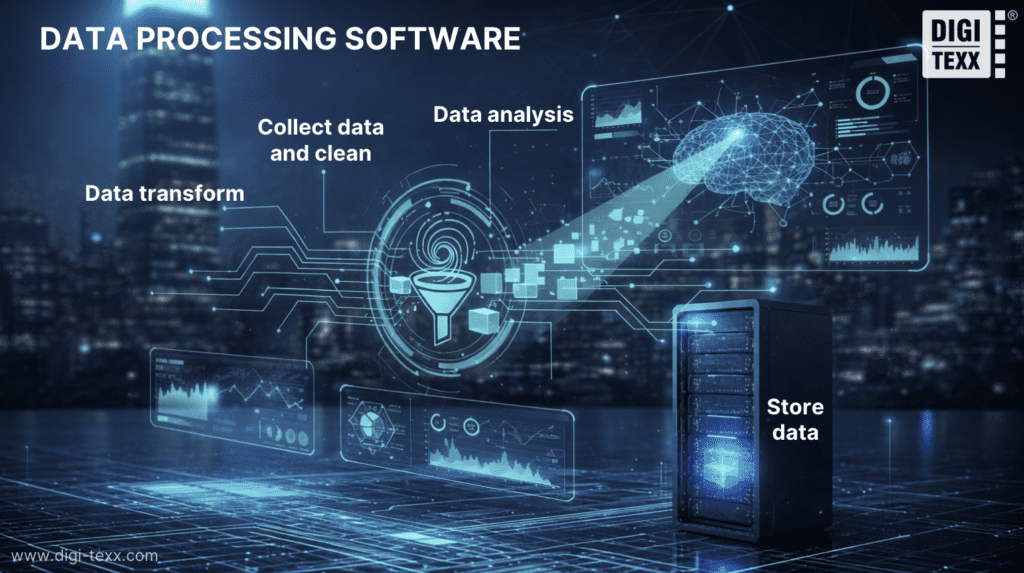
Data processing software refers to a category of tools designed to collect, clean, transform, analyze, and store data in order to generate meaningful insights for businesses.
These tools help organizations:
- Standardize data from multiple sources
- Automate repetitive data processing tasks
- Improve accuracy and speed in decision-making
Instead of relying on manual processing which is time-consuming and prone to errors, data processing software automates the entire workflow, from data ingestion to delivering insights through dashboards or strategic reports.
Why Is Data Processing So Important?
Data processing plays a critical role in helping businesses apply data effectively across operations, analytics, and strategic decision-making.
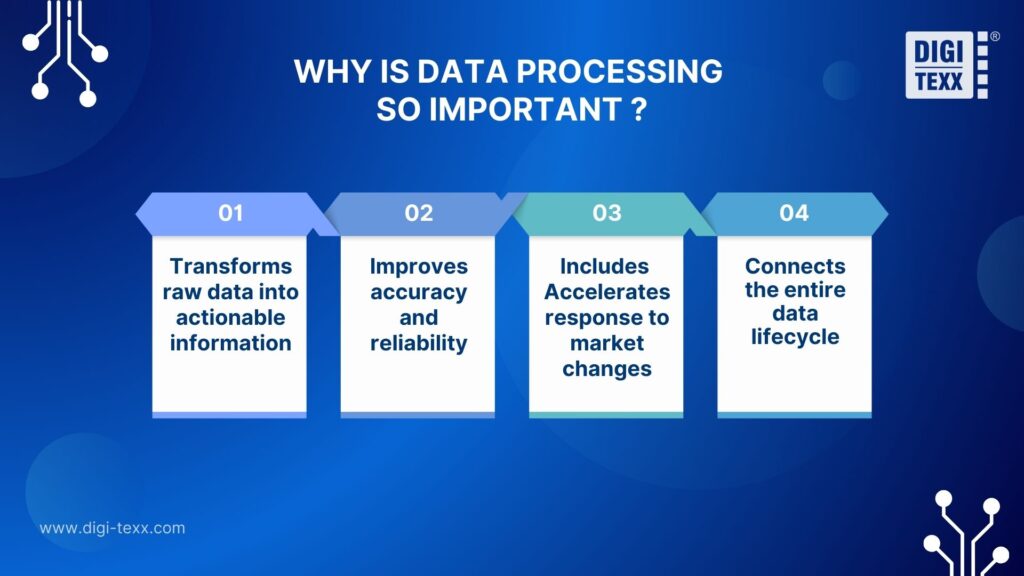
- Transforms raw data into actionable information: Data processing converts raw, unstructured data into clean, structured, and analysis-ready information that businesses can use directly for operations and decision-making.
- Improves accuracy and reliability: By cleaning and organizing data, companies reduce errors, eliminate inconsistencies, and increase the reliability of reports and analytical outputs.
- Accelerates response to market changes: Processed data can be accessed in near real time, allowing businesses to identify trends faster, evaluate performance, and adjust strategies without relying on slow, manual reports.
- Connects the entire data lifecycle: Data processing links every stage from data collection and preparation to transformation, analysis, and reporting – turning data from something that is merely stored into a strategic asset that actively supports daily operations and long-term business goals.
What Is The Best Data Software In 2026?
The technology landscape in 2026 shows a clear segmentation across different categories of data tools. Below is a neutral, practical review of 8 of the most widely used solutions.
1. Google BigQuery
Google BigQuery is a cloud-based data warehouse developed by Google, well known for its ability to run SQL queries at high speed on large-scale datasets, making it particularly well-suited for startups and SMEs with rapidly growing data volumes and small data teams.
- Key strengths:
- No infrastructure management required
- High-performance processing for large datasets
- Strong integration with the Google Cloud ecosystem
- Limitations: Costs can increase unexpectedly if queries are not properly optimized.
2. Amazon Redshift
Amazon Redshift is a cloud-based data warehouse service developed by AWS, focused on high-performance analytics and designed for organizations already operating within the AWS ecosystem. It is best suited for mid-sized to large enterprises running data workloads on AWS.
- Key strengths:
- Enterprise-grade security and compliance
- Strong scalability to handle large and growing datasets
- Optimized performance for large-scale analytical workloads
- Limitations:
- Requires cluster management and infrastructure oversight
- Demands higher technical expertise compared to fully serverless solutions like BigQuery
>>> See more:
- Best Insurance Claims Processing Outsourcing BPO in the US 2026
- Outsource Data Annotation Services to Scale Your AI Faster
- Professional E-commerce Data Entry Services by DIGI-TEXX
3. Excel
Microsoft Excel remains one of the most widely used data processing tools in the world due to its familiarity and flexibility. For many SMEs, it is often the first data processing software free option to start organizing, cleaning, and reporting on small datasets. It is best suited for SMEs and individual users who work with small datasets or need to create quick, ad-hoc reports.
- Key strengths:
- Easy to use and widely familiar across teams
- Well-suited for ad-hoc analysis and quick reporting
- Limitations:
- Not designed to handle large or complex datasets
- Difficult to control versions and prone to manual errors

4. SAS
SAS is an advanced statistical analytics software widely used in specialized industries such as finance and healthcare. It is best suited for organizations that require a very high level of accuracy and sophisticated predictive analytics.
- Key strengths:
- Powerful advanced analytics and statistical modeling capabilities
- High reliability and consistency in complex analytical scenarios
- Limitations:
- Very high licensing and implementation costs
- Steep learning curve and less intuitive interface for new users

5. Cloudera
Cloudera provides a hybrid data management platform built on Apache Hadoop, designed to support both on-premises and cloud environments. It is best suited for large enterprises managing data from multiple sources across hybrid infrastructures.
- Key strengths:
- Highly effective at processing large volumes of raw, unstructured data
- Enterprise-grade security and governance capabilities
- Limitations:
- Extremely complex to configure and maintain
- Requires highly skilled data engineering teams
- High operational and infrastructure costs

6. Python
Python is a widely used programming language in data processing, enabling data collection, cleaning, transformation, and analysis through its simple syntax and powerful library ecosystem. It is also one of the most popular data processing software free options for teams that want to build flexible, scalable workflows without licensing costs. It is best suited for data science teams that require maximum flexibility to customize algorithms and data workflows.
- Key strengths:
- Free and open source
- Large global community and extensive library ecosystem
- Highly flexible with virtually unlimited automation capabilities
- Limitations:
- Requires programming skills
- Not suitable for non-technical users

7. Tableau
Tableau is a data analytics platform with a strong focus on data visualization, designed to help businesses transform complex datasets into clear, interactive charts and dashboards for analysis and presentation.
- Key strengths:
- Intuitive drag-and-drop interface with strong visual appeal
- Connects easily to a wide range of data sources
- Limitations:
- Not a primary data processing or transformation tool
- Enterprise pricing can be relatively high

8. MySQL
MySQL is one of the most widely used open-source relational database management systems in the world. For many businesses, it’s a practical data processing software free choice for storing structured data and supporting transactional processing at scale. It is best suited for e-commerce websites and web applications that require reliable storage and processing of transactional data.
- Key strengths:
- Stable and widely proven in production environments
- Free to use under the community edition
- Strong performance for structured, transactional queries
- Limitations: Not optimized for large-scale analytical workloads

>>> See more:
- Top 12 Data Entry Outsourcing Companies In The United States
- Data Management Outsourcing: Why Businesses Are Turning to External Experts in 2025
- Medical Claims Processing Outsourcing For Healthcare Providers
What Are Data Processing Tools?
Data processing tools are software applications and platforms that help organizations manage the full lifecycle of data from gathering and organizing raw inputs to preparing, transforming, and delivering data in a structured form that can be analyzed and acted upon. Data processing tools help businesses do:
- Automate repetitive data tasks
- Ensure data accuracy and consistency
- Improve the speed and quality of insights
- Convert raw data into usable outputs
- Support different levels of scale and complexity
- Enable data-driven decision-making across teams
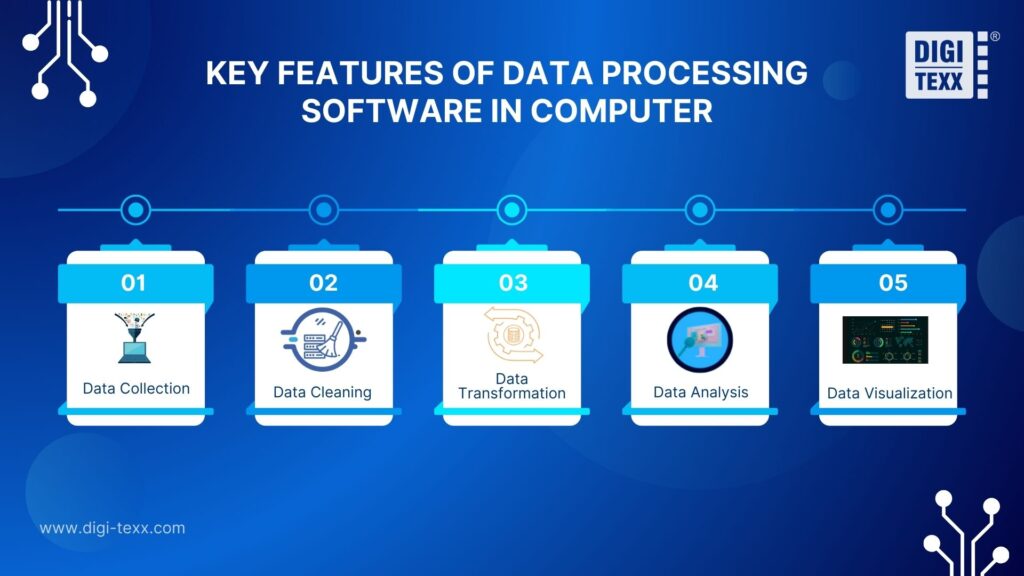
What Are The Key Features f Data Processing Software In Computer?
Data processing software features support the entire data lifecycle and help businesses improve efficiency, reliability, and the generation of actionable insights.
Data Collection
Data collection involves gathering data from a variety of sources ncluding databases, applications, spreadsheets, APIs, and external feeds, ensuring that information is captured consistently and without manual effort. This reduces data gaps and lays a solid foundation for downstream processing.
Data Cleaning
Data cleaning removes duplicate records, corrects errors such as incorrect formatting or spelling, and handles missing or null values to ensure data accuracy. This helps businesses make more accurate decisions and reduces errors in reporting and analysis.
Data Transformation
Once collected and cleaned, data must often be structured into the right format for analysis. Transformation features convert data into standardized models, apply business rules, aggregate or reshape information, and prepare it for analytical consumption or storage in a data warehouse.
Data Analysis
Data analytics features allow businesses to extract insights from processed data by querying, aggregating trends, and identifying relationships or anomalies. This enables teams to gain a clear understanding of operational performance and support data-driven decision-making.
Data Visualization
Data visualization transforms complex analytical results into easily understandable charts, dashboards, and reports. This is especially important for managers and sales departments, enabling them to quickly grasp information, track KPIs, and make timely decisions without requiring in-depth technical knowledge.
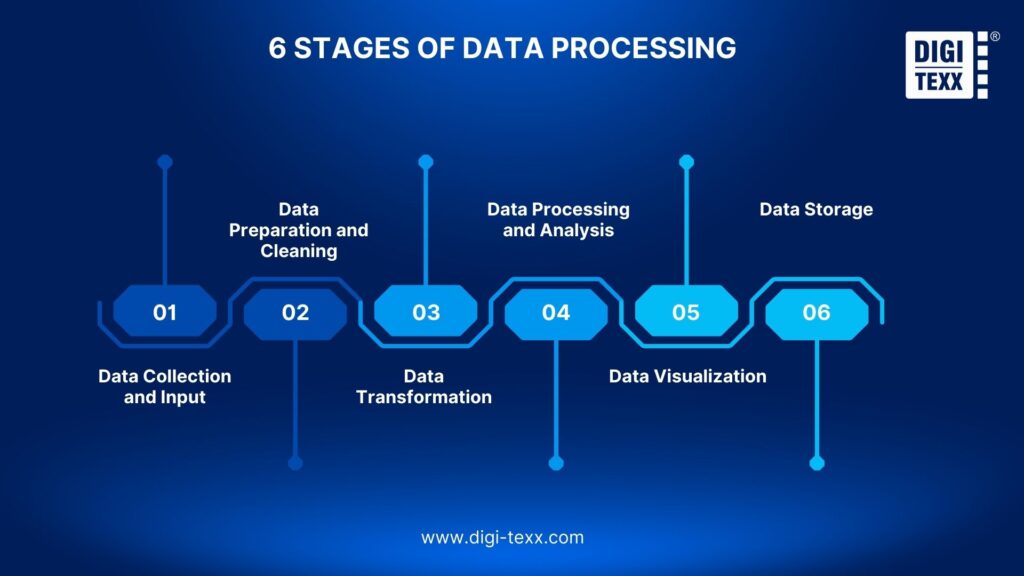
6 Stages Of Data Processing
Data processing typically follows a structured sequence of steps that transform raw data into usable information, ensuring accuracy, consistency, and business value at each stage.
Step 1 – Data Collection And Input
Data is collected from multiple sources such as databases, applications, APIs, and external systems. This step ensures data is captured consistently and ready for processing.
Step 2 – Data Preparation And Cleaning
Raw data is cleaned by removing duplicates, correcting errors, and handling missing values. This improves data accuracy and reliability for analysis.
Step 3 – Data Transformation
Cleaned data is transformed into formats suitable for analysis or reporting. This includes aggregation, normalization, and applying business rules.
Step 4 – Data Processing And Analysis
Transformed data is analyzed to identify trends, patterns, and insights. This stage supports performance measurement and data-driven decisions.
Step 5 – Data Visualization
Analytical results are presented through dashboards, charts, and reports. Visualization helps stakeholders quickly understand and act on insights.
Step 6 – Data Storage
Processed data is stored securely for future access, reporting, and analysis. Proper storage supports scalability and long-term data use.
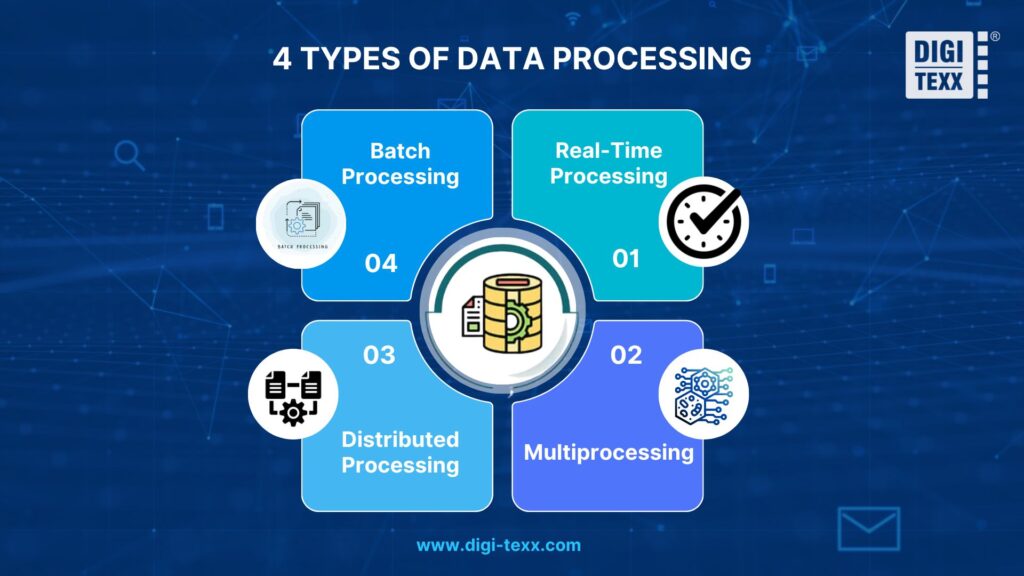
Types Of Data Processing With Examples
Data processing can be implemented in different ways depending on how data is generated, how quickly insights are needed, and how large or complex the datasets are. Below are the most common types of data processing used in modern businesses, along with practical examples.
Batch Processing
Batch processing handles data in large groups at scheduled intervals instead of processing it immediately. It is suitable for tasks that do not require real-time results, such as periodic reporting.
Example: A retail company processes all daily sales data at night to generate end-of-day reports.
Real-Time Processing
Real-time processing analyzes data as soon as it is generated, enabling instant or near-instant responses. This approach is critical when timing directly affects business outcomes.
Example: An e-commerce platform analyzes user actions instantly to show product recommendations.
Distributed Processing
Distributed processing divides data workloads across multiple machines to handle very large datasets efficiently. It improves performance and scalability in big data environments.
Example: A large enterprise uses multiple servers to process customer behavior data at scale.
Multiprocessing
Multiprocessing uses multiple processors or CPU cores within a single system to run tasks in parallel. It increases processing speed without distributing data across multiple machines.
Example: A data analytics program uses multiple CPU cores to speed up complex calculations.
>>> See more:
- Fashion Photo Retouching: Key Techniques, Benefits, and Tips
- Ecommerce Photo Retouching Services | Boost Image Quality
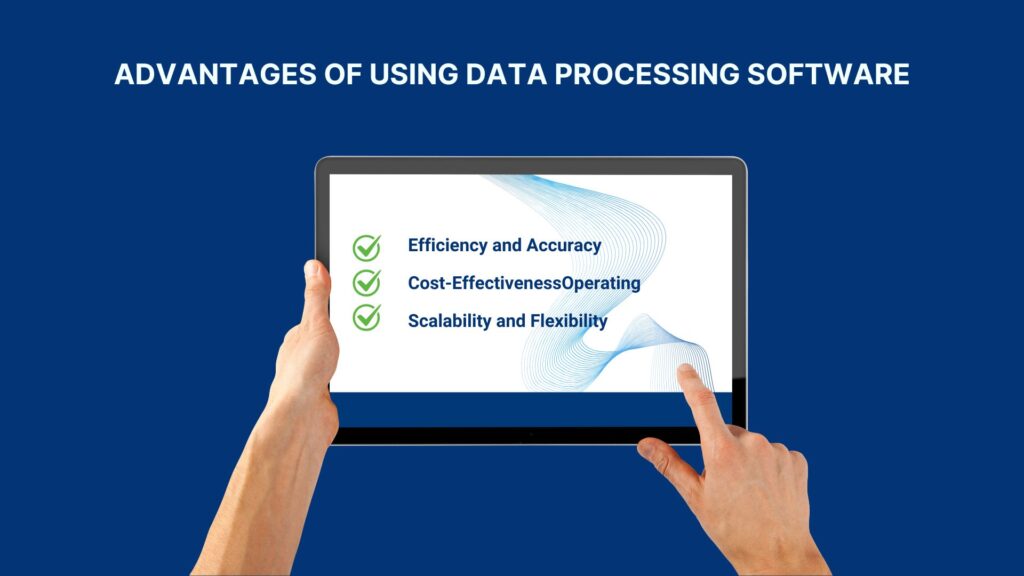
Key Advantages Of Using Data Processing Software
Data processing software offers several key advantages that directly support business performance and growth.
Efficiency And Accuracy
Data processing software automates repetitive tasks and reduces manual intervention, allowing data to be processed faster and with fewer errors. This improves the accuracy and consistency of reports and analytics used for decision-making.
Cost-Effectiveness
By automating data workflows and minimizing errors, data processing software helps businesses reduce operational costs and avoid rework. It allows teams to focus on higher-value activities instead of manual data handling.
Scalability And Flexibility
Modern data processing software can scale as data volume and business needs grow, without requiring major system changes. It also offers flexibility to integrate with new tools, data sources, and workflows over time.
Challenges Of Using Data Processing Software
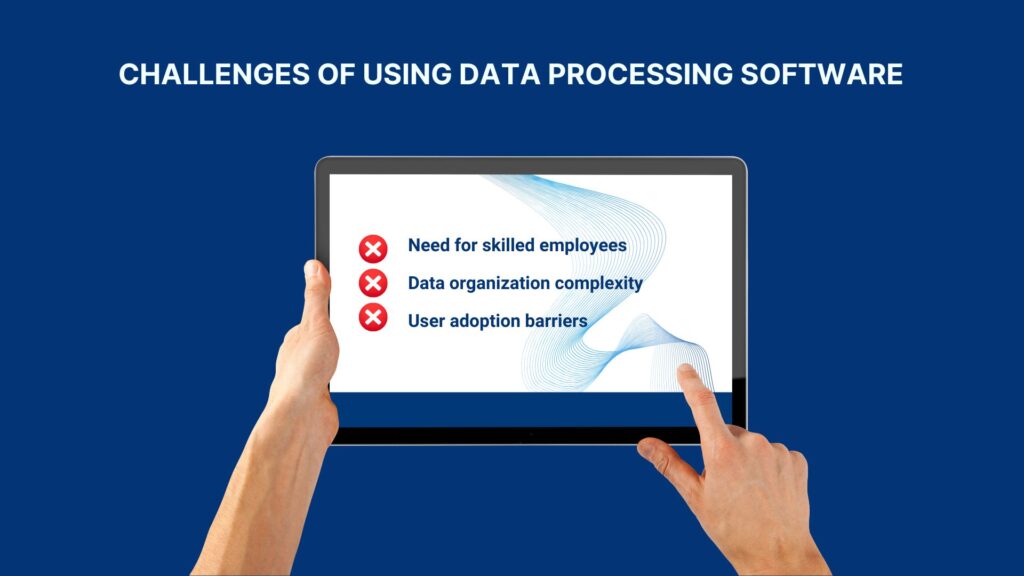
Implementing and maintaining data processing software can deliver powerful benefits, but it also comes with practical challenges that businesses should be aware of:
- Need for skilled employees: Many data processing platforms require trained personnel to configure, monitor, and optimize workflows. Organizations may struggle to find or retain data engineers, analysts, or administrators with the right technical expertise, especially as tools become more sophisticated.
- Data organization complexity: Before data can be processed effectively, it must be well structured and organized. Setting up data warehouses, designing data models, and ensuring high-quality inputs are complex tasks that take time and planning, especially for large or fragmented datasets.
- User adoption barriers: Introducing new software often requires changing established workflows. Employees may be reluctant to adopt new tools without proper training or incentives, which can slow down the realization of software benefits and delay ROI.
Which Companies Should Invest In Data Processing Software?
Data processing software offers value across a wide range of industries, particularly for organizations that rely on accurate, timely information and data-driven decision-making. Companies that can benefit most from investing in data processing solutions include:
- Financial institutions: to support real-time analysis, regulatory reporting, reconciliation, and risk management where precision and compliance are critical.
- Retail and e-commerce businesses: to analyze customer behavior, optimize inventory, improve marketing strategies, and gain insights from sales data at scale.
- Healthcare providers: to manage patient records, ensure compliance with privacy standards, and derive operational insights from clinical and administrative data.
- Manufacturers and supply chain operations: to streamline production data, monitor logistics, and enhance efficiency across distributed systems.
- Tech companies and startups: especially those leveraging big data, machine learning, or AI, where scalable data infrastructure and processing are key to innovation and competitive advantage.
- Any data-driven business: organizations of all types that aim to improve decision-making, reduce manual errors, and boost operational efficiency with reliable data workflows.
In essence, any company facing large volumes of data, multiple data sources, recurring reporting needs, or the need for faster insights should consider investing in data processing software to stay agile and competitive in a data-centric world.
Frequently Asked Questions About Data Processing Software
What Are The Four Types Of Data Processing?
Batch, real-time, distributed, and multiprocessing are the four most common types. Each type is used for different business needs: batch processing suits periodic reporting, real-time processing supports instant responses, distributed processing handles large-scale data, and multiprocessing improves performance through parallel execution.
Is Excel A Data Processing Tool?
Yes, Excel can be considered a basic data processing tool for organizing, cleaning, and analyzing small datasets. However, it is best suited for simple, ad-hoc analysis and reporting, and is not designed to handle large data volumes, automation, or complex data pipelines.
These are the 10 most popular data processing software solutions that DIGI-TEXX has outlined to help businesses process, analyze, and extract value from their data in 2026. By understanding each tool’s strengths and limitations, organizations can make more informed decisions when building or scaling their data infrastructure. With the right data foundation and workflows, these solutions help improve data quality, streamline analytics, and unlock greater value at every stage of growth.
>>> See more:
- What are the 6 Steps of the Data Analysis Process?
- Top 10 Data Cleansing Companies for Businesses in 2025
However, when applied to real-world document and data processing, many organizations still face challenges such as standardizing data from multiple sources, controlling output quality, and maintaining accuracy as document volumes grow rapidly. In such cases, combining software with professional data processing services can help optimize efficiency and shorten implementation timelines.
With strong expertise in document and data processing, DIGI-TEXX supports businesses in standardizing, cleaning, and building analysis-ready datasets at scale, enabling data processing software solutions to deliver their full value in daily operations and decision-making. DIGI-TEXX is ready to partner with you as a trusted data processing provider.
DIGI-TEXX Contact Information:
🌐 Website: https://digi-texx.com/
📞 Hotline: +84 28 3715 5325
✉️ Email: [email protected]
🏢 Address:
- Headquarters: Anna Building, QTSC, Trung My Tay Ward
- Office 1: German House, 33 Le Duan, Saigon Ward
- Office 2: DIGI-TEXX Building, 477-479 An Duong Vuong, Binh Phu Ward
- Office 3: Innovation Solution Center, ISC Hau Giang, 198 19 Thang 8 street, Vi Tan Ward