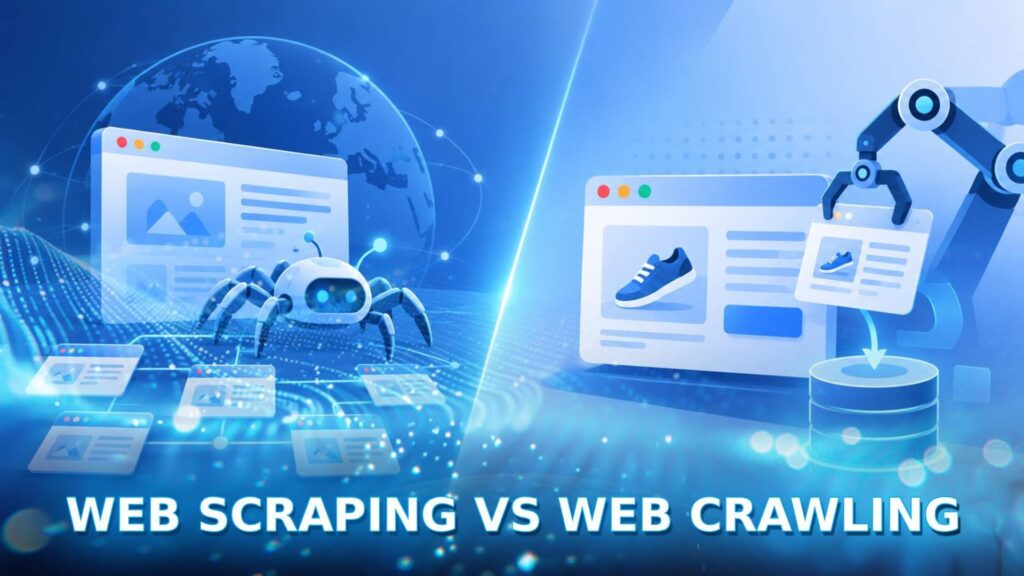
Web scraping vs web crawling are two closely related techniques in automated web data collection, but they serve different purposes. While web crawling focuses on discovering and navigating website pages, web scraping extracts specific information from those pages and converts it into structured data. Understanding their differences helps businesses choose the right approach for SEO audits, market research, competitor monitoring, and large-scale data collection.
In this guide, DIGI-TEXX will help you understand how web crawling and web scraping work, compare their key differences, explore practical use cases, and determine when to use each technique or combine both for more effective data collection.
>>> See more: Collecting data is only valuable when businesses can turn it into information they can actually use. From extracting details from scanned documents and processing large volumes of records to organizing information for further analysis, data quality and accuracy play a critical role in the process.
With DIGI-TEXX’s Document processing services, businesses can streamline document-intensive workflows, reduce manual data handling, and transform unstructured information into reliable, structured data that supports faster and more informed business decisions.
What Is Web Crawling And How Does It Work?
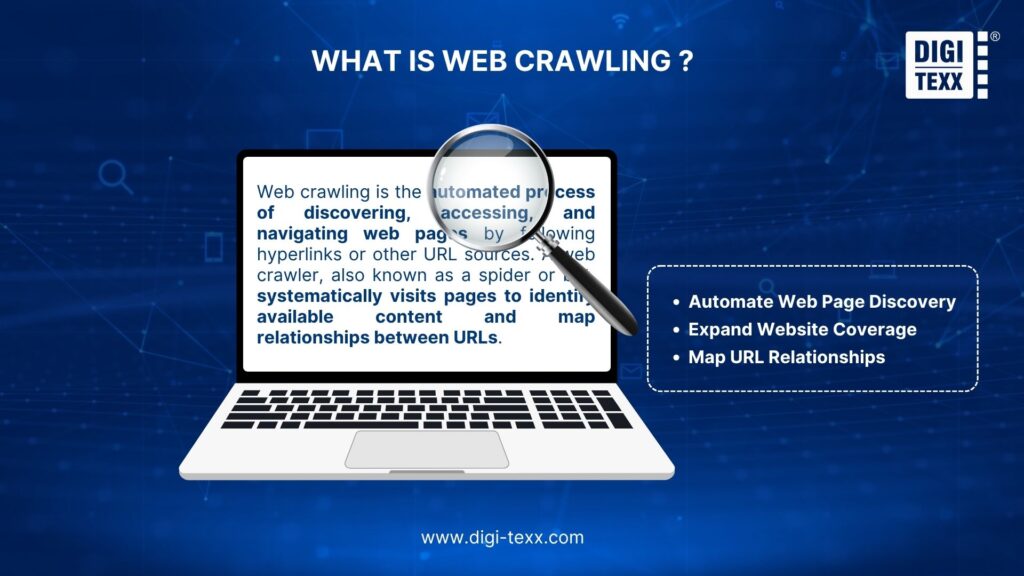
Web crawling is the automated process of discovering, accessing, and navigating web pages by following hyperlinks or other URL sources. A web crawler, also known as a spider or bot, systematically visits pages to identify available content and map relationships between URLs.
Search engines use web crawling to discover website content before evaluating it for indexing. Businesses also use crawlers to audit websites, monitor page changes, discover product listings, and build URL inventories for large-scale data collection.
Web Crawling Discovers And Maps Website Pages
The primary purpose of web crawling is to identify which pages exist within a website or a defined web domain. Instead of focusing on specific data fields, a crawler explores website structures and discovers additional URLs through links, sitemaps, and predefined URL patterns.
For example, consider an e-commerce website with thousands of product pages organized into categories. A crawler can start from the homepage, follow category links, identify pagination URLs, and discover individual product pages.
A web crawler typically collects or maintains information such as:
- Page URLs: The addresses of discovered web pages.
- Internal links: Connections between pages that help identify website structure.
- Page metadata: Titles, response codes, canonical URLs, and other page-level information.
- Crawl status: Whether a URL has been visited, queued, excluded, or failed.
- Discovery relationships: The page or source from which a URL was found.
The crawler organizes discovered URLs into a queue, often called a URL frontier. It processes eligible URLs, identifies new links, removes duplicates, and adds relevant destinations to the queue.
However, crawling does not mean visiting every URL on a website. A crawler needs scope rules to prevent unnecessary requests and avoid getting trapped in endless URL combinations. For example, product filters, tracking parameters, session IDs, and calendar pages can generate thousands of URLs without adding meaningful content.
Effective crawling therefore depends on URL normalization, duplicate detection, crawl-depth limits, domain restrictions, and prioritization rules.
>>> See more:
- Content Moderation Outsourcing: A Complete Guide For Businesses (2026)
- 11 Best Content Moderation Tools In 2026
- Data Quality Management Services: Optimize Enterprise Data
How Does A Web Crawler Find And Navigate Web Pages?
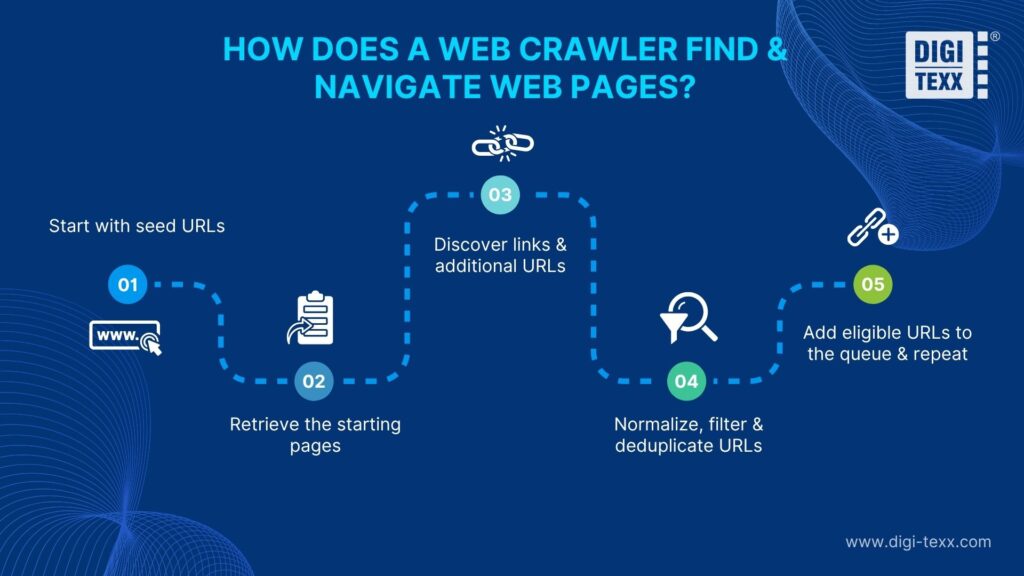
A web crawler follows a repeatable process to discover pages and determine which URLs to visit next. The exact implementation varies by tool, but most crawling systems follow these core steps:
1. Start with seed URLs
The crawler receives one or more starting URLs, known as seed URLs. These may include a website homepage, category pages, XML sitemaps, RSS feeds, or a predefined list of target pages.
For example, a crawler collecting product information may start with several category URLs rather than the homepage.
2. Retrieve the starting pages
The crawler sends HTTP requests to the selected URLs and receives server responses. Depending on the website, the response may contain complete HTML, a redirect, an error page, or an initial application shell that requires JavaScript rendering.
3. Discover links and additional URLs
The crawler parses the retrieved content to identify hyperlinks and other URL references. It may discover links to product pages, pagination, category pages, or related website sections.
For JavaScript-driven websites, some links may only become available after scripts execute or users interact with page elements. In those cases, browser rendering or alternative data sources may be required.
4. Normalize, filter, and deduplicate URLs
Before adding discovered URLs to the crawl queue, the crawler checks whether they meet the project’s scope requirements.
Common controls include:
- Removing tracking parameters that do not change the requested content.
- Standardizing URL formats and handling trailing slashes.
- Excluding irrelevant paths and unsupported file types.
- Preventing duplicate URLs from being processed repeatedly.
- Restricting crawling to approved domains or subdomains.
5. Add eligible URLs to the queue and repeat
The crawler adds valid URLs to the URL frontier and continues processing them until it reaches a defined stopping condition.
Stopping conditions may include a maximum page count, crawl depth, time limit, request budget, or an empty queue.
A simplified web crawling workflow looks like this:
Seed URLs → Retrieve Pages → Discover Links → Normalize and Filter URLs → Update URL Queue → Repeat
The key performance indicator for this process is crawl coverage: how effectively the crawler discovers and visits the pages within the intended scope.
A large number of requests does not necessarily indicate a successful crawl. If a crawler repeatedly visits duplicate URLs while missing important product categories, its coverage remains incomplete.
Web Crawling vs. Indexing: Understanding the Difference
Web crawling and indexing are related stages in search engine processing, but they do not perform the same function.
Web crawling discovers and retrieves web pages. Indexing analyzes the retrieved content and organizes information so that search engines can potentially display relevant pages in search results.
The distinction matters because a page can be crawled without being indexed. Discovering a URL does not automatically mean that a search engine considers the page suitable for its index.
| Comparison criteria | Web Crawling | Web Indexing |
| Primary purpose | Discover and retrieve web pages | Analyze and organize page information |
| Main activity | Follow links and fetch URLs | Process content, metadata, and other page signals |
| Input | URLs, links, and sitemaps | Retrieved page content and associated information |
| Output | Discovered URLs and retrieved page content | Searchable information stored in an index |
| Main objective | Find accessible website resources | Make eligible content available for search retrieval |
Google describes crawling, rendering, and indexing as distinct stages in its search processing workflow. A page may be discovered and crawled, then rendered when necessary, before Google evaluates its content for indexing.
Website owners should therefore avoid treating crawl success as proof of indexation. Checking both crawl accessibility and indexing status provides a more accurate view of search visibility.
>>> See more:
- Human-In-The-Loop Automation: How It Works, Examples & Benefits
- Customer Experience Outsourcing: 10 Companies And A Practical Buyer Guide
- Top 15 Customer Service Outsourcing Companies In 2026: Pros & Cons
What Is Web Scraping and How Does It Work?
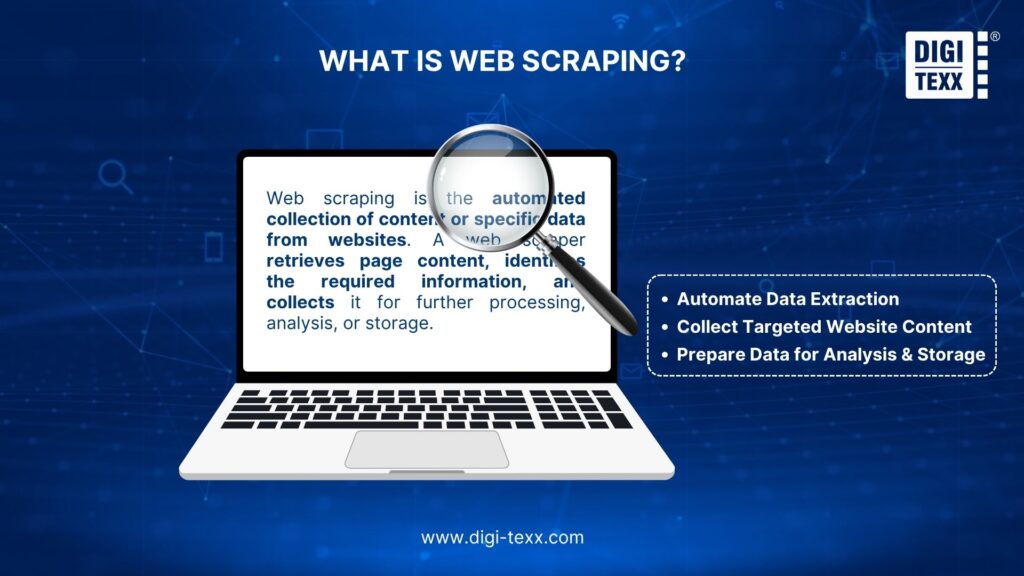
Web scraping is the automated collection of content or specific data from websites. A web scraper retrieves page content, identifies the required information, and collects it for further processing, analysis, or storage.
Unlike web crawling, which focuses primarily on discovering and navigating pages, web scraping focuses on obtaining useful information from those pages.
For example, a business conducting e-commerce market research may scrape product names, prices, ratings, descriptions, and stock availability from selected product pages.
The collected information can then be organized into structured formats such as CSV files, JSON records, spreadsheets, or databases.
Web Scraping Extracts Specific Data From Websites
Web scraping targets the content or data elements that a project needs rather than attempting to map an entire website.
A scraper can collect information from a single URL, a predefined list of URLs, or pages discovered through a crawling process. The collection scope depends on the required dataset and the structure of the target website.
For example, suppose a business wants to compare the prices of 500 products across several online retailers. The scraper may collect the following fields from each product page:
| Data field | Example extracted value |
| Product name | Wireless Noise-Canceling Headphones |
| Product ID | WH-5001 |
| Brand | Example Audio |
| Current price | $149.99 |
| Currency | USD |
| Availability | In stock |
| Product URL | https://example.com/product/wh-5001 |
| Collection timestamp | 2026-11-26 |
The scraper does not need to extract every element on the page. It focuses on the fields defined in the project’s data requirements.
Common web scraping targets include:
- Product names, prices, descriptions, and availability.
- Business names, addresses, and publicly listed contact details.
- Job titles, company names, and job descriptions.
- News headlines, article text, and publication dates.
- Property listings, locations, and asking prices.
- Customer reviews, ratings, and product specifications.
The extraction method depends on how the target information is presented. Static HTML can often be parsed directly, while dynamic pages may require browser rendering or interaction before the required content becomes available.
It is also important to distinguish web scraping from data extraction. Web scraping describes the collection of website content or data, while data extraction identifies specific values within a source and maps them into defined fields or records. Data extraction can also work with non-web sources such as PDFs, databases, spreadsheets, and API responses.
How Does The Web Scraping Process Work?
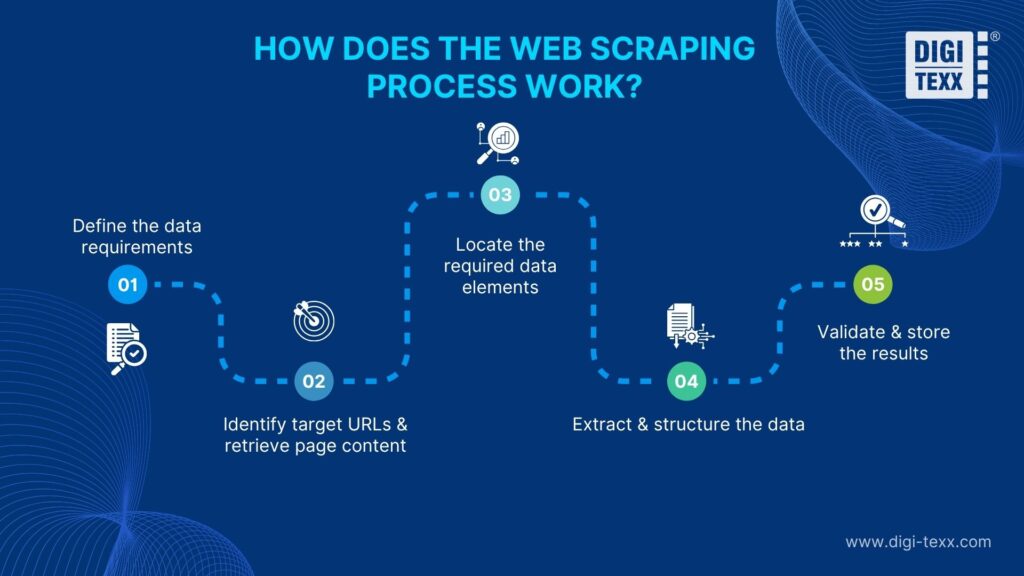
A web scraping process typically involves defining the target data, retrieving the relevant pages, locating the required elements, extracting values, and validating the resulting dataset.
1. Define the data requirements
Before collecting website data, determine which information the project needs and how the final records should be structured. For example, a product price monitoring project may require product IDs, product names, current prices, currencies, availability, and collection timestamps. Defining the data schema upfront helps prevent inconsistent records and unnecessary collection.
2. Identify target URLs and retrieve page content
The scraper receives target URLs from a predefined list, an XML sitemap, a database, or a web crawler. It then retrieves the relevant pages through HTTP requests or a browser-based process. For static websites, a direct HTTP request may return the required HTML. For dynamic websites, the scraper may need to execute JavaScript, wait for page elements, scroll through listings, or interact with filters to access the intended content.
3. Locate the required data elements
Once the page content is available, the scraper identifies the elements containing the target information.
Common extraction techniques include:
- CSS selectors: Identify HTML elements using classes, IDs, attributes, and relationships.
- XPath: Navigate the document structure to locate specific elements or text.
- HTML parsing: Process the page’s HTML structure to retrieve relevant content.
- JSON parsing: Extract values from embedded JSON or accessible structured responses.
- Regular expressions: Match text patterns when a predictable format is available.
For example, a scraper may use a product-specific CSS selector to locate the current price rather than extracting every price displayed on the page, including crossed-out prices or installment amounts.
4. Extract and structure the data
The scraper collects the selected values and maps them into predefined fields. For example, the extracted text “$1,299.00” may initially be stored as a string. A subsequent transformation can convert it into a numeric value of 1299.00 and assign USD as the currency. Keeping raw values alongside normalized values makes it easier to trace extraction errors and verify the original source.
5. Validate and store the results
Before delivering the dataset, the scraping system should check whether the collected values meet the project’s quality requirements.
Useful validation checks include:
- Required fields are not empty.
- Product IDs or other unique identifiers are consistent.
- Prices contain valid numeric values.
- Dates follow a consistent format.
- Duplicate records are identified and handled.
- Extracted values match the information displayed on sampled source pages.
Validated records can then be exported to CSV, JSON, spreadsheets, databases, or data warehouses for further analysis.
Common Challenges That Affect Web Scraping Accuracy
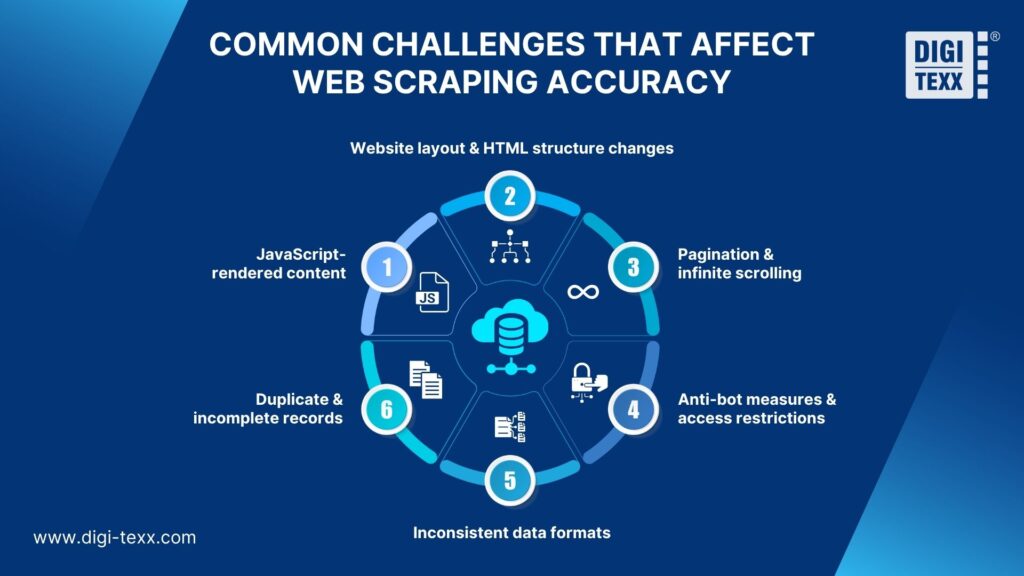
Web scraping results can become incomplete or inaccurate when the scraper cannot retrieve the intended page state, locate the correct elements, or maintain consistent data formats.
The following challenges commonly affect extraction quality.
1. JavaScript-rendered content
Some websites load important information after the initial HTML response through JavaScript. A direct HTTP request may return an application shell without the product details, prices, or listings that appear in a browser. In these cases, the scraper may need browser rendering to execute JavaScript and wait for the required content.
However, browser rendering is not always necessary. If the information is already available in the initial HTML or an accessible supporting response, a direct request and parser may be sufficient.
2. Website layout and HTML structure changes
Websites frequently update their page layouts, CSS classes, element attributes, and content structures. For example, a product price previously stored in a <span> element may move to a different container after a redesign. An extraction rule based on the old selector may then return empty values or collect unrelated information. Regular monitoring, selector validation, and extraction tests help identify these changes before they affect large datasets.
3. Pagination and infinite scrolling
Product listings, directories, and search results often distribute content across multiple pages or load additional records as users scroll. If a scraper only processes the first page or initial viewport, it may miss a significant portion of the intended dataset. A reliable workflow needs to identify pagination links, detect loading conditions, and verify whether all expected records have been collected.
4. Anti-bot measures and access restrictions
Websites may use rate limits, CAPTCHAs, authentication, or other access controls to manage automated requests. These mechanisms can interrupt data collection or return challenge pages instead of the requested content.
A response with HTTP status code 200 does not necessarily mean that the intended data was retrieved. The page could contain a consent screen, an access challenge, an empty application shell, or an error message. Scraping systems should check page content and expected data markers rather than relying only on HTTP response codes. Collection should also respect applicable access restrictions and avoid bypassing authentication or security controls.
5. Inconsistent data formats
The same type of information may appear in different formats across websites. For example, product prices may use different currency symbols, decimal separators, date formats, or unit conventions. Without normalization, a dataset containing “$1,299.00,” “1.299,00 €,” and “1299 USD” may be difficult to compare or analyze. Data validation and standardization should therefore be part of the scraping pipeline, not an optional step after collection.
6. Duplicate and incomplete records
Duplicate URLs, repeated listings, missing fields, and inconsistent product identifiers can reduce dataset reliability. A scraper should use stable identifiers where available, maintain source URLs, and validate record uniqueness. For recurring projects, collection timestamps and source references also help distinguish newly collected information from previously stored records.
>>> See more:
- Free AI Tools For Business Automation 2026: 10 Best Picks
- Quality Assurance Outsourcing: Benefits, Process & 11 Companies
- Data Quality Monitoring: Key Metrics, Techniques & Tools
Web Scraping vs. Web Crawling: What Are the Key Differences?
The main difference between web scraping and web crawling is their primary objective. Web crawling discovers and navigates website pages, while web scraping collects specific content or data from those pages.
Although both techniques may retrieve website content and use similar technologies, they differ in their purpose, process, input, output, scope, and implementation.
| Comparison criteria | Web Crawling | Web Scraping |
| Primary purpose | Discover and map website pages | Collect specific website content or data |
| Main activity | Navigate links and identify URLs | Retrieve pages and extract required information |
| Typical input | Seed URLs, links, sitemaps, and URL patterns | Individual URLs, predefined URL lists, or discovered pages |
| Typical output | URL inventories, page collections, or link graphs | Extracted content and structured data records |
| Scope | Often covers multiple pages or website sections | Targets specific content across selected pages |
| Key technologies | URL queues, link parsers, filters, and deduplication | HTML parsers, CSS selectors, XPath, and browser automation |
| Main quality metric | URL discovery and crawl coverage | Collection success and field-level accuracy |
| Common applications | Search discovery, SEO audits, website monitoring | Price tracking, market research, and data collection |
Differences In Purpose: Discovering Pages vs. Extracting Website Data
The main difference between web scraping and web crawling lies in what each process is designed to accomplish:
- Web crawling: Identifies and discovers URLs across one or multiple websites by following links, sitemaps, and predefined URL lists. Its primary goal is to build a comprehensive list of accessible pages for further analysis or processing.
- Web scraping: Retrieves specific information from web pages, such as product names, prices, descriptions, customer reviews, contact details, or article content. Its goal is to convert website content into structured, usable data.
For example, an ecommerce business may use a web crawler to discover product pages across an online store. A web scraper can then extract product names, prices, availability, and specifications from those pages.
Differences In Workflow: URL Discovery vs. Data Extraction
The web crawling process and web scraping process involve different technical steps, even when they operate within the same data collection pipeline.
| Aspect | Web Crawling | Web Scraping |
| Starting point | Seed URLs, sitemaps, or URL lists | Target URLs or pages identified by a crawler |
| Main operation | Fetches pages, identifies links, and discovers additional URLs | Retrieves page content and extracts predefined data fields |
| Processing focus | URL discovery, link traversal, and crawl management | HTML parsing, element selection, and data transformation |
| Output | Discovered URLs and crawl metadata | Extracted datasets in formats such as CSV, JSON, or databases |
A typical web crawler starts with seed URLs, retrieves each page, identifies links, and adds eligible URLs to a crawl queue. It repeats this process according to predefined rules, such as crawl depth, domain restrictions, and URL patterns.
A web scraper follows a different sequence: it accesses target pages, retrieves their HTML or rendered content, locates relevant elements using CSS selectors, XPath, or other parsing methods, and extracts the required fields. The extracted data may then undergo validation, deduplication, and normalization before storage.
One important distinction is that page retrieval and rendering are not the same as data extraction. A page may load successfully but still produce incomplete scraping results if important content is generated dynamically through JavaScript or the extraction rules do not match the rendered page structure.
Differences In Input And Output: Target URLs vs. Structured Data
Another key distinction in web scraping vs. web crawling is the type of data each process handles and produces.
Web crawling primarily works with URLs. It takes seed URLs, sitemap entries, or predefined URL lists as input and generates a collection of discovered URLs. Depending on the crawler configuration, its output may also include metadata such as HTTP status codes, page titles, canonical URLs, and crawl timestamps.
Web scraping primarily works with page content. It takes target URLs or retrieved HTML as input and extracts specific data fields based on predefined rules. Its output is usually structured information that can be stored, analyzed, or integrated into business systems.
For example, consider a business collecting product information from an online marketplace:
- Crawler input: The marketplace homepage or category URLs.
- Crawler output: A list of product page URLs discovered through category pages and internal links.
- Scraper input: The discovered product URLs.
- Scraper output: Structured records containing product names, prices, ratings, availability, and product descriptions.
This distinction matters because a large collection of URLs does not guarantee a complete dataset. A crawler may discover thousands of product pages, but a scraper must still extract the correct fields from each page and validate the results.
Differences In Website Coverage: Broad Page Discovery vs. Targeted Data Collection
Web crawling and web scraping also differ in how they define and measure coverage.
Web crawling aims for broad page discovery within a defined scope. A crawler may explore an entire domain, selected subdomains, specific URL paths, or pages that meet predefined rules. Its coverage depends on factors such as internal link structures, crawl depth, robots.txt directives, URL parameters, and access restrictions.
Web scraping focuses on collecting specific information from selected pages. Rather than discovering every available URL, a scraper prioritizes pages that contain the required data. For instance, a retailer may scrape product listings from selected categories instead of processing every page on the website.
Their performance should therefore be evaluated using different metrics:
| Measurement | Web Crawling | Web Scraping |
| Coverage | Percentage of eligible URLs discovered or visited | Percentage of target pages and required fields successfully extracted |
| Completeness | Whether relevant pages within the crawl scope have been found | Whether all required data fields have been collected |
| Accuracy | URL validity, page identification, and crawl metadata quality | Correctness and consistency of extracted values |
| Common issues | Broken links, crawl traps, duplicate URLs, and inaccessible pages | Missing fields, incorrect selectors, dynamic content, and inconsistent formats |
A crawler can achieve high URL coverage while a scraper still produces incomplete or inaccurate data. Conversely, a scraper can extract highly accurate information from a small list of URLs without providing broad website coverage.
Differences In Tools And Technologies: Crawling Systems vs. Scraping Tools
Although some platforms combine both capabilities, web crawling tools and web scraping tools are generally designed around different technical requirements.
Web crawling systems prioritize URL discovery, link traversal, and crawl management. Common capabilities include:
- URL queues and scheduling: Manage discovered URLs and determine which pages to visit next.
- Link extraction: Identify internal and external links to expand page discovery.
- Crawl policies: Set domain restrictions, crawl depth, URL patterns, and request limits.
- Duplicate detection: Identify repeated URLs and prevent unnecessary requests.
- Robots.txt handling: Check website crawling directives and apply configured access rules.
Web scraping tools prioritize content extraction, parsing, and data preparation. Their common capabilities include:
- HTML parsing: Identify relevant page elements using CSS selectors, XPath, or DOM-based methods.
- JavaScript rendering: Process content generated dynamically by client-side scripts when required.
- Data extraction: Collect predefined fields such as prices, product details, and contact information.
- Data transformation: Convert extracted values into consistent formats for downstream use.
- Data validation: Detect missing fields, duplicates, and incorrectly formatted records.
Some technologies support both functions. For example, Scrapy provides a framework for crawling websites and extracting structured data, while Beautiful Soup focuses on parsing HTML and XML content. Selenium and Playwright can automate browser interactions and render JavaScript-driven pages, supporting extraction when static HTML is insufficient.
The right technology depends on the task. Businesses that need to discover large numbers of pages should prioritize crawling capabilities. Those that need specific, reliable fields should focus on scraping and data validation. For large-scale data collection, combining both capabilities provides a more complete workflow.
>>> See more:
- 15 Best Ecommerce Product Data Entry Providers For USA Businesses 2026
- Purchase Orders Processing: Workflow, Automation & Best Practices
- Data Cleansing Outsourcing: 20 Best US Companies 2026
Can Web Crawling Vs Web Scraping Work Together?
Yes. Web crawling and web scraping can work together in a single data collection workflow. Crawling identifies the pages that need to be visited, while scraping retrieves the required information from those pages.
This combination is particularly useful when a project involves large websites, changing URL inventories, or data collection across multiple categories and page types.
How Crawling And Scraping Complement Each Other
Crawling solves the page discovery problem, while scraping solves the content collection problem.
A crawler can identify relevant URLs across a website and create an inventory of pages for further processing. A scraper then uses those URLs to retrieve the required content and extract specific data fields.
For example, an e-commerce company monitoring competitor products may use the two techniques as follows:
Web crawling identifies:
- Product category URLs.
- Subcategory and pagination links.
- Individual product pages.
- Newly published product URLs.
Web scraping collects:
- Product names and descriptions.
- Product IDs and specifications.
- Current prices and discounts.
- Stock availability.
- Product ratings and review counts.
The combined workflow provides broader page coverage while keeping the extraction process focused on the data the business actually needs.
However, not every project requires both techniques. If the business already has a complete and up-to-date list of target URLs, it can scrape those pages directly without running a discovery crawler.
A Practical Workflow: From URL Discovery To Data Extraction
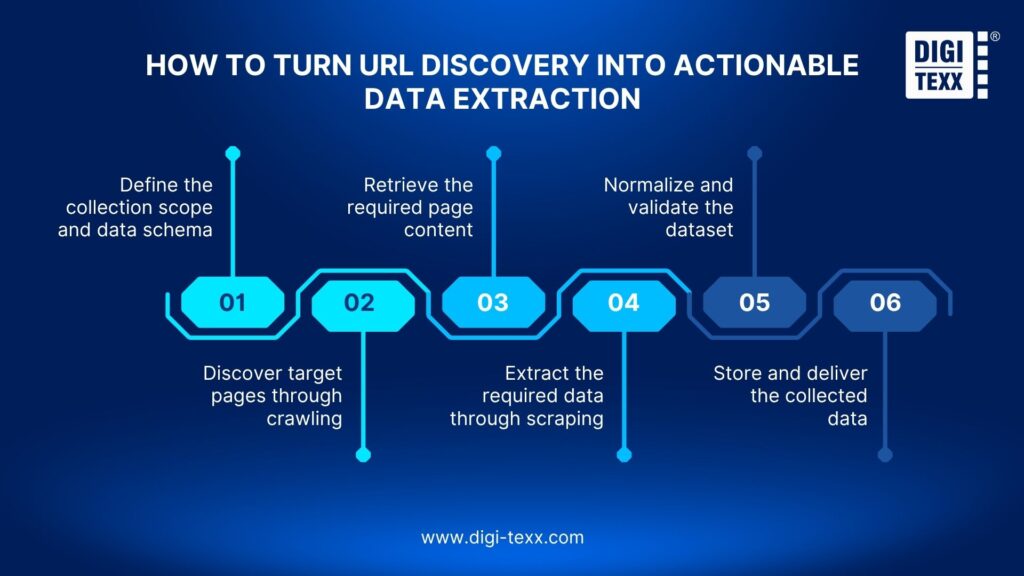
A large-scale web data collection project can combine crawling and scraping through the following workflow.
Step 1: Define the collection scope and data schema
Determine which websites, page types, and data fields are relevant to the project. For an e-commerce monitoring system, the schema may include product ID, product name, category, price, currency, availability, and collection timestamp.
Step 2: Discover target pages through crawling
Start with seed URLs, category pages, or XML sitemaps. The crawler follows relevant links and identifies eligible product pages. Apply domain restrictions, URL normalization, duplicate detection, and pagination rules to maintain the intended scope.
Step 3: Retrieve the required page content
Send HTTP requests or use browser rendering when the required content depends on JavaScript or user interaction. Check the final URL, response status, and expected content markers to confirm that the system retrieved the correct page rather than an empty response or access challenge.
Step 4: Extract the required data through scraping
Use appropriate parsing techniques to locate the target fields. For example, the scraper may identify the product title, current price, product identifier, and stock status from each product page.
Step 5: Normalize and validate the dataset
Standardize data formats, check required fields, identify duplicates, and compare selected records with their original source pages. For price monitoring, this may include converting numeric values into a consistent format while retaining the original currency and price text.
Step 6: Store and deliver the collected data
Save validated records in a database, spreadsheet, CSV file, JSON format, or data warehouse. For recurring projects, schedule updates and monitor changes in URL coverage, page retrieval, and extraction accuracy.
Web Scraping vs. Web Crawling: Which One Should You Choose?
Choosing between web scraping and web crawling depends on whether the project needs to discover website pages, collect specific information, or perform both tasks.
The most efficient approach is to select the minimum process required to achieve the intended data outcome.
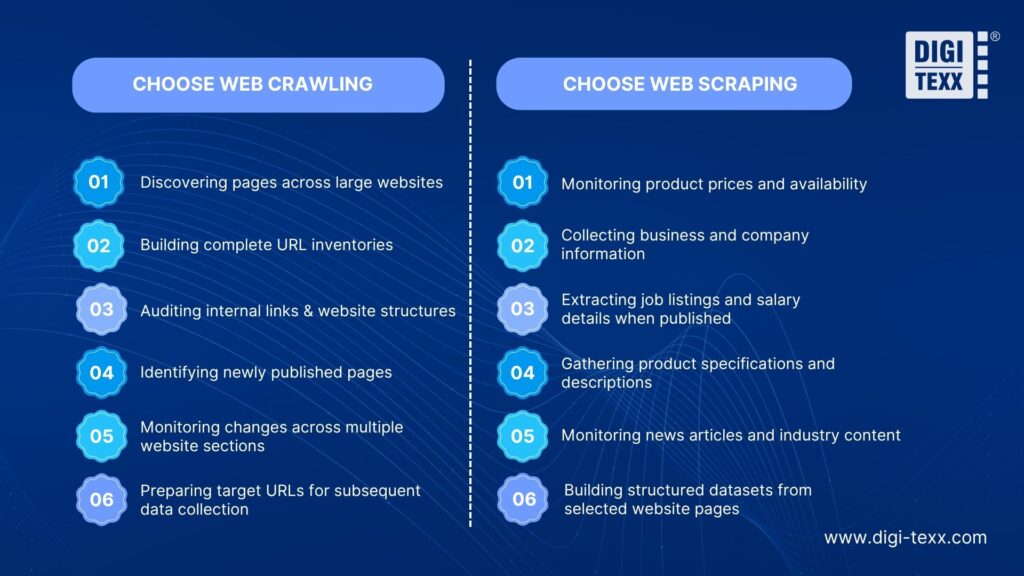
Choose Web Crawling When You Need To Discover Website Content
Choose web crawling when the target URLs are unknown, frequently changing, or distributed across multiple website sections.
It is particularly suitable for:
- Discovering pages across large websites.
- Building complete URL inventories.
- Auditing internal links and website structures.
- Identifying newly published pages.
- Monitoring changes across multiple website sections.
- Preparing target URLs for subsequent data collection.
For example, a company that needs to identify every product page across a retailer’s website should use crawling to discover the relevant URLs before deciding which product attributes to collect.
Choose Web Scraping When You Need Specific Website Data
Choose web scraping when the target pages are already known and the project requires specific information from those pages.
It is appropriate for:
- Monitoring product prices and availability.
- Collecting business and company information.
- Extracting job listings and salary details when published.
- Gathering product specifications and descriptions.
- Monitoring news articles and industry content.
- Building structured datasets from selected website pages.
For example, a retailer with an existing list of competitor product URLs can scrape those pages directly to collect current prices and availability. A separate crawling stage may add unnecessary work if the URL list already covers the required products.
Combine Both For Large-Scale Data Collection
Use both techniques when a project needs to discover a large number of pages and extract specific information from each one.
This approach is particularly valuable for:
- E-commerce catalog monitoring across multiple websites.
- Large-scale market and competitor research.
- Property listing collection across multiple locations.
- Job market intelligence across multiple recruitment websites.
- Continuous monitoring of newly published website content.
Consider a business that needs to monitor 100,000 product listings across several online retailers. Crawling can discover product URLs, while scraping collects prices, product details, and availability.
The system can then validate the results and store them in a centralized dataset for ongoing analysis.
Before implementing either technique, check whether an authorized API, data feed, or export already provides the required information. A direct data source may be more stable and easier to maintain than extracting information from changing website layouts.
>>> See more:
- Data Validation & Verification: Differences, Benefits & Real World Examples
- Best Data Entry Outsourcing Companies Reviewed for 2026
- What Are the 6 Steps of Data Analysis? Process & Examples
FAQs About Web Scraping Vs. Web Crawling
Is Crawling The Same As Scraping?
No. Web crawling and web scraping are related but perform different functions. Crawling discovers and navigates web pages, while scraping collects specific content or data from those pages. A data collection project may use both techniques, but one does not automatically replace the other.
Is ChatGPT A Web Crawler?
ChatGPT is not itself an automated web crawler, although OpenAI operates web crawlers and other web-access agents for its products.
OpenAI uses different agents for different purposes:
- GPTBot: Crawls website content that may be used to train OpenAI’s generative AI models.
- OAI-SearchBot: Helps surface websites in ChatGPT search features.
- ChatGPT-User: Accesses web pages in response to certain user-initiated actions. It does not automatically crawl the web.
These agents have different functions, and their access settings can be managed independently through website robots.txt rules where applicable.
Is Web Crawling Illegal?
Web crawling is not inherently illegal, but its legality depends on the website, information being collected, collection method, applicable laws, contractual terms, and intended use.
Businesses should review website terms, respect applicable access restrictions, avoid unauthorized access to protected content, and consider privacy and intellectual property requirements before collecting data.
The Robots Exclusion Protocol, defined in RFC 9309, provides a standard mechanism for website owners to communicate crawler access preferences through robots.txt. However, robots.txt is not a form of access authorization or a complete legal determination.
For projects involving personal data, restricted content, or large-scale commercial collection, qualified legal and privacy review is advisable.
What Is the Difference Between Crawling And Scraping?
Crawling focuses on discovering and navigating website pages, while scraping focuses on collecting specific information from those pages. Crawlers typically produce URL inventories or page collections, whereas scrapers produce extracted content or data records. Businesses often combine both to discover target pages and collect the information needed for analysis.
Understanding the differences between web scraping vs web crawling helps businesses build more effective and reliable data collection workflows. Web crawling is the right choice when you need to discover and map website pages, while web scraping is essential for extracting specific information and transforming it into structured, usable datasets. For large-scale projects, combining both techniques can improve URL coverage, extraction efficiency, and data completeness.
However, successful web data collection requires more than retrieving pages and extracting information. Businesses also need to manage dynamic content, validate extracted fields, standardize data formats, and maintain consistent data quality. With the right processes and technical expertise, DIGI-TEXX helps businesses turn complex data collection requirements into reliable, actionable information that supports better research, analysis, and business decisions.
DIGI-TEXX Contact Information:
🌐 Website: https://digi-texx.com/
📞 Hotline: +84 28 3715 5325
✉️ Email: [email protected]
🏢 Address:
- Headquarters: Anna Building, QTSC, Trung My Tay Ward
- Office 1: German House, 33 Le Duan, Saigon Ward
- Office 2: DIGI-TEXX Building, 477-479 An Duong Vuong, Binh Phu Ward
- Office 3: Innovation Solution Center, ISC Hau Giang, 198 19 Thang 8 street, Vi Tan Ward
Reference:
- Koster, M., Illyes, G., Zeller, H., & Sassman, L. (2022). Robots exclusion protocol (RFC 9309). Internet Engineering Task Force. https://www.rfc-editor.org/rfc/rfc9309.html
- WHATWG. (2026, November 25). HTML: The living standard (edition for web developers). https://html.spec.whatwg.org/dev/