Imagine an audit is scheduled for tomorrow morning. The auditor requests the training certifications and signed non-disclosure agreements (NDAs) for five specific employees hired over the last three years.
Does your heart race, or do you remain perfectly calm?
If your HR team is like many, employee records are often scattered across Google Drive folders, local desktops, email attachments, and physical filing cabinets. This doesn’t just waste time; it exposes your organization to compliance violations, costly litigation, and serious data privacy breaches.
According to Adobe Acrobat, 48% of employees struggle to find documents quickly, and 71% of HR managers report recent workload spikes[5]. Additionally, AIIM research shows that 53% of organizations still use manual, paper-heavy workflows for employee file management[4].
When records are disorganized, regulatory crises can follow. For instance, a New Mexico employer settled an EEOC lawsuit for $64,500 after commingling an employee’s medical history within a general personnel file[3].
Security risks are also severe: the IBM Cost of a Data Breach Report reveals average breach costs have hit $4.44 million globally and $10.22 million in the United States[2]. Furthermore, Lab 1 found that sensitive information such as payroll data, national identification numbers, and health records is exposed in 82% of all corporate cyber breaches[1].
In this comprehensive guide, we’ll cover what to store, how to organize your documents, and the best practices for moving to a secure, digital-first system.
Key Takeaways:
- Legal compliance requires strict physical and digital separation of general, medical, and regulatory records.
- Commingling documents is one of the most common and expensive mistakes in HR administration.
- The three-folder system separates records into General Personnel, Confidential Medical, and I-9 Regulatory categories.
- Digitalization improves searchability and security but requires standardized naming conventions and role-based access controls.
- Establishing clear document retention and disposal policies is essential to comply with federal regulations like the FLSA and EEOC.
What Is Employee File Management?
Employee file management is the structured process of collecting, organizing, maintaining, and securely storing documentation throughout an employee’s tenure with a company. It begins the moment a candidate submits a job application and continues long after they separate from the organization.
An employee file serves as the official paper trail of an individual’s professional history, qualifications, performance, and financial relationship with your business. Properly managed, it provides a single source of truth that supports daily HR operations, payroll processing, performance reviews, and compliance audits.
Why Proper Employee File Management Matters
Failing to prioritize organized recordkeeping is a significant operational risk. Proper employee file management is essential for several critical reasons:
- Legal Compliance: Regulatory agencies such as the Department of Labor and the Equal Employment Opportunity Commission require organizations to preserve specific employment records. Organized files ensure you can prove compliance at a moment’s notice.
- Audit Preparedness: Government audits can happen unexpectedly. Organizations must be able to retrieve tax forms, wage records, and work authorizations without delay to avoid steep non-compliance fines.
- Data Security and Privacy: Employee records contain highly sensitive Personally Identifiable Information, including bank details, home addresses, and medical histories. Protecting this data is a strict requirement under privacy compliance like GDPR and HIPAA.
- Operational Efficiency: When files are structured logically, HR staff spend less time searching for paperwork and more time focusing on strategic talent development and people enablement.
>>> See more:
- Creating a Culture of Data Security: From Leaders to All Employees 🔒
- What Is Data Security? Key Elements and Best Practices
- In-House vs. Outsourced Data Entry: Which One is Right for Your Business?
The 3-Folder System: How To Properly Categorize Personnel Documents
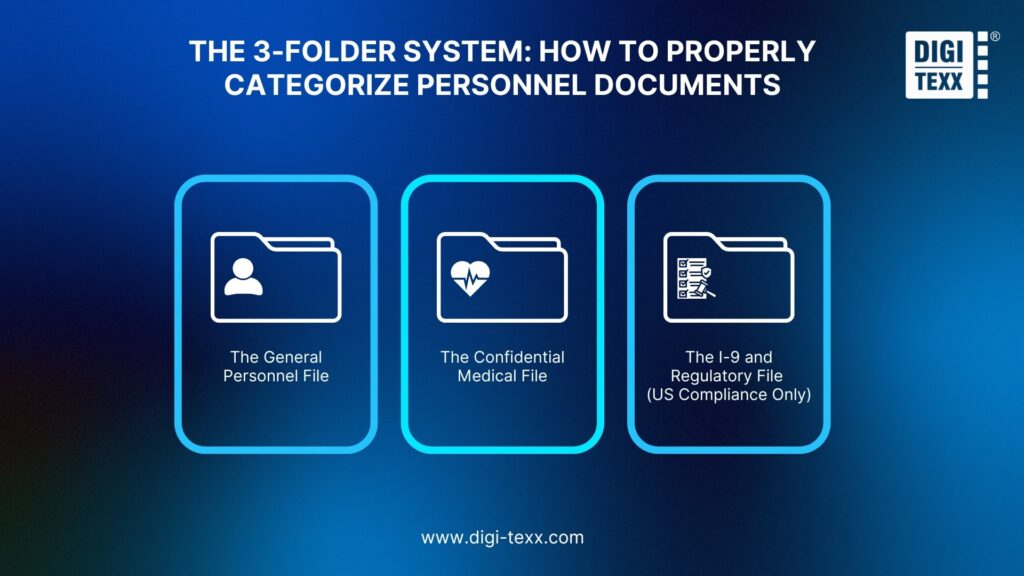
To minimize compliance risks, you must avoid the trap of throwing every document into a single folder. Instead, industry experts recommend implementing a highly secure three-folder system.
Folder 1: The General Personnel File
This is the primary folder used for day-to-day operational decisions. It should only contain documents related to an employee’s performance, qualifications, and employment history.
- What to include: Resumes, job offers, signed employment contracts, employee handbook acknowledgments, performance appraisals, promotion records, and written disciplinary warnings.
- Who has access: Human resource administrators and direct supervisors who require the information for performance management.
Folder 2: The Confidential Medical File
To comply with the Americans with Disabilities Act and HIPAA, medical records must be stored completely separate from general personnel files. Keeping these files separate prevents managers from making employment decisions based on protected health data.
- What to include: Health insurance enrollment forms, doctor notes, medical leave requests under the Family and Medical Leave Act, disability accommodation requests, and workers’ compensation claims.
- Who has access: Strictly limited to HR administrators who oversee benefits and legal compliance. Supervisors should not have access to these documents.
Folder 3: The I-9 And Regulatory File (US Compliance Only)
Form I-9 is an official U.S. government document used by employers to verify the identity and legal authorization of every new employee to work in the United States.
Certain documents are subject to government inspection. Storing them in a distinct, centralized location protects your business. If immigration authorities conduct an audit, keeping these documents separate ensures they only see what is legally required, rather than your entire personnel database.
- What to include: Form I-9 work authorization documents, background check reports, drug test results, and internal investigation records regarding workplace complaints.
- Who has access: Restricted to compliance officers and HR managers authorized to handle regulatory reviews.
Best Practices For Digitalizing Your HR Document System
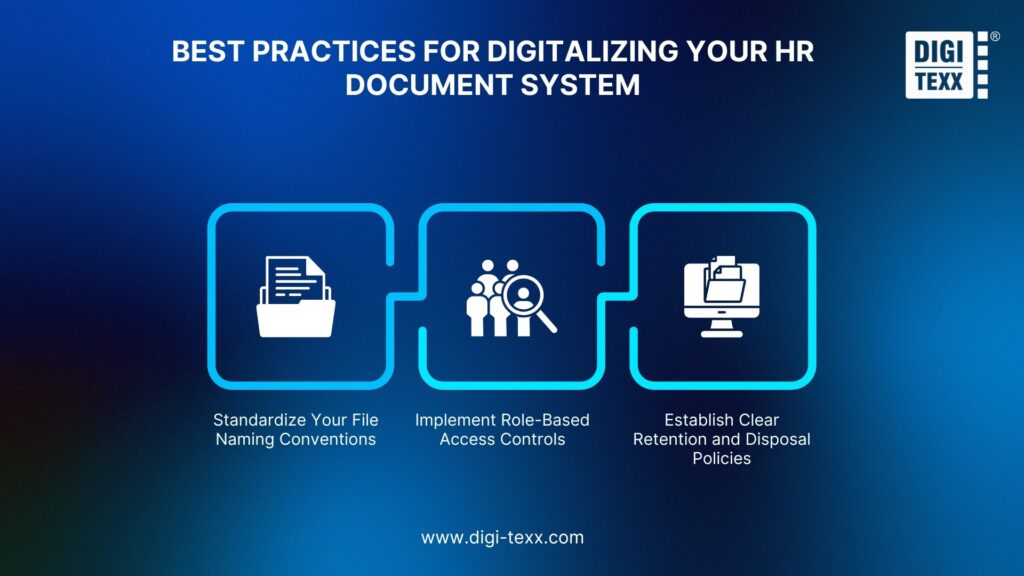
Transitioning from physical filing cabinets to an electronic document system is a powerful way to reduce clutter and improve searchability. However, digitalization requires a careful strategy to remain secure.
Standardize Your File Naming Conventions
If your team names files randomly, your digital database will quickly become disorganized. Establish a strict, consistent format for every uploaded document.
An excellent template to follow is:
YYYY_MM_DD_LastName_FirstName_DocumentType.pdf
For example, a performance review for Jane Doe from July 2026 should be saved as:
2026_07_09_Doe_Jane_PerformanceReview.pdf
Standardizing your files this way ensures they sort chronologically and alphabetically, allowing HR staff to find any document in seconds.
>>> See more:
- Document Control Process: 7 Essential Steps for Efficient Workflow
- What is Process Documentation and How to Document Company Processes?
Implement Role-Based Access Controls
In a digital environment, document security is achieved through permission settings. You must implement role-based access controls to restrict file viewing.
- HR Directors should have comprehensive access to all folders.
- Direct Supervisors should only see general performance folders for their immediate team.
- Payroll staff should only have access to financial and bank details.
- Standard Employees should have view-only access to their own general documents.
Establish Clear Retention And Disposal Policies
You are not legally allowed to keep all employee records indefinitely, nor should you. Keeping files too long increases your liability in the event of a security breach.
Your policy must align with federal and state regulations:
- Payroll records: The Fair Labor Standards Act requires keeping payroll, wage, and tax records for at least three years.
- General Personnel records: The Equal Employment Opportunity Commission requires keeping hiring and general employment records for at least one year after termination.
- Form I-9 documents: These must be kept for three years after the date of hire or one year after termination, whichever is later.
When the retention period ends, ensure the files are permanently and securely deleted or shredded.
>>> See more:
- Record Digitization
- Digitization Service
- Document Scanning and Digital Archiving
- How to Convert Handwritten Notes to Digital Text: Step-by-Step Guide
Moving Forward: Choosing The Right Employee File Management Solution
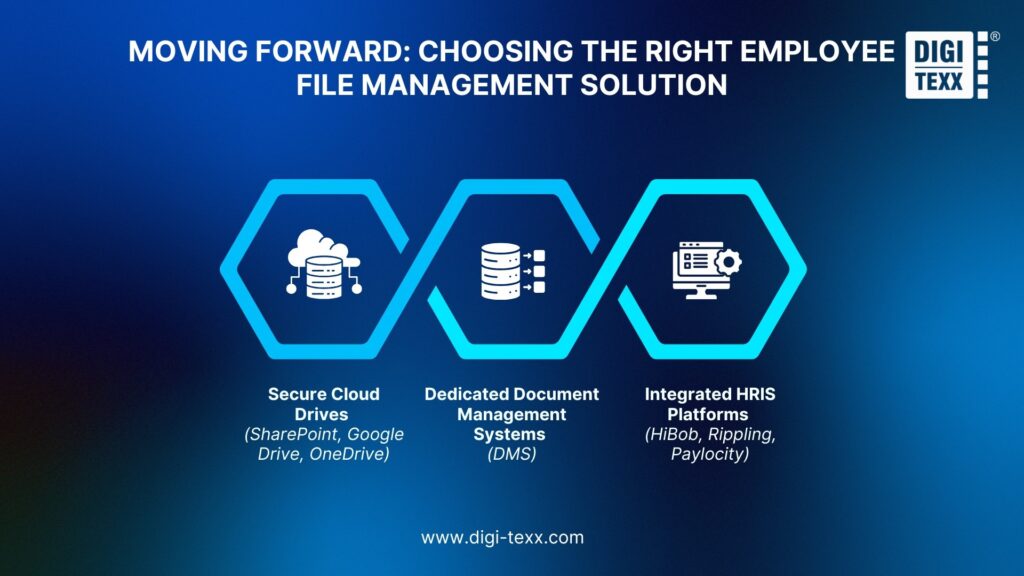
When designing an electronic records system, organizations typically evaluate three main options based on their budget and team size:
Secure Cloud Drives (SharePoint, Google Drive, OneDrive)
Best For: Small teams with under 50 employees.
The Setup: HR can build out a secure ecosystem using multi-layered folders. However, this option requires manual naming, manual auditing, and constant permission checks to prevent accidental file sharing.
Dedicated Document Management Systems (DMS)
Best For: Companies seeking advanced file capture, indexing, and compliance tracking.
The Setup: Systems like DIGI-DMS or DocuWare utilize document scanning tools and optical character recognition (OCR). Many modern platforms also use artificial intelligence to read, tag, and file documents automatically, significantly reducing manual data entry.
Integrated HRIS Platforms (HiBob, Rippling, Paylocity)
Best For: Mid-size to growing enterprises.
The Setup: These platforms store files directly within the employee’s digital profile. This connects payroll, performance reviews, and benefits in one centralized dashboard, while allowing HR to configure separate access permissions for different file types.
Looking for a deeper comparison of more tools?
>>> See more:
Ready To Simplify Your Employee File Management Workflows?
Establishing a structured, compliant employee file management system is not just about staying organized. It is a critical defense mechanism that protects your organization from costly litigation, regulatory audits, and damaging data breaches.
By dividing records into a strict three-folder system, standardizing your digital processes, and implementing robust access controls, you can safeguard your workforce and your business.
Are you ready to eliminate the chaos of unorganized paperwork and build a compliant digital filing system? Download our free comprehensive Employee File Management Checklist today to begin auditing and optimizing your records.
Frequently Asked Questions
Can Direct Managers Look At An Employee’s Medical Folder?
No, direct managers and supervisors should not have access to an employee’s medical folder. Under regulations like the Americans with Disabilities Act, medical records must remain confidential. Managers should only be informed of necessary work restrictions or official accommodations, but they must not see detailed medical logs or doctor notes.
Where Is The Best Place To Keep Completed Background Checks?
Completed background checks must be kept in the regulatory and confidential folders, entirely separate from the general personnel file. Because background checks contain sensitive personal data and credit histories protected by the Fair Credit Reporting Act, keeping them in a separate folder prevents unauthorized access and potential discrimination claims during promotional reviews.
Is It Legally Compliant To Store Form I-9 Records Electronically?
Yes, the Department of Homeland Security allows employers to complete and store Form I-9 electronically. However, the digital storage system you choose must have strict security protocols, including an audit trail that records any changes made to the files, a backup system to prevent data loss, and restricted access controls to prevent unauthorized viewing.
How Long Must We Keep Records For Employees Who Have Been Terminated?
The absolute minimum retention period for general personnel files under EEOC regulations is one year from the date of termination. However, to protect your business against wage disputes or tax audits, many experts recommend keeping payroll records for three years and keeping general personnel records for three to seven years after separation.
References
- Harme, J.N. (2025). HR & financial data most exposed in major cyber breaches. [online] SecurityBrief UK. Available at: https://securitybrief.co.uk/story/hr-financial-data-most-exposed-in-major-cyber-breaches [Accessed 10 July 2026].
- House, N. (2026). Data Breach Statistics [2026]: Costs, Trends & Latest Data. [online] StationX. Available at: https://app.stationx.net/articles/data-breach-statistics [Accessed 10 July 2026].
- Lavelle, A. (2025). Keeping Personnel Files in Compliance with the ADA. [online] Ctrhcm.com. Available at: https://ctrhcm.com/blog/personnel_files_ada [Accessed 10 July 2026].
- Schneck, T. (2017). The Best of Times and the Worst of Times for HR Professionals. [online] DocuWare. Available at: https://start.docuware.com/blog/document-management/the-best-of-times-and-the-worst-of-times-for-hr-professionals [Accessed 10 July 2026].
- Team, L. (2025). Employee file: What files do modern HR teams keep? [online] Leapsome.com. Available at: https://www.leapsome.com/blog/employee-file [Accessed 10 July 2026].
- (2024). The Complete Guide to HR Records Management Best Practices. [online] DynaFile. Available at: https://www.dynafile.com/resources/hr-guides/the-complete-guide-to-hr-records-management-best-practices/ [Accessed 10 July 2026].