Accounts payable automation software helps businesses streamline invoice processing, automate approvals, reduce manual data entry, and improve payment accuracy. However, choosing the right platform depends on company size, invoice volume, accounting systems, and operational requirements. From accounts payable automation software for small business operations to enterprise platforms designed for complex financial workflows, the market offers solutions for different business needs.
This guide from DIGI-TEXX provides an AP automation software comparison of 12 popular solutions, including their key features, advantages, limitations, and ideal use cases. Whether you are exploring free accounts payable automation software, comparing accounts payable software examples, or evaluating the best accounts payable automation software for a growing organization, this overview will help you identify the right solution.
Best AP Automation Software Comparison: 12 Solutions At A Glance
| AP automation software | Best for | Key capabilities | Typical business fit |
| BILL | Small business AP and payments | Bill capture, approval workflows, vendor payments | Small and mid-sized businesses |
| Quadient AP | Invoice workflow automation | Invoice capture, validation, approvals, ERP synchronization | SMBs and mid-market |
| Ramp Bill Pay | Spend management and bill payments | AI-assisted bill processing, payment controls, accounting integrations | Startups and growing businesses |
| Zone & Co | NetSuite-native AP automation | AI invoice capture, PO matching, approvals, reconciliation | NetSuite users |
| Dext | Receipt and document capture | OCR, expense extraction, bookkeeping integrations | Small businesses and accounting firms |
| Draycir (Spindle) | Sage-integrated document workflows | Document delivery, invoice distribution, archiving | Sage and Microsoft Dynamics users |
| Basware AP Automation | Enterprise AP and global e-invoicing | AI invoice processing, matching, compliance, analytics | Large and multinational enterprises |
| Tipalti | Global supplier payments | Invoice management, tax compliance, multi-currency payments | Growing and global businesses |
| Sage Intacct | Mid-market financial management | AP workflows, multi-entity accounting, financial reporting | Mid-market organizations |
| Medius | AI-driven AP and fraud controls | Invoice automation, anomaly detection, supplier management | Mid-market and enterprise |
| Yooz | AI-powered invoice processing | OCR, automated coding, invoice workflows | SMBs and mid-market |
| Stampli | Collaborative invoice approvals | AI-assisted coding, PO matching, invoice communication | Businesses with complex AP workflows |
>>> See more:
- 10 Best Content Moderation Service Providers In USA 2026
- Back Office Support Services: How To Reduce Workload And Scale Operations
- 10 Document Processing Companies: IDP Platforms and Outsourced Services
12 Best Accounts Payable Automation Software
The following solutions represent different approaches to AP automation, from lightweight bill payment platforms to enterprise-grade invoice processing systems. Each review focuses on the platform’s capabilities, strengths, limitations, and suitability for different business requirements.
1. BILL
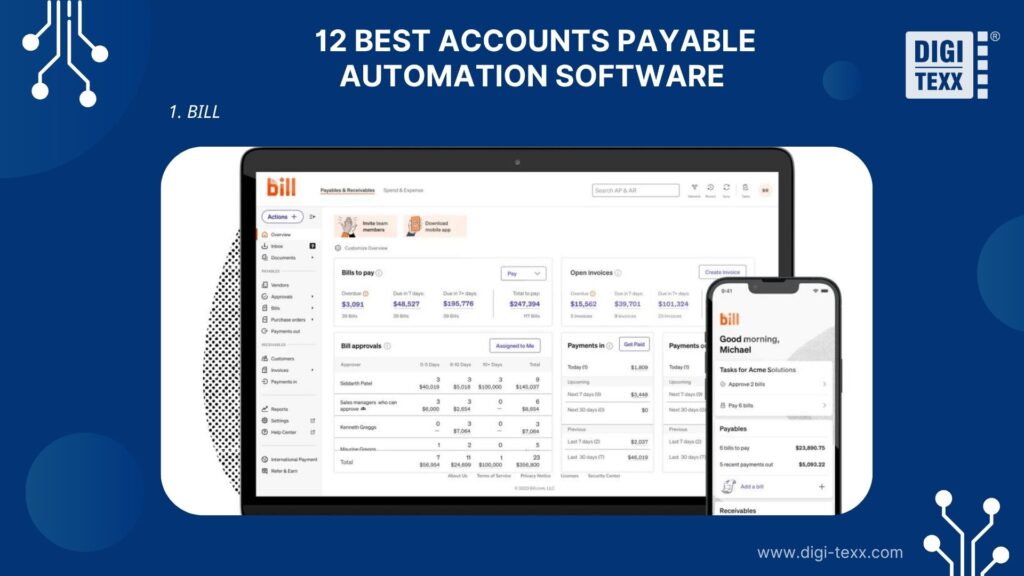
BILL is a financial operations platform that helps businesses manage bills, approvals, and payments in one system. It is particularly relevant to small and growing US businesses that want to reduce manual AP work without implementing a complex enterprise finance platform.
Key Features
- Centralized bill management: Collect and organize vendor bills in a centralized workspace to reduce scattered invoice records and manual follow-ups.
- Automated invoice coding: AI-assisted coding helps assign bill information to appropriate accounting categories and GL accounts.
- Approval workflows: Configure approval policies and user permissions to establish clearer financial controls.
- Vendor payments: Support payment methods such as ACH, virtual cards, and other available payment options.
- Accounting integrations: Connect with accounting systems, including QuickBooks and Xero, with additional integrations available depending on the plan.
Pros
- Relatively accessible for small and mid-sized finance teams.
- Integrates with widely used accounting platforms.
- Combines bill management, approval workflows, and payments.
- Provides centralized visibility into outstanding payables.
Cons
- Advanced customization and multi-entity controls may require higher-tier plans.
- Transaction-related fees can affect total operating costs.
- Complex procurement and enterprise workflows may require additional capabilities.
- International payment requirements should be checked against supported payment methods and countries.
Best For: BILL is the best AP automation software for small business operations, particularly for companies using QuickBooks or Xero that need to simplify invoice processing and payment workflows.
2. Quadient Accounts Payable Automation
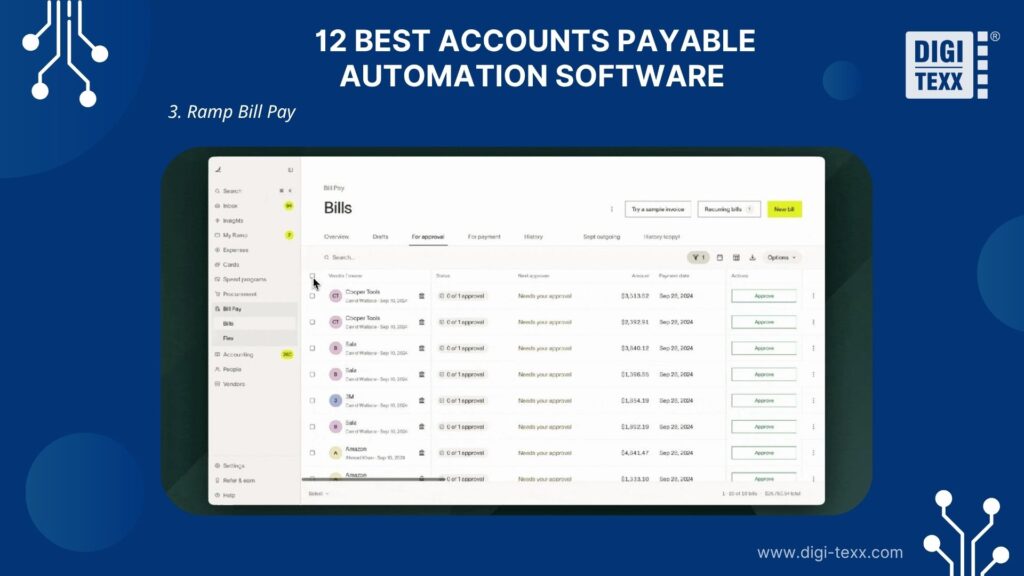
Quadient Accounts Payable Automation helps finance teams manage invoice intake, data extraction, validation, approval routing, and payment-related processes. Its workflow-oriented approach is useful for organizations that want to standardize AP operations without relying on email-based approvals.
Key Features
- Multi-channel invoice capture: Collect invoices through email, scanning, uploads, and supported electronic channels.
- Automated data extraction: Extract invoice information and validate key fields before processing.
- Approval routing: Route invoices according to business rules, approval thresholds, and organizational responsibilities.
- ERP synchronization: Connect invoice workflows with financial systems to reduce repetitive data transfers.
- Workflow visibility: Monitor approval status, exceptions, and processing activity through centralized dashboards.
Pros
- Covers multiple stages of the invoice processing workflow.
- Helps reduce manual data entry and approval bottlenecks.
- Supports configurable financial controls and audit trails.
- Provides flexibility for organizations with different AP requirements.
Cons
- Implementation and configuration may require planning.
- Advanced capabilities and pricing depend on the selected solution and package.
- Businesses should verify the depth of integration with their existing ERP.
- More extensive workflows may require additional configuration and user training.
Best For: Mid-sized organizations seeking accounts payable software for small business operations that need flexible invoice processing and approval automation across multiple entities.
3. Ramp Bill Pay
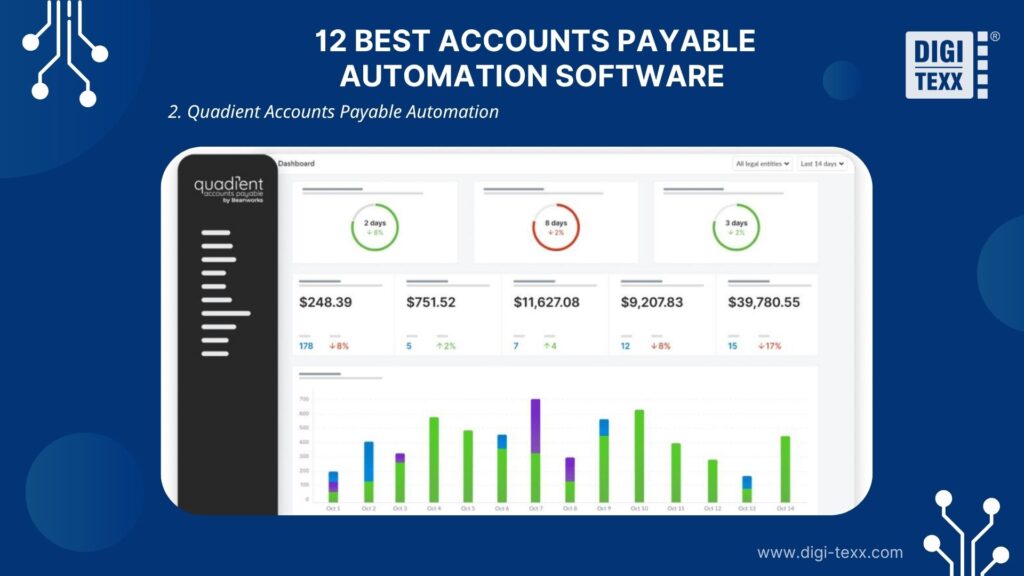
Ramp Bill Pay is part of Ramp’s broader financial operations platform. Rather than focusing exclusively on invoice processing, it connects bill management with company spending controls, corporate cards, and accounting workflows.
Key Features
- AI-assisted bill processing: Help capture bill information and reduce repetitive invoice entry.
- Automated payment workflows: Manage bill approvals and schedule payments according to configured policies.
- Spend visibility: Connect payables with broader business spending information.
- Accounting synchronization: Sync supported financial data with connected accounting and ERP systems.
- Payment controls: Apply approval rules and payment permissions to improve oversight.
Pros
- Combines AP workflows with broader spend management.
- Provides visibility into bills and company spending.
- Helps centralize payment approvals and financial controls.
- Can be useful for businesses already using the Ramp ecosystem.
Cons
- Businesses seeking advanced, standalone AP capabilities should compare workflow depth carefully.
- Certain features depend on plan eligibility.
- Multi-entity requirements may require higher-tier configurations.
- International payment availability and functionality should be verified before implementation.
Best For: US businesses looking for accounts payable automation software that integrates invoice management with corporate spending controls and financial operations.
4. Zone & Co
Zone & Co develops financial automation solutions designed to extend NetSuite functionality. Its AP automation capabilities focus on managing invoice capture, coding, approvals, and payment workflows within the NetSuite environment.
Key Features
- AI-powered invoice capture: Use OCR and AI-assisted processing to extract invoice data and reduce manual entry.
- Automated GL coding: Apply coding rules and historical patterns to support more consistent invoice classification.
- Three-way PO matching: Compare invoices against purchase orders and receiving information to identify discrepancies.
- Configurable approval workflows: Route vendor bills according to approval matrices and business requirements.
- Multi-entity and multi-currency support: Support more complex organizational and financial structures.
- Payment and reconciliation workflows: Connect AP processing with payment management and reconciliation capabilities.
Pros
- Deep integration with the NetSuite environment.
- Supports multiple stages of the invoice-to-pay process.
- Helps reduce manual data entry and disconnected workflows.
- Suitable for businesses managing multiple subsidiaries and currencies.
Cons
- Primarily designed for organizations operating on NetSuite.
- Businesses using other ERP systems may need a different solution.
- Advanced configuration can require implementation planning.
- Total costs depend on the selected modules and business requirements.
Best For: Mid-market and enterprise organizations using NetSuite that need integrated accounts payable automation software to manage complex invoice workflows, multiple subsidiaries, and financial approvals.
Image alt text: Zone & Co accounts payable automation software integrated with NetSuite (Source: Internet)
5. Dext
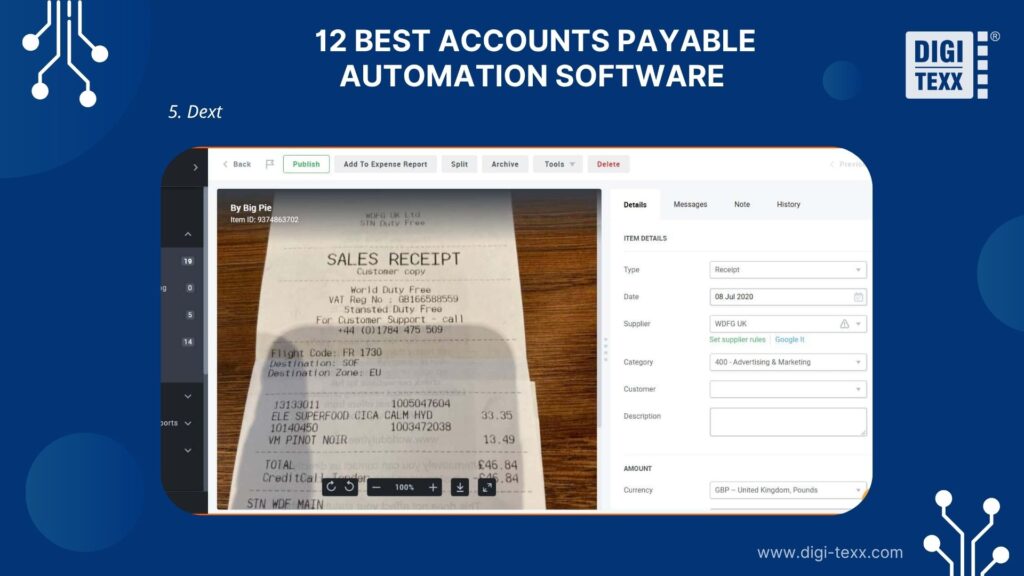
Dext focuses on capturing and extracting information from receipts, invoices, and other financial documents. Its capabilities are particularly relevant to bookkeeping workflows where accurate source-document data is essential.
Key Features
- Document capture: Upload invoices and receipts through supported digital channels.
- OCR-based extraction: Extract key information such as supplier names, dates, totals, and tax amounts.
- Expense categorization: Organize financial documents and support accounting data preparation.
- Accounting integrations: Connect with supported bookkeeping and accounting platforms.
- Document management: Maintain searchable digital records for easier retrieval and review.
Pros
- Simplifies receipt and invoice data collection.
- Reduces repetitive document entry for bookkeeping teams.
- Offers convenient document capture workflows.
- Supports accounting integrations.
Cons
- Not a complete replacement for dedicated AP automation platforms.
- Advanced approval workflows may be limited compared with full AP suites.
- Payment execution is not its primary focus.
- Extraction quality may vary depending on document quality and layout.
Best For: Small businesses, bookkeepers, and accounting firms comparing accounts payable software examples focused on document capture, invoice data extraction, and bookkeeping automation.
6. Draycir (Spindle)
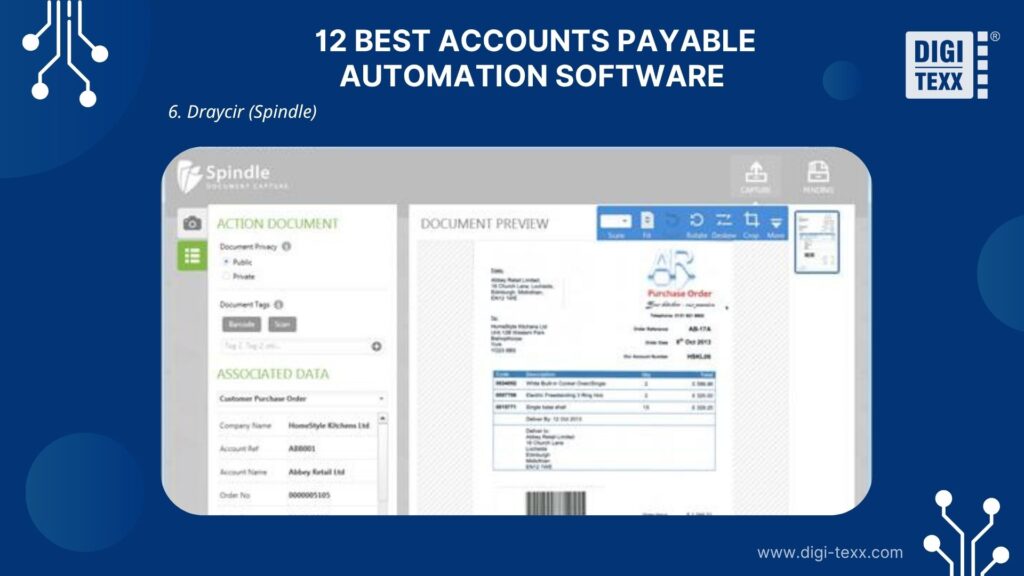
Draycir Spindle provides document automation capabilities designed to connect business documents with accounting and ERP workflows. Its relevance to AP operations lies in improving how invoices and related documents are generated, distributed, stored, and accessed.
Key Features
- Automated document distribution: Deliver financial documents through supported electronic channels.
- ERP integration: Connect document workflows with supported Sage and Microsoft Dynamics environments.
- Document archiving: Organize digital documents for retrieval and recordkeeping.
- Workflow automation: Reduce repetitive administrative activities associated with document delivery.
- Centralized document access: Help teams locate and manage relevant financial records.
Pros
- Useful for businesses operating within supported ERP environments.
- Reduces manual document distribution activities.
- Supports digital document management.
- Can complement existing accounting workflows.
Cons
- Its document automation focus should not be confused with a full end-to-end AP platform.
- Integration suitability depends on the specific ERP version and configuration.
- Businesses requiring extensive global supplier payment functionality may need additional tools.
- Buyers should evaluate the available AP-specific capabilities before selecting it as their primary solution.
Best For: Businesses in the UK using Sage or Microsoft Dynamics that need to streamline document distribution and financial workflows. This solution is relevant when evaluating AP automation software UK providers.
>>> See more:
- Human-In-The-Loop Automation: How It Works, Examples & Benefits
- Best Data Entry Outsourcing Companies Reviewed for 2026
- Document Indexing Services To Improve Search Accuracy & Data Retrieval
7. Basware AP Automation
Basware AP Automation is designed for organizations with complex AP requirements. Its capabilities extend beyond invoice data extraction to include intelligent matching, automated coding, approval workflows, and electronic invoicing compliance.
Key Features
- AI-powered invoice processing: Use AI and machine learning to support invoice capture, classification, and processing.
- Automated PO matching: Match invoices with purchase orders and goods receipts to identify inconsistencies.
- Non-PO invoice coding: Use historical patterns and configured rules to support GL coding.
- Intelligent approval routing: Route invoices to the appropriate reviewers based on business rules.
- Global e-invoicing: Support electronic invoicing requirements across different markets.
- AP analytics: Provide visibility into invoice status, processing performance, and outstanding payables.
Pros
- Designed for high-volume enterprise AP operations.
- Supports complex invoice matching and processing scenarios.
- Offers capabilities for international e-invoicing and compliance.
- Helps standardize workflows across multiple entities and locations.
Cons
- Implementation can be complex for large organizations.
- Total cost of ownership may be high for smaller businesses.
- Advanced configuration and integration require planning.
- May provide more functionality than businesses with simple AP needs require.
Best For: Basware is a strong choice for large-scale accounts payable operations, particularly for organizations managing high invoice volumes, multiple subsidiaries, and international supplier networks.
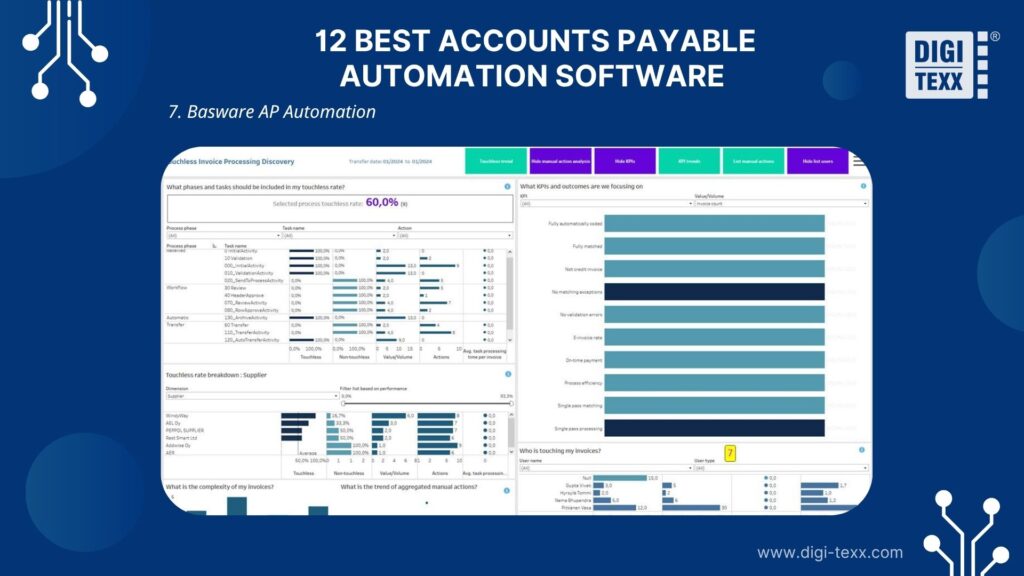
8. Tipalti
Tipalti provides an integrated AP platform that connects invoice management, supplier onboarding, payment processing, and compliance workflows. It is particularly relevant to organizations with large supplier networks or international payment requirements.
Key Features
- Automated invoice management: Capture, scan, and process supplier invoices.
- AI-assisted data extraction: Extract invoice details and populate relevant fields.
- PO matching: Support two-way and three-way matching to validate supplier invoices.
- Supplier onboarding: Collect and manage supplier information through self-service workflows.
- Global payments: Support payments across numerous countries, currencies, and payment methods.
- Tax and compliance management: Support supplier tax documentation and compliance-related processes.
Pros
- Strong capabilities for global supplier payments.
- Combines AP workflows with supplier management.
- Supports multi-currency and multi-entity operations.
- Helps centralize payment and compliance controls.
Cons
- May be expensive for businesses with low invoice volumes.
- Implementation can require significant planning.
- Advanced capabilities may be unnecessary for domestic-only businesses.
- Integration and support options depend on the selected package.
Best For: Growing businesses and enterprises managing international suppliers, multi-currency transactions, and complex accounts payable automation requirements.
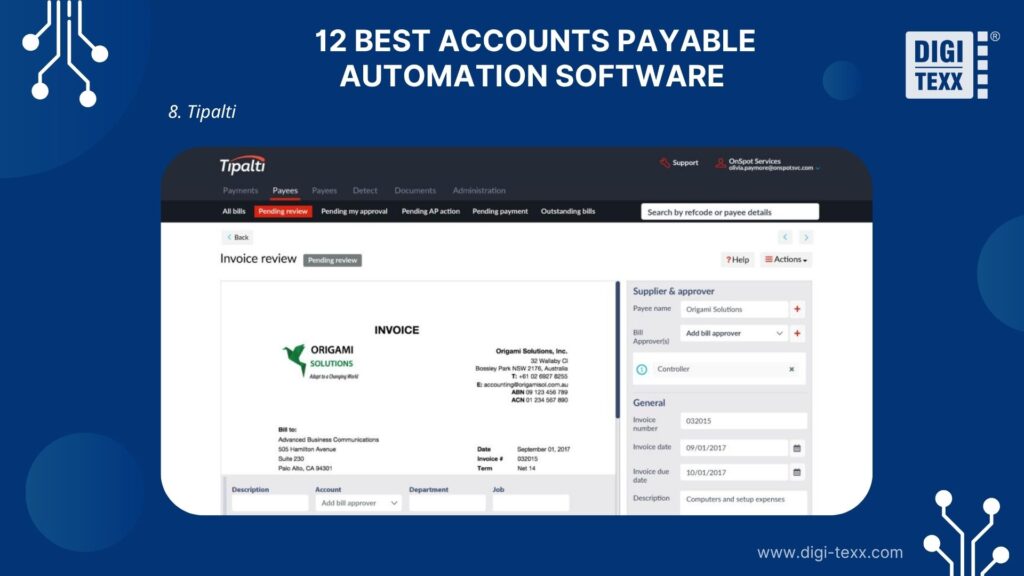
9. Sage Intacct
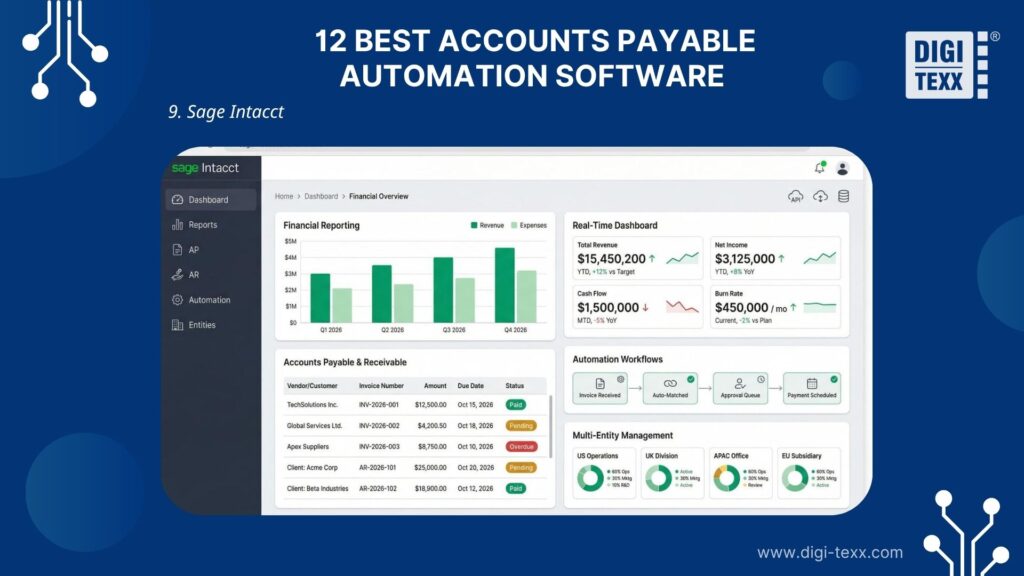
Sage Intacct is a cloud-based financial management platform with accounts payable capabilities. It is particularly relevant to businesses that need to connect AP activities with general ledger management, financial reporting, and multi-entity accounting.
Key Features
- Accounts payable management: Manage vendor bills, payment information, and AP records.
- Approval workflows: Apply approval rules to financial transactions.
- Multi-entity accounting: Manage financial information across multiple entities and subsidiaries.
- Dimensional reporting: Analyze expenses by departments, projects, locations, and other dimensions.
- Financial integrations: Connect AP operations with broader accounting and financial management workflows.
Pros
- Strong financial reporting and accounting capabilities.
- Supports complex organizational structures.
- Provides visibility across entities and departments.
- Suitable for businesses that need more than standalone bill payment software.
Cons
- May require additional configuration to support complex workflows.
- Pricing is typically customized according to business requirements.
- Implementation and training can take time.
- Some specialized AP automation capabilities may require additional integrations or applications.
Best For: Mid-sized organizations comparing accounts payable software with broader financial management, multi-entity consolidation, and detailed reporting capabilities.
10. Medius
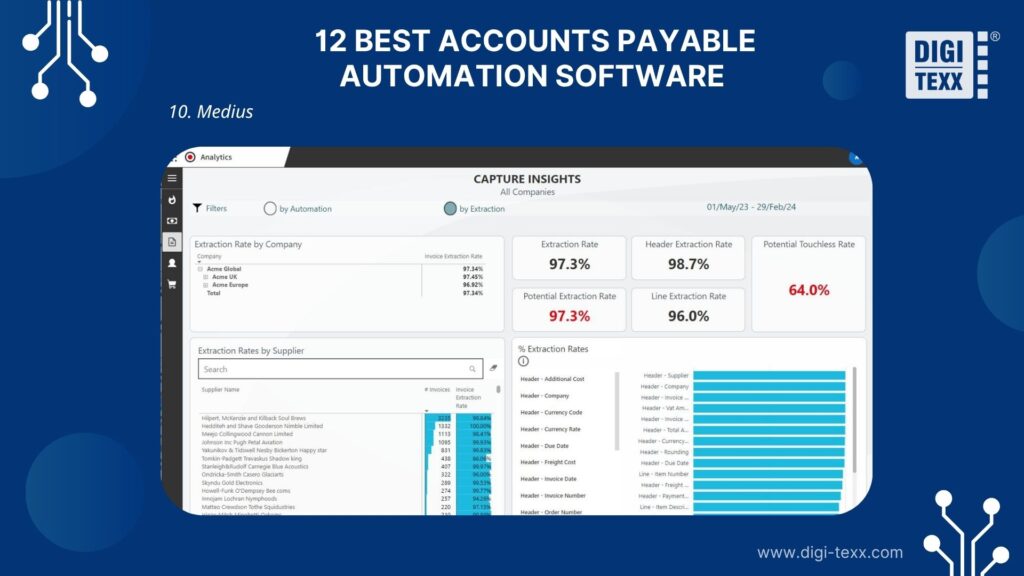
Medius provides AP automation capabilities that help businesses manage invoices, approvals, supplier information, and payment-related workflows. Its AI-driven approach is particularly relevant to organizations seeking to improve invoice processing consistency and identify potential financial anomalies.
Key Features
- Automated invoice capture: Extract information from incoming supplier invoices.
- AI-assisted processing: Support invoice classification, coding, and workflow decisions.
- Fraud and anomaly detection: Identify unusual transactions and potential duplicate invoices for further review.
- Approval automation: Route invoices based on business rules and approval hierarchies.
- Supplier management: Organize supplier information and related financial records.
- Analytics and reporting: Monitor AP activity and processing performance.
Pros
- Offers AI-assisted invoice automation capabilities.
- Supports financial control and anomaly detection.
- Suitable for more complex AP workflows.
- Helps centralize invoice-related information.
Cons
- Implementation and integration may be complex.
- New users may need training to work effectively with advanced features.
- Pricing is generally customized.
- Smaller businesses may find the platform more extensive than necessary.
Best For: Medium-sized and large businesses seeking AI-powered accounts payable automation software to manage complex invoice workflows, improve financial controls, and reduce payment risks.
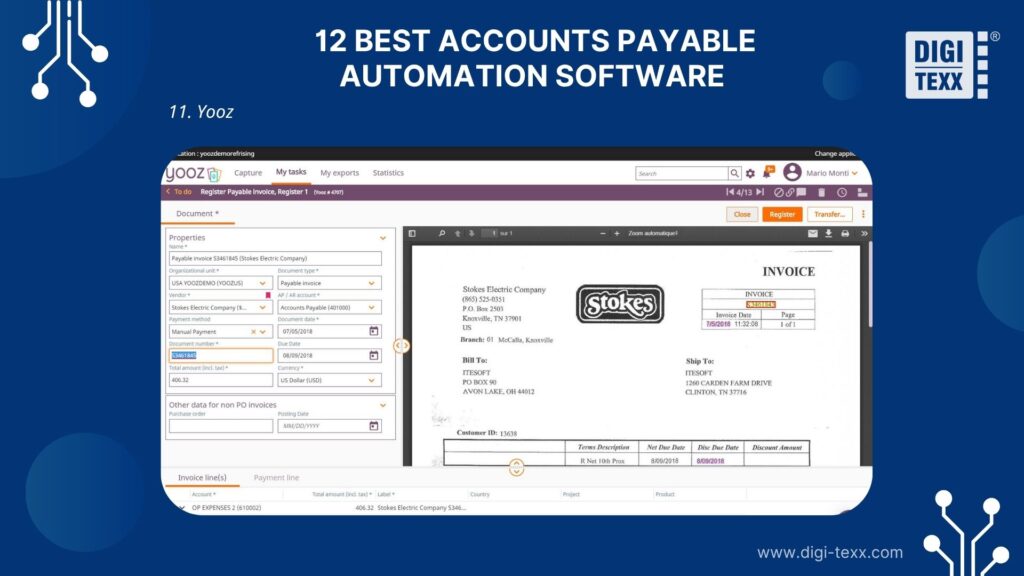
11. Yooz
Yooz focuses on automating invoice capture, data extraction, coding, and approval workflows. Its document-centric approach can help finance teams reduce repetitive processing tasks and improve invoice management.
Key Features
- AI-powered OCR: Extract data from supplier invoices and supporting documents.
- Automated invoice coding: Apply configured rules and historical data to support accounting classification.
- Invoice approval workflows: Route invoices to relevant stakeholders for review and authorization.
- Fraud prevention controls: Support duplicate detection and invoice validation.
- Document management: Store and retrieve invoice records digitally.
- Accounting integrations: Connect AP data with supported ERP and accounting systems.
Pros
- Helps automate repetitive invoice processing tasks.
- Provides document capture and approval capabilities in one platform.
- Supports configurable AP workflows.
- Can reduce the need for manual invoice entry.
Cons
- Reporting requirements should be evaluated against the complexity of the business.
- Integration depth may vary across accounting systems.
- PO matching capabilities should be assessed for organizations with complex procurement processes.
- Pricing and support arrangements depend on the selected package.
Best For: Businesses looking for AP automation software that prioritizes intelligent invoice capture, OCR-based data extraction, and streamlined approval workflows.
>>> See more:
- Data Cleansing Outsourcing: 20 Best US Companies 2026
- How to Automate Documentation: 6 Steps, Tools & Best Practices
- Top 15 Best Big Data Processing Tool For Business 2026
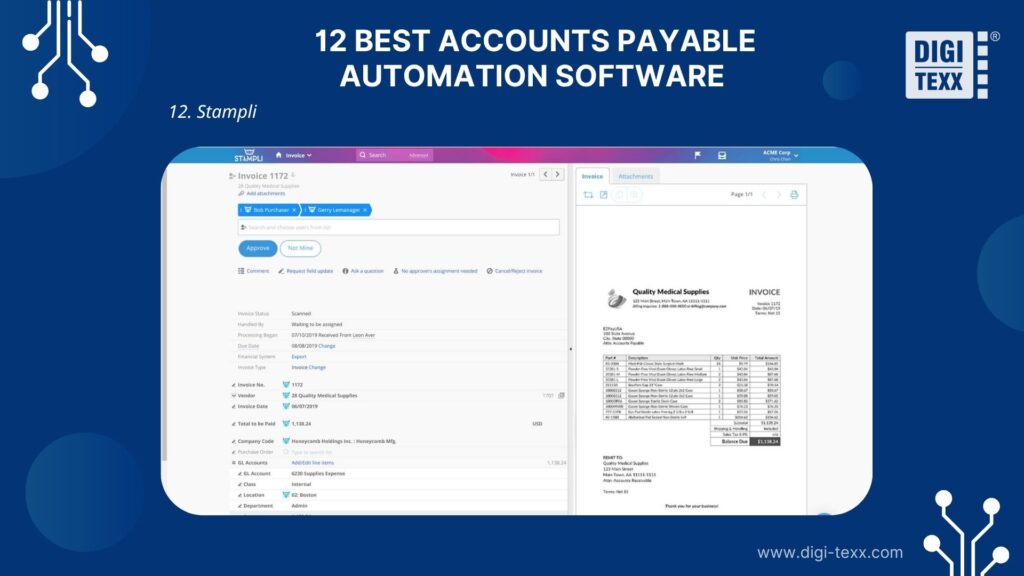
12. Stampli
Stampli centralizes invoice information, approval activities, and communication in a shared workspace. Its AI assistant, Billy, supports tasks such as invoice capture, coding, vendor identification, and approval routing.
Key Features
- AI-powered invoice processing: Automate invoice capture and support coding decisions.
- Collaborative invoice management: Keep invoice-related comments, documents, and approval history together.
- Automated approval routing: Assign invoices based on organizational rules and approval requirements.
- PO matching: Support two-way and three-way matching, including line-level review.
- ERP integrations: Connect AP workflows with supported ERP systems.
- Audit trails: Maintain invoice activity and supporting documentation for review.
Pros
- Centralizes invoice communication and approval activities.
- AI supports coding and repetitive processing tasks.
- Offers capabilities for complex approval workflows.
- Supports integration with a broad range of ERP environments.
Cons
- Pricing is generally available through a sales consultation.
- Advanced functionality may be excessive for businesses with very simple AP requirements.
- Organizations should evaluate role permissions and reporting capabilities against their internal control requirements.
- Implementation planning is still necessary for complex ERP environments.
Best For: Organizations that process substantial invoice volumes and need accounts payable automation software with structured approval workflows and ERP connectivity.
Why Businesses Invest In Accounts Payable Automation
Manual accounts payable processes can become difficult to manage as invoice volumes, supplier relationships, and organizational complexity increase. AP employees may spend significant time collecting documents, entering invoice details, following up on approvals, and reconciling payment records instead of focusing on financial analysis and exception management.
According to APQC, the cross-industry median cost to process an accounts payable invoice is $6, based on benchmarking data from 5,846 organizations. The calculation includes personnel, systems, overhead, and other operating costs. This provides a useful benchmark for businesses evaluating opportunities to improve AP efficiency.
The following operational challenges explain why businesses increasingly invest in accounts payable automation software.
Reduce Manual Invoice Processing And Data Entry
Manual invoice processing requires AP employees to collect supplier documents, identify relevant information, enter data into accounting systems, and verify transaction details. Repeating these activities across hundreds or thousands of invoices increases administrative workload and creates opportunities for data entry errors.
Accounts payable automation software reduces repetitive tasks through OCR, AI-powered data extraction, and automated invoice validation. Instead of manually entering every invoice field, employees can review extracted information and focus on records that require additional attention.
For example, an automated workflow can:
- Capture supplier invoices from email, document uploads, or supported electronic channels.
- Extract invoice numbers, supplier names, invoice dates, tax amounts, and payment totals.
- Validate extracted information against configured business rules.
- Identify missing fields or inconsistent invoice details.
- Transfer validated invoice data into the connected accounting or ERP system.
This approach helps finance teams reduce manual handling while maintaining human oversight over exceptions and sensitive transactions.
Accelerate Invoice Approvals And Payment Cycles
Invoice approval delays can occur when documents move between departments through email or require multiple manual follow-ups. An invoice may remain unprocessed because the responsible manager is unavailable, the approval request is overlooked, or supporting documents are missing.
AP automation software addresses these bottlenecks through configurable approval workflows. Businesses can establish routing rules based on invoice amounts, departments, cost centers, suppliers, and authorization levels.
For instance, an invoice below a predefined spending threshold may require approval from a department manager, while a higher-value transaction may need additional authorization from a finance director.
Automated workflows can also provide:
- Approval notifications and reminders.
- Invoice status tracking.
- Escalation rules for overdue approvals.
- Supporting document access during review.
- A centralized record of approval decisions.
These capabilities help businesses establish more predictable payment cycles and reduce the administrative effort required to coordinate invoice approvals.
Improve Invoice Accuracy And Prevent Duplicate Payments
Invoice errors can result from incorrect supplier information, duplicated records, inconsistent GL coding, or mismatches between purchase orders and invoices. If these issues remain undetected, businesses may experience overpayments, reconciliation problems, and unnecessary disputes with suppliers.
Accounts payable automation software introduces validation controls at different stages of the invoice lifecycle.
For example, duplicate detection can compare invoice numbers, supplier identifiers, invoice dates, and amounts to flag potentially repeated submissions. Automated PO matching can compare invoice details against purchasing and receiving records to identify discrepancies before payment authorization.
Common validation checks include:
- Supplier name and vendor ID verification.
- Invoice number and date consistency.
- Duplicate invoice identification.
- Tax and total amount validation.
- Purchase order and goods receipt matching.
- Bank account and payment detail verification.
Automation does not eliminate every financial risk. Businesses should combine automated validation with segregation of duties, approval thresholds, vendor verification, and human review of unusual transactions.
Strengthen Financial Visibility And Internal Controls
When AP information is spread across spreadsheets, inboxes, and accounting systems, finance managers may struggle to understand outstanding liabilities and upcoming payment obligations.
Modern accounts payable automation software centralizes invoice status, approval history, payment information, and supporting documents. This enables finance teams to monitor transactions without repeatedly requesting updates from individual AP employees.
Depending on the platform, reporting capabilities may include:
- Outstanding invoices by supplier and due date.
- Pending approvals by department or approver.
- Scheduled payments and upcoming liabilities.
- Invoice processing time and exception rates.
- Duplicate invoice alerts and unusual transactions.
- Historical invoice activity and audit documentation.
Better visibility helps controllers and finance leaders assess cash requirements, monitor spending, and identify operational bottlenecks before they affect financial reporting.
Scale AP Operations As Invoice Volumes Grow
A business may initially manage supplier invoices through spreadsheets and basic accounting tools. However, this approach becomes harder to maintain as the organization adds suppliers, locations, subsidiaries, and purchasing activities.
Higher invoice volumes also introduce more document formats, approval requirements, and exceptions. Without standardized processes, AP teams may need additional employees just to keep up with administrative work.
Accounts payable automation software helps businesses scale by applying consistent processing rules across recurring transactions. Automated capture, coding suggestions, approval routing, and matching can reduce the amount of manual work required for each invoice.
For growing organizations, the ability to process more transactions without proportionally increasing administrative workload can support expansion while maintaining financial control.
>>> See more: Top 10 Clipping Path Service Providers For USA Businesses In 2026
How To Choose The Best Accounts Payable Automation Software
Selecting accounts payable automation software requires more than comparing product features or subscription prices. Businesses should evaluate how each solution fits their existing accounting infrastructure, invoice processing requirements, internal controls, and long-term growth plans.
The following seven steps provide a practical framework for comparing AP automation solutions.
1. Assess Your Current Accounts Payable Workflow
Start by documenting the existing invoice-to-pay process, from supplier invoice receipt to payment execution and reconciliation.
Identify where employees spend the most time and which activities create recurring delays. For example, some businesses may struggle with manual invoice entry, while others experience bottlenecks because invoices require approval from multiple departments.
Evaluate the following operational indicators:
- Average number of invoices processed monthly.
- Average processing time per invoice.
- Percentage of invoices requiring manual data entry.
- Average invoice approval cycle time.
- Frequency of duplicate invoices and data entry errors.
- Number of invoices requiring exception handling.
- Staff hours spent on invoice processing and reconciliation.
These measurements establish a baseline for comparing software performance after implementation.
2. Define Your Invoice Processing Volume and Business Requirements
Different businesses have different AP requirements. A small business processing a few hundred invoices monthly may prioritize ease of use and affordable pricing, while a multinational enterprise may require multi-entity workflows, global payments, and advanced compliance controls.
Consider the following requirements when evaluating software:
| Business type | Main AP requirements | Relevant capabilities |
| Small businesses | Simplify bill management and reduce manual work | Invoice capture, basic approvals, accounting integration |
| Mid-market businesses | Standardize workflows across departments | Automated coding, PO matching, approval routing, reporting |
| Large enterprises | Manage complex and high-volume AP operations | Multi-entity support, advanced controls, ERP integration, analytics |
| Multinational businesses | Coordinate international suppliers and payments | Multi-currency support, tax compliance, global payment capabilities |
Businesses should also determine whether they need a complete procure-to-pay platform or a more focused invoice processing solution. This distinction can prevent unnecessary software costs and implementation complexity.
3. Evaluate ERP And Accounting Software Integrations
Integration is one of the most important factors when choosing AP automation software. An application that cannot exchange financial information reliably with existing systems may introduce additional reconciliation work instead of eliminating it.
Before selecting a platform, determine whether it supports your current accounting or ERP environment, such as NetSuite, QuickBooks, Sage Intacct, or Microsoft Dynamics.
Evaluate integration capabilities across several areas:
- Data synchronization: Does the system transfer invoice and payment information automatically?
- Vendor records: Can it retrieve and update supplier information from the accounting system?
- GL coding: Can invoice data map to the correct accounts and cost centers?
- Purchase orders: Can it access PO and receiving information for matching?
- Payment status: Does it synchronize payment records and reconciliation information?
- Multi-entity support: Can it manage transactions across subsidiaries and legal entities?
Businesses should also clarify whether the integration is native, API-based, or dependent on middleware. These approaches differ in implementation requirements, maintenance, and data synchronization.
4. Compare Automation Features And AI Capabilities
Not all accounts payable automation software provides the same level of automation. Some platforms focus on extracting invoice information, while others support the entire workflow from document capture to payment reconciliation.
Evaluate how much of the invoice lifecycle the platform can automate.
| AP process | Automation capability to evaluate | Business value |
| Invoice capture | Email, scanning, uploads, EDI | Centralizes incoming documents |
| Data extraction | OCR and AI-powered recognition | Reduces manual data entry |
| Invoice validation | Supplier, amount, date, and duplicate checks | Improves data quality |
| GL coding | Rule-based and AI-assisted classification | Supports consistent accounting records |
| PO matching | Two-way and three-way matching | Identifies transaction discrepancies |
| Approval routing | Configurable rules and notifications | Reduces approval delays |
| Payment processing | ACH, virtual cards, and other supported methods | Streamlines payment execution |
| Reconciliation | Automated payment and bank record matching | Improves financial accuracy |
Ask vendors to demonstrate these features using representative invoices from your business rather than relying solely on standard product demonstrations.
5. Review Security, Compliance, And Audit Capabilities
AP systems process sensitive financial information, including supplier identities, banking details, invoices, and payment records. Therefore, security and internal controls should be central to the software evaluation process.
Review the following capabilities:
- Role-based access control and user permissions.
- Multi-factor authentication and single sign-on.
- Encryption of financial information in transit and at rest.
- Segregation of duties between invoice creation, approval, and payment.
- Complete audit trails for invoice changes and approval activities.
- Vendor verification and payment authorization controls.
- Data retention and document access policies.
- Relevant security certifications and compliance documentation.
For US businesses, also consider applicable tax documentation requirements, such as W-9 collection and 1099 reporting workflows. Organizations operating internationally may need additional controls for local tax regulations and electronic invoicing mandates.
Do not assume that purchasing AP automation software automatically makes an organization compliant. Internal policies, system configuration, and ongoing control reviews remain essential.
6. Compare Pricing And Total Cost Of Ownership
Software subscription fees are only one component of the overall investment. Implementation, integrations, user training, transaction charges, and ongoing support can significantly affect the total cost of ownership (TCO).
When comparing AP automation software pricing, examine:
| Cost component | What to evaluate |
| Subscription fees | Monthly or annual platform charges |
| User licenses | Per-user or role-based pricing |
| Invoice volume | Transaction limits and overage fees |
| Implementation | Configuration, migration, and deployment costs |
| Integration | ERP connectors, APIs, and middleware |
| Payment processing | ACH, wire transfer, card, or transaction fees |
| Training | Initial onboarding and ongoing education |
| Support | Service tiers and technical assistance |
A useful way to compare solutions is to calculate the expected cost per invoice:
CostperInvoice = Total AP Operating Costs/Invoices Processed
Then compare the current cost with the projected cost after automation.
For example, if a business spends $12,000 per month processing 2,000 invoices, its baseline cost is $6 per invoice. If automation reduces the monthly operating cost to $8,000 while maintaining the same volume, the new cost becomes $4 per invoice.
That represents a $2 reduction per invoice, or $4,000 in monthly operating savings.
This is an illustrative calculation, not a guaranteed software outcome. Actual savings depend on implementation costs, invoice complexity, automation rates, and the amount of manual work eliminated.
7. Test The Software Through A Demo Or Pilot Program
Before deploying a platform across the organization, test its capabilities using actual business scenarios. A controlled pilot helps identify integration gaps, extraction inaccuracies, workflow issues, and user adoption challenges before they affect the entire AP operation.
Start with a representative group of suppliers or one business unit. Include different invoice formats, PO-based transactions, non-PO invoices, and documents with incomplete or inconsistent information.
Track the following performance indicators:
- Invoice data extraction accuracy.
- Average invoice processing time.
- Approval cycle time.
- Percentage of invoices processed without manual intervention.
- Duplicate detection effectiveness.
- Exception handling time.
- User adoption and satisfaction.
- Total cost per processed invoice.
A 30–60-day pilot can provide a useful initial evaluation period, although the appropriate duration depends on transaction volume and payment cycles.
The final decision should be based on measured operational improvements, integration reliability, user feedback, and projected total cost rather than vendor demonstrations alone.
Accounts Payable Automation Software & Outsourced AP Processing
Accounts payable automation software and outsourced AP processing both help businesses reduce administrative workloads. However, they address different operational needs.
AP automation software provides digital tools that streamline invoice processing and related financial workflows. Outsourced AP processing involves engaging an external service provider to handle selected activities, such as document capture, invoice data entry, validation, and reconciliation support.
| Comparison criteria | AP automation software | Outsourced AP processing |
| Primary purpose | Automates repetitive AP workflows through software | Delegates selected AP tasks to an external service provider |
| Invoice data capture | Uses OCR, AI, and automated extraction | Can combine OCR with manual data entry and verification |
| Data validation | Applies configured rules and system checks | Uses trained personnel and defined validation procedures |
| Approval management | Routes invoices through digital workflows | Supports preparation and processing; final authorization remains with the client unless explicitly delegated |
| Payment execution | Some platforms support payment processing | Usually depends on the agreed service scope and client payment controls |
| Scalability | Scales through software capacity and configuration | Scales through staffing, process design, and service capacity |
| Cost structure | Subscription, implementation, licensing, and transaction fees | Service fees based on volume, complexity, and scope |
| Internal involvement | Requires internal staff to manage exceptions and controls | Reduces selected operational workloads but still requires governance and oversight |
When Should Businesses Consider Outsourcing AP Operations?
Outsourcing may be appropriate when a business has the technology to manage financial transactions but lacks sufficient internal resources to handle document-heavy processing activities.
Common situations include:
- High invoice volumes: Internal AP teams spend excessive time entering and validating invoice information.
- Staffing constraints: Finance departments cannot scale processing capacity quickly enough to meet demand.
- Document complexity: Supplier invoices arrive in different formats, languages, and layouts, requiring additional review.
- Repetitive administrative work: Employees spend too much time on data entry, document classification, and record organization.
- Operational expansion: New suppliers, locations, and business units create additional processing requirements.
DIGI-TEXX provides BPO and data processing services that can support document-intensive workflows, including:
- Invoice data entry: Extract and input relevant invoice information into client-defined templates or systems.
- Document classification: Categorize invoices and supporting documents according to predefined processing rules.
- Data validation: Check extracted information for missing fields, inconsistencies, and formatting issues.
- Document digitization: Convert paper-based financial records into organized digital information.
- Human verification: Review exceptions and extracted data that require additional attention.
By combining OCR and AI-assisted processing with trained human review, businesses can build a more controlled approach to handling large volumes of financial documents.
The appropriate outsourcing scope depends on the client’s ERP environment, document formats, data security requirements, and internal approval policies. DIGI-TEXX’s role is to support document and data processing activities rather than replace the client’s financial authorization responsibilities.
For businesses seeking to reduce manual document handling while maintaining control over financial transactions, this hybrid approach can complement their existing accounts payable automation software.
FAQs About Accounts Payable Automation Software
What Is The Best Way To Automate Accounts Payable Processes?
The best way to automate accounts payable processes is to connect invoice capture, data extraction, validation, approval routing, PO matching, and accounting system integration within a standardized workflow.
Businesses should first identify repetitive manual tasks and select AP automation software that integrates with their existing ERP or accounting platform. OCR and AI can reduce manual invoice entry, while automated validation and approval rules improve consistency. Human review should remain available for exceptions and high-risk transactions.
What Are The Top 5 Best AP Software Solutions Available And Why?
Five notable accounts payable automation solutions are BILL, Tipalti, Ramp Bill Pay, Basware AP Automation, and Stampli. Each serves different business requirements:
| Software | Why businesses consider it | Ideal users |
| BILL | Bill management, approval workflows, and vendor payments | Small and mid-sized businesses |
| Tipalti | Global supplier onboarding, payment automation, and tax compliance | International businesses |
| Ramp Bill Pay | AP management connected with corporate spend controls | Startups and growing businesses |
| Basware | Enterprise invoice processing and global e-invoicing | Large organizations |
| Stampli | AI-assisted invoice processing and collaborative approvals | Mid-market and enterprise finance teams |
The best option depends on invoice volume, ERP compatibility, payment requirements, and the complexity of existing AP workflows.
How Much Does AP Automation Cost?
AP automation software pricing varies based on the provider, subscription tier, invoice volume, user count, integrations, and implementation requirements.
Some platforms publish per-user subscription prices, while enterprise solutions generally require customized quotes based on business needs.
When evaluating costs, businesses should consider more than licensing fees. Implementation, training, ERP integrations, transaction charges, technical support, and ongoing maintenance all contribute to total cost of ownership.
A useful comparison metric is the total operating cost per invoice before and after automation.
What Are the Best AI Tools For Accounts Payable?
The best AI-powered accounts payable tools depend on the processes a business wants to automate.
Some notable options include:
- Basware: AI and machine learning capabilities for invoice capture, matching, coding, and processing.
- Tipalti: AI-assisted invoice scanning, data extraction, coding, and approval routing.
- Stampli: Billy AI supports invoice capture, coding, vendor identification, and workflow automation.
- Medius: AI-driven AP processing with anomaly and fraud detection capabilities.
- Yooz: AI-powered OCR and automated invoice processing.
Businesses should evaluate extraction accuracy, exception handling, ERP integration, explainability, and human review controls rather than selecting a platform based solely on its AI features.
Choosing the right accounts payable automation software requires evaluating more than automation features. Businesses should consider invoice volumes, ERP compatibility, approval workflows, security controls, and total cost of ownership before making a decision. While accounts payable software for small business operations often prioritizes affordability and ease of use, accounts payable software for large business environments requires advanced integrations, multi-entity support, and stronger financial controls.
A thorough AP automation software comparison can help finance teams identify the best AP automation software for small business requirements or more complex enterprise operations. For organizations that need additional support with invoice data entry, document classification, digitization, and validation, DIGI-TEXX provides BPO and data processing services that complement existing automation systems. Combining the right software with reliable document processing support can help businesses improve AP efficiency while maintaining control over financial operations.
DIGI-TEXX Contact Information:
🌐 Website: https://digi-texx.com/
📞 Hotline: +84 28 3715 5325
✉️ Email: [email protected]
🏢 Address:
- Headquarters: Anna Building, QTSC, Trung My Tay Ward
- Office 1: German House, 33 Le Duan, Saigon Ward
- Office 2: DIGI-TEXX Building, 477-479 An Duong Vuong, Binh Phu Ward
- Office 3: Innovation Solution Center, ISC Hau Giang, 198 19 Thang 8 street, Vi Tan Ward
Reference:
- APQC. (2026a). Accounts payable key benchmarks: Cross industry. https://www.apqc.org/resource-library/resource/accounts-payable-key-benchmarks-cross-industry
- Cornell University, Division of Financial Services. (n.d.). Segregation of duties. https://finance.cornell.edu/controller/internalcontrols/unitlevelactivities/segregation