AI business documents analysis is helping businesses process, organize, and extract valuable insights from large volumes of unstructured data faster than ever before. By combining technologies such as optical character recognition (OCR) with intelligent automation, organizations can improve document accuracy, strengthen data quality management, and streamline business process management.
In this article, DIGI-TEXX will help you understand what AI document analysis is, explore the best free tools available today, and discover how these solutions complement modern document management systems, support data cleaning, and enhance overall operational efficiency.
>>> See more:
- Business Process Automation Solutions: Benefits, Example & Service Company
- Fashion Photo Retouching: Key Techniques, Benefits, and Tips
- Top 10 Data Processing Software For Business 2026 – Best Tool Reviewed
What Is AI Document Analysis?
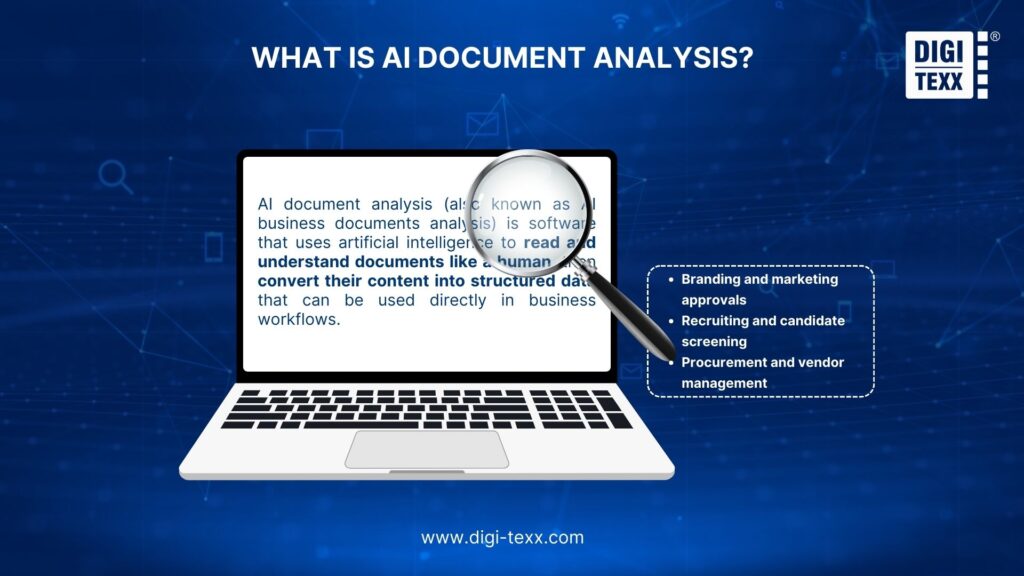
AI document analysis, also known as AI business documents analysis, refers to software that uses artificial intelligence to read and understand documents in a human-like way, then transform their content into structured data that can be used directly in business workflows.
Unlike basic OCR or text extraction, AI business documents analysis goes further by understanding meaning, context, and relationships within documents. Organizations use AI business documents analysis in many daily operations, such as:
- Branding and marketing approvals.
- Recruiting and candidate screening.
- Procurement and vendor management.
- Accounting and billing processes.
- Legal and compliance reviews.
- Customer onboarding and KYC.
- Sales workflows and CRM updates.
By turning document content into searchable, filterable, and automatable data, AI business documents analysis reduces decision-making time and improves overall operational efficiency.
“Nearly 80% of enterprise data is unstructured, making AI-powered document analysis essential for turning information into actionable business insights.” – Thomas H. Davenport
Review Top 10 Free AI Business Document Analysis Tools
| AI Platform | Best For | Pricing | Notable Features |
| Vurvey | Video-based sentiment analysis and customer research | Free plan available; paid plans available | AI-powered sentiment analysis from videos and documentsAutomated theme and trend detectionCustomer feedback intelligenceEnterprise-grade security and authentication |
| Doc Analyzer | Conversational document analysis and question answering | Free plan available; paid plans available | Chat-based document interactionAI-powered Q&A across documentsAutomated document summarizationTable extraction and metadata analysis |
| Sharly | Research, document comparison, and knowledge discovery | Free trial available; paid plans available | AI document summarizationMulti-document comparisonCitation-ready insightsSupport for 50+ file formats |
| Microsoft Azure Document Intelligence | Enterprise document processing and workflow automation | Pay-as-you-go pricing; free tier available | Automated text and data extractionPrebuilt and custom AI modelsInvoice and form processingEnterprise cloud integration |
| Google Cloud Document AI | Converting unstructured documents into structured data | Pay-as-you-go pricing; free trial credits available | Intelligent document classificationText, form, and table extractionContract and invoice processingGoogle Cloud ecosystem integration |
| Petal | Collaborative document research and knowledge management | Free plan available; paid plans available | AI-powered document workspaceCross-document analysisTeam collaboration tools Smart file organization and metadata management |
| HyperWrite AI Document Analyzer | Summarizing lengthy reports and research materials | Free trial available; paid plans available | AI-generated summariesKey insight extractionSentiment analysisMulti-document comparison |
| Hebbia | Financial research and due diligence | Custom pricing | Purpose-built for finance teamsMulti-document analysis and comparisonIn-line citations and audit trailsGrid-based review interfaceAutomated report generationEnterprise-grade security |
| ChatGPT | Quick and accessible free AI document analysis | Free plan available; paid plans available | Advanced Data Analysis capabilitiesDocument summarizationData visualization and chart generationImage and screenshot analysis |
| Claude | AI-powered document generation | Free plan available; paid plans available | Business document generationStructured data analysisVisual report creationEnterprise security controls |
| Litera Kira | Contract and legal document analysis | Custom pricing | Contract clause extractionSource-linked citationsMulti-contract comparisonDue diligence and compliance support |
1. Vurvey
Best for: Video-based sentiment analysis and customer research
Vurvey combines video surveys with AI-powered document analysis to help businesses extract insights from large volumes of qualitative data. The platform automatically identifies key themes, trends, and customer sentiments across videos and documents, reducing the time required for manual review.
Built with enterprise-grade security and data protection measures, Vurvey is particularly valuable for market research teams, customer experience professionals, and analysts seeking a balance between automation and human-centered insights.
Key features:
- AI-powered sentiment and theme detection from videos and documents.
- Automated identification of high-value responses and emerging trends.
- Enterprise authentication and advanced data security controls.
- Research-focused analytics designed for customer feedback analysis.
2. Doc Analyzer
Best for: Conversational document analysis and question answering
Doc Analyzer simplifies document review by allowing users to upload PDFs, Word files, and other business documents, then interact with them through a chat-based interface. Instead of manually searching through pages, users can ask questions and receive instant, context-aware answers.
Powered by advanced language models, the platform can summarize content, extract metadata, and analyze tables while maintaining strong privacy standards. Its intuitive interface makes it suitable for both individual professionals and business teams.
Key features:
- Chat-based document interaction and question answering.
- Automated summarization of lengthy documents.
- Table extraction and metadata analysis.
- Support for multiple file formats with privacy-focused processing.
3. Sharly
Best for: Research, document comparison, and knowledge discovery
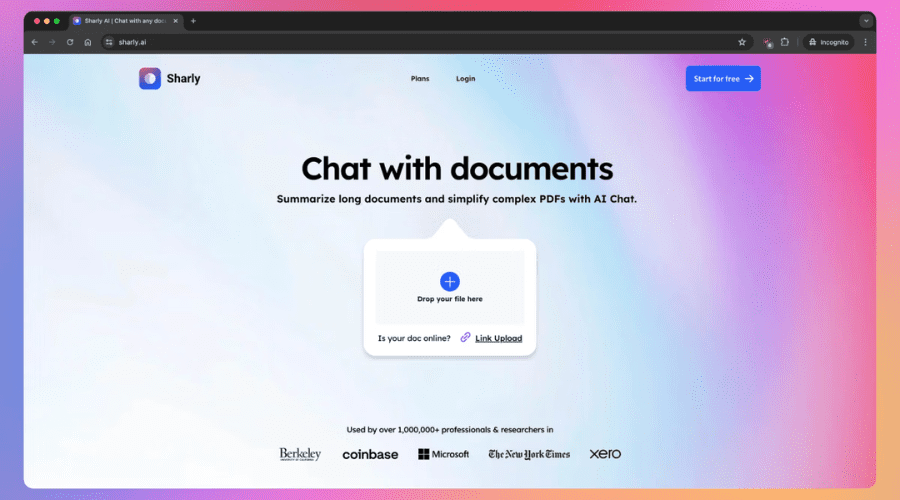
Sharly is an AI research assistant designed to help users quickly understand complex documents. It supports PDFs, Word files, presentations, and audio content, delivering concise summaries, key takeaways, and source-backed answers through a conversational interface.
Beyond summarization, Sharly can compare multiple documents, verify information across sources, and facilitate team collaboration. These capabilities make it particularly useful for research, compliance, and decision-making workflows.
Key features:
- AI-powered document summarization and Q&A.
- Multi-document comparison and cross-reference analysis.
- Citation-ready insights for research workflows.
- Support for more than 50 document and media formats.
4. Azure Microsoft
Best for: Enterprise document processing and workflow automation
Microsoft Azure Document Intelligence helps organizations automate document-heavy processes through advanced AI document analysis. The platform extracts text, tables, key-value pairs, and structured information from PDFs, images, forms, and Office documents.
With prebuilt and customizable models, Azure supports a wide range of business use cases, including invoice processing, contract review, and form recognition. A free usage tier is available for teams looking to test its capabilities before scaling deployment.
Key features:
- Automated extraction of text, tables, and structured data.
- Prebuilt and custom AI models for business workflows.
- Integration with enterprise applications and cloud services.
- Free tier available for testing and evaluation.

>>> See more:
- Top 12 Data Entry Outsourcing Companies In United States
- Top 10 Data Cleansing Companies for Businesses in 2025
- Outsourced data annotation services: List of best companies to work for
5. Google Cloud
Best for: Converting unstructured documents into structured data
Google Cloud Document AI leverages Google’s machine learning technology to transform complex documents into actionable business data. The platform can process contracts, invoices, forms, and scanned files while accurately extracting key information and document structures.
Its flexible API and generous trial credits make it a practical choice for organizations exploring AI-powered document automation without significant upfront investment.
Key features:
- Intelligent text, form, and table extraction.
- Automated processing of contracts, invoices, and business documents.
- Machine learning-powered document classification.
- Free trial credits for testing and development.

6. Petal
Best for: Collaborative document research and knowledge management
Petal is an AI-powered workspace that helps users organize, analyze, and interact with complex documents. Through its conversational interface, users can upload multiple files, ask questions, compare information, and generate summaries in seconds.
Designed for researchers, students, and knowledge workers, Petal also includes collaboration features and intelligent file organization tools that streamline document management.
Key features:
- AI-driven document summarization and analysis.
- Cross-document comparison and information extraction.
- Collaborative workspace for teams and researchers.
- Smart document organization and metadata management.
7. HyperWrite
Best for: Summarizing lengthy reports and research materials
HyperWrite AI Document Analyzer helps users quickly understand long and information-dense documents. The platform can summarize reports, academic papers, legal documents, and other complex content while highlighting key insights and concepts.
In addition to summarization, HyperWrite supports sentiment analysis, structured data extraction, and document comparison, making it a useful tool for professionals, researchers, and students.
Key features:
- AI-powered summaries for lengthy documents.
- Extraction of key concepts and actionable insights.
- Sentiment analysis and structured data identification.
- Multi-document comparison and contextual understanding.
8. Hebbia
Hebbia is an AI-powered platform designed for finance teams that need to analyze large volumes of business and investment documents quickly. Its advanced AI business document analysis capabilities help users extract insights, compare information across multiple files, and generate source-backed findings from complex financial and legal documents.
Built for investment banks, private equity firms, and asset managers, Hebbia streamlines workflows such as due diligence, market research, and portfolio analysis while maintaining high levels of accuracy and transparency.
Key features:
- AI business document analysis across financial, legal, and operational files.
- Multi-document search and comparison for faster due diligence.
- In-line citations and audit trails for transparent research.
- Grid-based interface for large-scale document review.
9. ChatGPT
Best for: Quick and accessible free AI document analysis
ChatGPT is a user-friendly platform that helps individuals and teams analyze, summarize, and extract insights from business documents through a conversational interface. As a free AI document analysis tool, it enables users to review reports, PDFs, spreadsheets, and other files without requiring advanced technical skills.
While ChatGPT is ideal for everyday document analysis and content summarization, users handling large-scale document collections or highly specialized research workflows may require more advanced document management and citation capabilities.
Key features:
- Advanced Data Analysis: Uses Python-powered tools to perform statistical calculations and analyze structured datasets.
- Data visualization: Creates charts, graphs, and tables for clearer data interpretation.
- Document summarization: Extracts key insights from lengthy business documents, reports, and PDFs.
- Image-based analysis: Interprets charts, diagrams, screenshots, and other visual document elements.
10. Claude
Best for: AI-powered document generation
Claude, developed by Anthropic, is a versatile AI assistant that supports both document analysis and content creation. As an AI business documents analysis online tool, Claude can process structured files such as CSV and TSV datasets, extract key insights, and transform them into useful business outputs through a simple chat interface.
Key features:
- Data visualization: Analyzes structured datasets and generates charts and visual reports.
- Document generation: Creates reports, spreadsheets, and business documents using insights extracted from uploaded files.
- AI business documents analysis online: Reviews and summarizes business data through a conversational interface.
Advanced security controls: Offers enterprise-grade features such as audit logs, domain restrictions, and configurable access permissions. Beyond analysis, Claude excels at generating new documents from existing data. Users can create reports, spreadsheets, charts, presentations, and other business materials based on information extracted from uploaded files. This makes it a practical solution for teams that need to turn raw data into actionable content quickly.
However, Claude’s file size and context limitations may affect performance when working with extremely large documents or complex multi-step workflows.

11. Litera Kira
Best for: Contract and legal document analysis
Kira is a specialized AI platform designed to help legal teams review and analyze contracts more efficiently. Using advanced AI business document analysis capabilities, it can automatically identify, extract, and organize key clauses, provisions, and contract data from large volumes of legal documents.
By reducing the need for manual review, Kira helps law firms, compliance teams, and M&A professionals accelerate due diligence, minimize risks, and uncover critical information faster. Its source-linked insights also make it easier to verify findings and maintain accuracy throughout the review process.
Key features:
- Clause extraction: Identifies and analyzes important clauses across legal agreements and contracts.
- Source-linked citations: Connects every insight to its original location within the document for quick verification.
- Multi-document analysis: Compares and summarizes multiple contracts simultaneously to surface risks, obligations, and opportunities.
- Due diligence support: Streamlines contract review processes for legal, compliance, and M&A teams.
>>> See more:
- Best Insurance Claims Processing Outsourcing BPO in the US 2026
- An Overview of Document Processing Company: What You Need to Know
- Outsourcing Data Cleansing: What You Need to Know
FAQs About AI Business Documents Analysis
Can AI Analyse A Document?
Yes. Contemporary AI software is programmed to read and understand different kinds of documents. This encompasses identifying text, placing meaning, summarizing text, and even giving answers to query questions regarding content. These programs rely on such technologies as OCR (optical character recognition) and natural language processing to interpret and read documents.
To further understand how AI transforms document workflows, check out our guide on AI-powered document automation.
Is There An AI That Can Analyze PDF Documents?
Yes. Certain AI tools have been developed to deal with PDF documents in particular. Sites such as ChatGPT Plus, Claude, Google Document AI, and Adobe AI Assistant support uploading PDF files and respond with structured data, summaries, or data extraction. Such tools simplify searching, interpreting, and conversing with documents by making them faster and easier
Which AI Is Best For Business Analysis?
Spotfire is one of the best AI tools for business analysis, especially for companies that rely on AI business documents analysis, predictive analytics, and risk assessment. With customizable dashboards and real-time insights, it helps organizations turn complex business documents and data into accurate, data-driven decisions across industries.
What Is The Best AI For Comparing Documents?
The following tools are highly effective and accurate options you should consider:
- Vurvey
- Doc Analyzer
- Sharly
- Azure Microsoft
- Google Cloud
- Petal
- HyperWrite
Can ChatGPT Do Data Analysis?
Yes, particularly if you are utilizing the Plus variant with GPT-4. It lets you import Word documents or PDFs and play with them by hand. You can get it to summarize materials, pull quotes out, provide answers, or analyze challenging passages. Although the free version is copy-and-paste-friendly, the paid version is full document interaction, so AI document analysis is quick, agile, and easy.
In today’s high-speed digital age, AI document analysis is no longer an extravagance but a necessity. Whether it is contract processing, reports, research papers, or business documents, AI technology can significantly enhance efficiency, accuracy, and insight. With the appropriate solution, individuals and businesses are able to reimagine how they engage with information.
What Is The 30% Rule In AI?
The 30% rule in AI is a practical guideline that encourages responsible AI use. It suggests that when creating content—such as essays, projects, or code—AI-generated input should make up no more than 30% of the final work, while the remaining content reflects the user’s own thinking and effort.
How To Use AI For Business Data Analysis?
AI can support business data analysis by helping organizations extract insights from unstructured data. Common use cases include:
- Analyzing images and videos with AI.
- Using Vertex AI Vision to analyze object tables.
- Running inference on image object tables.
- Summarizing short video clips with AI.
While the top AI business documents analysis tools offer powerful features, they may not fully address challenges such as data security, system integration, customization, and scalability in real-world enterprise environments. For organizations seeking consistent accuracy, compliance, and long-term efficiency without the burden of in-house deployment and maintenance, outsourcing AI document analysis can be a more practical and cost-effective approach.
If you’re looking for a reliable partner to implement secure and scalable AI document analysis solutions, DIGI-TEXX is here to help. With years of experience in intelligent document processing and automation services, DIGI-TEXX offers tailored AI solutions that meet industry-specific needs. Let DIGI-TEXX streamline your workflows and unlock the full value of your data.
>>> See more:
- What Is Intelligent Document Recognition? Benefits, Applications & Challenges
- What is Automated Document Processing and How Does It Work?
DIGI-TEXX Contact Information:
🌐 Website: https://digi-texx.com/
📞 Hotline: +84 28 3715 5325
✉️ Email: [email protected]
🏢 Address:
- Headquarters: Anna Building, QTSC, Trung My Tay Ward
- Office 1: German House, 33 Le Duan, Saigon Ward
- Office 2: DIGI-TEXX Building, 477-479 An Duong Vuong, Binh Phu Ward
- Office 3: Innovation Solution Center, ISC Hau Giang, 198 19 Thang 8 street, Vi Tan Ward
Reference:
- IBM Institute for Business Value. The CEO’s guide to generative AI. IBM. https://www.ibm.com/thought-leadership/institute-business-value/en-us/topics/artificial-intelligence
- McKinsey & Company. The state of AI in early 2024: Gen AI adoption spikes and starts to generate value. https://www.mckinsey.com/capabilities/quantumblack/our-insights/the-state-of-ai