Data extraction is the process of retrieving information from databases, applications, files, websites, and documents for storage, processing, or analysis. If you are asking what data extraction is, understanding its data extraction meaning, data extraction definition, data extraction process, and types of data extraction can help you choose the right approach for different data sources.
From extracting data from structured databases to using AI for document-based data extracting, businesses can apply different data extraction techniques depending on data format, volume, accuracy, and workflow requirements.
In this article, DIGI-TEXX will help you understand how data extraction works, what is a data extract, where extraction fits into ETL and ELT, and how businesses can automate or outsource data extraction at scale.
>>> See more:
- What Is Master Data Management (MDM)? Benefits, Process & Use Cases
- Data Quality Management: Importance, Tools, and Best Practices
- 10 Types Of Data Entry Services For Modern Businesses
What Is Data Extraction?
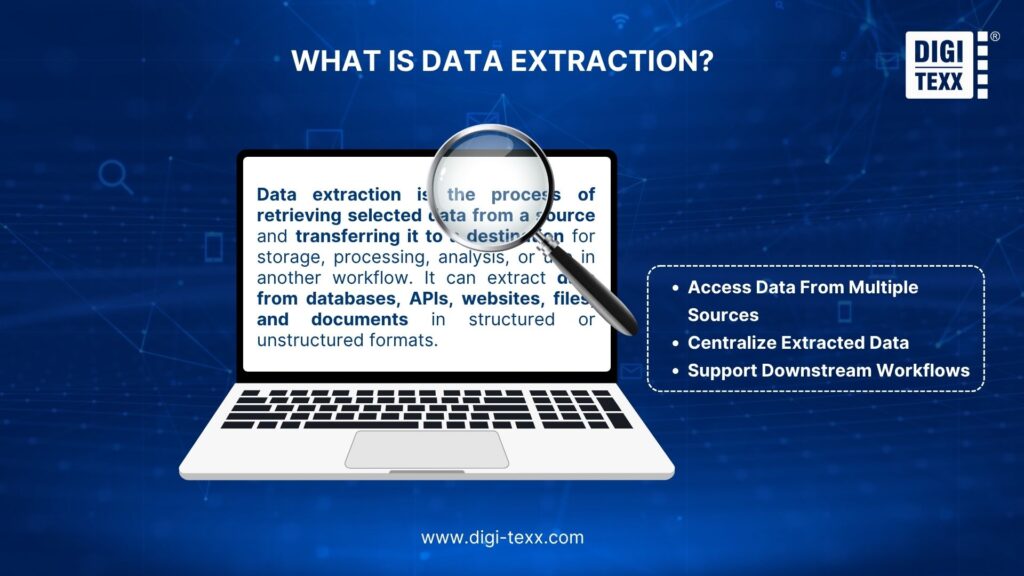
Data extraction is the process of retrieving selected data from a source and transferring or copying it to a destination where it can be stored, processed, analyzed, or used by another workflow.
The source may be a database, data warehouse, API, SaaS application, website, spreadsheet, PDF, image, document management system, or IoT platform. The extracted output can be a database table, CSV file, JSON object, XML file, dataset, or structured fields from a document.
Data extraction does not necessarily include data cleaning, transformation, or analysis. These activities may occur after extraction as part of a broader data integration or data processing workflow.
In an ETL or ELT workflow, extraction is typically the first stage. Data is retrieved from one or more source systems before it is transformed and loaded into a target environment. Common approaches include full extraction, incremental extraction, and change-based extraction.
Data Extraction vs. Data Collection vs. Data Mining
Data extraction, data collection, and data mining are related but describe different activities.
| Concept | Definition | Example |
| Data collection | Acquiring or generating data from an original source | Collecting customer responses through an online survey |
| Data extraction | Retrieving existing data from a source system | Extracting customer orders from an ERP |
| Data mining | Analyzing datasets to discover patterns or relationships | Identifying customers with a high probability of churn |
Data collection generally occurs when information is first generated or captured. A business collects transaction data when customers place orders or collects sensor readings from equipment.
Data extraction happens when existing information is retrieved from that source for another purpose. For example, a company may extract those transactions from its commerce database and move them to a data warehouse.
Data mining occurs after data is available for analysis. Analysts or algorithms can examine the extracted dataset to identify trends, correlations, anomalies, or other patterns.
A single workflow can include all three. A retailer can collect purchase transactions, extract them from operational systems, and mine the resulting dataset to identify purchasing behavior.
Common Data Sources
Organizations extract information from both structured systems and document-based sources. Common sources include:
- Relational databases: SQL Server, MySQL, PostgreSQL, Oracle, and similar systems
- Data warehouses and data lakes: centralized environments for analytics and reporting
- SaaS applications: CRM, ERP, HR, finance, marketing, and customer service platforms
- APIs: REST, GraphQL, and application-specific interfaces
- Files: CSV, Excel, JSON, XML, TXT, and other formats
- Websites: product catalogs, public information, market data, and other permitted web content
- Business documents: invoices, receipts, purchase orders, contracts, claims, and financial statements
- Scanned documents and images: sources that require OCR or document AI
- IoT and sensor systems: equipment, environmental, production, and operational data
- Legacy systems: older applications that may have limited integration capabilities
Microsoft Fabric, for example, supports data movement from databases, SaaS applications, file systems, and other sources, including structured, semi-structured, and unstructured datasets.
The source determines which extraction approach is appropriate. A relational database may be queried directly, while a scanned contract may require OCR, document classification, and AI-powered field extraction.
How Does Data Extraction Work?
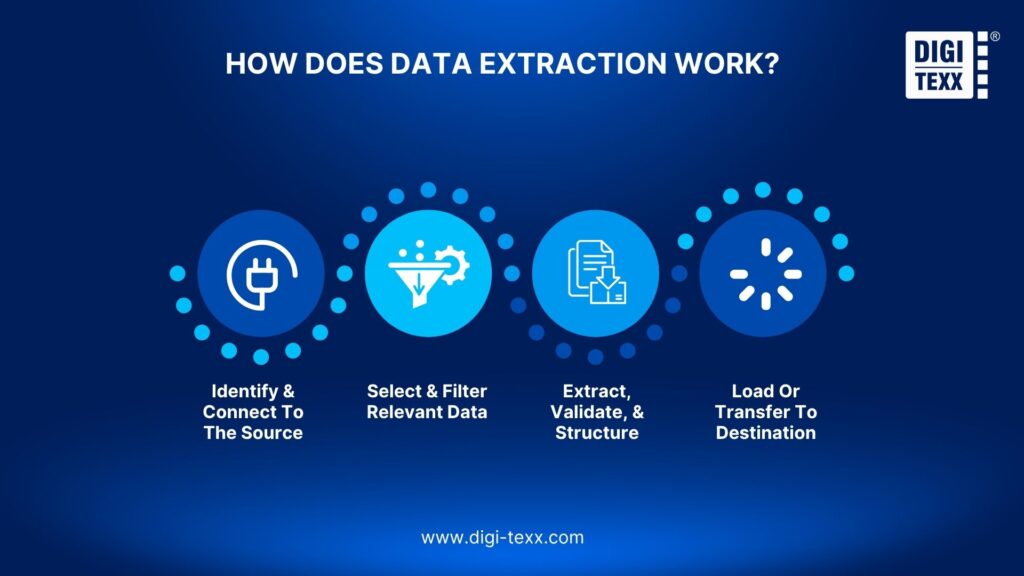
The data extraction process typically involves four stages: connecting to the source, selecting the required information, extracting and validating it, and transferring the result to a destination.
Identify & Connect To The Source
The first step is to identify where the required information resides and establish a secure connection.
For structured systems, this may involve SQL connections, database connectors, or APIs. SaaS platforms often use APIs with authentication mechanisms such as API keys or OAuth. Files may be retrieved from cloud storage, local systems, FTP/SFTP servers, or document repositories.
For document-based extraction, the source may be a document management system, shared folder, archive, or imaging repository containing PDFs, scanned pages, or image files.
Before extracting data, teams should establish:
- Source system and connection method
- Authentication and authorization requirements
- Available APIs or connectors
- Data schema or document structure
- Extraction frequency
- Expected data volume
- Source-system performance limitations
- Security and compliance requirements
Access should follow the principle of least privilege so that an extraction process can retrieve only the information it actually needs.
Select And Filter Relevant Data
The next step is to determine exactly which information should be retrieved.
Extracting an entire source may be unnecessary, expensive, or disruptive to the source system. Instead, organizations can define filters based on fields, dates, statuses, identifiers, document types, or change timestamps.
For example, a finance company may extract only transactions created or updated during the previous 24 hours rather than repeatedly copying its entire transaction database.
Common selection criteria include:
- Date or time range
- Customer or account ID
- Product or transaction ID
- Record status
- Geographic region
- Document type
- Updated records
- Required fields
Incremental extraction is particularly useful for recurring workflows. AWS identifies incremental extraction and update notification as approaches that can avoid repeatedly extracting the full source dataset.
Extract, Validate, And Structure
Once the required data has been identified, the extraction system retrieves it and prepares the output for downstream use.
For structured databases, this may involve executing SQL queries or using a connector to retrieve selected records. For JSON or XML, the system parses the relevant fields. For documents, OCR and AI-based document processing may be required to identify text, tables, key-value pairs, or other information.
Validation should be part of extraction rather than an afterthought.
Typical checks include:
- Required fields are present
- Data types match the expected schema
- Record counts are within expected ranges
- Duplicate records are detected
- Dates and numerical values use expected formats
- Extracted values meet confidence thresholds
- Source-to-output mappings are correct
For document extraction, confidence scores can help determine whether an extracted field should be accepted automatically or reviewed by a person. Amazon Textract, for example, returns confidence scores and recommends using thresholds based on the sensitivity of the application.
Load Or Transfer To Destination
After extraction and validation, the data is transferred to its intended destination.
Depending on the workflow, this could be:
- A data warehouse
- Data lake or lakehouse
- Operational database
- Cloud storage
- Business application
- Document management system
- Analytics platform
- AI or machine learning pipeline
- Another API or application
When extraction is part of ETL, the extracted data is transformed before being loaded. In an ELT workflow, raw data is loaded first and transformed within the target environment.
Microsoft describes ETL as extracting data from sources, transforming it, and loading the resulting data into a destination, while ELT loads raw data before transformation.
>>> See more:
- Enterprise Data Management (EDM): The Optimal Data Strategy Framework
- How to Clean Up System Data on Mac: 9 Simple Steps
- What Is Data Processing? A Complete Guide
Data Extraction Methods
Different data extraction techniques are suited to different sources, data volumes, update frequencies, and business requirements.
| Method | How it works | Typical use |
| Full extraction | Retrieves the complete dataset | Initial migrations or smaller datasets |
| Incremental extraction | Retrieves new or modified records | Recurring data updates |
| Change data capture (CDC) | Captures inserts, updates, and deletes as changes occur | High-volume transactional systems |
| API-based extraction | Retrieves data through an authorized API | SaaS platforms and applications |
| Query-based extraction | Uses SQL or another query language | Relational databases |
| File-based extraction | Reads data from files such as CSV, JSON, XML, or Excel | Batch data exchange |
| Web extraction | Retrieves permitted information from websites or web applications | Market and public web data |
| Document extraction | Uses OCR, rules, ML, or AI to identify information in documents | Invoices, contracts, forms, and receipts |
Full extraction is straightforward but can become inefficient when datasets are large. Incremental extraction reduces the volume transferred by retrieving only records that are new or changed.
Change data capture goes further by identifying source-level changes and synchronizing those changes with another environment. Microsoft Fabric, for example, supports mirroring that listens for source-system changes and keeps a replicated dataset synchronized.
For websites, web extraction may involve HTML parsing, APIs, browser automation, or crawling. Businesses should confirm that the intended extraction complies with applicable laws, website terms, access controls, and data-use requirements.
For documents, extraction techniques can combine OCR with machine learning, NLP, computer vision, and business rules. This is particularly useful when the same information appears in different locations or layouts across documents.
Data Extraction Types
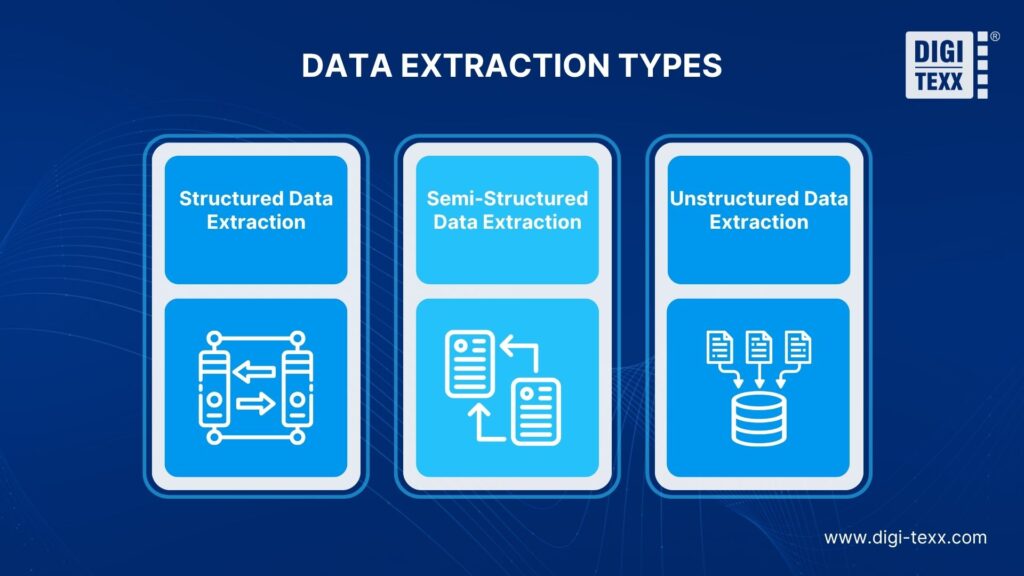
The main types of data extraction can be categorized according to the structure of the source information: structured, semi-structured, and unstructured.
Structured Data Extraction
Structured data follows a predefined schema, making it relatively easy for software to query and process.
Examples include:
- Relational database tables
- Customer records
- Transaction data
- Product catalogs
- Inventory records
- Financial transactions
- Structured spreadsheets
A database table containing customer IDs, names, order dates, and transaction values is a typical structured dataset.
SQL queries, database connectors, APIs, and ETL platforms can extract this information efficiently. The main challenges tend to involve access control, schema changes, source-system performance, and extraction frequency rather than understanding the content itself.
Semi-Structured Data Extraction
Semi-structured data does not follow a fixed relational schema but contains structural markers such as keys, tags, or hierarchical relationships.
Common examples include:
- JSON
- XML
- HTML
- Application logs
- API responses
- Event data
- Some spreadsheet formats
An API response, for example, may contain customer details within nested JSON objects. The extraction process must parse the structure, identify the required fields, and map them to the target schema.
Semi-structured extraction often involves parsing, schema mapping, field selection, and flattening nested structures.
Unstructured Data Extraction
Unstructured data does not follow a predefined tabular schema and often requires specialized technologies to identify useful information.
Examples include:
- PDFs
- Scanned documents
- Contracts
- Emails
- Medical records
- Images
- Handwritten documents
- Customer messages
- Reports
For these sources, data extracting is more complex because the system must first interpret the content before converting it into structured fields.
OCR can convert text in scanned documents into machine-readable content. NLP can identify entities and relationships, while computer vision can help interpret layouts, tables, and visual elements.
Microsoft Document Intelligence supports extraction of text, key-value pairs, tables, and other document structures, illustrating how AI-based document processing can convert unstructured or semi-structured documents into usable data.
>>> See more:
- 10 Types Of Data Entry Services For Modern Businesses
- 20 Best Data Governance Tools You Need In 2026
- 10 Best AI Process Automation Tools Free In 2026
Data Extraction vs. ETL vs. ELT: What’s the Difference?
Data extraction, ETL, and ELT are related but differ in scope. Data extraction retrieves data from a source, while ETL and ELT cover the broader process of extracting, preparing, and loading data into a target environment.
Data Extraction vs. ETL vs. ELT: Core Differences
| Approach | What it does | Typical purpose |
| Data extraction | Retrieves data from one or more sources | Access, copy, or deliver specific data |
| ETL | Extracts, transforms, then loads data | Prepare data before loading it |
| ELT | Extracts, loads, then transforms data | Process data after loading it |
Data extraction can be performed independently, while ETL and ELT use extraction as part of a larger data pipeline.
Where Does Extraction Fit In The ETL/ELT Pipeline?
Extraction is the first step in both workflows:
ETL: Extract → Transform → Load
ELT: Extract → Load → Transform
The extraction stage retrieves data from databases, APIs, files, applications, or other source systems. It may use full or incremental extraction, depending on data volume, update frequency, and processing requirements.
The key difference is what happens after extraction. ETL transforms data before loading it, while ELT loads the data first and transforms it in the target environment.
When Do You Need Extraction Instead Of ETL Or ELT?
Use data extraction alone when you only need to retrieve and deliver data without substantial transformation or integration.
Typical examples include:
- Exporting selected database records for reporting
- Extracting data from a data warehouse for analysis
- Retrieving API data for another application
- Extracting text or fields from documents
- Moving records from a legacy system
ETL or ELT is more appropriate when you need to combine multiple sources, transform data, apply data quality rules, or maintain a recurring data pipeline.
Can AI Do Data Extraction?
AI can automate data extraction from structured, semi-structured, and unstructured sources. Instead of relying only on fixed rules, AI models can identify relevant fields, classify documents, recognize patterns, and extract information from varying layouts.
For documents and images, OCR converts scanned content into machine-readable text, while Intelligent Document Processing (IDP) combines OCR with document classification, field extraction, validation, and other AI capabilities. This allows businesses to extract structured information from invoices, forms, contracts, applications, and other documents at scale.
AI-powered extraction is particularly useful when source formats change frequently or when manually defining extraction rules for every document type is impractical. However, validation and human review may still be required for low-confidence or business-critical data.
Data Extraction Use Cases & Real-World Examples
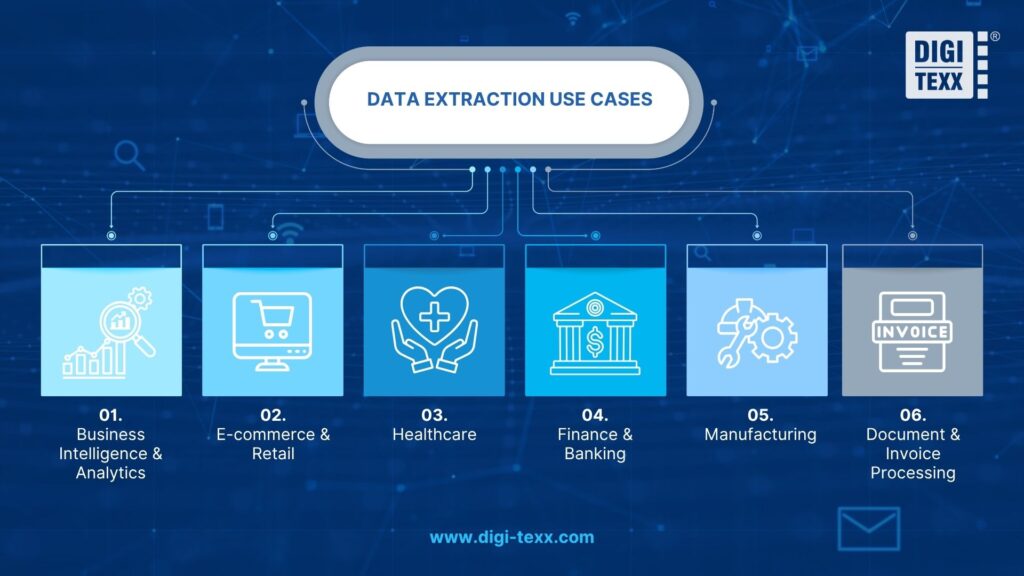
Businesses use extraction wherever important information is distributed across systems, applications, files, or documents.
Business Intelligence & Analytics
Business intelligence depends on timely access to data from operational systems.
Organizations may extract:
- Sales transactions from ERP platforms
- Customer records from CRMs
- Marketing data from advertising platforms
- Inventory data from supply chain systems
- Financial information from accounting applications
- Website and application events
The extracted data can then be transferred to a data warehouse or lakehouse for reporting and analysis.
For example, a retailer may extract sales, inventory, customer, and product information from separate systems and make it available in a centralized analytics environment.
The extraction layer provides access to the information. Transformation and modeling then determine how that information can be combined and analyzed.
>>> See more:
- 10 Best AI Process Automation Tools Free In 2026
- What Is Automatic Data Processing (ADP)? How It Works
E-commerce & Retail
E-commerce businesses generate large amounts of product, pricing, inventory, order, customer, and marketplace data.
Businesses may use extraction to retrieve:
- Product IDs and descriptions
- Prices and promotions
- Inventory levels
- Product categories
- Marketplace listings
- Order information
- Customer reviews
- Supplier information
For example, a retailer selling across several marketplaces can extract product and pricing data from each authorized source and consolidate it for internal monitoring. This can help identify price discrepancies, missing listings, inventory changes, and catalog inconsistencies.
The scale of the industry reinforces the need for efficient data workflows. Shopify’s summary of EMARKETER forecasts put global ecommerce sales at approximately $6.42 trillion in 2025.
Extraction itself does not increase sales. Its value is that it makes operational information available for pricing analysis, catalog management, forecasting, inventory planning, and decision-making.
Healthcare
Healthcare organizations work with information from electronic health records, laboratory systems, claims platforms, imaging systems, patient forms, and clinical documentation.
Data extraction can support:
- Patient record processing
- Claims processing
- Medical form digitization
- Clinical research
- Healthcare analytics
- Reporting
- Population health analysis
For document-heavy workflows, extraction can convert information from scanned forms, reports, or medical records into structured fields for downstream applications.
Healthcare also requires stricter controls than many commercial use cases. Extracted information may contain sensitive patient data, so access controls, auditability, encryption, retention policies, and applicable regulatory requirements need to be considered from the beginning.
Finance & Banking
Financial institutions extract information from transaction systems, bank statements, loan documents, payment requests, invoices, customer records, and regulatory documents.
Common applications include:
- Bank statement processing
- Loan and mortgage document extraction
- Payment processing
- Customer onboarding
- Transaction analysis
- Risk management
- Regulatory reporting
A document processing workflow, for example, can extract account numbers, dates, transaction amounts, balances, and other fields from bank statements and send the structured information to a financial application.
Accuracy is especially important when extracted data influences financial decisions. Amazon recommends using confidence thresholds according to the sensitivity of the application, with higher thresholds appropriate for use cases where extraction errors carry significant consequences.
Manufacturing
Manufacturers generate data from ERP systems, production equipment, IoT sensors, quality-control systems, maintenance platforms, supply chain applications, and engineering documents.
Extraction can support:
- Production monitoring
- Predictive maintenance
- Quality analysis
- Inventory planning
- Supply chain visibility
- Equipment monitoring
- Maintenance reporting
For example, sensor data can be extracted continuously and transferred to an analytics environment, while maintenance reports can be processed separately using document extraction.
Modern data platforms increasingly support both batch and real-time movement. Microsoft Fabric, for example, supports real-time ingestion of IoT telemetry as well as batch data movement through Data Factory pipelines.
The role of extraction here is foundational: operational and machine data must be accessible before analytics or AI systems can use it.
Document & Invoice Processing
Document and invoice processing is one of the clearest applications of extracting data from semi-structured and unstructured sources.
Organizations may process:
- Invoices
- Purchase orders
- Receipts
- Contracts
- Claims
- Bank statements
- Tax forms
- Identity documents
- Medical forms
- Shipping documents
A typical workflow can combine OCR, document classification, field extraction, validation, and human review.
For example:
Invoice → OCR/document analysis → classification → supplier and amount extraction → validation → ERP
Modern document intelligence platforms can identify tables, fields, key-value pairs, and other document structures. Microsoft Document Intelligence provides extraction capabilities for document content and structure, while Amazon Textract supports text, forms, and table extraction.
>>> See more:
- Data Cleaning: Definition, Benefits & Steps To Cleaning Data
- Data Validation & Verification: Differences, Benefits & Real World Examples
Benefits Of Data Extraction
When properly designed, data extraction can improve how quickly organizations access information and how consistently it moves through business processes.
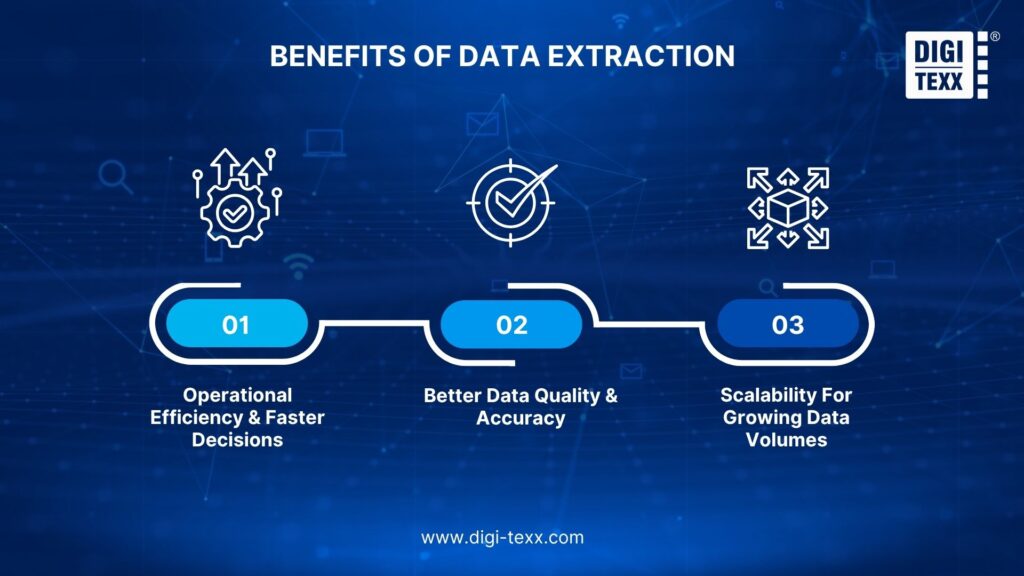
Operational Efficiency & Faster Decisions
Manual data retrieval becomes costly when employees repeatedly copy information from databases, applications, spreadsheets, or documents.
Automated extraction can reduce repetitive work by retrieving information according to defined schedules, triggers, or workflows.
This can shorten the time required to make data available for:
- Business reporting
- Financial processing
- Customer operations
- Inventory decisions
- Compliance workflows
- Analytics
- AI applications
The greatest efficiency gains typically occur in high-volume, repetitive workflows where the extraction logic is well defined.
Better Data Quality & Accuracy
Extraction does not automatically guarantee accurate data. However, a controlled extraction process can improve consistency through schema validation, field checks, duplicate detection, confidence thresholds, and exception handling.
For document processing, confidence scores can help separate high-confidence results from records that require manual review. Amazon Textract, for example, recommends using confidence thresholds based on the sensitivity of the business process.
This creates a more controlled process than relying entirely on manual transcription.
Scalability For Growing Data Volumes
Manual extraction does not scale well when data volumes increase.
Automated extraction can process larger workloads through batch processing, incremental extraction, APIs, parallel processing, and cloud infrastructure.
AWS Glue, for example, is a serverless data integration service designed to discover, prepare, move, and integrate data across multiple sources and can scale data processing without requiring organizations to provision the underlying servers.
For document-heavy workflows, scalability also depends on how effectively the system handles exceptions. A process that automates the majority of records but leaves an unmanageable manual review queue may still require redesign.
Challenges Of Data Extraction
Despite its benefits, extraction can become technically complex when businesses work with large volumes, inconsistent sources, sensitive information, or legacy systems.
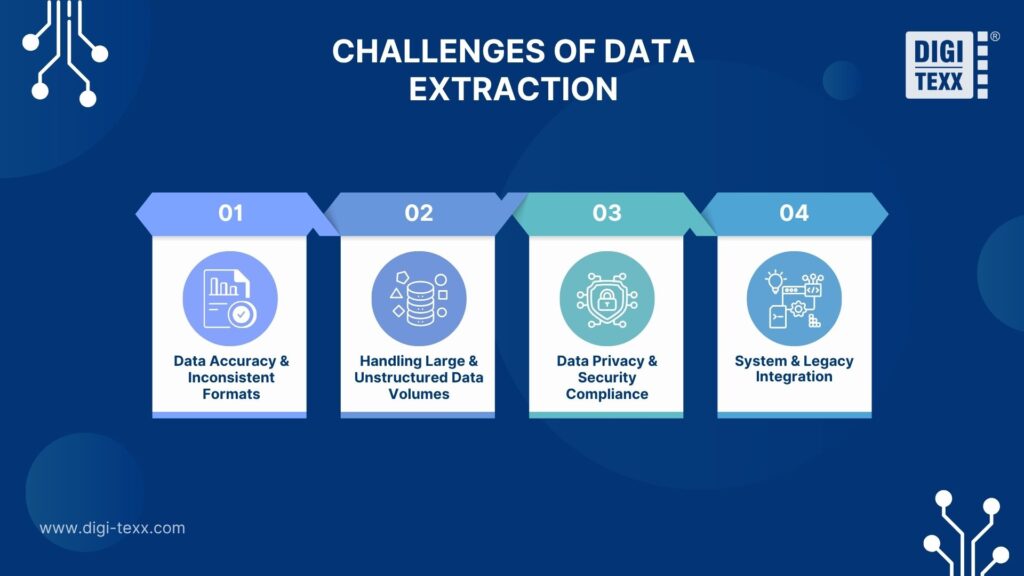
Data Accuracy & Inconsistent Formats
Data may be incomplete, duplicated, outdated, or formatted differently across systems. Document extraction introduces another layer of variability. Different suppliers may use different invoice layouts, field names, table structures, languages, or document quality.
OCR and AI systems can also encounter low-resolution scans, unusual layouts, merged table cells, handwriting, or ambiguous characters. Amazon notes that certain table structures, including merged cells and inconsistent rows or columns, can affect extraction results. Validation, confidence scoring, and exception handling are therefore essential.
Handling Large & Unstructured Data Volumes
Large datasets increase processing, storage, and infrastructure requirements. Unstructured data introduces a different challenge: the system must identify meaningful information before it can structure it.
A database containing millions of standardized records may be easier to process than a smaller collection of thousands of highly variable contracts. Scalable extraction therefore requires more than additional computing capacity. Businesses may need incremental processing, batching, parallelization, monitoring, retry mechanisms, and human review workflows.
Data Privacy & Security Compliance
Extraction can involve sensitive business and personal information, including:
- Personally identifiable information
- Financial records
- Health information
- Employee data
- Customer records
- Confidential contracts
- Intellectual property
Security controls should include least-privilege access, authentication, encryption, logging, retention policies, and appropriate controls for data transfer and storage.
The required safeguards depend on the type of data and applicable regulations. A public product catalog and a dataset containing patient information should not be treated as equivalent extraction workloads.
System & Legacy Integration
Older applications may not provide modern APIs or convenient export mechanisms.
Common integration challenges include:
- Legacy databases
- Proprietary formats
- Limited APIs
- Authentication constraints
- Schema changes
- Network restrictions
- Rate limits
- Source-system performance limitations
Modern data integration platforms can provide connectors across different environments. Microsoft Fabric Data Factory, for example, provides connectors for databases, SaaS applications, file systems, APIs, and other data sources.
However, connectors alone do not solve every integration problem. Businesses still need to account for source-system limitations, data governance, monitoring, and operational dependencies.
>>> See more:
- 25 Best Data Integration Tools: Definition, Benefits & Features
- Top 20 Data Enrichment Tools To Improve Data Quality In 2026
Best Tools For Data Extraction
There is no universal best data extraction tool. The appropriate choice depends on the source, data type, volume, technical environment, and required level of automation.
Database & ETL Tools
Database connectors and ETL platforms are suitable for structured data and broader data integration workflows.
Examples include:
- AWS Glue: a serverless data integration service for discovering, preparing, moving, and integrating data from multiple sources.
- Microsoft Fabric Data Factory: supports data movement, ETL, ELT, and orchestration across databases, SaaS applications, files, and other sources.
- Microsoft Fabric pipelines: support batch data movement and can work with structured, semi-structured, and unstructured datasets.
These platforms are most useful when extraction is part of a broader data pipeline rather than a one-time export.
Web Scraping Tools
Web extraction tools retrieve information from websites or web applications where such access is permitted.
Common approaches include:
- HTML parsing
- CSS or XPath selectors
- Browser automation
- API-based retrieval
- Scheduled crawling
- Structured data extraction
Open-source frameworks such as Scrapy are commonly used for programmatic web crawling, while managed platforms can provide scheduling and infrastructure for larger workloads.
Technical capability should not be the only consideration. Businesses should review terms of service, applicable laws, access permissions, robots directives where relevant, rate limits, and data-use rights before deploying a web extraction workflow.
Document/PDF & OCR Tools
Document extraction requires tools that can interpret both text and document structure.
Representative options include:
- Amazon Textract: extracts text, forms, and tables from documents and provides confidence scores for extraction results.
- Microsoft Document Intelligence: extracts document text, tables, key-value pairs, and other structured information.
- Google Document AI: supports document processing and custom extraction for structured and variable document layouts.
These technologies are useful for invoices, receipts, contracts, forms, claims, and other document-heavy workflows.
AI-Powered Extraction Platforms
AI-powered extraction platforms are useful when information appears in different layouts, languages, or contexts.
Typical capabilities include:
- Document classification
- Entity extraction
- Key-value extraction
- Table extraction
- Custom fields
- Natural-language processing
- Confidence scoring
- Structured output
- Human review workflows
For enterprise use, model capability should be evaluated alongside accuracy, validation, security, integration, monitoring, scalability, and total operating cost.
An AI model that extracts information well in a controlled demonstration may still require substantial validation and exception handling before it can support a production workflow.
>>> See more:
- 11 Best Data Cleansing Tools For Accurate & Reliable Data
- How To Choose The Best Data Security Software In 2026?
Should You Automate Or Outsource Data Extraction?
The right approach depends on data volume, source complexity, accuracy requirements, security needs, and available internal resources. Automation may be sufficient for stable, predictable workflows, while outsourcing can make sense when extraction requires ongoing processing, quality control, or specialized expertise.
When Should You Outsource Data Extraction?
A managed data extraction service may be a good fit when:
- Data volumes are high or fluctuate significantly
- Multiple source systems or document formats are involved
- Source formats change frequently
- Manual data entry creates growing backlogs
- Extraction requires OCR, AI, or human validation
- Internal teams spend significant time maintaining extraction workflows
- 24/7 or extended processing capacity is required
- Internal engineering resources are needed for higher-priority projects
Outsourcing is particularly useful for document-heavy workflows where extraction involves more than retrieving data. These workflows may also require classification, validation, quality control, and exception handling.
How DIGI-TEXX Supports Data Extraction At Scale
DIGI-TEXX combines AI-based document processing with specialist review for document and image-based data extraction. DIGI-Xtract uses machine learning and deep learning for document classification, data extraction, and quality control across invoices, receipts, purchase orders, bank statements, medical records, contracts, and handwritten documents.
Depending on the workflow and security requirements, processing can be supported through a remote data center or on the client’s premises. A hybrid approach can also combine automated extraction with specialist validation for documents that vary in layout, quality, language, or complexity.
For businesses evaluating data extraction, the key is to match the approach to the data source, volume, frequency, accuracy requirements, security needs, and downstream workflow. From there, businesses can determine whether automation, outsourcing, or a combination of both is the most practical option.

FAQs About Data Extraction
What Do You Mean By Data Extraction?
Data extraction is the process of collecting data from various sources and converting it into a structured format for storage, processing, or analysis. Sources may include databases, websites, emails, PDFs, scanned documents, and business applications.
What Is Another Name For Data Extraction?
Data extraction is also referred to as data retrieval, data collection, data harvesting, or data capture, depending on the context.
- Data retrieval: Accessing and pulling stored information from databases or systems.
- Data collection: Gathering information from multiple sources for a specific purpose.
- Data harvesting: Automatically collecting large volumes of data, often from websites or digital platforms.
- Data scraping: Automatically extracting specific information from websites.
- Data capture: Collecting and recording information from structured or unstructured sources.
What Is The Best Tool For Data Extraction?
The best data extraction tool depends on the data source, format, and extraction requirements. Different tools are designed for different use cases:
- Web scraping: Octoparse, Apify, and Bright Data are suitable for extracting data from websites.
- Database and ETL: Fivetran and Airbyte automate data extraction from databases and business applications.
- Document and PDF extraction: Nanonets and Amazon Textract use OCR and AI to extract information from invoices, receipts, and semi-structured documents.
For businesses handling large volumes of documents or unstructured data, AI-powered extraction tools can reduce manual processing and improve scalability.
Can AI Do Data Extraction?
Yes, AI can perform data extraction by identifying, understanding, and structuring information from unstructured or semi-structured sources. AI-powered tools can extract fields such as names, dates, amounts, and line items from documents, PDFs, images, and other data sources.
AI data extraction typically involves:
- Understanding context: Identifying relevant information even when document layouts or formats vary.
- Processing different formats: Analyzing text, scanned documents, images, and other unstructured data.
- Structuring outputs: Converting extracted information into usable formats such as Excel files, CSVs, or databases.
This makes AI particularly useful for high-volume data extraction, where manual processing would be time-consuming and difficult to scale.
Data extraction provides the foundation for moving information from source systems into workflows where it can be processed, analyzed, and used for business decisions. The right approach depends on the data source, structure, volume, extraction frequency, accuracy requirements, and security considerations. While structured data can often be extracted through queries, APIs, or connectors, documents and other unstructured sources may require OCR, AI, validation, and human review.
For organizations handling high-volume or document-intensive workflows, automation and managed data extraction can reduce repetitive processing while maintaining quality and scalability. DIGI-TEXX combines AI-powered document processing with specialist review to support data extraction from invoices, receipts, purchase orders, bank statements, contracts, medical records, and other complex documents. This approach can help businesses build a more reliable extraction workflow without placing the entire processing burden on internal teams.
DIGI-TEXX Contact Information:
🌐 Website: https://digi-texx.com/
📞 Hotline: +84 28 3715 5325
✉️ Email: [email protected]
🏢 Address:
- Headquarters: Anna Building, QTSC, Trung My Tay Ward
- Office 1: German House, 33 Le Duan, Saigon Ward
- Office 2: DIGI-TEXX Building, 477-479 An Duong Vuong, Binh Phu Ward
- Office 3: Innovation Solution Center, ISC Hau Giang, 198 19 Thang 8 street, Vi Tan Ward
Reference:
- California State University, Sacramento. (n.d.). Data extraction. https://athena.ecs.csus.edu/~mei/web_etl/etl/dataextraction.htm
- Harvard University. (n.d.). Extracting data from the web. In Introduction to data science. https://rafalab.dfci.harvard.edu/dsbook-part-1/wrangling/web-scraping.html