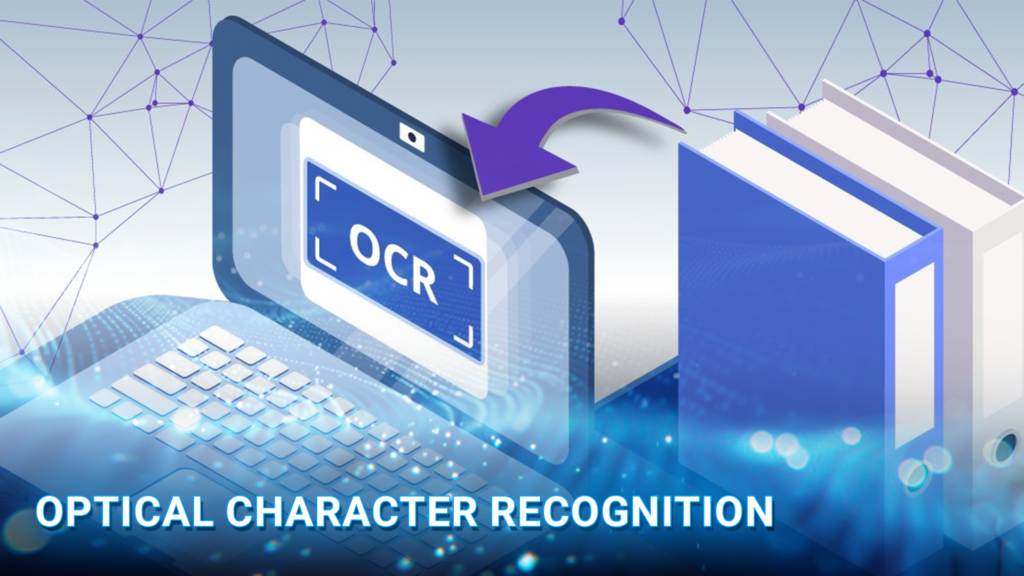
What is Optical Character Recognition (OCR)? Optical character recognition is a technology that enables machines to read and interpret text from images and physical documents, converting them into editable and searchable digital files. From automating data entry to improving accessibility, OCR plays a crucial role in various industries. In this article, DIGI-TEXX helps you discover how OCR works and the key benefits it brings to modern businesses.
>>> See more:
- Insurance Back Office Support Services for Insurers & Agencies
- Data Labeling Service: Benefits, Top Providers & How to Choose
- Back Office Support Services For Streamlined & Efficient Operations
What Is Optical Character Recognition?
Optical Character Recognition (OCR) is a technology that enables the conversion of different types of documents, such as scanned paper documents, PDF files, or images captured by a digital camera, into machine-readable text. This process allows computers to extract and process textual information from images or printed documents, making it editable, searchable, and easily stored.
OCR technology is widely used in various industries, including banking, healthcare, legal, and retail, to digitize physical documents, improve workflow efficiency, and enable seamless data extraction. By using optical character recognition, businesses can eliminate the need for manual data entry, reducing errors and increasing productivity.
>>> Explore more:
- Ecommerce Back Office Support Services By DIGI-TEXX
- Best Insurance Claims Processing Outsourcing BPO in the US 2026
- Professional E-commerce Data Entry Services by DIGI-TEXX
Why Is Optical Character Recognition Important?
Many businesses still receive essential information in paper form such as invoices, contracts, application forms, and legal documents. Managing large amounts of paperwork requires time, storage space, and continuous manual effort. Although moving toward paperless operations is necessary, simply scanning documents into image files does not fully resolve the issue. The process can remain slow and still depends on human involvement.
When documents are scanned, they become image files where the text is visible but not usable. This text cannot be searched, edited, or processed like standard digital content. OCR addresses this challenge by converting text within images into machine readable data. Once converted, the information can be analyzed, integrated into business systems, automated, and used to improve efficiency and productivity.
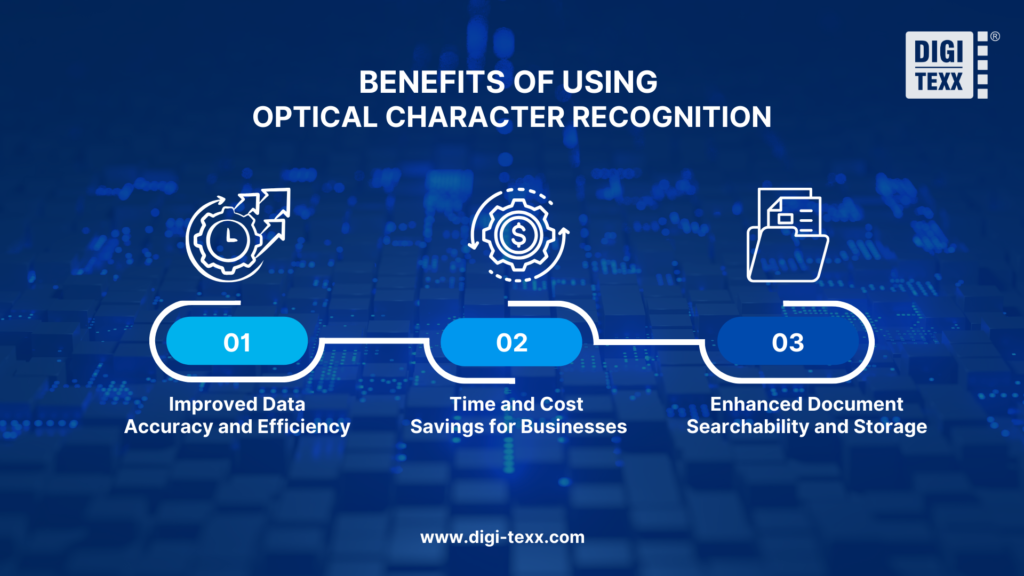
Benefits Of Using Optical Character Recognition
Optical character recognition technology offers numerous advantages to businesses and organizations, improving efficiency, accuracy, and accessibility in document management.
Improved Data Accuracy And Efficiency
- By eliminating manual data entry, OCR reduces typographical errors and enhances the reliability of extracted text.
- Modern OCR solutions incorporate AI-driven text correction, improving accuracy even when dealing with poor handwriting, faded documents, or complex layouts.
- Organizations can process large volumes of documents quickly, freeing up time for employees to focus on higher-value tasks.
Time And Cost Savings For Businesses
- Automating document processing reduces labor costs associated with manual transcription and data entry.
- OCR speeds up workflows in banking, healthcare, legal, and retail industries, leading to faster transactions and improved customer service.
- Businesses can reallocate human resources to more strategic roles, enhancing overall productivity.
Enhanced Document Searchability And Storage
- OCR enables businesses to create searchable digital archives, allowing employees to find specific documents or text within seconds.
- Digitized files reduce the need for physical storage, cutting costs and improving document security.
- Cloud-based OCR solutions enable remote access to scanned documents, supporting flexible work environments and collaboration.
>>> See more:
- Document Indexing Services For Efficient Search & Data Access
- Outsourced Order Processing Services – Fast & Accurate
- Intelligent Document Processing Services: How It Works & Business Benefits
Disadvantages Of OCR
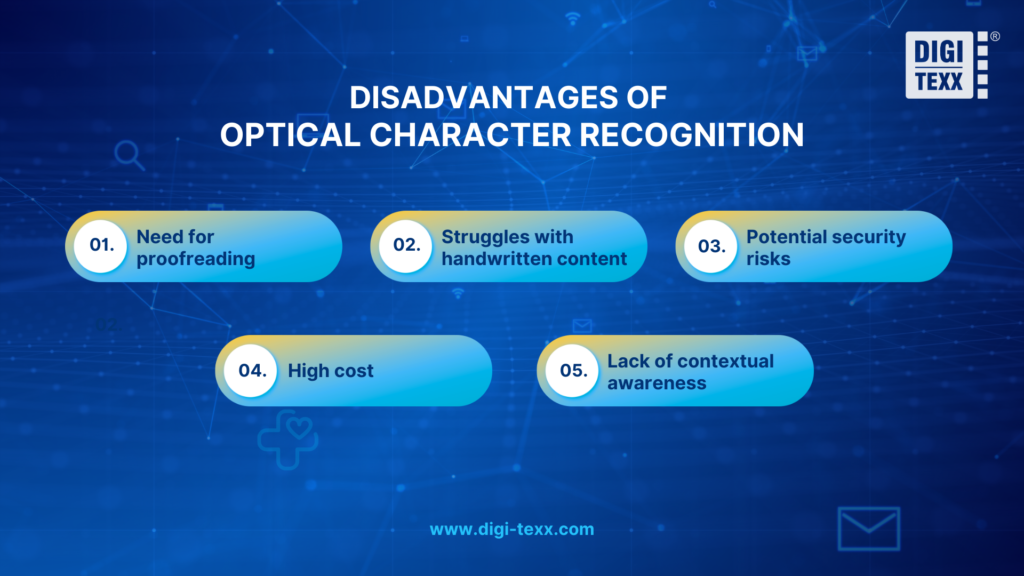
Despite its many advantages, OCR is not without drawbacks. Understanding these limitations helps businesses make more informed decisions when adopting the technology.
- Need for proofreading: Even the most advanced OCR systems are not completely error-free. Output text may still contain inaccuracies, meaning human review remains an essential step, particularly when processing critical or sensitive documents.
- Struggles with handwritten content: While some OCR tools offer handwriting recognition, their performance in this area is generally inconsistent and less reliable compared to processing clean, printed text. Complex or irregular handwriting styles can significantly reduce accuracy.
- Potential security risks: OCR capabilities can be exploited to extract confidential data from documents without authorization, posing serious threats to data privacy and information security.
- High cost: Advanced OCR software often comes with a substantial price tag. Many enterprise-grade platforms require recurring licensing fees or subscription plans, which may strain the budgets of smaller organizations.
- Lack of contextual awareness: Standard OCR systems process text at a character or word level without truly understanding meaning. This can lead to misinterpretations when words are ambiguous or when the correct reading depends on the surrounding context.
The History And Evolution Of Optical Character Recognition
To truly understand optical character recognition, it helps to look at where the technology came from and how far it has traveled to get here.
The Early Foundations
Optical character recognition traces its origins to the 1910s, when inventor Emanuel Goldberg built a machine capable of reading printed characters and converting them into telegraph code. Primitive by today’s standards, but the idea behind it was ahead of its time: that a machine could be taught to interpret written language.
Early Commercial Adoption
By the 1950s, that idea had become a business reality. Companies developed recognition systems for banking and postal services, automating check processing and mail sorting with standardized fonts. The 1960s refined this further with the introduction of OCR-A and OCR-B, fonts specifically engineered to be readable by both humans and machines, bringing consistency to financial and government workflows.
Technological Expansion
Optical character recognition became a mainstream business tool through the 1980s and 1990s as scanners improved and software grew more capable. The real leap came in the 2000s, when neural networks entered the picture. Suddenly, OCR could handle handwritten content, poor-quality scans, and complex layouts, an accuracy that rule-based systems could never deliver.
OCR Today
Modern OCR supports hundreds of languages, runs in real time on mobile devices, and sits at the core of enterprise automation platforms worldwide. More importantly, its meaning has expanded. Optical character recognition today is not just about reading text from images, it is a foundational layer of intelligent automation powering digital transformation across banking, healthcare, legal services, and beyond.
>>> See more:
- Healthcare BPO Services For Revenue Cycle & Claims Management
- How To Prepare a Classified Balance Sheet: Template & Example
- Best Business Process Automation Solutions & Tools 2026
Applications Of Optical Character Recognition
OCR technology has a wide range of applications across multiple industries, helping organizations streamline operations, improve efficiency, and reduce manual labor.
Banking And Financial Services
In the banking and financial sector, OCR plays a crucial role in automating the processing of financial documents, such as checks, invoices, and account statements.
- Automated Check Processing: OCR enables banks to scan and extract critical information from checks, including the account number, payee details, and transaction amount. This automation significantly reduces the need for manual data entry, minimizing human errors and accelerating the clearing process.
- Fraud Detection and Signature Verification: Advanced OCR systems incorporate machine learning and AI to compare handwritten signatures on checks with stored samples, enhancing fraud detection capabilities.
- Document Digitization: Banks and financial institutions use OCR to digitize loan applications, contracts, and customer records, ensuring secure storage, easy retrieval, and compliance with regulatory requirements.

Healthcare
The healthcare industry has traditionally relied on paper-based records, making data retrieval slow and inefficient. Optical character recognition helps medical institutions transition to a digital system for improved patient care and streamlined administration.
- Electronic Health Records (EHRs): By converting paper-based medical histories, prescriptions, and laboratory reports into searchable digital files, optical character recognition software enhances accessibility for healthcare professionals, reducing the risk of misplaced records.
- Medical Billing and Insurance Processing: OCR simplifies insurance claim processing by extracting key details from medical bills, insurance forms, and policy documents, ensuring accuracy and reducing administrative burdens.
- Prescription Recognition: Some OCR-powered applications can interpret handwritten doctor prescriptions, helping pharmacists quickly and accurately dispense medications.
Legal And Government
OCR is widely used in legal and government institutions to manage and digitize critical documents, enhancing efficiency and document security.
- Digitization of Legal Documents: Law firms and government agencies leverage OCR to convert contracts, case files, and court documents into digital formats, enabling faster retrieval and reducing physical storage needs.
- Public Record Management: Governments use OCR to process birth certificates, tax records, and land registration documents, making public records more accessible and reducing paperwork.
- Historical Document Preservation: Optical character recognition technology helps digitize old manuscripts, historical archives, and legal texts, ensuring their preservation and making them available for public research.
Retail And E-Commerce
Retailers and e-commerce businesses process large volumes of transactions daily, making OCR an essential tool for automating administrative tasks.
- Automated Invoice Processing: OCR extracts key data from invoices, such as supplier details, order numbers, and payment amounts, minimizing manual entry and expediting payment cycles.
- Inventory Management: Retailers use OCR to scan product labels, barcodes, and receipts, enabling efficient stock tracking and order fulfillment.
- Customer Experience Enhancement: Some businesses integrate OCR with chatbots and customer service platforms, allowing users to scan receipts for returns, warranty claims, or cashback offers.
How Optical Character Recognition Technology Works?
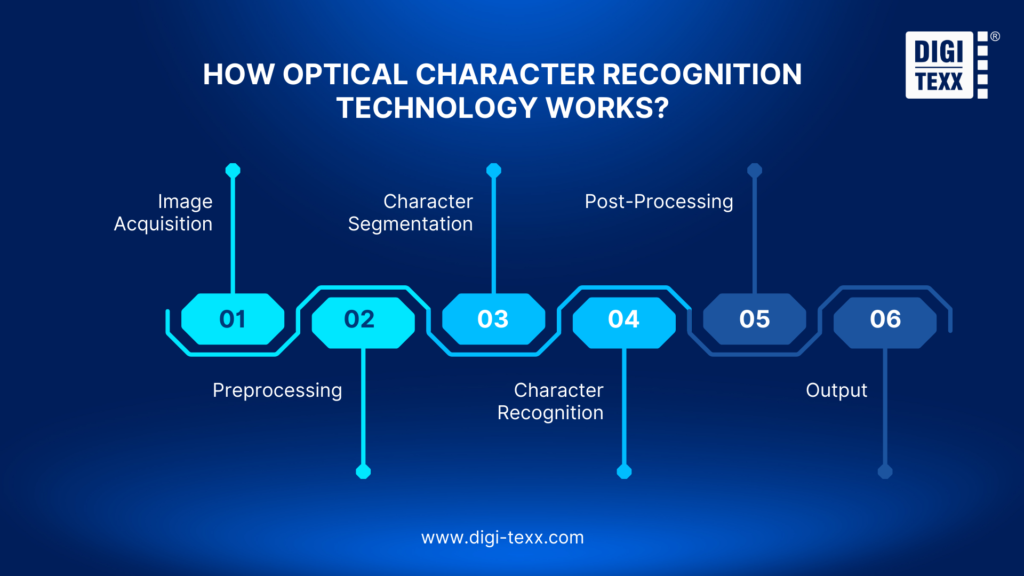
Optical character recognition software converts an image into editable text through a series of sequential steps, each one building on the last to produce accurate output.
1. Image Acquisition
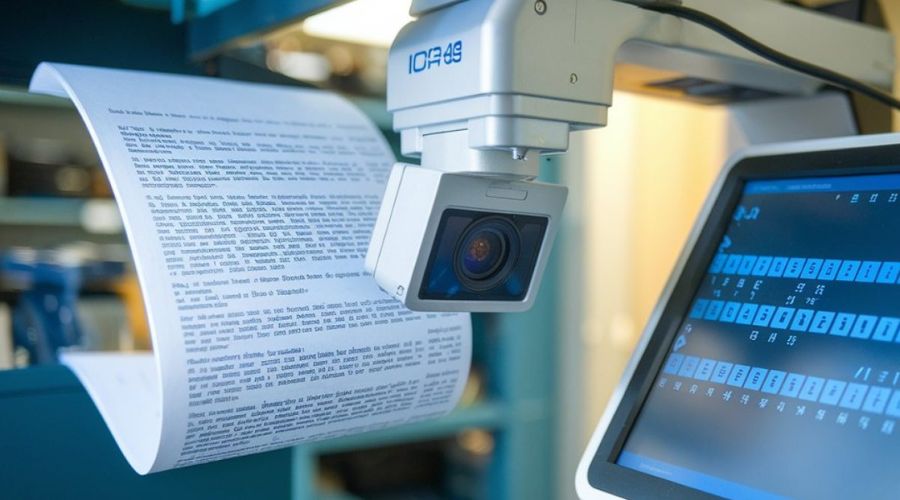
The process begins with capturing the document. This might be a flatbed scanner, a camera on a smartphone, or a digital fax. The hardware converts the physical document into a binary image file, distinguishing dark areas (text and marks) from light areas (the background).
2. Preprocessing
Raw scanned images are rarely perfect. The OCR engine applies a series of corrections before any text recognition takes place:
- Deskewing: Straightening a document that was placed at a slight angle on the scanner.
- Despeckling: Removing digital noise and stray dots that could be misread as characters.
- Binarization: Converting the image to pure black and white to improve contrast.
- Line removal: Cleaning up table borders, underlines, and form boxes that might interfere with character detection.
- Layout analysis: Identifying zones of text, images, tables, and headers so the engine processes them appropriately.
3. Character Segmentation
The preprocessed image is then divided into individual characters or words. The engine identifies blocks of text, then breaks them down into lines, then into words, and finally into individual glyphs. This segmentation step is one of the trickier challenges, especially with handwriting or stylized fonts, where characters may touch or overlap.
>>> See more:
- What Is Business Process Outsourcing (BPO)? Definition & Benefits
- Invoice Reconciliation Process Steps | DIGI-TEXX
- Construction Invoice Reconciliation: Best Practices, Software & Outsourcing
4. Character Recognition
This is the heart of OCR, matching segmented characters against known patterns. Two primary methods are used:
- Pattern matching (matrix matching): The engine compares each character against a library of character templates, identifying the closest visual match. This works well for clean, standardized fonts, but struggles with variation.
- Feature extraction: Rather than matching the whole shape, the engine identifies specific structural features, curves, lines, intersections, endpoints, and uses those features to classify the character. This approach is more flexible and underpins most modern OCR systems.
5. Post-Processing
After recognition, the engine applies additional logic to improve accuracy. It uses dictionaries and language models to check whether recognized words are plausible, corrects common misreadings (such as “0” vs. “O” or “l” vs. “1”), and formats the output to match the original document’s structure as closely as possible.
6. Output
The final result is machine-readable text, typically exported as a searchable PDF, a plain text file, a Word document, or structured data for integration with other business systems.
>>> See more:
- Data Validation & Verification: Differences With Clear Examples
- 15 Best Data Labeling Service Providers In 2026
- Top 10 Best Data Entry Outsourcing Companies in USA 2026
Types Of Optical Character Recognition Software
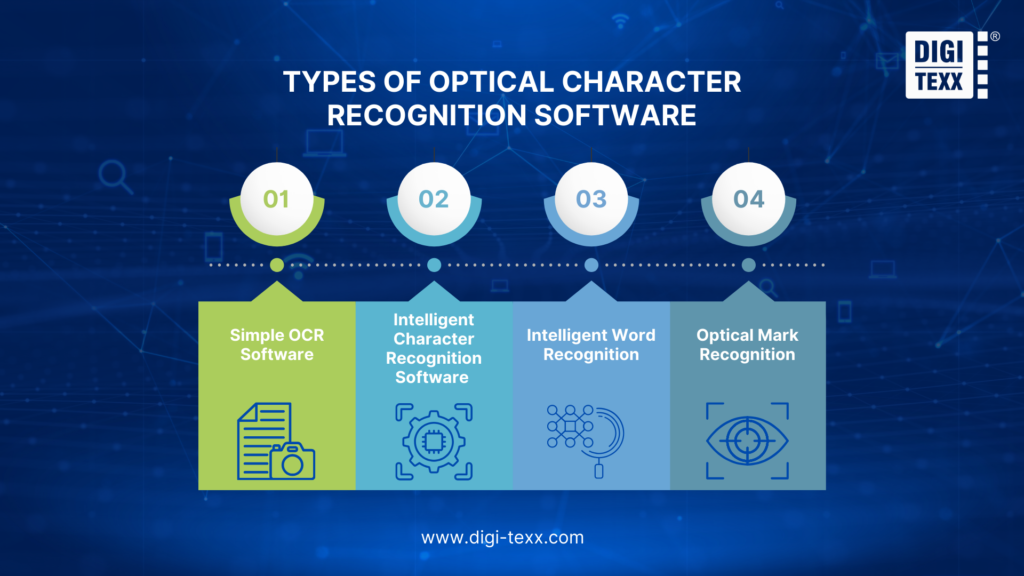
Depending on the type of document, input source, or level of accuracy required, different OCR systems are built to handle different challenges. Here are 5 common types of optical character recognition software:
Simple OCR Software
Simple or basic OCR software relies on pattern matching, comparing each scanned character against a predefined library of character images for specific fonts.
This approach works effectively for clean, standardized printed documents in common fonts. It is fast, computationally inexpensive, and accurate when input conditions are controlled. However, it struggles significantly with unusual fonts, degraded document quality, or any handwriting.
Intelligent Character Recognition (ICR) Software
ICR is a more advanced form of OCR, specifically designed for handwritten text, that uses machine learning to improve its recognition accuracy continuously. Unlike basic handwritten OCR, which uses fixed pattern libraries, ICR systems learn and adapt over time.
Intelligent Character Recognition is widely used in processing handwritten forms, insurance claims, survey responses, and standardized tests, where the system can be trained to expect certain types of input. ICR typically recognizes text one character or glyph at a time, making it suitable for languages with discrete, separated letters.
>>> See more:
- Best Real Estate Image Processing Services 2026: Top 15 Providers
- Healthcare Back-Office Support Services For Efficient Operations
- Top 10 Outsourced AI Training Data Companies in 2026
Intelligent Word Recognition (IWR)
Where ICR processes individual characters, IWR recognizes entire words at once. This makes IWR particularly well-suited for cursive handwriting and languages where characters are connected or not clearly separated by standard word boundaries. Rather than trying to segment and identify each letter, IWR looks at the shape of an entire word as a unit. This holistic approach produces better results when handwriting flows naturally, and individual characters cannot be reliably isolated.
Optical Mark Recognition (OMR)
OMR is a specialized form of optical recognition designed not to read text, but to detect the presence or absence of marks, filled bubbles, checkboxes, and ticks in predefined positions on a document. It is the technology behind standardized testing (SAT, ACT, multiple-choice exams), election ballots, attendance sheets, and survey forms.
OMR is extremely fast and accurate when used with forms specifically designed for it, since the system only needs to determine whether a region is marked or empty.
>>> See more:
- Secure Data Annotation Services: Top Companies & How to Choose
- Top 10 Data Processing Software For Business 2026 – Best Tool Reviewed
- What are the 6 steps of the data analysis process?
Limitations Of Optical Character Recognition
Despite its wide adoption, optical character recognition technology comes with several notable limitations that businesses should be aware of.
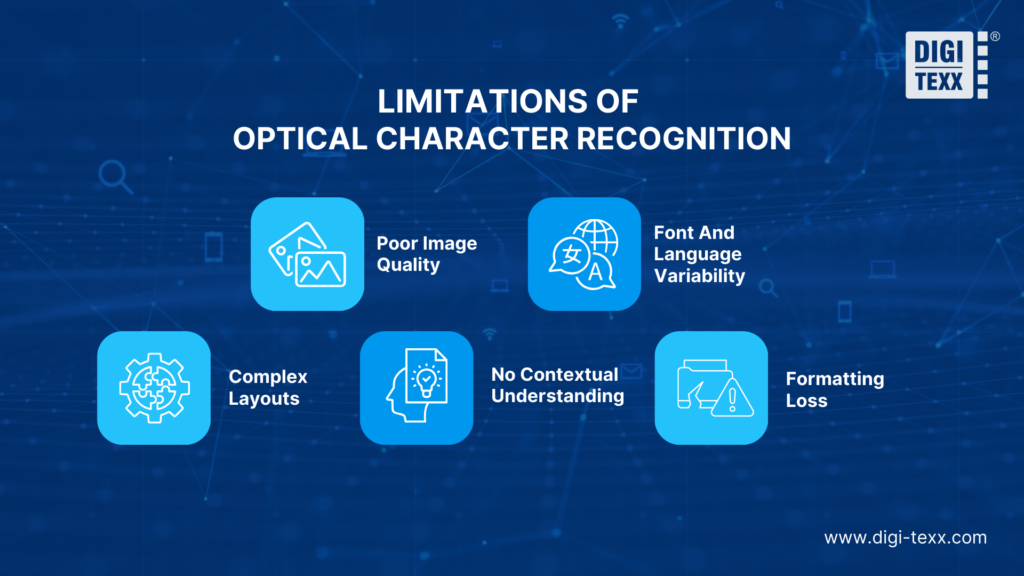
- Poor image quality: Low-resolution scans, uneven lighting, or physically damaged documents significantly reduce recognition accuracy. A minimum of 300 DPI is recommended for reliable results.
- Font and language variability: Optical Character Recognition performs best with standard fonts and common languages. Unusual typefaces, cursive handwriting, and non-Latin scripts such as Arabic or East Asian characters remain challenging.
- Complex layouts: Multi-column formats, embedded images, tables, and overlapping design elements can confuse OCR engines, producing incorrectly structured output.
- No contextual understanding: Traditional Optical Character Recognition recognizes characters but cannot interpret meaning, making it difficult to extract structured data from dense or unstructured documents without additional AI processing.
- Formatting loss: Indentations, font styles, line breaks, and table structures are often lost during conversion, requiring post-processing to restore document integrity.
>>> Explore more:
- Top 10 Data Cleansing Companies for Businesses in 2026
- Best Data Cleansing Outsourcing Companies for 2026
- How to Automate Documentation in 2026: Step By Step Guide
How To Choose The Right Optical Character Recognition Software?
Selecting the right optical character recognition software depends on various factors, including budget, required features, and specific industry needs.
Free vs. Paid OCR Solutions
- Free OCR Tools: Open-source and free options like Tesseract OCR and Google Drive OCR provide basic text recognition capabilities. These solutions are ideal for individual users or small businesses that require occasional document scanning. However, they may lack advanced features such as AI-based text correction or handwriting recognition.
- Paid OCR Software: Premium solutions, including Adobe Acrobat OCR and ABBYY FineReader, offer enhanced accuracy, batch processing, and integration with document management systems. These tools are suitable for businesses that require high-volume document processing and advanced automation features.
Key Features To Look For In Optical Character Recognition
When evaluating OCR software, consider the following essential features:
- Multi-Language Support: Ensure the software can recognize and process multiple languages, especially if dealing with international documents.
- Integration with Cloud Storage: Compatibility with platforms like Google Drive, Dropbox, and OneDrive allows for seamless document sharing and storage.
- AI-Powered Text Correction: Advanced OCR software includes AI-based algorithms to enhance text accuracy and correct recognition errors automatically.
- Handwriting Recognition: If your workflow involves handwritten documents, opt for an OCR tool with strong handwriting recognition capabilities.
>>> See more:
- Why Businesses Outsource Data Management in 2026?
- Invoice Processing Outsourcing Services For US Businesses
- Data Quality Management: Importance, Tools, and Best Practices
Best Optical Character Recognition Tools In The Market
Here is an overview of the top optical character recognition tool options available today to help you find the right fit for your business:
- ABBYY FineReader: Known for its high accuracy, advanced editing features, and batch processing capabilities, making it ideal for businesses.
- Adobe Acrobat OCR: Offers seamless integration with PDF management tools, ensuring easy document conversion and editing.
- Tesseract OCR: A powerful open-source OCR engine that provides flexibility for developers looking to integrate OCR capabilities into custom applications.
- Google Vision OCR: A cloud-based AI-driven OCR solution that supports image recognition and text extraction for scalable enterprise applications.
OCR vs. AI-Based Document Processing
While traditional optical character recognition relies on predefined character matching, AI-based document processing integrates machine learning to recognize complex layouts and handwritten text.
| Feature | Optical Character Recognition | AI-based Document Processing |
| Focus | Text/character recognition | Information extraction and understanding |
| Document Complexity | Simple, well-formatted | Complex, varied formats |
| Accuracy | High for clear text, lower for variations | Higher overall, adapts to variations |
| Contextual Understanding | None | Strong |
| Learning Capacity | No inherent learning | Learns and improves over time |
FAQs About Optical Character Recognition
What Is Optical Character Recognition Used For?
Optical character recognition is used to convert images of text, scanned documents, photographs, and PDFs into machine-readable, editable text data. Common use cases include digitizing paper documents, automating data entry, creating searchable archives, processing forms and invoices, enabling mobile document capture, supporting accessibility tools, and providing text input for natural language processing, machine translation, and analytics systems.
Is OCR Replaced By AI?
No, OCR isn’t being replaced by AI, it’s being enhanced by it. Traditional optical character recognition converts images of text into raw characters. Modern AI systems use OCR as the first layer, then apply machine learning to interpret structure, context, and meaning. This combination, known as Intelligent Document Processing (IDP), enables near-human accuracy for complex, high-volume workflows.
What Are Some Popular Optical Character Recognition Software Options?
Some of the most widely used OCR solutions include:
- Tesseract: Open-source, highly capable, widely used by developers
- Adobe Acrobat Pro: Enterprise-grade, excellent for PDF-centric workflows
- ABBYY FineReader: Market-leading accuracy, strong layout recognition
- Google Cloud Vision API: Cloud-based, scalable, strong multi-language support
- Amazon Textract: Cloud-based, specialized in form and table extraction
- Microsoft Azure Document Intelligence: Enterprise cloud OCR with deep Microsoft ecosystem integration
- ABBYY Vantage: AI-powered intelligent document processing platform
- Docparser: Focused on structured data extraction from recurring document types
Optical character recognition software has become an indispensable technology for modern businesses, transforming the way organizations manage, store, and process documents. By converting physical and scanned documents into editable, searchable digital data, OCR eliminates manual data entry, reduces errors, and significantly boosts operational efficiency across industries such as banking, healthcare, legal, and retail.
As AI and machine learning continue to evolve, OCR is no longer limited to simple text extraction, it now powers intelligent document processing systems capable of understanding complex layouts, handwriting, and multi-language content. Choosing the right OCR solution depends on your specific business needs, document volume, and required accuracy level.
If you have any questions or would like expert advice on data analytics services, please feel free to contact us using the information below.
DIGI-TEXX Contact Information:
🌐 Website: https://digi-texx.com/
📞 Hotline: +84 28 3715 5325
✉️ Email: [email protected]
🏢 Address:
- Headquarters: Anna Building, QTSC, Trung My Tay Ward
- Office 1: German House, 33 Le Duan, Saigon Ward
- Office 2: DIGI-TEXX Building, 477-479 An Duong Vuong, Binh Phu Ward
- Office 3: Innovation Solution Center, ISC Hau Giang, 198 19 Thang 8 street, Vi Tan Ward
References:
- Association for Computing Machinery. (n.d.). ACM Digital Library. https://dl.acm.org
- Carnegie Mellon University, School of Computer Science. (n.d.). Computer vision and pattern recognition research. https://www.cs.cmu.edu