Imagine this scenario: A customer places a substantial order on your website. Your sales team celebrates the deal, and “Closed-Won” lights up your CRM screen. But behind the scenes, the physical operations team is scrambling.
A sales representative manually copies shipping details from an email into a spreadsheet. The warehouse team realizes the physical stock levels don’t match what is listed in the system. Shipping is delayed, the customer receives the wrong SKU, and your finance department is left tracking down a missing invoice.
This is the reality of a fragmented sales order processing cycle. Research shows that manual order entry is one of the most significant sources of business friction, with estimates suggesting that up to 80% of all sales order errors are caused by manual data entry mistakes[8]. Furthermore, processing an order manually is highly inefficient, costing companies up to $20 per order in administrative expenses, while manual purchase order handling can cost between $30 and $60 per document[7][3].
These operational delays have deep consequences. Customer delivery expectations have compressed rapidly; modern buyers anticipate standard transit times of just a few days. At the same time, Forrester Research reports that 73% of consumers state that valuing their time is the most critical thing a company can do to provide high-quality service. When errors slow your delivery cycle, you risk losing customer trust, driving up churn, and severely damaging your cash flow[5].
How can you transform this complex, error-prone hurdle into a predictable, scalable process that supports business growth? Read on to understand the underlying mechanics of sales order processing, map the critical steps, and discover practical ways to optimize your operations.
Key Takeaways:
- The Bottom-Line Impact: Manual processing is an expensive operational drag, costing up to $20 per order and accounting for up to 80% of order entry errors.
- The Scalability Lever: According to the Aberdeen Group, automating your order processing workflow allows your business to scale and handle up to a 500% increase in order volume without requiring additional operational headcount[9].
- A Standardized 5-Step Flow: Efficient processing relies on a structured, five-stage lifecycle: Order Capture ➔ Validation ➔ Inventory Allocation ➔ Fulfillment ➔ Invoicing.
- High-Yield Optimization Strategies: The most direct path to efficiency involves integrating your CRM and ERP platforms, utilizing automated order ingestion tools (like OCR or EDI), and establishing rigid Standard Operating Procedures (SOPs).
- Core Metrics to Watch: C-level leaders should track Order Cycle Time, Perfect Order Rate, and Cost per Order Processed to measure the financial and operational health of their fulfillment cycle.
What Is Sales Order Processing?
Sales order processing is the sequence of business operations that begins when a customer submits an order and ends when the products or services are delivered, invoiced, and paid for.
This workflow touches multiple departments, including sales, inventory management, warehousing, shipping, and finance. Its primary goal is to ensure that orders are fulfilled accurately and efficiently.
>>> See more:
- What Is Business Process Outsourcing (BPO)? Definition and How It Works?
- Outsource Data Processing Services – Transforming Business Operations with BPO Solutions
- Automatic Data Processing
Sales Order Vs. Purchase Order Vs. Invoice
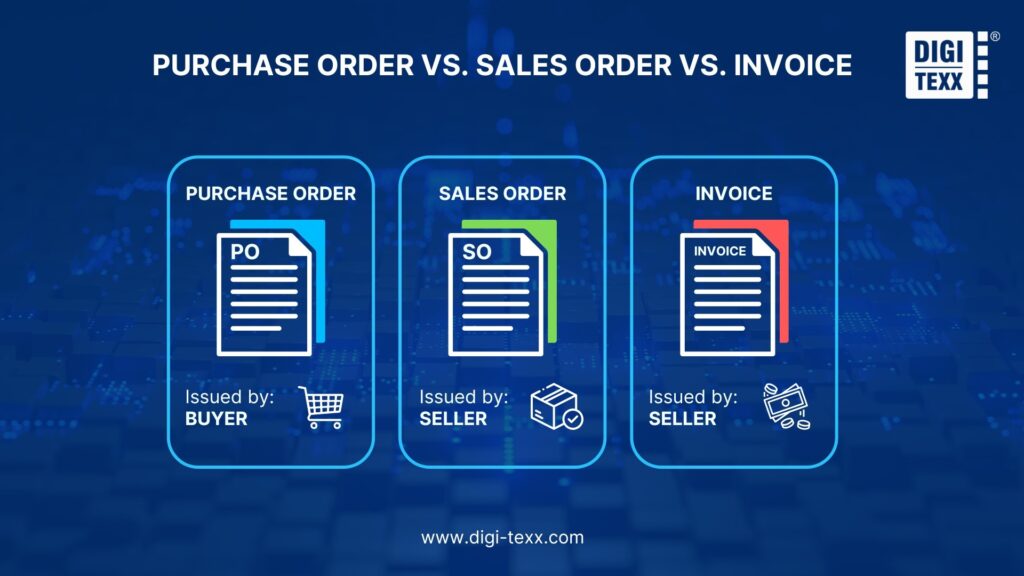
Businesses often use these terms interchangeably, but they serve completely distinct purposes in the transactional lifecycle:
- Purchase Order (PO): Created and issued by the buyer to officially request goods or services from a supplier. It acts as the buyer’s authorization for purchase.
- Sales Order (SO): Created by the seller (your business) upon receiving a PO. It is an internal control document verifying that you can fulfill the order and acts as the official confirmation to the buyer.
- Invoice: Issued by the seller to the buyer once the order is fulfilled. It serves as a formal request for payment based on the terms agreed to in the sales order.
>>> See more:
Why Is Optimizing The Sales Order Processing Process Important?
Every hour your order spends sitting in a manual queue is an hour of delayed revenue. Optimizing your sales order workflow is critical for several key reasons:
- Enhancing customer experience: Today’s customers value speed and accuracy. Delivering on time and with the right product is the most effective way to build customer loyalty.
- Direct Cost Reductions: Transitioning away from manual workflows yields significant financial benefits. According to APQC, while manual invoice processing can cost companies $12 to $30 per invoice, automation helps drop processing costs to a fraction of that price. This finding is consistent with analyses of financial process optimization from leading consulting firms such as Gartner[8][10].
- Scalability Without Headcount: Growing a business using manual processes requires adding staff proportionally to the volume of orders. However, data from the Aberdeen Group indicates that organizations leveraging automated order processing can scale up to handle 500% more orders without increasing headcount[9].
- Fewer Shipping Mistakes: High error rates yield costly returns, replacement shipments, and customer complaints. Standardizing and automating this workflow reduces order processing errors by 75%, saving both capital and company reputation[9].
- Optimizing inventory management: Helps the warehouse department keep track of the actual amount of goods committed to customers (Committed Stock), avoiding overselling.
>>> See more:
- Business Process Automation Solutions
- How Automated Invoice Processing Saves Time and Reduces Errors?
- How AI-Powered Document Automation Transforms Business Operations
The 5-Step Sales Order Processing Flow
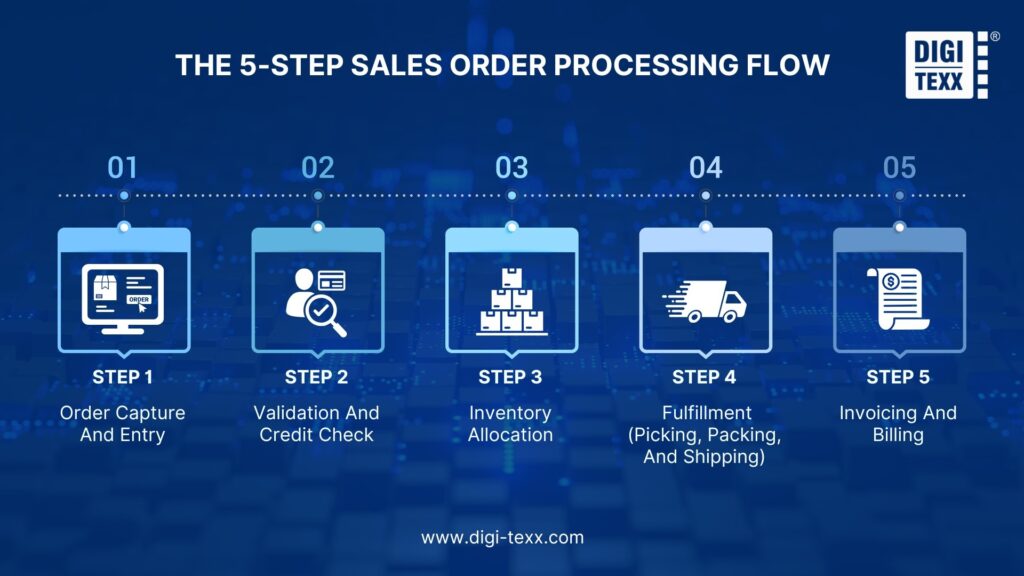
While the exact workflow varies depending on whether your business is B2B, B2C, e-commerce, or service-based, a standard sales order processing flow typically follows these five core steps:
Step 1: Order Capture And Entry
The cycle begins when an order lands in your system. This can happen through an e-commerce storefront, an email, an Electronic Data Interchange (EDI) transmission, or a direct call to a sales representative. The order details, including quantity, price, delivery address, and customer information, must be accurately recorded in your central database.
>>> See more:
Step 2: Validation And Credit Check
Before any inventory is committed, the order must be verified. This step ensures that:
- The customer’s billing and shipping details are valid.
- The pricing and discount terms applied are correct.
- The customer has a sufficient credit limit or that their payment has cleared.
Best Practice: Centralizing all order-receiving channels into a single system (such as OMS or ERP software) will help minimize missed orders.
>>> See more:
- Data Verification Service
- Data Validation & Verification
- The Ultimate Guide to Address Validation Software
Step 3: Inventory Allocation
Once approved, the system checks stock levels to confirm the items are available. If they are in stock, they are allocated to the specific sales order to prevent them from being sold to another buyer. If the item is out of stock, a backorder is generated, or a production request is triggered.
Step 4: Fulfillment (Picking, Packing, And Shipping)
With inventory allocated, a picking list is sent to the warehouse.
- Picking: Warehouse staff locate the physical items.
- Packing: Items are packed safely into shipping boxes.
- Shipping: Shipping labels are generated, carriers are notified, and tracking information is sent to the customer.
Step 5: Invoicing And Billing
Once the logistics team confirms shipping, the finance department generates and sends an invoice to the customer based on the terms specified in the initial sales order. Once payment is received, the transaction is closed out in the ledger.
>>> See more:
Common Bottlenecks In The Sales Order Lifecycle
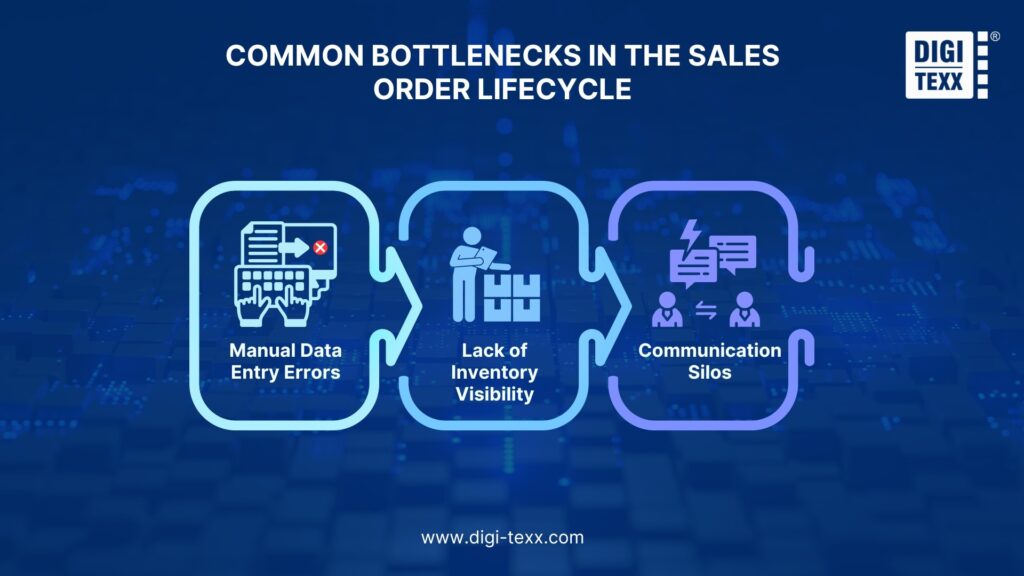
If your business is growing, manual processing methods can quickly become a bottleneck. Keep an eye out for these operational challenges:
- Manual Data Entry Errors: Manually rekeying order details from emails or PDFs into an ERP system frequently leads to typos, shipping errors, or wrong item quantities.
- Lack of Inventory Visibility: When your sales team cannot see real-time inventory levels, they may accidentally promise items that are actually out of stock, leading to delayed fulfillment and frustrated clients.
- Communication Silos: When sales, warehouse, and finance teams use separate software systems that do not talk to each other, orders can stall at transition points.
>>> See more:
- Common Data Entry Mistakes and How Outsourcing Helps Avoid Them
- What is Process Documentation and How to Document Company Processes?
3 Practical Tactics To Optimize Your Sales Order Processing
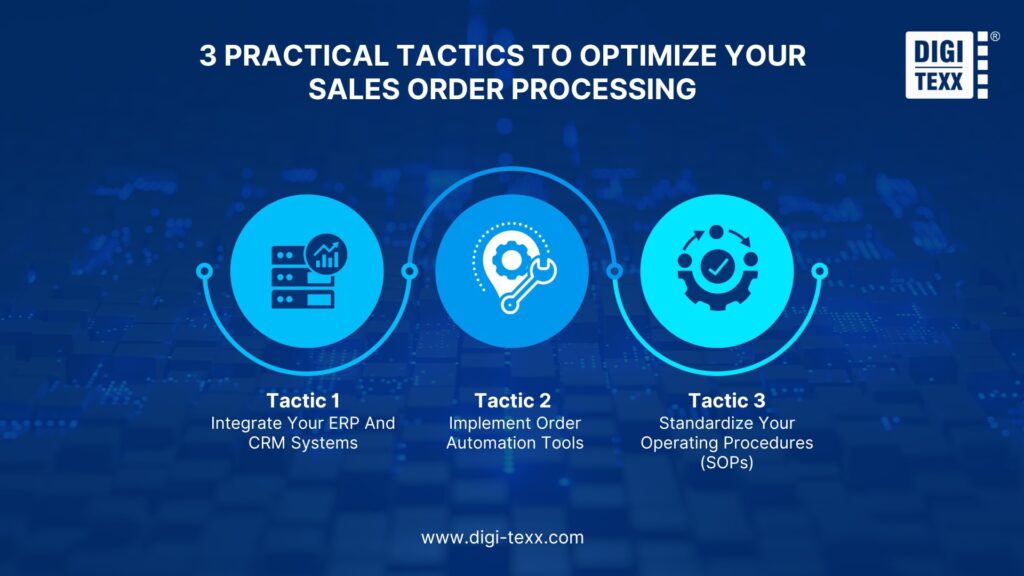
To systematically speed up your operations and improve delivery speed, implement these three tactical approaches:
Tactic 1: Integrate Your ERP And CRM Systems
Ensure that your Customer Relationship Management (CRM) tool and Enterprise Resource Planning (ERP) platform share a continuous, bi-directional data flow. When a salesperson closes a deal in the CRM, the sales order should automatically generate in your ERP, eliminating the need to recreate the document manually.
Tactic 2: Implement Order Automation Tools
Instead of manually sorting through paper forms or inbox attachments, consider utilizing optical character recognition (OCR) software or EDI systems. These technologies automatically extract order details from incoming client documents and populate them directly into your order processing queue.
>>> See more:
Tactic 3: Standardize Your Operating Procedures (SOPs)
Create clear documentation for each step of the process. Specify who handles exceptions, how backorders are prioritized, and when credit holds are applied. This ensures consistency across team members and speeds up onboarding for new hires.
Do You Need An Automated Sales Order Processing System?
How do you know when your company has outgrown manual handling? A study by McKinsey indicates that up to 30% of all order management and sales operations processes are fully automatable[2].
You are highly likely to benefit from automation if your business faces:
- High exception rates: Your staff routinely has to stop processing to correct pricing errors, incorrect SKUs, or customer details.
- Capacity limitations: You are turning down orders or delaying shipments because your back-office team cannot keep up with administrative entry.
- Delayed order cycle times: Your competitors are delivering packages faster because they process orders in minutes, while your manual validation takes days.
How To Choose a Sales Order Processing System
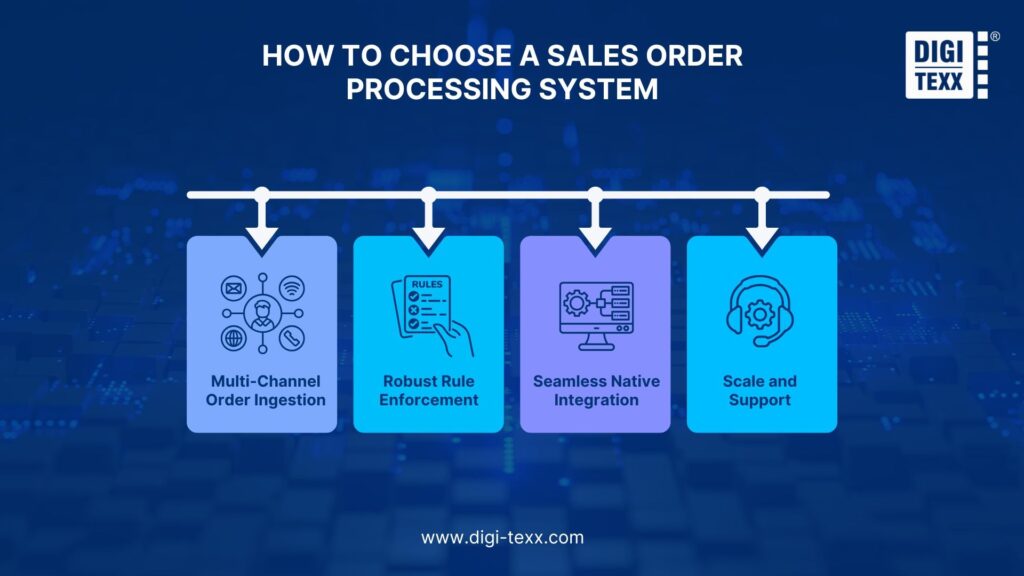
Selecting the right system (commonly referred to as an Order Management System or OMS) is critical for matching your operational workflows. Focus on these four pillars during selection:
- Multi-Channel Order Ingestion: Look for software that consolidates sales from multiple streams, including e-commerce, third-party marketplaces, EDI, and direct sales.
- Robust Rule Enforcement: Your system should automatically validate pricing rules, check credit boundaries, and match catalog SKUs to prevent errors from entering your ERP system.
- Seamless Native Integration: Prioritize systems that integrate with your existing core systems (accounting software, CRM, and inventory databases) using reliable API connections.
- Scale and Support: Ensure the software can grow with your anticipated transaction volume over the next three to five years.
Key Performance Indicators (KPIs) To Monitor
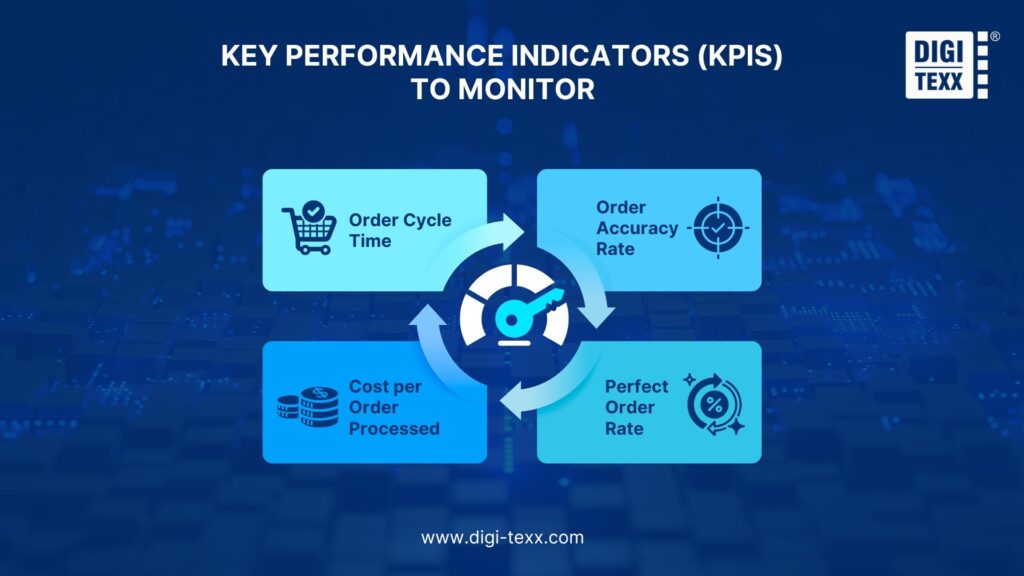
To gauge the performance of your sales order processing system, track these three operational metrics:
- Order Cycle Time: The average time elapsed from when an order is placed to when it is shipped. A lower cycle time indicates a more agile operation.
- Order Accuracy Rate: The percentage of orders processed and shipped without errors (e.g., wrong items, incorrect quantities, or shipping mistakes).
- Perfect Order Rate: The percentage of orders delivered to the right place, on time, with the correct items, undamaged, and with the correct invoice.
- Cost per Order Processed: The total operational costs (labor, software, materials) required to execute an order. Tracking this will highlight the financial savings of automation over time.
Best Practices (Optional)
To sustain a highly efficient order cycle, establish these foundational operational habits:
- Conduct Process Audits: Audit your order-to-cash workflow every six to twelve months. Document where orders frequently stall or experience handoff friction.
- Prioritize Data Cleansing: Establish automated verification checkpoints at entry. Data shows that clean, accurate customer and product information is critical to achieving the true speed benefits of automation.
- Focus on Stakeholder Training: Involve key representatives from sales, warehouse operations, and finance when implementing any software. Software is only as useful as the team’s ability to operate it.
- Gather Customer Feedback: Continually monitor delivery-related customer complaints. A high volume of order-related queries is usually a lagging indicator of friction early in your order processing loop.
Streamline Your Order Management System
Improving sales order processing does not require a complete overnight overhaul of your operations. By mapping your current process, identifying where delays occur, and gradually introducing targeted automation, you can improve order accuracy and create a more reliable experience for your customers.
Looking to reduce manual data entry in your sales cycle?
Download our free The Sales Order Processing & Operational Cleanup Checklist to identify hidden bottlenecks in your workflow and learn how automated systems can support your team.
FAQs About Sales Order Processing
Why is sales order processing still highly manual for many B2B companies?
The answer lies in B2B transaction complexity. Unlike standardized B2C e-commerce checkout flows, B2B sales often involve:
- Non-standardized incoming formats: Customers submit purchase orders (POs) via customized PDFs, unstructured emails, custom portals, or EDI.
- Custom pricing agreements: Contract-specific volume discounts, customer-specific pricing structures, and unique shipping terms require complex verification rules.
- Legacy ERP systems: Many legacy systems cannot natively parse unstructured document data, forcing teams to manually review and transcribe details line-by-line to avoid system errors.
What is the difference between sales order processing and order fulfillment?
Though closely linked, these terms represent different phases in the order lifecycle:
- Sales Order Processing: This is the administrative and operational phase. It begins at order capture and includes validation, credit clearance, customer account verification, and inventory reservation. It translates a customer’s request into an internal execution document.
- Order Fulfillment: This is the subsequent physical and logistical phase. It begins once the sales order is approved and released to the warehouse. Fulfillment encompasses the physical tasks of picking inventory from shelves, packing goods, generating shipping labels, and transporting the order to the end customer.
Can sales order processing be outsourced to a Business Process Outsourcing (BPO) partner?
Yes, outsourcing sales order processing is a common and effective strategy for companies seeking to scale without adding administrative overhead. A specialized BPO provider can assume responsibility for:
- Managing administrative data entry and order ingestion.
- Handling two-way and three-way invoice matching.
- Triage of order discrepancies and basic customer support. Outsourcing allows in-house staff to redirect their focus to core strategic tasks while stabilizing transaction costs, helping businesses manage high transaction volumes during seasonal peaks without struggling from labor shortages.
How does sales order processing impact the Order-to-Cash (O2C) cycle?
Sales order processing is the critical entry point for the entire Order-to-Cash (O2C) cycle. It directly dictates the speed and accuracy of downstream financial functions:
- Invoicing Accuracy: If the sales order contains errors regarding item pricing or tax rates, the final invoice will be incorrect.
- Working Capital Efficiency: Billing errors delay customer payments as finance departments work to resolve disputed invoices.
- Days Sales Outstanding (DSO): Streamlining the sales order processing cycle leads to faster order fulfillment and cleaner invoicing, significantly reducing DSO and freeing up cash flow.
How do automation tools handle custom pricing or complex SKUs during order processing?
Modern Intelligent Document Processing (IDP) and AI-powered order management systems do not simply copy-paste data; they enforce business rules.
- Automated Cross-Referencing: When a customer purchase order is ingested, the system automatically checks the customer’s ID against your CRM or ERP to verify custom price agreements and contracted terms.
- Exception Handling: If the system detects a mismatch, such as an outdated catalog price or an unrecognized SKU, it isolates that specific order in an “Exception Handling Workbench” for manual review by a customer service representative.
- Straight-Through Processing (STP): Orders that perfectly match catalog details, pricing contracts, and credit checks bypass human touchpoints entirely and flow directly to the warehouse.
What software tools are typically used to manage sales order processing?
A modern operational tech stack typically coordinates three types of software to process sales orders:
- Enterprise Resource Planning (ERP): Systems like SAP, NetSuite, or Microsoft Dynamics act as the central database of record, tracking general ledgers, inventory, and fulfillment.
- Order Management Systems (OMS): Dedicated platforms (like Qoblex, Fishbowl, or Tailor Headless ERP) that aggregate multi-channel orders (e.g., Shopify, Amazon, B2B) and normalize the data into a single format.
- Intelligent Data Extraction Tools: Solutions like Docparser, Rossum, or built-in optical character recognition (OCR) platforms that scan incoming PDFs or emails, extract metadata, and input the details into your ERP or OMS without manual data entry.
>>> See more:
- Why choose Vietnam as a BPO & IT outsourcing destination?
- Advantage and disadvantage of outsourcing
- Outsource Order Processing
REFERENCE
- APQC. (2026). Sales order accurate documentation rate. [online] Available at: https://www.apqc.org/what-we-do/benchmarking/open-standards-benchmarking/measures/sales-order-accurate-documentation [Accessed 25 Jun. 2026].
- Bangia, M., Cruz, G., Huber, I., Landauer, P. and Sunku, V. (2020). Sales automation: The key to boosting revenue and reducing costs | McKinsey. [online] www.mckinsey.com. Available at: https://www.mckinsey.com/capabilities/growth-marketing-and-sales/our-insights/sales-automation-the-key-to-boosting-revenue-and-reducing-costs.
- Bogdan Büchner (2025). The True Cost of Manual Purchase Orders. [online] DPO. Available at: https://www.digitalpurchaseorder.com/post/the-true-cost-of-manual-purchase-orders [Accessed 25 Jun. 2026].
- Knocker, R. (2024). Driving Sales Order Processing Excellence: Key Focus Areas and Essential KPIs. [online] Kpims.co.za. Available at: https://www.kpims.co.za/wp/kpis/qtc-process-process-sales-orders-kpis [Accessed 25 Jun. 2026].
- Leggett, K. (2016). Online Self Service Dominates Yet Again. Why? Its An Effortless Way To Get To Your Answers. [online] Forrester. Available at: https://www.forrester.com/blogs/16-01-28-online_self_service_dominates_yet_again_why_its_an_effortless_way_to_get_to_your_answers/.
- Mane, S. (2023). Optimizing SAP Sales Order Processing: Strategies, Technologies, and Impact on Operational Efficiency. [online] 02(Vol. 2 No. 2 (2023): IJIFI), p.26. Available at: https://www.researchgate.net/publication/388175111_Optimizing_SAP_Sales_Order_Processing_Strategies_Technologies_and_Impact_on_Operational_Efficiency.
- Schreyers, J. (2023). Invoice Processing: Automation Cost and Savings. [online] CoreIntegrator. Available at: https://coreintegrator.com/invoice-processing-cost-savings-analysis/ [Accessed 25 Jun. 2026].
- Shetty, V. (2023). How sales order automation can improve customer experience – Symtrax Blog –. [online] Symtrax Blog. Available at: https://blog.symtrax.com/how-sales-order-automation-can-improve-customer-experience/ [Accessed 25 Jun. 2026].
- X3CloudDocs. (2024). Sales Order Automation: 8 Key Benefits for Business. [online] Available at: https://www.x3clouddocs.com/the-power-of-sales-order-automation-8-key-benefits-for-your-business/ [Accessed 25 Jun. 2026].
- Pegasus.co.uk. (2024). Media Centre | Pegasus – Accounting, payroll and business software. [online] Available at: https://www.pegasus.co.uk/media-centre/blog/2024/the-true-cost-of-processing-an-invoice [Accessed 25 Jun. 2026].