CRM data cleansing is the process of identifying and resolving duplicate, inaccurate, incomplete, outdated and inconsistent customer records. DIGI-TEXX provides data cleansing services that can combine standardization, validation and approved data enhancement. This guide explains what CRM data cleaning includes, how to manage a cleanup safely, what affects cost and how to maintain quality afterward. [12]
>>> See more:
- What Is Master Data Management (MDM)? Benefits, Process & Use Cases
- Data Quality Management: Importance, Tools, and Best Practices
- 10 Types Of Data Entry Services For Modern Businesses
What Are CRM Data Cleansing Services?
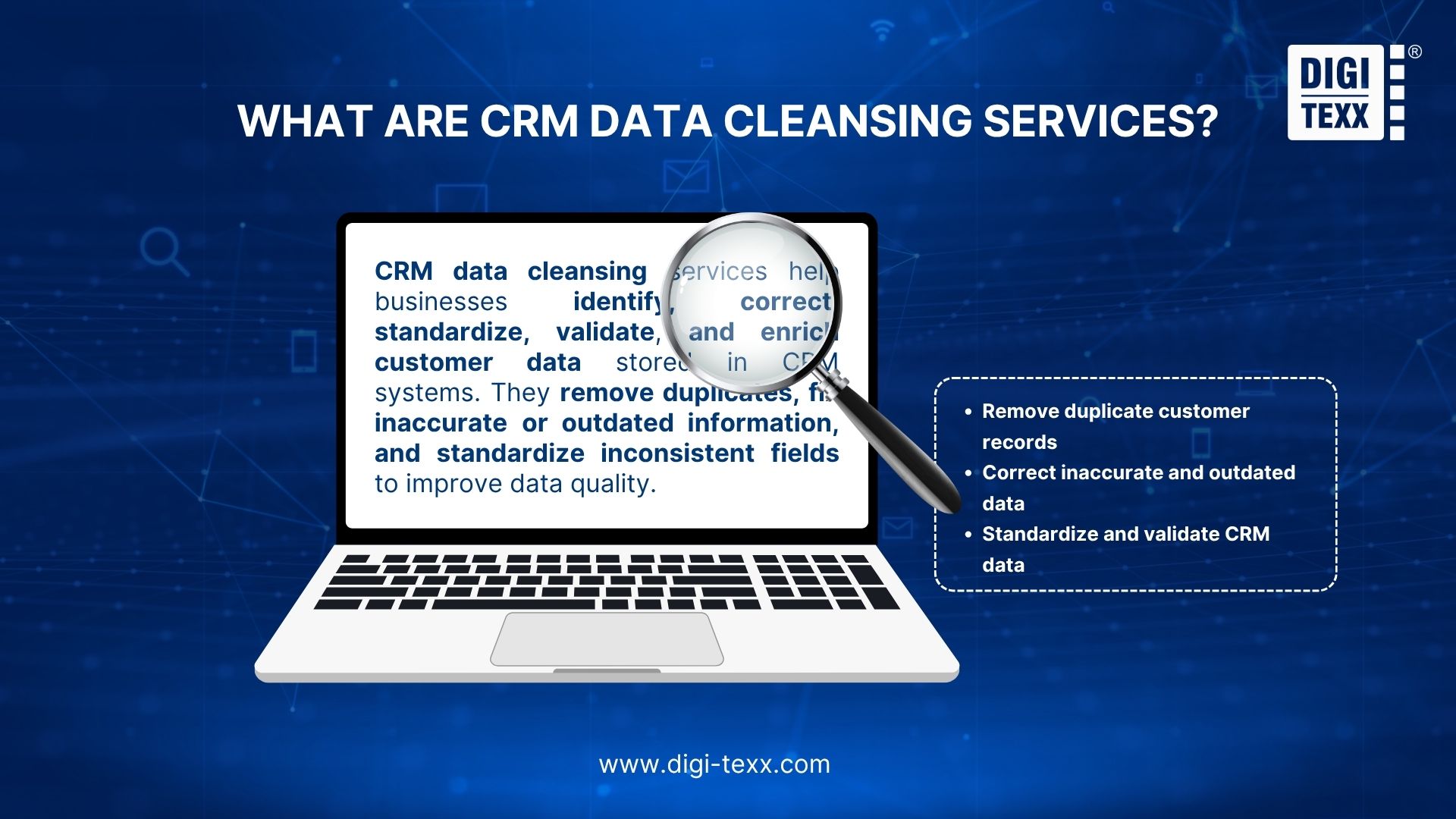
CRM data cleansing services are specialized services that identify, correct, standardize, validate, and improve customer data stored in a CRM system.
The objective is not simply to remove bad records. A professional cleansing project determines whether each record is accurate, complete, unique, consistently formatted, and suitable for its intended business use.
CRM data cleaning and CRM data cleansing are commonly used for the same cleanup work. Deduplication addresses repeated entities, validation tests values against rules, enrichment adds approved information, and ongoing data hygiene prevents the same problems from returning.
Depending on the CRM and project requirements, cleansing may cover:
- Duplicate customer, contact, lead, or account records
- Inconsistent names, addresses, and company information
- Missing or invalid contact details
- Outdated customer information
- Inconsistent field formats and values
- Data validation and quality checks
- Customer data enrichment
- Rules for maintaining data quality after the cleanup.
The scope can range from a one-time CRM data cleanup to an ongoing data quality program integrated into regular CRM operations.
The distinction matters because a database can be technically clean immediately after a project but deteriorate again if new records continue entering the CRM without validation and duplicate-prevention rules.
In Validity’s 2025 State of CRM Data Management study, 76% of 602 surveyed CRM users and stakeholders said less than half of their organization’s CRM data was accurate and complete. This is a survey of respondents’ assessments, not a direct audit of every organization’s database. [3]
Why Is CRM Data Cleansing Important?
CRM data directly affects the systems and decisions built on top of it. When customer records are duplicated, incomplete, or inconsistent, sales, marketing, service, and analytics teams may work from different versions of the same customer.
Common consequences include:
- Inflated customer and lead counts
- Duplicate marketing communications
- Incorrect segmentation
- Poor sales territory assignment
- Inaccurate pipeline and revenue reporting
- Failed or undelivered communications
- More manual work for sales and operations teams
- Reduced confidence in CRM reports.
For example, one customer may exist as three records because the company name, email address, or phone number was entered differently across different sources. Without appropriate matching logic, those records may be treated as three separate customers.
CRM data cleansing therefore supports a broader data hygiene strategy: keeping customer information sufficiently accurate, consistent, complete, and usable for the processes that depend on it.
>>> See more:
- Enterprise Data Management (EDM): The Optimal Data Strategy Framework
- What Is Data Processing? A Complete Guide
- How to Clean Up System Data on Mac: 9 Simple Steps
What Does CRM Data Cleansing Include?
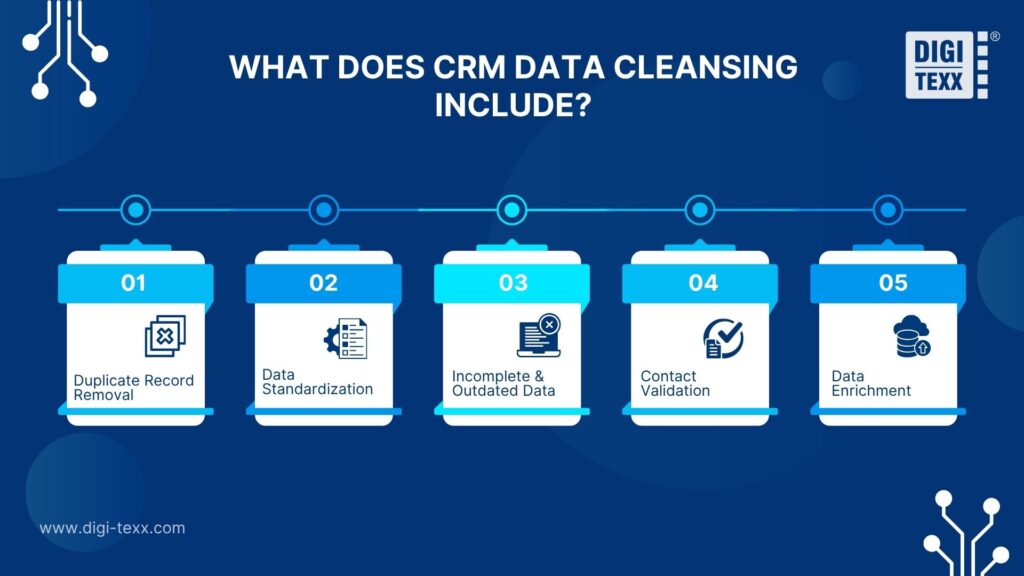
CRM data cleansing typically combines five activities: duplicate detection, standardization, data correction, validation, and enrichment. The exact scope depends on the condition of the database and the organization’s business rules.
Duplicate Record Removal
Duplicate detection identifies records that may represent the same person, company, account, or lead.
Matching can use combinations of:
- Email address
- Phone number
- Customer ID
- Company name
- First and last name
- Address
- Website or domain
- Other business-specific identifiers.
Exact matching catches obvious duplicates, while fuzzy or approximate matching can identify records with variations in spelling, abbreviations, formatting, or incomplete fields.
Salesforce, for example, separates matching rules, which determine how records are compared, from duplicate rules, which determine how potential duplicates are handled. Its duplicate-management capabilities can also support custom matching criteria. [4] [16]
Microsoft Dataverse also supports duplicate detection and merging, with behavior that depends on the table and workflow. Its documented merge feature applies to accounts, leads, and contacts of the same table; it should not be assumed to merge every CRM object. Review the Dataverse duplicate detection and merge documentation before designing the cleanup. [2] [5]
The critical step is not simply finding similar records but deciding whether they actually represent the same entity. Automatically merging every high-similarity match can destroy legitimate records, relationships, or historical information. A robust CRM database cleansing service therefore applies matching thresholds and business rules before records are merged.
Before merging records, define a survivorship rule: which record ID survives and which source supplies each field. A recently verified phone number may take precedence over an older import, while an account owner or opt-out status may require a different rule. Shared email addresses, switchboard numbers, and company domains should not be treated as proof that two people are the same.
Data Standardization
Data standardization converts inconsistent CRM values into a common format without changing their underlying meaning. The goal is to make records consistent enough for reliable search, segmentation, reporting, and system integration.
Typical standardization rules include:
- Standardizing country and state names
- Normalizing phone numbers
- Applying consistent capitalization
- Standardizing address structures
- Converting dates to a defined format
- Normalizing company names
- Standardizing industry and customer categories.
For example, the same country may appear in a CRM as:
| Original values | Standardized value |
| United States | United States |
| USA | United States |
| U.S. | United States |
| US | United States |
This matters when CRM data comes from multiple systems, spreadsheets, web forms, acquisitions, or third-party sources. Without standardization, records that represent the same category may be treated as different values, affecting filters, customer segmentation, reporting, deduplication, and downstream integrations.
CRM data cleansing services should therefore define field-level standardization rules before processing begins, particularly for high-volume databases assembled from multiple sources.
Preserve meaningful differences while standardizing. Keep country codes with phone numbers, leading zeros in identifiers, and the difference between a blank value and a confirmed negative response. Agree on whether a customer’s legal name, trading name, and preferred display name belong in separate fields.
Incomplete And Outdated Data Correction
Cleansing also identifies records that are incomplete, obsolete, contradictory, or no longer fit defined business requirements.
Examples include:
- Missing email addresses
- Invalid phone numbers
- Incomplete addresses
- Outdated job titles
- Obsolete company information
- Missing industry classifications
- Inactive records
- Conflicting customer attributes.
The appropriate treatment depends on the record’s business and legal context. An outdated customer should not automatically be deleted. It may need to be updated, marked inactive, archived, or retained under a defined retention policy. [1]
This distinction is particularly important for enterprise CRM databases, where historical records may still be required for reporting, customer service, contractual obligations, or compliance.
>>> See more:
- 20 Best Data Governance Tools You Need In 2026
- 10 Types Of Data Entry Services For Modern Businesses
- 10 Best AI Process Automation Tools Free In 2026
Contact Information Validation
Contact validation evaluates whether existing contact information meets defined quality criteria.
It can identify:
- Invalid email syntax
- Missing or malformed domains
- Incorrect phone-number formats
- Incomplete postal addresses
- Conflicting contact fields
- Duplicate contact details.
Validation should be distinguished from enrichment. Validation determines whether existing data is usable; enrichment adds new information to the record.
For example, checking whether an email address has a valid structure is validation. Adding the customer’s industry, company size, or job title is enrichment. A correctly formatted address does not by itself establish that a mailbox is active, belongs to the intended person or is permitted for marketing.
Customer Data Enrichment
Customer data enrichment adds relevant information to existing CRM records from approved data sources. Depending on the project, enrichment may include:
- Industry
- Company size
- Location
- Job title
- Business category
- Additional contact attributes.
For example, an ABC Manufacturing record can be enriched with industry, company size, and location data to support more accurate customer segmentation and account analysis.
Enrichment is most useful when existing CRM records lack the information needed for lead prioritization, account classification, customer segmentation, or targeted marketing.
Data sources should be evaluated for accuracy, relevance, permitted use, and regulatory requirements. The goal is to add reliable, business-relevant information, rather than simply increasing the number of fields in the CRM.
Record the source and verification date of each enriched field. If approved sources disagree or do not provide an answer, flag the field for review or leave it unknown. Do not fill gaps with plausible guesses just to improve a completeness score.
DIGI-TEXX’s data cleansing services can include database cleansing and data enhancement, such as updating customer contact information and adding relevant customer attributes where applicable to the project. [12]
How Do CRM Data Cleansing Services Work?
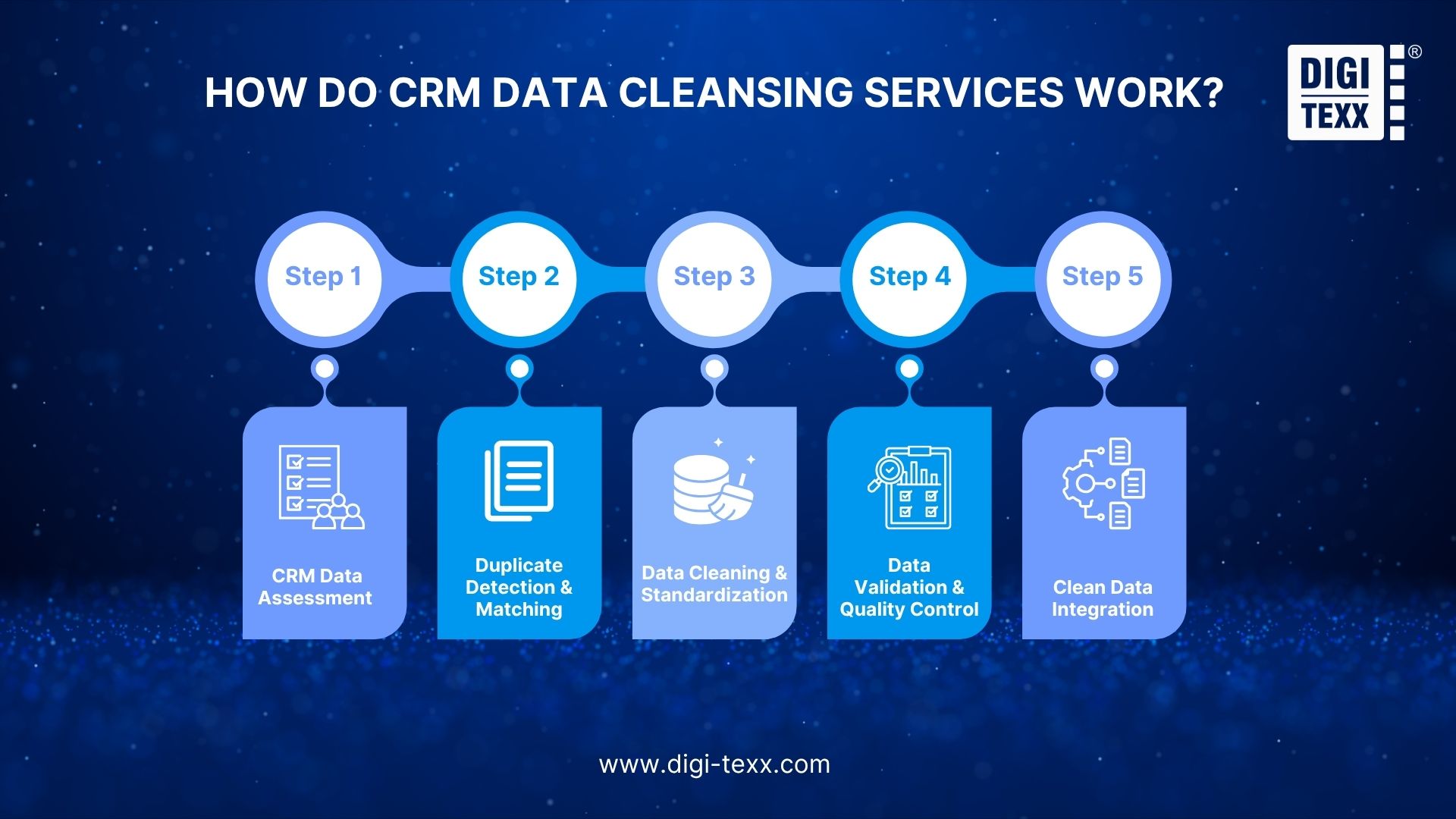
A typical CRM data cleansing process involves five stages: assessment, matching, cleaning, validation, and integration. Each stage addresses a specific data-quality issue before the cleaned records are returned to the CRM.
Step 1: CRM Data Assessment
The process starts by profiling the existing CRM database to identify:
- Record volume and duplicate rates
- Missing or invalid fields
- Inconsistent formats
- Outdated records
- Data from different source systems
- Business-critical fields.
This assessment establishes the data quality baseline and determines which issues require priority attention.
Agree on a data contract before processing: objects and fields in scope, accepted formats, trusted sources, merge rules, exclusions, and measurable acceptance criteria. Keep a recoverable pre-change snapshot, preserve stable identifiers, and test the rules on a representative sample before a bulk update.
Step 2: Duplicate Detection And Data Matching
Potential duplicates are identified using predefined matching criteria, such as email, phone number, customer ID, name, address, or company domain.
Matching can classify records as:
- High-confidence duplicates for consolidation
- Possible duplicates for manual review
- Distinct records that should remain separate.
Using confidence thresholds helps reduce false matches and protect legitimate customer records.
Include both clear duplicates and difficult non-matches in the test sample. For example, two contacts at the same company may share a phone number but have different names and roles. Route uncertain pairs to a reviewer and log the evidence behind each merge or keep-separate decision.
Step 3: Data Cleaning And Standardization
Identified errors are corrected using predefined data-quality rules. Common tasks include:
- Standardizing field formats
- Correcting data-entry errors
- Normalizing addresses
- Removing invalid characters
- Updating approved field values
- Consolidating confirmed duplicates.
Documented transformation rules help maintain consistent standards across future CRM data imports.
Create a change log that records the source record ID, original value, revised value, rule applied and review outcome. Separate proposed merges from ordinary formatting changes so business owners can approve higher-impact actions explicitly.
Step 4: Data Validation And Quality Control
Cleaned records are validated before being returned to the CRM. Checks may cover:
- Field accuracy and completeness
- Duplicate rechecks
- Format consistency
- Business rules
- Exception handling
- Sample-based quality review.
For large datasets, automated validation can handle routine checks while human review focuses on ambiguous or low-confidence records.
Measure different aspects of quality separately. Required-field completeness is the share of in-scope records with the required values; format validity is the share passing specified rules; reviewed merge precision is the share of checked proposed merges confirmed as correct. Specify the sample and denominator for each metric. A lower duplicate count alone does not prove that false merges were avoided.
Step 5: Clean Data Integration
The validated data is loaded back into the CRM or connected business systems while preserving record IDs, ownership, required fields, and relationships.
For example, relationships between accounts, contacts, leads, opportunities and activities should remain intact after cleansing. Test these relationships and dependent workflows before accepting the import, rather than assuming that a successful upload means the CRM is ready for use.
Reconcile input, updated, merged, rejected and unchanged record counts. Test an account with linked contacts, an opportunity and an activity history, then confirm ownership and reporting behavior after integration. For concurrent CRM activity, agree a cutover window or a method for reconciling changes made while the cleanup is running.
>>> See more:
- 10 Best AI Process Automation Tools Free In 2026
- What Is Automatic Data Processing (ADP)? How It Works
- 25 Best Data Integration Tools: Definition, Benefits & Features
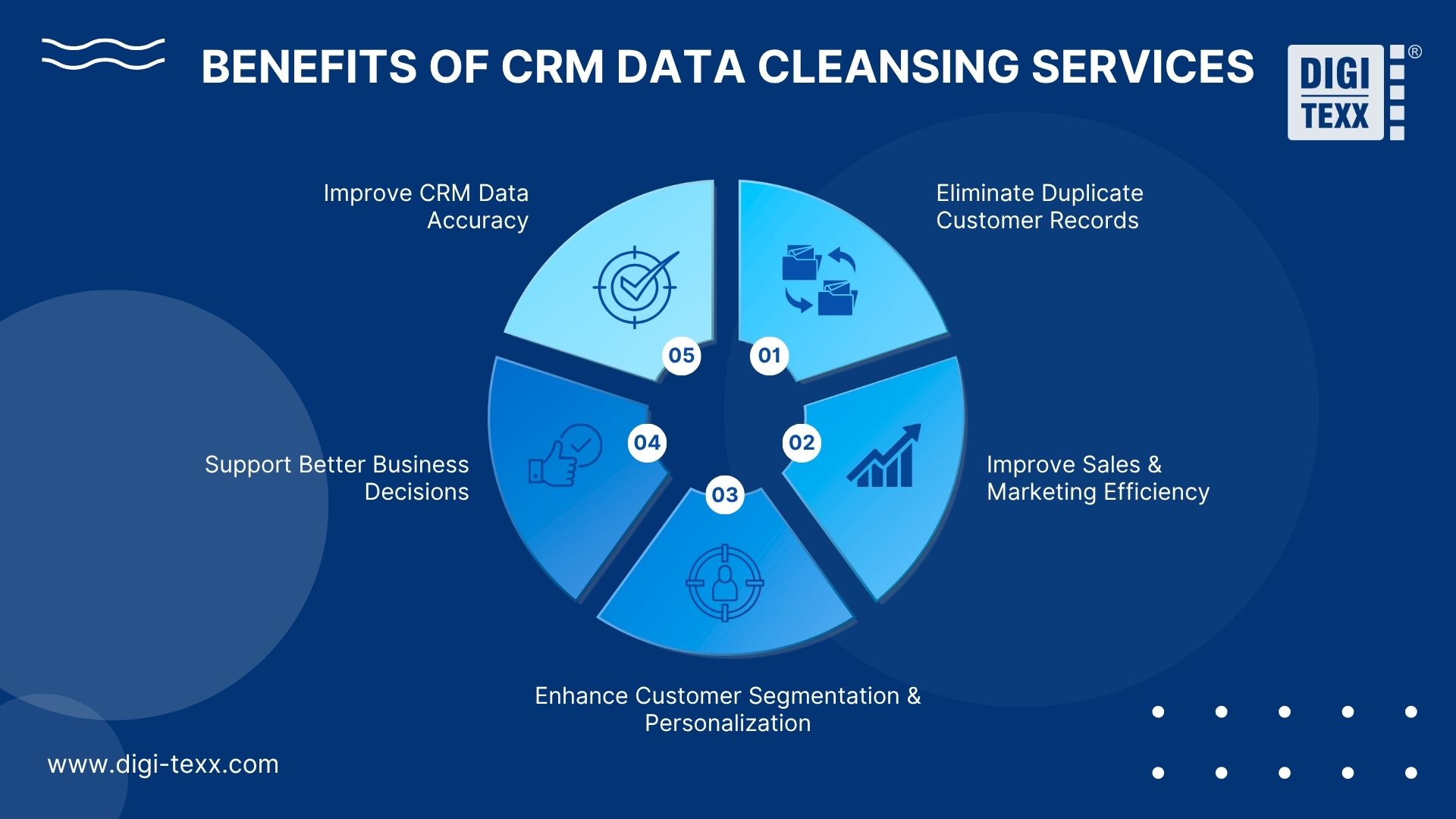
What Are The Benefits Of CRM Data Cleansing Services?
The main value of CRM cleansing is not a cleaner database by itself. It is more reliable customer information for business processes that depend on the CRM.
Improve CRM Data Accuracy
Standardized and validated records provide a more reliable foundation for reporting, segmentation, customer service, and operational workflows.
Teams spend less time correcting basic data problems and more time using the CRM for its intended purpose.
Eliminate Duplicate Customer Records
Removing duplicate records creates a clearer view of customers and accounts.
Instead of treating multiple records as separate customers, organizations can consolidate information around a trusted record where appropriate.
This is also why duplicate management should continue after the initial cleanup. Salesforce, for example, provides matching and duplicate rules specifically to identify and manage duplicate records as users create or update CRM data. [4] [16]
Improve Sales And Marketing Efficiency
Sales representatives can waste time researching whether a lead already exists or contacting outdated records.
Clean CRM data helps reduce:
- Duplicate outreach
- Invalid contact attempts
- Manual record correction
- Incorrect lead assignment
- Unnecessary account research
Marketing teams can also work with more reliable audience segments and contact information.
Enhance Customer Segmentation And Personalization
Consistent customer attributes make segmentation more dependable.
For example, standardized industry, location, company size, or customer-status fields can support more accurate campaign targeting and account prioritization.
The quality of personalization is ultimately constrained by the quality of the customer data available to the CRM.
Support Better Business Decisions
CRM reports are only as reliable as the records behind them.
If duplicates inflate account counts or missing values distort customer segments, management reports may provide a misleading view of sales performance and customer activity.
Clean data gives decision-makers a more consistent basis for analyzing customers, opportunities, territories, and revenue.
How Much Do CRM Data Cleansing Services Cost?
There is no universal price for CRM data cleansing services because the workload depends on record volume, data complexity, quality problems, matching requirements, and the level of validation required.
A 100,000-record database containing standardized customer information may require significantly less work than a smaller database combining multiple sources with inconsistent fields and extensive duplicates.
For an initial budget reference, retain the earlier research ranges of USD 0.05–0.50 per record for basic bulk cleansing and USD 2,000–25,000+ for managed projects. IvrisTech’s cost guide publishes these indicative ranges. Its guide is vendor-authored; the figures are not a DIGI-TEXX rate card or a verified industry-wide average. [7]
Ask what counts as a billable record and whether duplicate review, third-party verification, enrichment credits, rejected records and reprocessing are included. Compare the same fields, quality criteria and delivery scope across quotations.
Factors That Affect CRM Data Cleansing Costs
The main cost drivers include:
| Factor | Impact on cost |
| Data volume | More records increase processing and quality-control workload |
| Duplicate complexity | Fuzzy matching and cross-source matching require more processing |
| Number of fields | More fields increase validation and standardization requirements |
| Data sources | Multiple CRM or external sources increase mapping complexity |
| Enrichment | Additional research and verification increase processing requirements |
| Validation depth | Human review and manual verification increase costs |
| Integration | CRM migration, API integration, and system mapping add implementation work |
| Turnaround time | Large projects with compressed deadlines may require additional resources |
Businesses should therefore request pricing based on the actual cleansing scope, rather than comparing providers only by cost per record.
In-House vs. Outsourced CRM Data Cleansing
In-house cleansing gives organizations direct control over data access, rules, and processes. It can be practical when the database is relatively small and the organization already has sufficient data-management resources.
Outsourcing becomes more attractive when the project involves:
- Large CRM databases
- Multiple data sources
- Complex duplicate matching
- Repetitive cleansing workloads
- Tight turnaround requirements
- Specialized data-quality requirements
The comparison should include not only labor costs but also software, infrastructure, quality control, management time, and the opportunity cost of assigning internal teams to repetitive cleanup work.
>>> See more:
- What is Data Extraction? Definition, How It Works & Examples
- Data Validation & Verification: Differences, Benefits & Real World Examples
- What Is Data Integrity? Why It Matters, Types & Best Practices
How To Choose The Best CRM Data Cleansing Services Provider?
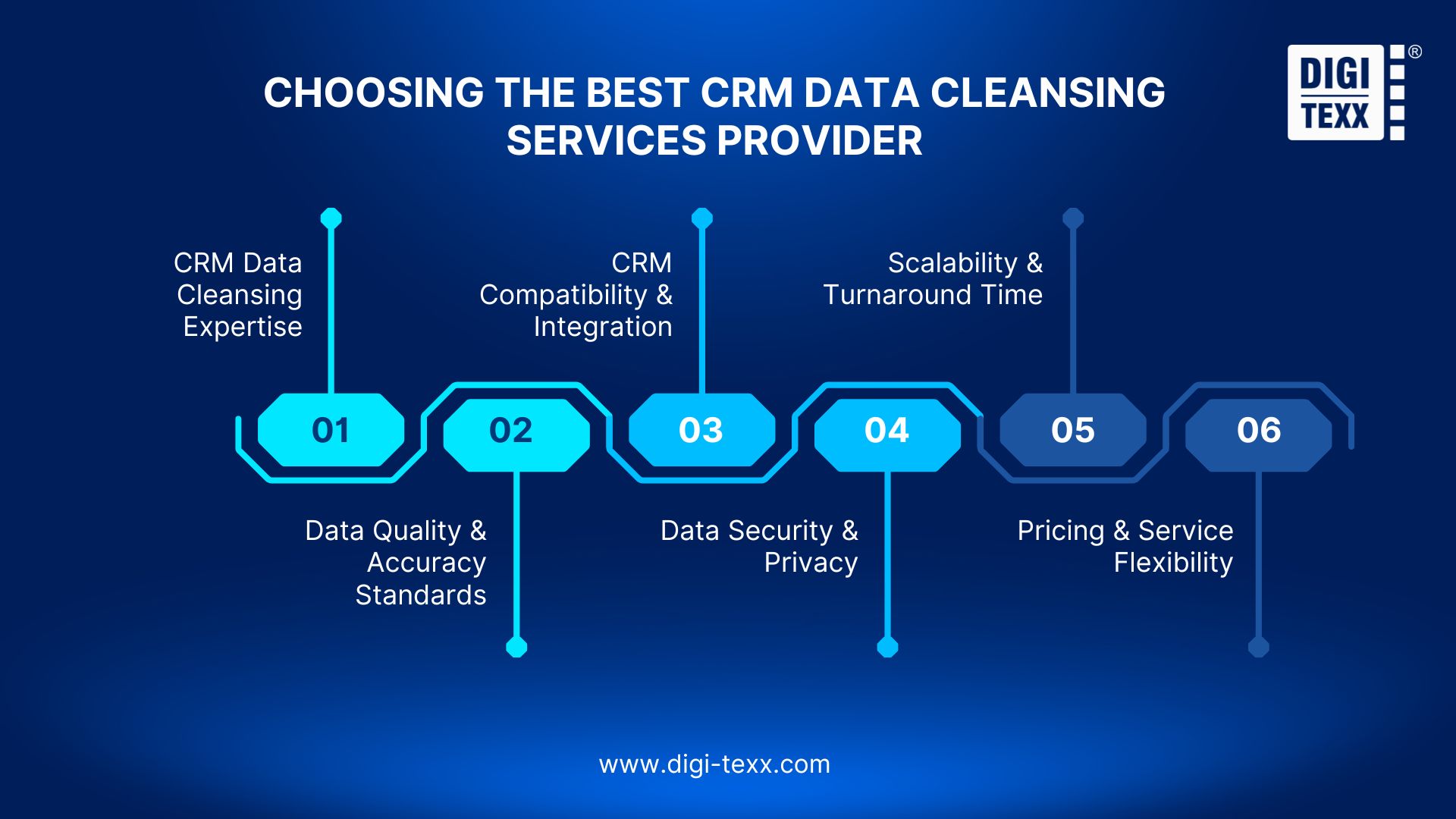
The right provider should be evaluated on data-quality methodology, CRM compatibility, security, scalability, and measurable quality controls, not simply the ability to remove duplicates.
CRM Data Cleansing Expertise
Look for experience handling the specific CRM environment and data types involved. The provider should understand account, contact, lead, customer, and relationship structures rather than treating the CRM as a flat spreadsheet.
Data Quality And Accuracy Standards
Ask how the provider measures quality before and after cleansing. Important indicators may include:
- Duplicate detection accuracy
- Field completeness
- Standardization accuracy
- Validation accuracy
- Exception rates
- Quality-control sampling.
A strong provider should be able to explain how uncertain records are handled rather than claiming that all records can be cleaned automatically.
Ask the provider to demonstrate how it prevents false merges, measures unresolved exceptions and restores records if a change is rejected. A small pilot with a documented acceptance report is more informative than an unsupported promise of 100% accuracy.
CRM Compatibility And Integration
The service should support the organization’s CRM and related systems. Consider compatibility with platforms such as Salesforce, Microsoft Dynamics 365, HubSpot, Oracle, or custom CRM environments, as well as the ability to preserve IDs, relationships, and required fields during data transfer.
Confirm capability for your specific edition, objects and access method. For example, HubSpot’s documentation describes deduplication using record identifiers and other properties, with behavior depending on how records enter the CRM. Do not infer a ready-made connector simply because a service can clean exported CSV files. [6]
Data Security And Privacy
CRM records can contain personally identifiable information, customer contacts, commercial information, and sensitive business data.
Evaluate:
- Access controls
- Secure data transfer
- Encryption
- Confidentiality procedures
- Auditability
- Data retention and deletion
- Personnel access
- Compliance requirements.
Security should apply throughout the data-cleansing lifecycle, not only while the final dataset is stored.
Scalability And Turnaround Time
The provider should be able to process the expected volume without compromising quality. Ask how the provider handles:
- Large datasets
- Batch processing
- Multiple source files
- Complex matching
- Exception queues
- Quality assurance
- Project deadlines.
Pricing And Service Flexibility
Pricing should align with the actual work involved. A flexible provider should be able to support a one-time cleanup, recurring data-quality program, targeted database remediation, or a larger CRM migration project.
Why Choose DIGI-TEXX For CRM Data Cleansing Services?
DIGI-TEXX combines data processing expertise, AI-assisted technologies, quality control, and operational support to handle CRM data cleansing projects at scale.
Proven Data Cleansing Expertise
DIGI-TEXX provides data cleansing and data enhancement services designed to identify inaccurate, inconsistent, outdated, and incomplete information and improve the usability of customer databases.
See the published scope of DIGI-TEXX’s data cleansing services, which describes cleanup, data enhancement, correction, validation and database standardization. [12]
The focus is on producing data that can be used reliably in downstream business processes rather than simply modifying individual fields.
AI-Powered Data Cleaning And Validation
AI and automated processing can support large-scale data classification, matching, validation, and quality checks. For complex datasets, automated processing can be combined with human review for records that require contextual judgment.
High-Volume CRM Data Processing
Enterprise CRM environments can contain hundreds of thousands or millions of customer records from multiple sources. A scalable processing model helps handle large volumes while applying consistent cleansing and quality-control rules across the dataset.
Agree project capacity after a pilot that includes the expected proportion of manual-review cases. General data-processing scale should not be presented as a confirmed throughput for your CRM objects, integrations or matching rules.
Data Accuracy And Quality Control
Data cleansing requires more than automated transformation. DIGI-TEXX can incorporate quality-control procedures to identify exceptions, validate processed records, and reduce the risk of incorrect data entering downstream systems.
Secure And Confidential Data Processing
CRM databases may contain commercially sensitive and personal information. Data processing should therefore be performed under defined access, security, confidentiality, and data-handling procedures appropriate to the project.
DIGI-TEXX’s international standards page lists information-security and quality-management certifications. Review the current certificate, covered entity, locations and service scope during supplier assessment. These credentials support the assessment of management systems; they do not define a CRM field-accuracy guarantee. [14]
Customized CRM Data Cleansing Services
CRM databases rarely have identical structures or business rules. Cleansing workflows can therefore be configured around the organization’s:
- CRM structure
- Data fields
- Matching rules
- Standardization requirements
- Validation criteria
- Output format
- Quality thresholds
This allows the process to address business-specific data-quality problems instead of applying a generic cleanup template.

>>> See more:
- How To Choose The Best Data Security Software In 2026?
- Best Master Data Management Software In 2026: Top 9 MDM Tools Compared
- Top 20 Data Enrichment Tools To Improve Data Quality In 2026
Related Case Study: Customer Data Validation During Onboarding
In its customer onboarding case study, DIGI-TEXX describes comparing extracted information with applicant-declared data and returning matched or unmatched results. The company reports average processing time falling from 15 minutes to 4 minutes per case. [13]
This is evidence of an adjacent validation workflow, not a CRM deduplication benchmark. For CRM cleansing, request a relevant pilot or reference covering duplicate resolution, record relationships and the agreed output checks.
QTSC’s company directory also lists DIGI-TEXX and its document/data-processing activities. This is an external company reference, not an independent assessment of CRM cleansing accuracy. [15]
CRM Data Cleansing Best Practices
A one-time cleanup will not keep CRM data clean if new records continue entering the database without controls. The goal should be to establish repeatable rules that maintain data quality after the initial project.
Define CRM Data Quality Standards
Define what constitutes an acceptable CRM record before cleansing begins. Standards should specify required fields, approved formats, valid values, duplicate criteria, and acceptable completeness levels.
Establish Duplicate Detection Rules
Define which fields and combinations determine whether two records are likely to represent the same customer. Rules should account for the organization’s actual data-entry patterns and should distinguish high-confidence matches from records requiring manual review.
Standardize CRM Data Fields
Use controlled values for fields such as country, state, industry, customer status, and company type. Standardization reduces variation and makes filtering, reporting, segmentation, and integration more reliable.
Validate And Clean Data Regularly
CRM cleansing should be scheduled rather than treated as a one-time event. Regular checks can identify duplicates, invalid contact details, newly introduced inconsistencies, and records that have become outdated.
Set the schedule according to how quickly each field changes and how it is used. Validate new records at entry or import, monitor exceptions routinely, and run broader checks around migrations, acquisitions or major campaigns. There is no single interval that suits every database.
Maintain CRM Data Quality After Cleansing
The strongest approach combines initial cleansing with ongoing prevention. New records should be subject to validation and duplicate checks before they become part of the production database. Salesforce and Microsoft Dataverse both provide mechanisms for detecting potential duplicates as records are created or updated, illustrating the importance of prevention alongside historical cleanup.
Organizations should also monitor data-quality metrics over time so deterioration can be detected before it affects sales, marketing, reporting, or customer operations.
Assign an owner for each critical rule and track where recurring defects originate, such as a web form, spreadsheet import or integration. Protect suppression and opt-out fields from being overwritten by a cleanup, and resolve changes under the organization’s approved policies.
FAQs About CRM Data Cleaning Solutions
How Much Does Data Cleansing Cost?
As an indicative planning reference, the earlier research ranges are USD 0.05–0.50 per record for basic bulk cleansing and USD 2,000–25,000+ for a managed project. These ranges also appear in IvrisTech’s published cost guide, but they are not a DIGI-TEXX quotation or an independently established market average. Request a scoped estimate that separates setup, validation, enrichment, manual review and CRM integration. [7]
Can ChatGPT Do Data Cleaning?
Yes. ChatGPT can help analyze spreadsheet data and develop repeatable cleaning steps, such as identifying duplicate rows or standardizing formats. OpenAI’s data-analysis documentation describes working with uploaded data and reviewing the analysis. Use an organization-approved environment, define the rules explicitly and check the output before importing it. The model should not invent missing customer details or decide ambiguous CRM merges without review. [8]
What Are The Top 3 CRM Systems?
Salesforce, HubSpot and Zoho CRM are examples of CRM systems, rather than a universal top-three ranking. Microsoft Dynamics 365 and custom systems may also be relevant. The project should start with the system your organization actually uses, its data model, available duplicate-management features and import or API behavior.
What Software Is Best For Data Cleaning?
The right tool depends on the task and the team. OpenRefine supports interactive transformations and review of similar values. Python with pandas supports scripted operations such as removing duplicate rows based on selected columns. Alteryx’s Data Cleansing tool supports configured cleanup operations in a visual workflow. None of these functions alone establishes that two CRM records represent the same person or preserves CRM relationships automatically. [9] [10] [11]
What Is the Difference Between CRM Data Cleansing and Data Enrichment?
Cleansing corrects or resolves issues in existing records; enrichment adds information from approved sources. Clean and reconcile the existing records first so enrichment is applied to the right entity and does not multiply conflicting profiles.
Can CRM Data Be Cleaned Without Losing Sales History?
A cleansing workflow can be designed to preserve record relationships and history, but this must be tested in the target CRM. Retain stable identifiers, define merge behavior, use a recoverable snapshot and verify related opportunities, activities and ownership after processing.
How Often Should CRM Data Be Cleaned?
Apply checks when records are created or imported and schedule broader reviews according to data-change rates and business risk. A migration or repeated duplicate problem may require a dedicated cleanup in addition to routine monitoring.
Can an Outsourcing Provider Clean Data Inside Our Existing CRM?
That depends on the provider, CRM and approved access arrangements. A project may use controlled in-system access, exports and reimports, or an API workflow. Confirm supported objects, permissions, logging, review responsibilities and rollback before granting access.
What Should We Prepare Before Outsourcing CRM Data Cleansing?
Prepare a representative sample, object and field definitions, record volumes, trusted sources, duplicate and survivorship rules, required outputs and acceptance criteria. Include exceptions, integration constraints and the person authorized to approve merges.
Effective CRM data cleansing goes beyond removing duplicate records. It combines data standardization, validation, correction, enrichment, and quality control to create reliable customer information for sales, marketing, reporting, and business decisions. For organizations managing complex or high-volume databases, CRM database cleansing services and ongoing CRM data cleanup services can provide a more scalable approach than one-time manual cleanup.
DIGI-TEXX provides CRM data cleansing solutions tailored to an organization’s data structure, quality requirements, processing volume, and business workflows. By combining data processing expertise, technology, and quality control, DIGI-TEXX helps businesses clean CRM data, improve CRM data hygiene, and maintain more reliable customer databases over time.
To discuss your requirements, share a representative sample, the CRM platform, expected record volume and the quality issues you want to resolve with DIGI-TEXX’s data cleansing team. Contact DIGI-TEXX to scope a pilot, review the proposed rules and request a project-specific quotation.
DIGI-TEXX Contact Information:
🌐 Website: https://digi-texx.com/
📞 Hotline: +84 28 3715 5325
✉️ Email: [email protected]
🏢 Address:
- Headquarters: Anna Building, QTSC, Trung My Tay Ward
- Office 1: German House, 33 Le Duan, Saigon Ward
- Office 2: DIGI-TEXX Building, 477-479 An Duong Vuong, Binh Phu Ward
- Office 3: Innovation Solution Center, ISC Hau Giang, 198 19 Thang 8 street, Vi Tan Ward
Reference:
- [1] Information Commissioner’s Office. (n.d.). Accuracy. https://ico.org.uk/for-organisations/uk-gdpr-guidance-and-resources/data-protection-principles/a-guide-to-the-data-protection-principles/accuracy/
- [2] Microsoft. (n.d.). Detect duplicate data using code. Microsoft Learn. https://learn.microsoft.com/en-us/power-apps/developer/data-platform/detect-duplicate-data-with-code
- [3] Validity: The State of CRM Data Management in 2025
- [4] Salesforce: Matching Rules
- [5] Microsoft: Detect and merge duplicate records
- [6] HubSpot: Deduplicate records
- [7] IvrisTech: Published indicative cleansing costs
- [8] OpenAI: Data analysis with ChatGPT
- [9] OpenRefine: Cell editing
- [10] pandas: DataFrame.drop_duplicates
- [11] Alteryx: Data Cleansing Tool
- [12] DIGI-TEXX: Data cleansing services
- [13] DIGI-TEXX: Customer onboarding case study
- [14] DIGI-TEXX: International standards
- [15] QTSC: DIGI-TEXX company directory
- [16] Salesforce: Manage Duplicate Records — matching rules, duplicate rules and merge workflows.