Data information has long been a valuable asset that any business wants to exploit to improve business performance. Nowadays, extract data from site has become simpler and more accessible, even for those without a technical background. However, to collect data effectively and in accordance with work goals, choosing the right tool or platform is a key factor – especially for beginners. In the article below, DIGI-TEXX will help you better understand the data extraction process and suggest the platforms that best suit your needs.
>>> See more:
- Top 10 Data Entry Outsourcing Companies to Hire in 2026
- Top 10 Best big data processing tool for Business 2026
- Best Insurance Claims Processing Outsourcing BPO in the US 2026
What Are Data Extract Tools?
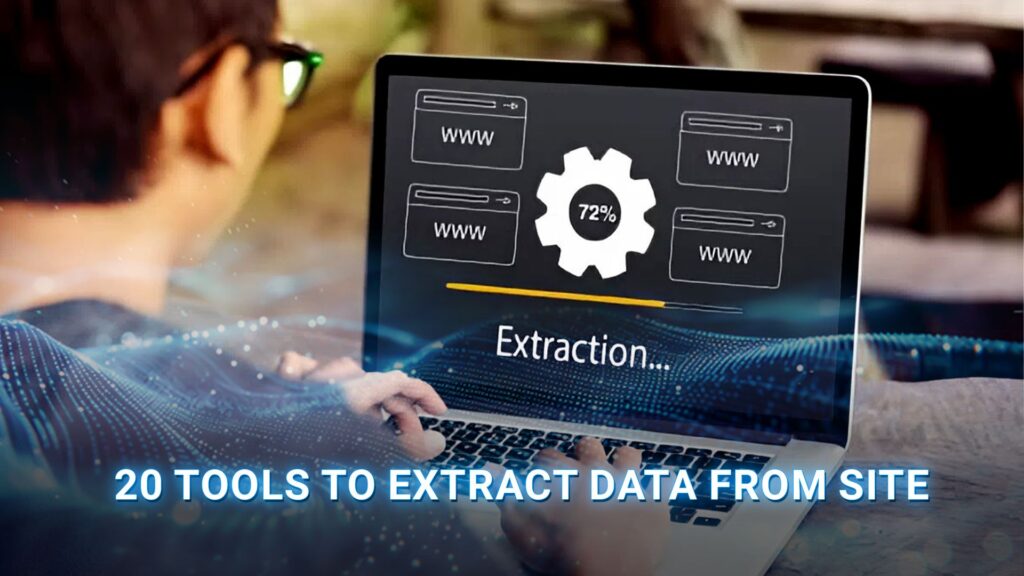
Data extraction tools are software applications or platforms designed to automatically extract data from site pages, documents, and online sources, then convert it into a structured, usable format such as CSV, JSON, or Excel. These tools eliminate the need for manual copy-pasting, enabling users to gather large volumes of data quickly and consistently.
At their core, data extraction tools work by sending requests to web pages, reading the HTML or rendered content, identifying the relevant data fields through selectors or AI, and exporting the results into your preferred format. Depending on the tool, they may use simple HTTP requests for static pages or headless browsers for dynamic, JavaScript-heavy sites.
>>> See more:
- Why Businesses Outsource Data Management in 2026?
- What are the 6 steps of the data analysis process?
- Professional Fashion Photo Editing Services for Stunning Visuals
Top 20 Tools To Extract Data From Site In 2026
Below is a curated list of the 20 best tools to extract data from site in 2026, covering options for every skill level, from beginner-friendly browser extensions to enterprise-grade cloud platforms.
1. Web Scraper
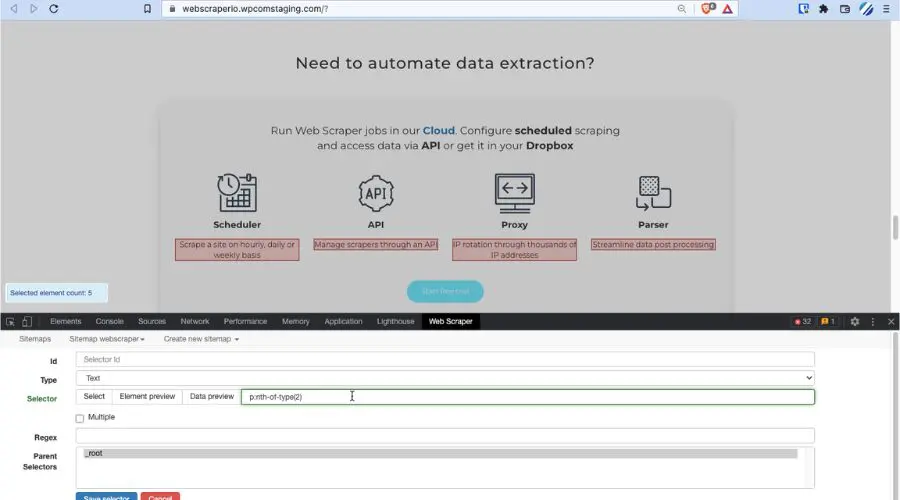
Web Scraper is developed to extract data from site as well as automate parallel tasks. The special feature of this software is that it provides webhooks and provides users with API access. Therefore, when you rotate IP through IP address information, it will create very good efficiency with this software.
Moreover, this is software that has been proven to be reliable and adaptable to complex user requirements. In addition, WebScraper is also integrated with Dropbox, Google Sheets, Amazon S3, and many other platforms.
Outstanding features:
- Ability to automatically extract data from Web pages.
- Better data processing after processing is completed.
- Support using JavaScript websites to carry out full projects.
- Support users to export data in a variety of different formats, such as XLSX, JSON, and CSV.
Best for: Beginners and intermediate users who want a free, browser-based scraper.
2. Octoparse
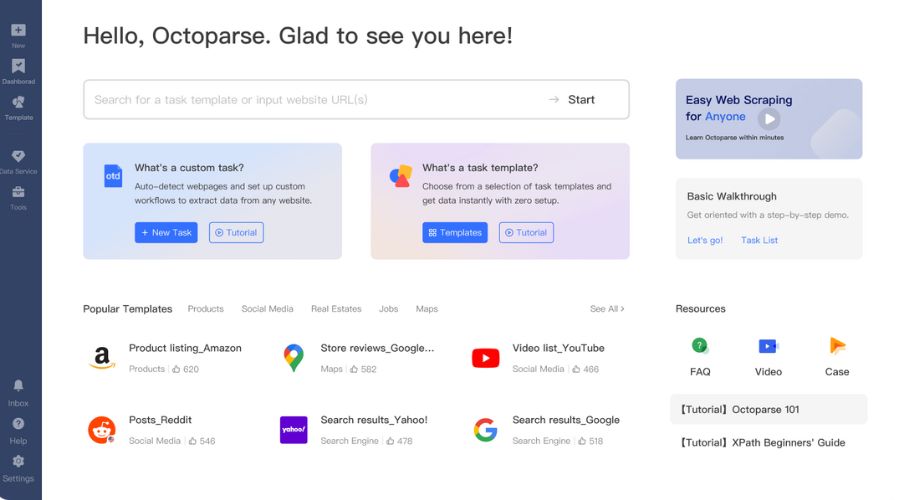
Octoparse is a highly rated web scraping software that is available for both Mac and Windows users. Thanks to its human-like behavior simulation feature, the data scraping platform is simple and easy to understand for beginners.
On the other hand, Octoparse makes it easy for beginners to approach the web scraping process. In particular, the platform offers many free support tools, helping users to mine data effectively without spending any money.
Outstanding features:
- Being a cloud-based data collection platform, Octoparse allows users to retrieve data online quickly without spending time on programming.
- The platform offers a variety of usage packages, such as free, standard, professional, and enterprise, for users to easily choose.
- Provided with built-in templates for popular websites, this helps users collect data simply with just a few clicks.
Best for: Non-technical users who need powerful, scalable scraping with rich template support.
>>> See more:
- Top 10 Data Cleansing Companies for Businesses in 2026
- How to Automate Documentation in 2026: Step By Step Guide
- Best Data Cleansing Outsourcing Companies for 2026
3. ScrapingBee
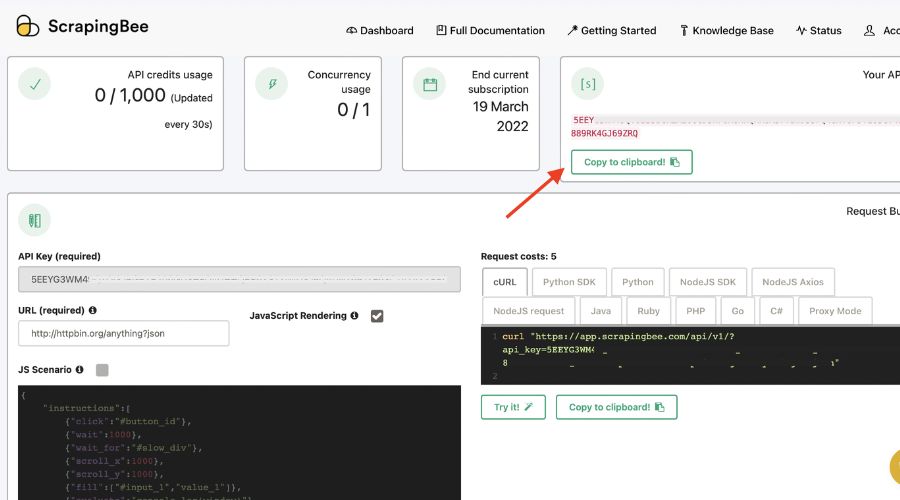
Another prominent platform that helps you extract data from web is ScrapingBee. This tool simulates a web page in the same way a browser works, allowing users to use the Chrome version to handle situations without an interface. As a result, ScrapingBee emphasizes that handling interfaceless pages with conventional scrapers is a waste of time and consumes a lot of CPU and RAM resources.
Outstanding features:
- The platform is not limited to web data collection, such as web data collection from insurance services, price tracking, and quick extraction of multiple review articles.
- Supports data collection of websites only from search results.
- Supports a variety of packages for users from only $29.
Best for: Developers and data teams who want a reliable API-first scraping solution.
4. ParseHub
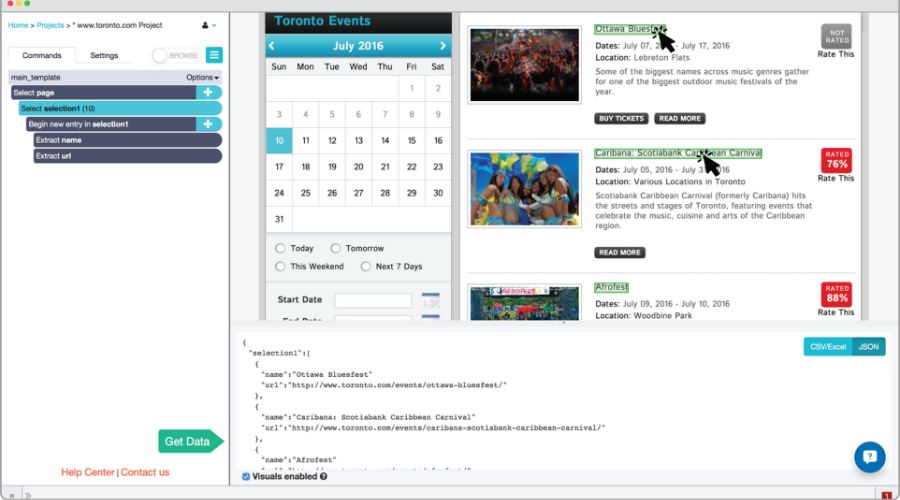
If you just need to perform basic tasks to extract data from site online, then ParseHub is a free tool worth considering. It offers more features than other platforms, such as scraping files and images or CSV and JSON files. However, if you need more advanced scraping tools, there are paid plans available.
Outstanding features:
- Automated data storage using cloud services.
- Quickly import information from maps and tables.
- Consent collection with infinite scrolling pages.
Best for: Beginners who need a free, capable scraper with a visual interface.
5. Import.io
Import.io is a website data collection tool designed for users who want to collect data at large scale. It provides a visual builder that lets you set up large data pipelines by importing data from various websites and exporting to CSV. You can also create more than 1,000 APIs using this platform on Mac OS, Linux, and Windows. Import.io also supports user alerting and makes it easy to build dashboards that monitor the process of extracting data from the web.
Outstanding features:
- Users can customize the options to suit their workflow.
- The templates on this platform are all JavaScript-based.
- There are over 40 million IPs and over 12 geographic locations.
- Bandwidth is unlimited and speeds up to 100Mbps.
Best for: Business analysts and enterprise teams need high-volume, reliable data pipelines.

6. Diffbot
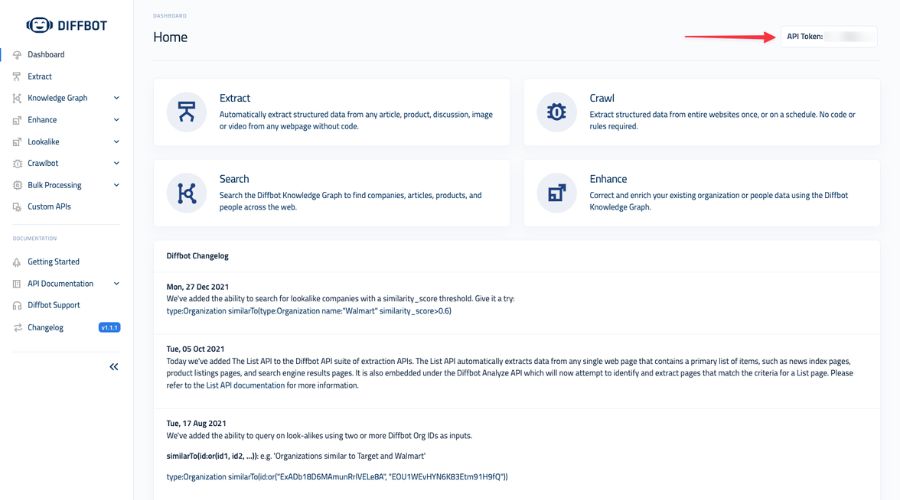
Diffbot is a smart platform with AI and machine learning techniques for users looking for a tool to extract data from site. Thanks to the cloud platform, users are not limited by devices and operating systems when using Diffbot. With smart features, the platform not only supports users in collecting data but also optimizes the process of processing large information files from many sources.
Outstanding features:
- Provide product API and visual processing utilities
- Allows non-English data extraction
- Supports JSON, CSV file formats
- SaaS is fully hosted by the system
Best for: Enterprise users and AI teams who need structured, semantically organized web data.
7. Mozenda
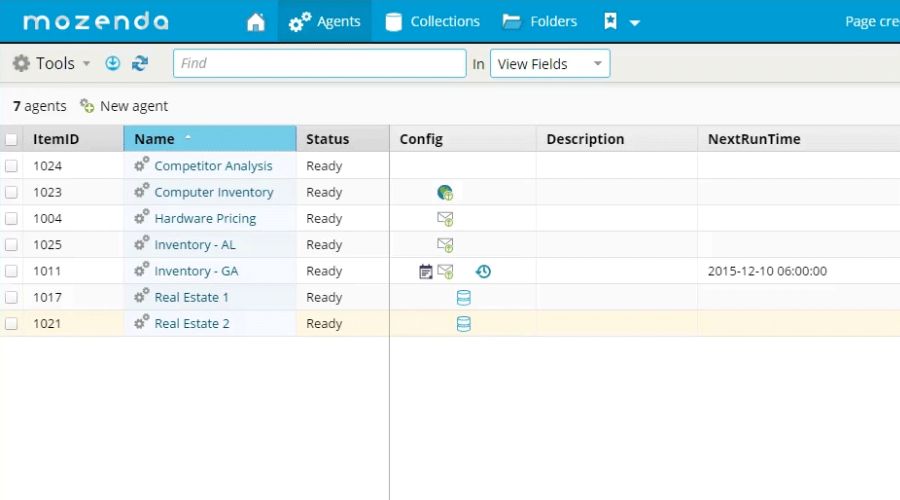
Mozenda is a solution that helps users perform their tasks through an online portal as well as supports users to view and manage extracted results. In addition, Mozenda also provides users with a variety of cloud storage types, such as Dropbox, Amazon S3, or Microsoft Azure.
Outstanding features:
- Helps users manage agents and extract data without having to spend time manually logging into the Web Console.
- A variety of packages for users, from free to enterprise.
Best for: Teams that need a managed, enterprise-grade scraping and publishing solution.
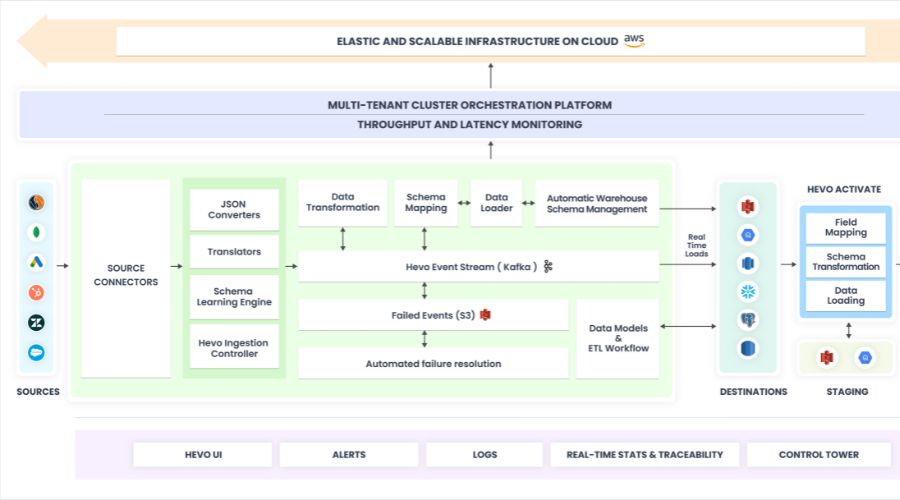
8. Hevo Data
If you want to copy content from any information data source, the Hevo Data platform is ready to support you. Hevo Data can help you transform data into an evaluation format and transfer data to the appropriate repository without encrypting a single line. Best of all, the tool can also manage data securely without losing data due to its fault-tolerant architecture.
Outstanding features:
- Use the intuitive dashboard to display data stream statistics, making it easy for users to monitor the extraction status.
- Supports three popular usage plans, such as starter, free, and enterprise.
Best for: Data engineers and analysts who need automated pipelines from web sources to databases or warehouses.
9. Scrapy
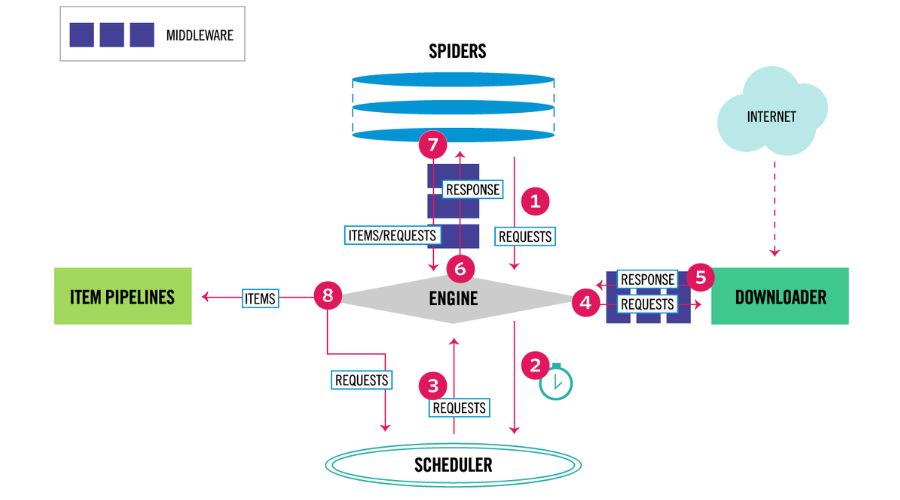
Scrapy is the most prominent web scraping platform that we want to share with you on this list. The platform stands out due to its user-interactive capabilities and transparency in data-scraping operations. It is a suitable platform for Python programmers who want to create cross-platform web scrapers.
Outstanding features:
- As the platform is designed to extend the core, users can diversify the scope without modifying the core.
- Completely free support for users who are new to using Scrapy.
Best for: Python developers who want maximum control and scalability in their scraping projects.
>>> See more:
- Top 10 Data Processing Software For Business 2026 – Best Tool Reviewed
- Best Real Estate Image Processing Services 2026: Top 15 Providers
- Top 10 Best Data Entry Outsourcing Companies in USA 2026
10. Apify
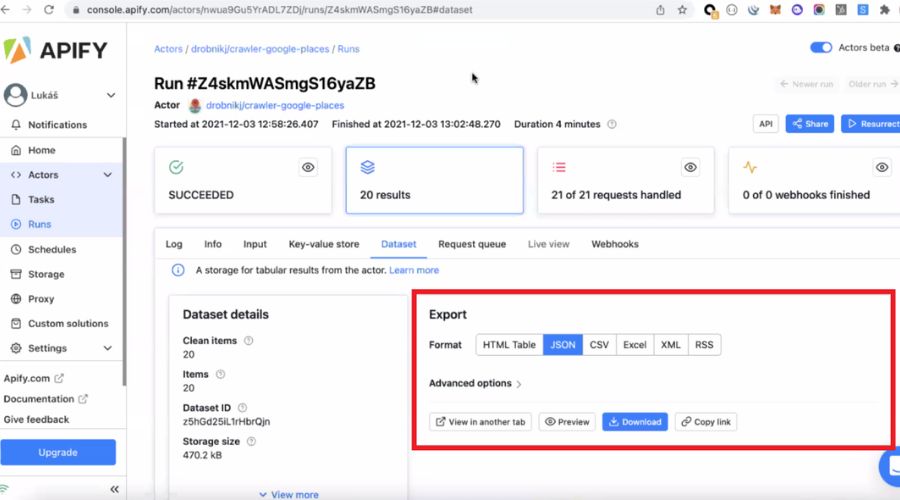
It is the most versatile platform that allows users to build custom scripts to extract data from site. Apify is also a prominent tool in cloud features, integrations, and scheduling. Additionally, the tool also supports third-party extraction with great features to support users.
Outstanding features:
- Manage proxies without open source.
- Search engine crawling capabilities.
- Proxy API and hundreds of ready-to-use templates.
Best for: Both developers and advanced non-technical users who need flexibility and cloud-native scale.
11. Browse AI
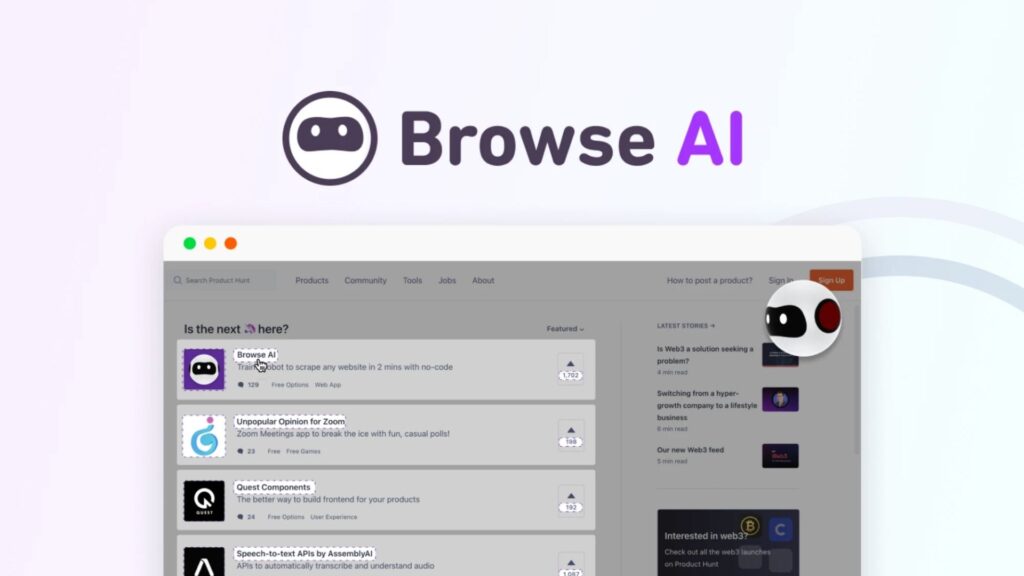
Browse AI is an AI-powered data extraction and monitoring platform that enables anyone to scrape and track website data without writing code. One of Browse AI’s most powerful features is its automated change monitoring: set up a robot once, and it will alert you whenever your target data changes.
Outstanding features:
- 250+ prebuilt robots for immediate use across popular sites.
- AI adapts automatically when websites change layout — no broken scrapers.
- Supports bulk scraping of up to 500,000 URLs using a CSV upload.
- Monitors websites for changes and sends alerts in real time.
- Integrates with 7,000+ apps via Google Sheets, Airtable, Zapier, and API.
Best for: Marketers, sales teams, and researchers who need live data monitoring alongside bulk extraction.
12. Bright Data
Bright Data is widely regarded as the leading enterprise platform for organisations that need to extract data from site sources reliably, compliantly, and at a petabyte scale. It combines scraping APIs, a visual no-code IDE, and the world’s largest proxy network into a single ecosystem, purpose-built for price intelligence, competitive research, and lead generation.
Outstanding features:
- World’s largest proxy network, over 72 million IPs across 195 countries.
- Handles complex anti-bot protections, CAPTCHA, and JavaScript-heavy sites.
- Ready-made datasets available for immediate download without a scraping setup.
- Fully compliant data collection practices with GDPR and CCPA support.
- Web Scraper IDE for building and managing custom scraping workflows.
Best for: Enterprises and data teams that need petabyte-scale, resilient, and legally compliant data extraction.
>>> See more:
- Top 10 Outsourced AI Training Data Companies in 2026
- Construction Invoice Reconciliation: Best Practices, Software & Outsourcing
- What Is A Back Office Service? Examples, Benefits, And Cost In 2026
13. Data Miner
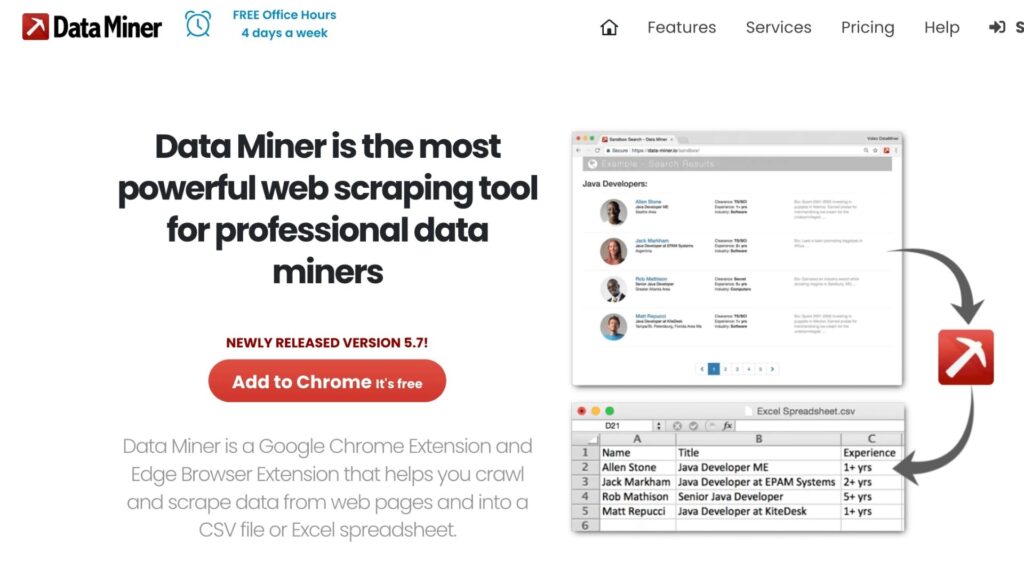
Data Miner is a widely used Chrome extension with over 50,000 publicly available extraction recipes for 15,000+ websites, meaning you can extract data from site pages in seconds, with no configuration. Because it operates like a real user browsing the page, it is significantly less likely to be blocked than automated bots.
Outstanding features:
- 50,000+ free pre-made extraction queries for popular sites.
- Crawl URLs, run pagination, and scrape single pages all in one tool.
- Auto-pagination to automatically move through result pages.
- Exports data to clean CSV or Microsoft Excel format.
- The Easy Finder tool helps locate CSS selectors for custom recipes.
Best for: Non-technical users who want a fast, free browser-based scraper with extensive ready-made recipes.
14. PhantomBuster
PhantomBuster is a cloud-based automation platform specialised in helping sales and marketing teams extract data from website sources like LinkedIn, Instagram, Twitter/X, and Google Maps. Its pre-built “Phantoms” and “Flows” are designed for specific business outcomes, from building prospect lists to enriching CRM records, all without writing a single line of code.
Outstanding features:
- Purpose-built Phantoms for LinkedIn, Instagram, Google Maps, and more.
- Chain multiple Phantoms together to build multi-step automated workflows.
- Cloud-hosted, runs 24/7 without needing your computer to be on.
- Exports data directly to Google Sheets or CSV.
- No coding required for any workflow.
Best for: Sales and marketing teams looking to automate lead generation and social data extraction.
15. Listly
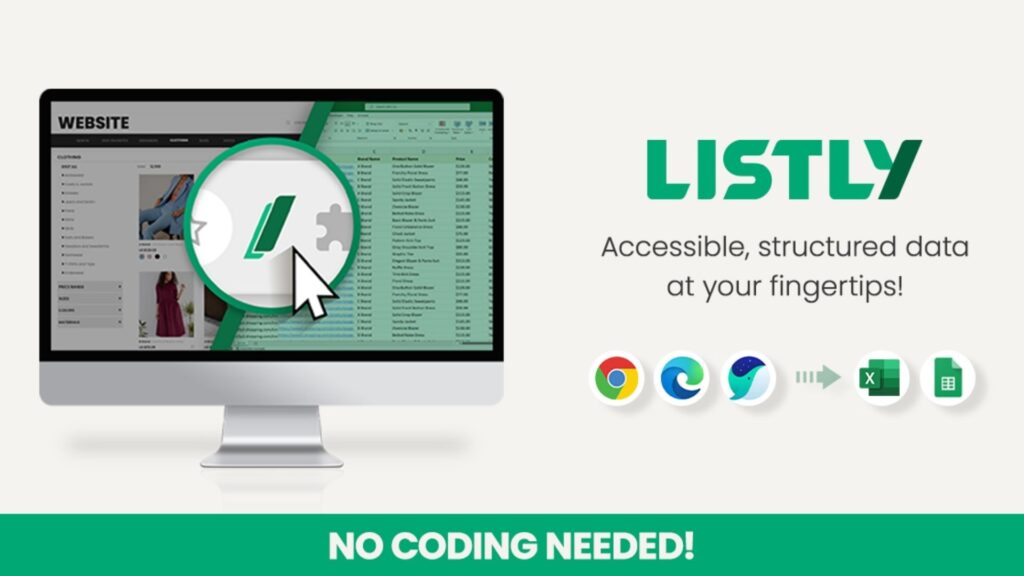
Listly is a top-rated no-code scraping extension for Google Chrome that automatically retrieves structured data from web pages as you browse. While it does not offer site-specific templates, it supports templates for common interaction patterns such as pagination and dropdowns, making it highly flexible across many types of websites.
Outstanding features:
- Scrape data with just one click from any webpage.
- Templates available for interaction types (pagination, dropdowns, infinite scroll).
- Manage and store scraped data on a personal data board within the extension.
- Export data to Excel or CSV instantly.
- Tutorial videos available for new users.
Best for: Casual users and researchers who need a simple, one-click browser scraper.
>>> Explore more:
- What Is Business Process Outsourcing (BPO)? Definition & Benefits
- Best Business Process Automation Solutions & Tools 2026
- How To Prepare a Classified Balance Sheet: Template & Example
16. Zyte
Zyte is a full-stack, AI-powered platform built on the Scrapy framework, designed to help teams extract data from website sources with minimal setup and maintenance. Its AI layer automatically handles parsing, anti-bot unblocking, and crawl management, reducing setup time by 67% and ongoing maintenance by 80% compared to traditional approaches.
Outstanding features:
- Automated parsing adapts to website layout changes with near-zero maintenance.
- AI-powered unblocking handles anti-bot barriers automatically.
- Supports custom overrides alongside fully automated extraction.
- Scalable cloud infrastructure for enterprise data projects.
- Built on Scrapy, familiar and flexible for Python developers.
Best for: Development teams and enterprises that want AI-assisted data extraction tools with full developer-level customisability.
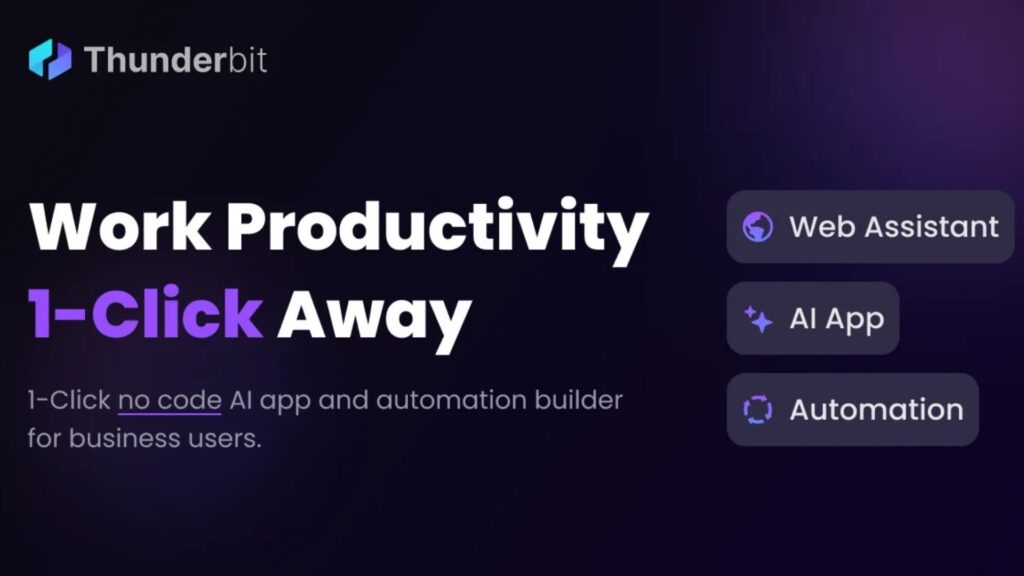
17. Thunderbit
Thunderbit is an AI-powered data extraction tool that lets you extract data from website pages using natural language instructions, no selectors, no configuration, no code required. Simply describe what you want in plain English, and the AI identifies, captures, and organises the relevant content automatically. A generous free tier makes it one of the most accessible AI-driven tools in 2026.
Outstanding features:
- Natural language prompts define extraction targets, no technical skills are needed.
- AI auto-detects page structure and relevant data fields.
- Handles PDFs, images, and complex web layouts.
- Exports to Google Sheets, Airtable, Notion, and CSV.
- Generous free tier suitable for individuals and small teams.
Best for: Non-technical users who want the fastest path to extract data from site pages using AI.
18. Firecrawl
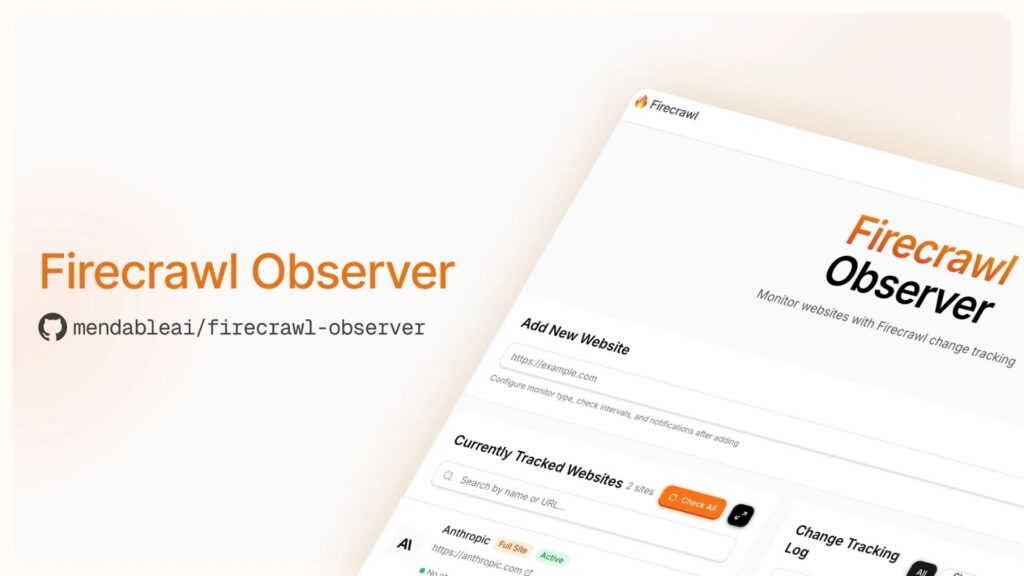
Firecrawl is a modern API designed to extract data from website sources at the entire-domain level, converting all accessible pages into clean markdown or structured JSON ready for LLMs and AI workflows. Unlike single-page data extraction tools, Firecrawl crawls every URL under a domain in one pass, the ideal choice for teams building RAG pipelines and AI knowledge bases.
Outstanding features:
- Full-site crawling converts every page to clean markdown or JSON.
- Handles JavaScript rendering, dynamic content, and anti-bot measures automatically.
- Simple API, integrate with just a few lines of code.
- Ideal for feeding web content into LLMs and vector databases.
- Scheduled crawls keep AI knowledge bases current.
Best for: AI developers and engineering teams who need to extract data from site domains and feed it into LLM-powered applications.
>>> Explore more:
- Healthcare BPO Services For Revenue Cycle & Claims Management
- Secure Data Annotation Services: Top Companies & How to Choose
- Document Management Outsourcing: Benefits, Services & Companies
19. Zenscrape
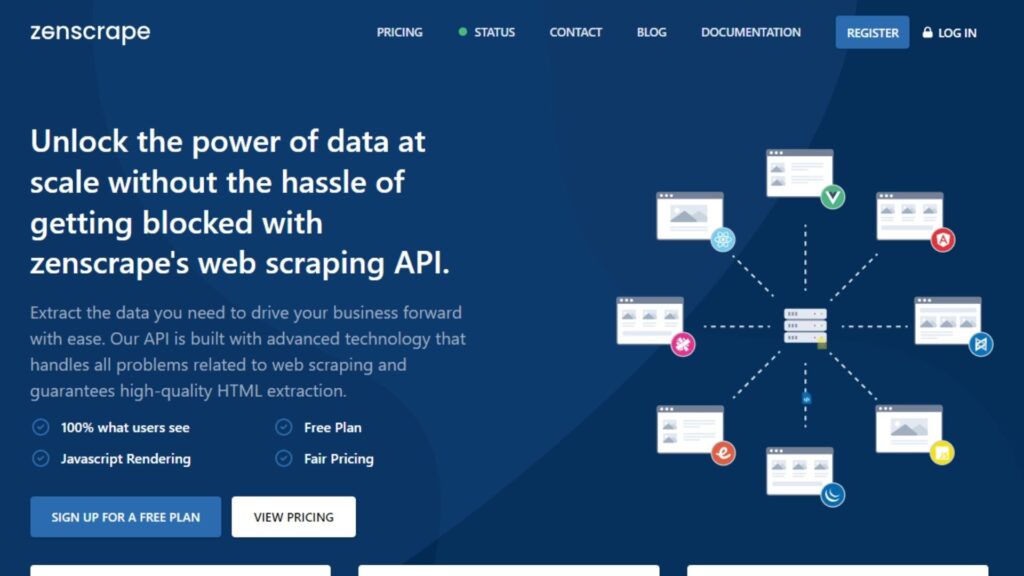
Zenscrape is a straightforward scraping API that removes the common technical barriers to extraction, proxy management, JavaScript rendering, and anti-bot detection, behind a simple, credit-based interface. For developers who need a lightweight option to extract data from website sources without managing infrastructure overhead, Zenscrape is a reliable choice.
Outstanding features:
- Automatic proxy rotation, JavaScript rendering, and anti-bot handling.
- Credit-based pricing, pay only for what you use.
- Geolocation support for region-specific content.
- Clean REST API with JSON responses.
- Free tier available for testing and low-volume projects.
Best for: Developers who need a simple, dependable data extraction tool for small-to-medium scale projects.
20. Instant Data Scraper
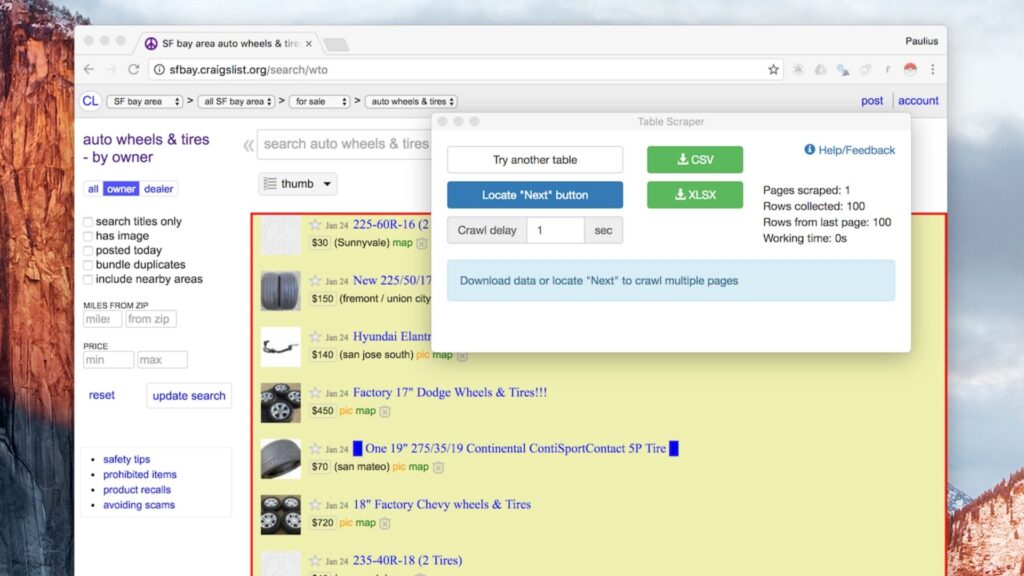
Instant Data Scraper is a free Chrome extension that uses AI to automatically detect and extract data from site pages in seconds, no setup, no selectors, no configuration required. Open it on any webpage, and it identifies tables, lists, and product grids, then offers a one-click download. It is the fastest zero-effort option for anyone who needs to quickly grab data from a website.
Outstanding features:
- AI auto-detects data structures on any page — no manual configuration.
- One-click export to CSV or Excel.
- Auto-pagination crawls through multiple result pages.
- Completely free, no account required.
- Works on e-commerce sites, directories, job boards, and more.
Best for: Anyone who needs to quickly extract data from website pages with absolutely zero configuration
>>> See more:
- 15 Best Data Labeling Service Providers In 2026
- Data Labeling Service: Benefits, Top Providers & How to Choose
- Healthcare Back-Office Support Services For Efficient Operations
What Are The Common Applications Of Data Extraction?
The need to extract data from site sources has become an integral part of modern business workflows across nearly every industry. Once data is collected, it goes through an ETL process (Extract, Transform, Load) before being used for business intelligence, strategy, and decision-making. The most common use cases include:
- Price monitoring & competitor analysis: Businesses continuously track competitor pricing across e-commerce platforms to dynamically adjust their own prices and stay competitive in the market.
- Lead generation: Sales and marketing teams scrape contact information, company details, and decision-maker profiles from directories, LinkedIn, and company websites to build targeted prospect lists.
- Real estate listings: Agencies and property platforms collect listing data such as prices, locations, features, and availability from multiple real estate sites to build aggregated databases.
- News & content aggregation: Media companies and financial firms scrape news articles and social posts as alternative data sources to power sentiment analysis and research.
- Social media monitoring: Marketers extract metrics, mentions, and engagement data from social platforms to inform their content strategy and reputation management.
- Review aggregation: Brands collect customer reviews from across the web to monitor brand perception, track product feedback, and manage their online reputation.
- SEO & SERP tracking: Digital marketing teams extract search engine results pages to monitor keyword rankings, analyze competitor visibility, and refine SEO strategies.
- Research & academia: Researchers gather datasets from public sources for studies, surveys, and data science projects, particularly where large-scale data collection would be impractical to do manually.
>>> See more:
- Professional E-commerce Data Entry Services by DIGI-TEXX
- Data Validation & Verification: Differences With Clear Examples
- Invoice Reconciliation Process Steps | DIGI-TEXX
How To Extract Data From a Website Without Coding?
Extracting data from web is no longer a job reserved for software engineers. Now, it is gradually becoming a part of the workflow of departments such as research, marketing, and sales. Thanks to these smart tools, anyone can easily extract data without any programming skills. Highlights include:
- No need to write code: Just a few steps of pasting web links and a few clicks can extract data such as text, images, or prices.
- Multi-user friendly tools: These platforms are designed to be suitable for people without programming expertise, so anyone can operate them.
- Integrated automation features: Provide many collection support tools for users to choose from and achieve higher efficiency.
- Increased Productivity: Users no longer have to rely on IT teams, which helps them reduce data collection time and increase productivity.
With the right tools and a little practice, anyone can leverage these tools to streamline their workflow and gain valuable insights from online data sources.
FAQs About Extract Data From Site
Is It Legal To Extract Data From A Website?
Web scraping is not always illegal, but it is not always legal either. The legality of the practice depends on a number of factors, such as the type of data being collected, the purpose for which it is being used, and the terms of service of the website you are accessing.
If you are just extract data from site-based or public data for personal, academic or research purposes then this is allowed. On the other hand, if you are using it for commercial purposes, then this may put you in violation of the website’s terms of use.
Is Web Scraping Illegal?
Yes, extract data from the site is legal. However, this is only true in certain cases. If you collect publicly available data and use it for personal purposes such as research or study, it is not illegal at all. But if you use this data for commercial purposes, it may affect the law. Nowadays, many websites have their own regulations, so consider and choose before extracting data.
How To Extract Bulk Data From A Website?
Bulk data extraction from websites is a job that allows users to collect information faster without coding or relying on IT teams. Nowadays, many tools help you collect bulk data without coding such as Octoparse or ParseHub.
With these tools, users can easily extract various types of data such as product names, prices or images using drag and drop features. On top of that, many tools also favor users by supporting the feature of saving data to google sheets or extracting on a schedule. Just choose the tool that suits your needs, paste the website and select the data source you want to collect and you’re done.
These are some of the tools that help you extract data from site, along with useful information we’d like to share. We hope this content helps you find the right solution for your data collection needs. To explore more knowledge and insights, don’t forget to visit the DIGI-TEXX festival!
If you have any questions or would like expert advice on data analytics services, please feel free to contact us using the information below.
DIGI-TEXX Contact Information:
🌐 Website: https://digi-texx.com/
📞 Hotline: +84 28 3715 5325
✉️ Email: [email protected]
🏢 Address:
- Headquarters: Anna Building, QTSC, Trung My Tay Ward
- Office 1: German House, 33 Le Duan, Saigon Ward
- Office 2: DIGI-TEXX Building, 477-479 An Duong Vuong, Binh Phu Ward
- Office 3: Innovation Solution Center, ISC Hau Giang, 198 19 Thang 8 street, Vi Tan Ward
Reference:
- Open Data Institute. (n.d.). A guide to open data and web scraping ethics. https://theodi.org
- University of Washington – Information School. (n.d.). Automated data extraction: Web scraping tools and applications. https://www.ischool.uw.edu