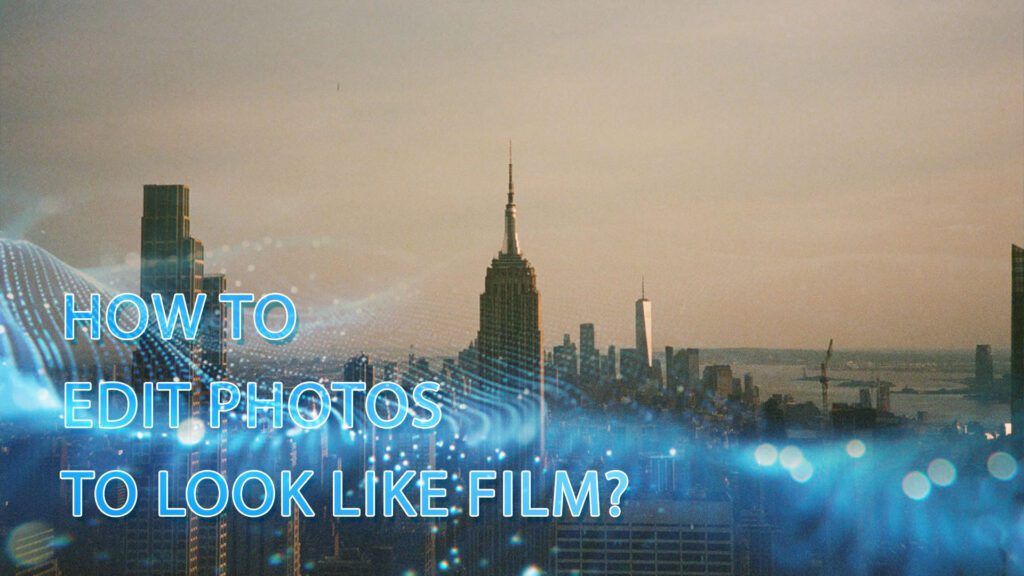
How to make photos look like film is the ultimate quest for modern creators. In an age of pixel-perfect digital precision, we still crave grainy textures and imperfect colors because they carry a soul, wrapping our memories in warm, authentic nostalgia.
At DIGI-TEXX, we believe mastering this analog magic takes more than slapping on a lifeless preset. Whether you want to meticulously edit photos in lightroom or are simply searching for the best photo editing app for quick mobile tweaks, this guide will decode the exact mindset and workflows you need to bring your digital images to life.
The Science Behind The Film Look
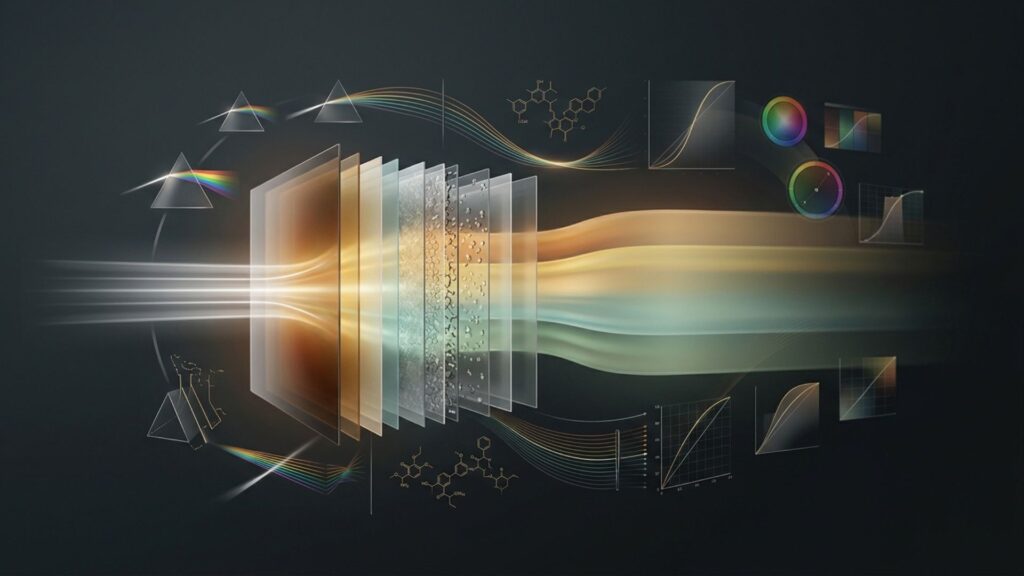
Understanding the science of analog photography is essential for anyone learning how to make your photos look like film. Rather than relying on simple filters, mastering this aesthetic requires a deep dive into the physical and chemical foundations that define it.
The Legacy Of Analog Chemistry
The color profiles of traditional film are not random algorithmic outcomes. They are the result of decades of rigorous scientific research. Chemical engineers from companies like Kodak, Fujifilm, and Ilford spent years calculating and refining layers of light-sensitive chemicals.
Their objective was to achieve precise visual harmony and shape how colors are perceived. When you edit photos to look like film, you are essentially replicating this extensive chemical engineering process in a digital environment.
The Role Of Silver Halide Crystals
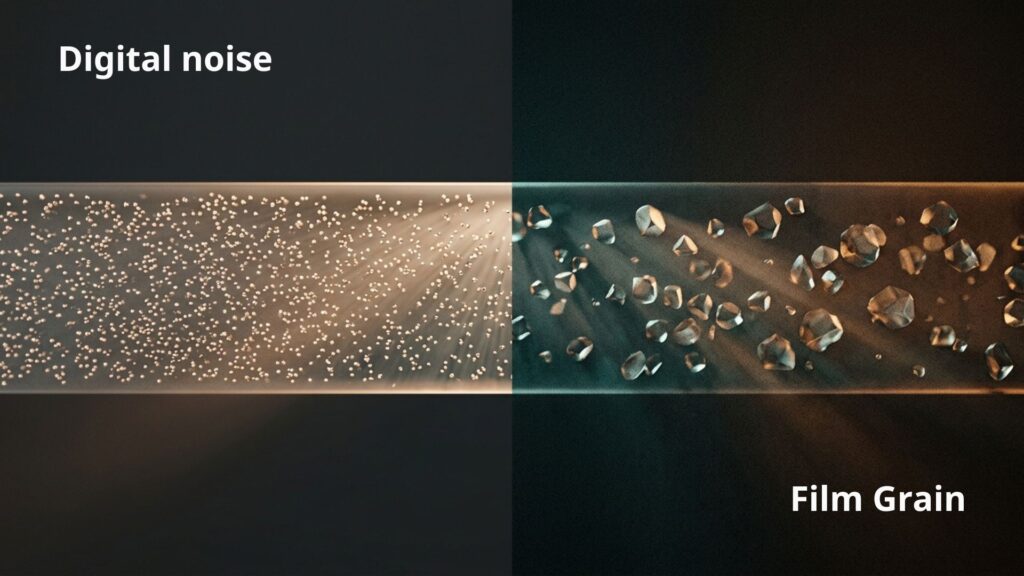
A common misconception when editing film photos digitally is equating film grain with digital noise. Scientifically, film grain is the physical texture created by millions of microscopic silver halide crystals suspended in an emulsion layer. The size of these crystals determines the resulting texture. Low-ISO films, designed for daylight, utilize small crystals that produce a fine grain. Conversely, high-ISO films meant for low-light conditions require larger crystals, which results in a coarse, distinct grain.
Tips: To achieve a natural aesthetic, avoid applying heavy grain to photos shot in bright, harsh sunlight. Coarse grain should be reserved for photos taken in the shade, indoors, or at night to accurately mimic high-ISO film behavior.
>>> See more:
- 15 Best Document Scanning Software: Features, Pricing & Reviews 2026
- 25 Popular Photo Editing Styles In Photography For Stunning Images
- Top 10 Photo Editing Services Online In 2026: Comparison & Review
Dynamic Range And Light Handling
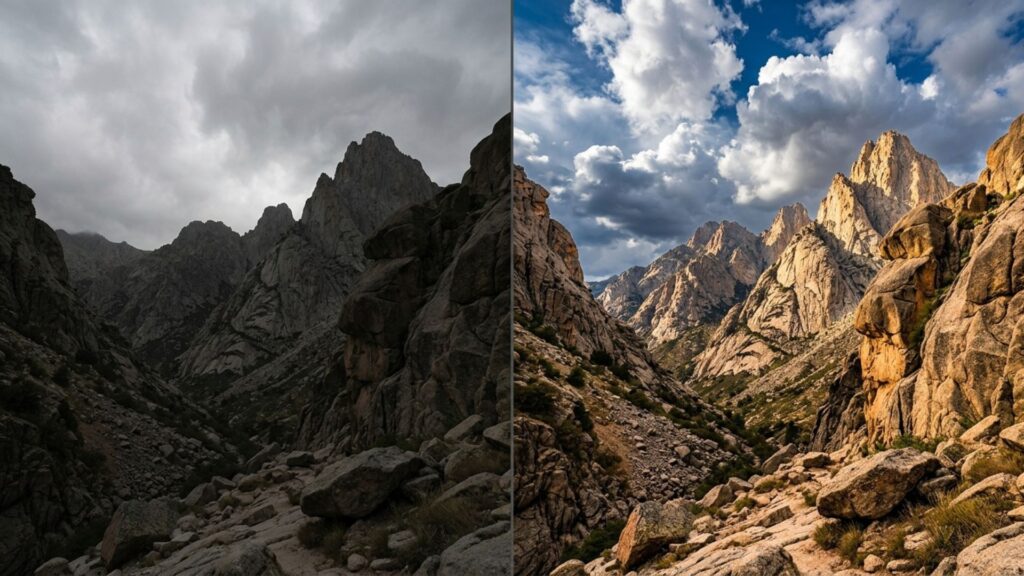
The primary difference between digital sensors and chemical film is how they process light. Film rarely produces a pure, dense black. Instead, its physical limitations compress shadows into a faded matte gray. On the opposite end of the spectrum, film emulsion features exceptional highlight roll-off capabilities. It retains details in bright areas, such as the sky or direct sunlight, transitioning them smoothly without the harsh clipping frequently seen in digital photography. Understanding this dynamic range is a crucial step when you want to make pictures look like film.
Interestingly, mastering this exact interaction between ambient light, shadow compression, and texture realism is also the core foundation for cutting-edge commercial tech, particularly in optimizing image processing for virtual try-on AI model systems where digital garments must blend seamlessly with human skin.
Characteristics Of Classic Film Stocks
Every film stock possesses a distinct color profile. To successfully color grade your digital images, it is necessary to identify which specific film characteristics you intend to emulate.
| Film Stock | Color Characteristics | Best Used For |
| Kodak Portra 400 | Warm tones, vibrant yellows, and moderate saturation. Known for accurately reproducing natural, flattering skin tones. | Portraiture, everyday photography, and Golden Hour shoots. |
| CineStill 800T | Large grain, a signature blue/teal shift, and a distinct red halation around light sources. | Night photography and street photography under artificial lighting. |
| Fujifilm Superia | Cooler tones, often exhibiting a slight magenta/green shift in the shadows for a nostalgic feel. | Landscapes, architecture, and photography in overcast or shaded conditions. |
| Kodak Tri-X 400 | Classic black and white, high contrast, rich gray tones, and a highly distinct, gritty grain structure. | Black and white street photography, documentary, and photojournalism. |
>>> See more:
- Top 10 Best Free AI Photo Retouching Tools Online In 2026
- Top 7 Ecommerce Product Photo Retouching Services Compared
- AI Image Processing Tools: Top 10 for Automation In 2026
The 6-Step Workflow To Edit A Photo Look Like Film
Mastering how to edit a photo to look like film requires a structured and deliberate approach. This workflow combines precise post-processing with in-camera techniques to help you make photos look like film authentically.
Step 1: Adjust White Balance And Exposure
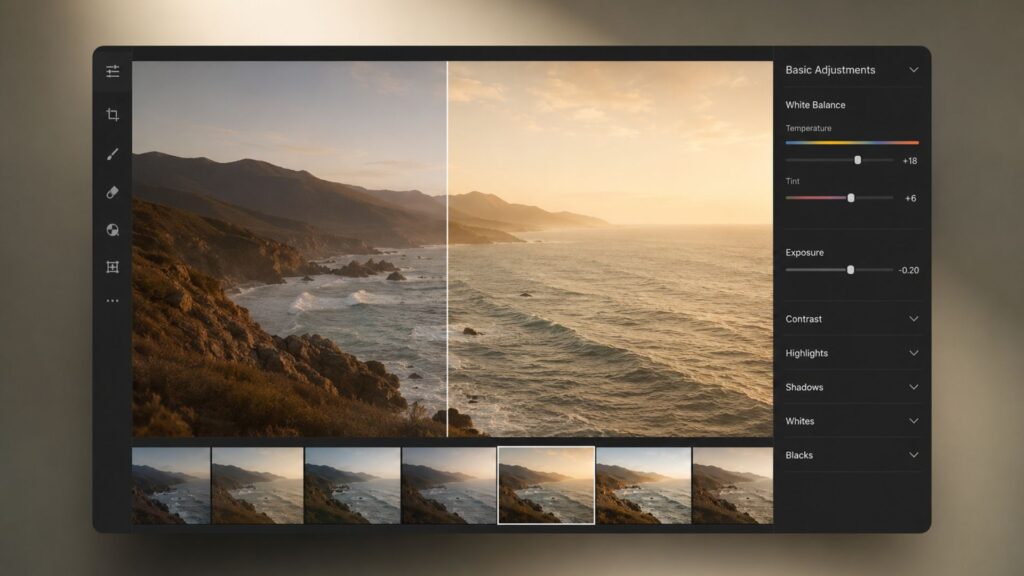
To recreate the film look authentically, you must understand how film responds to light and how traditional labs process color. Rather than applying a fixed filter, begin with two foundational adjustments:
- Establish a Warmer White Balance: Film photography generally leans toward warm tones. This is partly due to the characteristics of specific film stocks like Kodak Portra 400 and partly because lab technicians traditionally increased warmth during the scanning process to yield a visually pleasing image. You can achieve this effect in three ways:
- Post-Processing: Shift the temperature slider toward the yellow and orange spectrum in your editing software and slightly adjust the tint toward magenta. Keep this adjustment subtle to prevent skin tones from becoming overly yellow or washed out.
- Camera Settings: Change your white balance in-camera before shooting by manually lowering the Kelvin temperature between 2000K and 3200K, or select built-in warm filters on your smartphone, a fantastic trick if you are exploring how to make photos look like film on iPhone or Android.
- Hardware: Invest in physical lens filters for your camera or phone, such as the Tiffen Warm Soft Fx or the Prism Nostalgia Filter. These tools soften and warm the images naturally before they reach your computer.
- Expose Based on Film Characteristics: Adjust your exposure according to the physical properties of analog material. Underexposing a digital shot reduces contrast and fades the shadows for a muted retro appearance. Conversely, overexposing increases contrast and color richness, making the image more vibrant.
Mastering this combination of color temperature and base exposure establishes the necessary depth before you apply advanced color grading steps.
Step 2: Manipulate Shadows And Contrast
Digital sensors capture stark, dense blacks and sharp highlights, whereas film inherently possesses a compressed dynamic range. To achieve a genuine analog aesthetic, you must flatten this contrast and carefully manage your shadows:
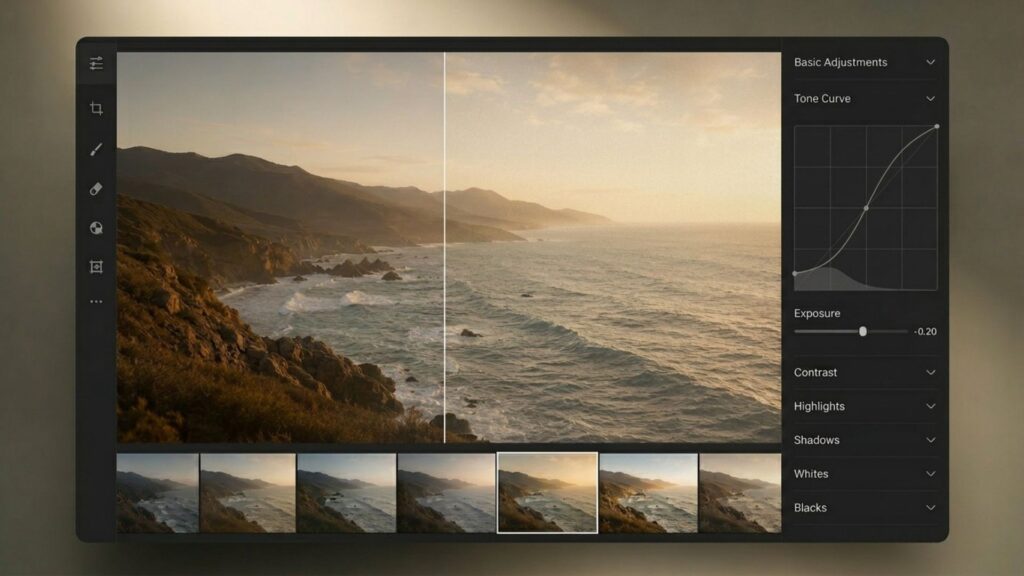
- Flatten the Tone Curve: Open the Tone Curve tool in your editing software. Click the bottom-left point, which represents true black, and pull it upward to transform dense blacks into a faded, matte gray. Next, shape a subtle S-curve by gently compressing the highlights and lifting the shadows to create a smooth, velvet-like blend across the exposure.
- Adjust Software Sliders: If you prefer using standard sliders, decrease the overall contrast and boost the shadows within the light adjustments panel. This quickly reduces digital harshness.
- Nail the Exposure at Capture: Software adjustments are only effective if you capture the image correctly. Ensure you expose properly for your subject and preserve your highlights. Artificially lifting the shadows on a severely underexposed digital photo creates ugly digital noise rather than a pleasing vintage texture.
- Use Hardware Filters: You can reduce contrast before the light even hits your sensor. Attaching a diffusion or Neutral Density (ND) filter to your lens naturally softens the image, cuts down digital contrast, and protects your highlights in bright environments.
>>> See more:
- Top 10 Free Photo Retouch Tools Online In 2026
- What Is A Clipping Path? Learn To Use Professional Image Isolation
- 13 Street Style Photo Editing Steps In Lightroom For Professional Results
Step 3: Greens And Oranges
Analog stocks rarely render perfect, true-to-life colors. Open the HSL (Hue, Saturation, Luminance) panel to manipulate specific color channels. Shift the hue of your greens toward a teal or yellow tone and reduce their overall saturation. Next, soften harsh reds and oranges into muted, earthy tones. This specific color-grading process is highly effective if you want to know how to make a picture look like a movie or a cinematic still.
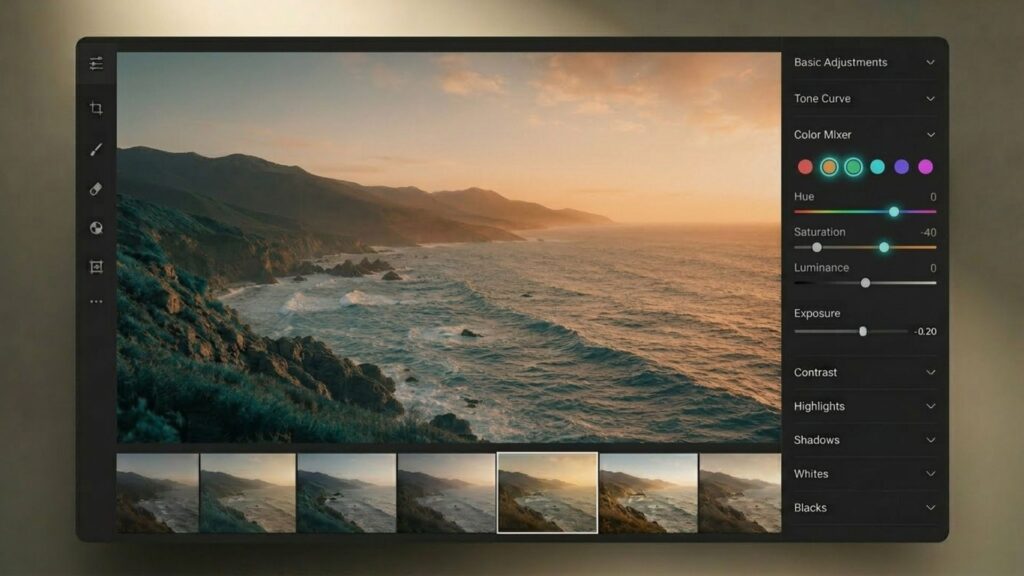
“You cannot achieve a cinematic look if your greens look like they came out of a digital sensor. You have to break them. Kill the digital neon green, shift it toward amber or teal, and lock your oranges to the skin tone lines. That is the non-negotiable law of color grading.” – Dado Valentic
Step 4: Add Grain And Texture
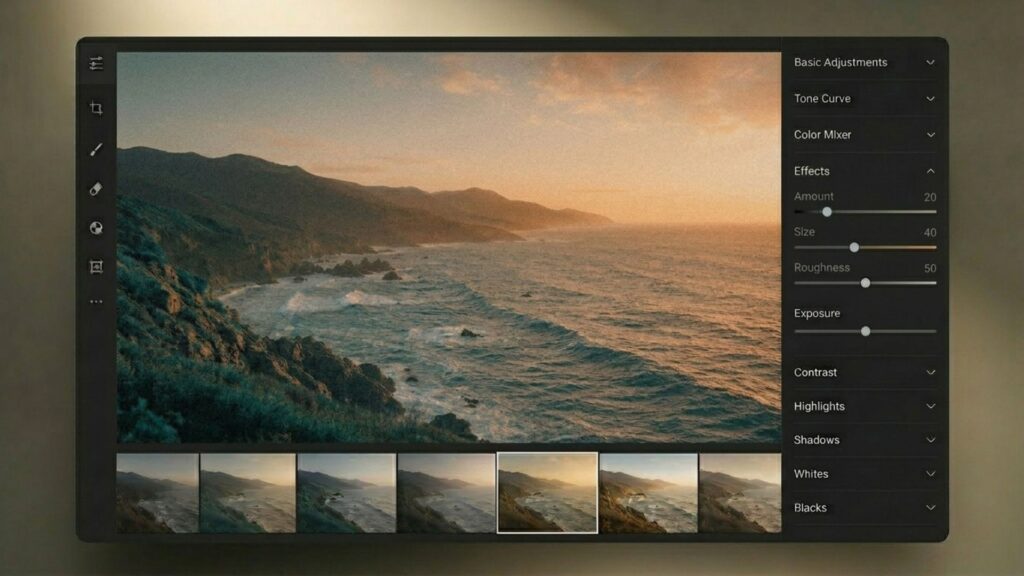
Digital files inherently appear too clean and clinical. Introducing physical texture is the crucial final step to mask sharp digital color transitions, replicate silver halide crystals, and fully convince the viewer of the analog aesthetic. You can achieve this using different tools depending on your workflow:
- Manual Adjustment in Lightroom: If your goal is learning how to make photos look like film in Lightroom, navigate to the Effects panel to build your grain structure manually. A reliable starting point for a subtle, realistic texture is setting the Grain amount to 20, Size to 40, and Roughness to 50. You can fine-tune these parameters to match the specific ISO of the film stock you intend to emulate.
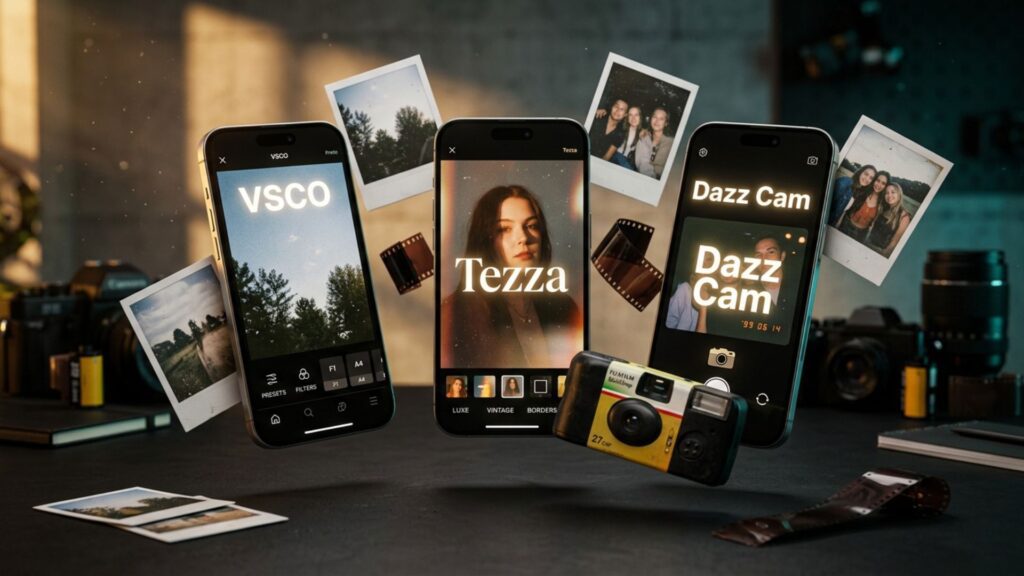
- Dedicated Mobile Applications: For faster mobile workflows, or if you simply need to know how to edit photos to look like film on phone, specific apps offer excellent built-in textures. Tezza provides retro styles through dedicated camera filters that simulate polaroids and disposable cameras. Alternatively, VSCO features classic presets like A6, which automatically integrate lifted shadows and authentic film grain into the image.
Step 5: Utilize Direct Flash
The vintage aesthetic is not exclusively reliant on software. For a raw, point-and-shoot vibe, use a direct, on-camera flash, even in daylight conditions. A direct flash flattens the details on your subject while casting harsh, distinct shadows behind them, instantly bringing a physical authenticity to the shot.
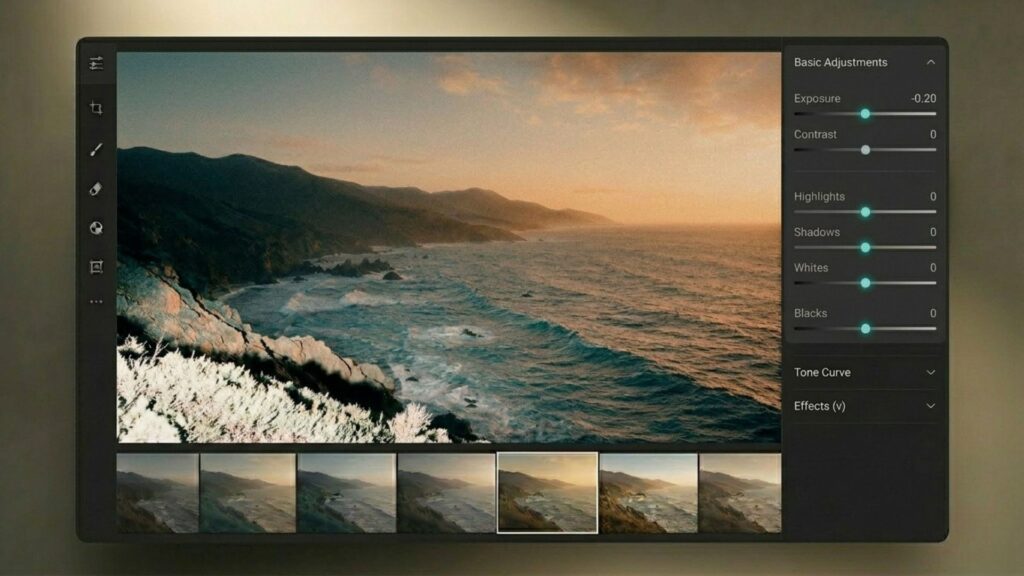
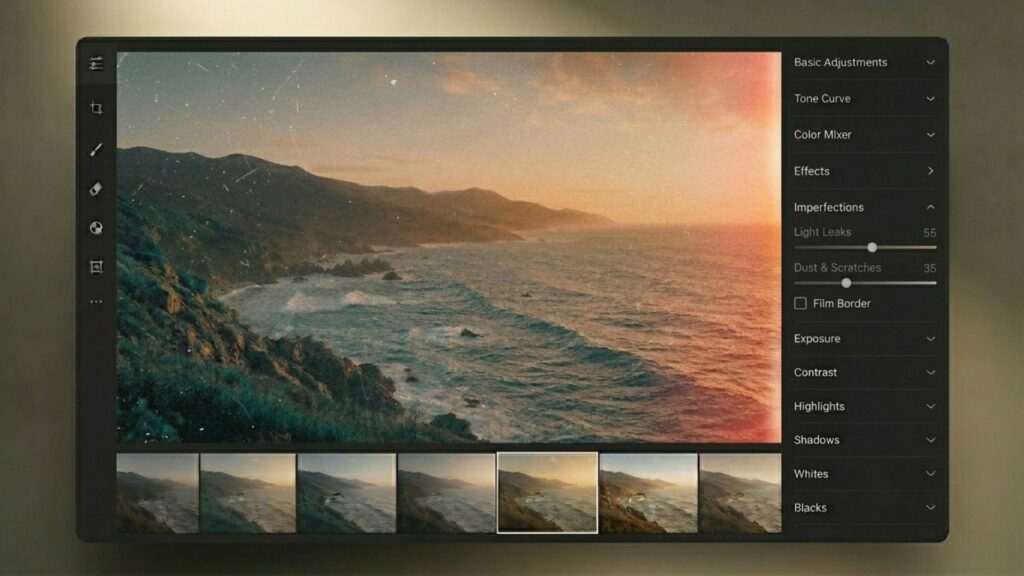
Step 6: Apply Imperfection Overlays (Light Leaks, Dust, Or Film Border)
Physical imperfections serve as the final touch when determining how to make your pictures look like film. Apply subtle visual defects such as light leaks, dust particles, surface scratches, or classic film borders. These overlays finalize the aesthetic and wrap the image in a complete nostalgic narrative, providing the exact vibe users seek when searching for how to make photos look like film instagram aesthetics.
>>> See more:
- How To Master Portraits Photo Editing: 10 Best Tools, Tips & Step-By-Step Guide
- Affordable Clipping Path Service | Trusted by 5,000+ Brands
- How To Make A Clipping Path In Illustrator (Step-By-Step)?
The Camera Hardware Approach
Capturing the analog look directly in-camera creates an organic foundation for your photos and significantly reduces post-processing time.
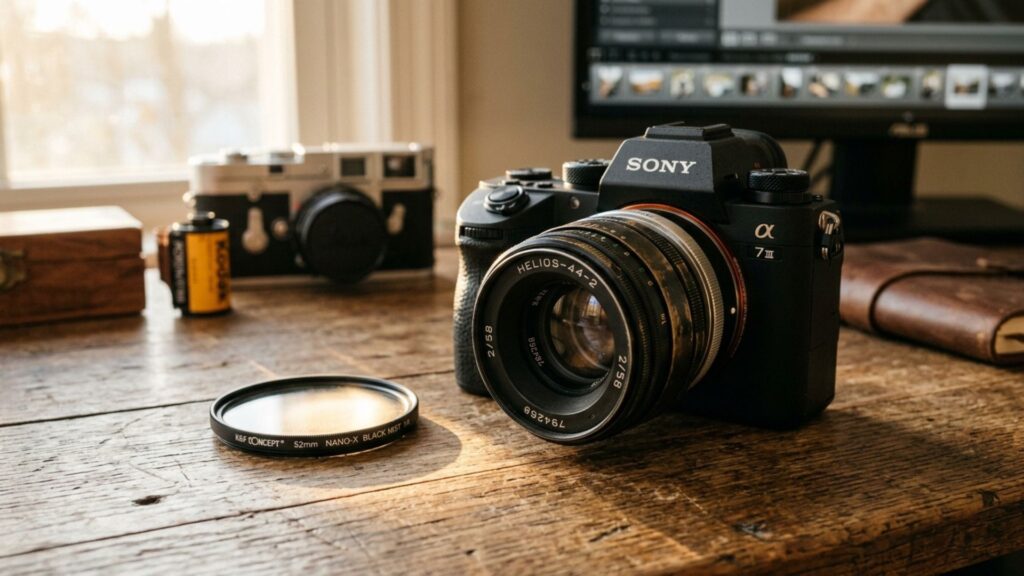
- Vintage Lenses & Adapters: Mount classic film glass (like the Helios 44-2) onto modern mirrorless bodies using a simple adapter. This introduces natural optical flaws, unique edge softness, and organic lens flares that software cannot fully replicate.
- Optical Diffusion Filters: Attach a physical filter (like Tiffen Black Pro-Mist) to modern autofocus lenses. This cuts down clinical digital sharpness, allowing light sources to “bloom” into a dreamy, film-like halation.
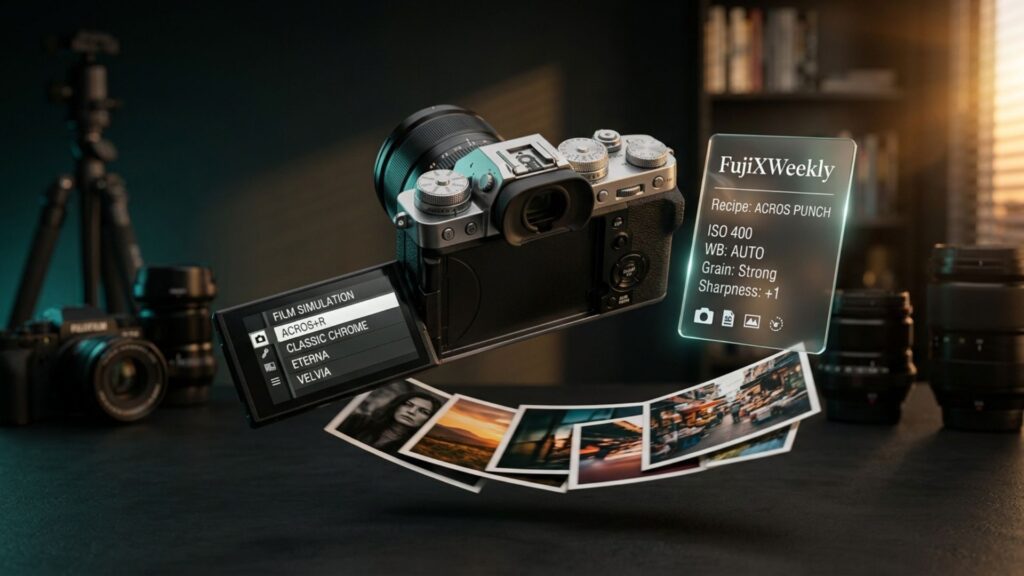
- In-Camera Film Simulations: Utilize camera systems with built-in analog color science (like Fujifilm). By tweaking internal settings into custom recipes, you can capture straight-out-of-camera (SOOC) JPEGs with rich film colors and grain instantly.
The Best Tools, Apps, And Presets For Film Emulation
Navigating the vast number of editing tools can be overwhelming when learning how to edit pictures to look like film. To achieve the best film emulation efficiently, divide your toolkit into professional desktop software for precise control, mobile applications for quick styling, and in-camera solutions.
Desktop Software And Professional Presets
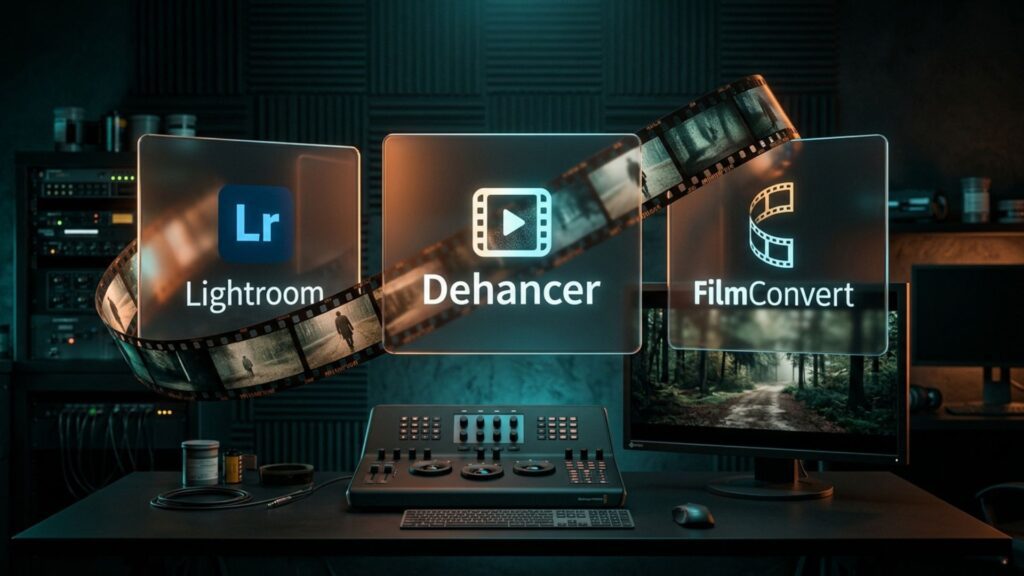
- Adobe Lightroom: The industry standard for foundational adjustments. If you prefer to bypass manual curve tweaking, utilize high-quality third-party presets from RNI (Really Nice Images), Mastin Labs, or VSCO to instantly apply accurate film profiles like Kodak Portra or Fujifilm REALA.
- Dehancer And FilmConvert: Advanced plugins that move beyond basic color grading. They physically simulate analog grain structures, halation, and the exact color profiles of real-world film stocks.
Mobile Apps For Quick Styling
- VSCO: A powerful mobile editor featuring a massive ecosystem of analog filters. Its Film X series provides highly accurate, one-click film stock emulations.
- Tezza: The ideal application for finalizing an image. Use it to apply physical surface imperfections such as dust, scratches, and classic film borders.
- Dazz Cam: A dedicated point-and-shoot simulation app that instantly captures the raw, unpolished aesthetic of a disposable camera without requiring manual post-processing.
In-Camera Alternatives
- Fujifilm Simulations: Fujifilm users can bypass editing software entirely by adjusting in-camera settings. Resources like FujiXWeekly provide excellent custom recipes to bake popular film aesthetics directly into your JPEG files as you shoot.
>>> See more:
- Best Product Photo Editing Services For eCommerce: Top Providers Compared
- Professional Fashion Photo Editing Services for Stunning Visuals
- E-commerce Photo Editing Services: Top Companies & Solutions For Online Stores
Mastering how to make photos look like film in the digital age goes beyond applying a standard filter. It requires a comprehensive understanding of color science, dynamic range, and the fundamental principles of photography. Whether utilizing professional post-processing software, mobile applications, or physical optical hardware, the determining factor remains the conceptual approach and technical execution applied to the image.
By systematically following the outlined six-step workflow and selecting the appropriate tools, practitioners can offset the precise sharpness of digital formats to achieve a realistic analog aesthetic. For further insights into digital asset optimization and professional processing workflows, explore the technical resources and solutions provided by DIGI-TEXX.
FAQs About How To Make Photos Look Like Film
Can You Edit Iphone Photos To Look Like Film?
Yes, absolutely. You can easily tweak the warmth and lower the contrast directly in your native iPhone Photos app, or use dedicated mobile editors like VSCO and Lightroom Mobile to apply accurate film presets and authentic grain.
What App Makes Photos Look Like Film?
VSCO and Tezza are top choices for quick, high-quality film presets and surface textures like dust and scratches. For an instant disposable camera experience, try Dazz Cam, while Adobe Lightroom remains the best option for precise, manual film emulation.
How To Make Photos Look Like A Film Strip?
You can easily achieve this using design apps like Canva, Tezza, or Unfold, which offer ready-to-use film-strip borders and collage templates. Alternatively, you can manually layer your photos under a transparent film-strip PNG overlay using software like Photoshop.
How To Make Your Photos Look Like They’re From A Movie?
First, crop your image to a wide cinematic aspect ratio (such as 16:9 or 2.35:1) or add black letterbox bars. Then, apply a classic “teal and orange” color grade by shifting greens toward cyan, warming up the highlights, and softening the overall contrast.
DIGI-TEXX Contact Information:
🌐 Website: https://digi-texx.com/
📞 Hotline: +84 28 3715 5325
✉️ Email: [email protected]
🏢 Address:
- Headquarters: Anna Building, QTSC, Trung My Tay Ward
- Office 1: German House, 33 Le Duan, Saigon Ward
- Office 2: DIGI-TEXX Building, 477-479 An Duong Vuong, Binh Phu Ward
- Office 3: Innovation Solution Center, ISC Hau Giang, 198 19 Thang 8 street, Vi Tan Ward
Reference:
- Fujifilm Global. The Science of Film Simulation: How Fujifilm replicates analog chemistry in the digital age. Fujifilm. https://www.fujifilm-x.com/en-gb/learning-centre/empower-your-photography-with-fujifilm-film-simulations/
- Adobe Creative Cloud. Mastering the Tone Curve: How to control dynamic range and contrast in digital editing. Adobe. https://helpx.adobe.com/lightroom-classic/help/image-tone-color.html