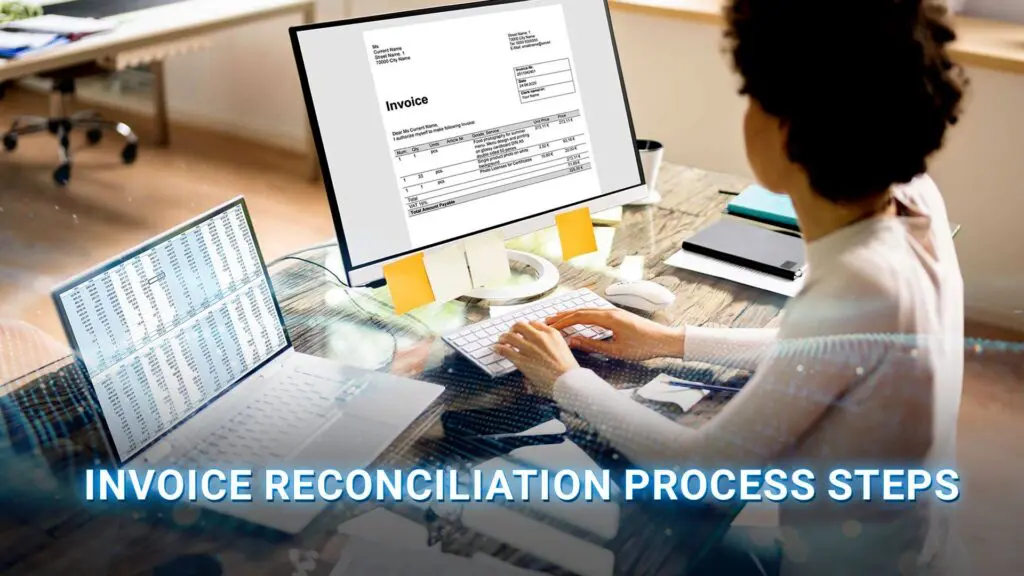
Invoice reconciliation process is a critical control point in finance operations, enabling businesses to verify invoice accuracy, prevent duplicate payments, and maintain transparency in cash flow. By leveraging technologies such as optical character recognition (OCR), invoice processing software, and document management systems, organizations can streamline data validation and improve overall data quality management.
In this article, DIGI-TEXX shows you how to build a more accurate and efficient invoice reconciliation process, reduce manual errors and payment risks, resolve discrepancies faster, and use automation to handle growing invoice volumes with greater control.
>>> See more:
- Top 10 Data Processing Software For Business 2026 – Best Tool Reviewed
- Top 10 Data Cleansing Companies for Businesses in 2026
- Top 10 Best Big Data Processing Tools for Business 2026
What Is Invoice Reconciliation?
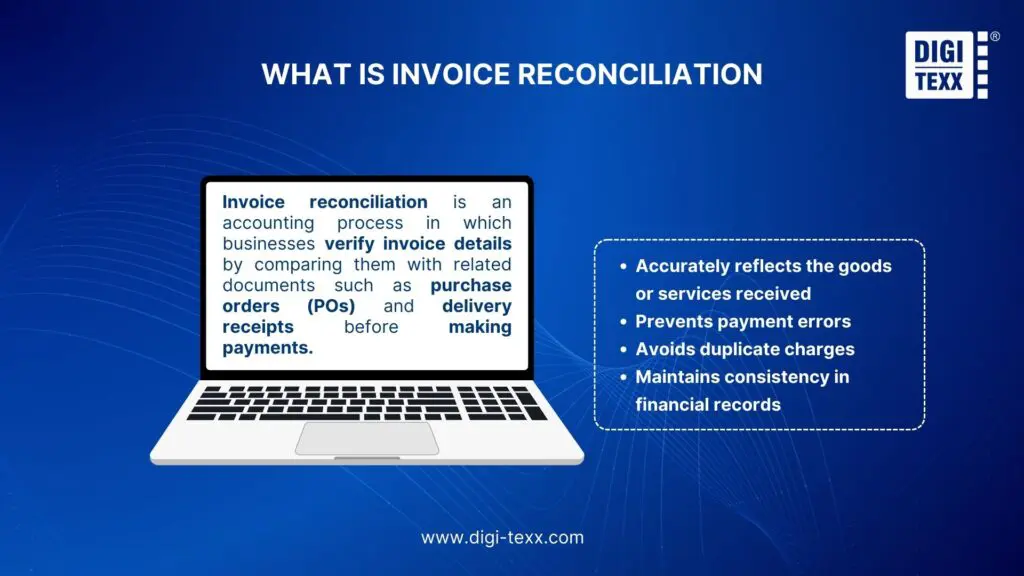
Invoice reconciliation is the process of comparing an invoice with supporting records to confirm that the charges are accurate, authorized, and ready for payment. To understand how it works in accounts payable, it helps to clarify what reconciliation means, what it checks, how it differs from invoice matching, and where it fits in the AP workflow.
Invoice Reconciliation Meaning
The invoice reconciliation meaning is straightforward: verify that an invoice agrees with the business records that support the transaction.
For a typical purchase, AP may compare:
- Invoice: What the supplier says the company owes
- Purchase order: What the company agreed to buy and at what price
- Goods receipt: What the company actually received
- Contract or price list: What commercial terms were agreed
- Accounting or payment records: What has already been recorded or paid
The goal is not simply to make two documents look the same. Reconciliation confirms that the invoice is valid, authorized, accurate, and supported by evidence before the company records the liability or releases payment.
This distinction matters because an invoice is a request for payment, not proof that the amount is correct. A structured reconciliation process provides the control between receiving the invoice and approving the payable.
What Does Invoice Reconciliation Check?
Invoice reconciliation typically checks the fields that determine whether an invoice should be accepted, including:
- Vendor name or ID
- Invoice number and date
- Purchase order number
- Product or service description
- Quantity ordered and received
- Unit price
- Taxes, discounts, and shipping charges
- Payment terms
- Invoice total
- Duplicate invoice indicators
For goods purchases, a three-way match compares the invoice, PO, and goods receipt. A two-way match may be sufficient when there is no physical receipt to verify, such as some service purchases. SAP’s invoice reconciliation documentation similarly distinguishes between 2-way and 3-way matching based on whether a receipt or service entry is required.
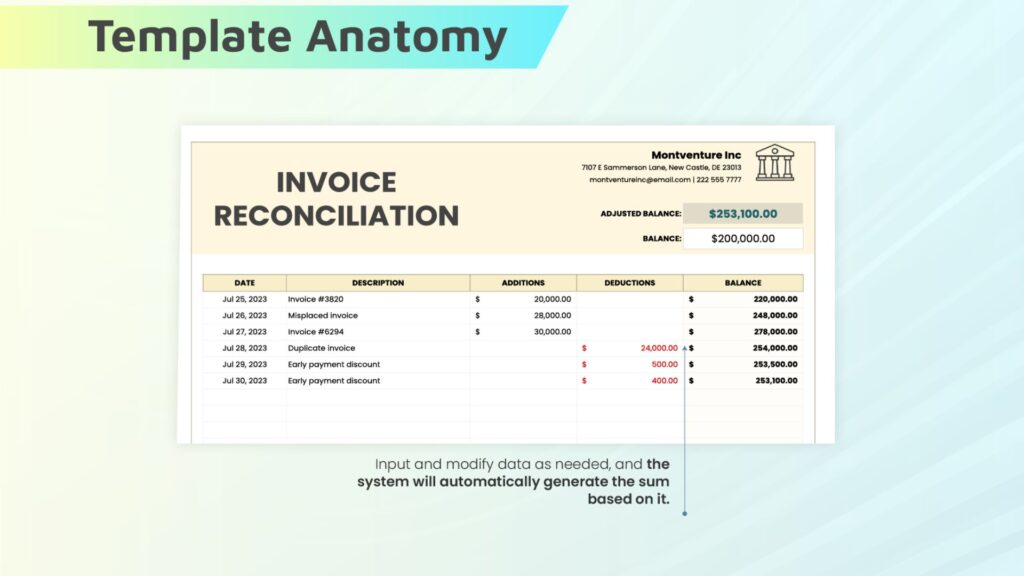
Invoice Reconciliation & Invoice Matching
Invoice matching is the comparison of invoice data with one or more supporting records. Invoice reconciliation is the broader control process that uses matching to determine whether the invoice can be accepted, needs correction, or should be routed for further review.
For example:
| Concept | Primary purpose |
| Invoice matching | Compare invoice data with PO, receipt, or other records |
| Invoice reconciliation | Validate the transaction and resolve differences before recording or paying it |
| 2-way matching | Compare PO and invoice |
| 3-way matching | Compare PO, invoice, and goods receipt |
| 4-way matching | Add an inspection or quality record when required |
Where Does Invoice Reconciliation Fit in Accounts Payable?
Invoice reconciliation takes place after an invoice is received and before it is posted for payment. It connects accounts payable with procurement, receiving, accounting, and the ERP system to verify that the invoice is supported by the underlying transaction.
A typical AP workflow includes purchasing and issuing a PO, receiving goods or services, receiving the invoice, validating and matching the records, resolving exceptions, obtaining approval, posting the invoice, and processing payment.
Reconciliation is the control point that determines whether an invoice can move forward or requires further review. AP teams use it to catch issues such as incorrect prices, quantity differences, missing receipts, duplicate invoices, or unauthorized charges before payment.
The process also affects measurable AP performance. APQC benchmarks report a median of 12 hours from invoice receipt to entry into the AP system, 15 days from invoice receipt to payment transmission, and 4 days to resolve a detected invoice error across its cross-industry benchmark data.
>>> See more:
- Outsourced Order Processing Services – Fast & Accurate
- Financial Data Quality Management: What It Is & Why It Matters
- Top Data Entry Skills You Need to Get Hired in 2025
Invoice Reconciliation Process: 6 Steps
A practical invoice reconciliation process can be organized into six steps. The exact workflow varies by organization, purchase type, and approval policy, but the core logic remains consistent: capture the invoice, verify the supporting records, resolve differences, and post the approved transaction.
Step 1: Capture And Validate The Invoice
Start by collecting the supplier invoice and extracting the information needed for reconciliation.
Validate basic fields such as the vendor, invoice number, invoice date, PO number, line items, tax, total amount, and payment terms. Check for obvious issues such as missing fields, invalid vendor information, or a potential duplicate.
For businesses processing invoices in PDF, image, email, or paper formats, this step may involve OCR or intelligent document processing to convert unstructured invoice content into structured data.
The quality of this first step directly affects the rest of the process. If invoice data is incomplete or incorrectly captured, subsequent matching can produce false exceptions.
Step 2: Match The Invoice With The Purchase Order
Next, compare the invoice with the corresponding purchase order.
Typical checks include:
- Vendor identity
- PO number
- Product or service description
- Quantity
- Unit price
- Currency
- Payment terms
- Contract or agreed pricing
This is commonly called two-way matching because the invoice is compared with the PO.
For example, if a PO specifies 500 units at $20 each but the invoice charges $22 per unit, the invoice should not automatically pass reconciliation. The price variance needs to be checked against the applicable tolerance or commercial agreement.
Step 3: Match The Invoice With The Goods Receipt
For physical goods, AP should verify that the quantities and items listed on the invoice match what the company actually received. This forms a three-way match involving the purchase order, goods receipt, and invoice.
The purchase order shows what was ordered and at what price. The goods receipt confirms what was delivered. The invoice shows what the supplier is charging.
For example:
- PO: 100 units
- Goods receipt: 98 units
- Invoice: 100 units
In this case, the invoice shows a quantity discrepancy because only 98 units were received. AP should investigate the difference and resolve it before approving the invoice for payment.
Three-way matching is commonly used for physical goods, while two-way matching may be sufficient for purchases where there is no goods receipt, such as certain service invoices.
Step 4: Identify And Investigate Discrepancies
If the documents do not agree, identify exactly where the difference occurs.
Common discrepancies include:
- Price variance
- Quantity variance
- Missing goods receipt
- Incorrect tax
- Unauthorized charges
- Incorrect PO number
- Duplicate invoice
- Currency mismatch
- Invoice issued against a closed or invalid PO
Not every difference means the invoice is incorrect. A quantity difference could result from a partial shipment, while a price difference could reflect an approved contract change.
The key is to distinguish valid business exceptions from genuine invoice errors. APQC separately benchmarks the time required to resolve an invoice error. Its current cross-industry measure has a sample size of 2,861 organizations, with a median benchmark of 4 calendar days for resolving a detected invoice error.
Step 5: Resolve Exceptions And Approve The Invoice
Once a discrepancy is identified, route it to the person or team responsible for resolving it.
For example:
- Price issue: Procurement checks the PO or contract.
- Quantity issue: Receiving verifies the goods receipt.
- Tax issue: Finance or tax specialists review the calculation.
- Duplicate invoice: AP verifies whether the invoice was previously processed.
- Missing PO: The requester or procurement team provides supporting documentation.
After the discrepancy is resolved, the invoice can be approved, corrected, rejected, or returned to the supplier. A strong workflow should record who reviewed the exception, what was changed, why it was resolved, and when approval occurred.
Step 6: Post The Approved Invoice And Update Records
After approval, post the invoice to the ERP or accounting system.
Posting typically updates:
- Accounts payable liability
- Vendor account
- Expense or inventory account
- Tax records
- Cost center or project coding
- Invoice status
- Audit history
The reconciliation status should also be updated so finance teams can distinguish between invoices that are pending, matched, under review, approved, rejected, or posted.
This closes the reconciliation loop and gives the organization a reliable record for payment processing, reporting, and audit purposes.
>>> See more:
- Document Management Outsourcing: Benefits, Services & Companies
- Data Labeling Service: What It Is, Types & Benefits For AI
- Professional E-commerce Data Entry Services by DIGI-TEXX
Invoice Reconciliation Example: A 3-Way Match In Action
A simple example makes the invoice reconciliation process easier to understand.
Purchase Order, Goods Receipt, And Invoice Comparison
Suppose a company orders 100 units from a supplier.
| Field | Purchase Order | Goods Receipt | Invoice |
| Quantity | 100 | 98 | 100 |
| Unit price | $50 | $50 | $52 |
| Total | $5,000 | — | $5,200 |
The three documents do not agree on either quantity or price. The PO says the company agreed to buy 100 units at $50 each. The receiving record shows that only 98 units arrived, while the invoice charges $52 per unit for all 100 units.
Identifying A Price Or Quantity Discrepancy
The reconciliation identifies two exceptions:
- Quantity discrepancy: 98 units were received, but 100 were invoiced.
- Price discrepancy: The PO price was $50, but the invoice price was $52.
The invoice therefore should not pass a strict three-way match automatically.
However, the discrepancy does not necessarily mean the supplier made an error. AP should check whether the remaining two units were delivered separately and whether the $2 price difference was approved through a contract or PO change.
Resolving The Invoice Discrepancy
If the supplier has not delivered the missing two units and the $52 price was not authorized, AP can request a corrected invoice.
If the $52 price was legitimately approved and the remaining units were delivered under a separate receipt, the supporting records can be updated and the invoice may be approved according to company policy.
This example illustrates an important principle: invoice reconciliation is not simply about finding mismatches. It is about determining whether each mismatch represents a legitimate business event or an error that requires correction.
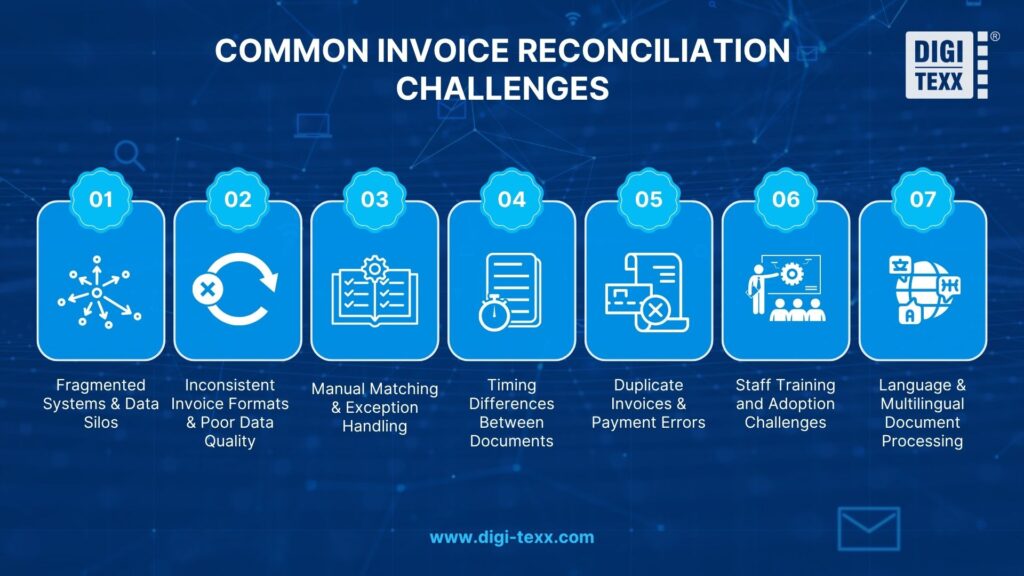
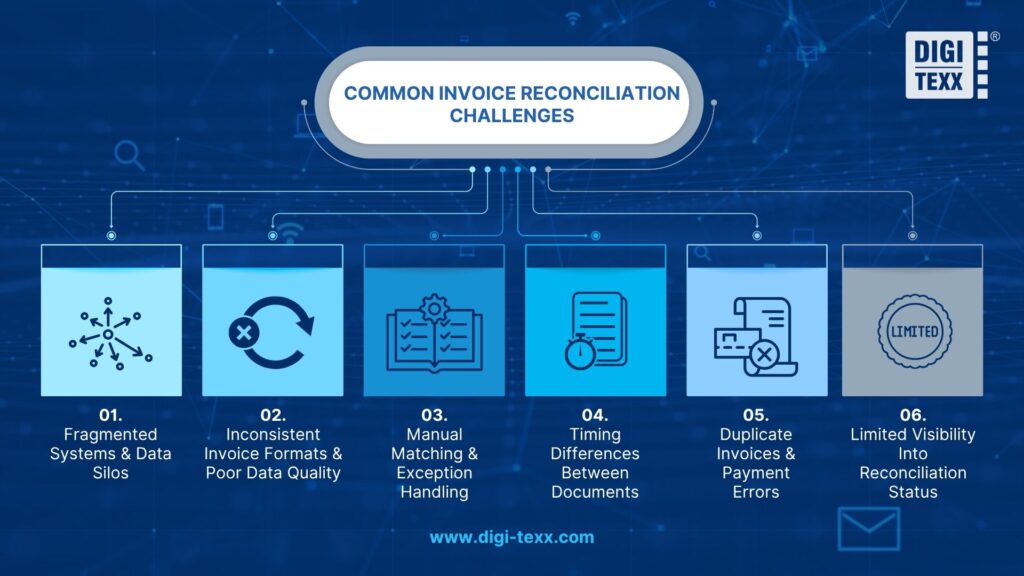
Common Invoice Reconciliation Challenges And How To Fix Them
Fragmented Systems And Data Silos
Invoice information may sit in email inboxes, procurement platforms, ERP systems, spreadsheets, and receiving systems.
When these systems do not exchange data reliably, AP staff may have to search across multiple applications before they can complete a match.
How to fix it: Connect the invoice workflow to procurement, receiving, ERP, and document-management systems so the relevant records are available in one workflow.
Inconsistent Invoice Formats And Poor Data Quality
Suppliers may submit invoices as PDFs, scans, electronic documents, spreadsheets, or other formats. Different layouts and inconsistent field structures make manual extraction and matching more difficult.
Poor master data creates another problem. A vendor name, PO number, product code, or unit of measure may appear differently across systems.
How to fix it: Standardize supplier and purchasing data, establish required invoice fields, and use automated data capture where appropriate.
Manual Matching And Exception Handling
Manual reconciliation becomes increasingly difficult as invoice volume grows. Employees may spend time copying invoice data, searching for POs, comparing line items, and emailing stakeholders about discrepancies.
IOFM’s AP benchmarking work tracks metrics such as invoice cycle time, cost per invoice, and productivity, reflecting the importance of measuring how much manual effort AP operations require.
How to fix it: Automate repetitive capture and matching activities while directing only genuine exceptions to human reviewers.
Timing Differences Between Documents
The invoice may arrive before the goods receipt is recorded, or a receipt may be entered before the invoice reaches AP.
This can create a false exception even when the underlying transaction is correct.
How to fix it: Define clear timing rules, monitor unmatched receipts and invoices, and allow controlled reprocessing when supporting records become available.
Duplicate Invoices And Payment Errors
Duplicate invoices can occur when suppliers send the same invoice through multiple channels, such as email and an electronic invoicing system.
Duplicate detection should therefore consider more than the invoice number. Useful signals include vendor, amount, invoice date, PO number, currency, and invoice line items.
How to fix it: Use duplicate-detection rules before approval and payment, and maintain a centralized invoice record.
Limited Visibility Into Reconciliation Status
Without clear status tracking, finance teams may not know which invoices are waiting for a receipt, approval, correction, or exception resolution.
This makes it harder to prioritize work and identify bottlenecks.
How to fix it: Track statuses such as received, validated, matched, exception, pending approval, approved, posted, and paid.
>>> See more:
- How to Automate Documentation in 2026: Step By Step Guide
- Top 10 Best Data Entry Outsourcing Companies in USA 2026
- What are The 6 Steps of The Data Analysis Process?
- AI in Investing – How AI Technology is Shaping the Future of Investment Strategies
How Can You Automate Invoice Reconciliation?
Automation does not mean removing people from the entire process. The goal is to let software handle structured, repetitive checks while people focus on exceptions that require context or judgment.
Which Parts Of Invoice Reconciliation Can Be Automated?
Common candidates for automation include:
- Invoice intake
- Data extraction
- Field validation
- Duplicate detection
- PO lookup
- 2-way and 3-way matching
- Tolerance checks
- Exception routing
- Approval notifications
- ERP posting
- Status tracking and reporting
Gartner reported in 2025 that among finance organizations that had implemented AI, 37% were using AI for accounts payable process automation, while 34% were using it for error and anomaly detection.
Gartner’s 2026 guidance on automated invoice processing also identifies data validation and payment-related activities as areas where automation can improve accuracy and scale within AP.
What Can Invoice Reconciliation Software Automate?
Invoice reconciliation software typically connects invoice capture with matching, workflow, and accounting systems.
Depending on the platform, it may:
- Extract invoice header and line-item data.
- Validate required fields.
- Identify the corresponding PO.
- Compare invoice, PO, and receipt data.
- Apply matching rules and tolerance thresholds.
- Flag exceptions.
- Route exceptions for review.
- Update the invoice status.
- Send approved records to the ERP.
Gartner’s 2025 research on AP applications identifies invoice automation, process automation, integration, financial controls, and efficiency among the capabilities used to evaluate AP applications.
How Does Automation Manage Exceptions And Approval Workflows?
Automation is most effective when it can automatically process invoices that meet predefined matching rules while routing exceptions to the right person or team for review.
For example:
- Matched invoice: Automatically approve or move to the next workflow step
- Price variance: Route to procurement for review
- Quantity variance: Route to receiving for verification
- Duplicate risk: Route to AP for investigation
- Missing approval: Route to the appropriate invoice owner
This approach creates a human-in-the-loop workflow. Automation handles routine, rule-based invoices, while human reviewers focus on exceptions that require investigation, judgment, or additional documentation. This can reduce manual workload without removing human oversight from higher-risk decisions.
What Still Requires Human Review?
Human review is still important when the system encounters ambiguous or context-dependent situations, such as:
- Contract changes
- Unusual pricing
- Partial shipments
- Non-PO invoices
- Disputed charges
- New suppliers
- Tax exceptions
- High-value transactions
- Potential fraud indicators
The objective is therefore not zero human involvement. A better target is to reduce unnecessary manual work while ensuring that exceptions receive appropriate oversight.
RPA & Invoice Reconciliation Automation
RPA uses software bots to perform structured, rule-based tasks across existing applications. It can be useful for activities such as copying data between systems, retrieving records, checking fields, or triggering repetitive workflows.
Broader invoice reconciliation automation can combine OCR, intelligent document processing, business rules, matching engines, workflow automation, APIs, and ERP integration.
RPA can therefore be one component of an automated invoice reconciliation process, but it is not synonymous with the entire automation architecture.
What Should An Invoice Reconciliation Template Include?
An invoice reconciliation template provides a structured way to compare invoice information with supporting records, particularly for teams that still rely on spreadsheets for lower-volume workflows.
Essential Fields In An Invoice Reconciliation Template
A practical template can include:
| Field | Purpose |
| Invoice number | Identify the supplier invoice |
| Vendor name/ID | Verify the supplier |
| Invoice date | Track transaction timing |
| PO number | Link invoice to purchase order |
| PO amount | Compare agreed value |
| Invoice amount | Compare billed value |
| Ordered quantity | Check against invoice and receipt |
| Received quantity | Verify delivered goods |
| Unit price | Identify price differences |
| Tax | Validate tax amount |
| Variance | Quantify the discrepancy |
| Reconciliation status | Track workflow stage |
| Exception reason | Document why the invoice failed matching |
| Resolution | Record corrective action |
| Approver | Maintain accountability |
| Approval date | Support audit history |
>>> See more:
- What Is A Back Office Service? Examples, Benefits, And Cost In 2026
- Construction Invoice Reconciliation: Best Practices, Software & Outsourcing
- Best Real Estate Image Processing Services 2026: Top 15 Providers
How Do You Use An Invoice Reconciliation Template In Excel?
An invoice reconciliation template in Excel can help small businesses track and reconcile invoices when transaction volume and workflows are relatively simple. A basic process includes:
- Enter invoice and PO details such as invoice number, vendor, date, quantity, and amount.
- Add goods receipt information when a three-way match is required.
- Calculate variances in price, quantity, tax, or total amount.
- Apply matching rules to determine whether differences fall within acceptable tolerance levels.
- Assign a status such as matched, exception, approved, or rejected.
- Record the resolution and approval for future reference and audit purposes.
Excel can be practical for straightforward workflows, but its limitations become more apparent as invoice volume and process complexity grow. Multiple users and data sources can create challenges with version control, manual data entry, duplicate detection, access permissions, and audit trails. At higher volumes, dedicated invoice reconciliation software can provide more consistent automation, workflow control, and visibility.
Excel Template & Invoice Reconciliation Software
| Factor | Excel template | Invoice reconciliation software |
| Small invoice volume | Suitable | Suitable |
| Automated data capture | Limited | Available on many platforms |
| 2-way/3-way matching | Manual or formula-based | Automated |
| Exception routing | Manual | Workflow-based |
| Duplicate detection | Formula/rule dependent | Automated on many platforms |
| ERP integration | Limited | Common capability |
| Audit trail | Basic | More structured |
| Scalability | Limited | Better suited to high volume |
| Real-time status | Limited | Typically available |
The right choice depends on invoice volume, process complexity, system landscape, compliance requirements, and the amount of manual work the AP team can support.
For larger organizations, the business case for automation should be based on measurable outcomes such as cycle time, exception rate, cost per invoice, and first-time match performance rather than automation for its own sake.
The best invoice reconciliation process is not necessarily the one with the most automation. It is the one that reliably validates invoices, resolves exceptions quickly, maintains an audit trail, and moves accurate transactions into the accounting system with as little unnecessary manual work as possible.
>>> See more:
- Top 10 Outsourced AI Training Data Companies in 2026
- How To Prepare a Classified Balance Sheet: Template & Example
FAQs About Invoice Reconciliation Process
What Is The 5 Steps Reconciliation Process?
The 5-step financial reconciliation process is a structured method for comparing two sets of financial records, such as a company’s general ledger and bank statement, to identify discrepancies and confirm that the balances are accurate.
While reconciliation can apply to different areas, the process below focuses on business and financial account reconciliation:
- Collect and standardize financial data: Gather internal accounting records and external statements, then clean and format the data into a consistent structure for accurate comparison.
- Match transactions and find differences: Compare transactions across both records to identify matches and flag discrepancies, including missing entries, duplicate transactions, or timing differences.
- Account for fees and other adjustments: Review bank fees, interest, automatic charges, and other items that may appear on external statements but have not yet been recorded in the company’s books.
- Resolve discrepancies and approve the results: Investigate outstanding differences, correct errors through appropriate adjustments, and have the completed reconciliation reviewed and approved.
- Document and store reconciliation records: Save the final reconciliation report, adjustment details, and supporting documents in a centralized location to maintain a reliable audit trail.
What Are The Three Types Of Reconciliation?
The three common types of accounting reconciliation are bank reconciliation, accounts receivable (AR) reconciliation, and accounts payable (AP) reconciliation. Each one compares internal records with an external or supporting source to identify discrepancies and keep financial data accurate.
- Bank Reconciliation: Compares the cash balance in a company’s accounting records with its bank statement. This helps identify missing transactions, bank fees, interest, outstanding checks, and deposits in transit.
- Accounts Receivable (AR) Reconciliation: Verifies customer balances by comparing the accounts receivable ledger with invoices, payment records, and customer statements. It helps detect unapplied payments, billing errors, and overdue balances.
- Accounts Payable (AP) Reconciliation: Checks the company’s payable records against supplier invoices and statements. It helps uncover duplicate invoices, missed payments, unrecorded expenses, and other discrepancies in amounts owed to vendors.
What Happens If Reconciliation Doesn’t Balance?
If a reconciliation does not balance, it means the company’s internal records do not match the corresponding bank statement or external records. The difference must be investigated before the reconciliation can be finalized, as it may indicate missing transactions, duplicate entries, data entry errors, or changes to previously reconciled records.
Common causes include:
- Missing or duplicate transactions: Fees, payments, deposits, or other entries may have been omitted or recorded more than once.
- Data entry errors: Incorrect amounts or transposed digits can create small but significant differences.
- Incorrect opening balance: Changes or deletions to transactions from a previous period can affect the current reconciliation.
- Uncleared transactions: Outstanding checks or deposits in transit may not yet appear in the external statement.
DIGI-TEXX provides key insights into structuring the invoice reconciliation process as a disciplined financial control function supported by standardized workflows and scalable automation. This approach enables businesses to improve accuracy, strengthen cash flow control, and maintain audit readiness, while giving finance teams and management clearer visibility for confident decision-making.
In practice, many organizations continue to face challenges in managing invoice reconciliation as transaction volumes grow and processes scale. Common issues include manual errors, delayed approvals, limited visibility, and pressure to maintain audit readiness.
With experience in invoice processing and reconciliation support, DIGI-TEXX works alongside businesses to help standardize reconciliation workflows, reduce operational burden, and strengthen financial control across the invoice lifecycle. If you would like to explore how to improve the accuracy, efficiency, and scalability of your invoice reconciliation process, the DIGI-TEXX team is ready to work with you to assess and optimize your invoice reconciliation process.
DIGI-TEXX Contact Information:
🌐 Website: https://digi-texx.com/
📞 Hotline: +84 28 3715 5325
✉️ Email: [email protected]
🏢 Address:
- Headquarters: Anna Building, QTSC, Trung My Tay Ward
- Office 1: German House, 33 Le Duan, Saigon Ward
- Office 2: DIGI-TEXX Building, 477-479 An Duong Vuong, Binh Phu Ward
- Office 3: Innovation Solution Center, ISC Hau Giang, 198 19 Thang 8 street, Vi Tan Ward
References:
- East Carolina University. (n.d.). Invoice matching – AP team step-by-step guide. https://financialservices.ecu.edu/invoice-matching-ap-team-step-by-step-guide/
- Northwestern University. (n.d.). Purchase orders, invoices and requisitions. https://www.northwestern.edu/procurement/help-center/faqs/purchase-orders-invoices-requisitions/