Document workflow automation helps businesses replace repetitive document handling with faster, more structured processes for capturing, processing, routing, approving, and storing information. But what is electronic document workflow automation, and how can organizations build an automated document workflow that works across people, documents, and business systems?
In this article, DIGI-TEXX will help you understand how document automation processes work, how to implement a scalable document processing workflow, and what to look for in document workflow automation services.
>>> See more:
- Financial Data Quality Management: Strategies & Best Practices
- What Is Master Data Management (MDM)? Benefits, Process & Use Cases
- Top 15 Best Big Data Tools For Analytics In 2026
What Is Document Workflow Automation?
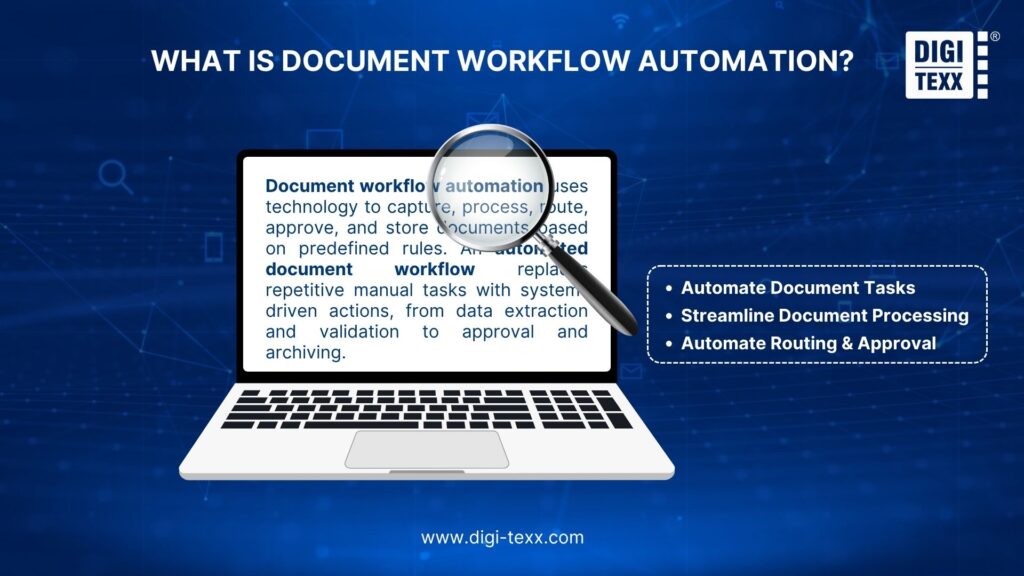
Document workflow automation is the use of technology to automatically capture, process, route, review, approve, and store documents based on predefined business rules.
A traditional process may require employees to receive a document, enter its information into a business system, send it for approval, follow up manually, and archive the final version. An automated document workflow replaces these repetitive handoffs with system-driven actions.
For example, an invoice workflow may:
- Capture an invoice from email, a portal, or a scanner.
- Classify the document and extract key data.
- Validate the extracted information.
- Route the invoice based on predefined approval rules.
- Transfer approved data to an ERP or accounting system.
- Store the final document with an audit trail.
In one Deloitte case study, automated invoice processing achieved a 92% touchless processing rate and reduced processing time by 50% – 75%. Results vary by workflow, but the case demonstrates the potential of automation in high-volume processes.
How To Automate A Document Workflow?
Successful automation starts with understanding the existing process rather than immediately selecting a tool.
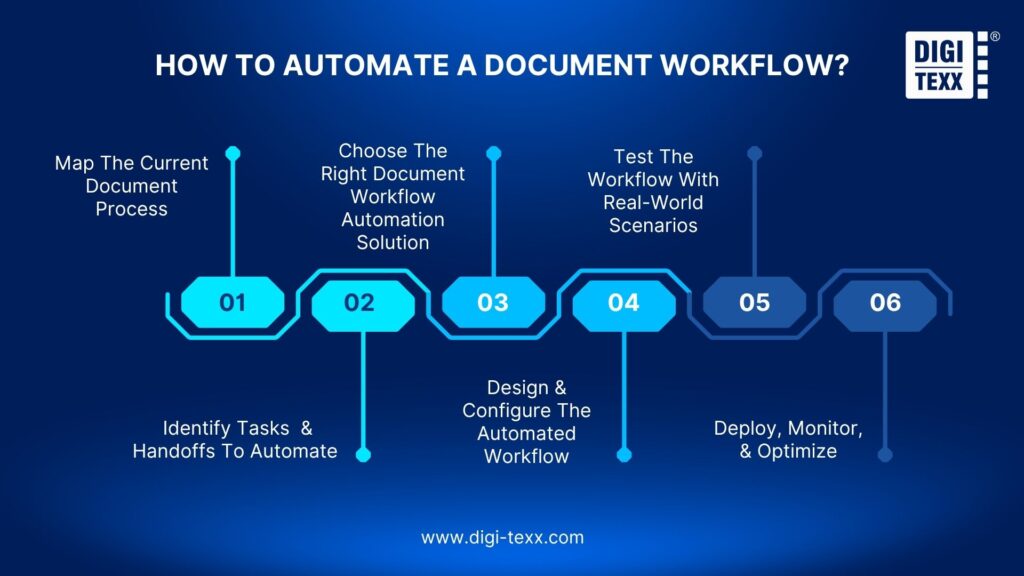
1. Map The Current Document Process
Document how files enter the organization, who handles them, which systems are involved, where approvals occur, and how completed documents are stored.
Track processing time, manual touchpoints, error rates, and bottlenecks to establish a baseline for improvement.
This is particularly important in complex enterprise environments. AIIM reports that organizations manage an average of 10.39 information management platforms, making system integration a critical part of workflow design.
2. Identify Tasks And Handoffs To Automate
Prioritize repetitive, rules-based, and high-volume tasks such as:
- Document classification
- Data extraction and validation
- Document routing
- Approval notifications
- Record creation
- Archiving
- Renewal reminders
Focus on unnecessary handoffs between employees and systems. Automating an isolated task may deliver limited value if employees still have to manually transfer information to another application.
3. Choose The Right Document Workflow Automation Solution
Evaluate whether the solution supports document capture, OCR, data extraction, workflow configuration, approval routing, exception handling, integrations, reporting, security, and human review.
Scalability also matters. A workflow that handles hundreds of documents may need a different architecture when processing millions of records.
For organizations without the internal resources to design or operate these processes, document workflow automation services can provide implementation, document processing, quality control, and ongoing operational support.
4. Design And Configure The Automated Workflow
Define the workflow’s triggers, actions, business rules, approvals, escalation paths, exceptions, integrations, and storage requirements. For example, invoices above a certain value can automatically go to a senior approver, while lower-value invoices follow a simpler route.
Effective document automation processes should also define what happens when data is missing, extraction fails, or human validation is required.
5. Test The Workflow With Real-World Scenarios
Test both standard and exception cases, including:
- Missing information
- Poor-quality scans
- Duplicate documents
- Incorrect data
- Failed integrations
- Delayed approvals
- Documents requiring manual review
Involving employees who currently perform the process can reveal exceptions that may not appear in process documentation.
6. Deploy, Monitor, and Optimize
After deployment, monitor processing time, approval cycle time, automation rate, exception rate, manual intervention, accuracy, and cost per document. Automation should be continuously optimized as document volumes, business rules, systems, and regulations change.
>>> See more:
- Data Integrity Definition: Meaning, Types, Examples & Best Practices 2026
- Top 14 Data Entry Skills To Put On Your Resume In 2026
Benefits Of Document Workflow Automation
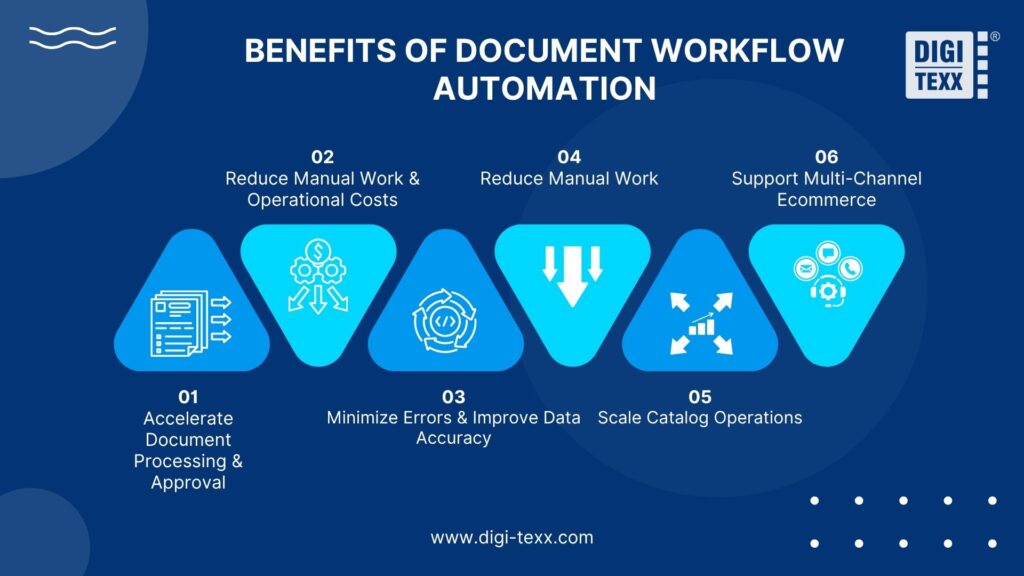
Document workflow automation can improve how organizations handle high-volume document processes by reducing manual steps, accelerating approvals, improving data accuracy, and strengthening process control. Key benefits include:
Accelerate Document Processing And Approval
Automated routing eliminates unnecessary waiting caused by manual forwarding and follow-ups. Documents can be sent to the right employee or system based on document type, department, value, or other business rules.
Deloitte reported that an AI-enabled mortgage process reduced time-to-yes from 14 days to 1 day in one financial-services implementation.
Reduce Manual Work And Operational Costs
Automation reduces repetitive data entry, routing, notifications, and file management, allowing employees to focus on higher-value activities.
Deloitte’s broader intelligent automation research found an average 32% cost reduction among organizations beyond the pilot stage. This figure applies to intelligent automation broadly, not specifically to document workflows, so organizations should calculate savings based on their own processes.
Minimize Errors And Improve Data Accuracy
Manual data entry can create incorrect values, incomplete records, and duplicate information. Automated validation and standardized processing can reduce these risks. Combining OCR, data extraction, business rules, and human quality control is particularly useful when processing large volumes of documents.
Improve Process Visibility And Accountability
Automated workflows make it easier to track document status, pending approvals, processing times, and exceptions. Audit trails can record who reviewed or approved a document, when an action occurred, and which version was processed.
Strengthen Compliance And Auditability
Organizations handling financial, healthcare, legal, or employee records need consistent controls over sensitive information. Automation can enforce predefined procedures, maintain audit trails, restrict access, and support consistent retention and archiving.
However, automation itself does not guarantee compliance. Workflows must still be configured according to applicable regulations and internal policies.
Scale Document Operations Without Adding Headcount
Automated workflows can handle increasing document volumes without increasing every administrative task proportionally.
This is particularly relevant while paper remains part of enterprise operations. AIIM found that 61% of IDP processes still involved paper, while 48% of respondents expected paper volumes to increase.
>>> See more:
- Automatic Data Processing (ADP): How It Works & Key Benefits
- 5 Best Data Parsing Software in 2026 | Features & Comparison
- Enterprise Data Management: 6 Core Pillars, Benefits & Tools
What To Look For In A Document Workflow Automation Solution?
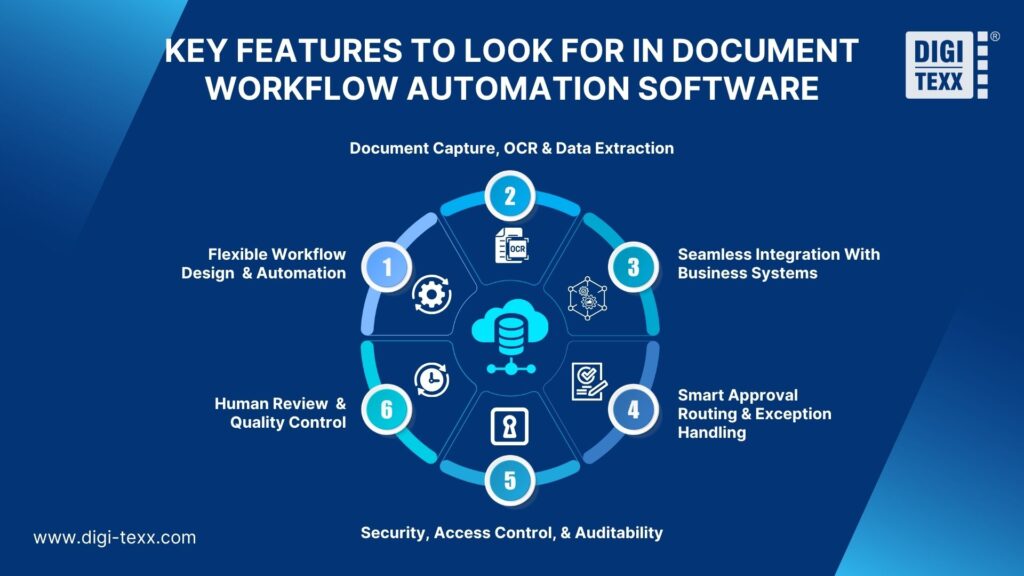
The right document workflow automation solution should fit your existing processes, systems, and control requirements. Key capabilities to evaluate include:
Workflow Design And Automation Capabilities
Look for configurable triggers, business rules, routing, approvals, escalations, and exception handling. The workflow should be easy to adjust as processes change.
Document Capture, OCR, And Data Extraction
Automation often begins with capturing information from email, scanners, portals, forms, or business applications. OCR converts scanned content into machine-readable text, while intelligent extraction identifies relevant fields for downstream processing.
This is where document workflow automation and intelligent document processing complement each other: IDP turns document content into usable data, while workflow automation determines what happens next.
Integration With Existing Business Systems
A workflow should connect with the systems employees already use, such as:
- ERP
- CRM
- DMS
- Accounting platforms
- HR systems
- Procurement systems
- Customer service platforms
Without integration, employees may still need to manually move information between applications.
Approval Routing And Exception Handling
Evaluate support for conditional routing, multi-level approvals, escalation rules, rejection workflows, exception queues, and manual review.
These capabilities allow automation to handle routine cases while directing unusual cases to the appropriate employee.
Security, Access Control, And Audit Trails
Document workflows may contain sensitive financial, personal, or business information. Consider role-based access, authentication, encryption, audit logging, retention controls, and permissions.
AIIM’s 2025 research identified data security and privacy as a leading challenge for IDP implementation, reinforcing the need to evaluate security alongside automation capabilities.
Human Review And Quality Control
Automation should include a clear path for human intervention when:
- Data cannot be extracted reliably
- Documents contain conflicting information
- A rule is triggered
- Professional judgment is required
- Sensitive information needs validation
A human-in-the-loop model provides automation where it works best while preserving quality control for exceptions.
>>> See more:
- Data Validation & Verification: Key Differences, Examples & Benefits
- List Of 11 Free Data Cleansing Tools 2026 For Accurate Data
- 10 Types of Data Entry Services for Modern Businesses
Document Workflow Automation Use Cases Across Industries
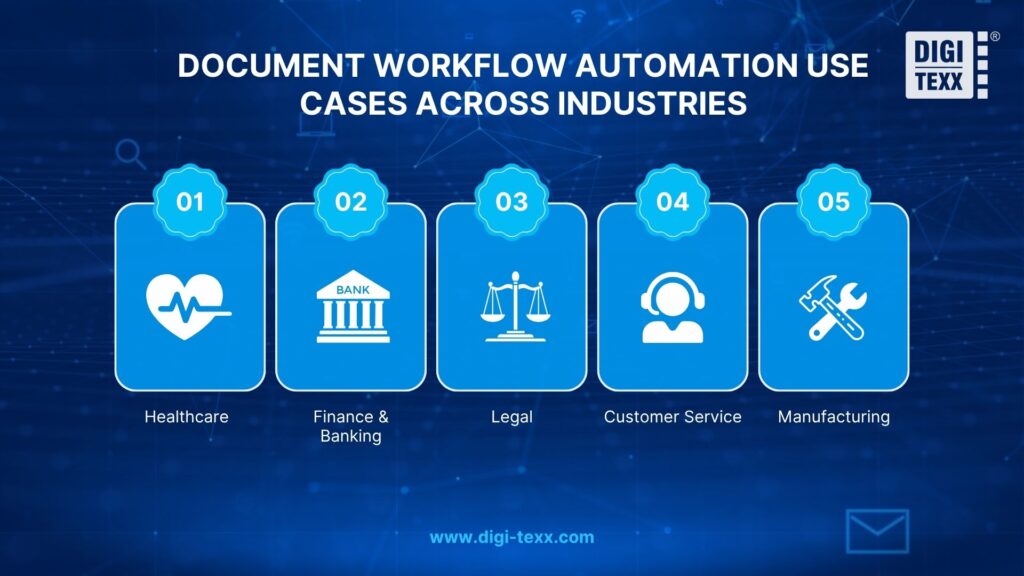
Document workflow automation can support different document-intensive processes across industries, from patient records and financial applications to contracts, customer requests, and supplier documents. Key use cases include:
Healthcare
Healthcare organizations process patient records, insurance forms, referrals, consent documents, and claims. A document processing workflow can classify incoming files, extract relevant information, route records, and connect data with electronic health record systems.
Because healthcare information is sensitive, workflows should combine automation with strict access controls and human review where required.
Finance And Banking
Financial institutions can automate loan applications, account onboarding, invoices, compliance documents, and approval workflows. Deloitte reported that one mortgage-processing implementation reduced time-to-yes from 14 days to 1 day, while an insurance claims automation project achieved a 10x increase in documents handled.
A typical workflow can combine document capture, extraction, validation, routing, approval, and human review.
Legal
Legal teams manage contracts, case files, agreements, discovery documents, and compliance records. Automation can route contracts for review, trigger approvals, track versions, send renewal reminders, and archive completed agreements. This reduces administrative work while giving legal teams better visibility into document status.
Customer Service
Customer service teams may receive invoices, forms, identity documents, claims, screenshots, and other files alongside support requests. Automation can classify incoming documents, associate them with the correct customer case, and route requests based on predefined rules. This reduces manual file handling and helps agents access relevant information faster.
Manufacturing
Manufacturers process purchase orders, invoices, supplier documents, quality records, shipping documents, and work orders. An automated workflow can route documents between procurement, finance, warehouse, quality, and operations teams. For example, purchase orders can trigger approval workflows, while invoices can be matched against purchase orders and sent for review when discrepancies occur.
>>> See more:
- 11+ Top Data Quality Management Tools and Software for Businesses
- Top 20 Data Entry Outsourcing Companies to Hire in 2026 [List]
FAQs About Document Workflow Automation
What Is The Best Software For Documenting Workflows?
The best workflow documentation software depends on your process complexity, collaboration needs, and existing technology stack. Common options include Microsoft Visio, Lucidchart, and Miro for mapping and documenting workflows. For organizations that also need to automate processes, look for platforms that combine workflow design, business rules, integrations, approvals, and monitoring rather than documentation alone.
What Is The Best Way To Document A Workflow?
The best approach is to map the workflow from start to finish, including inputs, tasks, decision points, responsible teams, systems, approvals, exceptions, and outputs. Document the current process first, then identify bottlenecks and unnecessary handoffs before designing the automated version. Using a flowchart or process map can make dependencies and automation opportunities easier to identify.
What Are Examples Of Workflow Automation?
Common examples include automated invoice processing, employee onboarding, purchase order approvals, loan application processing, insurance claims, contract approvals, and document archiving. A typical document workflow may automatically capture a file, extract and validate its data, route it for approval, update a business system, and store the completed document with an audit trail.
Does Microsoft 365 Have A Workflow Tool?
Yes. Microsoft 365 supports workflow automation through Microsoft Power Automate, which can connect Microsoft applications and third-party services to automate tasks, approvals, notifications, and data transfers. Organizations can use it with tools such as SharePoint, Outlook, Teams, and Excel to build workflows without developing every process from scratch.
Document workflow automation can transform fragmented, manual document handling into a structured document processing workflow that improves processing speed, visibility, accuracy, and scalability. The key is not to automate every decision, but to combine document automation processes with clear business rules, system integration, exception handling, and human review where needed.
For organizations managing high document volumes or complex processes, the right automated document workflow can reduce repetitive work while maintaining the control and oversight required for critical information. DIGI-TEXX will help you strengthen these processes through document processing, intelligent document processing, data extraction, digitization, and document workflow automation services, providing the operational support needed to build more efficient and scalable document operations.
DIGI-TEXX Contact Information:
🌐 Website: https://digi-texx.com/
📞 Hotline: +84 28 3715 5325
✉️ Email: [email protected]
🏢 Address:
- Headquarters: Anna Building, QTSC, Trung My Tay Ward
- Office 1: German House, 33 Le Duan, Saigon Ward
- Office 2: DIGI-TEXX Building, 477-479 An Duong Vuong, Binh Phu Ward
- Office 3: Innovation Solution Center, ISC Hau Giang, 198 19 Thang 8 street, Vi Tan Ward
Reference:
- Silberlust, J., Testa, P., Ostrow, D., Mansukhani, A., & Szerencsy, A. (2026). An affordable artificial intelligence solution for intelligent document processing of faxed documents. NEJM Catalyst Innovations in Care Delivery, 7(3). https://doi.org/10.1056/CAT.25.0371
- AIIM. (2025, August 13). AIIM study reveals AI-driven transformation in document processing. Association for Intelligent Information Management.