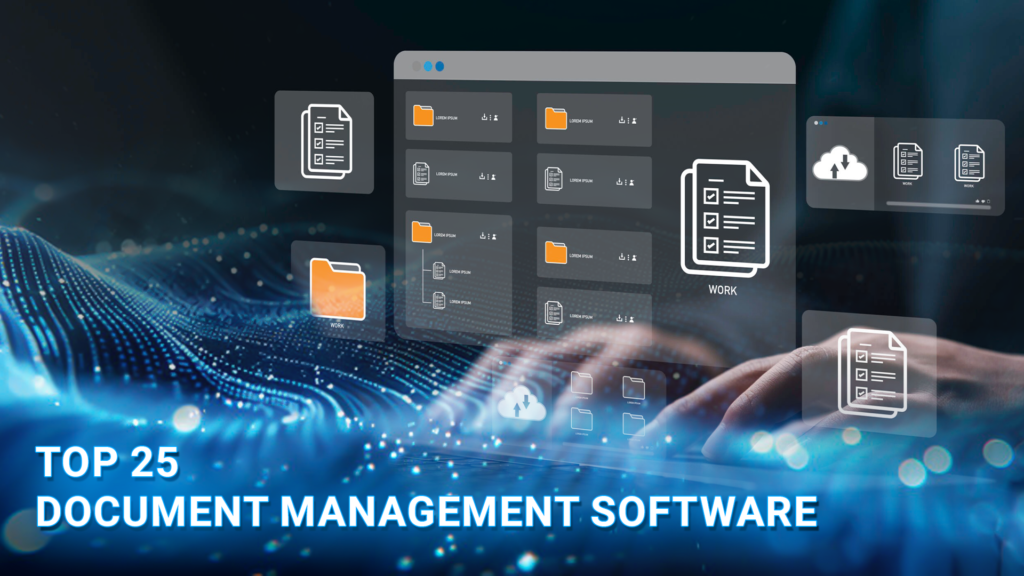
Document management software is a digital solution that helps teams securely organize, store, retrieve, and track business-critical documents, replacing traditional paper-based processes with a more efficient and secure approach. Choosing the right platform can significantly improve productivity, collaboration, and regulatory compliance across your organization.
In this guide, DIGI-TEXX breaks down the top 25 best document management software solutions in 2026, covering key features, benefits, and use cases that give you the knowledge needed to find the perfect fit for your team’s specific needs.
>>> See more:
- Ecommerce Back Office Support Services By DIGI-TEXX
- Professional E-commerce Data Entry Services by DIGI-TEXX
- Insurance Back Office Support Services for Insurers & Agencies
- Data Labeling Service: Benefits, Top Providers & How to Choose
The Best Popular Document Management Software
To help you navigate the options, here is a quick-reference comparison of the 25 best document management software solutions, outlining what each tool is best for, its standout feature, and pricing.
| Software | Best For | Standout Feature | Price |
| DIGI-DMS | Businesses needing secure, centralized document archiving | Cloud-ready multi-tenant platform with advanced search & encryption | Contact for pricing |
| OnlyOffice | Small to medium businesses seeking open-source flexibility | Open-source document editing with real-time collaboration | Free plan available; from $20/admin/month |
| DocuWare Cloud | Remote teams needing cloud-based workflow automation | 500+ native integrations + AI-powered auto-indexing | Contact for pricing |
| Hightail Business | Creative teams managing large multimedia files | File sharing with client feedback & revision tools | Contact for pricing |
| Rubex by eFileCabinet | SMBs need secure document management | No-code workflow automation + version control | Contact for pricing |
| Ademero Content Central | Businesses needing scalable document management | Document capture, indexing & secure cloud storage | Contact for pricing |
| Adobe Document Cloud Standard | Businesses relying heavily on PDFs and eSignatures | Comprehensive PDF suite with Acrobat Sign | From $23.99/month |
| Fluix | Mobile and field-based teams | Offline mode for field engineers with iOS app support | From $20/user/month |
| PaperTracer | Businesses prioritizing compliance and secure storage | Automated workflow management + compliance tracking | Contact for pricing |
| Box | Teams needing secure collaboration across locations | 1,500+ app integrations + AI-powered document search | From $14/user/month |
| Dropbox Business | Teams needing file syncing and easy sharing | File version history, recovery & seamless integrations | From $15/user/month |
| Egnyte | Security-focused and regulated businesses | Ransomware detection, recovery & built-in compliance | From $22/user/month |
| Google Workspace | Teams needing real-time cloud collaboration | Full productivity suite with Gemini AI integration | From $7/user/month |
| Laserfiche | Enterprise businesses needing advanced automation | Sophisticated workflow automation + smart search | From $53/user/month |
| M-Files | Businesses seeking automated document organization | Metadata-driven AI auto-classification & file organization | Contact for pricing |
| Revver (formerly eFileCabinet) | SMBs needing workflow automation | No-code process automation + enhanced collaboration | Contact for pricing |
| SharePoint | Microsoft ecosystem businesses | Seamless Microsoft 365 integration + Copilot AI | From $5/user/month |
| DocHub | Professionals managing PDFs and eSignatures | Browser-based PDF editing + unlimited cloud storage | Free plan available; Pro from ~$14/month |
| PandaDoc | Sales teams managing proposals and contracts | 1,000+ templates + CRM integrations (Salesforce, HubSpot) | Free plan available; from $35/user/month |
| Templafy | Large enterprises managing brand compliance | Automated compliance checks + template governance | Contact for pricing |
| XaitPorter | Teams producing complex co-authored documents | True simultaneous co-authoring with automated formatting | Contact for pricing |
| MasterControl | Regulated industries (pharma, life sciences, manufacturing) | FDA, ISO & GMP compliance automation with full audit trails | Contact for pricing |
| Samepage | SMBs wanting an all-in-one workspace | Combines documents, team chat & task management in one platform | Contact for pricing |
| Dokmee | Mid-to-large enterprises handling high document volumes | AI-powered smart indexing + rules-based automated routing | Contact for pricing |
| HubSpot Documents | Sales and marketing teams tracking content engagement | Real-time document engagement analytics + CRM integration | Free plan available (part of Sales Hub) |
>>> See more:
- Invoice Processing Outsourcing Services For US Businesses
- Data Quality Management: Importance, Tools, and Best Practices
- What is Optical Character Recognition (OCR) and How Does It Work?
25 Best Document Management Software Solutions In 2026
Below is a curated list of the 25 best document management software solutions, each tailored to meet diverse organizational needs. Dive into the detailed breakdown of features, benefits, and use cases of these top-performing tools.
1. DIGI-DMS: A Top Document Management Software In 2026
DIGI-DMS is an archiving system built on a web application based on a cloud-ready technology stack by DIGI-TEXX. The electronic document management system (DMS) allows multiple tenants and users to access and manage paperwork and archive documents with functions simultaneously:
- Secure uploading
- Classifying
- Searching
- Storing.

Key features:
- Advanced search capabilities: Quickly locate documents with smart filters.
- Centralized document storage: Organize and access files in a single secure platform.
- Version control: Track and manage multiple versions of documents effortlessly.
- Robust security measures: Protect data with encryption and role-based permissions.
- Seamless collaboration: Enable real-time co-authoring and team communication.
Benefits:
- Streamlined document management: Centralizes all documents on a single platform, reducing clutter and improving organization.
- Enhanced productivity: Automates repetitive tasks and simplifies workflows, allowing teams to focus on core activities.
- Improved accessibility: Provides secure, anytime-anywhere access to files, making it ideal for remote and hybrid teams.
- Stronger data security: Ensures document protection with robust encryption, access controls, and audit trails.
- Cost and time savings: Reduces dependency on physical storage and manual processes, cutting operational costs and saving time.
Best for: DIGI-DMS is ideal for businesses needing secure, centralized document management. Perfect for remote teams, finance, healthcare, and organizations automating workflows, it enhances productivity with a user-friendly, feature-rich platform.
2. OnlyOffice
OnlyOffice là một nền tảng cộng tác và quản lý tài liệu nguồn mở cung cấp các công cụ để quản lý tài liệu, bảng tính và bản trình bày. Nó cung cấp quyền truy cập dựa trên đám mây và tích hợp với các ứng dụng kinh doanh phổ biến để tạo điều kiện cho sự cộng tác liền mạch. OnlyOffice được biết đến với các tính năng mạnh mẽ và tính linh hoạt, khiến nó trở thành lựa chọn phổ biến cho các doanh nghiệp ở mọi quy mô.
Key features:
- Document editing: Offers powerful editing tools for documents, spreadsheets, and presentations.
- Collaboration tools: Enable real-time collaboration and communication.
- Access controls: Provides granular permission settings for document access.
- Integration capabilities: Integrates with popular apps like Google Drive and Dropbox.
- Mobile access: Supports access from mobile devices for on-the-go productivity.
Lợi Ích:
- Improved collaboration: Facilitates teamwork with real-time editing and communication.
- Flexibility: Offers a range of tools to meet diverse business needs.
- Cost-effective: Provides a free version and affordable pricing plans for businesses.
- Open-source: Allows for customization and adaptation to specific requirements.
- Cross-platform access: Ensures documents are accessible from any device and location.
Phù hợp nhất: Các doanh nghiệp vừa và nhỏ đang tìm kiếm giải pháp quản lý tài liệu nguồn mở và linh hoạt với các công cụ cộng tác mạnh mẽ.
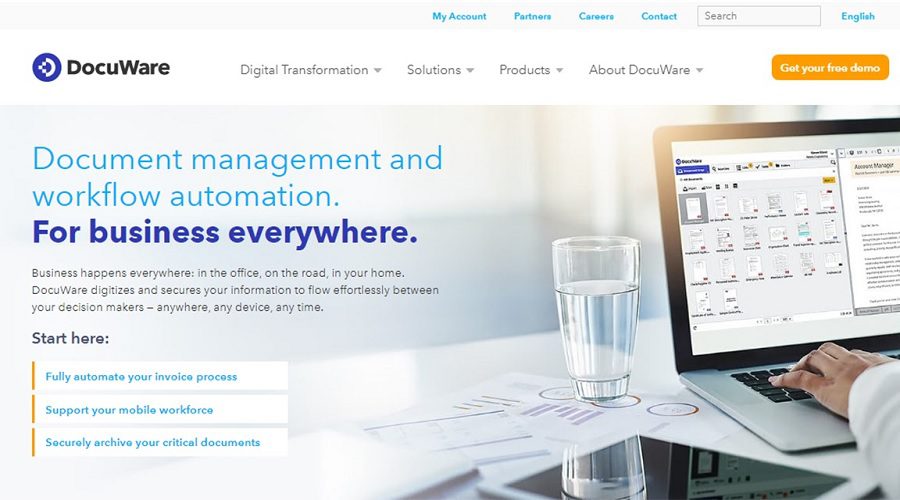
3. DocuWare Cloud
As a cloud-based solution, DocuWare is accessible via any browser so it’s a perfect fit for remote teams working from different locations. However, some additional tools can boost your productivity as a DocuWare user when you need to create a diagram or process a scanned document.
Key features:
- Document capture: Scans and imports documents from different sources.
- Workflow automation: Automates document processes and approvals.
- Secure document storage: Offers encrypted storage and access controls.
- Search and retrieval: Provides advanced search capabilities for quick document access.
- Integration with apps: Integrates with popular business applications for seamless operations.
Lợi Ích
- Improved productivity: Automates repetitive tasks to save time for more important work.
- Improved collaboration: Facilitates team collaboration with easy document sharing and access.
- Cost savings: Reduces paper usage and storage costs through digitization.
- Data security: Protects sensitive information with robust security measures.
- Easy access: Provides anytime, anywhere access to documents from any device.
Phù hợp nhất: Các doanh nghiệp đang tìm kiếm giải pháp quản lý tài liệu trên nền tảng đám mây để hợp lý hóa quy trình làm việc và cải thiện khả năng cộng tác.
4. Hightail Business
Hightail Business là nền tảng quản lý tài liệu và chia sẻ tệp cho các nhóm sáng tạo để chia sẻ và cộng tác trên các tệp lớn. Nó cung cấp các công cụ để quản lý dự án, thu thập phản hồi và đảm bảo giao tiếp liền mạch giữa các thành viên trong nhóm và khách hàng. Hightail được biết đến với giao diện thân thiện với người dùng và khả năng xử lý các tệp đa phương tiện lớn.
Key features:
- File sharing: Enables easy sharing of large files with clients and team members.
- Collaboration tools: Provide tools for gathering feedback and making revisions.
- Project management: Manages projects with task assignments and deadlines.
- Secure storage: Offers encrypted storage for secure file management.
- Integration with apps: Integrates with popular tools like Adobe Creative Cloud.
Lợi Ích:
- Streamlined workflows: Simplifies project management and collaboration.
- Improved client communication: Improves client interactions with easy file sharing and feedback.
- Time savings: Reduces the time spent on file transfers and project coordination.
- Data security: Ensures files are protected with robust security measures.
- Improved creativity: Supports creative teams with tools tailored to their needs.
Phù hợp nhất cho: Các nhóm sáng tạo và doanh nghiệp cần một nền tảng để chia sẻ và cộng tác trên các tệp đa phương tiện lớn.
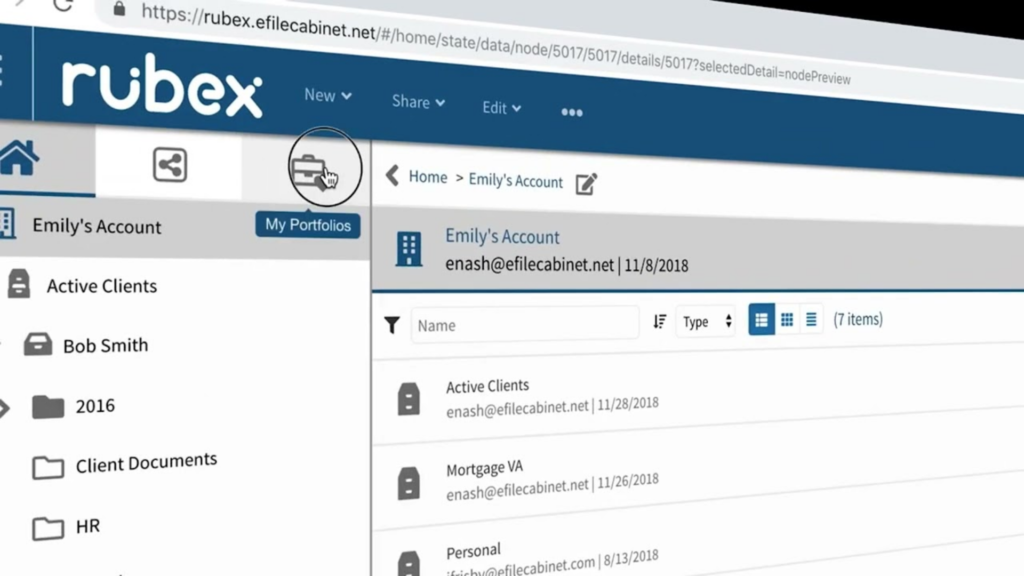
5. Rubex By eFileCabinet
Rubex by eFileCabinet là giải pháp quản lý tài liệu dựa trên đám mây được thiết kế để giúp các doanh nghiệp lưu trữ, quản lý và chia sẻ tài liệu của họ một cách an toàn. Giải pháp này cung cấp tính năng tự động hóa quy trình làm việc, kiểm soát phiên bản và các tính năng tìm kiếm nâng cao, hợp lý hóa hoạt động kinh doanh và cải thiện hiệu quả.
Key features:
- Lưu trữ trên nền tảng đám mây để truy cập an toàn
- Công cụ cộng tác tài liệu
- Tự động hóa quy trình làm việc và quản lý tác vụ
- Kiểm soát phiên bản để theo dõi tài liệu
- Chức năng tìm kiếm nâng cao.
5 lợi ích hàng đầu:
- Tăng cường bảo mật và khả năng truy cập tài liệu
- Cải thiện sự cộng tác của nhóm
- Giảm thiểu giấy tờ và quy trình thủ công
- Nâng cao năng suất và tiết kiệm thời gian
- Dễ dàng tuân thủ các quy định của ngành.
Tốt nhất cho: Rubex lý tưởng cho các doanh nghiệp vừa và nhỏ cần quản lý tài liệu an toàn, hiệu quả và tự động hóa quy trình làm việc. Hoàn hảo cho các nhóm xử lý thông tin nhạy cảm và muốn hợp lý hóa hoạt động và đảm bảo tuân thủ quy định.
>>> See more:
- Outsourced Order Processing Services – Fast & Accurate
- Invoice Reconciliation Process Steps | DIGI-TEXX
- 15 Best Data Labeling Service Providers In 2026
6. Ademero Content Central
Ademero Content Central là giải pháp phần mềm quản lý tài liệu mạnh mẽ cung cấp cho doanh nghiệp khả năng lưu trữ tài liệu an toàn, tự động hóa quy trình làm việc và khả năng tìm kiếm nâng cao. Giải pháp này tăng cường sự cộng tác, cải thiện hiệu quả và đơn giản hóa việc quản lý tuân thủ với các tính năng trực quan, có thể mở rộng.
Key features:
- Chụp và lập chỉ mục tài liệu
- Tự động hóa quy trình làm việc
- Lưu trữ đám mây an toàn
- Chức năng tìm kiếm nâng cao
- Kiểm soát phiên bản tài liệu.
Lợi Ích:
- Tăng cường bảo mật tài liệu
- Quy trình làm việc hợp lý
- Tăng cường sự hợp tác của nhóm
- Giảm thiểu các quy trình dựa trên giấy tờ
- Cải thiện quản lý tuân thủ.
Phù hợp nhất: Ademero Content Central lý tưởng cho các doanh nghiệp muốn hợp lý hóa việc quản lý tài liệu, cải thiện sự cộng tác của nhóm và đảm bảo quyền truy cập tài liệu an toàn.
7. Adobe Document Cloud Standard
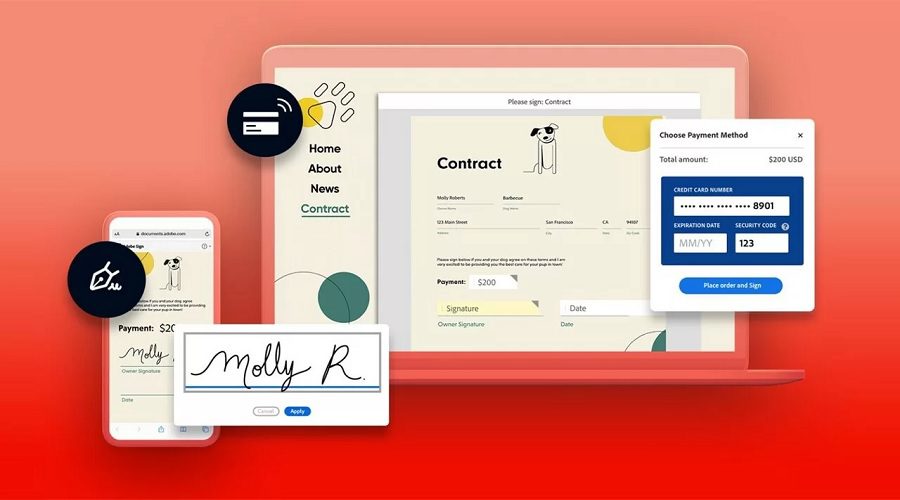
Adobe Document Cloud Standard là giải pháp quản lý tài liệu dựa trên đám mây cho phép người dùng tạo, chỉnh sửa, ký và lưu trữ tài liệu một cách an toàn. Giải pháp này tích hợp liền mạch với các công cụ Adobe khác, đơn giản hóa quy trình làm việc với tài liệu và cải thiện sự cộng tác của nhóm đồng thời đảm bảo tuân thủ các tiêu chuẩn của ngành.
Key features:
- Tạo và chỉnh sửa PDF
- Lưu trữ đám mây để truy cập an toàn
- Chức năng chữ ký điện tử
- Chia sẻ và cộng tác tài liệu
- Truy cập trên thiết bị di động để chỉnh sửa khi đang di chuyển.
Lợi Ích:
- Quy trình làm việc tài liệu được sắp xếp hợp lý
- Lưu trữ tài liệu an toàn
- Cải thiện sự cộng tác của nhóm
- Ký tài liệu đơn giản
- Có thể truy cập từ mọi thiết bị.
Phù hợp nhất: Adobe Document Cloud Standard phù hợp nhất với các doanh nghiệp và cá nhân đang tìm kiếm giải pháp quản lý tài liệu liền mạch, lưu trữ an toàn và cộng tác hiệu quả trên nhiều thiết bị khác nhau.
8. Fluix
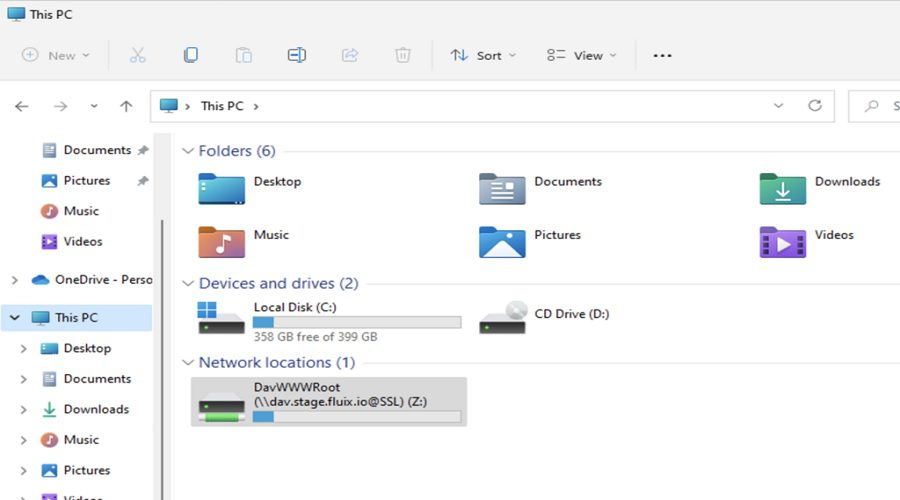
Fluix là giải pháp quản lý tài liệu dựa trên đám mây được thiết kế để hợp lý hóa quy trình làm việc, thu thập tài liệu và cộng tác. Giải pháp này cung cấp khả năng lưu trữ tài liệu an toàn, chữ ký điện tử và tích hợp liền mạch, cho phép các nhóm quản lý hiệu quả các quy trình kinh doanh và cải thiện năng suất, đồng thời đảm bảo tính bảo mật và tuân thủ dữ liệu.
Key features:
- Quản lý và lưu trữ tài liệu
- Tự động hóa quy trình làm việc
- Chữ ký điện tử
- Hợp tác tài liệu thời gian thực
- Ứng dụng di động để truy cập từ xa.
Lợi Ích:
- Tăng cường sự hợp tác của nhóm
- Tăng năng suất và hiệu quả
- Lưu trữ dữ liệu an toàn
- Ký tài liệu đơn giản
- Quy trình kinh doanh hợp lý.
Phù hợp nhất: Fluix lý tưởng cho các doanh nghiệp muốn cải thiện quy trình xử lý tài liệu, tăng cường cộng tác nhóm và đảm bảo quản lý tài liệu an toàn trên nhiều thiết bị khác nhau.
>>> Explore more:
- Intelligent Document Processing Services: How It Works & Business Benefits
- Healthcare BPO Services For Revenue Cycle & Claims Management
- How To Prepare a Classified Balance Sheet: Template & Example
9. PaperTracer
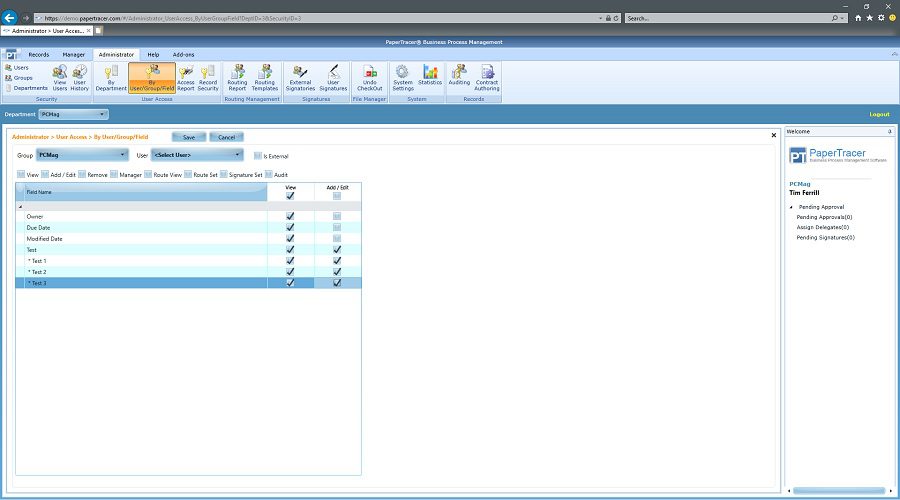
PaperTracer là giải pháp phần mềm quản lý tài liệu được thiết kế để đơn giản hóa việc lưu trữ, truy xuất và quản lý quy trình làm việc của tài liệu. Nó cung cấp dịch vụ lưu trữ tài liệu an toàn trên nền tảng đám mây, quản lý tác vụ tự động và các công cụ cộng tác liền mạch, giúp doanh nghiệp nâng cao hiệu quả, tuân thủ và năng suất. PaperTracer đảm bảo rằng các tài liệu dễ dàng được truy cập, theo dõi và sắp xếp để đưa ra quyết định tốt hơn và hợp lý hóa hoạt động.
Key features:
- Lưu trữ tài liệu trên nền tảng đám mây
- Quản lý công việc và tác vụ tự động
- Kiểm soát phiên bản tài liệu
- Khả năng tìm kiếm nâng cao
- Chia sẻ và cộng tác tài liệu an toàn.
Lợi Ích:
- Tăng hiệu quả và năng suất
- Cải thiện bảo mật tài liệu
- Tăng cường sự hợp tác của nhóm
- Quy trình làm việc tài liệu được sắp xếp hợp lý
- Tuân thủ quy định một cách đơn giản.
Tốt nhất cho: PaperTracer là tốt nhất cho các doanh nghiệp muốn cải thiện quản lý tài liệu, hợp lý hóa quy trình công việc và đảm bảo lưu trữ tài liệu có tổ chức an toàn, có tổ chức giữa các nhóm.
10. Box
Box là nền tảng cộng tác và quản lý tài liệu dựa trên đám mây cho phép các nhóm lưu trữ, quản lý và chia sẻ tệp một cách an toàn. Với khả năng tích hợp mạnh mẽ và tự động hóa quy trình làm việc, Box nâng cao năng suất, bảo mật dữ liệu và cộng tác theo thời gian thực. Nó giúp các doanh nghiệp hợp lý hóa việc quản lý tài liệu đồng thời đảm bảo tuân thủ và truy cập an toàn vào thông tin quan trọng từ mọi thiết bị.
Key features:
- Lưu trữ đám mây với đồng bộ hóa tập tin
- Tự động hóa quy trình làm việc
- Chia sẻ và truy cập tài liệu an toàn
- Tích hợp với các ứng dụng của bên thứ ba
- Kiểm soát phiên bản và theo dõi tài liệu
Lợi Ích:
- Tăng cường sự cộng tác giữa các nhóm
- Cải thiện tính bảo mật và tuân thủ của tài liệu
- Quy trình làm việc và năng suất được sắp xếp hợp lý
- Dễ dàng truy cập vào các tập tin từ bất kỳ thiết bị nào
- Chia sẻ và theo dõi tập tin đơn giản.
Phù hợp nhất: Box lý tưởng cho các doanh nghiệp cần quản lý tài liệu an toàn, quy trình làm việc hợp lý và cộng tác liền mạch giữa các nhóm, bất kể ở đâu.
11. Dropbox Business
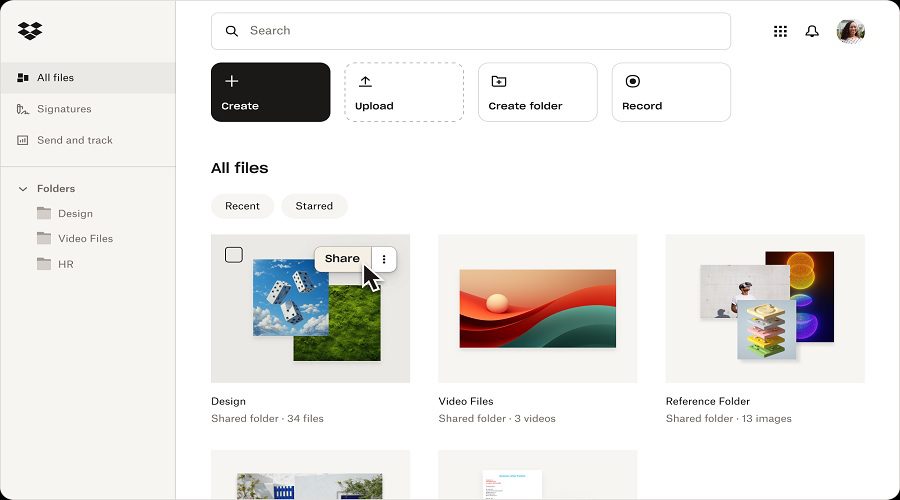
Dropbox Business là giải pháp quản lý tài liệu và chia sẻ tệp dựa trên đám mây được thiết kế cho các nhóm và doanh nghiệp. Giải pháp này cung cấp khả năng lưu trữ tệp an toàn, cộng tác liền mạch và các tính năng đồng bộ hóa mạnh mẽ. Dropbox Business nâng cao năng suất của nhóm với tìm kiếm nâng cao, các công cụ cộng tác theo thời gian thực và bảo mật mạnh mẽ, cho phép các nhóm làm việc cùng nhau hiệu quả trong khi vẫn đảm bảo an toàn dữ liệu.
Key features:
- Lưu trữ đám mây với đồng bộ hóa tập tin
- Công cụ cộng tác nhóm
- Tìm kiếm tập tin nâng cao
- Lịch sử phiên bản tập tin và phục hồi
- Tích hợp với các ứng dụng của bên thứ ba.
Lợi Ích:
- Cải thiện sự cộng tác của nhóm
- Tăng cường bảo mật và tuân thủ tệp
- Quy trình làm việc và năng suất được sắp xếp hợp lý
- Truy cập tệp dễ dàng từ bất kỳ thiết bị nào
- Chia sẻ và theo dõi tập tin đơn giản hơn.
Phù hợp nhất: Dropbox Business lý tưởng cho các nhóm và doanh nghiệp đang tìm kiếm giải pháp quản lý tài liệu, chia sẻ tệp và cộng tác an toàn trên nhiều thiết bị và nền tảng.
>>> See more:
- Best Business Process Automation Solutions & Tools 2026
- What Is Business Process Outsourcing (BPO)? Definition & Benefits
- Top 10 Best Data Entry Outsourcing Companies in USA 2026
12. Egnyte
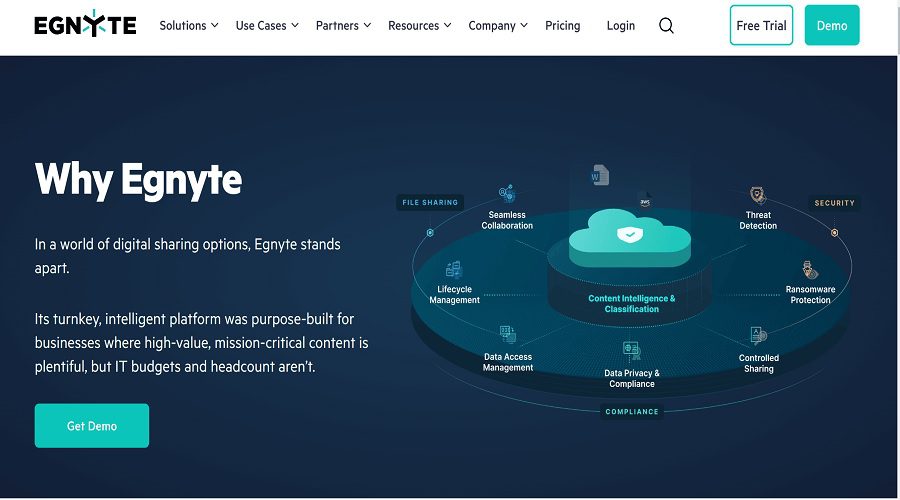
Egnyte là một DMS dựa trên đám mây được thiết kế cho các doanh nghiệp để lưu trữ, chia sẻ và cộng tác an toàn trên các tệp. Tập trung vào bảo mật dữ liệu và tuân thủ, Egnyte tích hợp với nhiều ứng dụng của bên thứ ba, cung cấp các công cụ mạnh mẽ để cộng tác nhóm, quản lý tệp, truy cập thời gian thực trên nhiều thiết bị, nâng cao năng suất chung.
Key features:
- Lưu trữ đám mây với quyền truy cập tệp an toàn
- Công cụ chia sẻ tệp và cộng tác
- Tìm kiếm nâng cao và quản lý phiên bản tệp
- Tự động hóa quy trình làm việc
- Kiểm soát tuân thủ và bảo mật.
Lợi Ích:
- Cải thiện sự cộng tác của nhóm
- Lưu trữ và chia sẻ tệp an toàn
- Nâng cao hiệu quả quy trình làm việc
- Truy cập thời gian thực từ bất kỳ thiết bị nào
- Tuân thủ và bảo vệ dữ liệu một cách đơn giản.
Phù hợp nhất: Egnyte lý tưởng cho các doanh nghiệp đang tìm kiếm giải pháp quản lý tệp an toàn, công cụ cộng tác và bảo vệ dữ liệu mạnh mẽ trên nhiều nhóm và thiết bị.
13. Google Workspace
Google Workspace là một bộ công cụ quản lý tài liệu và năng suất toàn diện dựa trên đám mây. Nó bao gồm các ứng dụng để tạo tài liệu, cộng tác, lưu trữ và giao tiếp. Với khả năng chỉnh sửa theo thời gian thực và tích hợp liền mạch trên nhiều thiết bị, GW cho phép các nhóm làm việc hiệu quả, an toàn, cộng tác từ mọi nơi trong khi vẫn đảm bảo chia sẻ tệp, quản lý dễ dàng.

Key features:
- Google Docs, Sheets và Slides để cộng tác theo thời gian thực
- Lưu trữ đám mây qua Google Drive
- Tích hợp liền mạch với các ứng dụng Google khác
- Chia sẻ tệp an toàn và kiểm soát quyền truy cập
- Bình luận và chỉnh sửa theo thời gian thực.
Lợi Ích:
- Tăng cường sự hợp tác của nhóm
- Lưu trữ và chia sẻ tệp an toàn
- Tạo và chỉnh sửa tài liệu dễ dàng
- Truy cập từ bất kỳ thiết bị nào
- Tích hợp quy trình làm việc hợp lý.
Phù hợp nhất: Google Workspace lý tưởng cho các doanh nghiệp và nhóm cần quản lý tài liệu hiệu quả trên nền tảng đám mây, cộng tác theo thời gian thực và tích hợp liền mạch với các công cụ của Google.
14. Laserfiche
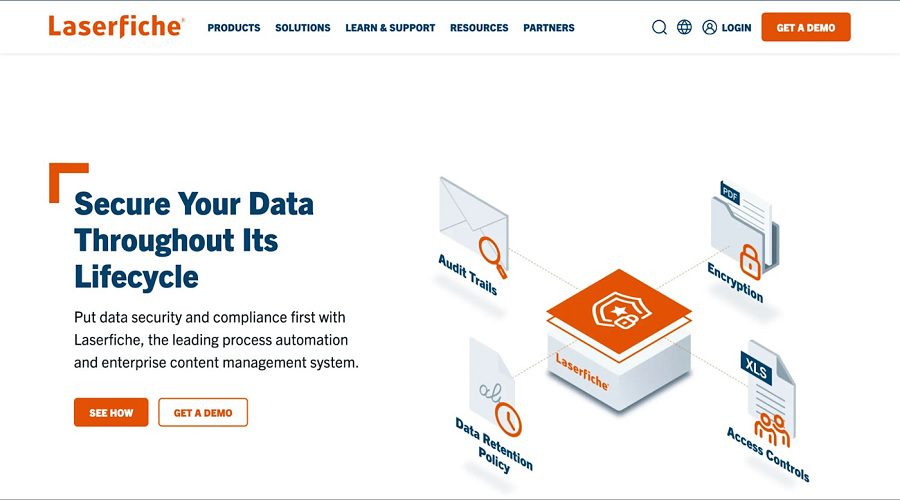
Laserfiche là một nền tảng quản lý và tự động hóa tài liệu mạnh mẽ giúp các doanh nghiệp nắm bắt, quản lý và bảo mật tài liệu của mình. Nó cung cấp các tính năng nâng cao để tự động hóa quy trình làm việc, tuân thủ và lưu trữ tài liệu, cải thiện hiệu quả hoạt động, giảm các tác vụ thủ công và tăng cường cộng tác trong khi vẫn đảm bảo tuân thủ quy định, truy cập an toàn vào thông tin kinh doanh quan trọng.
Key features:
- Chụp và quét tài liệu
- Tự động hóa quy trình làm việc
- Khả năng tìm kiếm nâng cao
- Tính năng tuân thủ và bảo mật
- Kiểm soát phiên bản tài liệu.
Lợi Ích:
- Quy trình và luồng công việc được sắp xếp hợp lý
- Cải thiện tính bảo mật và tuân thủ của tài liệu
- Tăng cường sự hợp tác của nhóm
- Giảm bớt giấy tờ và công việc thủ công
- Truy xuất và truy cập tài liệu dễ dàng
Phù hợp nhất: Laserfiche lý tưởng cho các doanh nghiệp tìm kiếm giải pháp quản lý tài liệu hiệu quả, tự động hóa quy trình làm việc và lưu trữ tài liệu an toàn để tuân thủ quy định và đạt hiệu quả hoạt động.
>>> See more:
- Construction Invoice Reconciliation: Best Practices, Software & Outsourcing
- What are the 6 steps of the data analysis process?
- Top 7 Free AI Business Document Analysis Tools 2026
15. M-Files
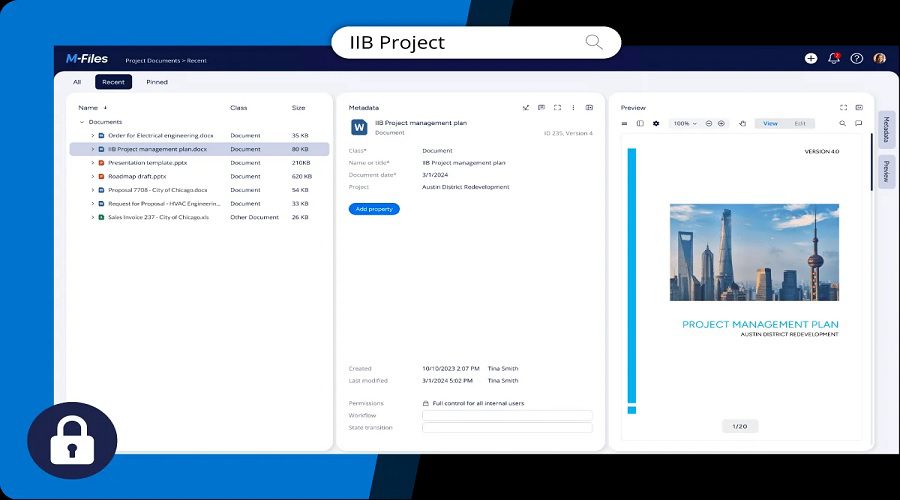
M-Files là một DMS mạnh mẽ sử dụng siêu dữ liệu để tự động sắp xếp, quản lý và theo dõi tài liệu. Nó cho phép các doanh nghiệp hợp lý hóa quy trình làm việc, cải thiện sự hợp tác của nhóm, đảm bảo tuân thủ quy định và tăng cường bảo mật tài liệu. M-Files tích hợp liền mạch với các hệ thống hiện có, cung cấp một nền tảng tập trung và dễ truy cập để quản lý và truy xuất thông tin kinh doanh quan trọng.
Key features:
- Tổ chức tài liệu dựa trên siêu dữ liệu
- Quản lý quy trình làm việc tự động
- Kiểm soát phiên bản và theo dõi tài liệu
- Chia sẻ tài liệu an toàn
- Tích hợp với các ứng dụng của bên thứ ba
Lợi Ích:
- Cải thiện việc tổ chức và truy xuất tài liệu
- Quy trình làm việc hợp lý và năng suất tăng lên
- Tăng cường bảo mật và tuân thủ tài liệu
- Dễ dàng cộng tác giữa các nhóm
- Giảm sự phụ thuộc vào các quy trình trên giấy
Phù hợp nhất: M-Files lý tưởng cho các doanh nghiệp đang tìm kiếm giải pháp quản lý tài liệu hiệu quả, tăng cường bảo mật và hợp lý hóa quy trình làm việc để cải thiện năng suất và tính tuân thủ giữa các nhóm.
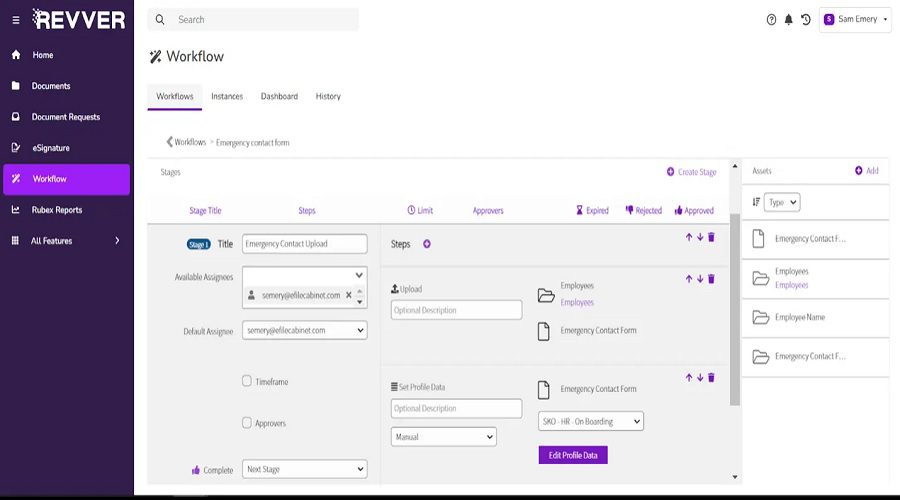
16. Revver (Formerly eFileCabinet)
Revver là một DMS dựa trên đám mây được thiết kế để giúp các doanh nghiệp sắp xếp, lưu trữ và truy cập an toàn vào các tài liệu của họ. Với các tính năng mạnh mẽ như tự động hóa quy trình làm việc, kiểm soát phiên bản và các công cụ cộng tác, Revver hợp lý hóa các quy trình, cải thiện năng suất và tăng cường bảo mật dữ liệu. Nó lý tưởng cho các doanh nghiệp muốn giảm sự phụ thuộc vào giấy tờ và đảm bảo tuân thủ quy định.
Key features:
- Lưu trữ và truy cập tài liệu đám mây
- Tự động hóa quy trình làm việc và quản lý tác vụ
- Kiểm soát phiên bản tài liệu
- Chia sẻ tập tin an toàn
- Tìm kiếm và lập chỉ mục nâng cao.
Lợi Ích:
- Cải thiện khả năng tổ chức và truy cập tài liệu
- Tăng hiệu quả thông qua quy trình làm việc tự động
- Tăng cường bảo mật tài liệu
- Cộng tác nhóm tốt hơn
- Tuân thủ các quy định một cách hợp lý.
Phù hợp nhất: Revver phù hợp nhất với các doanh nghiệp vừa và nhỏ đang tìm kiếm giải pháp quản lý tài liệu an toàn, hiệu quả, tăng cường cộng tác và tự động hóa quy trình làm việc.
17. SharePoint
SharePoint là nền tảng quản lý tài liệu và cộng tác mạnh mẽ do Microsoft phát triển. Nền tảng này cho phép các tổ chức lưu trữ, quản lý và chia sẻ tài liệu một cách an toàn, đồng thời tăng cường cộng tác thông qua quyền truy cập tập trung. Với quy trình làm việc có thể tùy chỉnh, tìm kiếm nâng cao và tích hợp liền mạch với các công cụ Microsoft khác, SharePoint giúp các nhóm duy trì năng suất, có tổ chức và tuân thủ các tiêu chuẩn của ngành.
Key features:
- Lưu trữ và quản lý tài liệu
- Tự động hóa quy trình làm việc
- Tìm kiếm và lập chỉ mục nâng cao
- Tích hợp với các ứng dụng Microsoft 365
- Chia sẻ và truy cập tài liệu an toàn.
Lợi Ích:
- Cải thiện sự cộng tác của nhóm
- Tăng cường bảo mật tài liệu
- Quy trình làm việc và quy trình kinh doanh hợp lý
- Dễ dàng truy cập tài liệu từ bất kỳ thiết bị nào
- Tăng năng suất và tổ chức.
Phù hợp nhất: SharePoint lý tưởng cho các doanh nghiệp cần hệ thống quản lý tài liệu linh hoạt với các công cụ cộng tác mạnh mẽ và tích hợp liền mạch với Microsoft 365.
Giải pháp phần mềm quản lý tài liệu Với DIGI-TEXX, mọi dữ liệu và tài liệu giấy sẽ được chuẩn hóa và lưu trữ trong cơ sở dữ liệu tập trung, giúp doanh nghiệp giảm bớt công sức vận hành và đảm bảo tính bảo mật và minh bạch – tạo ra nhiều giá trị hơn cho dữ liệu có cấu trúc với khả năng truy cập nhanh chóng và dễ dàng.
>>> See more:
- Fashion Photo Retouching: Key Techniques, Benefits, and Tips
- An Overview of Document Processing Company: What You Need to Know
- Ecommerce Photo Retouching Services | Boost Image Quality
18. DocHub
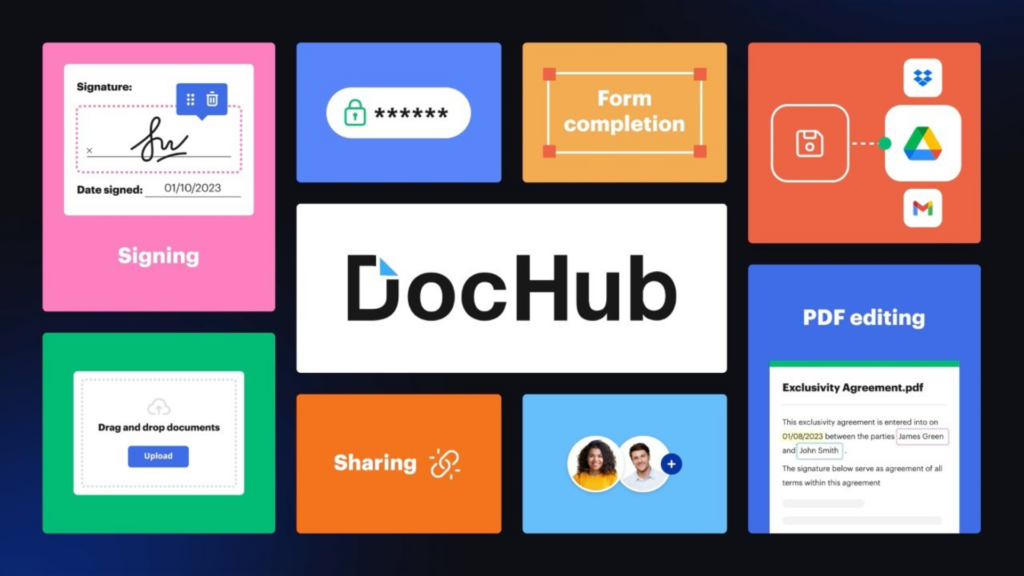
DocHub is a feature-rich, cloud-based document management software solution that lets users handle a wide range of tasks online, including PDF editing, electronic signatures, and form filling. With unlimited cloud storage for documents, integration with Google Drive and Dropbox, and a highly intuitive interface, DocHub offers a complete package for businesses of all sizes.
Key features:
- Edit and annotate PDFs directly in the browser
- Collect unlimited eSignatures and send sign requests with ease
- Build and fill interactive forms without extra software
- Unlimited cloud storage at no extra charge
- Seamless integration with Google Drive and Dropbox
Lợi Ích:
- Complete document management in one platform
- User-friendly interface that requires minimal training for new users.
- No need for separate storage solutions
- Flexible pricing with a free tier suitable for individuals and a Pro plan for teams.
- Broad compatibility with popular cloud platforms simplifies file access and sharing.
Best For: DocHub is best suited for businesses and professionals who need an all-in-one document management software solution for editing PDFs, collecting eSignatures, and managing files in the cloud, particularly those already using Google Drive or Dropbox.
19. PandaDoc
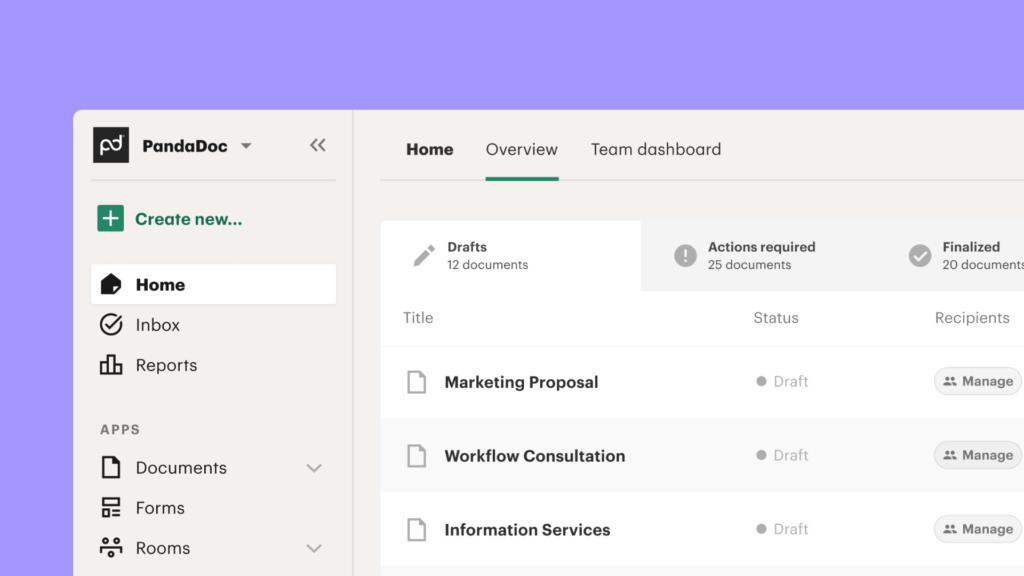
PandaDoc is a powerful document management software solution designed to create, send, track, and e-sign complex business documents. It offers a rich drag-and-drop editor, pre-built templates, and end-to-end document lifecycle tracking, from initial creation through to contract signing, making it an excellent choice for sales and legal teams.
Key features:
- Drag-and-drop editor for building documents with text, images, videos, and pricing tables.
- Library of pre-built templates with the option to create custom ones
- Legally binding eSignatures with full audit trails
- Real-time tracking and notifications for document opens, views, and signatures
- CRM and Zapier integrations with Salesforce, HubSpot, and more
Lợi Ích:
- End-to-end document lifecycle management from creation to signed contract in one platform.
- Flexible and highly customizable documents that reflect your brand and content needs.
- Mobile apps for Android and iOS allow document management on the go.
- Analytics and tracking provide visibility into recipients’ engagement with documents.
- Reduces time-to-close on contracts by streamlining approval and signing processes.
Best For: PandaDoc is best for sales teams, legal departments, and businesses handling complex document workflows that require proposal creation, contract management, and e-signature collection within a single document management software platform.
20. Templafy
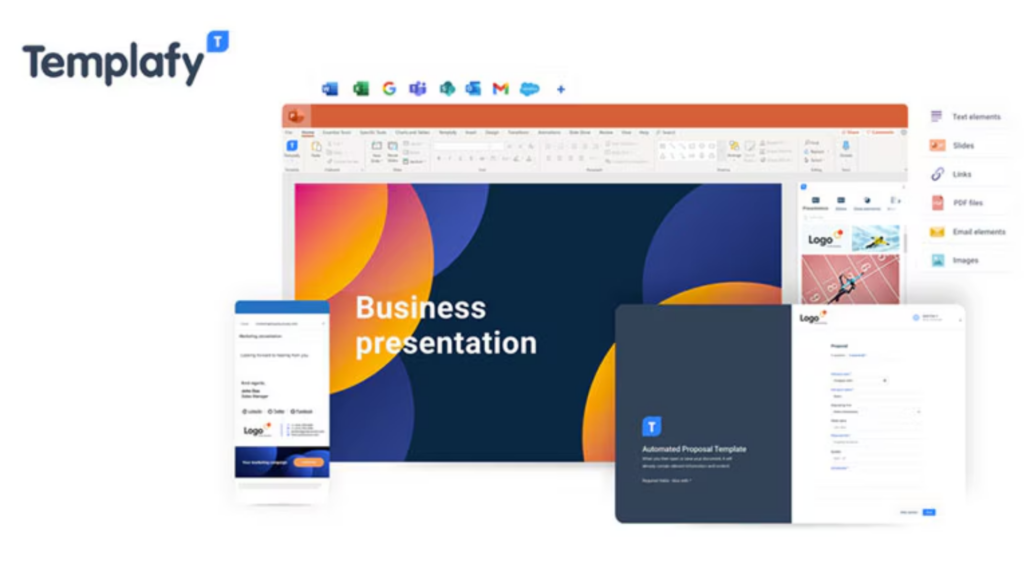
Templafy is an all-in-one document management software solution that integrates with the office suites businesses use every day, ensuring all company documents are on-brand, compliant, and consistent. It supports automated compliance checks, a centralized content library, and cross-device access, making it especially valuable for large enterprises managing high document volumes.
Key features:
- Centralized storage and distribution of approved document templates across the organization
- Automated compliance checks to ensure documents meet company and regulatory standards.
- Cross-device accessibility from computers, tablets, and smartphones
- Dynamic content insertion to auto-populate documents with user- and company-specific data
Lợi Ích:
- Ensures brand consistency and regulatory compliance across all business documents.
- Reduces time spent on document creation with smart templates and automated data insertion.
- Easy-to-use interface minimizes the learning curve for new users.
- Scales efficiently for large organizations managing thousands of document templates.
- Feedback and approval workflows improve document quality and governance.
Best For: Templafy is ideal for large enterprises and regulated industries that need a document management software solution ensuring brand compliance, template governance, and seamless integration with existing productivity suites.
>>> Explore more:
- Why Businesses Outsource Data Management in 2026?
- Best Data Cleansing Outsourcing Companies for 2026
- Top 10 Data Entry Outsourcing Companies to Hire in 2026
21. XaitPorter
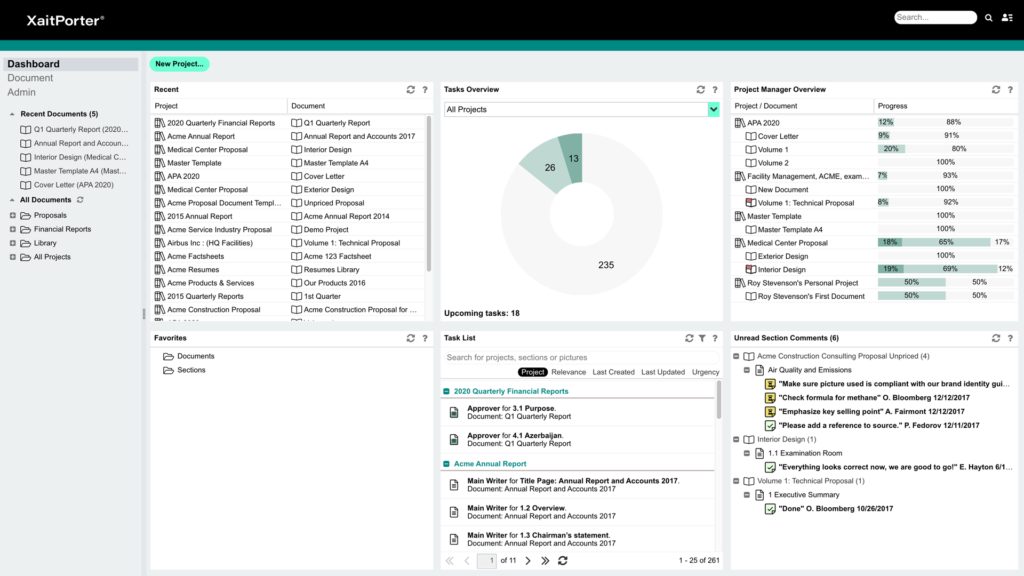
XaitPorter is a cloud-based document management and co-authoring platform built for teams that need to create complex, collaborative documents simultaneously. It manages all aspects of workflow, formatting, numbering, and layout automatically, and integrates with tools like Salesforce, Microsoft 365, Oracle, and Dropbox. It is currently used by over 45,000 organizations globally.
Key features:
- Simultaneous co-authoring allows multiple team members to write and edit different sections at the same time
- Automated formatting and layout so authors can focus on content
- Workflow and access management to control contributions and approvals per section
- Integration with Salesforce, Oracle, Microsoft 365, OpenText, and Dropbox
- Centralized cloud storage for secure document access
Lợi Ích:
- Eliminates versioning conflicts through true simultaneous collaboration
- Saves time on formatting and layout during complex document creation
- Reduces errors in large documents via automated structure management
- Salesforce integration simplifies pulling CRM data into proposals and contracts
- Trusted by over 45,000 firms worldwide, reflecting enterprise-grade reliability.
Best For: XaitPorter is ideal for organizations that produce complex, high-stakes documents, such as proposals, bids, and regulatory submissions, and need a document management software platform that supports true simultaneous co-authoring.
22. MasterControl
MasterControl Document Control Software is a compliance-focused document management software solution used by some of the world’s largest regulatory bodies and enterprises. It fully automates the routing, delivery, escalation, and approval of vital documents, and provides a centralized, secure archive designed to meet complex global regulatory standards.
Key features:
- Rules-based workflows for automated document routing and approval
- Centralized secure archive for storing and searching business-critical documents
- Regulatory compliance tools built to meet global standards, including FDA, ISO, and GMP
- Mobile-optimized access for document review and approval from any device
- Comprehensive audit trails and reporting for compliance verification.
Lợi Ích:
- Reduces compliance costs by automating document control processes and audit preparation.
- Increases internal efficiency by eliminating manual routing and paper-based approvals.
- A centralized archive makes it easy to locate and retrieve critical documents during audits.
Best For: MasterControl is best for large enterprises and highly regulated industries, such as life sciences, pharmaceuticals, and manufacturing, that require a document management software solution built specifically to address complex compliance and regulatory requirements.
23. Samepage
Samepage is a collaborative document management software solution that brings communications, project management, and document sharing together into a single platform. Its goal is to simplify operations by replacing multiple apps with one unified workspace, offering an intuitive interface with collaboration built into its core.
Key features:
- Combine documents, tasks, team chat, and file sharing in one interface
- Co-edit documents and communicate with teammates without leaving the platform
- Assign tasks, set deadlines, and track progress alongside documents
- Share and store files securely, accessible to the right team members
- Connect with external tools to extend functionality.
Lợi Ích:
- Reduces app-switching by consolidating documents, communication, and project management in one tool
- Intuitive interface lowers the barrier to adoption across teams of varying technical skill levels
- Real-time collaboration keeps distributed teams aligned and productive
- Centralized file access prevents information silos across departments
- Flexible enough to support a wide range of industries and team structures.
Best for: Samepage is best for small to medium-sized teams that want a simple, all-in-one document management software solution combining file sharing, task management, and team communication in a single, easy-to-use platform.
>>> See more:
- Top 10 Data Cleansing Companies for Businesses in 2026
- How to Automate Documentation in 2026: Step By Step Guide
- Best Insurance Claims Processing Outsourcing BPO in the US 2026
24. Dokmee
Dokmee is an enterprise content management and document management software solution that helps businesses organize, secure, and manage files at scale. It supports a wide range of document formats and leverages AI-powered smart indexing to automatically stamp and route files for storage. Everything is hosted securely in the cloud with full collaboration, permissions, and auditing capabilities.
Key features:
- AI-powered smart indexing to automatically classify and index documents
- Rules-based document routing to direct files to the correct storage location automatically
- Document imaging and data capture to digitize paper documents and extract key data
- Collaboration tools for sharing documents with full permissions and auditing controls
- Secure, scalable cloud hosting with controlled access for all files.
Lợi Ích:
- AI-driven indexing reduces time spent on manual document classification and filing
- Rules-based routing ensures documents reach the right place without human intervention
- Supports a wide range of document formats for compatibility with diverse business environments
- Audit trails and permissions provide full visibility and control over document access
- Scalable cloud infrastructure grows with the organization without additional hardware investment.
Best For: Dokmee is ideal for mid-to-large enterprises seeking an intelligent, scalable document management software solution with AI-assisted indexing, automated routing, and robust security, particularly in industries that handle high volumes of complex document formats.
25. HubSpot Documents
HubSpot Documents is a document management and tracking feature within HubSpot’s Sales Hub that enables businesses to create a centralized library of sales and marketing content. It provides real-time engagement analytics, trackable document links, and instant alerts when prospects view shared files, helping sales teams close deals faster.
Key features:
- Centralized library for storing and managing all sales and marketing documents in one repository
- Trackable document links for real-time monitoring of document access
- Engagement analytics with page-by-page tracking, time spent, and view counts per document
- Instant notifications when a prospect opens a shared document
- Native CRM integration with HubSpot for streamlined sales workflows.
Lợi Ích:
- Actionable insights into prospect behavior help sales teams prioritize follow-ups at the right time
- A centralized content library ensures every team member uses approved, up-to-date materials
- Free tier available, making it accessible for small businesses and startups
- Tight CRM integration eliminates the need to switch between multiple tools
- Scalable plans that grow with business needs, from individual users to enterprise teams.
Best For: HubSpot Documents is ideal for sales and marketing teams that want to track document engagement, manage content centrally, and align their document management software with their CRM and outreach workflows.
What Is Document Management Software?
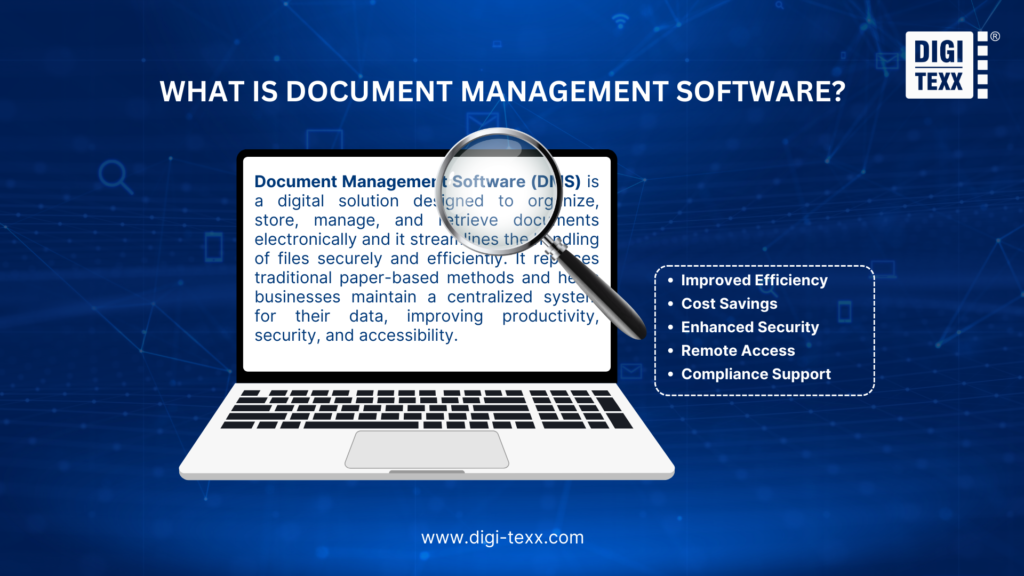
Phần mềm quản lý tài liệu (DMS) là giải pháp kỹ thuật số được thiết kế để sắp xếp, lưu trữ, quản lý và truy xuất tài liệu điện tử và hợp lý hóa việc xử lý tệp một cách an toàn và hiệu quả. Nó thay thế các phương pháp truyền thống dựa trên giấy tờ và giúp các doanh nghiệp duy trì hệ thống tập trung cho dữ liệu của họ, cải thiện năng suất, bảo mật và khả năng truy cập.
DMS gives organizations full control over the entire document lifecycle, from creation and editing to version tracking, approval workflows, and archiving. It integrates with tools businesses already use, such as CRMs, ERPs, and email platforms, ensuring the right people always access the right document at the right time.
Besides, document management software reduces time spent searching for files, strengthens data security, and simplifies compliance with regulations such as HIPAA, GDPR, and ISO standards.
>>> See more:
- Best Offshore Data Annotation Service Providers in 2026
- Outsource Data Conversion Services | DIGI-TEXX
- Top Document Scanning Software for 2026: Features, Pros & Cons
Benefits Of Using A Document Management Software
Adopting document management software delivers measurable improvements across every area of business operations. Here are the key benefits organizations experience:
- Nâng cao hiệu quả: Hợp lý hóa quy trình làm việc của tài liệu, tiết kiệm thời gian tìm kiếm và xử lý tệp.
- Tiết kiệm chi phí: Giảm sự phụ thuộc vào giấy, in ấn và lưu trữ vật lý.
- Tăng cường bảo mật: Bảo vệ các tài liệu nhạy cảm bằng các biện pháp bảo mật tiên tiến.
- Truy cập từ xa: Cho phép nhân viên truy cập tài liệu từ mọi nơi, hỗ trợ môi trường làm việc linh hoạt.
- Hỗ trợ tuân thủ: Hỗ trợ các tổ chức tuân thủ các quy định của ngành và duy trì tài liệu phù hợp.
Phần mềm quản lý tài liệu hiệu quả đóng vai trò quan trọng đối với sự thành công của bất kỳ tổ chức nào, đảm bảo rằng các nguồn lực được sử dụng hiệu quả và các mục tiêu được đáp ứng trong các ràng buộc đã chỉ định. Nó cung cấp cấu trúc, trọng tâm và hướng dẫn cho các nhóm, giúp quản lý sự phức tạp và giảm thiểu rủi ro.
Key Features Of Document Management Software
Modern document management software is built around a set of core features that work together to streamline how businesses store, manage, and collaborate on documents. Here are the most important features to look for when evaluating a solution:
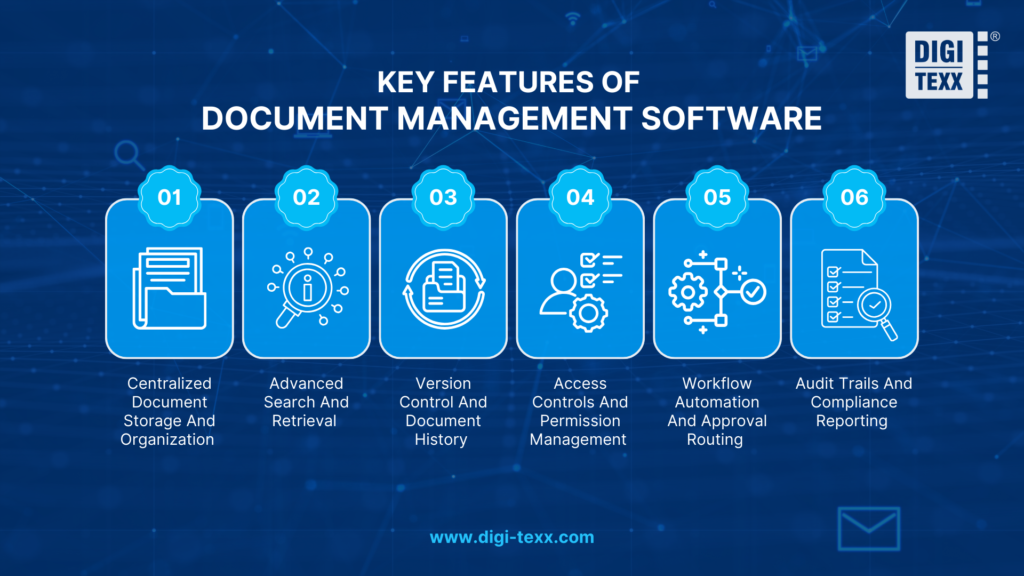
Centralized Document Storage And Organization
All files are stored in a single, cloud-based repository and organized using metadata tagging, folder structures, and consistent naming conventions. This eliminates scattered files across email threads and local drives, making it easy for any team member to locate the right document quickly.
Advanced Search And Retrieval
Full-text search, metadata filters, and tag-based browsing allow users to locate any document within seconds, even across repositories containing thousands of files. Fast, accurate search is what truly separates a DMS from basic cloud storage.
Version Control And Document History
Every edit is automatically saved as a new version with a complete revision history. Users can see exactly what changed, who made the change, and when, and restore any previous version instantly. This is essential for teams collaborating on contracts, reports, or compliance documents.
>>> See more:
- Back Office Support Services For Streamlined & Efficient Operations
- Document Indexing Services For Efficient Search & Data Access
- Data Validation & Verification: Differences With Clear Examples
Access Controls And Permission Management
Role-based access controls allow administrators to define precisely who can view, edit, share, or delete each document. Combined with encryption and multi-factor authentication, granular permissions protect sensitive files while keeping them accessible to authorized users.
Workflow Automation And Approval Routing
Document management software automates review and approval processes by routing documents through predefined workflows based on roles, rules, and deadlines. Reviewers are notified automatically, and escalation paths trigger if deadlines are missed, eliminating manual follow-ups.
Audit Trails And Compliance Reporting
A tamper-proof log of every document action, who accessed, edited, or shared a file, and when, is generated automatically. This gives organizations the documentation they need for HIPAA, GDPR, ISO, and other compliance audits without any additional manual effort.
>>> Explore more:
- B2B Data Cleansing in 2026: The Guide to Maintaining Data Quality
- CRM Data Cleaning Solutions: How to Cleanse Your Data Fast
- 5 Best Data Parsing Software in 2026 | Features & Comparison
How To Choose A Document Management Software
Before committing to a platform, evaluate these eight factors to ensure it genuinely fits your company’s needs:
- Free offer scope: Scrutinize exactly what the free tier includes. Some platforms lock essential features behind paid plans, so confirm that storage, search, and core collaboration tools are available from the start with no hidden costs.
- Scalability: Think beyond your current team size. The right document management software should accommodate growth, whether that means adding users, increasing storage, or unlocking advanced features, without forcing a costly platform migration later.
- Integrations: A DMS that works in isolation defeats its purpose. Prioritize platforms that connect natively with tools your team already relies on, such as Google Workspace, Microsoft 365, or Slack, to keep workflows uninterrupted.
- Ease of use: Adoption depends on simplicity. If the interface requires extensive training, usage will drop quickly. Look for a clean, intuitive design that new users can navigate confidently from day one.
- Security: At minimum, your document management software should offer encryption, role-based access controls, and multi-factor authentication. These are non-negotiable for protecting sensitive business and client information.
Storage limits: Free and entry-level plans often cap storage. Assess your current document volume and expected growth carefully to avoid disruptions caused by hitting storage ceilings at the worst possible moment.
>>> See more:
- Professional Fashion Photo Editing Services for Stunning Visuals
- Invoice Processing Services – Outsourcing Data Entry | DIGI-TEXX
- Financial Data Quality Management: What It Is & Why It Matters
FAQs About Document Management Software
What Is An Example Of A Document Management System?
Well-known examples of document management systems include SharePoint by Microsoft, Google Workspace (Google Drive), DocuWare, M-Files, Laserfiche, and Dropbox Business. Each offers a different combination of features suited to different business sizes and industries. DIGI-DMS by DIGI-TEXX is another strong example, designed specifically for organizations that need secure, centralized document archiving with cloud-ready infrastructure.
Does Microsoft Offer A Document Management System?
Yes, Microsoft offers robust document management system (DMS) capabilities primarily through SharePoint, OneDrive, and Microsoft Teams, all integrated within the Microsoft 365 ecosystem, providing features like version control, security, workflow automation, and compliance. These tools manage the entire document lifecycle, from creation to archival, within a familiar environment that works with Office apps like Word and Outlook.
Are Document Management Software Truly Secure?
Yes, document management software is truly secure. They protect sensitive data through file encryption, strict access controls, and detailed audit trails that track every user action. Features like multi-factor authentication and automatic backups further prevent unauthorized access and data loss, giving users full confidence when storing critical files such as contracts and financial records.
Investing in the right document management software is one of the most impactful decisions a business can make. From reducing manual paperwork and improving team collaboration to ensuring regulatory compliance and protecting sensitive data, a well-chosen DMS transforms the way organizations handle information every day.
With 25 solutions reviewed in this guide, the right choice ultimately depends on your business size, industry requirements, and specific workflow needs. Whether you need a compliance-focused platform, an AI-powered enterprise system, or a simple cloud-based tool for a growing team, there is a document management software built for you.
At DIGI-TEXX, we specialize in helping businesses digitize, standardize, and manage their documents through our DIGI-DMS solution, a centralized, secure, and cloud-ready platform designed to reduce operational effort and improve data transparency at every level.
If you have any questions or would like expert advice on data analytics services, please feel free to contact us using the information below.
DIGI-TEXX Contact Information:
🌐 Website: https://digi-texx.com/
📞 Hotline: +84 28 3715 5325
✉️ Email: [email protected]
🏢 Address:
- Headquarters: Anna Building, QTSC, Trung My Tay Ward
- Office 1: German House, 33 Le Duan, Saigon Ward
- Office 2: DIGI-TEXX Building, 477-479 An Duong Vuong, Binh Phu Ward
- Office 3: Innovation Solution Center, ISC Hau Giang, 198 19 Thang 8 street, Vi Tan Ward
Reference:
- AIIM. (n.d.). What is enterprise content management (ECM)? Association for Intelligent Information Management. https://www.aiim.org
- ARMA International. (n.d.). Information governance and records management principles. https://www.arma.org