Document management system (DMS) is software that helps teams securely organize, store, retrieve, and track business-critical documents, replacing traditional paper-based processes with a more efficient and secure approach. Choosing the right platform can significantly improve productivity, collaboration, and regulatory compliance across your organization.
>>> See more:
- Ecommerce Back Office Support Services By DIGI-TEXX
- Professional E-commerce Data Entry Services by DIGI-TEXX
- Insurance Back Office Support Services for Insurers & Agencies
- Data Labeling Service: Benefits, Top Providers & How to Choose
What Is Document Management Software?
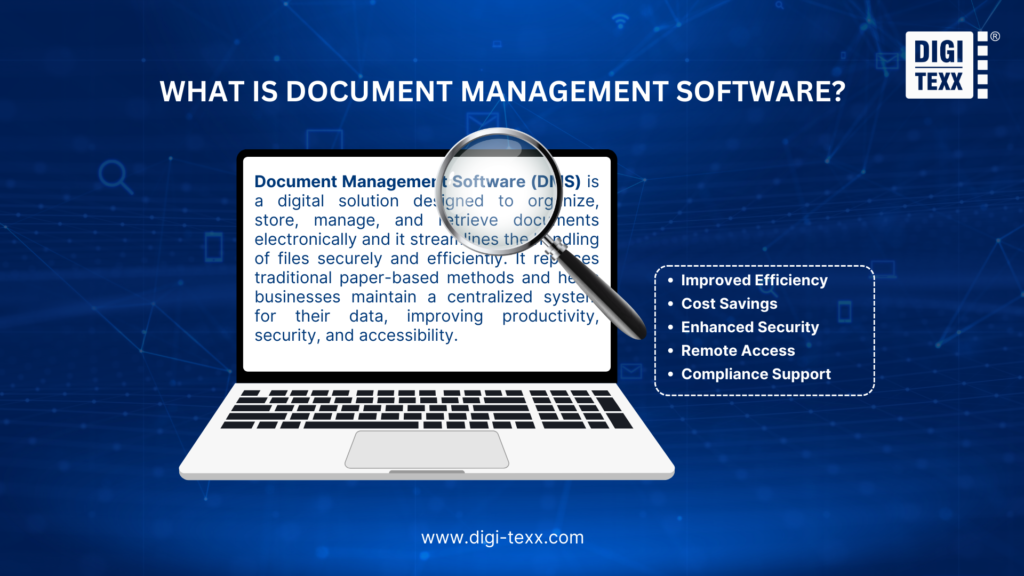
Document Management Software (DMS) is a digital solution designed to organize, store, manage, and retrieve documents electronically and it streamlines the handling of files securely and efficiently. It replaces traditional paper-based methods and helps businesses maintain a centralized system for their data, improving productivity, security, and accessibility.
These platforms give organizations full control over the entire document lifecycle, from creation and editing to version tracking, approval workflows, and archiving. As comprehensive software for document management, they integrate with tools businesses already use, such as CRMs, ERPs, and email platforms, ensuring the right people always access the right document at the right time.
Besides, document management platforms reduces time spent searching for files, strengthens data security, and simplifies compliance with regulations such as HIPAA, GDPR, and ISO standards.
>>> See more:
- Best Offshore Data Annotation Service Providers in 2026
- Outsource Data Conversion Services | DIGI-TEXX
- Top Document Scanning Software for 2026: Features, Pros & Cons
Document Management Systems Comparison Table
To help you navigate the options, here is a quick-reference comparison of the 35+ best document management platforms, outlining what each tool is best for, its standout feature, and pricing.
| Category | Software | Best For | Standout Feature | Price |
| Enterprise Archiving, Records & Compliance Management | 1. DIGI-DMS | Businesses needing secure, centralized document archiving | Cloud-ready multi-tenant platform with advanced search & encryption | Contact for pricing |
| 2. PaperTracer | Businesses prioritizing compliance and secure storage | Automated workflow management + compliance tracking | Contact for pricing | |
| 3. MasterControl | Document control for regulated industries (pharma, life sciences, manufacturing)Regulated industries (pharma, life sciences, manufacturing) | FDA, ISO & GMP compliance automation with full audit trails | Contact for pricing | |
| 4. Templafy | Large enterprises managing brand & template compliance | Automated compliance checks + template governance | Contact for pricing | |
| 5. Dokmee | Mid-to-large enterprises handling high document volumes | AI-powered smart indexing + rules-based automated routing | Contact for pricing | |
| 6. Ademero Content Central | Businesses needing scalable document management | Document capture, indexing & secure cloud storage | Contact for pricing | |
| 7. NetDocuments | Law firms and regulated professional services (legal, finance) needing FedRAMP-authorized document security | Metadata-driven filing with predictive filing suggestions built directly into Outlook; purpose-built for legal workflows | No public pricing — quote-based. Market estimates range widely, roughly $20-$65+/user/month depending on firm size and features | |
| 8. Hyland Alfresco | Large enterprises and dev teams wanting open-architecture ECM without vendor lock-in | Open-source core (free Community Edition available) plus a paid Enterprise Edition with governance, hybrid cloud/on-prem deployment, and custom content-app development | Community Edition free (open source). Enterprise Edition: custom quote-based pricing (no public tiers) | |
| 9. OpenText | Large, regulated organizations (government, finance, healthcare) needing deep records management and compliance | Extends and integrates with an organization’s existing systems rather than requiring a rip-and-replace; strong information governance and AI-driven content intelligence | Custom quote-based pricing – no public tiers | |
| 10. FileHold | Mid-to-large enterprises in regulated industries (healthcare, government, finance) needing structured records control at scale | “Virtual folders” let PMs aggregate documents from across the entire library into one personal view; built-in retention/disposition policies + full audit trail | Pricing upon request (free trial + demo available) | |
| Workflow Automation & Metadata-Driven Document SystemsCloud Collaboration & Storage Suites | 11. M-Files | Businesses seeking automated document organization | Metadata-driven AI auto-classification & file organization | Contact for pricing |
| 12. Laserfiche | Enterprise businesses needing advanced automation | Sophisticated workflow automation + smart search | From $53/user/month | |
| 13. DocuWare Cloud | Remote teams needing cloud-based workflow automation | 500+ native integrations + AI-powered auto-indexing | Contact for pricing | |
| 14. Revver (formerly eFileCabinet) | SMBs needing workflow automation | No-code process automation + enhanced collaboration | Contact for pricing | |
| 15. MacroView | Legal, finance, and professional-services teams already running Microsoft 365 | Automatic email-filing rules route Outlook messages straight into the correct SharePoint location — no manual filing; adds DMS panels inside Word/Excel/PowerPoint/Acrobat | From $4.95/user/month (billed annually) | |
| 16. SharePoint(Microsoft 365) | Microsoft-ecosystem businesses needing enterprise-grade collaboration | Seamless Microsoft 365 integration + Copilot AI | From $5/user/month | |
| 17. Google Workspace (Docs, Drive, Sheets) | Real-time team collaboration & file sharing | Full productivity suite with Gemini AI integration | From $7/user/month | |
| 18. Box | Teams needing secure collaboration across locations | 1,500+ app integrations + AI-powered document search | From $154/user/month | |
| 19. Dropbox Business | Teams needing file syncing and easy sharing | File version history, recovery & seamless integrations | From $15/user/month | |
| 20. Egnyte | Security-focused and regulated businesses | Ransomware detection, recovery & built-in compliance | From $22/user/month | |
| 21. OnlyOffice | Small to medium businesses seeking open-source flexibility | Open-source document editing with real-time collaboration | Free plan available; from $20/admin/month | |
| PDF Editing, eSignature & Mobile Document Tools | 22. Adobe Acrobat Studio | Businesses relying heavily on PDFs and eSignatures | Comprehensive PDF suite with Acrobat Sign | From $23.99/month |
| 23. DocHub | Professionals managing PDFs and eSignatures | Browser-based PDF editing + unlimited cloud storage | Free plan available; Pro from ~$14/month | |
| 24. Fluix | Mobile and field-based teams | Offline mode for field engineers with iOS app support | ||
| 25. SignNow | SMBs and solo professionals (real estate, insurance, legal, accounting) needing affordable e-signatures | Budget-friendly alternative to DocuSign/Adobe Sign with unlimited templates and full mobile app support | Business plan from $8/user/month (billed annually); Business Premium ~$15; Enterprise ~$30/user/month | |
| 26. pdfFiller | Individuals/teams needing straightforward PDF editing, with e-signature as an optional add-on | needing straightforward PDF editing, with e-signature as an optional add-onPart of the airSlate ecosystem (same family as SignNow) — PDF editing and e-signature in one connected suite | From $8/month (annual, editing only); Premium $15/month adds e-signatures | |
| Sales, Proposal & Content Collaboration Tools | 27. PandaDoc | Sales teams managing proposals and contracts | 1,000+ templates + CRM integrations (Salesforce, HubSpot) | Free plan available; from $35/user/month |
| 28. HubSpot Documents | Sales and marketing teams tracking content engagement | Real-time document engagement analytics + CRM integration | Free plan available (part of Sales Hub) | |
| 29. XaitPorter | Teams producing complex co-authored documents | True simultaneous co-authoring with automated formatting | Contact for pricing | |
| 30. Hightail Business | Creative teams managing large multimedia files | File sharing with client feedback & revision tools | ||
| 31. Samepage | SMBs wanting an all-in-one workspace | Combines documents, team chat & task management in one platform | Contact for pricing | |
| All-in-One Docuemnt & Knowledge Management Tools | 32. Confluence | Team collaboration on documents & internal wikis, especially teams already using Jira/Atlassian | Deep native integration with Jira/Atlassian ecosystem; real-time co-editing; paid tiers now bundle Rovo AI (AI search, chat, agents) | Free for up to 10 users. Standard plan starts at ~$5.42-$6.70/user/month (billed annually); Premium ~$10.44-$12.30/user/month; Enterprise custom |
| 33. Helpjuice | Creating highly customizable, searchable FAQ & knowledge base articles for customer-facing and internal support | Full HTML/CSS design control (rare among KB tools) + powerful full-text search; AI Suite (AI Writer, AI Search, “Swifty” chatbot) on higher tiers | Flat-rate, no free plan (14-day trial): $249/month for 30 users, $449/month for 100 users + AI/SSO, $799/month for unlimited users | |
| 34. Slite | AI-powered collaborative internal knowledge base for startups & remote/hybrid teams (~5–50 people) | “Ask” – an AI assistant that answers team questions by citing verified internal docs directly, instead of manual searching | Free plan available (limited docs/AI queries). Standard $8/user/month (billed annually); Premium/Knowledge Suite ~$16-20/user/month (min. 10 users); Enterprise custom | |
| 35. Document360 | Creating public-facing product/technical documentation & self-service help centers, mainly for SaaS companies | Best-in-class version control with granular rollback + “Eddy AI” for AI search/writing + RBAC content workflows | Custom/quote-based, priced per project, not per user — historically Professional ≈$149-249, Business ≈$299–499, Enterprise ≈$599-799+/project/month (annual). | |
| 36. ProProfs Knowledge Base | Knowledge Base SMBs needing to easily create & manage help sites, manuals & private knowledge bases without coding | Per-author pricing (readers are free); fast, no-code setup; imports directly from Word/PDF/PPT; integrates with the ProProfs ecosystem (Live Chat, Help Desk, Survey Maker) | Free plan available (limited to 1 author, 25 pages). Paid plans start at $49/author/month (billed annually; $79/author/month if billed monthly) | |
| 37. Guru | Internal team knowledge for sales, support, and customer success teams | AI-verified answers with citations, delivered directly inside Slack, Microsoft Teams, and the browser (not a separate app to check) | Self-serve plan $25/user/month (10-seat minimum → effective floor ~$250/month); Enterprise: custom pricing |
>>> See more:
- Invoice Processing Outsourcing Services For US Businesses
- Data Quality Management: Importance, Tools, and Best Practices
- What is Optical Character Recognition (OCR) and How Does It Work?
35+ Best Document Management Software Solutions In 2026
Below is a curated list of the 35+ best document management platforms, each tailored to meet diverse organizational needs. Dive into the detailed breakdown of features, benefits, and use cases of these top-performing tools.
1. DIGI-DMS: A Top Document Management Software In 2026
DIGI-DMS is a cloud-ready enterprise document management system (DMS) developed by DIGI-TEXX to help organizations centralize document archiving, streamline information retrieval, and improve document governance. Built on a scalable multi-tenant architecture, the platform enables businesses to securely upload, classify, search, and store both digital and scanned documents while integrating seamlessly with existing enterprise systems. Combined with OCR, metadata management, and centralized repositories, DIGI-DMS supports organizations in accelerating digital transformation and reducing operational costs.
Key Features:
- Centralized document repository: Consolidate business documents into a secure, centralized database for faster access and improved governance.
- Metadata-driven classification: Organize documents using customizable metadata, document types, and business rules for efficient information management.
- Advanced search with OCR: Retrieve documents within seconds through full-text OCR search, metadata filters, keywords, and indexed content.
- Duplicate detection and document control: Reduce redundant records and improve data quality through duplicate checking and standardized document management.
- Scalable cloud-ready architecture: Support multi-user, multi-tenant deployments with flexible scaling for organizations of all sizes.
- Enterprise system integration: Integrate with existing business applications and workflows through standard APIs and enterprise integration capabilities.
Best For:
DIGI-DMS is best suited for enterprises, government agencies, financial institutions, healthcare providers, manufacturers, and organizations that require secure document archiving, centralized records management, and fast access to high volumes of business documents while supporting long-term digital transformation initiatives.
DIGI Rating:
4.8/5 on Clutch (DIGI-TEXX)
DIGI Pricing:
- Custom quote-based pricing tailored to business size, deployment model, storage volume, and implementation requirements.
- Pricing varies depending on user licenses, integrations, customization, and managed services.
2. PaperTracer
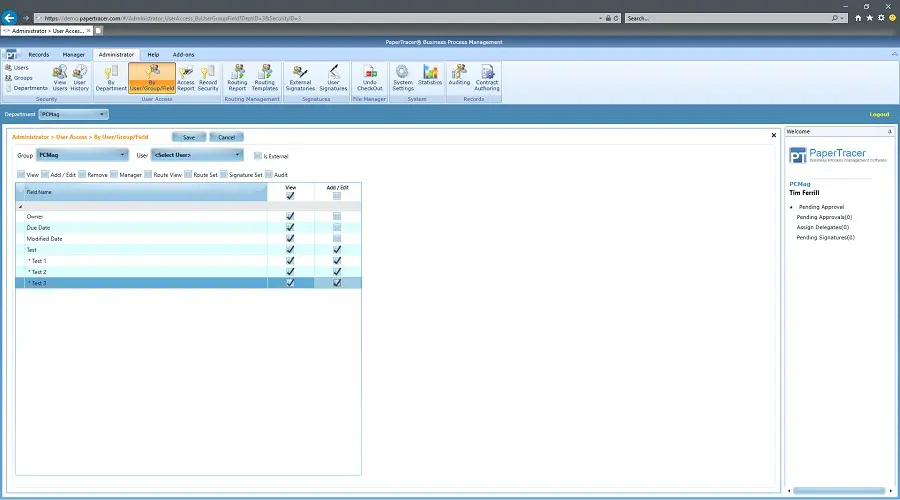
PaperTracer is a cloud-based document management software designed to help businesses digitize, organize, and automate document-intensive processes. The platform combines secure cloud storage, workflow automation, document version control, and compliance management into a centralized solution, enabling organizations to reduce manual paperwork while improving operational efficiency. With built-in OCR, configurable workflows, and audit capabilities, PaperTracer is particularly well suited for businesses operating in regulated industries that require secure document handling and compliance tracking.
Key Features:
- Automated workflow management: Streamline document routing, approvals, notifications, and task assignments with configurable workflow automation.
- Integrated OCR and intelligent indexing: Capture, classify, and retrieve documents quickly using OCR technology and advanced search capabilities.
- Version control and audit trails: Maintain complete document histories, monitor revisions, and track user activities for improved governance and compliance.
- Secure cloud document repository: Store business documents in a centralized, encrypted environment with role-based access controls.
- Compliance-focused document management: Support regulatory requirements through document retention policies, audit logs, and secure records management.
- Flexible integrations and APIs: Connect with ERP, CRM, accounting systems, and other enterprise applications to streamline document-centric business processes.
Best For:
PaperTracer is best suited for small and mid-sized businesses, healthcare providers, legal firms, financial services organizations, government agencies, and other compliance-driven industries that need secure document storage, automated workflows, and reliable records management.
Rating:
- 4.4/5 on G2
Pricing:
- Custom quote-based pricing tailored to business size, deployment requirements, and selected modules.
- Pricing depends on the number of users, storage capacity, workflow automation features, and integration requirements.
- Organizations can request a personalized demo and quotation directly from the PaperTracer sales team.
Visit Website: https://www.papertracer.com/
3. MasterControl
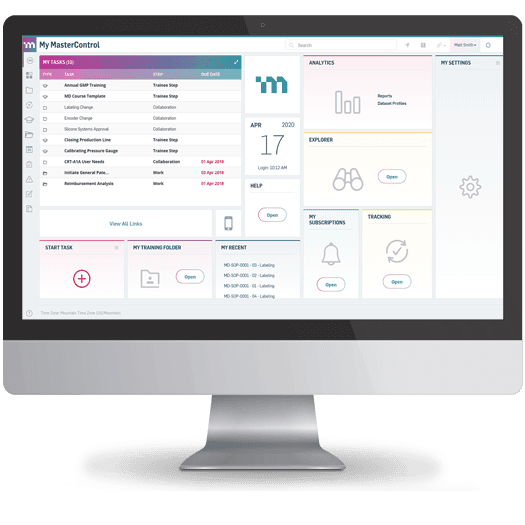
MasterControl Document Control Software is a compliance-focused document management software solution used by some of the world’s largest regulatory bodies and enterprises. Recognized as one of the best DMS software options for regulated industries, it fully automates the routing, delivery, escalation, and approval of vital documents, and provides a centralized, secure archive designed to meet complex global regulatory standards.
Key features:
- Compliance-driven document workflows: Automate document creation, review, approval, routing, escalation, and distribution using configurable rules-based workflows.
- Centralized document repository: Store controlled documents in a secure, searchable repository with version tracking and controlled access permissions.
- Electronic signatures and approvals: Support compliant digital approvals aligned with regulations such as FDA 21 CFR Part 11 and other electronic record requirements.
- Regulatory compliance management: Built-in controls support quality standards including FDA, ISO 9001, ISO 13485, GMP, and other industry regulations.
- Comprehensive audit trails: Record every document action, including edits, approvals, access history, and user activity to simplify regulatory inspections.
- Automated training management: Link employee training requirements directly to document updates, ensuring staff are trained on the latest approved procedures.
- Quality system integration: Connect document control with related quality processes such as CAPA (Corrective and Preventive Action), change control, and deviation management.
- Mobile document review: Allow authorized users to review, approve, and manage documents remotely through mobile-friendly access.
Best For:
Master Control is best for large enterprises and highly regulated industries, such as life sciences, pharmaceuticals, and manufacturing, that require a document management software solution built specifically to address complex compliance and regulatory requirements.
Rating:
- 4.5/5 on Capterra (based on 535+ verified reviews)
- 4.3/5 on G2 (based on 500+ verified reviews)
Pricing:
- Custom quote-based pricing: MasterControl does not publish standard pricing publicly and provides customized quotes based on organization size, deployment model, users, and required modules.
- Quality Excellence Basic package: Reported pricing starts at approximately USD 25,000/year for entry-level deployments.
- Standard and Complete editions: Require customized quotations based on additional quality management capabilities.
- Additional costs may apply for:
- Implementation and system configuration
- Employee training
- Premium support services
- Additional modules such as CAPA, change control, and quality management features
Visit Website: https://www.mastercontrol.com/
4. Templafy
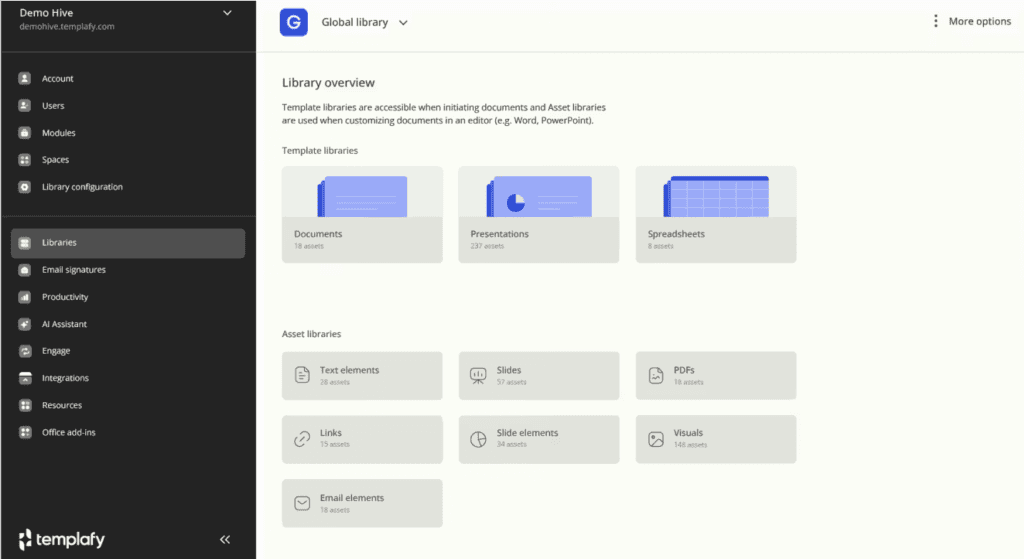
Templafy is an enterprise document management and content enablement platform designed to help organizations create consistent, compliant, and professionally branded documents at scale. Unlike traditional DMS platforms that primarily focus on storing and retrieving files, Templafy focuses on document creation governance by ensuring employees always use approved templates, up-to-date assets, and compliant content. Its deep integration with Microsoft 365 makes it particularly valuable for global enterprises managing large volumes of business documents across multiple departments and regions.
Key features:
- Enterprise template governance: Centralize, manage, and distribute approved document templates to ensure employees always create materials using the latest brand and compliance standards.
- Automated brand and compliance controls: Automatically apply corporate branding elements, legal disclaimers, and required compliance information during document creation.
- Dynamic document generation: Automatically populate documents with relevant data from CRM systems, user profiles, or enterprise databases to reduce manual input and improve accuracy.
- Microsoft 365 native integration: Enable users to access and create compliant documents directly within Microsoft Word, PowerPoint, Outlook, and other familiar productivity tools.
- Centralized digital asset library: Manage approved images, logos, icons, presentations, and other business assets through a single source of truth.
- Global document governance: Provide administrators with centralized control over document standards, permissions, content updates, and compliance policies across departments and locations.
- Content lifecycle management: Track, update, and retire outdated templates and assets to prevent employees from using incorrect or unauthorized content.
Best For:
Templafy is best suited for large enterprises, multinational organizations, financial institutions, consulting firms, legal teams, and regulated industries that need centralized control over document creation, brand consistency, compliance requirements, and integration with existing productivity ecosystems.
Rating:
- 4.6/5 on G2 (based on verified customer reviews)
- 4.5/5 on Capterra (based on verified user reviews)
Pricing:
- Custom enterprise pricing: Templafy does not publicly disclose standard pricing.
- Pricing depends on factors including:
- Number of users and deployment scale
- Required integrations (Microsoft 365, CRM, ERP, etc.)
- Document automation requirements
- Digital asset management needs
- Enterprise security and governance requirements
- Organizations need to contact Templafy for a customized quotation and product demonstration.
Visit Website: https://www.templafy.com/
5. Dokmee
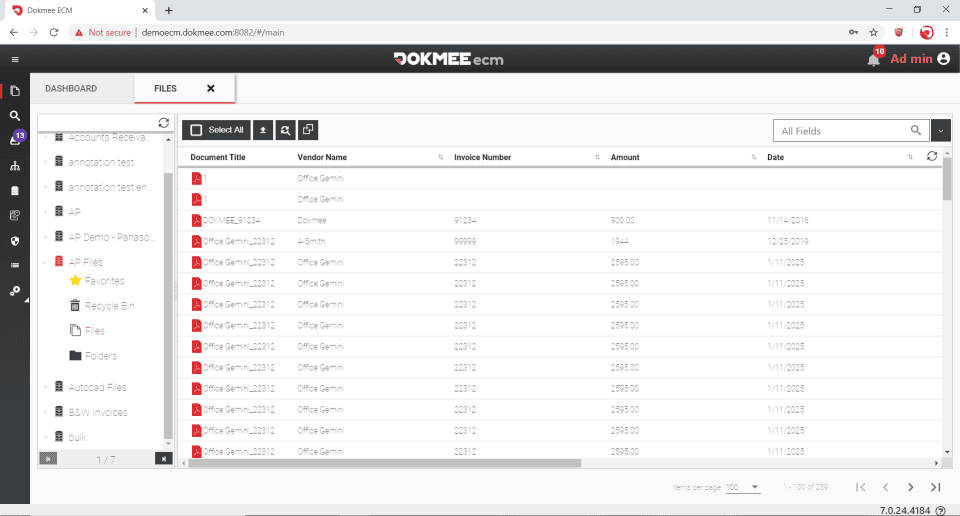
Dokmee is an enterprise document management and enterprise content management (ECM) platform designed to help organizations capture, organize, secure, and retrieve business documents efficiently. The platform combines AI-powered document capture, intelligent indexing, workflow automation, and secure cloud or on-premises deployment to streamline document-intensive processes. With support for version control, audit trails, and role-based security, Dokmee enables businesses to improve operational efficiency while maintaining compliance and document governance.
Key features:
- AI-powered intelligent document capture: Automatically classifies, indexes, and extracts data from scanned and digital documents using OCR and AI technologies.
- Workflow automation: Streamlines document routing, approvals, and business processes through configurable rules-based workflows.
- Flexible deployment options: Available as both cloud-based (Dokmee Cloud) and on-premises solutions to meet different security and compliance requirements.
- Enterprise-grade document security: Protects sensitive information with role-based access controls, encryption, version control, and comprehensive audit trails.
- Advanced search and retrieval: Enables users to quickly locate documents using full-text OCR search, metadata indexing, and customizable filters.
- Comprehensive document capture: Supports scanning, email capture, mobile uploads, and integration with multifunction printers to digitize paper-based workflows.
Best For:
Dokmee is best suited for mid-sized and large enterprises that need an intelligent document management solution with AI-powered document capture, workflow automation, and strong security. It is particularly well suited for organizations in healthcare, finance, government, legal, education, manufacturing, and logistics that manage large volumes of business documents.
Rating:
- 4.5/5 on G2
- 4.6/5 on Capterra
Pricing:
Dokmee does not publicly disclose its pricing. The platform follows a custom quote model, with pricing depending on deployment option (cloud or on-premises), number of users, storage requirements, and selected modules.
Visit Website: https://www.dokmee.com/
6. Ademero Content Central
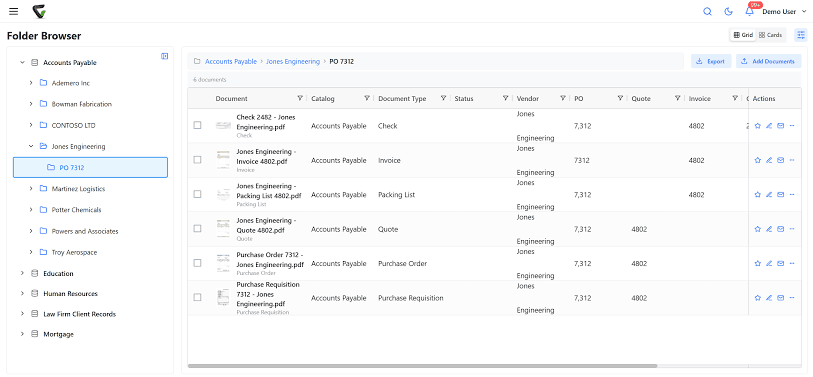
Ademero Content Central is a robust document management software solution that offers businesses secure document storage, workflow automation, and advanced search capabilities. It enhances collaboration, improves efficiency, and simplifies compliance management with intuitive, scalable features, making it a well-rounded document management solution for growing teams.
Key features:
- Intelligent document capture and indexing: Digitizes paper documents and automatically indexes files for faster organization and retrieval.
- Automated workflow management: Streamlines document routing, approvals, notifications, and business processes through configurable workflows.
- Flexible cloud or on-premises deployment: Supports organizations with different IT infrastructure, security, and compliance requirements.
- Advanced search and retrieval: Quickly locates documents using full-text search, metadata, OCR indexing, and customizable search filters.
- Enterprise-grade document security: Protects sensitive information with role-based permissions, version control, audit trails, and document retention policies.
- Integrated records management: Helps organizations manage document lifecycles, retention schedules, and compliance requirements from a centralized repository.
Best For:
Ademero Content Central is best suited for mid-sized and large enterprises, healthcare organizations, financial institutions, legal firms, manufacturers, government agencies, and compliance-driven businesses that require secure document management, workflow automation, and enterprise content governance.
Rating:
- 4.3/5 on Capterra (based on 40+ verified reviews)
- 4.3/5 on G2
Pricing:
- Professional: Starts from USD 10/user/month (listed on Capterra).
- Enterprise DMS: Pricing starts from approximately USD 49/user/month, with enterprise deployments available through custom quotations.
- Pricing varies depending on:
- Number of users
- Cloud or on-premises deployment
- Workflow automation requirements
- Storage capacity and integrations
- A free trial is available, and enterprise customers can request a customized quotation.
Visit Website: https://www.ademero.com
7. NetDocuments
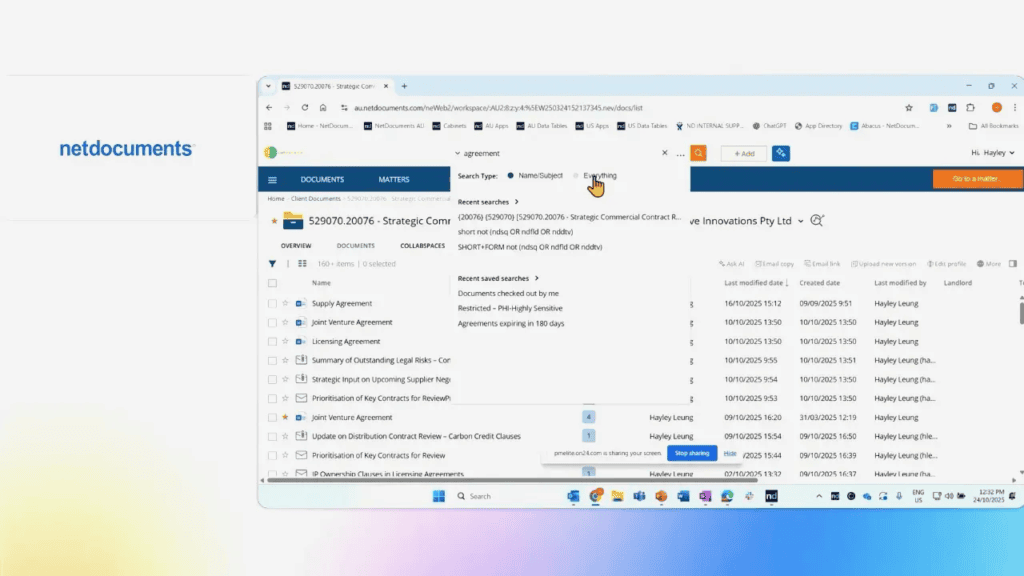
NetDocuments is an enterprise cloud document management platform that helps organizations securely manage, govern, and retain business documents throughout their lifecycle. Designed with a strong focus on information governance, records management, and regulatory compliance, the platform enables enterprises to centralize sensitive content while maintaining strict security and auditability. Its cloud-native architecture, intelligent document organization, and seamless Microsoft 365 integration make it a trusted solution for industries with stringent compliance requirements, including legal, financial services, and professional services.
Key Features:
- Enterprise information governance: Centralizes document retention, disposition policies, and records management to help organizations maintain compliance throughout the document lifecycle.
- Metadata-driven document organization: Replaces traditional folder structures with metadata, enabling faster search, improved classification, and more consistent document management.
- Intelligent filing and document discovery: Uses predictive filing suggestions and AI-powered search to improve productivity and reduce manual document organization.
- Enterprise-grade security and compliance: Delivers encryption, granular access controls, audit trails, ethical walls, and regulatory compliance capabilities for managing sensitive business information.
- Native Microsoft 365 integration: Allows users to create, edit, file, and manage documents directly from Microsoft Word, Outlook, Teams, and other Microsoft applications.
- Secure collaboration across organizations: Enables internal teams, clients, and external partners to collaborate securely while maintaining governance and document control.
Best For:
NetDocuments is best suited for large enterprises and regulated organizations that require secure document archiving, records governance, and compliance management. It is particularly well suited for legal services, financial institutions, accounting firms, consulting firms, and corporate legal departments handling confidential or highly regulated information.
Rating:
- 4.4/5 on G2
- 4.7/5 on Capterra
Pricing:
- Custom enterprise pricing based on the number of users, storage requirements, security features, and deployment scope.
- Industry estimates indicate pricing typically ranges from USD 20–65+ per user/month, depending on firm size, licensing model, and selected features.
- Additional costs may apply for advanced governance, AI capabilities, implementation, migration, and premium support.
- Organizations can request a personalized quotation and product demonstration directly from NetDocuments.
Visit Website: https://www.netdocuments.com/
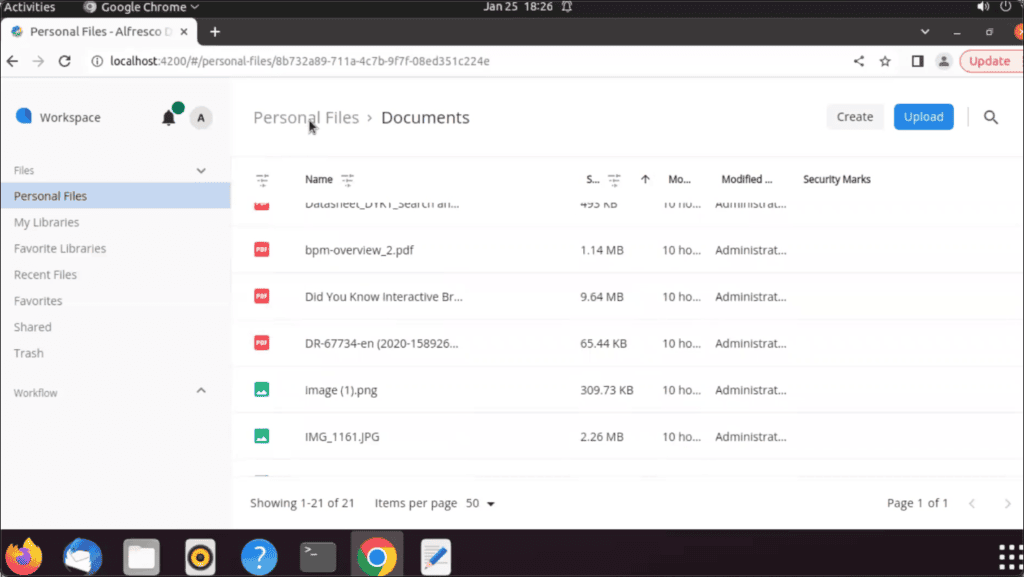
8. Hyland Alfresco
Hyland Alfresco is an enterprise content management (ECM) and document management platform that enables organizations to manage documents, business processes, and records within a flexible, open architecture. Originally developed as an open-source solution, Alfresco combines document management, workflow automation, records governance, and content services into a scalable platform that supports cloud, on-premises, and hybrid deployments. Its extensible architecture and API-first approach make it a popular choice for enterprises seeking to avoid vendor lock-in while building customized content management solutions.
Key Features:
- Open-source ecosystem: Start with the free Community Edition or upgrade to the Enterprise Edition for commercial support, governance, and advanced enterprise capabilities.
- API-first platform: Easily connect Alfresco with ERP, CRM, SAP, Microsoft 365, and custom business applications through extensive REST APIs and SDKs.
- Build custom content applications: Create tailored document-centric solutions instead of adapting business processes to rigid software limitations.
- Hybrid deployment freedom: Run workloads across cloud, on-premises, or hybrid environments without sacrificing governance or scalability.
- Enterprise records governance: Manage retention schedules, legal holds, document lifecycle policies, and audit requirements from a centralized platform.
- Scalable content services: Process millions of documents while supporting business process automation, enterprise search, and intelligent content organization.
Best For:
Large enterprises, government agencies, financial institutions, and development teams looking for an open, highly customizable enterprise content management platform that avoids vendor lock-in while supporting enterprise-scale governance.
Rating:
- 4.3/5 on G2
- 4.4/5 on Capterra
Pricing:
- Community Edition: Free and open source.
- Enterprise Edition: Custom quote-based pricing based on deployment model, users, support level, and enterprise modules.
Visit Website: https://www.hyland.com/en
9. OpenText
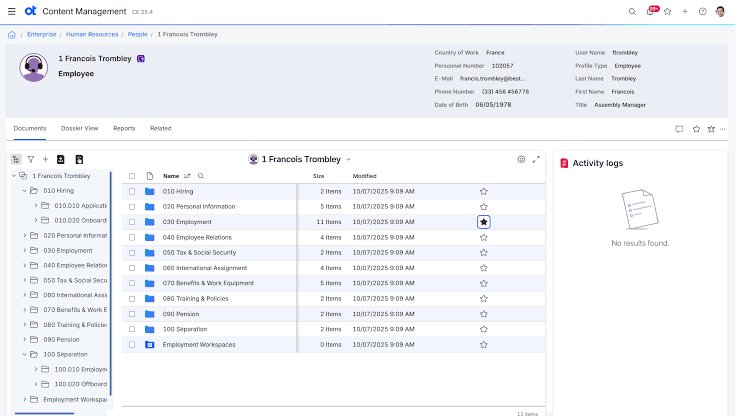
OpenText is an enterprise information management (EIM) platform that provides advanced document management, enterprise content management (ECM), records governance, and business process automation for large organizations. Rather than functioning as a standalone document repository, OpenText enables enterprises to manage the entire lifecycle of business content—from document creation and collaboration to records retention, compliance, and archival. Its broad portfolio of information management solutions and deep integration with SAP, Microsoft, and enterprise applications make it one of the most comprehensive document management platforms for global organizations.
Key Features:
- Enterprise content management: Centralize documents, emails, digital assets, and business records in a secure repository with enterprise-scale governance.
- Intelligent information governance: Automate document classification, retention schedules, legal holds, and records disposition to support regulatory compliance.
- AI-powered content intelligence: Leverage AI and machine learning to classify documents, extract metadata, improve enterprise search, and automate repetitive document processes.
- Business process automation: Streamline document-centric workflows, approvals, case management, and content-driven business processes through low-code automation.
- Enterprise integrations: Integrate seamlessly with SAP, Microsoft 365, Salesforce, Oracle, Google Workspace, and other enterprise platforms to unify business information.
- Comprehensive security and compliance: Protect sensitive content with encryption, granular access controls, audit trails, and compliance support for regulations such as GDPR, HIPAA, and industry-specific standards.
- Flexible deployment: Support cloud, on-premises, and hybrid environments to meet enterprise IT, security, and regulatory requirements.
Best For:
Large enterprises and highly regulated industries—including financial services, healthcare, manufacturing, energy, telecommunications, and government—that require enterprise-scale content governance, compliance, and business application integration.
Rating:
- 4.2/5 on G2
- 4.3/5 on Gartner Peer Insights
Pricing:
- Custom enterprise pricing based on deployment model, number of users, storage requirements, and selected modules.
- Pricing varies depending on:
- Cloud, on-premises, or hybrid deployment
- Enterprise Content Management (ECM) capabilities
- Information governance and records management modules
- AI-powered automation and enterprise integrations
- Professional services, implementation, and support
- Organizations can contact OpenText for a personalized quotation and solution demonstration.
Visit Website: https://www.opentext.com/
10. FileHold
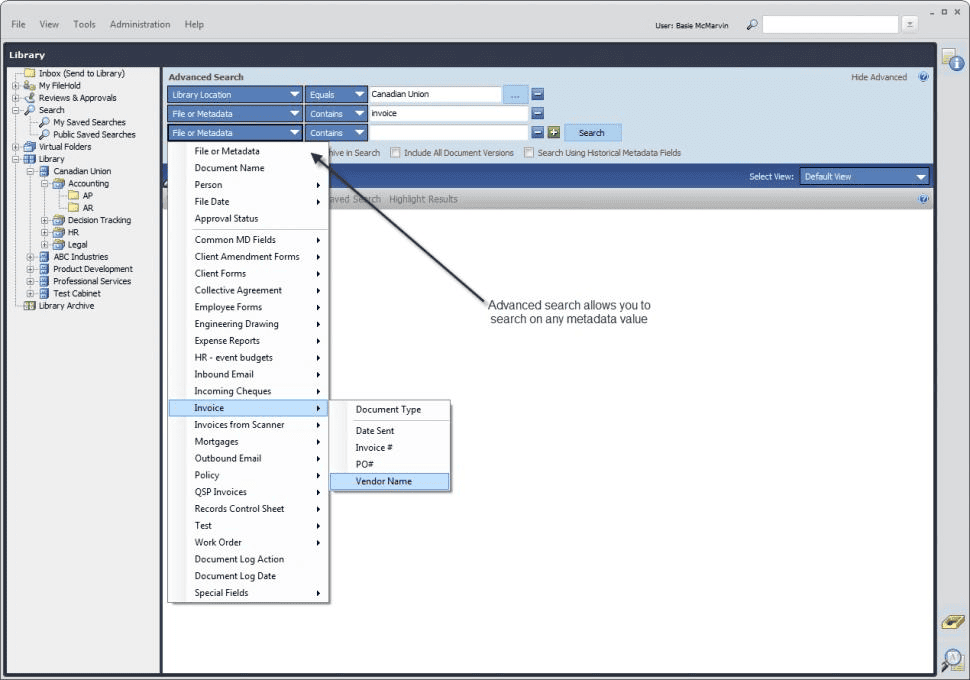
FileHold simplifies enterprise document control by combining secure document management, records governance, and workflow automation into a single platform. Designed for organizations that need to transition from paper-based processes to digital operations, FileHold helps teams organize documents, enforce retention policies, and maintain compliance without the complexity of large-scale enterprise content management (ECM) systems. Its flexible deployment options and familiar interface make it a practical choice for businesses seeking greater control over business records and document lifecycles.
Key Features:
- Comprehensive records management: Manage document lifecycles with retention schedules, legal holds, disposition policies, and audit-ready records governance.
- Structured document organization: Organize content using libraries, cabinets, folders, and metadata to improve consistency and retrieval across departments.
- Business process automation: Streamline document reviews, approvals, and routing with configurable workflows and automated notifications.
- Advanced document capture: Digitize paper records through scanning, OCR, and email capture while automatically indexing content for faster retrieval.
- Flexible deployment: Choose between cloud, on-premises, or hybrid deployments based on organizational security and compliance requirements.
- Microsoft Office integration: Save, edit, and manage documents directly from Microsoft Office applications while maintaining version control and document security.
Best For:
FileHold is best suited for small to mid-sized enterprises, government agencies, healthcare providers, engineering firms, educational institutions, and professional services organizations that require structured document control, records management, and regulatory compliance without investing in a highly complex ECM platform.
Rating:
- 4.5/5 on G2
- 4.7/5 on Capterra
Pricing:
- Cloud Edition: Custom quote-based pricing depending on the number of users, storage requirements, and deployment needs.
- On-Premises Edition: Custom licensing based on server configuration and enterprise requirements.
- Pricing may vary based on:
- User licenses
- Storage capacity
- Workflow automation modules
- Records management features
- Professional implementation and support services
- Organizations can request a personalized demo and quotation directly from FileHold.
Visit Website: https://filehold.com/
11. M-Files
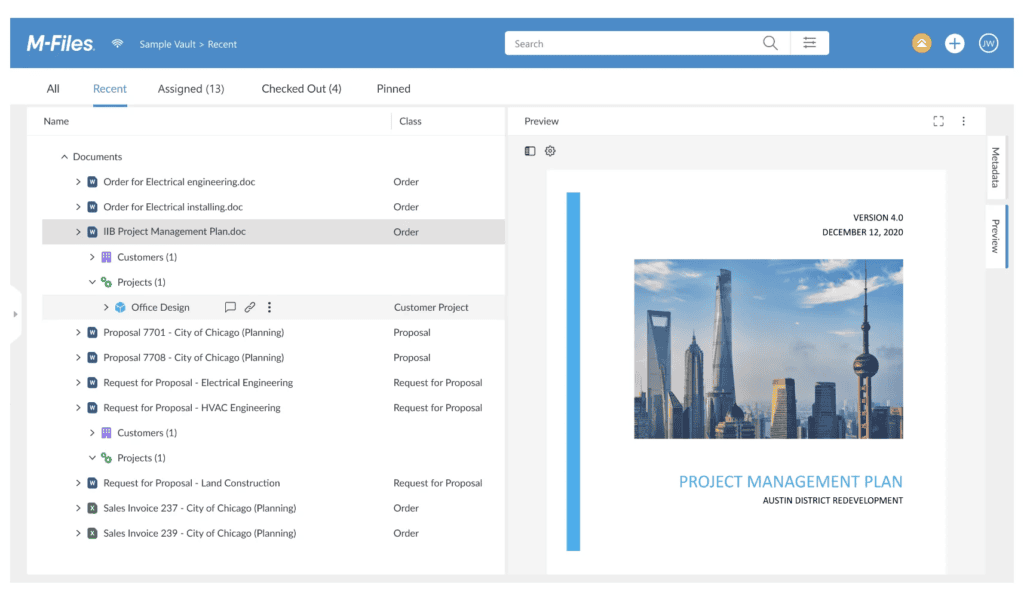
M-Files redefines document management by organizing information based on what it is rather than where it is stored. Instead of relying on traditional folder structures, the platform uses metadata, artificial intelligence, and automation to classify, retrieve, and govern documents across multiple repositories. This metadata-driven approach helps organizations eliminate duplicate content, improve information discovery, and ensure employees always work with the most accurate and up-to-date documents.
Key Features:
- Metadata-driven document management: Classify and organize documents using metadata instead of folders, making information easier to find and manage.
- AI-powered content discovery: Leverages artificial intelligence to automatically categorize documents, extract metadata, and surface relevant information.
- Repository-agnostic platform: Connects to existing storage systems—including SharePoint, network drives, and cloud storage—without requiring content migration.
- Intelligent workflow automation: Automates document approvals, reviews, and business processes with configurable workflows and business rules.
- Built-in compliance and governance: Supports version control, audit trails, retention policies, and access permissions to meet regulatory requirements.
- Context-aware collaboration: Displays related documents, customers, projects, and business information together, enabling employees to work more efficiently.
Best For:
M-Files is best suited for mid-sized and large enterprises seeking a smarter way to manage information across multiple repositories. It is particularly valuable for organizations in professional services, manufacturing, financial services, engineering, life sciences, and consulting that need strong compliance, process automation, and rapid access to business-critical information.
Rating:
- 4.4/5 on G2
- 4.7/5 on Capterra
Pricing:
- Custom quote-based pricing based on the number of users, deployment model, storage requirements, AI capabilities, and workflow automation needs.
- Pricing varies depending on:
- Cloud or on-premises deployment
- User licensing
- Workflow automation and compliance modules
- Enterprise integrations and implementation services
- Organizations can request a personalized demo and quotation directly from M-Files.
Visit Website: https://www.m-files.com/
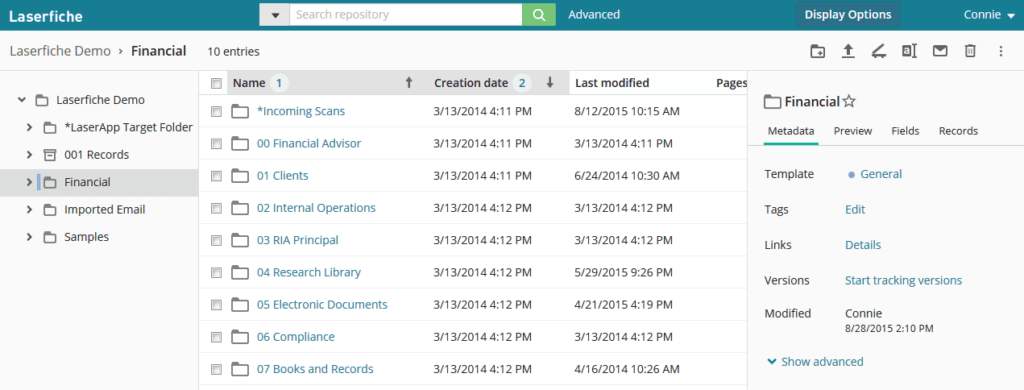
12. Laserfiche
Laserfiche goes beyond traditional document management by combining enterprise content management with low-code process automation. The platform enables organizations to digitize paper-intensive operations, automate repetitive business processes, and securely manage information from a single workspace. By integrating document management with electronic forms, robotic process automation (RPA), and AI-powered document processing, Laserfiche helps businesses accelerate digital transformation while improving governance and operational efficiency.
Key Features:
- Low-code process automation: Design automated workflows, approval processes, and business applications with minimal coding, reducing reliance on IT resources.
- Intelligent document processing (IDP): Capture, classify, and extract data from paper and digital documents using AI-powered OCR and machine learning technologies.
- Digital forms and e-signatures: Replace paper-based forms with electronic forms and integrate digital signatures to streamline business transactions.
- Enterprise content governance: Enforce retention policies, audit trails, access controls, and records management to support regulatory compliance.
- Business system integrations: Connect with Microsoft 365, Salesforce, ERP systems, and other enterprise applications to automate document-centric processes.
- Analytics and process insights: Monitor workflow performance, identify operational bottlenecks, and optimize business processes with built-in reporting tools.
Best For:
Laserfiche is best suited for mid-sized to large organizations, government agencies, educational institutions, financial services, healthcare providers, and enterprises looking to automate document-intensive business processes while maintaining strong records governance and compliance.
Rating:
- 4.7/5 on G2
- 4.8/5 on Capterra
Pricing:
- Laserfiche Cloud: Starts from USD 53/user/month.
- Self-Hosted Solution: Custom pricing based on deployment size, licensing model, and enterprise requirements.
- Pricing varies depending on:
- Number of users
- Workflow automation capabilities
- AI-powered document processing
- Storage capacity and integrations
- Professional services and implementation
- Organizations can request a customized quotation and product demonstration from Laserfiche.
Visit Website: https://www.laserfiche.com/
>>> See more:
- Construction Invoice Reconciliation: Best Practices, Software & Outsourcing
- What are the 6 steps of the data analysis process?
- Top 7 Free AI Business Document Analysis Tools 2026
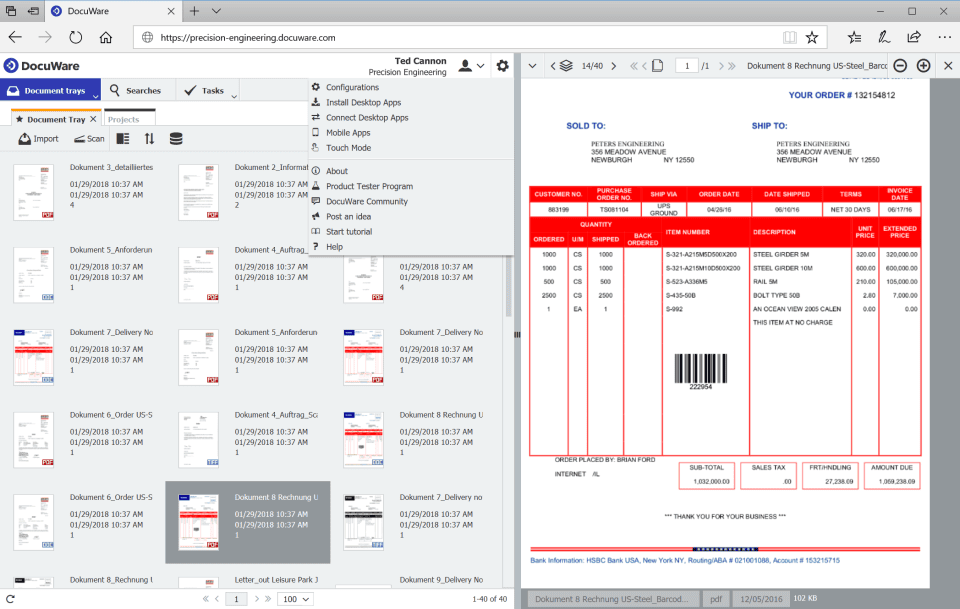
13. DocuWare Cloud
DocuWare Cloud is designed for organizations looking to replace paper-based processes with a fully digital workspace. Rather than simply storing documents, the platform connects document capture, workflow automation, and cloud collaboration into a unified solution that helps businesses process invoices, contracts, HR records, and other business documents more efficiently. Its cloud-native architecture and rapid deployment make it particularly attractive for organizations pursuing digital transformation without managing on-premises infrastructure.
Key Features:
- Cloud-first document management: Access, manage, and share business documents securely from anywhere without maintaining local servers.
- Intelligent invoice and document processing: Automate document capture, OCR, indexing, and approval workflows to reduce manual data entry and accelerate business processes.
- Smart workflow automation: Configure no-code workflows for approvals, notifications, and document routing across departments.
- Enterprise search with intelligent indexing: Retrieve documents instantly using metadata, OCR, and customizable search criteria.
- Built-in compliance and security: Protect business information with role-based permissions, encryption, audit trails, and secure cloud storage.
- Business application integrations: Connect with Microsoft 365, Outlook, Teams, SAP, and other business applications to streamline document-centric workflows.
Best For:
DocuWare Cloud is best suited for small and mid-sized businesses, growing enterprises, and finance, HR, healthcare, manufacturing, and professional services teams looking to digitize document-intensive processes while improving operational efficiency and collaboration.
Rating:
- 4.4/5 on G2 (based on 240+ verified customer reviews)
- 4.6/5 on Capterra (based on verified user reviews)
Pricing:
- DocuWare Cloud: Starts from approximately USD 300/month (includes a base number of users and cloud storage).
- Pricing varies depending on:
- Number of users
- Cloud storage capacity
- Workflow automation requirements
- OCR processing volume
- Enterprise integrations and support
- Organizations with larger deployments can request a customized enterprise quotation.
Visit Website: https://start.docuware.com/
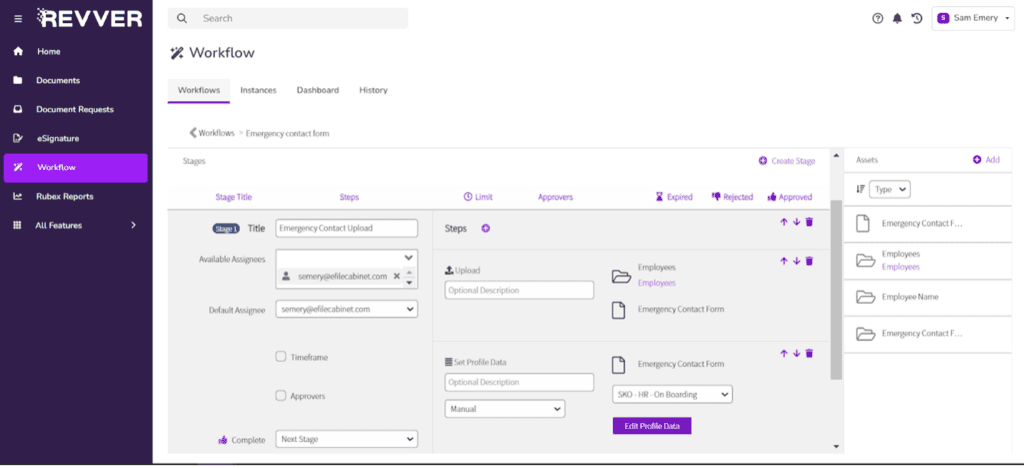
14. Revver (Formerly eFileCabinet)
Revver helps growing businesses turn document-heavy operations into streamlined digital workflows. Built as a cloud-native document management platform, it combines secure file management with process automation, making it easier for teams to manage contracts, invoices, HR records, and other business documents from a single workspace. Its intuitive interface and quick deployment make Revver an attractive choice for organizations looking to modernize operations without the complexity of enterprise content management systems.
Key Features:
- Cloud-native document workspace: Centralize business documents in a secure repository that supports remote access and real-time collaboration.
- No-code workflow automation: Automate approvals, document routing, notifications, and recurring tasks to reduce manual administrative work.
- Smart document organization: Organize files using metadata, customizable folders, and intelligent indexing for faster retrieval.
- Secure collaboration and sharing: Share documents internally or externally with role-based permissions, audit trails, and version tracking.
- Integrated eSignature capabilities: Accelerate contract approvals and document execution through built-in electronic signature workflows.
- Business application integrations: Connect with Microsoft 365, Google Workspace, Salesforce, QuickBooks, and other productivity tools to streamline document-centric processes.
Best For:
Revver is best suited for small and medium-sized businesses seeking an easy-to-use cloud document management platform with workflow automation, secure collaboration, and digital document processing. It is particularly well suited for professional services, accounting, HR, real estate, healthcare, and finance teams managing high volumes of business documents.
Rating:
- 4.3/5 on G2
- 4.5/5 on Capterra
Pricing:
- Basics: From USD 25/user/month
- Essentials: From USD 67/user/month
- Full: From USD 87/user/month
- Guest users: Free (view, upload, and sign shared documents)
- Enterprise deployments and additional storage may require a customized quotation.
Visit Website: https://try.revverdocs.com/
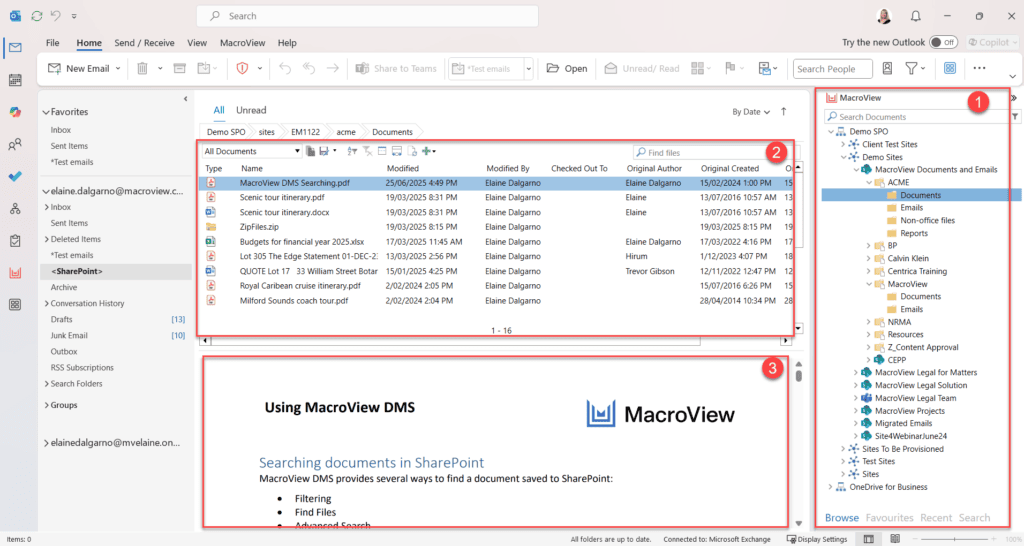
15. MacroView
MacroView transforms Microsoft SharePoint and Microsoft 365 into a more intuitive document management experience. Instead of replacing an organization’s existing Microsoft ecosystem, MacroView enhances it with advanced document navigation, email filing, metadata management, and search capabilities. This makes it an ideal solution for businesses that want to maximize their Microsoft investment while improving document governance and user productivity.
Key Features:
- Enhanced Microsoft 365 document experience: Extend SharePoint, Microsoft Teams, and OneDrive with a familiar Windows Explorer-style interface for easier document management.
- Advanced email filing for Outlook: Save emails and attachments directly to SharePoint or Microsoft 365 while automatically applying metadata and maintaining document links.
- Metadata-first document management: Simplify document classification and retrieval using metadata instead of relying solely on folder structures.
- Powerful enterprise search: Quickly locate documents, emails, and workspaces across Microsoft repositories through intelligent filtering and search tools.
- Consistent document governance: Improve compliance by enforcing standardized filing practices, metadata policies, and document organization across teams.
- Seamless Microsoft integration: Works natively with Microsoft Office applications, enabling users to manage documents without changing their daily workflow.
Best For:
MacroView is best suited for organizations already using Microsoft 365 or SharePoint that want to improve document organization, Outlook email management, and metadata-driven governance without migrating to a separate document management platform. It is particularly valuable for legal, consulting, engineering, government, and professional services firms managing large volumes of documents and emails.
Rating:
- 4.5/5 on G2
- 4.8/5 on Capterra
Pricing:
- Starts from USD 4.95/user/month (billed annually) for selected MacroView products.
- Pricing varies based on the selected modules, number of users, deployment requirements, and support options.
- Enterprise organizations can request a custom quotation for tailored licensing and implementation services.
Visit Webiste: https://macroview365.com/
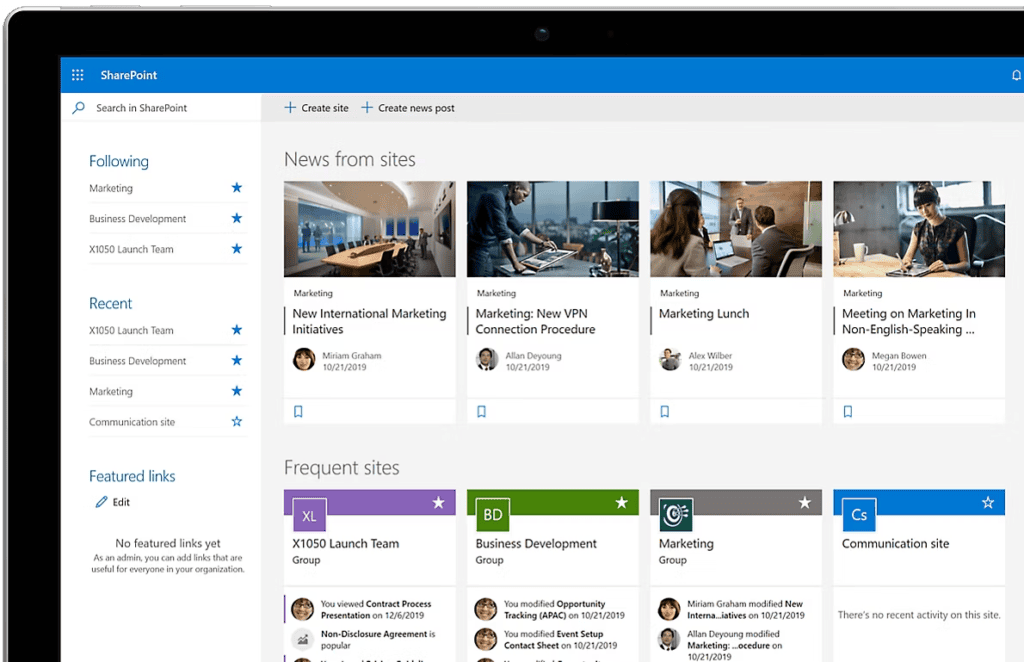
16. SharePoint
Microsoft SharePoint serves as the digital workspace where teams can collaborate, share knowledge, and manage business content across an organization. Rather than functioning solely as a document repository, SharePoint combines document management, intranet capabilities, team collaboration, and business process integration within the Microsoft 365 ecosystem. This makes it a central hub for organizations looking to connect people, content, and workflows in a secure cloud environment.
Key Features:
- Collaborative team workspaces: Create department sites, project hubs, and intranet portals where employees can collaborate on documents and share organizational knowledge.
- Native Microsoft 365 ecosystem: Integrates seamlessly with Microsoft Teams, Outlook, Word, Excel, Power Automate, Power Apps, and OneDrive to create connected business workflows.
- Enterprise content management: Centralize documents with version history, permissions, metadata, and lifecycle management across the organization.
- Custom business applications: Extend SharePoint using Microsoft Power Platform to build low-code forms, workflows, dashboards, and internal business solutions.
- Knowledge sharing and intranet publishing: Deliver company news, policies, training materials, and internal communications through customizable intranet sites.
- Scalable security and governance: Apply enterprise-level permissions, compliance policies, sensitivity labels, and Microsoft Purview integration to protect business information.
Best For:
Microsoft SharePoint is best suited for organizations already using Microsoft 365 that need a centralized platform for collaboration, document management, knowledge sharing, and digital workplace initiatives. It is particularly valuable for medium to large enterprises, government agencies, educational institutions, and multinational organizations.
Rating:
- 4.2/5 on G2
- 4.4/5 on Capterra
Pricing:
- Included with many Microsoft 365 Business and Microsoft 365 Enterprise plans.
- SharePoint Plan 1: Starts at USD 5/user/month.
- SharePoint Plan 2: Starts at USD 10/user/month.
- Enterprise pricing varies depending on the selected Microsoft 365 subscription and licensing agreement.
Visit Website: https://www.microsoft.com/en-us/microsoft-365/sharepoint/collaboration
>>> See more:
- Fashion Photo Retouching: Key Techniques, Benefits, and Tips
- An Overview of Document Processing Company: What You Need to Know
- Ecommerce Photo Retouching Services | Boost Image Quality
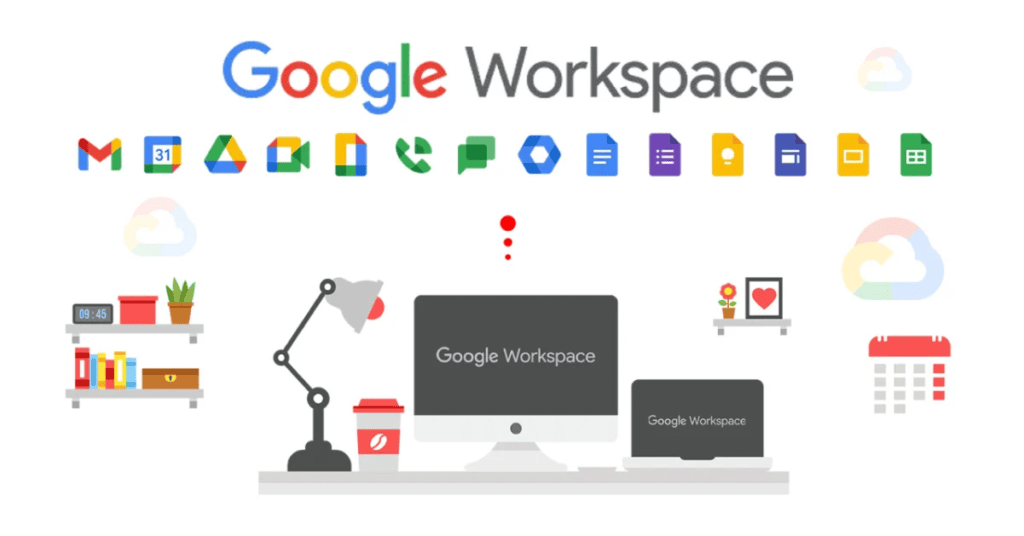
17. Google Workspace
Google Workspace empowers teams to create, collaborate, and manage documents in real time through a fully cloud-native productivity ecosystem. Instead of relying on traditional document management workflows, the platform enables multiple users to co-author files simultaneously, securely share content, and access business information from any device. Its intuitive interface and seamless integration across Google’s productivity applications make it a popular choice for organizations embracing remote work and collaborative digital workflows.
Key Features:
- Real-time document collaboration: Co-edit documents, spreadsheets, and presentations simultaneously with live comments, suggestions, and version history through Google Docs, Sheets, and Slides.
- Centralized cloud storage: Store, organize, and synchronize files securely with Google Drive, enabling access from any location or device.
- AI-powered productivity: Leverage Gemini for Google Workspace to summarize documents, draft content, analyze data, and streamline everyday tasks.
- Integrated communication tools: Collaborate seamlessly through Gmail, Google Meet, Chat, and Calendar without switching between multiple platforms.
- Secure sharing and administration: Control document access with granular permissions, data loss prevention (DLP), endpoint management, and security policies.
- Cross-platform accessibility: Work across web browsers, desktop devices, and mobile applications while keeping documents automatically synchronized.
Best For:
Google Workspace is best suited for small and medium-sized businesses, startups, educational institutions, and distributed teams that prioritize real-time collaboration, cloud productivity, and simple document sharing without the complexity of traditional enterprise document management systems.
Rating:
- 4.6/5 on G2
- 4.7/5 on Capterra
Pricing:
- Business Starter: From USD 8.40/user/month.
- Business Standard: From USD 16.80/user/month.
- Business Plus: From USD 26.40/user/month.
- Enterprise: Custom pricing based on organizational requirements.
Note: Google increased Workspace subscription prices across Business plans in early 2025, with exact costs varying by region and billing currency.
Visit Website: https://workspace.google.com/
18. Box
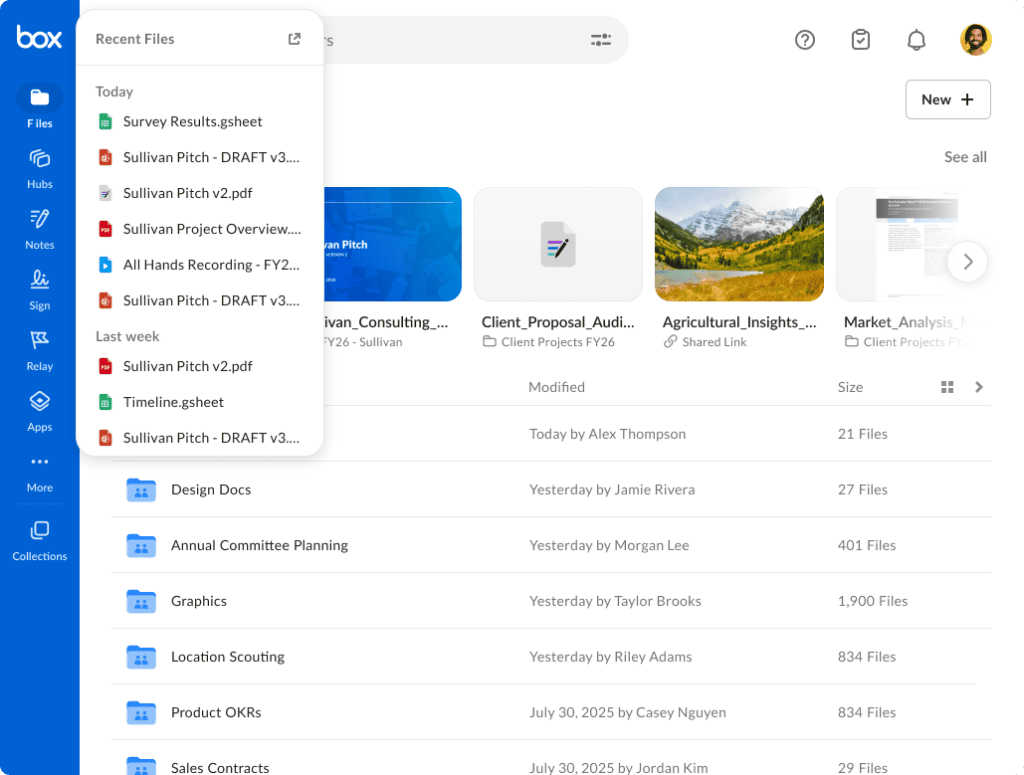
Box helps organizations manage business content securely across teams, applications, and devices through a unified intelligent content cloud. Beyond file storage, the platform combines enterprise-grade security, AI-powered content management, workflow automation, and seamless integrations to support the entire content lifecycle. This makes Box a popular choice for organizations that need to collaborate efficiently while maintaining strict governance over sensitive business information.
Key Features:
- Intelligent Content Cloud: Centralize documents, contracts, media files, and business content in a secure cloud platform with enterprise-grade governance.
- AI-powered content management: Leverage Box AI to summarize documents, extract insights, answer questions, and accelerate content-driven workflows.
- Enterprise security and compliance: Protect sensitive information with encryption, Box Shield, granular access controls, data loss prevention (DLP), and compliance certifications such as HIPAA, GDPR, and ISO 27001.
- Workflow and approval automation: Streamline document reviews, approvals, and repetitive business processes with Box Relay and automated workflows.
- Extensive application ecosystem: Integrates with over 1,500 business applications, including Microsoft 365, Google Workspace, Salesforce, Slack, Adobe, SAP, and Oracle.
- Secure external collaboration: Share files securely with employees, customers, and partners using customizable permissions, expiration controls, and activity tracking.
Best For:
Box is best suited for mid-sized and large enterprises that require secure cloud content management, regulatory compliance, and seamless collaboration across distributed teams. It is particularly valuable for healthcare, financial services, life sciences, government, media, and professional services organizations handling sensitive or regulated information.
Rating:
- 4.2/5 on G2
- 4.4/5 on Capterra
Pricing:
- Business: Starts from USD 20/user/month (minimum 3 users).
- Business Plus: Starts from USD 33/user/month.
- Enterprise: Custom pricing based on organizational requirements.
- Advanced capabilities such as Box AI, Box Shield, and Box Relay may require additional licensing or higher-tier plans.
Visit Website: https://www.box.com/home
19. Dropbox Business
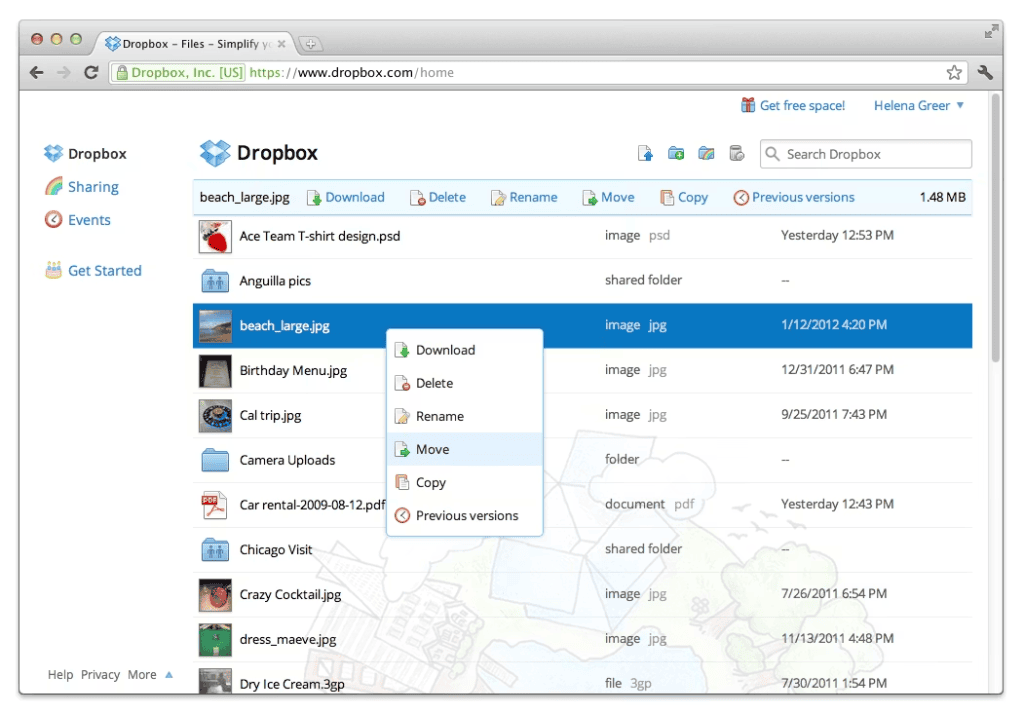
Dropbox Business is built for organizations that need a simple yet powerful way to keep teams, content, and workflows connected. More than a cloud storage service, it provides a centralized workspace where employees can securely store files, collaborate on documents, collect feedback, and manage content across multiple devices. With AI-powered search, electronic signatures, and broad third-party integrations, Dropbox Business helps teams work faster without disrupting existing workflows.
Key Features:
- Smart cloud workspace: Store, organize, and synchronize business files across desktop, web, and mobile devices with automatic syncing.
- AI-powered search and content discovery: Use Dropbox AI to quickly locate files, summarize documents, and surface relevant information across stored content.
- Built-in eSignature workflows: Prepare, send, and track legally binding electronic signatures with Dropbox Sign (formerly HelloSign).
- Universal file collaboration: Share large files securely, request feedback, and collaborate with internal teams or external clients through customizable permissions and version history.
- Broad application integrations: Connect with Microsoft 365, Google Workspace, Slack, Zoom, Adobe, Salesforce, Trello, and hundreds of other business applications.
- Enterprise-grade security: Protect sensitive content with encryption, admin controls, activity monitoring, file recovery, ransomware detection, and compliance features.
Best For:
Dropbox Business is best suited for small and medium-sized businesses, creative agencies, marketing teams, professional services firms, and remote or hybrid workforces that need secure cloud file sharing, cross-platform collaboration, and easy-to-use content management without the complexity of traditional enterprise ECM systems.
Rating:
- 4.4/5 on G2
- 4.5/5 on Capterra
Pricing:
- Standard: Starts from USD 18/user/month (billed annually; minimum 3 users).
- Advanced: Starts from USD 30/user/month (billed annually; minimum 3 users).
- Enterprise: Custom pricing based on organization size, storage requirements, and security needs.
- Additional services, such as advanced administration and premium security features, may require higher-tier plans.
Visit Website: https://www.dropbox.com/
>>> See more:
- Best Business Process Automation Solutions & Tools 2026
- What Is Business Process Outsourcing (BPO)? Definition & Benefits
- Top 10 Best Data Entry Outsourcing Companies in USA 2026
20. Egnyte
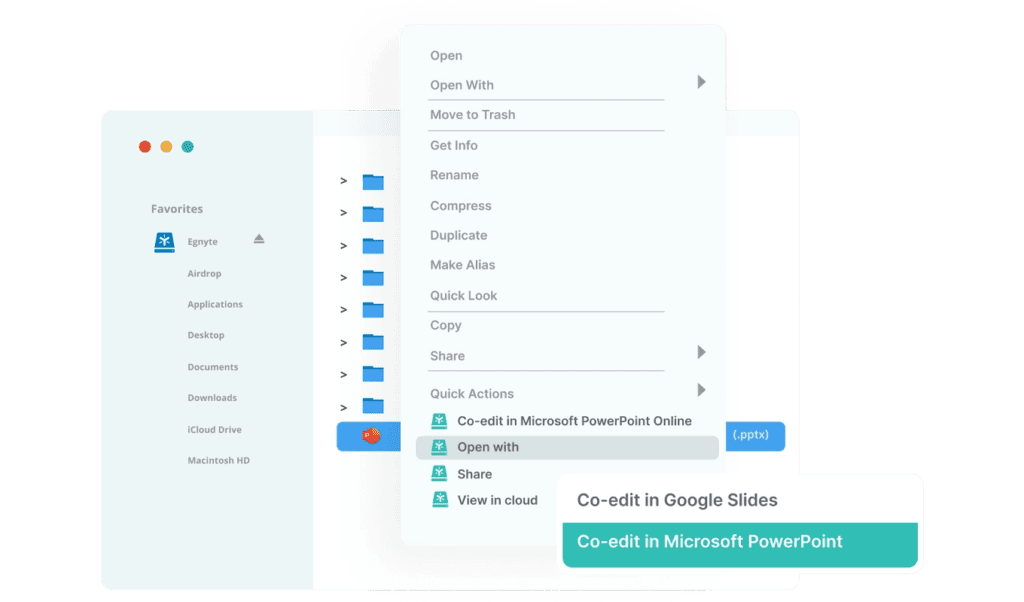
Egnyte enables organizations to manage business content securely across cloud and on-premises environments without compromising governance or user accessibility. Designed for businesses handling sensitive data, the platform combines intelligent file management, data governance, ransomware protection, and compliance monitoring into a single solution. Its hybrid architecture makes Egnyte particularly valuable for organizations balancing regulatory requirements with modern cloud collaboration.
Key Features:
- Hybrid cloud file management: Seamlessly manage and access files across cloud, on-premises, and hybrid storage environments from a unified platform.
- AI-powered content intelligence: Use Egnyte AI to search, summarize, classify, and discover business content more efficiently.
- Advanced data governance: Automatically identify sensitive information, enforce data retention policies, and monitor file activity to support compliance initiatives.
- Built-in ransomware protection: Detect suspicious file behavior, recover affected content, and strengthen resilience against ransomware attacks.
- Secure collaboration: Share files internally and externally with granular permissions, secure links, expiration controls, and detailed activity tracking.
- Extensive business integrations: Connect with Microsoft 365, Google Workspace, Salesforce, Autodesk, Slack, Adobe, and hundreds of enterprise applications.
Best For:
Egnyte is best suited for mid-sized and large enterprises in highly regulated industries such as life sciences, healthcare, financial services, architecture, engineering, construction (AEC), and manufacturing that require secure file collaboration, hybrid storage flexibility, and enterprise-grade data governance.
Rating:
- 4.4/5 on G2
- 4.7/5 on Capterra
Pricing:
- Business: Starts from USD 20/user/month (minimum 5 users, billed annually).
- Enterprise Lite: Custom pricing based on storage, users, and business requirements.
- Enterprise: Custom pricing for organizations requiring advanced governance, security, and compliance capabilities.
- Additional costs may apply for premium governance, security, and AI-powered features.
Visit Website: https://www.egnyte.com/pricing
21. OnlyOffice
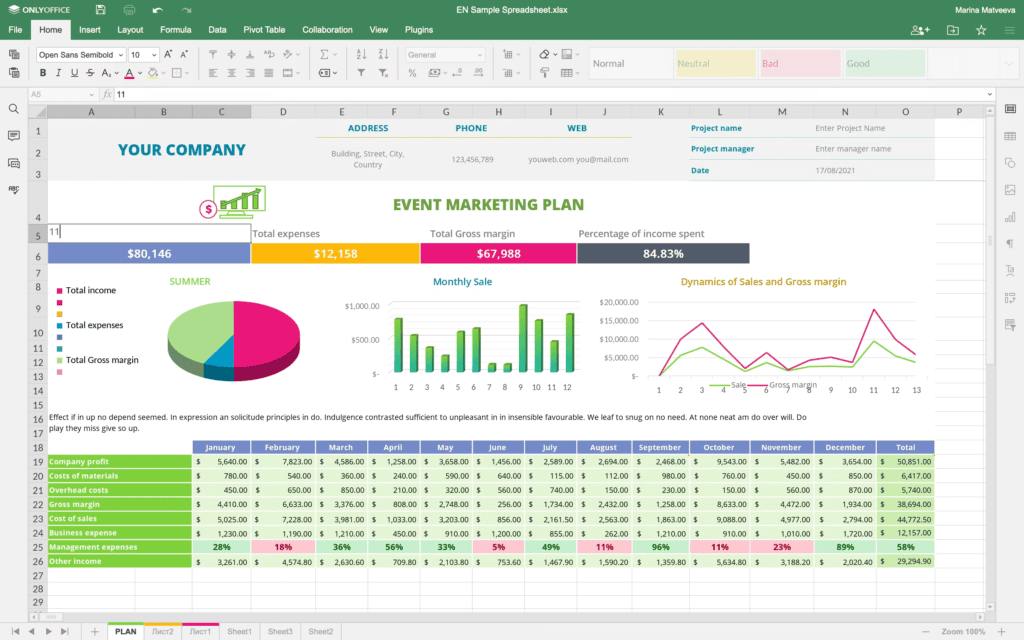
OnlyOffice gives organizations complete control over document collaboration without locking them into a single cloud ecosystem. Unlike traditional document management platforms, it combines a full-featured office suite with document management and real-time co-authoring, allowing businesses to deploy the solution in the cloud or on their own infrastructure. Its open-source architecture and broad compatibility with Microsoft Office formats make it a popular choice for organizations prioritizing flexibility, data sovereignty, and cost-effective collaboration.
Key Features:
- Collaborative online office suite: Create, edit, and co-author text documents, spreadsheets, presentations, and PDF files in real time with multiple users.
- Self-hosted or cloud deployment: Choose between cloud, on-premises, or private cloud environments to maintain full control over business data.
- Open-source architecture: Customize and extend the platform to meet specific business requirements while avoiding vendor lock-in.
- Broad file format compatibility: Natively supports Microsoft Office formats (DOCX, XLSX, PPTX) while maintaining high document fidelity across devices.
- Integrated document management: Organize, share, and manage files with version history, access permissions, and collaborative workspaces.
- Productivity ecosystem integrations: Connect with Nextcloud, ownCloud, Moodle, Seafile, Jira, WordPress, and other business platforms through built-in connectors and APIs.
Best For:
ONLYOFFICE is best suited for small and medium-sized businesses, educational institutions, government agencies, and organizations seeking an open, flexible document collaboration platform with self-hosting options, Microsoft Office compatibility, and centralized document management.
Rating:
- 4.4/5 on G2
- 4.5/5 on Capterra
Pricing:
- DocSpace Business Cloud: Starts from USD 20/admin/month, with unlimited regular users.
- DocSpace Enterprise (Self-hosted): Starts from USD 6,550 per server license (one-time license), depending on the number of connections.
- Docs Enterprise: Custom pricing based on deployment type and the number of simultaneous users.
- Community Edition: Free and open source for self-hosted deployments with core collaboration features.
Visit Website: https://www.onlyoffice.com/
22. Adobe Acrobat Studio
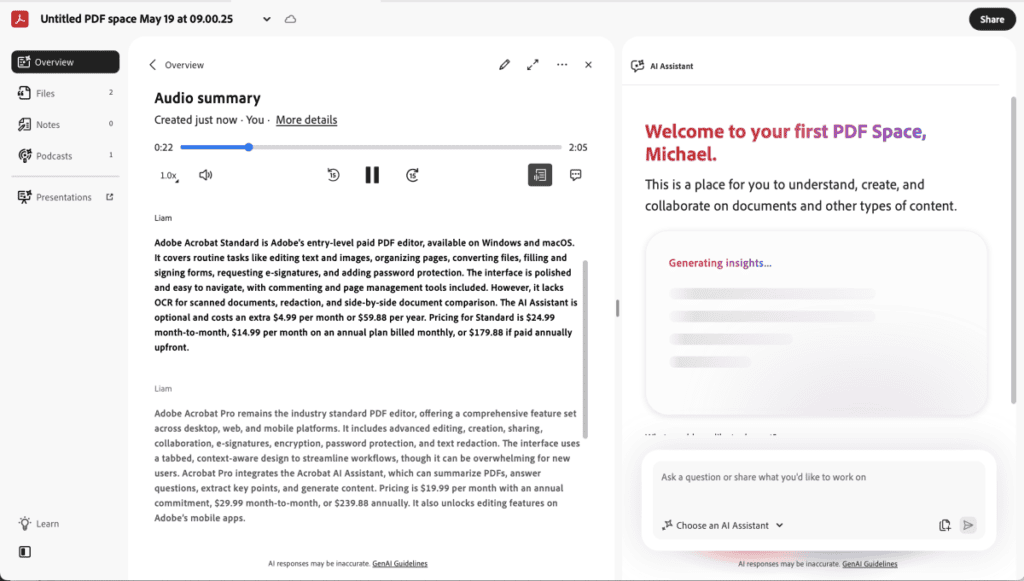
Adobe Acrobat is the industry-leading solution for creating, editing, securing, and signing PDF documents. Rather than functioning as a traditional document management system, Acrobat streamlines the entire PDF document lifecycle—from document creation and review to electronic signatures and secure sharing. Its AI-powered capabilities, seamless integrations, and trusted PDF technology make it an essential tool for organizations managing contracts, forms, reports, and other business-critical documents.
Key Features:
- Comprehensive PDF editing: Create, edit, merge, split, convert, and organize PDF documents while preserving formatting and layout.
- AI Assistant for documents: Summarize lengthy PDFs, answer questions, and generate key insights using Adobe AI Assistant.
- Integrated e-signatures: Send, track, and manage legally binding electronic signatures with Adobe Acrobat Sign.
- Advanced document review: Collect comments, annotations, approvals, and feedback through collaborative review workflows.
- Enterprise-grade document security: Protect sensitive documents with password encryption, redaction, permissions, digital certificates, and audit trails.
- Cross-platform productivity: Work seamlessly across desktop, web, and mobile devices with integrations for Microsoft 365, Google Drive, Dropbox, Box, and SharePoint.
Best For:
Adobe Acrobat is best suited for businesses of all sizes, legal teams, finance departments, HR professionals, government agencies, and organizations that frequently create, review, sign, and distribute PDF documents while maintaining document security and compliance.
Rating:
- 4.5/5 on G2
- 4.7/5 on Capterra
Pricing:
- Acrobat Standard: Starts from USD 12.99/user/month (annual subscription).
- Acrobat Pro: Starts from USD 19.99/user/month (annual subscription).
- Acrobat for Teams: Starts from USD 22.99/user/month, with centralized license management and collaboration features.
- Enterprise: Custom pricing for large organizations requiring advanced security, administration, and deployment options.
Visit Webiste: https://www.adobe.com/acrobat/pricing.html
23. DocHub
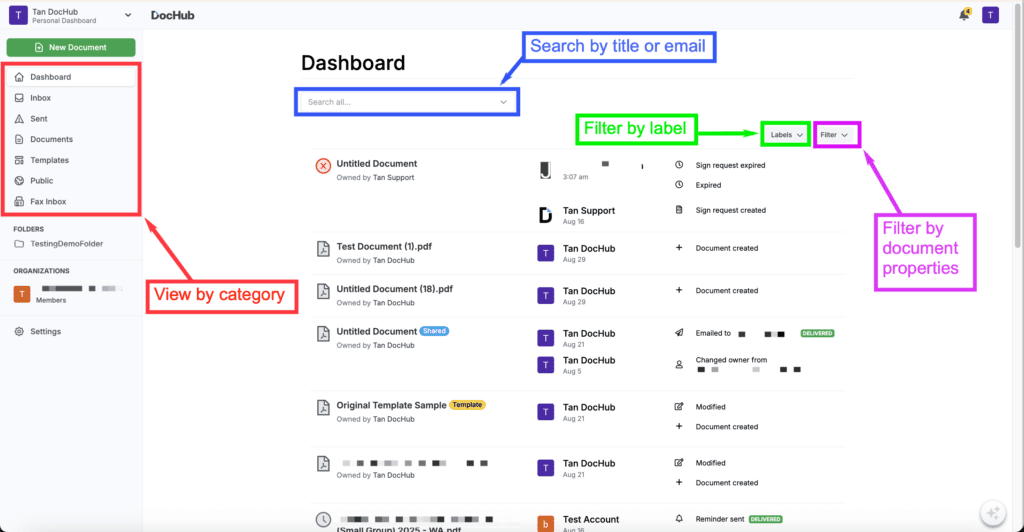
DocHub simplifies the way individuals and businesses review, edit, and sign PDF documents online. Instead of offering a full enterprise document management system, it focuses on making document workflows faster through browser-based PDF editing, annotations, electronic signatures, and cloud integrations. Its lightweight, user-friendly design makes DocHub an excellent choice for organizations that need efficient document collaboration without the complexity of enterprise content management platforms.
Key Features:
- Browser-based PDF editing: Edit text, insert images, highlight content, add annotations, and complete forms directly from a web browser without installing desktop software.
- Built-in eSignature workflows: Sign documents electronically, request signatures from others, and track signing progress in a secure environment.
- Cloud storage integration: Open, edit, and save documents seamlessly with Google Drive, Dropbox, OneDrive, and Gmail.
- Document templates and reusable forms: Create reusable templates to accelerate recurring paperwork, contracts, and approval processes.
- Secure document sharing: Share documents with customizable access permissions while maintaining document integrity and version history.
- Cross-device accessibility: Access and manage documents from desktops, tablets, and mobile devices for flexible remote collaboration.
Best For:
DocHub is best suited for freelancers, small businesses, educational institutions, legal professionals, and remote teams that need an affordable solution for PDF editing, document signing, and cloud-based document collaboration.
Rating:
- 4.6/5 on G2
- 4.8/5 on Capterra
Pricing:
- Free Plan: Available with basic PDF editing, annotations, and document signing features.
- Pro Plan: Starts from USD 14/user/month (or approximately USD 120/year when billed annually), unlocking unlimited document editing, premium signing features, and advanced productivity tools.
- Enterprise: Custom pricing is available for organizations requiring centralized administration, enhanced security, and volume licensing.
Visit Website: https://www.dochub.com/pricing
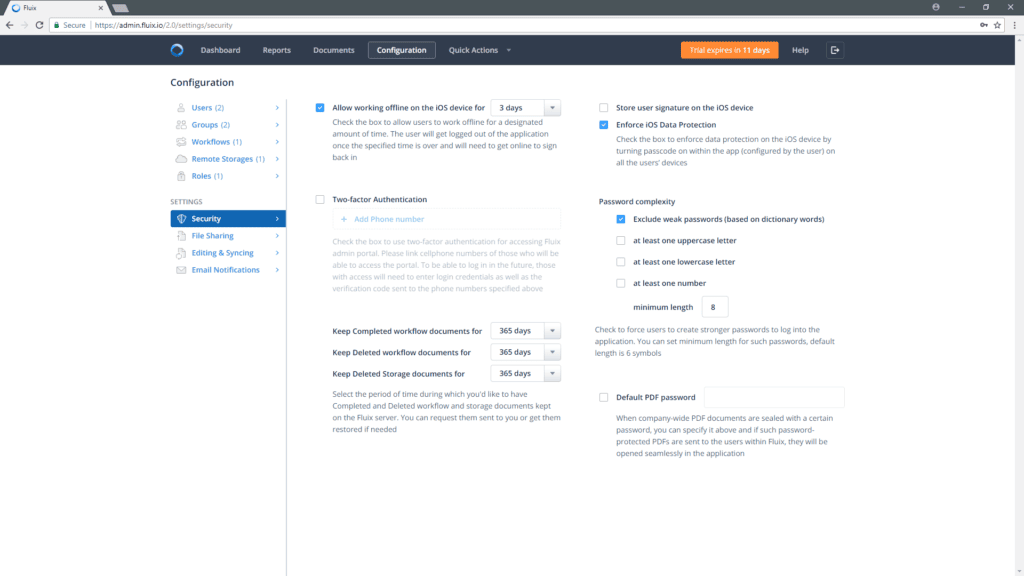
24. Fluix
Fluix is designed for organizations that rely on mobile and field teams to complete document-driven processes. Rather than focusing solely on document storage, the platform digitizes paper-based workflows with mobile forms, task automation, approvals, and electronic signatures. This makes Fluix particularly valuable for industries where employees need to capture, review, and process documents while working outside the office.
Key Features:
- Mobile-first document workflows: Complete, review, and approve business documents from smartphones and tablets, even when working remotely or in the field.
- Digital forms and data capture: Convert paper forms into fillable digital documents with built-in validation to improve data accuracy and reduce manual entry.
- Workflow automation: Automate document routing, approvals, notifications, and recurring tasks to accelerate operational processes.
- Integrated eSignatures: Collect legally binding electronic signatures to speed up inspections, service reports, contracts, and compliance documentation.
- Offline access and synchronization: Continue working without an internet connection and automatically sync completed documents once connectivity is restored.
- Enterprise integrations: Connect with Microsoft 365, Google Drive, Dropbox, Box, Salesforce, Zapier, and other business applications for seamless document workflows.
Best For:
Fluix is best suited for construction, field services, aviation, energy, logistics, manufacturing, healthcare, and facility management organizations that need to digitize field operations, automate document approvals, and improve collaboration between office and remote teams.
Rating:
- 4.8/5 on G2
- 4.8/5 on Capterra
Pricing:
- Core Plan: Starts from USD 30/user/month (billed annually).
- Pro and Enterprise Plans: Custom pricing based on the number of users, workflow automation requirements, integrations, and support services.
- A free trial is available for organizations evaluating the platform.
Visit Website: https://fluix.io/pricing
>>> Explore more:
- Intelligent Document Processing Services: How It Works & Business Benefits
- Healthcare BPO Services For Revenue Cycle & Claims Management
- How To Prepare a Classified Balance Sheet: Template & Example
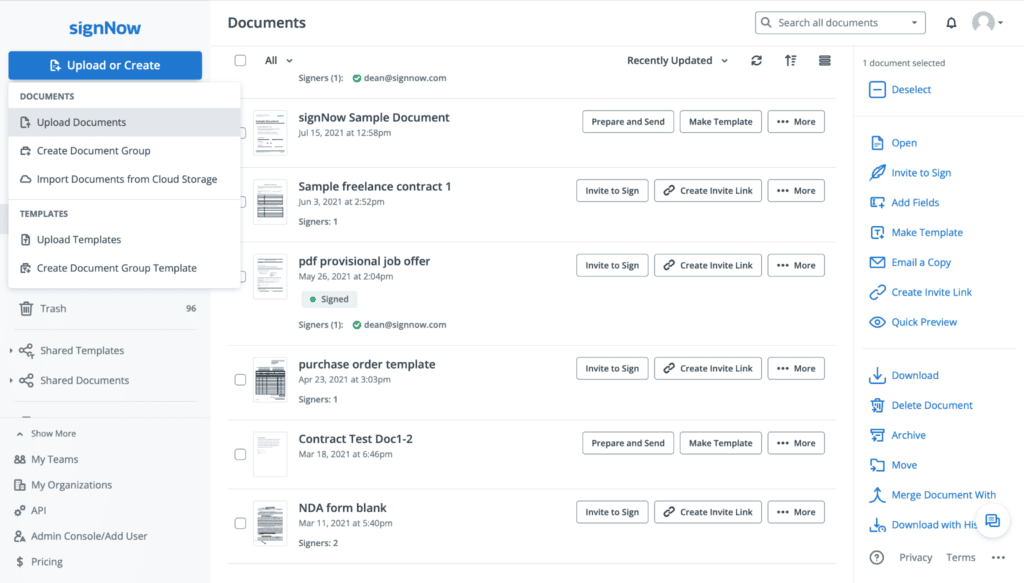
25. SignNow
SignNow streamlines document approval by enabling businesses to prepare, send, sign, and manage legally binding agreements through a single cloud-based platform. Rather than serving as a traditional document management system, SignNow specializes in digital signature workflows, helping organizations eliminate paper-based approvals, shorten turnaround times, and maintain compliance throughout the signing process. Its ease of use and extensive integrations make it a practical solution for businesses handling contracts, HR documents, sales agreements, and client forms.
Key Features:
- Legally binding eSignatures: Send, receive, and manage electronic signatures that comply with major international regulations, including ESIGN, UETA, and eIDAS.
- Reusable document templates: Create standardized templates with preconfigured signature fields to accelerate recurring business processes.
- Automated approval workflows: Route documents to multiple recipients in a predefined signing order with automated reminders and status tracking.
- Advanced security and authentication: Protect sensitive documents with encryption, audit trails, multi-factor authentication (MFA), and signer verification options.
- Business application integrations: Connect with Microsoft 365, Google Workspace, Salesforce, HubSpot, Zapier, and other business applications to streamline document workflows.
- Cross-platform signing experience: Review and sign documents securely from desktop, web, or mobile devices without additional software.
Best For:
SignNow is best suited for small and medium-sized businesses, sales teams, HR departments, legal professionals, healthcare organizations, and financial services firms looking to accelerate contract execution, automate signature workflows, and reduce reliance on paper-based processes.
Rating:
- 4.6/5 on G2
- 4.7/5 on Capterra
Pricing:
- Business: Starts from USD 8/user/month (billed annually).
- Business Premium: Starts from USD 15/user/month (billed annually).
- Enterprise: Custom pricing with advanced administration, security, API access, and workflow automation.
- A free trial is available for businesses evaluating the platform.
Visit Website: https://www.signnow.com/pricing
26. pdfFiller
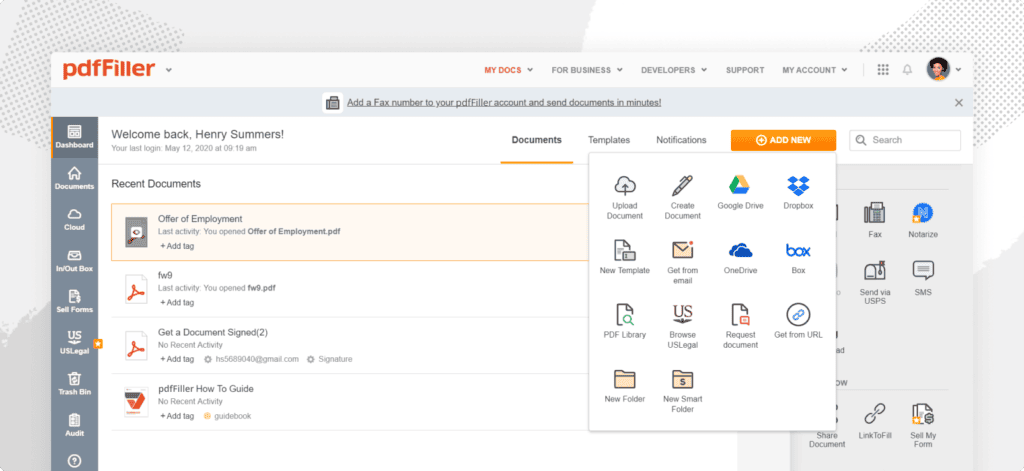
pdfFiller is an online document productivity platform that simplifies how businesses create, edit, complete, and share PDF documents. Rather than functioning as a traditional document management system, it focuses on streamlining document-centric tasks through fillable forms, PDF editing, electronic signatures, and workflow automation. Its browser-based interface and ready-to-use document templates make it an efficient solution for organizations handling contracts, applications, invoices, and other frequently used business forms.
Key Features:
- Advanced PDF editing: Modify text, images, pages, and formatting directly within PDF documents without converting files to other formats.
- Fillable forms and document templates: Create reusable templates, convert PDFs into fillable forms, and automate repetitive paperwork.
- Integrated eSignature workflows: Send documents for legally binding electronic signatures, track signing status, and manage completed agreements from a centralized dashboard.
- Document workflow automation: Automate document routing, approvals, notifications, and form collection to reduce manual administrative work.
- Cloud storage and integrations: Connect with Google Drive, Dropbox, OneDrive, Salesforce, Microsoft 365, and other business applications for seamless document access.
- Secure document management: Protect files with encryption, role-based permissions, audit trails, and compliance features while maintaining version history.
Best For:
pdfFiller is best suited for small and medium-sized businesses, HR teams, legal professionals, finance departments, healthcare providers, and administrative teams that frequently edit PDFs, collect form submissions, and automate document approval and signing workflows.
Rating:
- 4.6/5 on G2
- 4.7/5 on Capterra
Pricing:
- Basic Plan: Starts from USD 8/user/month (billed annually).
- Plus Plan: Starts from USD 12/user/month (billed annually).
- Premium Plan: Starts from USD 15/user/month (billed annually).
- Enterprise plans with advanced administration, API access, and security features are available upon request.
Visit Website: https://www.pdffiller.com/
27. PandaDoc
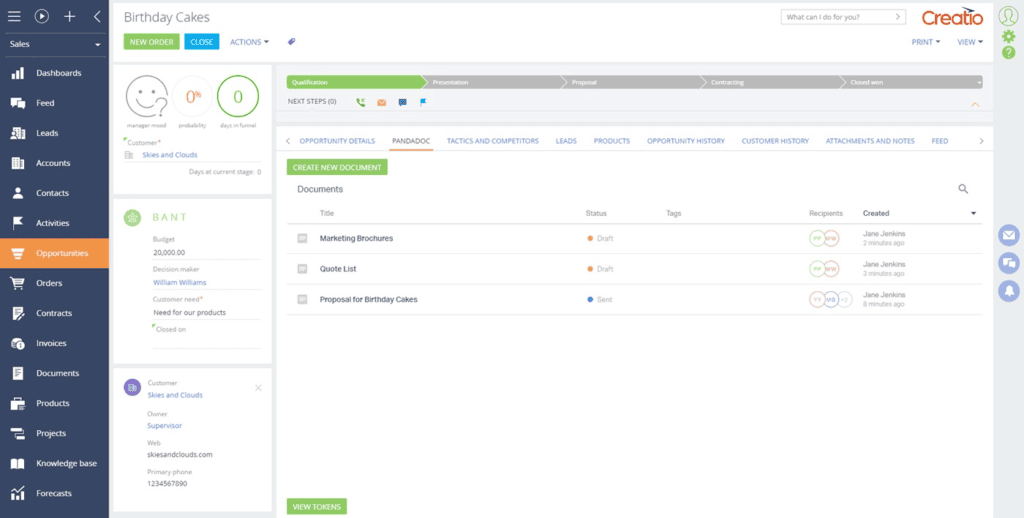
PandaDoc helps businesses accelerate the entire document lifecycle—from proposal creation to contract approval and electronic signatures—within a single platform. Unlike traditional document management systems, PandaDoc is purpose-built for document generation, sales enablement, and contract automation, enabling teams to create professional documents, automate approval workflows, and close deals faster. Its combination of smart templates, CRM integrations, and real-time analytics makes it especially valuable for customer-facing teams.
Key Features:
- Dynamic document generation: Create proposals, quotes, contracts, and agreements using customizable templates, reusable content libraries, and variable fields.
- Legally binding eSignatures: Collect electronic signatures with built-in audit trails, signer authentication, and compliance with ESIGN, UETA, and eIDAS regulations.
- Interactive documents: Enhance customer engagement by embedding pricing tables, multimedia content, and payment options directly into business documents.
- Automated approval workflows: Route documents for internal review and external signatures with automated reminders, notifications, and status tracking.
- CRM and business integrations: Connect seamlessly with Salesforce, HubSpot, Microsoft Dynamics 365, Pipedrive, Zoho CRM, Google Workspace, Slack, and over 1,000 business applications.
- Document analytics and tracking: Monitor document views, recipient engagement, and signing progress in real time to optimize sales and approval processes.
Best For:
PandaDoc is best suited for sales teams, marketing agencies, SaaS companies, professional services firms, HR departments, and growing businesses that frequently create proposals, contracts, quotes, and other customer-facing documents requiring approvals and electronic signatures.
Rating:
- 4.7/5 on G2
- 4.5/5 on Capterra
Pricing:
- Starter: Starts from USD 19/user/month (billed annually).
- Business: Starts from USD 49/user/month (billed annually).
- Enterprise: Custom pricing with advanced workflow automation, API access, CRM integrations, and enterprise administration.
- A free eSignature plan is available for users who only need basic document signing.
Visit Website: https://www.pandadoc.com/pricing/
>>> Explore more:
- Why Businesses Outsource Data Management in 2026?
- Best Data Cleansing Outsourcing Companies for 2026
- Top 10 Data Entry Outsourcing Companies to Hire in 2026
28. HubSpot Documents
HubSpot Documents helps sales teams create, share, and monitor business documents without leaving their CRM workflow. Rather than functioning as a standalone document management platform, it enables organizations to distribute sales collateral, track customer engagement, and manage document interactions directly within HubSpot. By combining document sharing with CRM data, businesses can gain valuable insights into how prospects engage with proposals, brochures, and sales materials throughout the buying journey.
Key Features:
- CRM-connected document sharing: Share sales documents directly from HubSpot while automatically associating them with contacts, companies, and deals.
- Real-time engagement tracking: Receive notifications when recipients open, view, or revisit documents, helping sales teams prioritize follow-ups.
- Reusable document library: Store and organize frequently used proposals, presentations, brochures, and sales collateral for quick access.
- Integrated sales automation: Combine documents with email templates, sequences, meeting scheduling, and workflows to streamline sales outreach.
- Permission-based access: Control document availability, sharing settings, and user permissions while maintaining centralized content management.
- Native HubSpot ecosystem: Works seamlessly with HubSpot CRM, Sales Hub, Marketing Hub, and Service Hub to support end-to-end customer engagement.
Best For:
HubSpot Documents is best suited for sales teams, marketing departments, customer success teams, and growing businesses already using HubSpot CRM that want to centralize sales content, monitor buyer engagement, and improve sales productivity.
Rating:
- 4.4/5 on G2 (HubSpot Sales Hub)
- 4.5/5 on Capterra (HubSpot Sales Hub)
Pricing:
- Free Tools: Available with basic document sharing features.
- Sales Hub Starter: Starts from USD 20/seat/month (billed annually).
- Sales Hub Professional: Starts from USD 100/seat/month (includes advanced sales automation and document tracking).
- Sales Hub Enterprise: Custom pricing for large organizations requiring advanced permissions, reporting, and automation.
Visit Website: https://www.hubspot.com/products/sales/document-tracking
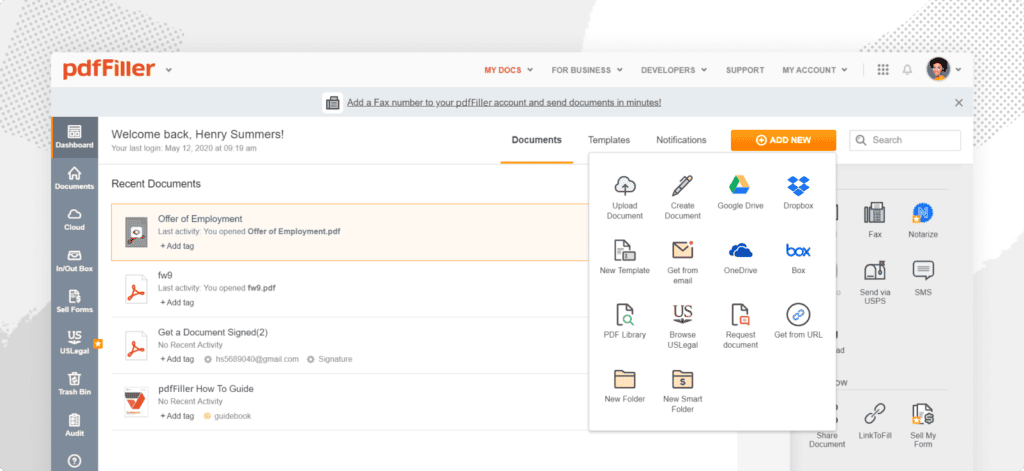
29. XaitPorter
XaitPorter is a collaborative document creation platform designed for organizations that produce large, complex, and highly structured business documents. Unlike traditional document management systems, XaitPorter enables multiple contributors to work on the same document simultaneously while automatically managing formatting, numbering, layouts, and version consistency. This significantly reduces the time required to produce high-value documents such as proposals, bids, technical reports, and regulatory submissions.
Key Features:
- Multi-author collaborative writing: Allow multiple users to edit different sections of the same document simultaneously without formatting conflicts.
- Automatic document formatting: Standardize layouts, numbering, tables of contents, headers, footers, and branding automatically to ensure professional consistency.
- Content reuse and knowledge library: Reuse approved content, templates, and document sections to accelerate proposal and report creation while maintaining quality.
- Workflow and review management: Coordinate writing, review, approval, and publishing processes through configurable workflows and task assignments.
- Enterprise integrations: Connect with Salesforce, Microsoft 365, Oracle, Dropbox, and other enterprise applications to streamline document-centric workflows.
- Version control and audit history: Track document revisions, contributor activity, and approval history to improve governance and accountability.
Best For:
XaitPorter is best suited for enterprise organizations, particularly those in energy, engineering, construction, consulting, defense, and professional services, that regularly produce complex proposals, tender responses, technical documentation, and regulatory reports involving multiple contributors.
Rating:
- 4.5/5 on G2
- 4.6/5 on Capterra
Pricing:
- Custom quote-based pricing tailored to organization size, number of users, deployment requirements, and selected modules.
- Pricing typically depends on collaboration needs, workflow functionality, and enterprise integration requirements.
- Organizations can request a personalized demonstration and quotation directly from the Xait sales team.
Visit Website: https://www.xait.com/xaitporter
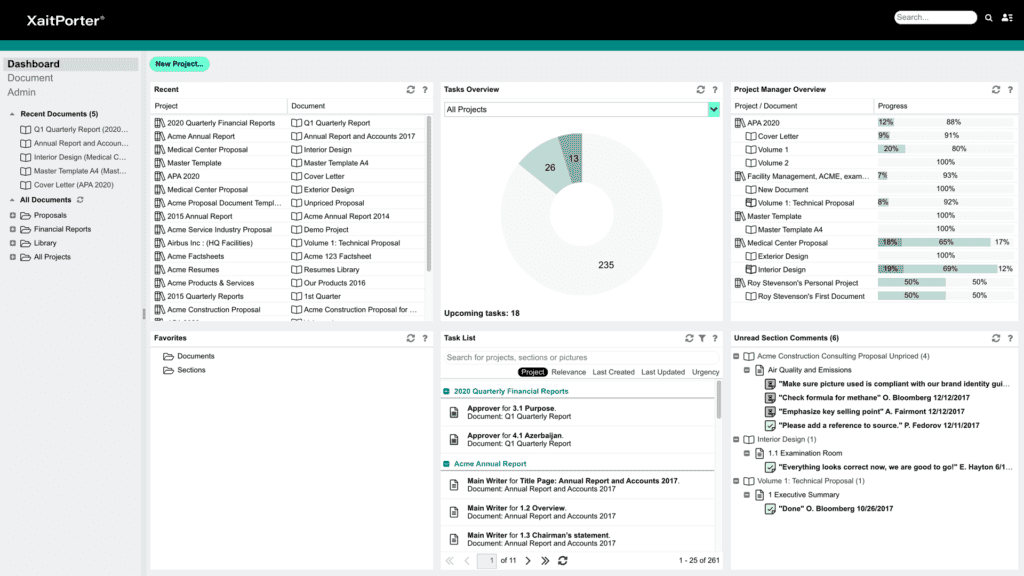
30. Hightail Business
Hightail Business is a cloud-based file sharing and creative collaboration platform built for teams that need to exchange large files, collect feedback, and manage content reviews efficiently. Rather than serving as a traditional document management system, Hightail streamlines the creative review and approval process by combining secure file sharing, visual collaboration, and project tracking in one workspace. It is particularly popular among marketing, creative, and media teams working with large digital assets.
Key Features:
- Large file sharing: Send and receive large files securely without email attachment limitations, with customizable permissions and download controls.
- Creative review and approvals: Collect comments, annotations, and approval feedback directly on documents, images, videos, and other creative assets.
- Centralized project collaboration: Organize files, conversations, tasks, and approvals in shared workspaces to keep projects on track.
- Version tracking: Maintain version history and ensure teams always work on the latest approved files.
- Enterprise-grade security: Protect business content with encrypted file transfers, access controls, password protection, and activity tracking.
- Productivity integrations: Connect with Microsoft 365, Google Workspace, Adobe Creative Cloud, Dropbox, and other collaboration tools.
Best For:
Hightail Business is best suited for creative agencies, marketing teams, design studios, media companies, and professional services firms that frequently collaborate on large files and require structured review and approval workflows.
Rating:
- 4.2/5 on G2
- 4.4/5 on Capterra
Pricing:
- Teams: Starts from USD 24/user/month (billed annually).
- Business: Custom pricing based on team size, storage requirements, and collaboration features.
- Enterprise organizations can request a personalized quote for advanced administration, security, and workflow capabilities.
Visit Website: https://www.hightail.com/
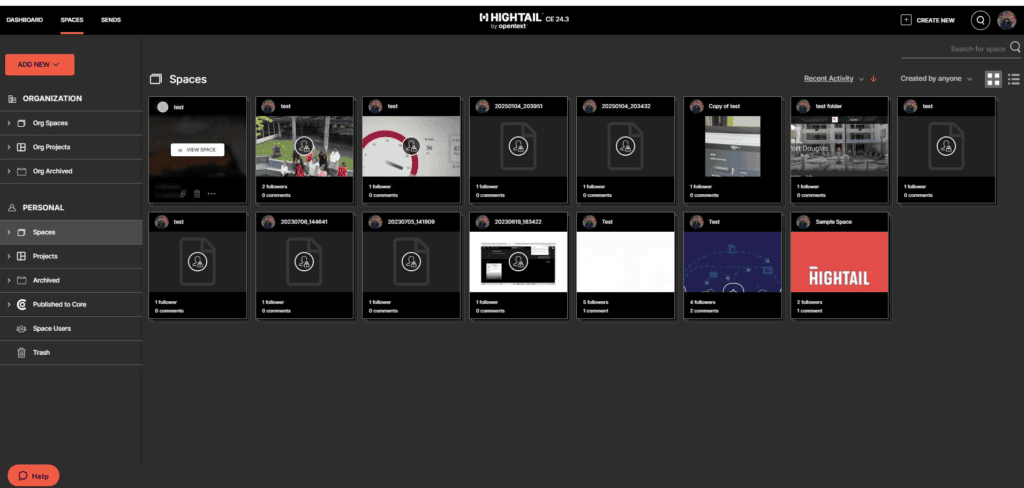
>>> See more:
- Outsourced Order Processing Services – Fast & Accurate
- Invoice Reconciliation Process Steps | DIGI-TEXX
- 15 Best Data Labeling Service Providers In 2026
31. Samepage
Samepage is a team collaboration platform that combines document management, task tracking, messaging, and video conferencing within a single workspace. Rather than serving solely as a document repository, it brings conversations, files, calendars, and projects together on one shared page, enabling teams to collaborate more efficiently without constantly switching between multiple applications.
Key Features:
- Unified team workspaces: Organize documents, tasks, calendars, and discussions within customizable pages for each project or department.
- Real-time document collaboration: Co-edit files, share updates, and collaborate instantly while keeping all project information in one place.
- Built-in communication tools: Communicate through integrated chat, voice calls, and video meetings without leaving the workspace.
- Task and project management: Assign tasks, set deadlines, track project progress, and manage team activities alongside related documents.
- Centralized file management: Upload, organize, and share files securely while maintaining version history and access permissions.
- Third-party integrations: Connect with Google Drive, Dropbox, OneDrive, Microsoft 365, Slack, Trello, Zapier, and other productivity applications.
Best For:
Samepage is best suited for small businesses, startups, remote teams, consulting firms, and project-based organizations looking for an all-in-one collaboration platform that combines document sharing, communication, and project management.
Rating:
- 4.4/5 on G2
- 4.5/5 on Capterra
Pricing:
- Free Plan: Available for small teams with core collaboration features.
- Standard: Starts from USD 7.50/user/month (billed annually).
- Enterprise: Custom pricing for organizations requiring advanced administration, security, and enterprise support.
- Additional storage and premium collaboration features are available in higher-tier plans.
Visit Website: https://www.same-page.com/
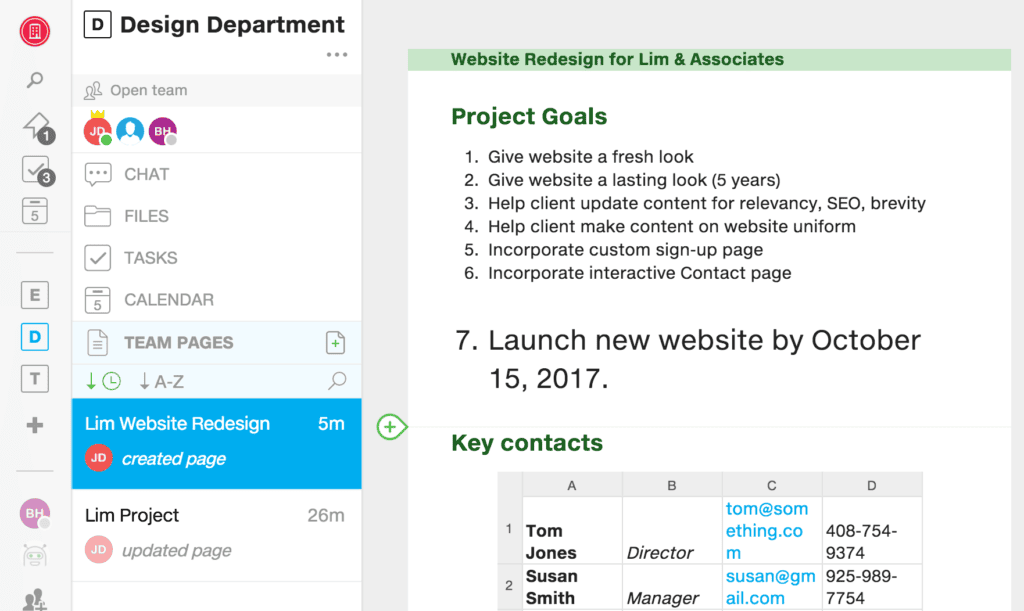
>>> See more:
- Top 10 Data Cleansing Companies for Businesses in 2026
- How to Automate Documentation in 2026: Step By Step Guide
- Best Insurance Claims Processing Outsourcing BPO in the US 2026
32. Confluence
Confluence is a collaborative workspace developed by Atlassian that enables teams to create, organize, and share knowledge in a centralized environment. Unlike traditional document management software, Confluence functions as a knowledge management platform where organizations can build internal wikis, project documentation, meeting notes, technical specifications, and company knowledge bases. Its seamless integration with Jira and other Atlassian products makes it especially valuable for software development, IT, and cross-functional teams.
Key Features:
- Collaborative knowledge workspace: Create and organize documentation, project plans, meeting notes, SOPs, and internal knowledge bases within customizable workspaces.
- Real-time collaborative editing: Enable multiple users to edit pages simultaneously with inline comments, mentions, and version history.
- AI-powered content creation: Leverage Atlassian Intelligence to summarize content, generate documentation, improve writing, and answer questions more efficiently.
- Structured knowledge organization: Manage content using spaces, page hierarchies, templates, labels, and advanced search for quick information retrieval.
- Deep Atlassian ecosystem integration: Connect seamlessly with Jira, Jira Service Management, Trello, Bitbucket, and thousands of third-party applications through the Atlassian Marketplace.
- Enterprise security and governance: Control access with granular permissions, audit logs, compliance features, and enterprise-grade administration tools.
Best For:
Confluence is best suited for software development teams, IT departments, engineering organizations, product teams, and enterprises seeking a centralized platform for documentation, knowledge sharing, and cross-functional collaboration.
Rating:
- 4.1/5 on G2
- 4.5/5 on Capterra
Pricing:
- Free: Supports up to 10 users with core collaboration features.
- Standard: Starts from USD 5.16/user/month (estimated, billed annually).
- Premium: Starts from USD 9.73/user/month (estimated, billed annually).
- Enterprise: Custom pricing for large organizations requiring advanced security, analytics, and centralized administration.
Visit Website: https://www.atlassian.com/software/
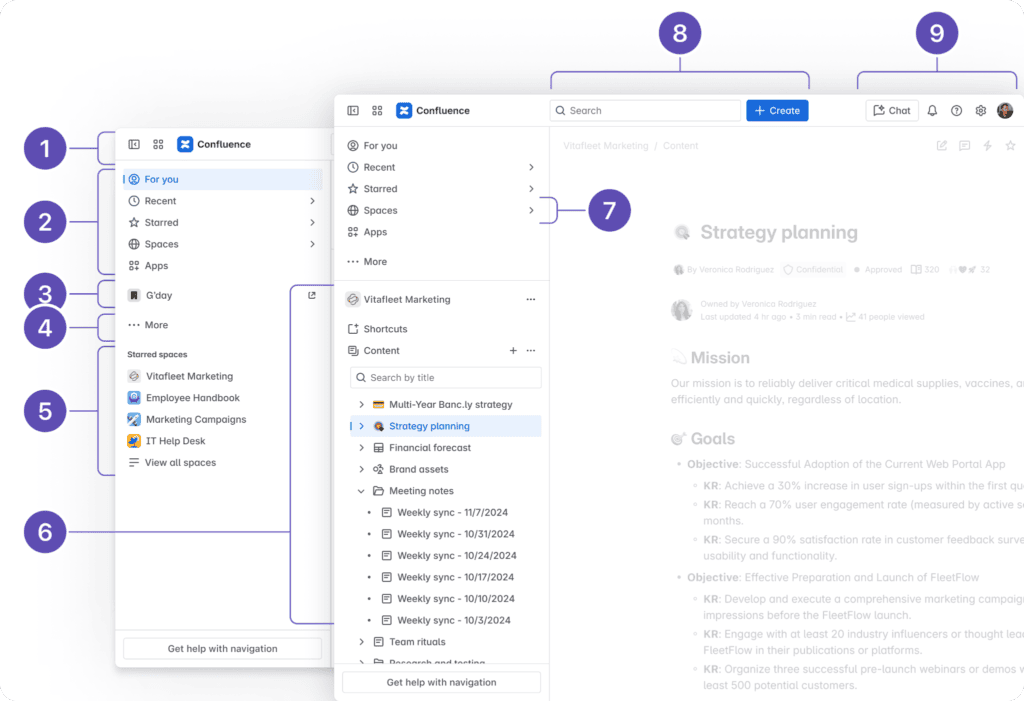
33. Helpjuice
Helpjuice is a cloud-based knowledge management platform that enables organizations to build, organize, and maintain searchable internal and external knowledge bases. Rather than serving as a traditional document management system, it focuses on capturing institutional knowledge and making information easy to find through AI-powered search, customizable documentation, and detailed analytics. This helps businesses reduce repetitive support requests, improve employee onboarding, and provide customers with accurate self-service resources.
Key Features:
- AI-powered knowledge search: Deliver fast, relevant search results with intelligent indexing, autocomplete, and advanced filtering to help users find information quickly.
- Customizable knowledge base: Create branded internal or customer-facing knowledge bases with flexible layouts, categories, and access permissions.
- Collaborative content management: Enable multiple contributors to create, review, edit, and publish articles while maintaining version history and approval workflows.
- Content performance analytics: Track article views, search queries, user behavior, and content effectiveness to identify knowledge gaps and improve documentation.
- Granular access controls: Restrict access by user roles, teams, or customer groups to ensure sensitive information remains protected.
- Business integrations: Integrates with platforms such as Slack, Zendesk, Salesforce, Intercom, Zapier, and other customer support and productivity tools.
Best For:
Helpjuice is best suited for customer support teams, IT departments, SaaS companies, enterprises, and organizations that need a centralized knowledge base for employee documentation, customer self-service, and internal knowledge sharing.
Rating:
- 4.6/5 on G2
- 4.7/5 on Capterra
Pricing:
- Starter: Starts from USD 120/month (up to 4 users).
- Run-Up: Starts from USD 200/month (up to 16 users).
- Premium: Starts from USD 289/month (up to 60 users).
- Enterprise: Custom pricing for organizations requiring advanced customization, security, and dedicated support.
Visit Website: https://helpjuice.com/
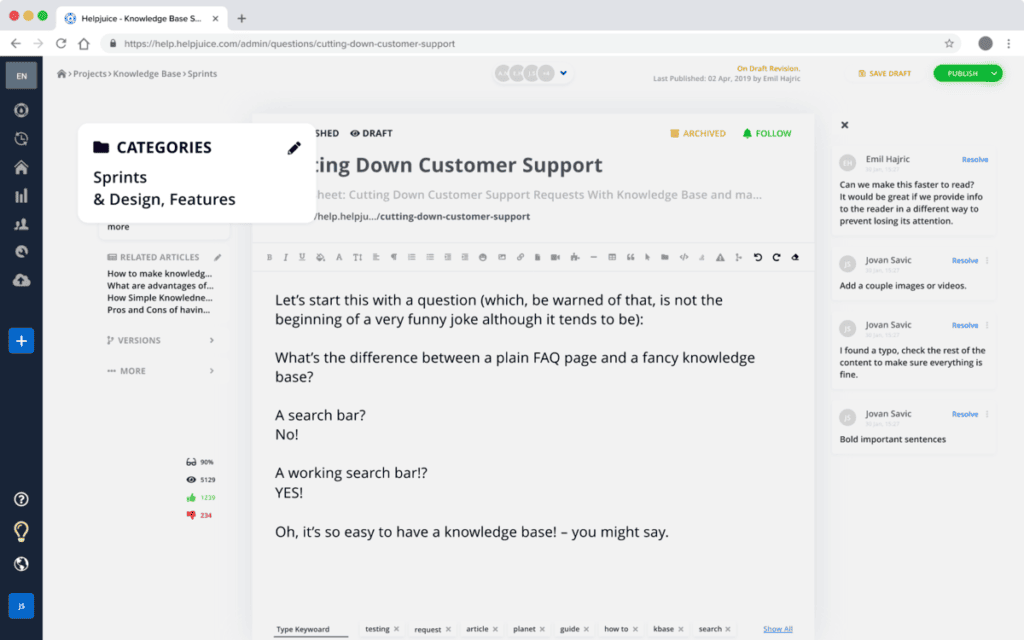
34. Slite
Slite is an AI-powered knowledge management platform that helps teams document, organize, and share information in a collaborative workspace. Instead of acting as a traditional document management system, Slite is designed to capture organizational knowledge—from meeting notes and SOPs to project documentation and company policies—making it easy for employees to find reliable information and collaborate asynchronously. Its clean interface and AI capabilities make it particularly popular among remote and distributed teams.
Key Features:
- AI-powered knowledge assistant: Quickly summarize documents, answer questions, and locate relevant information across your workspace using Slite AI.
- Collaborative documentation: Create, edit, and organize meeting notes, project plans, onboarding guides, and standard operating procedures (SOPs) with real-time collaboration.
- Centralized knowledge base: Structure company knowledge with folders, collections, and templates to ensure information remains organized and accessible.
- Knowledge verification: Verify important documents and assign content ownership to keep information accurate and up to date.
- Powerful search and navigation: Retrieve documents instantly using full-text search, filters, and AI-assisted recommendations.
- Productivity integrations: Connect with Slack, Google Drive, GitHub, Jira, Zapier, and other workplace applications to centralize team knowledge.
Best For:
Slite is best suited for remote teams, startups, technology companies, product teams, and knowledge-driven organizations looking to build an internal knowledge base, improve documentation practices, and support asynchronous collaboration.
Rating:
- 4.7/5 on G2
- 4.8/5 on Capterra
Pricing:
- Free: Available for small teams with core documentation features.
- Standard: Starts from USD 8/user/month (billed annually).
- Premium: Starts from USD 12.50/user/month (billed annually).
- Enterprise: Custom pricing for organizations requiring advanced security, governance, AI capabilities, and dedicated support.
Visit Website: https://slite.com/pricing
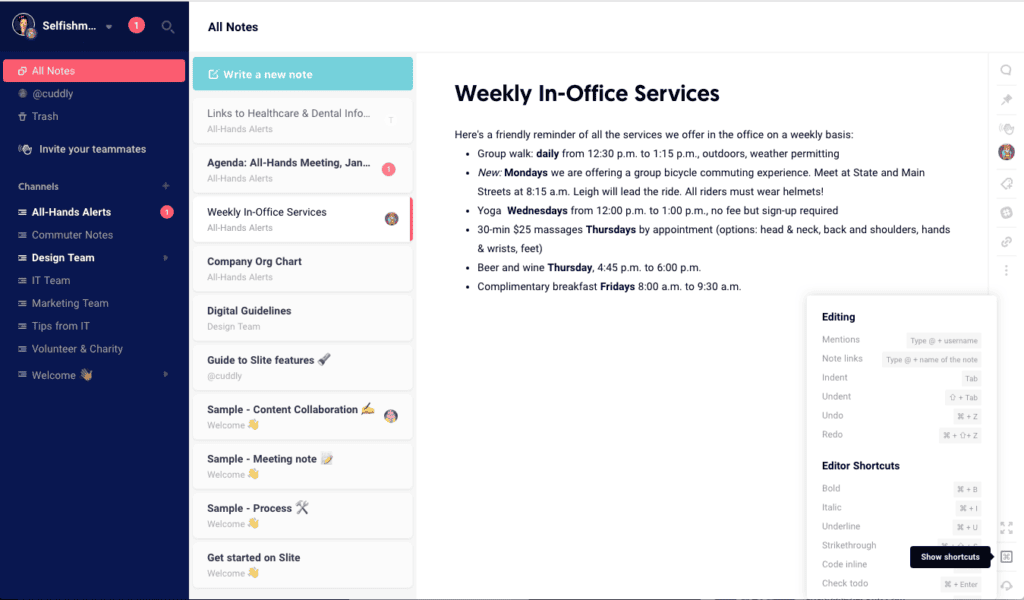
35. Document360
Document360 is an AI-powered knowledge base platform that enables organizations to create, manage, and publish internal documentation and customer self-service portals. Rather than functioning as a traditional document management system, it focuses on organizing institutional knowledge into searchable, well-structured documentation. With advanced authoring tools, AI-assisted content creation, and detailed analytics, Document360 helps businesses improve knowledge sharing, reduce support workloads, and maintain accurate documentation at scale.
Key Features:
- AI-assisted knowledge authoring: Create, refine, summarize, and optimize documentation using AI-powered writing assistance to improve content quality and consistency.
- Multi-version knowledge management: Maintain multiple versions of documentation for different products, software releases, or audiences from a single platform.
- Advanced category and article organization: Structure knowledge bases with categories, nested articles, tags, and custom navigation for intuitive content discovery.
- Powerful search and analytics: Deliver fast search results while tracking user behavior, search trends, and article performance to identify documentation gaps.
- Workflow and content governance: Support role-based permissions, content reviews, approval workflows, and version history to ensure documentation accuracy.
- Extensive integrations: Connect with Zendesk, Intercom, Freshdesk, Microsoft Teams, Slack, Salesforce, Zapier, and other business applications to centralize knowledge management.
Best For:
Document360 is best suited for SaaS companies, software vendors, customer support teams, IT organizations, and enterprises that need to build comprehensive product documentation, internal knowledge bases, help centers, or customer self-service portals.
Rating:
- 4.7/5 on G2
- 4.7/5 on Capterra
Pricing:
- Professional: Starts from USD 149/project/month (billed annually).
- Business: Starts from USD 299/project/month (billed annually).
- Enterprise: Custom pricing for organizations requiring advanced security, AI capabilities, governance, and dedicated support.
- A free trial is available for businesses evaluating the platform.
Visit Website: https://document360.com/pricing/
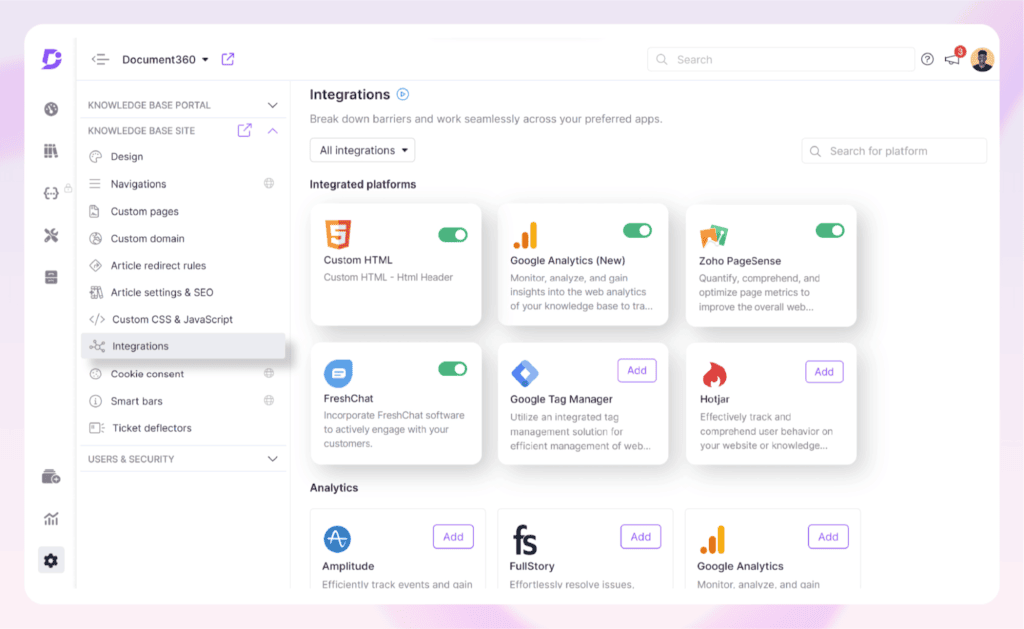
36. ProProfs Knowledge Base
ProProfs Knowledge Base is a cloud-based knowledge management platform that helps businesses create, organize, and publish internal documentation and customer-facing help centers. Instead of focusing on file storage, the platform is designed to centralize organizational knowledge, making it easier for employees and customers to find accurate information through searchable articles, FAQs, manuals, and documentation. Its intuitive editor, multilingual support, and built-in analytics make it well suited for organizations looking to improve self-service and knowledge sharing.
Key Features:
- AI-powered knowledge authoring: Create, edit, and publish knowledge base articles with an intuitive editor, reusable content snippets, and customizable templates.
- Internal and external knowledge bases: Build private documentation for employees or public help centers for customers from a single platform.
- Advanced search and multilingual support: Help users quickly find relevant information with intelligent search capabilities and support for 70+ languages.
- Content collaboration and approval workflows: Enable multiple authors to collaborate with version control, role-based permissions, and workflow approvals.
- Knowledge analytics: Monitor article performance, search queries, and user behavior to identify content gaps and continuously improve documentation.
- Business integrations: Connect with Slack, Zendesk, Freshdesk, Jira, Google Analytics, LiveChat, Microsoft Azure, and other productivity and customer support platforms.
Best For:
ProProfs Knowledge Base is best suited for customer support teams, HR departments, IT teams, SaaS companies, training organizations, and businesses that need an easy-to-manage knowledge base for employee documentation, customer self-service, onboarding, and process documentation.
Rating:
- 4.6/5 on G2
- 4.7/5 on Capterra
Pricing:
- Free: Available with basic knowledge base functionality.
- Business: Starts from USD 79/month (or USD 588/year, billed annually).
- Enterprise: Custom pricing for organizations requiring advanced security, enterprise administration, and additional collaboration features.
- A 15-day free trial is available for paid plans.
Visit Website: https://www.proprofskb.com/
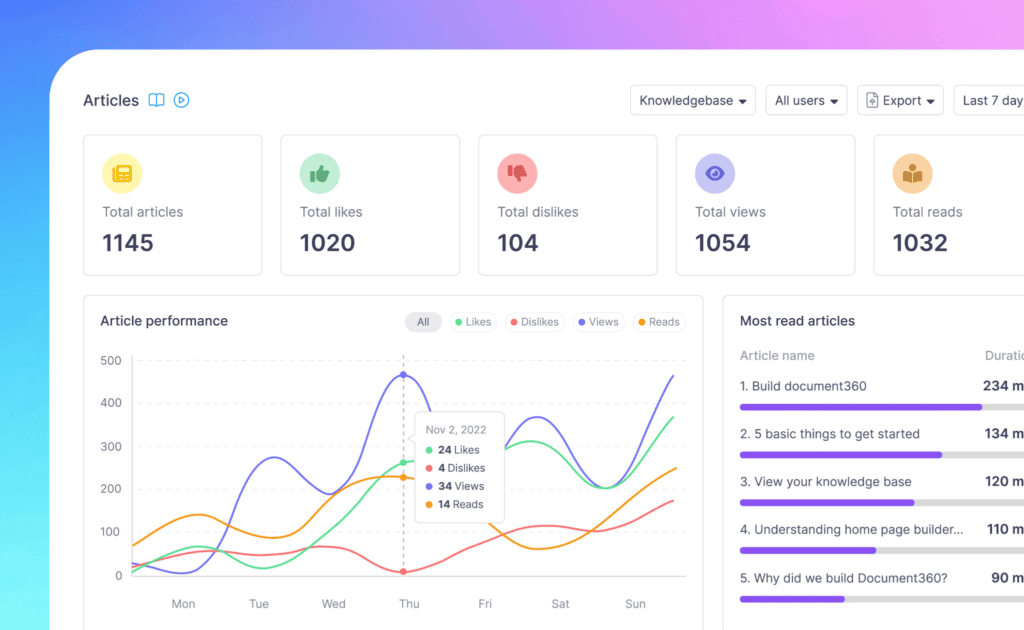
37. Guru
Guru is an AI-powered enterprise knowledge management platform that enables organizations to capture, verify, and deliver trusted information directly within employees’ daily workflows. Rather than serving as a traditional document management system, Guru functions as a centralized knowledge hub that integrates with workplace applications, ensuring teams can access accurate, up-to-date information without switching between multiple tools. Its AI-powered enterprise search and knowledge verification capabilities make it especially valuable for fast-growing organizations.
Key Features:
- Enterprise AI search: Search across Guru and connected business applications to instantly surface relevant documents, policies, FAQs, and organizational knowledge from a single interface.
- Knowledge verification workflows: Assign content owners, set verification schedules, and receive automated reminders to keep documentation accurate and trustworthy.
- AI-powered knowledge assistant: Generate answers, summarize content, and recommend relevant resources using AI while maintaining a single source of truth.
- Browser extension and workflow integrations: Access verified knowledge directly within Chrome, Slack, Microsoft Teams, Salesforce, Zendesk, Google Workspace, and other workplace applications.
- Custom knowledge collections: Organize information into structured collections, boards, and cards for different departments, projects, or business functions.
- Analytics and knowledge insights: Track content usage, search behavior, and knowledge gaps to continuously improve organizational documentation.
Best For:
Guru is best suited for customer support teams, sales organizations, HR departments, IT teams, SaaS companies, and enterprises looking to centralize institutional knowledge, improve employee productivity, and deliver trusted information within existing workflows.
Rating:
- 4.7/5 on G2
- 4.8/5 on Capterra
Pricing:
- Free: Available for small teams with core knowledge management features.
- All-in-One: Starts from USD 15/user/month (billed annually).
- Enterprise: Custom pricing for organizations requiring advanced AI capabilities, enterprise search, governance, and security controls.
- A free trial is available for paid plans.
Visit Website: https://www.getguru.com/pricing
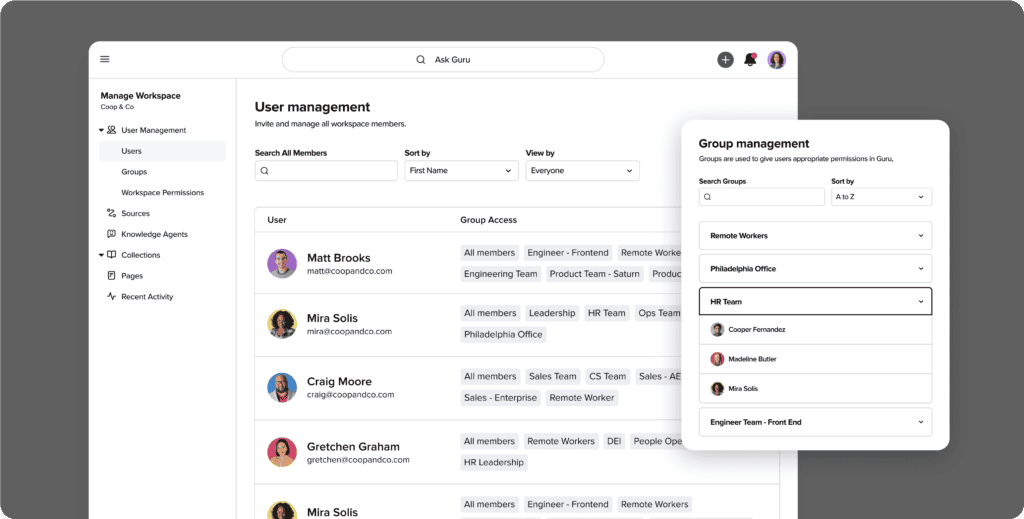
How To Choose The Right Document Management Platforms?
Before committing to a platform, evaluate these eight factors to ensure it genuinely fits your company’s needs:
- Free offer scope: Scrutinize exactly what the free tier includes. Some document management platforms lock essential features behind paid plans, so confirm that storage, search, and core collaboration tools are available from the start with no hidden costs.
- Scalability: Think beyond your current team size. The right document management software should accommodate growth, whether that means adding users, increasing storage, or unlocking advanced features, without forcing a costly platform migration later.
- Integrations: A DMS that works in isolation defeats its purpose. Prioritize document management solutions that connect natively with tools your team already relies on, such as Google Workspace, Microsoft 365, or Slack, to keep workflows uninterrupted.
- Ease of use: Adoption depends on simplicity. If the interface requires extensive training, usage will drop quickly. Look for document management tools with a clean, intuitive design that new users can navigate confidently from day one.
- Security: At minimum, your document management software should offer encryption, role-based access controls, and multi-factor authentication. These are non-negotiable for protecting sensitive business and client information.
- Storage limits: Free and entry-level plans often cap storage. Assess your current document volume and expected growth carefully to avoid disruptions caused by hitting storage ceilings at the worst possible moment.
>>> See more:
- Professional Fashion Photo Editing Services for Stunning Visuals
- Invoice Processing Services – Outsourcing Data Entry | DIGI-TEXX
- Financial Data Quality Management: What It Is & Why It Matters
Benefits Of Using Document Management Platforms
Adopting document management platforms delivers measurable improvements across every area of business operations. Here are the key benefits organizations experience:
- Improved Efficiency: Streamlines document workflows, saving time in locating and processing files.
- Cost Savings: Reduces dependency on paper, printing, and physical storage.
- Enhanced Security: Protects sensitive documents with advanced security measures.
- Remote Access: Allows employees to access documents from anywhere, supporting flexible work environments.
- Compliance Support: Assists organizations in adhering to industry regulations and maintaining proper documentation.
Effective Document Management Software is critical for the success of any organization, ensuring that resources are used efficiently and goals are met within the specified constraints. It provides structure, focus, and guidance for teams, helping to manage complexity and mitigate risks.ny organization, ensuring that resources are used efficiently and goals are met within the specified constraints. It provides structure, focus, and guidance for teams, helping to manage complexity and mitigate risks.
Document Management Software vs ECM vs Cloud Storage
Many businesses confuse these three systems when evaluating document management platforms. While they all handle documents, their capabilities and use cases are very different.
| Criteria | Document Management Software | ECM (Enterprise Content Management) | Cloud Storage |
| Core purpose | Manage and control business documents | Manage enterprise-wide content and records | Store and share files |
| Scope | Team / business level | Organization-wide | Individual / team |
| Workflow automation | Built-in automation | Advanced, complex workflows | Very limited |
| Document lifecycle | Strong | Full lifecycle management | Minimal |
| Compliance & audit | Yes | Extensive (records management) | Limited |
| Complexity | Medium | High | Low |
| Best for | Businesses needing structured document management solutions | Enterprises with strict compliance needs | Simple file storage and sharing |
Key Features Of Document Management Software
Modern document management software is no longer limited to storing files. The most effective document management platforms are designed to manage the entire document lifecycle, improve information retrieval, and automate business processes at scale.
Below are the core features that differentiate advanced document management solutions from basic file storage tools.
Intelligent document organization
Instead of relying on static folders, modern document management tools use metadata, tagging, and AI-based classification to organize documents dynamically. This allows businesses to manage large volumes of structured and unstructured data without manual sorting, reducing errors and improving consistency.
Advanced search and retrieval
A key capability of any serious document management platform is the ability to retrieve information instantly. Features such as full-text search, OCR, and metadata filtering enable users to locate documents in seconds, even across large and complex repositories.
Workflow automation
Leading document management solutions automate document routing, approvals, and repetitive tasks. This reduces manual intervention, speeds up processes, and ensures that documents move through predefined workflows efficiently.
Access control and security
Security is a core requirement, especially for organizations handling sensitive data. Most document management platforms provide role-based access control, encryption, and authentication mechanisms to ensure that only authorized users can access or modify documents.
Version control and audit trails
Versioning allows teams to track changes, maintain document history, and restore previous versions when needed. Audit trails provide full visibility into who accessed or modified a document, which is essential for compliance and accountability.
Integration with business systems
Modern document management tools do not operate in isolation. They integrate with systems such as CRM, ERP, and email platforms, enabling seamless data flow and reducing fragmentation across business processes.
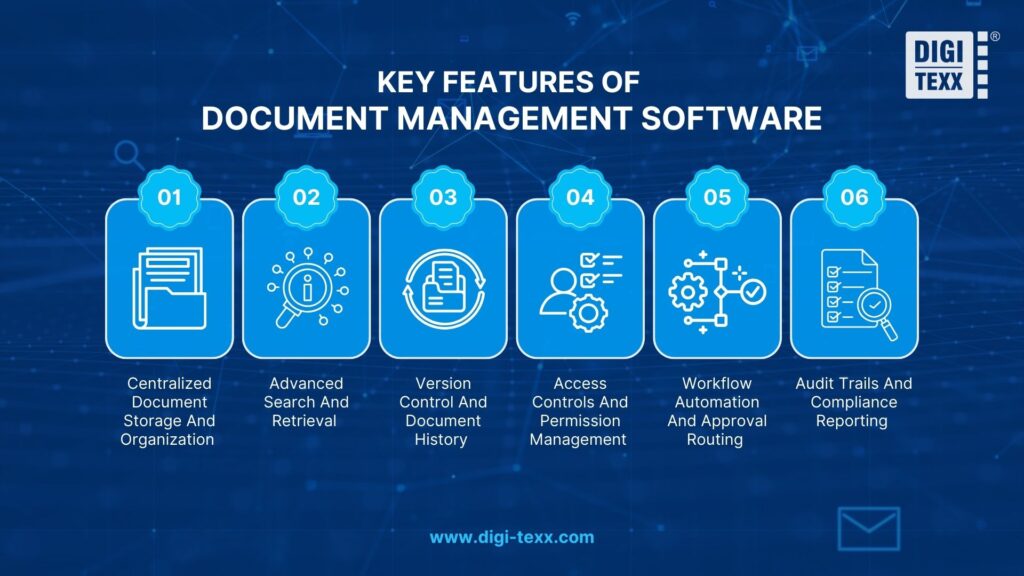
>>> Explore more:
- B2B Data Cleansing in 2026: The Guide to Maintaining Data Quality
- CRM Data Cleaning Solutions: How to Cleanse Your Data Fast
- 5 Best Data Parsing Software in 2026 | Features & Comparison
Key Trends In Document Management Software 2026
The document management landscape is evolving rapidly as businesses demand more than just storage. Modern document management platforms are increasingly focused on automation, intelligence, and compliance to handle growing volumes of business data.
Understanding these trends helps organizations choose document management solutions that remain scalable and relevant in the long term.
AI-powered document processing
AI is becoming a core component of advanced document management tools, enabling automatic classification, data extraction, and smart indexing. This reduces manual work and improves accuracy, especially for organizations handling large volumes of documents.
Workflow automation and no-code configuration
Automation is no longer optional. Leading document management platforms now offer no-code or low-code workflow builders, allowing businesses to design approval processes and document flows without technical expertise.
Compliance-first document management
With stricter regulations such as GDPR, HIPAA, and ISO standards, document management solutions are increasingly built around compliance. Features like audit trails, retention policies, and access control are now standard rather than optional.
Cloud-native and hybrid deployment
Most modern document management tools are cloud-based, enabling remote access and scalability. At the same time, hybrid models are growing in popularity, allowing businesses to balance flexibility with data control.
Integration with business ecosystems
Today’s document management platforms are designed to integrate seamlessly with CRM, ERP, and other enterprise systems. This ensures documents are not isolated but become part of a connected workflow across the organization.
FAQs About Document Management Software
What Is The Best Software For Document Management?
The best document management software depends on your specific needs, with top options including Microsoft SharePoint for large businesses, Google Drive for easy teamwork, and Notion for flexible workspace creation.
Does Microsoft 365 Have A Document Management System?
Yes, Microsoft 365 includes document management capabilities through SharePoint, OneDrive, and Microsoft Teams. 1 serves as the primary DMS backbone with centralized libraries, permissions, and compliance features. OneDrive handles file storage and syncing across devices, while Teams integrates communication directly with document workflows. They cover the full document lifecycle, from creation and collaboration to storage, versioning, and archiving, making Microsoft 365 a comprehensive solution for businesses of all sizes.
What Are Examples Of Document Management Systems?
Well-known examples of document management platforms include SharePoint by Microsoft, Google Workspace (Google Drive), DocuWare, M-Files, Laserfiche, and Dropbox Business. Each offers a different combination of features suited to different business sizes and industries. DIGI-DMS by DIGI-TEXX is another strong example, designed specifically for organizations that need secure, centralized document archiving with cloud-ready infrastructure.
Does Microsoft Offer A Document Management System?
Yes, Microsoft offers robust document management system (DMS) capabilities primarily through SharePoint, OneDrive, and Microsoft Teams, all integrated within the Microsoft 365 ecosystem, providing features like version control, security, workflow automation, and compliance. These tools manage the entire document lifecycle, from creation to archival, within a familiar environment that works with Office apps like Word and Outlook.
Are Document Management Software Truly Secure?
Yes, document management software is truly secure. They protect sensitive data through file encryption, strict access controls, and detailed audit trails that track every user action. Features like multi-factor authentication and automatic backups further prevent unauthorized access and data loss, giving users full confidence when storing critical files such as contracts and financial records.
Investing in the right document management platforms is one of the most impactful decisions a business can make. From reducing manual paperwork and improving team collaboration to ensuring regulatory compliance and protecting sensitive data, a well-chosen DMS transforms the way organizations handle information every day.
With +35 best document management software in this guide, the right choice ultimately depends on your business size, industry requirements, and specific workflow needs. Whether you need a compliance-focused platform, an AI-powered enterprise system, or a simple cloud-based tool for a growing team, there is a document management software built for you.
At DIGI-TEXX, we specialize in helping businesses digitize, standardize, and manage their documents through our DIGI-DMS solution, a centralized, secure, and cloud-ready platform designed to reduce operational effort and improve data transparency at every level.
If you have any questions or would like expert advice on data analytics services, please feel free to contact us using the information below.
DIGI-TEXX Contact Information:
Website: https://digi-texx.com/
Hotline: +84 28 3715 5325
Email: [email protected]
Address:
- Headquarters: Anna Building, QTSC, Trung My Tay Ward
- Office 1: German House, 33 Le Duan, Saigon Ward
- Office 2: DIGI-TEXX Building, 477-479 An Duong Vuong, Binh Phu Ward
- Office 3: Innovation Solution Center, ISC Hau Giang, 198 19 Thang 8 street, Vi Tan Ward
Reference:
- AIIM. (n.d.). What is enterprise content management (ECM)? Association for Intelligent Information Management. https://www.aiim.org
- ARMA International. (n.d.). Information governance and records management principles. https://www.arma.org