Free photo retouch tools are becoming increasingly popular as businesses and individuals look for faster, simpler ways to enhance images for ecommerce, social media, and digital marketing. Powered by modern AI image processing technology, many platforms now offer advanced features such as AI photo retouching, automatic background cleanup, and clipping path support without requiring professional editing experience. These technologies are also increasingly integrated into image processing for virtual try-on AI model systems to create more realistic ecommerce and fashion visualization experiences.
These solutions are widely used across different styles of photo editing, from portrait enhancement and product photography to creative visual content creation. In addition, many businesses also combine online editing tools with professional image processing services, clipping path service solutions, and photo editing services online to improve workflow efficiency and maintain consistent image quality.
In this guide, DIGI-TEXX will introduce the best free online retouching tools while explaining how AI powered technologies, including document image scanning software, are transforming modern digital image enhancement.
More than 75% of online shoppers say product photos strongly influence their purchasing decisions, making high-quality photo retouching and AI image enhancement essential for ecommerce success.” – Jeff Bezos, Founder of Amazon
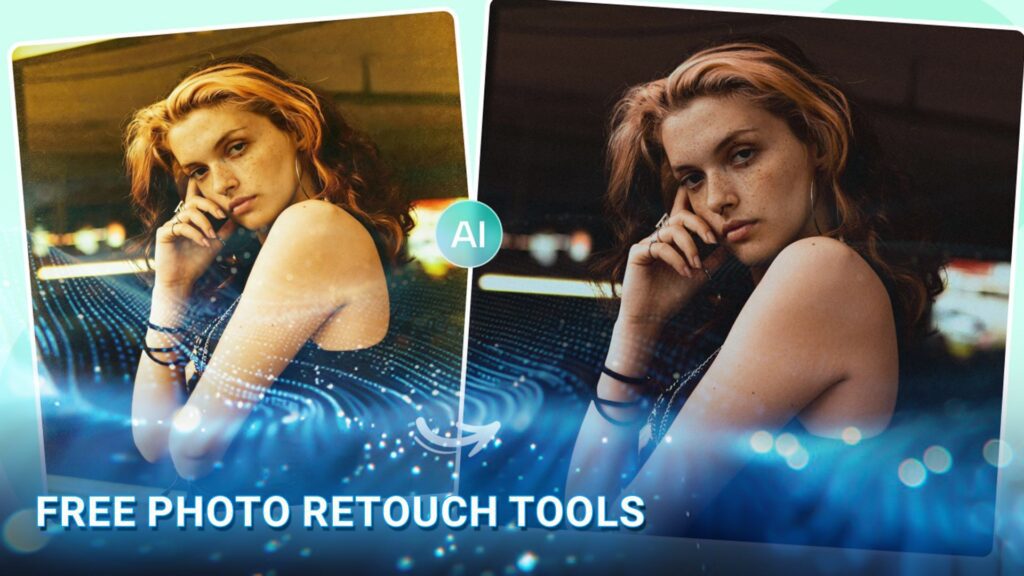
What Does It Mean To Retouch A Photo?
Photo retouching is the process of making targeted adjustments to improve specific details in an image while keeping the result natural. Unlike general photo editing, which can include cropping, exposure, color, and composition adjustments, retouching focuses more on details such as skin, facial features, stray hairs, wrinkles, unwanted objects, and distracting backgrounds.
Today, online photo retouching tools make these adjustments accessible directly in a web browser. Users can upload a picture, select a retouching tool, apply changes, and download the result without installing traditional software. Many platforms also offer free photo retouch or AI-powered features for common touch-up tasks.
AI photo retouching automates much of this process by detecting faces, skin, objects, and other image elements, while manual retouching gives users more precise control over individual adjustments. For quick corrections, AI and online photo touch up tools can be convenient; professional work may still require more detailed manual retouching.
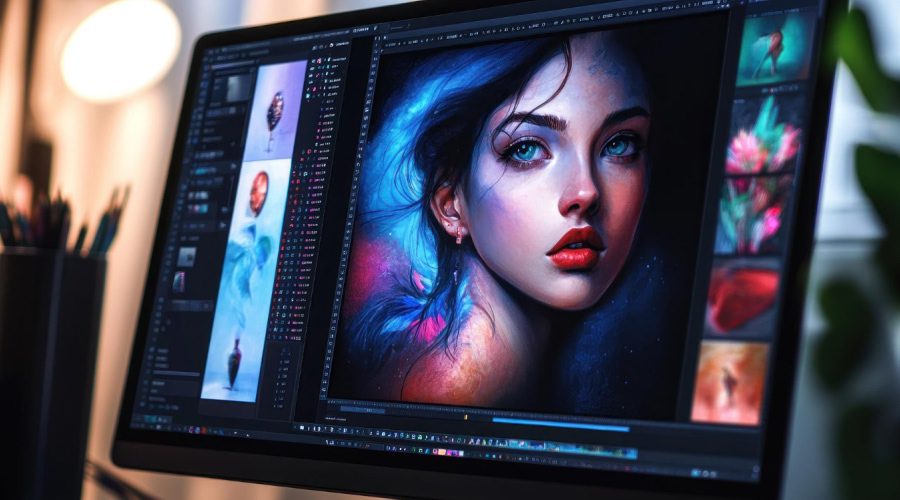
Common Features In Modern Photo Retouch Tools
Modern photo retouch tools offer a variety of AI-powered features that help improve image quality, simplify editing workflows, and create more professional-looking visuals. Below are some of the most common features available in modern retouch software.
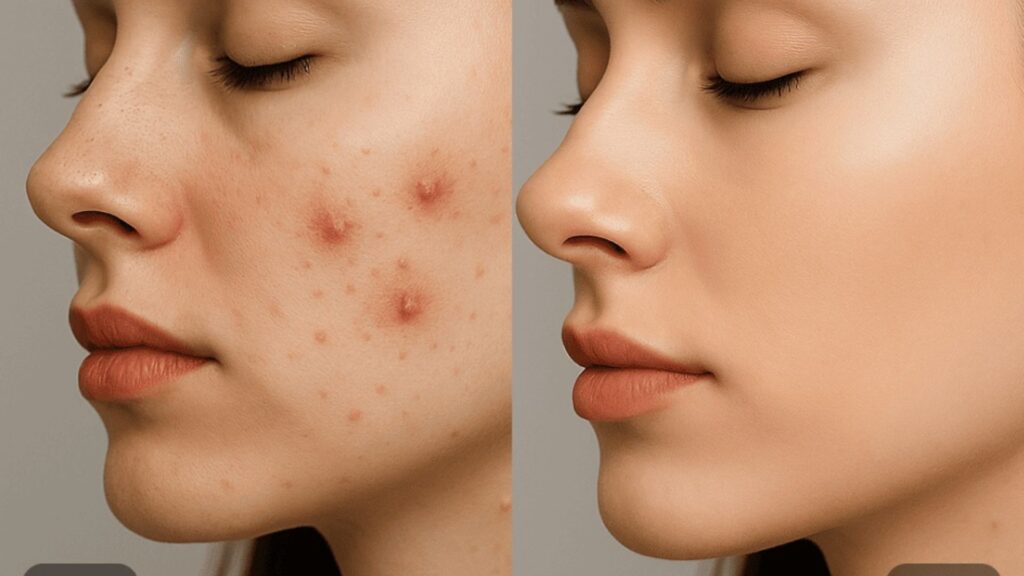
AI Skin Retouching & Blemish Removal
AI skin retouching tools automatically remove acne, blemishes, wrinkles, dark spots, and uneven skin texture while preserving natural facial details. Many Face retouch AI free tools also help enhance portrait photos with smoother skin, balanced tones, and a cleaner overall appearance.
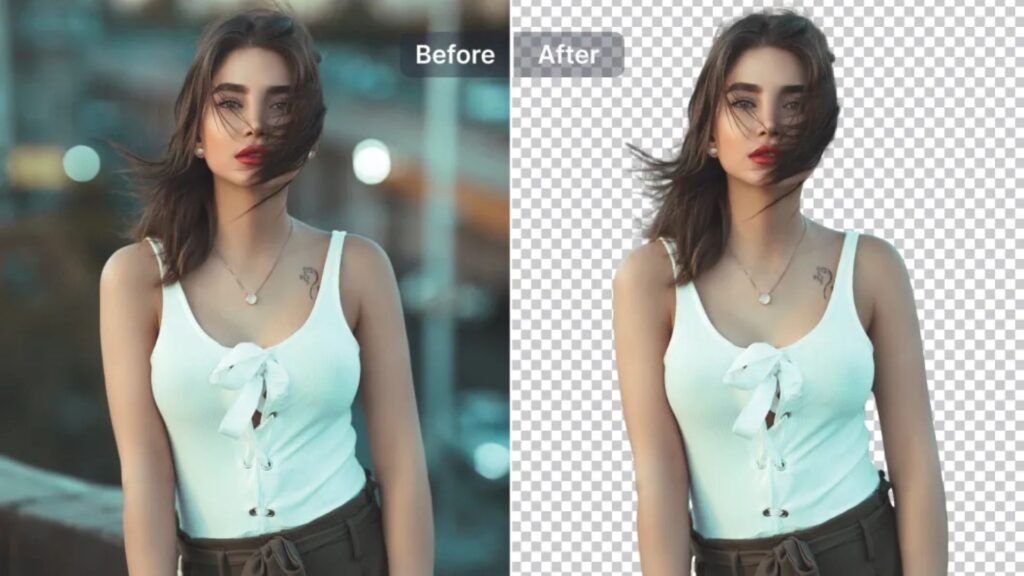
Background Removal & Background Replacement
Background editing tools can quickly separate subjects from unwanted backgrounds using AI detection technology. Users can replace backgrounds with transparent layers, studio settings, or custom scenes for more professional-looking images.
Filters & Color Enhancement
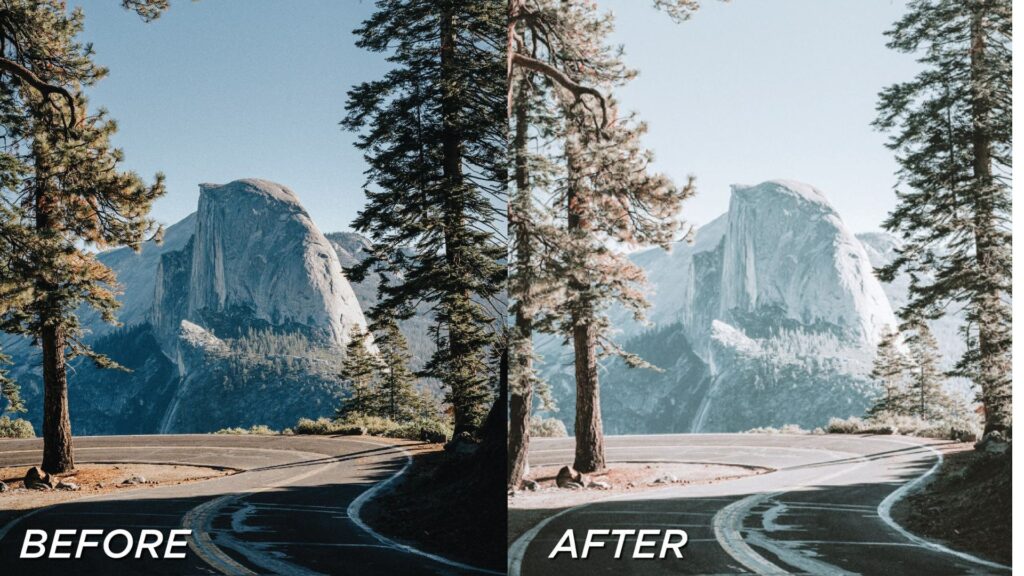
Modern retouch software includes filters and color adjustment features that improve brightness, contrast, saturation, and overall image tone. AI-based enhancement tools also help optimize colors automatically for more visually appealing results.
Object Removal Tools
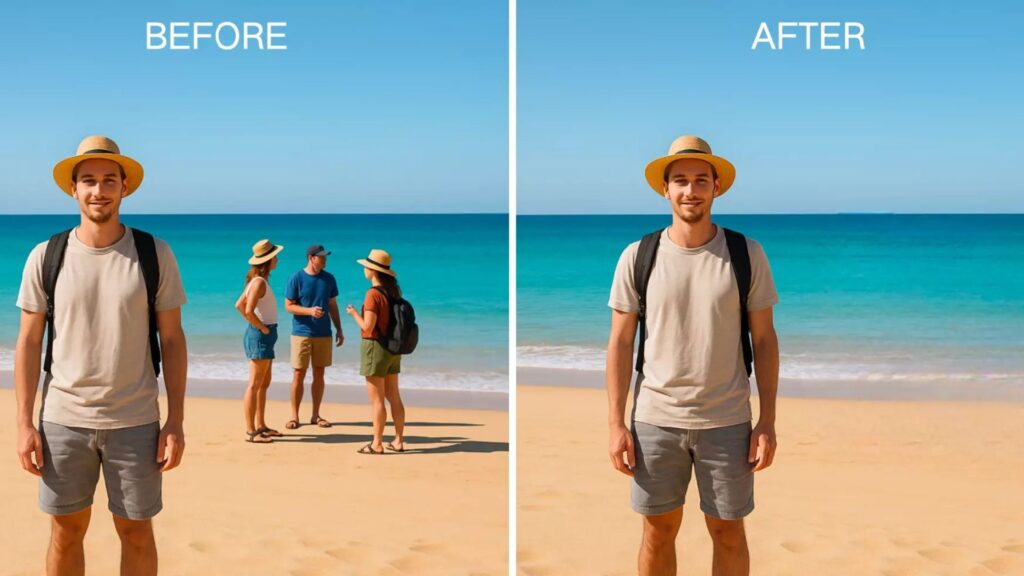
Object removal features allow users to erase unwanted elements such as wires, shadows, stains, or background clutter. AI-powered editing tools can intelligently fill removed areas to maintain a smooth and natural image appearance.
Portrait Enhancement & Face Reshaping
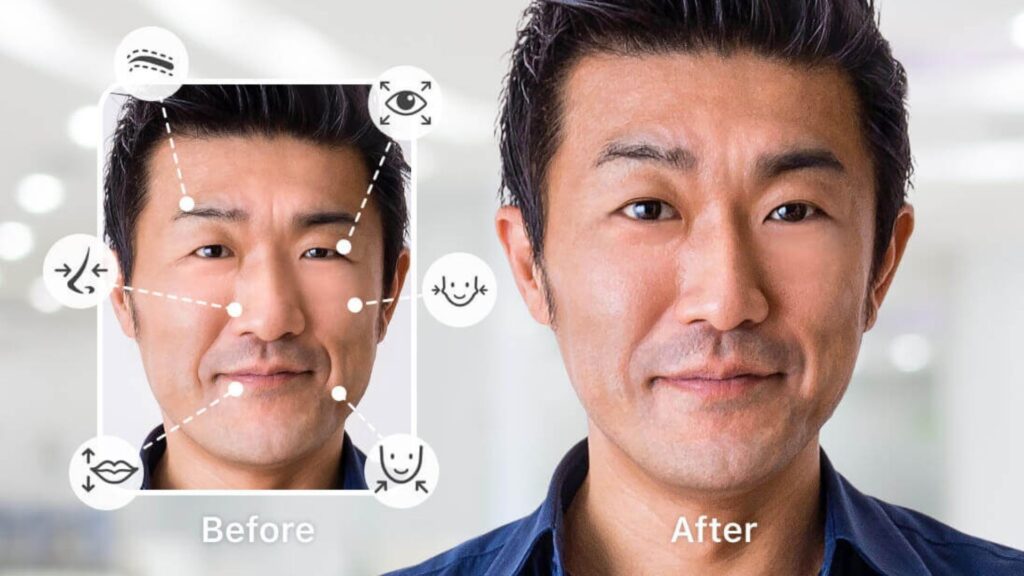
Portrait enhancement tools help improve facial features through skin smoothing, teeth whitening, eye brightening, and subtle face reshaping. These features are commonly used in beauty, fashion, and social media photography.
>>> See more:
- AI Training Data Service: Benefits, Workflow, Cost & Top 15 Companies In 2026
- How To Make A Clipping Path In Illustrator (Step-By-Step)?
- What Is Multiple Clipping Path Service? A Complete Guide
Top 10 Free Photo Retouch Online For Beginners
There are many online photo retouching tools that help beginners improve portraits, remove imperfections, clean up backgrounds, and enhance images without professional editing software. The tools below are selected based on their retouching features, ease of use, online accessibility, and free or entry-level pricing.
| Tool | Platform | Free Access / Pricing | Best For | Retouching Features |
| Pixlr | Web, mobile | Free plan; paid plans available | General photo retouching | AI enhancement, object removal, portrait editing, background removal |
| Cutout.Pro | Web | Free credits for limited use; paid credits available | AI image touch-up | Face retouching, background removal, image enhancement, photo cleanup |
| Pixelbin | Web | Free plan with limited usage; paid plans available | AI image enhancement | Background removal, image enhancement, object editing, automated image processing |
| Retouch4me | Desktop, plugins | Paid tools; free trials available for selected products | Professional portrait retouching | AI skin retouching, face enhancement, portrait cleanup, batch retouching |
| Fotor | Web, mobile | Free plan; Pro from about $8.99/month | Beginner-friendly AI retouching | Skin smoothing, blemish removal, wrinkle reduction, portrait enhancement |
| Picsart | Web, mobile | Free plan; paid plans available | Creative photo touch-up | AI retouching, object removal, background editing, skin enhancement |
| Photopea | Web | Free with ads; Premium from about $5/month | Photoshop-style editing | Layers, masks, selections, manual retouching, color correction |
| BeFunky | Web, mobile | Free basic tools; Plus from about $6.99/month billed annually | Simple portrait edits | Skin smoothing, teeth whitening, blemish correction, portrait touch-ups |
| Polarr | Web, mobile | Free version; Premium from about $7.99/month | Filters and color correction | Filters, color adjustments, presets, AI-assisted editing |
| Colorcinch | Web | Free version with limitations; Premium from about $5.99/month | Quick creative edits | Filters, background tools, color adjustments, basic photo retouching |
1. Pixlr
Pixlr is a versatile online photo retouching tool for beginners who want to edit and enhance images directly in a browser. It combines traditional editing tools with AI-powered features for tasks such as object removal, image enhancement, and portrait editing.
Users can start with the free version for basic editing and photo retouch online free tasks, while more advanced AI features are available through paid plans.
Key Features
- AI-powered image enhancement
- Object and background removal
- Portrait and skin enhancement
- Filters and color adjustments
- Layer-based editing
- Browser-based photo retouching
Best for: Beginners looking for a flexible free photo retoucher with both basic and AI-powered tools.
Pricing: Free plan available. Paid plans start at approximately $2.49/month for Plus when billed annually, with higher-tier plans available for users who need more AI credits and features.

2. Cutout.Pro
Cutout.Pro is an AI-powered image editing platform designed for automated photo enhancement and background processing. It can be useful for users looking for AI photo retouch online free tools that require minimal manual editing.
Its AI features can help with portrait enhancement, image cleanup, background removal, and other repetitive image-processing tasks.
Key Features
- AI image enhancement
- Portrait enhancement
- Background removal
- Image cleanup
- Automatic photo processing
- Online editing
Best for: Quick AI-assisted free image touch up and background editing.
Pricing: Cutout.Pro offers free credits for new users, while additional credits are purchased through paid credit packages. Paid subscriptions are also available for higher-volume processing.

3. Pixelbin
Pixelbin is an AI-powered image processing platform that focuses on automated image transformations, optimization, and digital asset workflows. It is better suited to users who need more than basic photo touch up online free functionality.
The platform can support automated image enhancement, background removal, resizing, and other image-processing workflows.
Key Features
- AI-powered image processing
- Background removal
- Image enhancement
- Automated image transformations
- Image optimization
- Online image workflows
Best for: AI-based image processing and users handling larger image workflows.
Pricing: Pixelbin offers a free plan with limited usage. Paid plans are available for higher usage and additional image-processing capabilities, with pricing depending on the selected product and usage requirements.

>>> See more:
- How To Retouch Photos On iPhone – Best Free Apps For iOS
- Car Photo Editing: Complete Guide To Professional Vehicle Photos
- 13 Street Style Photo Editing Steps In Lightroom For Professional Results
4. Retouch4me
Retouch4me is designed specifically for professional photo retouching and uses AI to automate repetitive portrait and skin-editing tasks. Unlike general-purpose online editors, it focuses heavily on professional retouching workflows.
It can automatically detect and improve areas such as skin, facial details, and other portrait elements, making it useful for photographers who need consistent results across multiple images.
Key Features
- AI skin retouching
- Portrait enhancement
- Automatic skin cleanup
- Professional retouching plugins
- Batch-processing workflows
- Photoshop and Lightroom integration
Best for: Professional photographers and users who need automated portrait retouching.
Pricing: Retouch4me tools are primarily paid software and plugins. Individual plugins generally start at around $124, depending on the specific tool. Free trial versions may be available for selected products.

5. Fotor
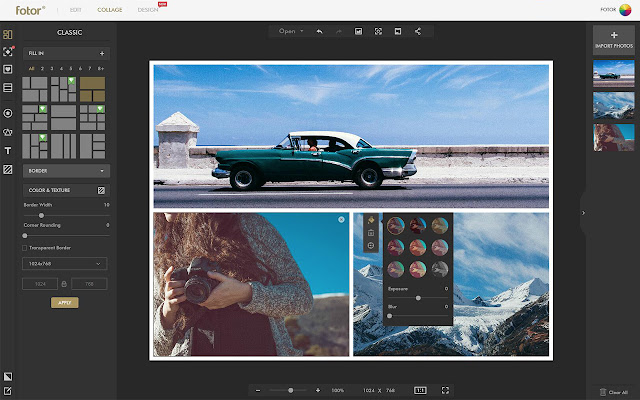
Fotor is a beginner-friendly online photo editor with AI-powered tools for portrait enhancement, skin smoothing, blemish removal, and other common retouching tasks. Its browser-based interface makes it easy to retouch a photo online free without installing desktop software.
Key Features
- AI photo retouching
- Skin smoothing
- Blemish removal
- Wrinkle reduction
- Portrait enhancement
- Background editing
- Filters and effects
Best for: Beginners who want free online photo retouching with simple AI-powered tools.
Pricing: Fotor offers a free plan with basic editing features. Fotor Pro starts at approximately $8.99/month, while Pro+ starts at approximately $19.99/month, with pricing varying by billing cycle and promotions.
6. Picsart
Picsart combines photo editing, AI enhancement, creative effects, and design tools in one platform. Its web and mobile editors allow users to perform online photo touch up tasks such as skin enhancement, object removal, background editing, and image enhancement.
Key Features
- AI photo retouching
- Skin enhancement
- Object removal
- Background replacement
- Filters and effects
- Photo and video editing
- Creative templates
Best for: Social media creators who want photo touch up free tools alongside creative editing features.
Pricing: Picsart offers a free plan with basic tools. Paid plans start at approximately $5/month for Plus and $7/month for Pro when billed annually, although prices may vary by region and promotion.

7. Photopea
Photopea is a browser-based image editor that provides Photoshop-style tools without requiring desktop installation. It is particularly useful for users who want more control over manual retouching rather than relying entirely on automated AI tools.
Users can work with layers, masks, selections, brushes, and other tools to retouch pictures online free.
Key Features
- Layer-based editing
- Masks and selections
- PSD support
- Manual skin retouching
- Color correction
- Advanced image manipulation
- Browser-based workflow
Best for: Users who want detailed manual control over online photo retouching.
Pricing: Photopea is available free with advertising. Photopea Premium starts at approximately $5/month, with longer subscription periods offering lower monthly rates.
>>> See more:
- Fashion Photo Editing: Techniques, Tools & Professional Services
- Birthday Editing Online Free: Tools, Frames & Creative Ideas
- E-commerce Photo Editing Services: Top Companies & Solutions For Online Stores

8. BeFunky
BeFunky is an easy-to-use online editor designed for beginners. Its portrait tools include skin smoothing, teeth whitening, and other basic touch-up features, making it suitable for simple face retouching online free tasks.
Key Features
- Portrait retouching
- Skin smoothing
- Teeth whitening
- Blemish correction
- Filters and effects
- Collage maker
- Graphic design tools
Best for: Beginners who need straightforward free photo touchup tools.
Pricing: BeFunky offers free basic editing tools. BeFunky Plus starts at approximately $6.99/month when billed annually, with monthly billing available at a higher rate.

9. Polarr
Polarr combines photo editing, filters, color adjustments, and AI-assisted features across web and mobile platforms. It is a good option for users who want to combine retouching tools with more detailed color and tonal adjustments.
Key Features
- Advanced color correction
- Filters and presets
- AI-assisted editing
- Skin and portrait adjustments
- Custom filters
- Web and mobile editing
Best for: Users who want more creative control over color and image enhancement.
Pricing: Polarr provides a free version with basic features. Premium access starts at approximately $7.99/month, with annual and other subscription options available.

10. Colorcinch
Colorcinch is a simple browser-based photo editor aimed at beginners who want quick image enhancements and creative effects. Alongside filters and artistic effects, it provides basic tools for image enhancement and background editing.
Key Features
- Basic photo retouching
- Background removal
- Filters and effects
- Artistic photo effects
- Color adjustments
- Browser-based editing
Best for: Beginners looking for quick online photo touch up and creative image effects.
Pricing: Colorcinch offers a free version with basic features. Premium plans start at approximately $5.99/month, with lower effective rates available on longer-term subscriptions.

How To Retouch A Photo Online For Free?
You can retouch a photo online free using a browser-based editor without installing professional retouching software. Most tools follow a similar workflow: upload the image, make targeted adjustments, review the result, and export the finished photo.
Upload Your Photo
Choose an online photo retouching tool and upload the image you want to edit. For quick free photo touch up online, use a clear, high-resolution photo so skin details, facial features, and unwanted objects are easier for the tool to detect.
Remove Blemishes And Smooth Skin
Use blemish removal, skin smoothing, or portrait enhancement tools to clean up temporary imperfections while keeping the skin texture natural. An AI photo retouch online free tool can automatically detect common facial imperfections, while a free photo retoucher may provide manual controls for more precise adjustments.
Adjust Color And Lighting
Fine-tune exposure, brightness, contrast, highlights, shadows, and color balance to improve the overall appearance. These basic adjustments are often available in free online photo retouching tools and can make a bigger difference than applying heavy filters.
Remove Unwanted Objects
Use an object removal or cleanup tool to eliminate distracting elements such as stray hairs, people in the background, signs, or small objects. Many free image touch up tools now use AI to fill the removed area automatically, making it easier to retouch pictures online free.
Review And Export the Image
Before downloading, compare the retouched image with the original to make sure the edits look natural. Check skin texture, facial details, colors, and object removal for visible artifacts. Once satisfied, export the final image in the required format and resolution. This simple workflow makes it possible to retouch photos for free online without advanced retouching software.
>>> See more:
- Secure Data Annotation Services: Top Companies & How to Choose
- Edit Photos In Lightroom Online Free: Quick Guide For Beginners 2026
Should You Choose Photo Retouch Online Or Professional Photo Retouching Services?
In this section, we will analyze the choice between users retouching photos online using free tools or hiring professional online photo retouching services.
Free Photo Retouch Online
Photo retouch online is more suitable for individuals or those with basic knowledge of photo editing, the needs for this method are:
- Individual users who want to quickly edit photos for social networks.
- Basic edits such as cropping, adjusting brightness, color, applying filters.
- People with limited budgets or do not want to install software.
- Quickly test AI skin retouching free tools or makeup online photo.
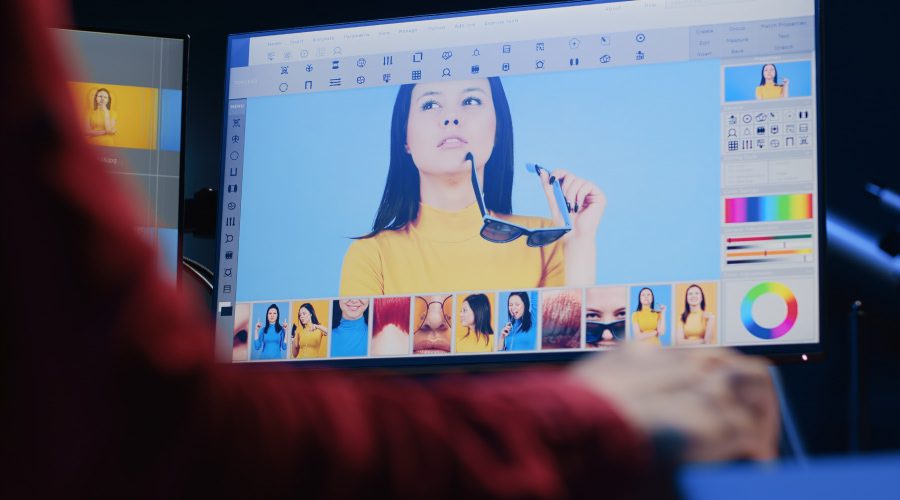
Because photo retouch online tools completely consider the final product from the user’s perspective, it is suitable for tasks that need to be fast and convenient, the advantages and disadvantages can be analyzed as follows:
- Advantages: Free or low cost, fast, convenient, does not require high skills.
- Disadvantages: Limited advanced features, quality can be inconsistent, limited ability to customize details, sometimes AI results are not perfect.
Professional Photo Retouching Services
However, when more advanced tasks are needed, photo retouch online tools will certainly not be able to fully meet all needs, so users will have to look for professional photo retouching services.
This service is suitable for:
- E-commerce businesses that need high-quality, consistent product images.
- Professional photographers who need to edit high-end wedding, fashion, and portrait photos.
- Projects that require high precision, complex editing (eg: high-end beauty retouching, jewelry photo retouching services).
- When a large number of images need to be processed with guaranteed quality.
It can be seen that this method is suitable for commercial images as well as high-demand applications, requiring more tools to perform as well as image experts.
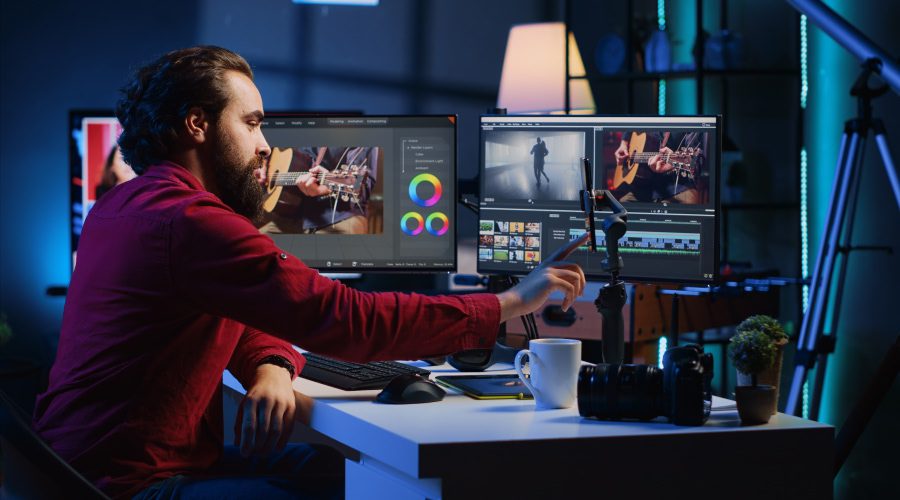
- Advantages: Superior quality, high accuracy, customized according to specific requirements, saving time for users, professional and consistent results.
- Disadvantages: Higher cost than doing it yourself.
In short, if you just need simple and quick editing, free photo retouch online tools are a good choice. However, for professional results, especially for commercial purposes, investing in professional photo retouching services will bring higher efficiency.
DIGI-TEXX – Offering Professional Online Photo Retouching Services
DIGI-TEXX is one of the leading suppliers of expert online photo retouching services, offering customized solutions that meet a wide range of customer demands. With the support of a dedicated team of experts, we are committed to delivering beautiful and tailored images that meet your expectations.
Types of Photo Retouching Services Offered by DIGI-TEXX:
- Background removal: Removes extraneous backgrounds to draw attention to the primary subject, improving the image’s overall appeal.
- Color correction: Adjusts and balances colors to achieve accurate and vibrant visuals, ensuring consistency across all images.
- Object removal: Removes extraneous backgrounds to draw attention to the primary subject, improving the image’s overall appeal. Makes photographs cleaner and more focused by eliminating unwanted elements.
- Skin retouching: Enhances skin tones and textures, correcting imperfections to achieve a natural and flawless appearance.
- Eye enhancement: Brightens and sharpens eyes, adding depth and expressiveness to portraits.
- Body shaping: Subtly adjusts body contours to achieve desired proportions while maintaining a natural look.
- Product retouching: Refines product images by correcting flaws and enhancing details, making them more attractive to potential customers.
- Fashion retouching: Tailors images to meet the high standards of the fashion industry, focusing on color accuracy, texture, and overall aesthetics.

FAQs About Free Photo Retouch
What Is The Difference Between Editing And Retouching?
Photo editing and photo retouching are often used interchangeably, but they actually serve different purposes in the image enhancement process.
Photo Editing (Foundation Level) focuses on improving the overall look and structure of an image. It includes broad adjustments such as cropping, resizing, rotating, and color grading to enhance composition and visual balance.
Photo Retouching (Professional Level) goes deeper into fine details. It is used to perfect specific elements within an image, such as smoothing skin, removing wrinkles, eliminating unwanted objects, or adjusting body proportions for a polished, high-end finish.
How Can I Retouch A Photo For Free?
You can do free photo retouching using online tools like Fotor, Adobe Photoshop, and Pixlr, which offer AI features for skin smoothing, blemish removal, teeth whitening, and object removal.
Which Free App Is Best For Photo Retouching?
The best free photo retouching app depends on what you need:
- Adobe Lightroom: Best for professional color correction, lighting adjustments, and advanced photo enhancement with an intuitive mobile workflow.
- Pixlr: Ideal for quick photo retouching, overlays, AI tools, and easy social media edits.
- Fotor: Great for beginner-friendly retouching, beauty enhancements, filters, and one-click AI photo editing features.
What Free Apps Can You Touch Up Skin With?
Here are some popular free skin retouching apps that help you enhance portraits easily on mobile:
- Hypic (iOS, Android): Offers real time face editing and automatic beauty enhancement with AI camera tools.
- Canva (iOS, Android): A design platform that also includes basic AI powered photo enhancement and retouching features.
- Peachy (iOS, Android): Focuses on simple and fast AI face retouching like smoothing skin and quick beauty fixes.
- PicsArt (iOS, Android): A creative editing app with built in beauty tools, filters, and advanced photo effects.
Whether you need photo retouch online for personal use or are looking for the best online photo retouching service for your business, it is important to understand the options and pros and cons of each method. Photo retouch free online tools with AI support such as AI skin retouching online are becoming more and more convenient for basic needs.
However, to achieve professional and consistent image quality, choosing a reputable online photo retouching service like DIGI-TEXX is a smart investment decision. If you are ready to find a photo retouching service provider, contact the DIGI-TEXX team now and let the experts help you create the most perfect photos.
=> Read more:
- Photo Editing and Retouching: Benefits, Techniques, and Best Services
- How Online Photo Restoration Services Revive Your Precious Memories
DIGI-TEXX Contact Information:
🌐 Website: https://digi-texx.com/
📞 Hotline: +84 28 3715 5325
✉️ Email: [email protected]
🏢 Address:
- Headquarters: Anna Building, QTSC, Trung My Tay Ward
- Office 1: German House, 33 Le Duan, Saigon Ward
- Office 2: DIGI-TEXX Building, 477-479 An Duong Vuong, Binh Phu Ward
- Office 3: Innovation Solution Center, ISC Hau Giang, 198 19 Thang 8 street, Vi Tan Ward
Reference:
- IBM Research. (n.d.). Artificial intelligence research. IBM Research AI
- Library of Congress. (n.d.). Digital collections. Library of Congress Digital Collections